Problems? See this thread at archive.org.
Well i have a couple of reason's to go with a X220 even if one of them might turn out not to be true being the keyboard change. That and i need one now since my T61 died once again and i cba fixing the gpu with a heatgun again for the third time. From what i understand dual core IB mobile is set for june while quad is set for the end of april combined with the fact i want something lighter and don't need a quad. Hope that clears it all up.
-
Nice find - how'd you get it, by the way?
So the all-but-confirmed changes to the W530 so far include:
- Ivy Bridge Processor
- NVIDIA Quadro 1100M/2100M
- Chiclet Style Keyboard
Can't decide whether it's worth it to pull the trigger now or wait... leaning toward waiting... -
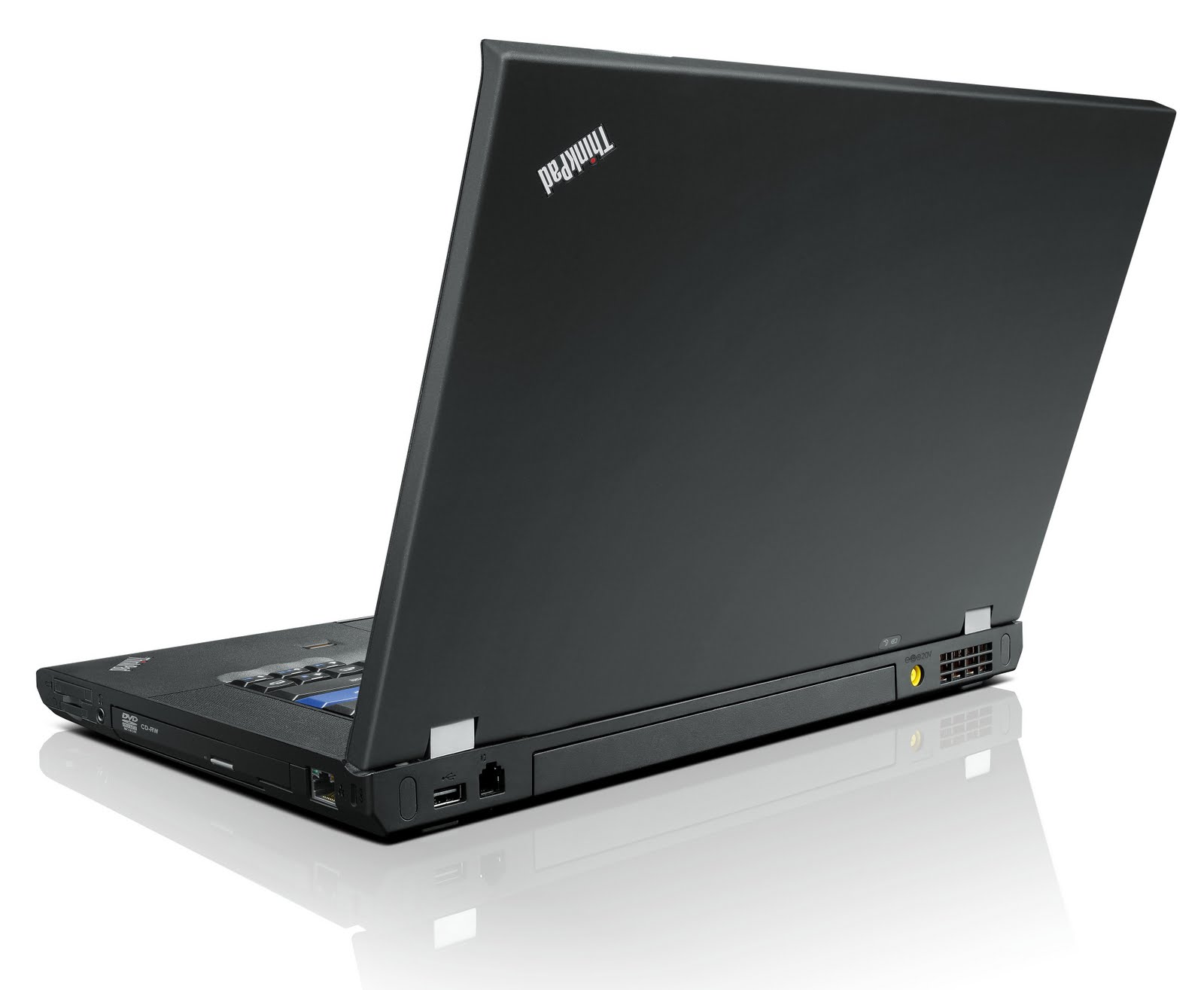
I find the picture of the L530 on Lenovo.com here: New Products from Lenovo - Tablets - Laptops- Desktops - New Technologies (US) Then I took the direct link of this picture ( http://www.lenovo.com/images/products/nps/laptops/L530.png) and replaced the L in the URL with a T - voila. I tried T430, X230 etc. too but there is only this picture of the T530.
-
Oh no... if the T530 sports a chiclet keyboard, that probably means all other Thinkpads will also depart from the legacy keyboard. Really sad.
Yet, I'd prefer to wait until the official announcement & pictures before grabbing an X220. The current line up will still be shortly available until the new models are out (i.e. in between announcement and effective availability), no? -
I'm not sure I agree that's a chiclet keyboard. Here's the official shot of the W520 and they look identical to me, except for the color of the key.
Attached Files:
-
-
Comparing the two shots, there is more spacing between the keys on the (supposed) T430. Also, the arrows look slightly different.
-
Apart from the fact that you need a new laptop, I am not sure I understand. Are you saying that:
* the keyboard on the 230 is not the good old keyboard of the x series? This alone is probably 90% of the reasons I buy a lenovo.
* the 230 will be heavier than the 220.
I still do not understand the issue of linux support you mentioned. Is it related to the multi-core issue? If so, how? Thanks. -
The typing feel is really good. The main problem is the lack of lesser used keys (Insert/Hm/End). The trackpoint is a bit lower positioned than on the traditional keyboards, it bothers some people but I didn't have a problem when I tried using it.
The palmrest below the arrow key block looks more like the L530 picture than the W520 picture. -
I wonder if we would simply be able to swap in a traditional keyboard in place of the chicklet keyboard. If they are swappable, I wonder if Lenovo will offer a choice of the two keyboards when ordering.
-
No swapping in the traditional keyboard won't work, these machine can only use the new kb.
T430, T530, L430, L530, W530 are all suppose to have this new kb. -
What is about X230, X230t and T430s? Will they come with a classic keyboard?
-
 You'd better ask the "elephant" than the "blind guys."
-
[ EDIT: There's no reason to believe the below is true. Ignore the below...]
No insert, home or end keys on the W530, and no option for the legacy keyboard? But it's a workstation! Who wanted a chiclet keyboard?
Ugh, really don't want to get the W520 simply because Lenovo is messing with the keyboard on the W530...
Any other news/ tips you can pass along? -
Hm? Home, Insert and End are there on the new layout. You can see that here:
http://www.notebookcheck.com/typo3temp/pics/dc8540547d.jpg
Thats the new layout in a T430u. -
that is all i know at this point in time.
And i haven't heard anything about T430s, so it may not be there in the release and instead be replaced by the T430u.... -
Well that would be a relief. I was going by this statement:
Anyway, are the new chiclet keyboards still water/ spill resistant? -
the new chiclet kb should be based on the ThinkPad X1, so the answer is yes.
-
If they don't offer the classic keyboard, then they better have a high quality display options to try and win us over on this change..
-
Chiclet keyboards with nonstandard layouts (no Insert/Delete/Home/End/PgUp/PgDn block!)?
Looks like my X200's resale value is about to skyrocket. Hope the prices don't shoot up too quickly, I was planning on buying another one as a backup in a few months... -
Let's not jump the gun here. That was mentioned by just one person, and everything else I've seen doesn't point toward that conclusion. i.e. lead_org says it's based on the X1's keyboard. Here's the X1's:
![[IMG]](images/storyImages/Lenovo_X1_g21.jpg)
I might be OK with that. And if you read the rest of that review, Laptop Magazine really, really loves that keyboard... -
http://www.lenovo.com/images/products/nps/laptops/L530.png
just zoom into the picture, you can make out the kb layout format.
The X1 keyboard itself is great, i am not sold on the Trackpoint part of it.
Also, on the X1 there is no Fn shortcut key for hibernate or turning the trackpad off, so lets hope that this exists for the new kb. -
Frankly if the page up down keys can be mapped back to page forward back, I don't see any downside. All the reviews I've read have praised the keyboard, and some say it's the best they've ever used. Can't be that bad.
Are the dimensions of the keyboard the same as the current one or is it larger?
Trackpoint does looked fixed in the L530.
And looks like they're losing the hinge on big models too. -
How so?
What makes you say that? The new T530 image (left) looks nearly identical to T520 (right)...
![[IMG]](images/storyImages/T530.png) vs.
vs.
![[IMG]](images/storyImages/t420-t520_performance.png)
[ Edit to add] Also, I don't know how final or realistic the new W530 image is. If you look in the reflection of the corner of the laptop, there's a port next to the USB slot which was on the old model but doesn't seem to exist on the new one... -
Sorry I meant latch. There's a cutout like the X220.
http://www.lenovo.com/images/products/nps/laptops/L530.png
L520 is already latchless?
http://www.t3.com.au/files/2011/02/1-L520_standard_0411.jpg -
Yes, L-Series is latchless. L412/L512 was latchless too.
-
trust that both images have been edited in photoshop. you can see cloning artifacts where the T530 had a fingerprint reader found in the T520 base image.
the new models will share certain parts with current systems but what you're specifically pointing out as identical won't be identical.
suffice to say i can't be specific on what's coming. much of the major info has already been leaked in this thread anyway. -
I will miss page back/forth buttons, they are rather handy and I use them frequently. I hope they have ESC and DEL keys enlarget and the rest of special keys wont be cramped or too tiny/awkwardly placed like on some of their Edge models.
Chiclet keyboard - Ive used it a little bit, its not bad, just takes little bit of getting used to, its not worse, its just slightly different dimension/size wise, thus needs little bit of adaptation.
I loved the clean and classy looks of Edge 15, perhaps the new TP's will look even better than current TP generation
BTW, can one replace trackpoint nub on the new chiclet keyboards? I tried to do so on Edge 15, felt like the keyboard will break off. It wasnt easy to do on T410, but seems impossible on Edge 15. -
The image I posted came directly from the Lenovo Picasa repository at https://picasaweb.google.com/lenovocomms.
I really wish Lenovo would post some official pics to go with their press release.
The speculation here is all over the map. -
I can't wait to see what they change on the X220...it's almost perfect the way it is...I just want a higher res screen option and maybe some louder speakers - THEN it will be perfect
Not a huge fan of that chicklet keyboard, though. I don't mind the Mac keyboards, but I prefer my X220 keyboard. -
Its very thick and pretty heavy (I know that makes it sturdy, but when you carry it around outside its still to be considered)
-
I agree it is pretty thick, but at a tiny bit over 3 lbs, it's definitely not heavy given how powerful it is.
-
If you don't include the added thickness of the 6/9 cell batteries, the X220 is actually fairly thin. ~26mm. Not ultrabook thin, but still only half an mm thicker than an inch.
-
T________T
-
3 lbs is now considered heavy? Geeeeeeeeeeeeeeees, get to the gym son!
-
So Lenovo is really going with a chicklet keyboard like all these consumer grade laptops? That really stinks because the keyboard is one of the things that has made the ThinkPad legendary.
-
No offense Erik, but neither image really tells the story of what is coming. The X1 image is of course a shipping product. The T430u is a pic of a product that was a CES mockup.
Until Lenovo really releases specs to the public and has coinciding images, all of this is speculation on "future" ThinkPad models.
Since I have used the X1, I would have no problem using that keyboard again long term on another ThinkPad as long as it it backlit. This is especially true if it means some of the thickness and weight disappears from the model.
For instance, if the W530 uses the X1 keyboard and drops .25"-.50" in the process that would be fine with me. And if that also shaves off a pound or two even better.
I sure wish Lenovo would spill the beans. -
The Edge/IdeaPad chicklet keyboard aren't bad, one of the best chicklet out there, but yes I much prefer the traditional keyboard. I wish Lenovo would put back the _60/61 series keyboards into ThinkPads.
-
no offense taken. the photos were provided so people didn't have to squint at the keyboards being discussed.
-
Agreed. Every time I use my T61p and the NMB keyboard I think wow, they just don't make em like this anymore.
-
What he said. I still type faster on my T400 than I do on my W520.
It would be nice if one could simply swap out the new W530 keyboard with one from a W520. Chiclet just doesn't suit the classic ThinkPad. -
Yea, the "problem" started back then, not in 2012.
(BTW, you still "use" "your" T61p? I thought your burger had disappeared lately.) -
I have two company owned ThinkPads. I don't think they would appreciate me selling their assets. If I did, they would kick my asset.
-
Personally, I am fine with either keyboard as long as it is durable.
Can someone credible (e.g. Erik) at least give a hint whether the new X230T is going to be slimmer or not? If not I can go with Yoga. I prefer a thinkpad though. Or at the very least, someone please give an ETA when this information will become public for Christ sake. -
Unless Digitimes is wrong again, Lenovo's ultrabook plans will be anounced on April 23rd. Intel expected to bring forward the launch of Ivy Bridge Ultrabooks will be shipping in May. If that is the case, hopefully, the manufacturers will be releasing information on their other Mobile Ivy Bridge systems at the same time.
-
I start laughing out loud when I read "Kirk Skaugen, vice president and general manager of Intel's PC Client Group, at Intel developer Forum (IDF) in Beijing pointed out that ultrabook prices in the next few months will drop rapidly to US$699 from US$999 currently as shipment scales become large reducing costs."
Gee, where have I heard that before? Let's see, what does the IdeaPad U300s go for? Still $1500+ -
That sounds like a fair assessment to me, although maybe not only for the reason he provided. SB ultrabooks that debuted for $1000 are now going for much less with the usual sales/ecoupons.
If you go to Lenovo's website, you'll note that the U300s starts at $1049. -
Given that Lenovo does not refresh the chassis until at least 2 design cycles (x60, x61, x200, x201, x220, -> x230), I'm going to assume it is going to be the same chassis. HOWEVER with introduction of 3D transistors that drastically reduce power draw, you MIGHT get satisfactory battery life with the 3 cell battery and thus your laptop would have a smaller footprint, which is a main gripe of my X220T.
-
I am fit thank you.. the point is its heavy for a tablet you sometimes hold in one hand. You can get 15" that are 3lbs, so yes there is room for improment and I just find it important for a tablet, the thickness to make it more ergonmic to write on and the weight due to one hand handling. (I had a X201T)
-
Who thought it was a good idea to have a print screen button where the menu button used to be? That menu button is so useful to me.
In theory, switching keyboard styles is fine. But in practice, the newer island-style keyboard has less keys available and less features. The current keyboard has the F buttons grouped into fours, has back and forward navigation buttons, and has a few more buttons of variable utility. Why did give customers a nice keyboard for the T400s onward with big delete and escape keys and all the keys and now replace it all with something less functional?
The Upcoming ThinkPad X230, X230i, T430, T430i, T530, T530i and W530?
Discussion in 'Lenovo' started by moocow_cn, Mar 19, 2012.