The Notebook Review forums were hosted by TechTarget, who shut down them down on January 31, 2022. This static read-only archive was pulled by NBR forum users between January 20 and January 31, 2022, in an effort to make sure that the valuable technical information that had been posted on the forums is preserved. For current discussions, many NBR forum users moved over to NotebookTalk.net after the shutdown.
Problems? See this thread at archive.org.
← Previous pageNext page →

    -->*OFFICIAL: MSI GT725 Owner's Lounge*<--

    Discussion in 'MSI' started by faisalhero, Feb 4, 2009.

  1. markhorton27

    markhorton27 Notebook Consultant

    Reputations:
    12
    Messages:
    143
    Likes Received:
    0
    Trophy Points:
    30
    Is upgrading our ram to 8gb worth it, or is it worth it to repair our 4 gb ram
     
  2. catacylsm

    catacylsm Notebook Prophet

    Reputations:
    423
    Messages:
    4,135
    Likes Received:
    1
    Trophy Points:
    106
    4 is relatively cheap, but what have you been doing mark, task wise on your machine.
     
  3. Lambofreak

    Lambofreak I like, love laptops

    Reputations:
    44
    Messages:
    857
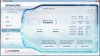
    Likes Received:
    0
    Trophy Points:
    30
    Are you running XP Mark? I thought I remember reading that somewhere. If so you would have no need for 8gb for sure.
     
  4. Automatikjack

    Automatikjack Notebook Evangelist

    Reputations:
    130
    Messages:
    535
    Likes Received:
    5
    Trophy Points:
    31
    yes xp only supports 3.3 max, unless you run the ultimate version of xp64 which is technically server 2003, which is abandonware btw. If hes running xp, he needs to come to the awesome side and start rolling deep se7en style. no more ram limits ftw!
     
  5. Lambofreak

    Lambofreak I like, love laptops

    Reputations:
    44
    Messages:
    857
    Likes Received:
    0
    Trophy Points:
    30
    I'm not 100% sure of this, just though I remembered him saying.
     
  6. catacylsm

    catacylsm Notebook Prophet

    Reputations:
    423
    Messages:
    4,135
    Likes Received:
    1
    Trophy Points:
    106
    Yep, although you can expand it to 36 bit with a PAE extention or something (So it can address 4,) but i haven't a clue,

    Either way W7 seems to rule supreme these days.
     
  7. Lambofreak

    Lambofreak I like, love laptops

    Reputations:
    44
    Messages:
    857
    Likes Received:
    0
    Trophy Points:
    30
    STILL stuck with Vista though :(
     
  8. catacylsm

    catacylsm Notebook Prophet

    Reputations:
    423
    Messages:
    4,135
    Likes Received:
    1
    Trophy Points:
    106
    BLASPHEMY!

    Why are you stuck with that.!
     
  9. Lambofreak

    Lambofreak I like, love laptops

    Reputations:
    44
    Messages:
    857
    Likes Received:
    0
    Trophy Points:
    30
    Haha I use this laptop for work...

    And my work programs don't work (hehe, get it? Work programs don't work), anyway, they don't work on win7, so until they get of their asses and do something I'm stuck in the past.
     
  10. n2dp

    n2dp Notebook Enthusiast

    Reputations:
    0
    Messages:
    16
    Likes Received:
    0
    Trophy Points:
    5
    Hey guys, I got my Q9200 in today (wow, that shirley is fast). Installed it and ran the WEI. Everything is now 7.2 (except the stupid HDD...5.8). I and going run Vantage and see what I get. Thanks again...
     
  11. Dead2th3world

    Dead2th3world Pure Hatred

    Reputations:
    360
    Messages:
    2,029
    Likes Received:
    0
    Trophy Points:
    55
    Nice ! can you post a screenshot of HWINFO32 & EVEREST (Oc tab) thanks man !

    Welcome to the club baby :D
     
  12. n2dp

    n2dp Notebook Enthusiast

    Reputations:
    0
    Messages:
    16
    Likes Received:
    0
    Trophy Points:
    5
    Is this what you want to see?

    [​IMG]

    [​IMG]
     
  13. Dead2th3world

    Dead2th3world Pure Hatred

    Reputations:
    360
    Messages:
    2,029
    Likes Received:
    0
    Trophy Points:
    55
    yes , thanks ! :) Don't know why but mine is running @ 2.66 10x without me doing anything.

    On all 4 cores permanently. Can't complain :D
     

    Attached Files:

  14. Blazin23

    Blazin23 Notebook Evangelist

    Reputations:
    58
    Messages:
    503
    Likes Received:
    0
    Trophy Points:
    30
    eh? Windows classic theme? :rolleyes:
     
  15. Dead2th3world

    Dead2th3world Pure Hatred

    Reputations:
    360
    Messages:
    2,029
    Likes Received:
    0
    Trophy Points:
    55
    Yep ! The less processes running the better , performance is what matters most to me as I only use it for gaming.
     
  16. JaxMacFL

    JaxMacFL Notebook Guru

    Reputations:
    0
    Messages:
    62
    Likes Received:
    0
    Trophy Points:
    15
    This is kind of weird. First time I've used HWiNFO32 and I'm a little confused on the info it is presenting. I've always thought my Q9000 was 2GHz at normal and 2075MHz at turbo. This is what HWiNFO32 is telling me:

    NON-TURBO

    [​IMG]
    By jaxmacfl at 2010-02-12


    TURBO

    [​IMG]
    By jaxmacfl at 2010-02-12

    Any thoughts?
     
  17. Dead2th3world

    Dead2th3world Pure Hatred

    Reputations:
    360
    Messages:
    2,029
    Likes Received:
    0
    Trophy Points:
    55
  18. JaxMacFL

    JaxMacFL Notebook Guru

    Reputations:
    0
    Messages:
    62
    Likes Received:
    0
    Trophy Points:
    15
    So CPU_Z is incorrect showing 7.50x and HWiNFO32 is correct showing 8.50x non-turbo?
    I was just really surprised by the increases. Not complaining mind you.:>)
     
  19. Dead2th3world

    Dead2th3world Pure Hatred

    Reputations:
    360
    Messages:
    2,029
    Likes Received:
    0
    Trophy Points:
    55
    yeah we can't really complain :D try everest and see if it reads it the same.

    Sometimes it does appear in CPUz but as a flash , not permanently as HW & EV .
     
  20. n2dp

    n2dp Notebook Enthusiast

    Reputations:
    0
    Messages:
    16
    Likes Received:
    0
    Trophy Points:
    5
    How do I get to 7000?

    [​IMG]
     
  21. Dead2th3world

    Dead2th3world Pure Hatred

    Reputations:
    360
    Messages:
    2,029
    Likes Received:
    0
    Trophy Points:
    55
    By overclocking your CPU & GPU , 7000 is achievable. Setting CCC to high performance helps gain some points too
     
  22. Lambofreak

    Lambofreak I like, love laptops

    Reputations:
    44
    Messages:
    857
    Likes Received:
    0
    Trophy Points:
    30
    By spending $5000 on an Alienware M17x

    @ Death: CONGRATS ON THE 700TH POST!!!
     
  23. Dead2th3world

    Dead2th3world Pure Hatred

    Reputations:
    360
    Messages:
    2,029
    Likes Received:
    0
    Trophy Points:
    55
    Thanks :D Still wondering how can I change that crap :D

    E: got it ! has to be on 701 to be able to do so
     
  24. catacylsm

    catacylsm Notebook Prophet

    Reputations:
    423
    Messages:
    4,135
    Likes Received:
    1
    Trophy Points:
    106
    Haha naa, and yeah grats darth!

    AW are too expensive, but they are really nice machines!

    Our machines are just right, powerful and mainstream, and with the new release coming soon, even better.
     
  25. Dead2th3world

    Dead2th3world Pure Hatred

    Reputations:
    360
    Messages:
    2,029
    Likes Received:
    0
    Trophy Points:
    55
    Thanks ;) I'm old now , a senior :D

    Agreed way too expensive and overrated
     
  26. Dead2th3world

    Dead2th3world Pure Hatred

    Reputations:
    360
    Messages:
    2,029
    Likes Received:
    0
    Trophy Points:
    55
    Double Post !
     
  27. Lambofreak

    Lambofreak I like, love laptops

    Reputations:
    44
    Messages:
    857
    Likes Received:
    0
    Trophy Points:
    30
    Sure you just wanted to get to 701 :p

    EDIT: So what are you going to change Notebook Deity to? I like, love heavy metal?
     
  28. Dead2th3world

    Dead2th3world Pure Hatred

    Reputations:
    360
    Messages:
    2,029
    Likes Received:
    0
    Trophy Points:
    55
    Na , genuine mistake :( I had something in mind but the mods will jump on me ! need to find something less controversial :p
     
  29. Lambofreak

    Lambofreak I like, love laptops

    Reputations:
    44
    Messages:
    857
    Likes Received:
    0
    Trophy Points:
    30
    Did the mods jump on that signature you had when you first signed up? That was insane!
     
  30. Dead2th3world

    Dead2th3world Pure Hatred

    Reputations:
    360
    Messages:
    2,029
    Likes Received:
    0
    Trophy Points:
    55
    They actually did :D They also jump on me for saying stuff about Uwe Boll ...
     
  31. n2dp

    n2dp Notebook Enthusiast

    Reputations:
    0
    Messages:
    16
    Likes Received:
    0
    Trophy Points:
    5
    Gettin' closer...

    [​IMG]
     
  32. Lambofreak

    Lambofreak I like, love laptops

    Reputations:
    44
    Messages:
    857
    Likes Received:
    0
    Trophy Points:
    30
    Nice man, what did you change?
     
  33. Automatikjack

    Automatikjack Notebook Evangelist

    Reputations:
    130
    Messages:
    535
    Likes Received:
    5
    Trophy Points:
    31
    damn, guess i must be doing something wrong.... =[
    think i might throw my t9400 back in to see if that changes performance over my q9000
    3dmark.jpg
     
  34. catacylsm

    catacylsm Notebook Prophet

    Reputations:
    423
    Messages:
    4,135
    Likes Received:
    1
    Trophy Points:
    106
    Hmm interesting, if that was with your q9000 thats a low score, and the GPU seems a tad off too,

    Nobody told me we were benching!! lol.
     
  35. Automatikjack

    Automatikjack Notebook Evangelist

    Reputations:
    130
    Messages:
    535
    Likes Received:
    5
    Trophy Points:
    31
    im just suprised theres people like yourself pulling 1200 more! since i cant really oc my card or my proc, im benching stock scores... seeing as how the speed makes up for almost a third core, as well as the ram being 1000mhz faster as well, and the cache is the same. and when oced to 3.13 it gives that quad quite a run for its money.
     
  36. Dead2th3world

    Dead2th3world Pure Hatred

    Reputations:
    360
    Messages:
    2,029
    Likes Received:
    0
    Trophy Points:
    55
    Cat , with what GPU clocks did you achieve that score ? (6801)
     
  37. catacylsm

    catacylsm Notebook Prophet

    Reputations:
    423
    Messages:
    4,135
    Likes Received:
    1
    Trophy Points:
    106
    I think it was like 550/1000? or 1050? Dang can't remember lol.

    Hmm thats when you whip out the o'l 2.4ghz OC on all 4 clocks (Mind you 2.2ghz got me 9k in vantage.)

    I'm tempted to perform some more GPU runs, but only during midnight when the cold weather sets in!
     
  38. Dead2th3world

    Dead2th3world Pure Hatred

    Reputations:
    360
    Messages:
    2,029
    Likes Received:
    0
    Trophy Points:
    55
    Then I should be proud of mine :D stock CPU clock and GPU @ 550/900 I managed to achieve P6950. should have been higher though ...

    Beware of frost bite !
     
  39. catacylsm

    catacylsm Notebook Prophet

    Reputations:
    423
    Messages:
    4,135
    Likes Received:
    1
    Trophy Points:
    106
    Haha yep, what was your GPU score?

    I need myself a qx9300 lmao!

    Clocks were 545/1000, noticed artifacts if i went over.
     
  40. Dead2th3world

    Dead2th3world Pure Hatred

    Reputations:
    360
    Messages:
    2,029
    Likes Received:
    0
    Trophy Points:
    55
    Damn it ! can't remember :eek: I only ran it to test my GPU clocks , until OCCT came into the picture , which i though is only about CPU.

    Get the Q9200 , it's way cheaper and pretty much the same thing
     
  41. JaxMacFL

    JaxMacFL Notebook Guru

    Reputations:
    0
    Messages:
    62
    Likes Received:
    0
    Trophy Points:
    15
    Mine come up a little. 4850 @ 550/900

    [​IMG]
    By jaxmacfl at 2010-02-15
     
  42. Dead2th3world

    Dead2th3world Pure Hatred

    Reputations:
    360
    Messages:
    2,029
    Likes Received:
    0
    Trophy Points:
    55
    Shame we can't OC the Quad on MSI Bios :mad:
     
  43. JaxMacFL

    JaxMacFL Notebook Guru

    Reputations:
    0
    Messages:
    62
    Likes Received:
    0
    Trophy Points:
    15
    Yeah, imagine if we could tinker with the multiplier, vcore and dram timmings.
     
  44. Dead2th3world

    Dead2th3world Pure Hatred

    Reputations:
    360
    Messages:
    2,029
    Likes Received:
    0
    Trophy Points:
    55
    Should be way over 7K :D

    Works great with the 1722 barebone Bios , i should have run it at that time :mad: can't be bothered anymore
     
  45. catacylsm

    catacylsm Notebook Prophet

    Reputations:
    423
    Messages:
    4,135
    Likes Received:
    1
    Trophy Points:
    106
    I can OC ^^ just stuck with 1 consumer ram still and 1 hyundai electronics (Fairly good but slow timings.)

    I need to some hyperking x.

    And an alienware 4850 lol.

    What drivers are you guys using, because even with standard overdrive i can never achive that!

    Wow Q9200 ARE CHEAP !!
     
  46. Dead2th3world

    Dead2th3world Pure Hatred

    Reputations:
    360
    Messages:
    2,029
    Likes Received:
    0
    Trophy Points:
    55
    I'm on 9.12. That's weird ! You should be able to get higher scores than us ...

    yeah man get some decent rams ! HyperX is great :D
     
  47. catacylsm

    catacylsm Notebook Prophet

    Reputations:
    423
    Messages:
    4,135
    Likes Received:
    1
    Trophy Points:
    106
    I reverted to 9.12's, i will try a stock run then try push CCC if its up for it.

    Now to find my vantage key!
     
  48. n2dp

    n2dp Notebook Enthusiast

    Reputations:
    0
    Messages:
    16
    Likes Received:
    0
    Trophy Points:
    5
    I let the ATI Overdrive do its optimizing thing and it stopped at 540/890...550/900 locks up every thime. That brought it up to 6653.


    I saw some scores while I was researching info on the Q9200. I thought that I would see what I could get out of this thing. I put the Q9200 in and tried to set everything as best as I could figure (never done it before) and this is all I am getting. I tried the OC'ing instructions on the OC Only page, but I just could figure it out. Running that fsb program didn't change anything, so I put the 725 BIOS back. Any suggestions?
     
  49. catacylsm

    catacylsm Notebook Prophet

    Reputations:
    423
    Messages:
    4,135
    Likes Received:
    1
    Trophy Points:
    106
    Thats really strange, so you flashed the older bios?
     
  50. Dead2th3world

    Dead2th3world Pure Hatred

    Reputations:
    360
    Messages:
    2,029
    Likes Received:
    0
    Trophy Points:
    55
    Try this one : http://www.mediafire.com/?zyzwdgmimcd (pass is 666).

    Use the attached pic to OC you Q9200 , increase it by 10 untill it reaches same clocks as the pic. (click on set @ each 10 increments)
     

    Attached Files:

← Previous pageNext page →