Problems? See this thread at archive.org.
I debated on 4k vs 120hz, but I never had a 120hz screen before so I said why not. The only thing I hate about going back down to 1080p is the fact when I hook it into my TV unless I do "extend" mode, it screws up the resolution on my 4K TV. This is a minor nitpick, but I have a 60" 4K Samsung KS8500 in my office with HDR and a 75" 4K tv in my living room and still play on this little 15" screen because of how good it is.
@Donald@HIDevolution I put in my bottom panel order last night about 1am, I didn't see where to put in my "referrer" for accessories so if you can modify the order so you get credit by all means do so.
-
It is a TN panel, but it's a very good one. The color accuracy and viewing angles are great. Maybe not IPS great, but it has a much faster response time than IPS typically do and ghosting isn't an issue.Talon, Mr. Fox and Donald@Paladin44 like this.
-
Thank you for your order! It's all good.
Aren't you sending it back to get the Prema BIOS?UsmanKhan and Spartan@HIDevolution like this. -
It still might have G-Sync in the future, but some serious custom work needs to be done to add it to the white list in the bios and have it work.
-
I'm not 100% sure it is not already working even without the UI interface in NVIDIA Control Panel. If I open 3DMark without using NVIDIA Inspector to disable G-Stink 3DMark warns me my benchmarks are going to suck because of G-Stink being enabled. And, my framerate seems limited if I don't use NVIDIA Inspector to disable G-Stink.Jon Webb and Donald@Paladin44 like this.
-
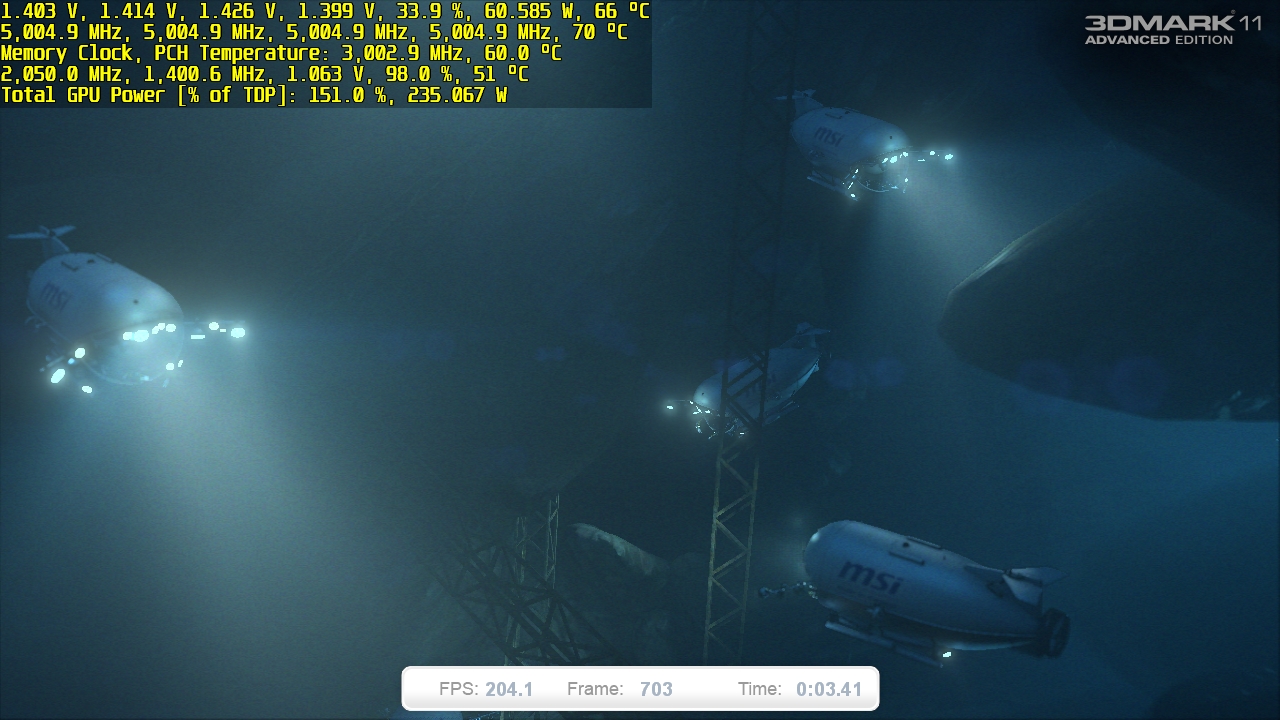
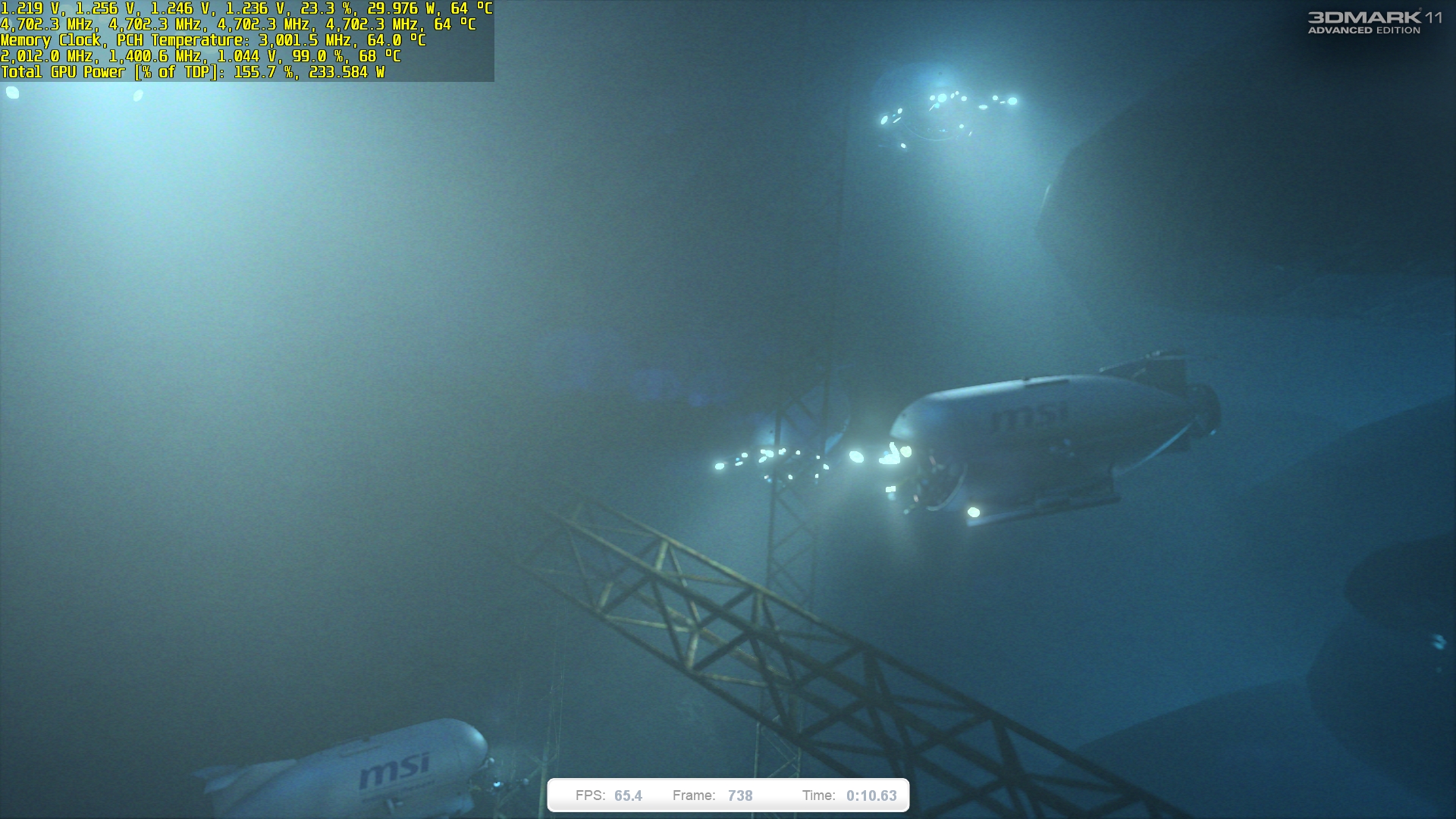
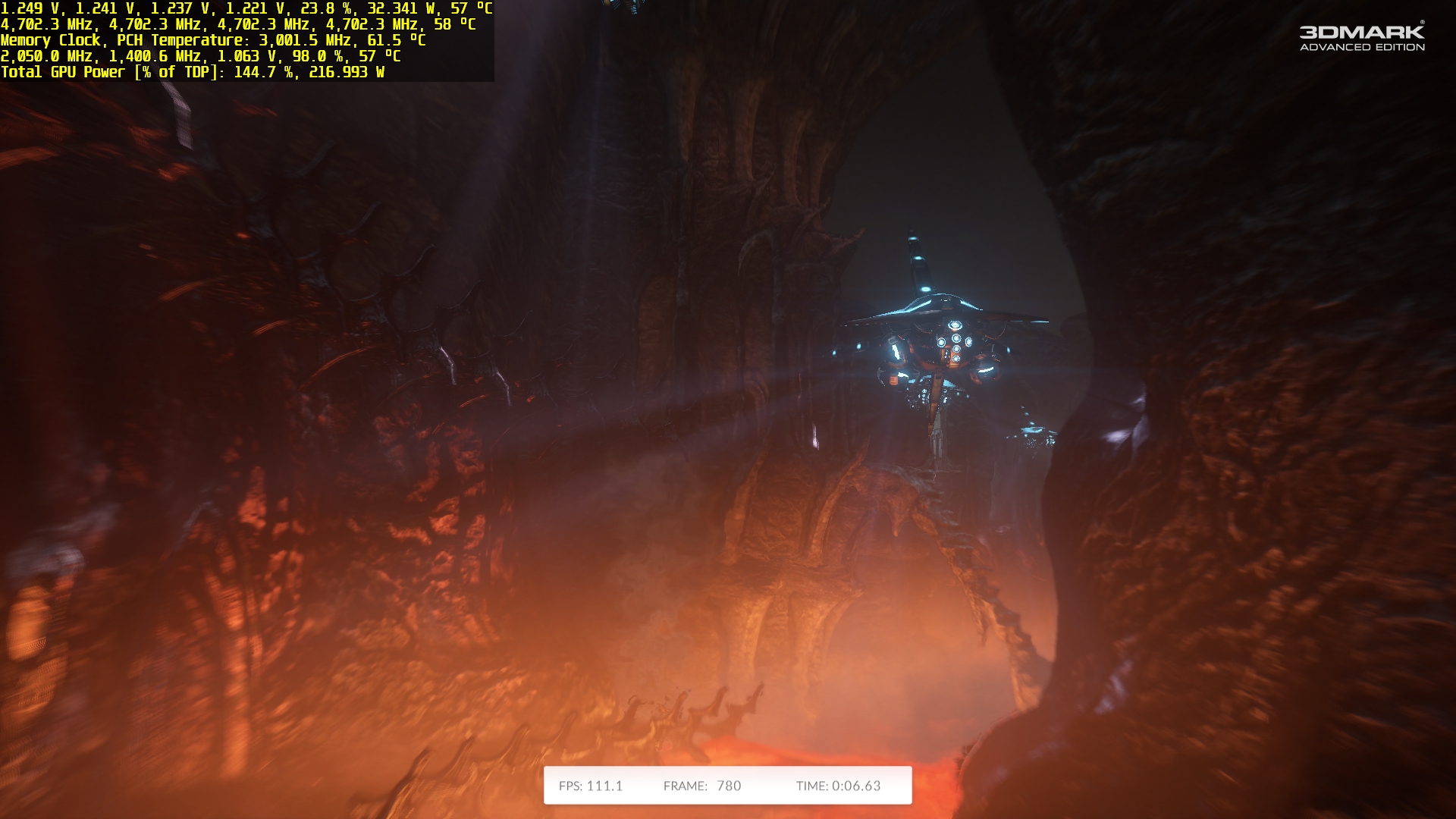
Here's something fun to look at. Amazing what a baby MSI 1080 with no external power input can do when it is not shackled by the Green Goblin's cancer firmware. Just a few random screen shots showing what the opposite of stupid looks like. It's sad NVIDIA does such a horrible job with their firmware, but it has been that way as long as I can remember. Their stuff isn't worth a damn with stock firmware, and never has been. But, come to think of it, nobody's laptop stuff is worth a damn with stock firmware, LOL.
Attached Files:
-
-
OK, here's my latest mod for the micro-beast. I finally decided to take the thing apart and put a piece of copper on the PCH. Maybe you guys can compare temps to see if it is an improvement. I ran 8 loops of 3DMark 11 physics test and a Cinebench R11.5 with the CPU at 4.8GHz with the little guy sitting on my lap in my recliner. (Max internal fans and the U3 with the weaker Rosewill fans.) Are the PCH temps cooler? I'll let you guys decide. I never paid much attention to them before, but I knew they couldn't be their best with nothing but a bare die.
Brother @Donald@HIDevolution will be glad to see I'm not done playing with copper. Used a dob of Arctic Silver Alumina thermal epoxy to keep it stuck there. (The Kaptop tape is there as a precautionary measure, only to ensure the electrically conductive thermal epoxy did not squish out onto the SMD elements adjacent to the PCH die and cause a short.)
Last edited: Jul 1, 2017 -
@leftsenseless
Copper plates only delay the heat but at the end, the heat has no where to escape so you end up with the same temps
![[IMG]](images/storyImages/ixqNbwc.gif)
@PapusanAroc, Huniken, Donald@Paladin44 and 3 others like this. -
Are you saying that @Prema's magic knows no bounds even those set by the greedy corporate overlords, and he was able to get it working without the necessary approval? If so, I'm not much of a man kisser, but I could kiss that man. If not, no sweat, it isn't as necessary as I thought it may be before I purchased it.
-
But, if the delay is long enough to get a higher benchmark score without a thermal limitation throwing a monkey wrench into the works, then that's what matters most. That's why I did it... looking for bigger numbers... always.
Pretty much. If anyone is capable of making the proverbial silk purse from a sow's ear, that would be our dearly beloved Brother @Prema. Sometimes the damage can be so severe that you just can't fix stupid. (BGA filth is one example of stupidity beyond redemption.)Last edited: Jul 1, 2017 -
Ah if j00 l00k at it that way to delay the rise in temps to get away with a high overclock / benchmark then yes it will help in that scenario.
Last edited: Jul 2, 2017Jon Webb, Huniken, Donald@Paladin44 and 2 others like this.
-
There used to be micro low profile fans you could buy (chipset coolers) that you could use to cool those things. Maybe if you can find one that can fit in the chassis and an open power connector (or even splice something, or hell, jury rig it to a USB cord and have it draw power from +5v, as long as the cable was properly 'stop secured' from yanking, then you would be good to go. Might be worth a look.
P.S. Pretty sure it was the Dellinware BGAbooks that had problems with the PCH temps. Don't remember MSI having problems.
Otherwise, be smart, like @PhoenixJon Webb, Huniken, Donald@Paladin44 and 1 other person like this. -
Exactly. That is essentially what motivates 90% of what I value in high performance notebooks. Overclocked number chasing is one of the few things relating to computers that floats my boat.
Space between the PCH and palm rest is pretty limited. A fan thin enough to fit there would likely end up being ineffective due to lack of air space. If it almost touches the palm rest then it wouldn't be able to breathe well enough to work right.
The 16L13 PCH temps are nowhere nearly as horrible as Alienware trashbooks. In fact, they were not even causing me any issues. It's just that I didn't like the idea of having a bare die with nothing to help shed its heat. PCH doesn't need to stay extra cool, it just needs to avoid overheating and (thankfully) mine was never really overheating. I think the highest I ever saw it was the lower to mid 70's. It wasn't getting hot enough that I felt a need to keep an eye on it.Last edited: Jul 2, 2017 -
Somewhat wrong bruh. A decent U3 mod with proper high static pressure fans will flush the whole chassis with air. And the air will be pushed out in same way as more will be pushed in Help as well cooling your ssd's. Although they are on the opposite side of MB.
-
-
Why isn't it reporting the correct cpu temps?Jon Webb and Donald@Paladin44 like this.
-
I'm not sure what you mean. The screen shot I shared does not show any CPU temps, only PCH temps.Jon Webb and Donald@Paladin44 like this.
-
It says cpu 0.5 C. It doesn't specify core or package, just cpu. I'm not sure what that is monitoring.Jon Webb, Huniken, Donald@Paladin44 and 1 other person like this.
-
Oh, that sensor is bogus. It always reads 0.5°C. It needs to be disabled and I forget to do that. It doesn't work, and I am not sure what it is even for.
Here's this... http://www.3dmark.com/fs/13019586 -
Yeah, that reading seemed a bit too good to be true.
You have quite the beast there. Did @Prema ever resolve the 5.0 GHz limit?Aroc, Mr. Fox, Jon Webb and 1 other person like this. -
That's a very good result!
I can't wait to get my beast back.
Since Eurocom calls their version the Tornado F5, I'll call my version the EVOC Typhoon.
Tornado F5 feels like the old awesome fighter Jet Tornado GR/ Panavia Tornado. Still being used until today and being upgraded.
But the EVOC Typhoon is like the modern Eurofighter Typhoon, went through a lot of time in development, this one indeed does by showing how much attention it got from the community, custom bios, internal mods and chassis mods, who knows what the future is hiding! -
The motherboard cannot handle more than 5.0GHz sustained. We got the throttling sort of fixed, but it runs out of power and shuts off if I try to push it to 5.2GHz. In other words, the limitation is hardware now, not firmware. MSI needs to make their motherboard desktop grade for desktop CPUs and stop thinking in "turdbook mode" going forward. But, it handles 5.0GHz just fine, which is more than we can say for other 15-inch notebooks. Limitations aside, it's still the most bad-ass 15-inch notebook on the planet. Can't hate that.
http://www.3dmark.com/3dm11/12251733
![[IMG]](images/storyImages/f3PDvwl.jpg) Last edited: Jul 2, 2017
Last edited: Jul 2, 2017 -
Was anyone able to enable TPM on Tornado F5 ? TPM is nowhere to be found under bios settings and i've no idea how to turn it on.
Instructions on Eurocom website are wrong. -
Very good to be able to see so much power being sucked by the modified 1080! Interestingly I see your GPU is at 2050Mhz @1.05V, that happens to be the exact same frequency & voltage relationship of my overclocked desktop GTX 1070 (2088Mhz @1.081V, 2050Mhz @1.05V). With your GTX 1080 sucking 220W, that's gonna be sustainable temperature wise for benchmarks, but I'm guessing not for gaming, although it wouldn't suck quite as much power during gaming at Graphics Test 1 in Firestrike? Has Prema released his vBIOS yet (which is how you got your unrestricted power draws right)?mizerab1e, Huniken, Jon Webb and 1 other person like this.
-
Wow, I always disable that on purpose. I wish mine (and my Clevo) didn't even have TPM. If you actually need it, you can find it under Trusted Computing on the Security menu. It is called a "Security Device" in the BIOS. It's not called TPM by MSI when it is in disabled status, but once it is enabled then it shows up as a TPM 2.0 device after rebooting.
OK. I got some new grilles like HIDevolution is using. Looks a little bit neater now.
![[IMG]](images/storyImages/mH1IQF4.jpg)
![[IMG]](images/storyImages/BS27546.jpg)
![[IMG]](images/storyImages/QsDV5oC.jpg)
It has adjustable power limits, so I can pull it back for gaming and run cooler. It's really not necessary to have gobs of GPU power for the vast majority of games. Hardly any are that demanding, and most support gameplay with antique GPUs.
No on the last question. The one I have is very much a work in progress and the Clevo 1080 is the main priority at the moment. Prema did provide a much better optimized stock vBIOS to HIDevolution in the Prema/EVOC firmware package. It allows it to pull up to 200W, which is a massive improvement over the stock vBIOS MSI used for this GPU. That better optimized stock vBIOS gets flashed along with the system BIOS for EVOC customers. With that vBIOS the MSI 1080 performs almost identically to the Clevo 1080 (which is actually not too bad). The original vBIOS is gimped pretty badly by MSI.
Speaking of voltage, that's really what needs to be unlocked... real bad. As well as destroying whatever cancer code NVIDIA embedded that causes throttling before the GPUs get hot enough to be considered overheating. They should run and hold full boost clock on core until at least 85°C but even the desktop GPUs are cursed by that stupidity. The most we ever see (so far) for notebook 1080 is 1.063V and that's nowhere near enough for hardcore overclocking. Most of the time it is at 1.050V maximum, which only supports between 2088MHz to 2100MHz.Last edited: Jul 2, 2017 -
@Mr. Fox has mentioned that the 120 Hz panel is working with Gsync now. Wasn't that a request you really wanted to see fulfilled?
-
It *seems* to be working, but I can't actually verify it. 3DMark thinks it is enabled unless I disable it with NVIDIA Inspector, and when I do not disable it with NVIDIA Inspector my benchmark scores are not as good. So, it might be working, but it's not official; and, if it is working, when NVIDIA gets wind of it they will break it on purpose with the next driver release. Nobody gets anything from NVIDIA without paying the extra ransom license fees.
-
The Prema/EVOC firmware sounds good.
Yes, I've noticed the change in frequency with temperature on my desktop 1070. I've noticed that increasing the voltage slider will delay throttling points to higher temperatures - it makes me think that the NVidia driver / vBIOS is doing this as an approximation to keep the GPU stable (e.g. higher temperatures require more voltage and or lower clocks for stability). Following are the 'throttle' points of my GPU with voltage slider at 50% and an 87Mhz core offset overclock:
Temp__ Clock___ Voltage
<50____2088___1.081
<55____2075___1.075
<60____2062___1.062
<65____2050___1.050
(Sorry for strange use of underscore in table, formatting/spacing wouldn't work otherwise!)
So generally 'throttling' in 5 degree centigrade increments. Throttling points can change slightly depending on power consumption too, if power consumption goes up then sometimes the GPU will increase it's voltage. Sometimes the temperature throttling points are slightly different too, and I don't always see the pattern to these changes, but it's pretty much as I've put in the table above.Last edited: Jul 2, 2017mizerab1e, Aroc, Donald@Paladin44 and 1 other person like this. -
Yeah, that's exactly what the laptop 1080 GPUs do. I really hate that. I hope Prema is able to kill that idiotic behavior. He's working on it and I've programmed my Clevo over 100 times, but man... NVIDIA has made everything such a huge pain in the butt now. The only thing good about NVIDIA is they don't suck as bad as AMD, LOL.
-
Haha!
Some Vega GPUs are gonna be released soon apparently, so we'll see, but preliminary leaked results don't seem too exciting.Aroc, Papusan, Mr. Fox and 1 other person like this. -
Yup, I was hopeful that AMD would be pulling a ThreadRipper in GPU world with Vega and release a Pascal-killer, but Vega seems like it might turn out to be about as boring as a Ryzen 7 CPU. There is a lot of truth in good being the enemy of great. If it doesn't overclock very well, then it ain't gonna ever be great. It will likely never be more than a good option for people that are content with cookie-cutter products. Sadly, I think AMD found their groove with console processors. Taking that one-size-fits-all approach on what should be enthusiast PC products is not very good.
AMD is just cutting their own throat. And, you know whatever they eventually do for mobile GPUs will be even more lackluster. For gaming and benching, it's more like a mainstream 1080 with a Titan price tag. And, in typical AMD style, they're using drivers as an excuse for sucky performance.
Last edited: Jul 2, 2017mizerab1e, Papusan, Robbo99999 and 1 other person like this. -
Yeah, looks like Vega is not gonna blow the 1080ti away, and probably will be only as good as a GTX 1080 or maybe just a little better. Problem is that NVidia have had the GTX 1080 out for something like a year already, and their next architecture Volta will probably come out in early 2018 already!mizerab1e likes this.
-
Faster isn't better, it's faster
Better is price performance, so let's hope AMD kill's Nvidia with pricing just like Intel.
In Nvidia's case, they'll just roll out the next rev of Pascal and / or drop prices to match AMD, which is just fine, then we can all still buy AMD, and leave Nvidia wondering what they did wrong...
Then when Nvidia ask's what they did wrong, we can all tell them.
Max-Q
Killing off MXM reference designs
Denying vendors providing MXM Upgrades
Eternally buggy drivers (much blame to Microsoft too).
Charging for G-sync - make it a free and open standard, or specify a better solution that is a free and open standard.
...
more? -
HIDevolution has laser engraving service now for the EVOC Typhoon.
I'm going for it, EVOC Typhoon on the palm rest.mizerab1e, Mr. Fox, Robbo99999 and 1 other person like this. -
-
@Mr. Fox just a suggestion;
How about putting a thick thermal pad on that PCH? Just what the notebook had for it's m.2 SSDs
So heat can be spread on the palm rest area and dissipate better (at the cost of a somewhat hotter palm rest). Right now (from pics) the area above the bare PCH gets hotter than the left side. Maybe this way you can feel the warm but it will be a bit more even
PS: where did you get those fan griles? They look nice. -
We cannot assume AMD is going to stick with MXM and socketed notebook processors and not wuss out on us with BGA filth like most of the yes-men-butt-kissing OEMs have. And, unless they release a 1080 Notebook GPU killer they won't be bringing anything to the table worth buying. Hopefully, they will make wise decisions and not follow the status quo, but I wouldn't hold my breath on that if I were you. We'll all have to wait and see how it shakes out, but optimism for a good outcome from AMD is not warranted based on their horrible track record of failure... a particularly epic failure on the mobile side of computing.
Faster is always better IMHO. Price to performance cost ratios never win benchmarks. At best, those are just lame excuses when they don't offer anything that can keep up with the Green Goblin's best. Eating at McDonald's is cheaper than going to a Red Robin or Fuddruckers for a big, juicy gourmet burger and fresh cut fries. Neither one is good for you, but the garbage from McDonald's is not nearly as satisfying... it's just cheaper. For AMD to be relevant, they need to actually win. Being the low budget leader for value shoppers made them what they are today, and I think most will agree that it's not good what they are today.
That sounds really awesome. I can hardly wait to see pictures of it, bro.
These are exactly the right size for the 2-inch holes I already had in my bottom cover. They do look a little nicer than having the flat grilles attached to the inside of the bottom cover. The way they protrude into the opening gives them a clean, finished look. I put a bead of super glue gel around the opening on the inside and then clamped the solid lip down on the back side of the cover for an hour or so and they seem to be stuck nice and tight.
http://www.ebay.com/itm/ASUS-G75VW-Series-Fan-Grill-Cover-Guard-PAIR-A-GLP/401268212850
Adding a pad without a sink to transfer the heat to does not necessarily help. It can even insulate and trap the heat in some cases. The thermal pads that were installed between the motherboard and M.2 drives was actually detrimental and caused my M.2 drives to run hotter than they did with nothing but air space. The other thing to consider is that once the pads start getting dried out, lose their sticky qualities and shrink there will be nothing to hold them in place. You would need like a 10mm thermal pad compressed between the palm rest and PCH and I'm pretty sure the heat transferred to the metal palm rest would be unpleasant, just as it was with the thermal pads on the M.2 drives. My palm rest has never been uncomfortably warm since those thermal pads were removed.Last edited: Jul 2, 2017 -
Nvidia has no need to release Volta any time soon. Based on the continued cashing in of Pascal, I think a refreshed version (think dual GPU's) of it is in the cards. Vega will bring pricing down but I wouldn't be surprised if we don't see Volta's consumer cards until next spring.mizerab1e, Papusan, Robbo99999 and 2 others like this.
-
That option unfortunately doesn't exist in my "stock" bios..
I guess i'll have to contact Eurocom and unlock my bios.Mr. Fox likes this. -
IDK if AMD is using MXM for their GPU's, it's the Ryzen CPU's that have PGA right now.
At least we can get 8 core CPU's in a laptop, that's a nice turn of events. Intel hasn't even done 6 cores yet.
The only problem is the matching AMD GPU's aren't near as fast to match the CPU power.
IDK if AMD will be able to pull off a 1080-like performance GPU for the laptop considering power requirements.
If AMD can keep up this time and return with continuing upgrades in performance for desktop and laptops, maybe we will see a combination that will near the top of the Intel / Nvidia gaming laptop realm.
AMD seems to be fixated on volume shipments for GPU's in the low and mid-range. AMD don't have the budget for a flagship loss leader to put themselves back on top right now, maybe that will change?
Until then it would be nice to see a Crossfire Vega in an 18.4" laptop like the Asus W90vp, and have it last a bit longer, through a few revs of new CPU's and GPU's.
mizerab1e, Papusan, Robbo99999 and 2 others like this. -
I'm actually surprised it's not enabled by default. Are you certain it is not already enabled? I always have to deliberately disable it. Did you check in Windows Device Manager?
-
If the thermal pad is too thick, there's a chance that mb might get bent from the pressure.
I think eurocom just forgot to flash the unlocked bios? Woodzstack at one point said that a few of the clevo he bought didn't come with unlocked bios even though the option was paid for. -
This is true. Hadn't even thought of that potential problem.
Depending on when he purchased his machine, it is possible the option was not available yet.UsmanKhan likes this. -
Last I think he clearly stated it was purchased with unlocked bios option, was a paid addon from eurocom configurator. IIRC.UsmanKhan likes this.
-
If that were true I wonder why he would need to contact them to unlock it?
-
That can be a problem yeah. What's the thickness between the pch die and the palm rest cover? Maybe stacking some small 1.5mm thermal pad pieces?
@Mr. Fox
So how about those fan griles?
-
So, whilst I wait for the bank (who're running late) to fix my payment issue, can someone help me with some issues?
1) has Eurocom offered a new bios for their Tornado since January (when this laptop was delivered)?
2) does the January bios have brightness controls for the 120hz screen?
3) @EurocomSupport, do you offer a modified bottom panel yet?
4) @Donald@HIDevolution, is your bios compatible with the Eurocom Tornado? Can you flash it remotely?
5) to both of you, is there some kind of, I don't know, service / MoT that you offer?
Apologies, Donald, I did mean to buy an Evoc from you, but a laptop from within the EU doesn't pay that 20% import tax. Next time, I hope.
Last edited: Jul 3, 2017 -
The January bios does not, if you purchased a Eurocom F5 you can get it done remotely and have it updated. Go to the support tab on thier site and create a ticket, tell them I said "hello" from next door.
Eurocom, will have a modified Panel eventually, but it is in development ATM. It is not a modified panel done by hand but rather a completely new design or redesign or so I am to believe.
Hope you do not mind I answered on Eurocom's behalf, they are my distributor/supplier and I have a fairly consistent relationship with them and know the answers your looking for.
Hope that helps, let me know if I can help you further, thank you and have a great day !UsmanKhan, MarioPavlovich and Jon Webb like this. -
I used to think there was gonna be another iteration of Pascal coming out in 2017 - I voted for that option in the poll in the Volta/Pascal thread (not sure of name of thread). There was loads of talk about Volta in 2018 though, so Spring sounds plausible like you mention. A dual GPU card would be pretty awesome to tide over until Volta - well I mean for someone, I'm not gonna buy it, gonna keep my GTX 1070 until the gen after Volta (I think!)! For another iteration of Pascal they might increase clock speeds on some cards, but we can already overclock our cards (unless they're gonna increase the overclocking ceiling beyond 2100Mhz) - so another Pascal iteration is a bit MEH apart from the Dual GPU idea you mentioned.
-
Thanks for the answers.
This is a second hand one from @istojanovic (who has been extremely helpful), so I was unsure as to what was available/has changed since then.
(Which reminds me, I need to message him + the thread.)
Do you know how I would update the warranty, and who to contact within Eurocom?
*** MSI 16L13 (Eurocom Tornado F5)/EVOC 16L-G-1080 15.6" Owner's Lounge ***
Discussion in 'MSI Reviews & Owners' Lounges' started by Diversion, Oct 14, 2016.