 Problems? See this thread at archive.org.
16L1 has two kinds of audio port early for the 4-color plastic port, later for the gold metal port. 16L1 also has two colors of motherboard green for the Z170 chipset, black for the C236 chipset native support Chi-Chi and ECC memory (must use the original bios of the Tornado F5W F5SE and with the 7 generation Xeon below to use ECC, after brushing into the 9 generation bios will (lose support for ECC memory).
C236's board in addition to the south bridge chip is C236, some versions of the graphics card fixed studs have been changed and upgraded to the same removable movable studs as the 16L3 so that you can use the MSI unpowered version of the 1080 graphics card with the matching fixed iron piece.
The 16L13 machine is an MSI product so it also has MSI's battery extraction (NOS) technology (and can't be turned off, it can only be deactivated when the battery is unplugged or when the battery is at a low value), when the power consumption exceeds the value set by the power adapter or NOS (210W±), the motherboard will extract power from the battery to support its high load required power consumption.
In addition, when inserted into MSI's unpowered 1080MXM card and successfully identified, the NOS ceiling can be increased to 330W (when the power consumption of the entire machine exceeds 330W before power extraction), through the "rweverything" software to modify the EC in the E0 03 intersection of the value of 33 can also achieve the same effect (16L3 is not valid).
-
In addition 16L1 16L3 there is a detail that is tpm security module, most of them are directly cut off this chip only an empty pad, some labelers are the complete version of the.
![[IMG]](images/storyImages/8d8f3371f1c92654e0ccd26adedd411bcc76e39e.png)
![[IMG]](images/storyImages/00a9c383f135a16e4de62999ac175c4161877b18.jpg)
-
Although most 16L1s do not have a hardware TPM chip, you can select PTT (firmware emulation TPM) through the BIOS settings (Advanced options ➡PCH FW congfiguration ➡TPM Device selection) to have the TPM chip appear in the device manager, and the manufacturer of the TPM will be shown as INIC. dTPM (hardware TPM) has no effect since there is no corresponding chip in 16L1. Some 16L1 machines with complete chips have dTPM enabled by default, and the manufacturer of the TPM will be shown as IFX. In addition, brushing into the 16-thread bios with ME disabled may also cause the soft TPM (PTT) of intel not to be enabled.
-
MS-16L2 is the model used by MSI's GT62vr, and the enclosure is compatible with 16L1 16L3
Compared to the 16L1, 16L2 cut off a m2 hard drive bit CPU for the BGA mobile CPU, the back of the C-port is also non-16L1 16L3 Thunderbolt 3 interface, reduced to a common type-c USB port, more than a USB2.0 interface (connected to the audio small board).
Another issue is the GT62VR's audio small board, the GT62VR's audio chip is not on the audio small board, but on the motherboard. It also cut off the DAC chip owned by 16L1 and 16L3, if you replace the audio small board of 16L2 (GT62vr) to 16L1/16L3 then it will not boot up.
![[IMG]](images/storyImages/2wI6pmb.jpg) Semmy likes this.
Semmy likes this. -
MS-16L3 z270 chipset labeled machine Terrans Force s6 aka Tornado F5 and other machines.
The biggest difference between this and the 16L1 is that the PCH chipset has become Z270 and comes with PCH cooling, cutting out the core graphics power supply and adding a m2 hard drive bay. The graphics card fixing studs have also been changed and upgraded to removable movable studs so that the MSI unpowered version of the 1080 graphics card can be used with the matching fixing iron. In addition, the Terrans Force S6 does not natively support graphics cards below the 10 series MXMcard, if the 9 series MXMcard will lock the 405MHz frequency. There is no perfect solution yet.
![[IMG]](images/storyImages/2dceruU.jpg) Semmy likes this.
Semmy likes this. -
The audio board of 16L3 is not interchangeable with that of 16L1. The audio chip of 16L1 is alc898 and that of 16L3 is alc1220.
![[IMG]](images/storyImages/anJitWh.jpg)
The 16L4 and 16L5 are both part of MSI's GT63, which also has only one m2 SSD drive bay. The rear C-port is simply a TYPE-C USB port like the GT62vr, not a Thunderbolt 3. The USB 2.0 interface cable and the keyboard's single-key RGB control cable are connected to the audio small board, which also does not have a DAC chip.
16L4 is equipped with 8th generation mobile CPU with the 10 series card, the layout is basically the same as 16L2 (GT62vr), CPU cooling has been significantly enhanced.
![[IMG]](images/storyImages/DassKgO.jpg) Semmy likes this.
Semmy likes this. -
16L5 equipped with 9 generation mobile CPU with the 20 series MXMcards, the layout is modified. With 16L4 cooling is also not universal. Here it is worth noting that 16L5 with the shipped 2070MXM card and 2080MXM are with independent power supply interface!However, the GT63 (16L5) is not designed with this independent power supply line for graphics cards, so you can't get the 2080 to play at full power!
![[IMG]](images/storyImages/wAi3qxK.jpg)
There are several models of fans in the 16Lx series, the earliest model is N322 (black iron cover), which has a maximum speed of about 4200 rpm, but a very low life span of about half a year, N348 (black outside and white inside color iron cover), the maximum speed can be about 5000 rpm, life span is lower than N322, and the shipment is also very small. N394 N395 (silver iron cover) is the model used for GT62vr and 16L1 models with a maximum speed of about 3800 rpm, and a very high life span. N408 (silver iron cover) is the model used by GT63, the speed is around 4000 rpm, the noise control is better than N395.
![[IMG]](images/storyImages/pSws7ry.jpg) FrozenLord and Semmy like this.
FrozenLord and Semmy like this. -
MS-16L1 MS-16L3 has a total of 3 sets of cooling, these 3 sets of cooling inside the CPU cooling and GPU cooling are different. It is worth mentioning that the original air-cooled cooling is very powerful to hold down the 120W 9900KS without the slightest problem (120W CPU power consumption under the conditions of baking FPU will not exceed 90 degrees), in addition, the cooling effect of each machine varies from person to person, the brand of silicone grease, the way to apply the original fan model, the degree of thermal integrity, the power supply cooling or not will affect the final cooling effect. Although the above results were tested by two owners of 16L1 9900K configuration, it cannot be guaranteed that all 16L1 models have the above conditions.
![[IMG]](images/storyImages/1KmAkoI.jpg) Semmy likes this.
Semmy likes this. -
The above part is taken from the article " About MSI MS-16Lx Series", you can check it with the translator if you are interested. Also according to the information I know, the 16L1 can use up to RTX5000 RTX2080 MXM graphics card. And compatible with HP's P5200 P4200 P3200 and other MXM graphics cards. I personally am currently using the 9900K + P5200 pairing, which I think is the optimal solution for the 16L1. MSI also has a P5200 MXM card, which looks very similar to the 1080 MXM without independent power supply, but the inductor and memory location is modified, so the 16L1's original 1080 heat sink does not fit perfectly.
As for the screen I highly recommend the 4K120HZ B156ZAN05.1, the screen is very good, but your graphics card must be pascal core or RTX graphics card to work, otherwise it can only run at 4K60HZ.
-
Wow !
 Thank you for such an informative article. Where does this copper heat sink for 4 heatpipes in the last photo come from ? and what are these fans there ?
-
That CPU cooler was custom made for the 9900KS, but that was a flop. It was made of all copper with heatpipes, resulting in very heavy heat collection. We've also tried a custom made even Vapor Chamber CPU cooler before and it wasn't much better than the stock one. In fact, the original cooling is already very powerful, the only thing that needs to be improved is to replace the copper fins and the direction of the fan outlet.
Those fans you mentioned, those are the fans of the ported Apple imac.I think it is still a failure, although it can reach about 5200 RPM, but the noise is unacceptable when running at full power, and it is far less effective than the original N395. another modification is to port the 51M fan, which is better. By the way, the most important point is the direction of the air! All the fans on the CPU side of the 16Lx series are blowing at the end of the fins, which is very wasteful.Semmy likes this. -
Cool ! I also made my own heat sink for Tornado f5 (see the link below). But I don't know how to solder, so I found a heatsink with holes for heatpipes, they are not soldered to the heatsink, so this may reduce efficiency.
http://forum.notebookreview.com/threads/tornado-f5-cooling-mod.834810/ -
Where I live, there are a lot of small metal fabricators. You can get a custom all-copper heat pipe cooling for just a dozen dollars, and some of these individual studios specialize in making water-cooled cooling for some popular models. The one below is a 16L1 custom water cooling heat sink.
-
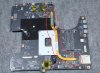
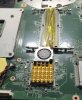
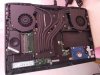
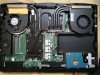
I'll add that the PCH temperature of the 16L1 is not low, especially in the summer when the lower right position of the keyboard will be very hot, but the Z270 chipset 16L3 will not. Because it is shipped with PCH cooling. These charts below are for your reference

-
Where did you get the photo for the RTX 2080 upgrade?
-
This guy is a friend of mine who has not only upgraded his RTX2080 on his 16L1, but also HP's RTX5000. both cards work well on the 16L1 & 16L3. The cooling is not a perfect fit though, with the RTX2080 the cooler can only be installed with screws around the core, the same is true for HP's RTX5000.azatos612 likes this.
-
Hello guys can someone provide original 150w msi vbios for 1080 for the tornado F5?
@ Yevgeny Stalinsky -
This archive is seemingly offering the stock 1080 vBIOS:
*** MSI 16L13 (Eurocom Tornado F5)/EVOC 16L-G-1080 15.6" Owner's Lounge ***
I have used all of the included VBIOSes and they are working fine on my Tornado F5's 1080 GTX. -
[QUOTE = "FrozenLord, post: 11134958, member: 151814"] Этот архив, похоже, предлагает стоковую версию 1080 vBIOS:
*** MSI 16L13 (Eurocom Tornado F5) / EVOC 16L-G-1080 15,6-дюймовый салон для владельцев ***
Я использовал все включенные VBIOS, и они отлично работают на моем Tornado F5 1080 GTX. [/ QUOTE]
Тhanks but i cant download cuz No access.
so i have 1BA0 card version.
can you upload these bioses? -
here you go
Attached Files:
-
-
wait, your friend was able to shove RTX 2080 into MSI16L1?
Aka Tornado F5?
Which card and how, does he have more images and what modes were made, I am interested. -
photo above 1136
![[IMG]](images/storyImages/AncgXuy.jpg)
-
there is also an RTX A4500 analog of the 3070
https://cnx-software.ru/2021/11/27/...rocessorom-na-baze-arhitektury-nvidia-ampere/
https://forum-ru.msi.com/index.php?topic=104146.0 -
so basically he cut the battery bay blastic to fit it and used the gtx1080 heatsink and modded himself a CPU heatsink?
Is he able to output image with the 2080 to the internal display?
*** MSI 16L13 (Eurocom Tornado F5)/EVOC 16L-G-1080 15.6" Owner's Lounge ***
Discussion in 'MSI Reviews & Owners' Lounges' started by Diversion, Oct 14, 2016.
![[IMG]](images/storyImages/b5bgWlu.png)
![[IMG]](images/storyImages/Wse7RUg.jpeg)


