Problems? See this thread at archive.org.
@GENOCID what is the undervolt setting for that 41x Cinebench run? Still -100mV, or did you have the reduce it at that OC?
Also, did you go back into your laptop to check the screw tightness? Maybe it's too tight on the one side, lifting the plate on the other? Those heatplates are pretty reliably flat, so I'd be more apt to put the contact pressure evenness down to assembly.
-
-
cinebench at x41?
I got 64/64/64/65, and 911 (NOT 944!!!!!!!!!!!!!)
Why?Last edited: Feb 12, 2018 -
To compare. Thank you.

How does your voltage look next to his? I guess you don't undervolt, but set it in BIOS still? Can you please post the hwinfo64 image like his? I don't need the Cinebench run in the background, just the hwinfo64 run only for the duration of the Cinebench test.
Update: I'm going to be out for a while, see you all later...
-
i set up offset in bios to - 100 in unlocked bios to make sure its negative offset also i set in bios oc to 41 and iccmax to 1000
btw test done with 41 -50mv lol
Attached Files:
Last edited: Feb 12, 2018Vistar Shook and hmscott like this. -
-
My voltage for that test is irrelevant because I'm using FIXED Voltage and I simply used Throttlestop when i was already at 4.5v 1.175v static voltage, and set the multiplier to x41. I'm also undervolting the "other" way, remember? IA AC DC loadline=5 (0.05 mOhms) in the Bios.
It's the exact same as your -100mv undervolt actually with my settings, except it doesn't risk idle blue screens, except at 4.5 ghz i can't undervolt. If I use adaptive voltage (all stock MSI settings) i need normal adaptive, with no undervolt.
if i set adaptive voltage with IA AC DC loadline set to 5 in the Bios, I will BSOD INSTANTLY at 4.5 ghz at any load, because i can't do -100mv at 4.5. ghz with adaptive voltage and the "Auto" (default MSI setting) for IA AC DC, which is 1.80 mOhms (180) or NO undervolt (0), *OR* no undervolt (0mv) at 4.5 ghz with IA AC DC loadline set to 5.
I have to OVERVOLT by 100mv for stability.
(4.5 ghz, +100mv offset, ADAPTIVE Voltage, IA AC DC loadline=5).
I know this may not make sense, but this makes my vcore the EXACT SAME as 4.5 ghz, STATIC 1.175v, IA AC DC loadline=5.
At full load, the VID is the exact same.
Also, please note:
The VID Genocid is shown in HWinfo64 is INACCURATE if he is using the default MSI setting.
When IA AC DC loadline is raised much above 10, the VID winds up being 'progressively' lower than the true voltage.
You can test this yourself.
If you want to know how, PM me.
I'll do a 4.1 ghz run with 1.08v true voltage and report back later.Last edited: Feb 12, 2018hmscott likes this. -
i ran stability test for 2 min woth 4.2ghz -110mv as it does give me good score & balanced temps compared to 4.1 -100... look core difference here
Attached Files:
hmscott and Vistar Shook like this. -
-
-
cinebench 4100 mhz VID 1.080v (voltage)
raz8020, hmscott, Vistar Shook and 1 other person like this. -
14C temp difference should not be happening.
Did MSI tell you they would sell you a spare heatsink?
If you get it, then you can try sanding the first one without fear. Just make sure you remember what i taught you: less is more. Sanding is one of those non reversible things, although you can work slowly and get it perfectly flat as long as you let the SANDPAPER DO THE WORK, not pressure from your hands or the table/platform! The only time you have your hands doing more of the work (pressure) is when using POLISHING sandpaper (2000 grit or higher)
And in your stability test...ouch.
Also in the stability test with clocks fixed at the same mhz value, your VID is fluctuating by 90mv. This is characteristic of the IA AC DC Loadline=Auto (0) default MSI setting. I already told you how to fix that. Check your PM.
In my own tests, I found that the higher the IA AC DC loadline is from a value of 5, the more mis-reported the VID is, the more erratic fluctuation the VID shows, and the more WRONG the VID is compared to the true core voltage (with VID being shown much lower than true core voltage the higher you go). I tested briefly with an IA AC DC setting of 4 Mohms (400) in the Bios, at 2900 mhz fixed clocks, and 1.0v core voltage manual set in bios.
Full load VID with prime95 was 1.05v VID with 1.0v set in BIOS, but actual "real" vcore was 1.2v !!!!!! (i know from testing IA AC DC=5 and 1.2v manual vcore) and comparing power draw/temps.Last edited: Feb 12, 2018raz8020, Vistar Shook, hmscott and 1 other person like this. -
This is not a characteristic of the GT73VR models.hmscott and Falkentyne like this.
-
yea, hey told me to contact them about an order on 23rd as their facotry in china is on vacation. it was from the poland msi customer service as they have a service up there i think. im wondering what theyll charge me
ive also found older pic on stock thermal paste or sticker after few months of usage on stock settings.Attached Files:
hmscott likes this. -
-
You have the AIDA64 FPU test checked which will use AVX/FMA instructions, so there's that...much like the prime95 AVX oddity it's unclear whether it's a core balanced test.
And, I don't see the "pairing" of 1/3 and 2/4 cores temperatures as you have now. Was this before re-paste as well?
So that 93c reading was without undervolt? Was it with 100% fans or adjusted fan curves?
I've found often that the peak reading in hwinfo only is hit briefly whereas most of the time it's holding much lower.
I can't read the hwinfo64 duration time, so hwinfo64 might have caught a number of runs of various tests, and the 93c might have been "earned" somewhere along the way for something else. It's good form to only show the hwinfo64 for the duration of the specific test under scrutiny.
I am hoping this is just some re-assembly anomaly - which isn't that unusual - as a warped plate on a GT73 is like a Unicorn, I just haven't seen one before.
You wouldn't be able sand away a warp showing this much difference between cores - 12c-14c is very large - on the order of the split tripod Alienware typical results with the wrong thermal pad.
I guess you need to wait for the vacationing group to come back before figuring out where to go from here. If you've already exhausted your fiddling with the assembly, that's about it for now.
Like Donald@HIDevolution said this isn't typical of GT73's so we should treat this as an extreme special case, no need to be pulling apart *all* of the new GT73's to re-paste.
Last edited: Feb 12, 2018 -
@hmscott @Donald@HIDevolution @GENOCID
This is why, if people unlock their Bios with Svet, or follow that guide posted by @Paloseco and @sirgeorge , why I tell them to manually fix the IA AC DC loadline setting from auto to a low fixed value (from 1 to 10).
Here is the default MSI settings pure, with Adaptive voltage, -100MV undervolt, 4100 mhz, IA AC DC loadline Auto (0), cinebench.
Notice the VID bouncing all over. And see CPU power draw and temps.
The VID is being grossly under-reported at full load by like 20mv. power draw reported as lower but temps higher....what?
Min VID: 1.003, max vid: 1.093. Higher temps than 2nd picture. Despite lower power draw reported. I am not happy.
This is my setting with 4100 mhz, fixed voltage of manual 1.08v, and IA AC DC loadline set to 5.
Vid now 1.09-1.11v. THIS makes me happy.
Notice the CPU power draw is actually showing up as slightly higher, but temps are LOWER, despite the VID being reported higher? That's because a low IA AC DC value makes the VID closer to the true vcore rather than being misreported.Last edited: Feb 12, 2018raz8020, GENOCID, Vistar Shook and 1 other person like this. -
edited my last post.
This sentence should have been for the FIRST screenshot:
The VID is being grossly under-reported at full load by like 20mv. power draw reported as lower but temps higher....what?hmscott likes this. -
if ftpu was only checked then i would see minimum 90c @Papusan and definitely 12c difference at least
Last edited: Feb 12, 2018Papusan, Vistar Shook and hmscott like this. -
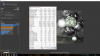
Well fom the image, the current temps when running Aida, max core 89, but huge core differential there with 100% load on all threads....and running at stock clocks, 3.5GHz, so yes temps are high for those clocks, and core differential present, even before the repaste. Ok maybe he didn't have the fans on max....but still, even with stock fans shouldn't get to 89 even with AVX and no undervolt and 3.5GHz all cores.raz8020 and Falkentyne like this.
-
i had max fans on and when i run at 4 ghz -100mv 99 temps showed in hwinfo before in same testPapusan, raz8020, Vistar Shook and 2 others like this.
-
Question not related to AC DC loadline VID variation.....just curious what you think.
I suppose every motherboard and BIOS is a bit different, so this might explain why the GT73, as a few have posted here, run 4.1GHz with a 100mV offset or so, while on mine SC17 it can handle only a 40mV offset, but my VID is at 1.100 so assuming the VID are more or less correct and comparable, does this mean comparing voltage offsets between different models and motherboards not valid?
Another question, your system agent clock is running at 1000MHz and mine at 800MHz, is yours is just like that or you changed something the the Bios?raz8020 and Falkentyne like this. -
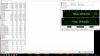
The problem I have is that you can't tell the duration of that hwinfo64 data. It looks like the "hours" section isn't 0, there is a number that's cut off, so it's been running for a while, like his other 1 hour 29 minutes hwinfo image. It's really impossible for me to have confidence that high is due to the "last" test with that kind of duration sample in hwinfo.
The numbers aren't great, but again there isn't enough context I can count on to call it all due to that test. 93c is in the Core 0 place where by default other things run, and the matching pair core 89c is a good bit less than 93c. So I'd use 89c as the number to measure the core temp differential - if all I had was that data and couldn't get a run specific hwinfo data to nail down the confidence solid.
At 89c that's 4c-7c difference, which is far less than 12c-14c he is now seeing.
So I'd say dis-assembly and re-assembly has made the core differential far worse than out of the box.
If he hadn't repasted, I wonder if we could have helped him tune it down enough to avoid repasting and making it worse.
The "before" image you uploaded, the one I commented on above, was at 4.2ghz... so I am assuming a much smaller undervolt.
If you had a tighter data collection for that run, maybe the core differential would be less. As the Core 0 was at 93c, while the matching core was 89c, and Core 0 gets hit with system tasks and other scheduled stuff so that 4c difference might have been something else running at the same time kicking up that reading.
As above, it looks like your core temp differential wasn't bad before, and is more than 2x-3x higher now. -
@hmscott
What laptop do you have man? how come you don't have it in your sig? It'd be interesting to know what you're running since you like hanging around this thread more than any other. Do you have an MSI taptop?![[IMG]](images/storyImages/OYN4bUY.gif) Last edited: Feb 12, 2018Papusan, raz8020, Falkentyne and 1 other person like this.
Last edited: Feb 12, 2018Papusan, raz8020, Falkentyne and 1 other person like this. -
It's usually CPU dependent more than anything. I guess it could be motherboard dependent between different machines, but I haven't really seen that.
The range is usually the same with in family, like Haswell, Broadwell were similar, then Skylake / Kabylake were better and better again. The range has really bumped up much higher over the years, with less than -100mV being typical, then going over up to -150mV, then as much as -220mV reported for Kabylake.
But, I've also seen poor undervolters within each - unusual but it happens, like my Haswell that would only do -15mV at first, but over time I coaxed it to -50mV in gradual increments over 18 months.
It really wasn't till Skylake that I didn't need overvolt for highest OC. Broadwell I had upwards of +100 to hit 4.3ghz.
Now with Kabylake I last had -25mV at 4.5ghz! I also benched without undervolt to see if the performance change, but it didn't.
So even your -40mV at OC is a big improvement from a few years ago.
Vistar Shook likes this. -
We can see from the screenshot, that Aida is running, at current temps, with 100% load on all threads, showing 89/71/86/69, so yeah.....huge core temp differential there.Papusan, raz8020 and Spartan@HIDevolution like this.
-
True, but I was getting at that although my offset might be less than others with the same CPU on different models, my VID seem to be almost in line with a GT73 with a much bigger offset. But yeah falkentyne already showed that VID reporting can vary a lot, and not necessarily the VID reported is the actual vcore, so hard to say. I am happy with my temps though with stock paste, can't wait to see what LM does.raz8020, Spartan@HIDevolution and hmscott like this.
-
If you aren't thermal throttling, and you are at the top of your OC, there's really nothing to be gained by LM.
LM is dangerous, and from time to time we have someone sadly reporting a previously excellent thermal after using LM report their laptop is dead. I imagine some never even report it.
To me it seems like a lot of unnecessary activity and risk for nothing more than a vanity mod.Last edited: Feb 12, 2018 -
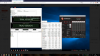
Darn, I got distracted and didn't post the screenshot of the one I am talking about, and given the numbers you posted it's not the same one
Here is the closeup and full image:
So my comments are for that, not what you are looking at
I'm pretty much done discussing this situation, I can't think of any more to add until @GENOCID gets the parts, or he decides to play with loosening and tightening screws on either side to adjust the contact patch, or he takes it in to get fixed, and then posts good data limited to the test runs, like the latest ones - thank you!
And, I gotta go again for a while, see you later
-
Only way to get VID to match VCORE (BEFORE VDROOP) is to set IA AC DC loadline to 1 (0.01 mOhms). However this will give MASSIVE VDROOP, per @sirgeorge 's testing; he found IA AC DC loadline of 1, 2 and 3 to be too unstable on his system. And VDROOP cannot be seen on these boards because there is no realtime vcore sensor, only "Target voltage". VID does not show vdroop. If it did, the VID would drop under load (often by a lot if using a very low IA AC DC value).
The ENTIRE purpose of the IA AC DC loadline setting is to COUNTERACT vdroop. It does this by boosting the VID signal based on the CPU current (thus at idle you will have next to no VID boost). The problem is at full idle, the VID starts jumping around all over the place like crazy, e.g. on my system, with pure stock ADAPTIVE MSI settings at 4.5 ghz, no undervolt, IA AC DC at auto, all stock, the VID will jump around from 1.08v to 1.22v at FULL IDLE.
Then when I run prime95 small FFT (no AVX), the VID shows up as 1.12v at full load.
However I know from my own testing this is actually TOTALLY WRONG. The real "VID" at full load is the max "spike" you saw at idle, which is that 1.22v that appeared briefly. And the CPU temps verify that by logic.
The problem is, the IA AC DC setting is not supposed to affect STATIC voltage overrides. The manual voltage is supposed to override VID completely. But on these laptops (and apparently some desktops), the static voltage is BOOSTED by the IA AC DC setting (in this case, 1.80 mOhms for auto). So, 1.175v manual setting actually becomes about 1.285v (!!!!!!) with 1.80 mOhms.
I do not believe this is a MSI Bios bug, because Alienware users are also affected by this. One user I had set a manual voltage of 1.25v and his VID showed up at full load as 1.34v and his temps reached past 90C. He had to set 1.21v static just to keep temps under control. He had better results setting adaptive + offset instead rather than manual voltage. (he had no access to IA AC DC loadline).
There is a formula to calculate the VID rise based on mOhms, but someone posted it over on overclock.net. Some sort of amps x something x resistance weird forumula.
Keep in mind that there is STILL VDROOP after all of this, which is NOT shown, but the "VID Rise" basically reverses the vdroop. But this is done on the AC And DC Rails themselves, which thus boosting the VID, rather than on the actual vcore signal (That is what the setting Loadline Calibration (LLC) does, which we do NOT have in our laptops, but desktops DO have).
But on these MSI laptops, the HIGHER the mOhms of resistance, the LOWER the VID (reported at load) is, compared to actual vcore (vcore distance gets higher from VID shown, the higher the IA AC DC setting).Vistar Shook, raz8020 and Spartan@HIDevolution like this. -
As expected, hmscott completely ignored my question, his taptop is a secret
Vistar Shook and Papusan like this. -
I have to disagree with you here.
Lower temps= more lifespan of your laptop.
Also will make your video card run cooler, too (less heat radiated on shared heatsinks).
Everyone on this forum would rather have a CPU running at 4.5 ghz stable with max 60C load, than 4.5 ghz with max 90C load, right?
The comment "if it's not thermal throttling it's fine" is exactly what Dell is trying to push out to people (mr Azor and friends) for people not liking 90C Dellienware hot laptops.
Yes, the CPU's ARE DESIGNED TO HANDLE 90C, YES, but ONLY AT STOCK SETTINGS. And designed means, that it won't break. Doesn't mean you should be happy with it and accept it. Maybe in a tiny light and thin cramped laptop where they throw in an unlocked CPU and 1080 into a little thin chassis which can't dissipate any heat..... Meaning 3.5 ghz on 7820HK, 3.4 ghz on 7700HQ. When you overclock, you throw everything out the window.
If someone disagrees with me, tell me. And I'll sell you a hot asian girl and an Island in the Caribbean to go with it. Tax free.Vistar Shook, low9, hmscott and 2 others like this. -
Sounds about correct, but you can't 'generalize too much here. Because EVERY CPU is different. Two identical machines may have a different default VID for each different CPU sample on identical motherboard/laptop OR desktop (exact same model). Under identical bios settings, one CPU may have a default VID of 1.2v at 4.2 ghz, while another may have a default VID of 1.05v at 4.2. ghz. Usually the one with the LOWER default VID will be the good overclocker. For desktops, you just use 1 motherboard, and two CPU Samples (e.g. 7700K) and see one VID on one CPU is lower or higher than the 2nd CPU's VID at the same mhz.
I can't even run 4.2 ghz FMA3 stable at 1.08v true VID. AVX, yes, but FMA3 drops a core error. So for 4.1 ghz, and your chip possibly being a little worse than mine. 1.1v VID may be fine. That's if your VID isn't being misreported again. It's hard to say because every chip is different. The ONLY way to find the DEFAULT VID for a certain mhz is to set IA AC DC loadline to 1 with ADAPTIVE voltage, not manual (0.01 mOhms) and then load windows with NO undervolt and NO overvolt. This will show the pre-programmed default VID at x mhz.
*Edit* another nice thing about changing the IA AC DC loadline setting from the reference 1.80 mOhms to 0.01 mOhms, is that you basically "undervolt" like this WITHOUT risking idle blue screens. That's because resistance scales with current and voltage, while an undervolt is a fixed value. You might wind up stable at 4.2 ghz at -150mv undervolt, then when the CPU drops to full idle, 800 mhz, you wind up BSOD'ing because the voltage is now 0.550v, which is too low. With the IA AC DC loadline setting, if you wind up finding a setting which is stable at 4.2 ghz (with either no undervolt or a positive overvolt offset, with adaptive voltage (since you can NOT undervolt and combine IA AC DC loadline=1 and remain stable when overclocking), the IA AC DC setting will not affect the idle 800 mhz voltage at all, because there is such low current and voltage already.
Of course, users without IA AC DC access will need to undervolt, TRUE, but you have to watch out for idle problems AND you need to remember the VID shown at full load will be LOWER than the actual "real" VID, probably by 75-100mv.Last edited: Feb 12, 2018Vistar Shook likes this. -
The FMA / AVX load from Aida will be slightly diluted when you check all 4 boxes. The results should not be very much different than other stress tests. A core temp difference have to be assumed, but not on the level as seen.Vistar Shook likes this.
-
-
The secret, bruh Why not do the job yourself?
Yeah, the Physics score was crippled
hmscott likes this. -
Because someone here is like....
![[IMG]](images/storyImages/uNx55gd.png)
-
ive done some settings suggested by @Falkentyne with AC DC set to 5 aida running 1:30 minute with everything checked except local disks and GPU and other minute and half on FTU only checked. minute after i did another cinebench however before few hours in cine temps were up to 81c.
yet it gives me better temps and score than 4.2 -110mv or 41 -100mvraz8020, Vistar Shook, Falkentyne and 2 others like this. -
If you could fix your Core 1 (0 in SS) and Core 3 (2 in SS) problem somehow (This is core 0 and 2 in the screenshot below), you would have a great chip.
You can clearly see your heatsink is defective. 21C core temp difference in AIDA64!!!!!!
And 11C difference in Cinebench is very bad.
Heatsink section closest to the VRM's has poor contact.
With normal paste, should be no more than 4C difference in Cinebench R15.
With the GT73VR Backside facing "up" (CPU in top right corner, GPU in top left corner), you have "weak" contact with the heatsink on cores 0 and 2, and "strong" contact on cores 1 and 3.
So basically, this section of the heatsink should be sanded down -very- slightly, followed by using 2000-3000 grit polishing sandpaper across the entire heatsink to get a nice finish.
Or get a replacement heatsink, test that, then when you are bored and want to mod, sand the bad one down and see if you can get it nice and perfect.
Note: DO NOT USE AIDA64 to test core consistency after sanding unless you uncheck "Stress FPU", because it uses AVX/FMA3; you will never have all 4 cores next to each other in AVX. Close yes, but not 2C apart Test Cinebench R15 for feedback for sanding. (you can also do PRIME95, with AVX disabled and FMA3 disabled, by editing "Local.txt" in the prime95 folder, and adding in CPUSupportsAVX=0, and CPUSupportsFMA3=0 at the top 2 lines.
Last edited: Feb 13, 2018hmscott, raz8020, Vistar Shook and 1 other person like this. -
Hello guys,
today I again repasted laptop and put 0.5 mm pads to try. I got very good results. I have used just dot method for repasting. I will post results with cinebench and prime. This is 6820 HK, without undervolt on 4 Ghz. I am very happy with core difference temps, I hope is not going to be worst over time
hmscott, raz8020, Vistar Shook and 2 others like this. -
4C core temp difference at 1.290v and 75W ??? THAT IS EXCELLENT RESULTS! (although you know how I feel about the VID being reported accurately).
What thermal compound are you using?raz8020, Vistar Shook and Donald@Paladin44 like this. -
Is that too much VID? I mean I just left everything stock for laptop and put turbo for 4Ghz in Dragon centre. I used Artic 0.5 mm pads how you said and Noctua paste NT-H1. I hope it ia going to stay like this. I lost 4 hours today
Papusan, Falkentyne and Donald@Paladin44 like this. -
No it's fine. You can't control the VID fluctuation without the unlocked Bios anyway. Just use it.
test temps again in 1 week, please.raz8020, Vistar Shook, Ivan994 and 1 other person like this. -
I will. I hope that temps couls stay under 10 C. I gave my all!!!
raz8020, Vistar Shook and Falkentyne like this.
-
-
Yes. I tried now again. Still is same
hmscott, Vistar Shook, Donald@Paladin44 and 1 other person like this.
-
Ok stop running it.
Enjoy your laptop for a week
test temps in same ambient 1 week later.
I'm very impressed with those temps without LM.hmscott, raz8020, Vistar Shook and 2 others like this. -
I wll thank you for your help! I will report changes after 1 week or so.
hmscott, Falkentyne, Vistar Shook and 1 other person like this. -
cinebench @ 4.1, no undervolt.....Thermal Kryo paste....I can live with these temps and core difference.....
![[IMG]](images/storyImages/cinebench1.jpg) Donald@Paladin44, hmscott and Ivan994 like this.
Donald@Paladin44, hmscott and Ivan994 like this. -
Very nice. When did you repaste? Is that paste LM or no?Donald@Paladin44 and hmscott like this.
-
Today and posted the result right after....first cinebench result was little better temp wise 69/69/66/68 and 2nd run gave above result 72/72/69/70. Fan on Auto.
I was following your and @Falkentyne conversation and thought to change the 1.0mm pad to 0.5mm pad and lap the HS a bit where core 2 and 3 has better contact (note I lapped the HS many times in past, have my own reasons so do not do it unless you know how to do it right) and end up with above result. may be will give another lap to close the gap
btw I use 3M thermal pad, I like it more over Arctic Pads, it has one end sticky so very easy to use but Arctic has better thermal w/mk, will be ordering Minus 8 Pads
Thermal Kryo is non conductive paste (not LM), 100% safe to use.Donald@Paladin44, Ivan994, raz8020 and 1 other person like this. -
Congratulations on the excellent results
Saving us the time looking up your previous posts, what were your original out of the box results doing the same tests? Or if you were testing using different method, please post those out of the box results along with a run now with the re-paste. Thank you!
What is the reason you avoid undervolting / tuning for correct voltage?Donald@Paladin44 and Shehary like this. -
I also repasted yesterday and had 4 c difference but today is almost 10 C I hope is going to stay there. With lap HS you mean sand? I think that ia only solution how
@Falkentyne said.
Donald@Paladin44, hmscott and Vistar Shook like this.
-
I cannot recall out of the box result, using the laptop since Sep 2016 but I remember I was happy out of the box result, not any major difference in core temp, though there was difference.
Didn't take the before snap shots but temp was above 82 with 6 to 8 degree difference between cores while running cinebench test. possible reason I did re-paste 3 to 4 months ago the paste dry out, also I change the thermal pads to Minus 8 (1.0mm) which may be causing the poor contact between CPU and HS causing higher core temp difference and paste dry out quickly.
I'm bit lazy, I did under volt but lost settings multiple times when ever I have to hard reset the BIOS for any reason so I stopped...now only using DGC @4.1 and temps mostly stay under 60 with full work load and while gaming temp stays between 65 to 70 (not doing much gaming these days)Donald@Paladin44 and hmscott like this.
The Official MSI GT73VR Owners and Discussions Lounge
Discussion in 'MSI Reviews & Owners' Lounges' started by -=$tR|k3r=-, Aug 16, 2016.