Problems? See this thread at archive.org.
was anyone else's HD partitioned into two drives? mine was a bout 270 gigs on the "OS side" and 180 on the other "storage" side (thats what they are calling m)then
-
Yes. It's very easy to rejoin them.
Control Panel>Administrative Tools>Computer Management>Disk Management
Right Click the Storage Partition and hit Delete Volume. Then hit the OS partition and hit extend Volume. Keep hitting next and your done. -
Without any cooling pads running a Starcraft II custom map with 400 units on screen (on low though), I hit 81C and it never went higher. In my opinion, for a pc this thin, the thermal design is acceptable. To get any better, we'd probably need the Acer 3820tg's dual fan/heatsink design at the cost of the optical drive. I'm satisfied though and enjoy my optical drive as I have a lot of DVDs..

Also, I learned to ignore the stuck red pixel. Ignoring it seems to be the most effective fix because it almost never matters.. -
Anyone know if there's a 9-cell battery available for this laptop?
-
I don't think so, but isn't battery capacity and not the number of cells what matters?
-
I also have a 3820TG, and it still is a great box. But this one turns up the features dial to an 'eleven'!
I picked up a cooling pad, because I was routinely getting upper '70s for my GPU temp. An important observation is that the ventilation hole areas for this laptop (X460DX) are under the front-left edge, and under the upper portion of the metal palm rest, with another small area just under the 8UJM keys.
Most laptops I find have their ventilation holes (for inbound air) around the upper part of keyboard area (but on the underside, obviously!). Because of this, a lot of the notebook chillers I looked at had their strongest airflow focused around those areas. Because the air will still flow all underneath the notebook when its on a cooling pad, that's not terrible, but if you want the most focused blast of cool air, I suggest buying a cooling pad with strong airflow closest to this notebook's intake vents.
BTW, don't forget that the weakest airflow from a fan will be at the 'axle' of each fan, and the strongest flow will be closer to the fan's edges. -
Just thought I'd mention that another way to do it is to download a free ISO for either PartEdge (if I recall correctly, which has some great extra tools) or the latest Universal Boot CD (aka "UBCD", which contains PartEdge, and some other tools). They let you delete, move, and resize your NTFS partitions, sort of like Partition Magic would do (but they're free).
In addition to the two volumes, you also have a small 100MB boot partition, plus a 10 or 11 GB O.S. & bloatware partition. You might already have your own O.S. media, so could blow those away (just make sure your Master Boot Record is pointing to your 'main' O.S. partition). If you did that, you would lose the ability to do an "F3" boot-time total blanking of your notebook.
I've kept my first two partitions for now (100MB and 10GB), but I resized my "D" partition twice this way, and enlarged the "C" partition to fill up the free space, and I can attest to its working flawlessly and quickly. Eventually, I will blow away the 10GB partition to get that space back. -
MSI's and NewEgg's packaging, when added together, don't provide much protection IMHO. Even intact, the display isn't great, but tolerable.
So sorry to hear about two bad deliveries!!! That really burns.
If you don't mind a little extra thickness and weight, the Vostro 3450 had some very good features, and a matte display, and the 6630 GPU, which is a surprisingly good performer. Zero throttling, nice keyboard, solid as heck, two USB3, eSATA, reasonably bright display (most are recent AUO), 7200 RPM HDD to 640 GB, 4-8 GB RAM, nice chassis, but... downfiring speakers, no numeric keys, and ATI's ultra-wonky switchable graphics. If you use the *.icc from notebookcheck.net, the display is totally usable. I'm sending mine back for unrelated issues, but it did impress me. Another nice alternative might be the Y470, but it has frequent display issues too; a GT550M would be sweet though. -
I'm really not sure what to do at this point. The problem I'm having seems intermittent. One minute I could clearly see that there is something majorly wrong with the corner of the screen. Then the next everything looks fine. I'm gonna give it a few days and see how things go.
I'd probably have the Vostro right now if it wasn't for it being through Dell Small Business, which seems to make no interest financing a no go. Other then that I'm looking at the u36sd, only a gt520m but i think i can get over it. And the Vaio SA which has a 1600x900 screen but I heard despite the good resolution the screen wasn't that great. The Y470 seemed a bit too clunky for my liking.
I just don't get why dell has no proper successor to my XPS m1330 out. -
Hot Hardware just reviewed the x460dx.
MSI X460DX 14" Core i5 Notebook Review - HotHardware -
I thought the more cells, the bigger the capacity? I'm probably mistaken then. Anyone know if there is a larger capacity battery that fits?
-
If you try MSI support, maybe they can suggest something? Perhaps something is crimping a connector? So sad to be so close but balancing on a precipice!
And re Dell Small Business policies/support: that's the reason I'm returning mine. -
I was feeling adventurous and decided to see how hard replacing the lcd panel is. It was surprisingly simple. Pop off the bezel, Unscrew 2 little screws and the entire thing comes out. I'm doing some research now on what I can put back in there.
The first thing I found was this website. New CLAA140WB01A 14.0' Laptop LED Panel Glary - Detailed info for New CLAA140WB01A 14.0' Laptop LED Panel Glary,Laptop LED Panel,New CLAA140WB01A 14.0' Laptop LED Panel Glary,CLAA140WB01A on Alibaba.com
At the bottom of the spec it list some compatible models. One of them is an LG panel and the other a Samsung panel. Just looking at pictures of them and they look like they'd fit perfectly too. -
Cool. Thanks Bryf50!
It seems the 40-pin connectors are fairly standard. I'd love to get whatever those Schenkers are using, with a higher res (like the Sonys) and full sRGB coverage. I saw one as a replacement for the stock Y470 going for something like US$90! They are bright and contrasty with full colour range, and you can also get them in non-glare.
I've heard of people swapping screens to a higher resolution on the Dells too, but I don't know if its as easy with MSIs.
CPT (the current display maker) also makes an *identical* screen in non-glare, and it was about US$70 online, but its still not the greatest screen to begin with, but at least you do know it will work 100%.
Now you got me thinking... -
Thanks for posting... Pretty favourable review.
Their Windows Device Manager screenshot shows a "WDC" HDD and Bluetooth 3.0, while their 'test results' showed Bluetooth 2.0 and a Seagate Hybrid HDD.
And I think their battery test is helpful for giving you an indication of battery life using a box at full-tilt, but the same test doesn't say anything about duration for online WiFi use under switchable graphics. I'm pretty happy with the battery life so far. Even the Intel 3D for apps two or three years old is not bad, and really causes hardly any additional battery drain, but its still really nice to have the GT540M for when that just won't cut it.
Also - it says the 'exhaust vents on the bottom push out the majority of the heat'. Yes, a lot of heat radiates out the bottom if it's used directly on your lap and your taxing the CPU/GPU, but I'm pretty sure the heat blows out the left side of my X460DX. I'm actually going to have to double check that now. I've got a notebook cooler blasting air right at those vent locations: it would be retarded if I was actually preventing the hot air from getting out, but I think its more likely the reviewer just made a small mistake. -
I got my X460DX yesterday. So far I love it. It feels fast and my display has no imperfection at all. I also think the image quality is decent and that the screen is actually pretty bright. I am not an image quality freak anyway but that's just my thoughts. The keyboard feels great. Battery life looks impressive. I didn't get to test it yet but out of the box the battery was at ~90% and Windows was suggesting 6 hours and 26 minutes with wifi on and brightness at ~25%. The design is beautiful and build quality is excellent. I am currently downloading COD MW2 to test the gaming performance. I also installed a fresh copy of Windows 7 Ultimate 64 bit and now the laptop feels faster. Installing all the drivers and utilities was a pain since the drivers/utilities CD that comes with the laptop kept freezing up as soon as I clicked on a driver or a utility to install. I ended up downloading everything on the MSI X460DX download page from desktop computer. I couldn't go on the internet from my laptop because I had no network drivers. I transferred drivers & utilities from my desktop to my USB stick and then to my laptop. Everything works great now.
When the lid is closed and I start to lift it, it rubs a bit on the battery. It's not a big deal but I was wondering if the same thing happened to you guys? I'll just live with it since it's not a reason to return it. I'll probably post more on the laptop when I will have played with it a bit more. -
Also, I wasn't aware that a Windows tool could delete and resize hard drive partitions so I downloaded & installed a random software to do it. Since I wasn't sure how it worked I deleted/reproportioned/extended/shrank partitions a couple of times before giving up and finding the Windows tool. Every time I applied a change with the software it asked me to restart the laptop and as it was restarting it kept showing me a window for the time it was making the change to the partitions. On that window it was saying "reproportioning partitions" and there was some kind of progress bar. It actually took a while for the software to make the changes. Could this have possibly damaged my hard drive?
-
Can someone recommend a good cooling pad for this?
-
i found a program to remap keys, so i just remapped that stupid back slash next to the space bar to space bar, so now its like a normal sized space bar.
on a normal keyboard my normal typing habit is taht i only use my left thumb for the space bar on the very edge, and now thats exactly where the back slash button is. problem solved
-
Which software did you use? It's definitely annoying. I have no idea why MSi put it there :/
-
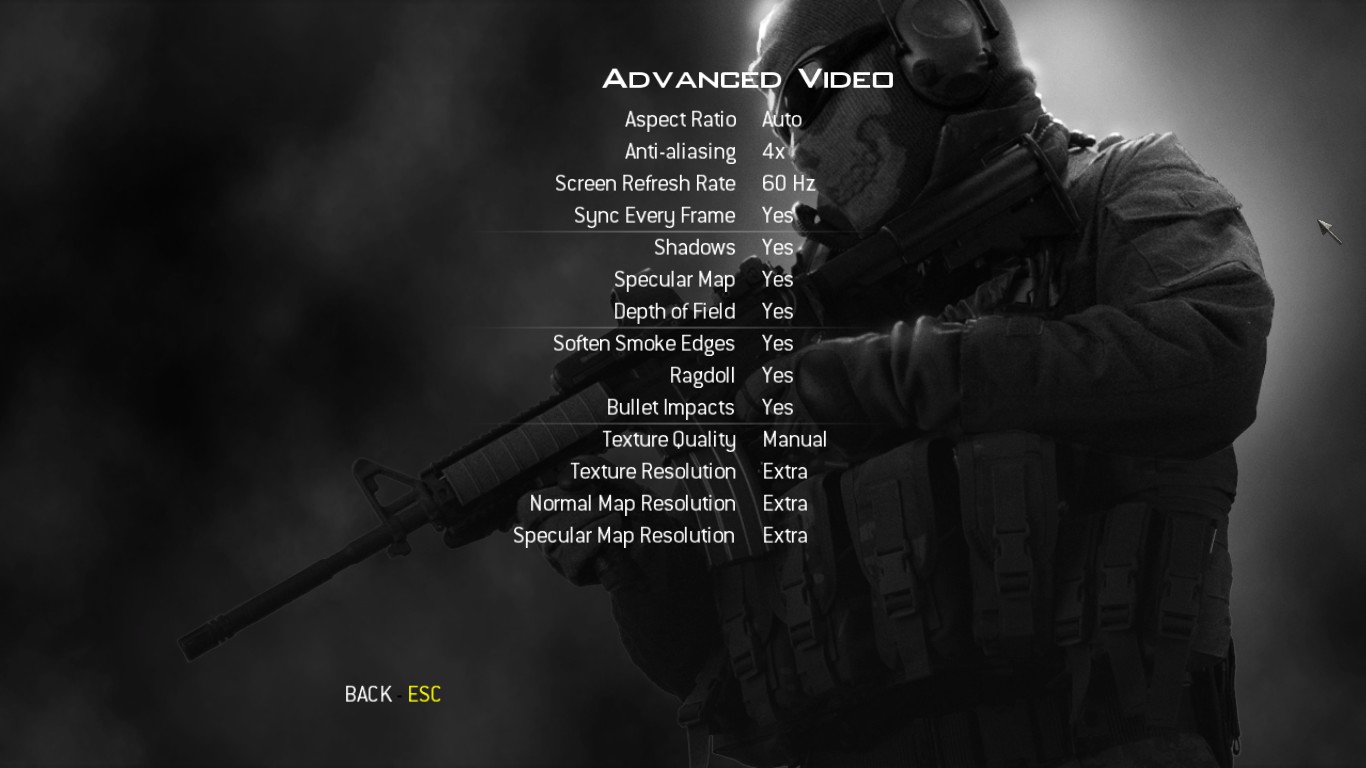
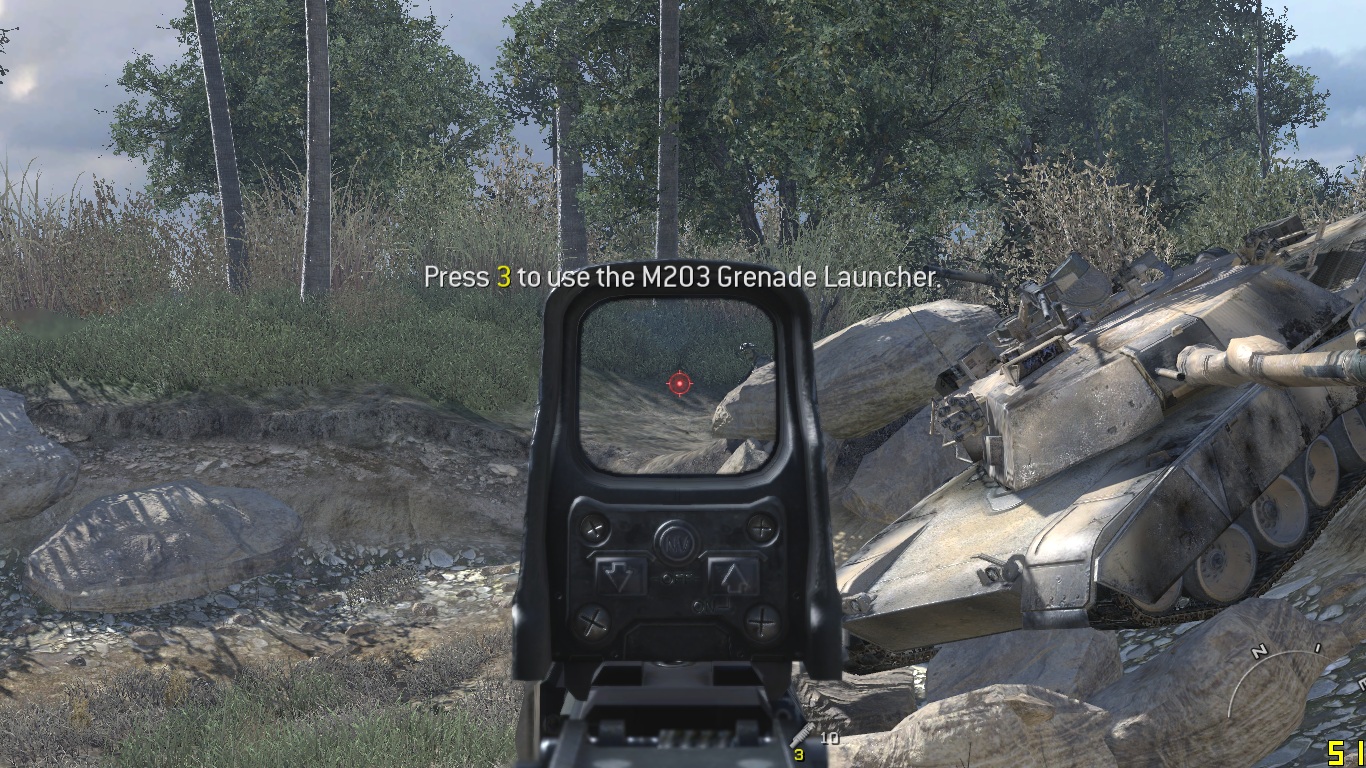
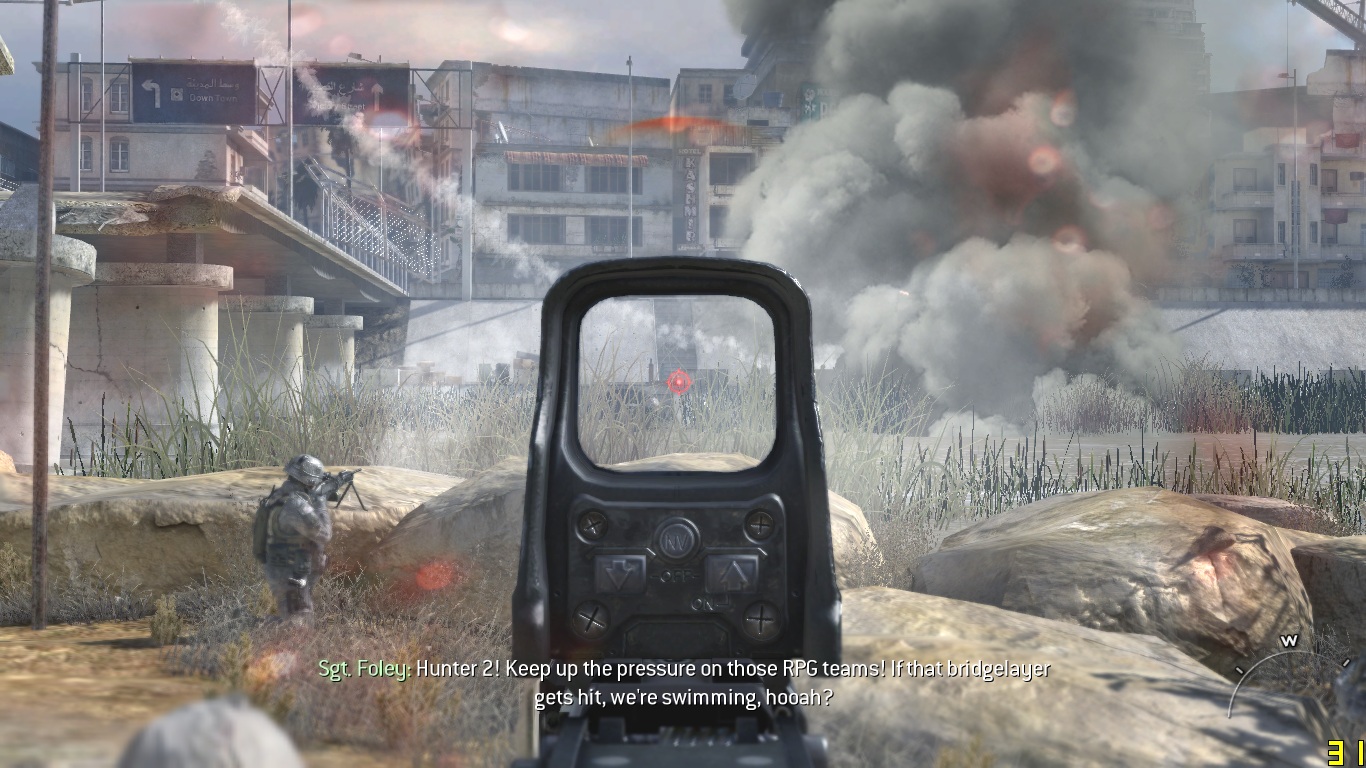
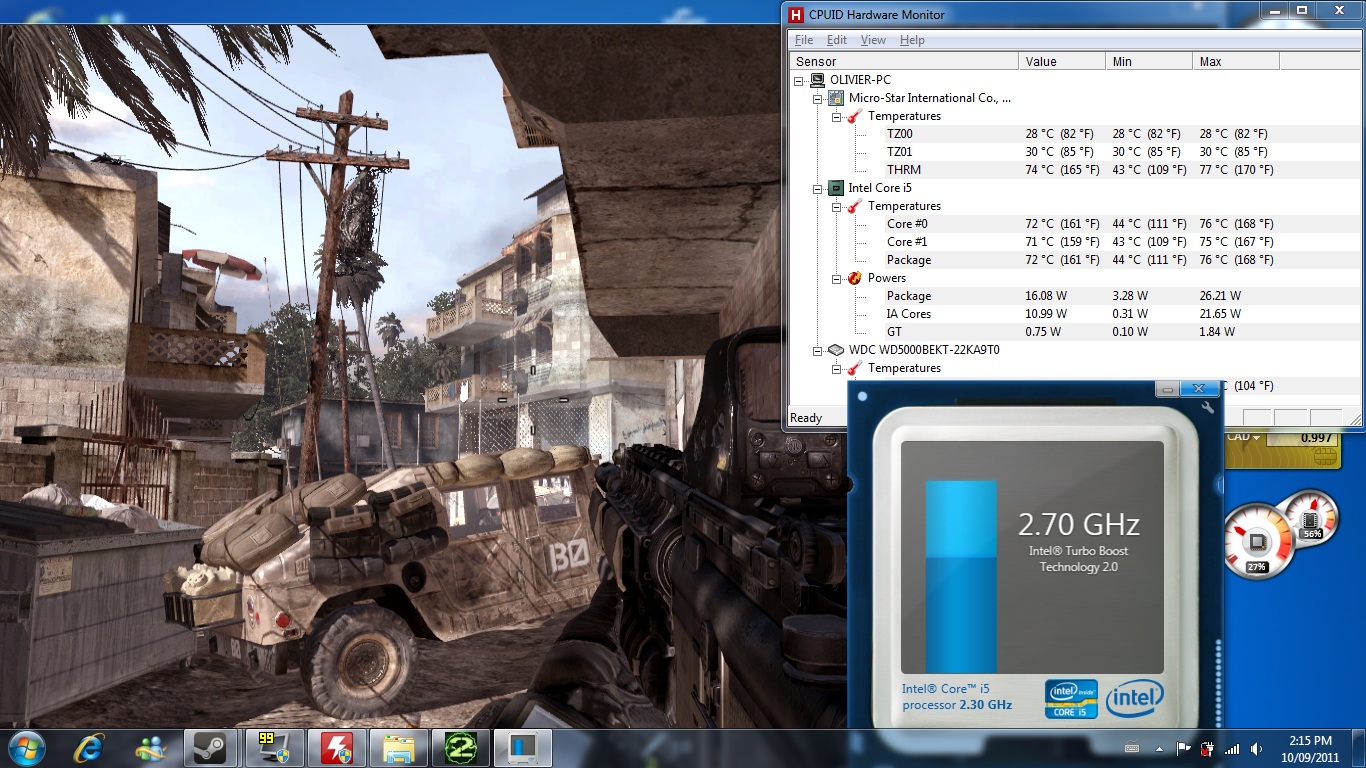
Ok so I tested the gaming performance with Call of Duty Modern Warfare 2. I played for ~25 minutes and the performance was stable. You can click on the images for the results. The first 2 images are showing the settings. I put everything on extra. The next 2 images are showing the FPS in the bottom right corner. They were considerably high. It only lagged a few times when the graphic content got pretty intense like on the picture where it shows 31 FPS (pretty much the lowest FPS I got). The last image is showing the temperatures and CPU status. You can also see the desktop gadget showing the CPU working at only 27% (I don't know if it is a reliable source). I didn't notice any throttling during my gaming session. The laptop didn't feel as hot as I imagined. Yes it did become a bit hot to the touch but it stayed kind of cool for a laptop this size. So far I am impressed with the gaming performance since I rarely got any lag at max settings and it was totally playable.
Attached Files:
-
-
Nice
I'll post up some BFBC2 benchies later, I know it taxes the CPU a lot more than MW2. -
sweet! thanks for the pics! my x460dx comes in 4 days!
quick question about HDMI Out, has anyone tried to connect a 1080p monitor to it? let me know the results! -
Checked mine, and at slightest start of opening, its so close only a thin piece of paper might be able to get between battery and display. At full opening, the two rubber display 'feet' touch the battery. I don't know if that helps.
Also - check the positioning of your battery: mine and another user's X460DX from NewEgg had the battery lock frequently open on its own within literally minutes of locking. Only by frequently using the switch (unlocking, removing battery, reinstalling battery, re-locking) did it begin to 'work'. That might explain the 'rubbing' (your battery might have budged out an extra millimetre).
Hope that made sense and is useful... -
Re: Partitioning tools running under Windows
If you know of the app you used, I might have used it before or heard about it, but generally, you need to take the volume offline to do a 'proper' partition adjustment (otherwise it's a 'fake' dynamic adjustment, and could cause extra complications in the future to work with it). So the fact that it did the changes while restarting is a good sign. Plus if Windows itself had no complaints dealing with the volume after these 3rd-party tools, I'm pretty certain you can have zero worries.
Some older partitioning tools didn't handle the current NTFS as well as Windows does, but if you downloaded it recently, it was probably fairly current, and most current apps can now handle the latest NTFS without a hitch. And as I mentioned, Windows didn't complain afterwards, so I wouldn't sweat it. -
Mine's not great, but it seems to help a bit (not as much as I'd hoped, but every bit does help).
I wanted the Zalman model that has "1000" in it (forget the specific full model number). It's rather pricey (~CAD$60), but has excellent reviews and specs, sounds really solid (if I recall, it was aluminum/magnesium alloy), and could be used for the three environments I require: [1] on a padded surface like a couch or a bed, [2] on my lap, and [3] on a desk or table. Finally, it had to have coverage near the edges of the fan that was near the intake vents under the X460DX. But not one place within 20 miles had it physically in stock, and I wanted something quick, so I gave up on that and grabbed a cheapy-do one from Tiger Direct (branded with their 'Ultra' name). If it was crap, I would order the good Zalman and use the crappy one in the meantime. But the cheap Ultra one is OK, and I didn't want to sink a small fortune just on a laptop cooler. So I seem to be keeping it.
It's called the "Ultra Sub Zero X1", and they're nearly out of stock, but it was $25. It's almost the same as the cheap version of the Thermaltake Massive23 (I bet Thermaltake made this Ultra model). Its not soft, but the edges are smooth and so comfortable enough, and its single honking fan covers the intakes fairly well. Its almost inaudible too, but has no speed adjustment. It's 61 CFM airflow, 200mm fan @500RPM, <24.1dB, and has an MTBF or 30,000 hrs, 1.6 lbs (726g), matte black. It fits the X460DX side to side perfectly, but has an extra couple inches of space front to back, and a permanent 'lip' to keep the laptop from sliding too far forward. The stage holding the laptop is a metal grill, but the main chassis is plastic. It can draw air in from either the bottom, or the sides (which you need if you'll be placing it on a padded surface), so it does work in all my three required environments.
It's biggest downsides:
1) I wish it was stronger for when the laptop is cranked to 'eleven', and
2) I wish it was angled make the keyboard easier to see and use.
Otherwise, its pretty good. But I wish I could have tried that Zalman just to be sure... -
Has anybody tried the caddy yet? I still do not know what to get..lol
-
I'd love to know what you used too. Having a 'reprogrammable' key right around space/alt/ctrl would be a real bonus!
The Microsoft tool looked cheesy (though I never tried it), and most of the others looked like a nightmare to setup and autorun. If you're happy with your discovery, I probably will be too. Thanks for the post. -
Thanks for the reply. The software I downloaded is "Paragon Partition Manager Free Edition" from download.com.
-
Never seen that one before, but it looks like they know what they're doing and are completely up-to-date by the newest features they now offer (such as AFD, <>512byte sectors, multi-terabyte volumes, etc.).
They say they are fully NTFS v.3.1 compatible, which as far as I understand, is completely current, as Microsoft just keeps revising the displayed NTFS 'version' with each OS release for their usual FUD purposes, but its still actually version 3.1/5.1 (XP).
It actually doesn't look a bad app! HTH -
I use KeyTweak, works perfectly I remapped that |/ key as another alt key
-
Thanks a lot. I won't worry about it then.
-
Haven't installed it just yet, but have downloaded it, and so far, the docs are excellent, and this doesn't even need a TSR by the look if it, so a nice solution!
Thanks manifest3r! -
No problem
It's a pretty nifty tool!
Anyone find a proper ODD replacement? Also, how the heck do I get bluetooth to work! Bluesoleil isn't working :/ -
MSI X-Slim X460 Ultraportable Review > Encoding Performance - TechSpot Reviews
finally a rendering i7 review
wish it compared both i5 & i7 benchmarks though -
So, did you take the plunge?
-
msi x460dx - Does it have optimus or is it manual switching with the gt540m and intel hd 3000?
Does it have bluetooth? -
Bluetooth 3.0 and optimus.
http://www.anandtech.com/show/4639/msi-launches-slim-14-x460-and-x460dx-notebooks -
Thanks +rep
Additional questions:
How are the fans when gaming and doing benchmarks on the DX model? Are they annoyingly loud like the M14x and Sony Vaio SA/SB that sounds like a jet engine taking off or what? -
It's audible, but in my opinion, not loud at all when gaming (SC2/Team Fortress 2/Counter Strike: Source). I can't compare it to the SA/SB or M14x but it's really quiet.
-
Quick question, does the x460dx support Wireless N 5ghz? I just bought a dual band router, and i'm having trouble getting anything to connect to the 5ghz band.
-
I don't know. It does B/G/N, and I thought most N defaulted to around 5 GHz, but I don't know much about that. Using a 'G' Access point at the moment. HTH.
Just an observation, but I get the quickest negotiations with this X460DX's WiFi that I've ever had, and that includes 3 work laptops and 3 personal laptops. Basically, I turn on WiFi, and it immediately confirms the connection. -
Nope I'm just sending it back to Newegg for a refund. I'm looking at some other options now.
-
Nope the Intel 1030 card is only 2.4ghz.
-
It does support the 5 Ghz band if you update the card, however. The Intel 6200 series is very reliable and offers support for the 5 Ghz band you mentioned.
-
I believe newegg will not give you a refund because their policy clearly states no refunds on laptop computers, only exchange.
-
Why the return? Is something wrong, or are you looking for the higher res?
-
I tried it last night with my phone (HTC Desire/Android), and it worked by just switching on the Bluetooth Fn keys.
However, it was confusing as heck between all the options on my phone and Win 7. Essentially, Win 7 found my phone (and I renamed the found phone to something meaningful, because Win7 didn't pick up my phone's name), and my phone also found my X460DX (it showed using my hostname/lmhost name).
But it got so confusing that all systematic practice went out the window and I had everything 'visible' and 'searching' and enabling features and FTP and SMB...all at the same time! I got my files across, but if I diagrammed my procedure it would look like a dog's breakfast.
I'll try it another time, but I wanted to let you know that A) it works, and B) it's confusing as heck (or at least to me), so be prepared for that. I know very little about Bluetooth though. I use it in my car for telephone and media for two different phones, and that's been trouble free and the end of it as far as I was concerned. I would like to try the X460DX with headphones and controllers sometime though. -
I got bluetooth to work!
So I did a fresh install of Win 7 x64 SP1. I installed the "Intel Bluetooth_High Speed Virtual ladapter_N130/N1030" from the msi website, then restarted, then I installed the "Intel Bluetooth + High Speed Adapter_N130/N1030" driver while the bluetooth was on.
Everything after that worked like a dream
This laptop is awesome! I know the screen might not be, but I can live with that
-
MSi has apps like 'super-charger' and 'i-charger' and there's even a battery calibration utility, but it looks like the two 'charger' apps are just for high current USB charging (like iPads), and don't help with battery longevity.
The calibration utility I found says it is also for the X460's, and has a readme message supposedly from MSi, but it doesn't show up for download anywhere on the MSi website, so I'm not sure how legit it is.
HW Monitor shows my battery at 3% levelling already (whatever that means). Is that like the portion of the battery that has exceeded its number of charges, and so is not usable anymore? or would the 'recalibration' improve that figure (3%)? I just hope I won't be churning through batteries every year.
Any news on the x460?
Discussion in 'MSI' started by jacob_s, Jul 28, 2011.