 Problems? See this thread at archive.org.
No computer fan starts at 1 rpm... they usually start in a few hundred rpms at least.
I doubt youd be able to find a different replacement fan as these are parts specific to these machines.
-
Glad you are satisfied with your new laptop, Mardon!

I'm quite interested, how much your repasting brings, as the reported results here so far were not that beneficial (1-3 °C ?)...
But if you really get temps like up to 92 °C on Crysis 3 with -75 mV undervolt(!!) or still 86°C with Coolmaster pad underneath the laptop, this could indicate a not so good pasting job of MSI at your specific unit?
Especially while getting reported temps like the following ones (78°C), i am really wondering about these huge differences...
Could it be, that at your testrun of Crysis at your desk at work with your reported max of 92 C, something was blocking the fan vents or whatsoever?
I understand that Crysis 3 is a extremely demanding game, but honestly was quite a bit shocked to see those temps at a -75 undervolt and even if that's the worst case it's nevertheless a real scenario.
Thought/Hoped we could get to a stable max. of 85-86°C in whatsoever worstcase scenario with a -75mV Undervolt... (of course no offence against Sen7inel! Without his mod the temps would be even higher and with massive throttling in Crysis 3!
)
Are you therefore really sure, you wanna test it with even lower undervolt of only -50mV? -
It sounds so weird though, isn't a fan just a spinning piece of pastic? Why would some fans have different starting rpms then others? Why aren't they just controlled by software to spin at what ever rpm?
-
Just a spinning piece of plastic... This is a joke right
?
-
For the uninitiated, Crysis 3 pushes your hardware like no other game, hence the heat. It's the worst case real-world scenario, and the very reason behind much lower gpu temperatures in other games. This fact has been documented on countless forums since the game's inception, eons before the GS60, and discussed ad nauseam.
As such it's very unlikely there is an issue with the thermal system/interface thereof in mardon's laptop.
Let there be no misconception: The -75mV, -50mV and the stock vbios will at most reach the same temperature of 92C. Past 92C the gpu logic will throttle to a point where it can maintain that temperature, regardless of how it got there or what software was used to coax it to that point. 92C may be hot to you, but your GS60 is entirely fine at that temperature, even in that worst case scenario. -
It was a half joke. I still don't see why a spinning fan made of what ever material its made out of has a min starting rpm
-
Just expect it to be throttling like a sick duck at that 92C if you are sitting outside on the pool deck playing a game while sipping an ice cold brew....
-
be77solo, might I ask you about your experience with the 860 version regarding heat, noise and performance?
-
Is there a disassembly guide/video or can someone make one? I know there's a video out there by GenTechPC, but it doesn't show how to get to the other side of the motherboard.
I am thinking about repasting and upgrading the M.2 SSD. -
Ignoring everything else in engineering a good cooling fan, simply put each fan motor is different - in order to overcome the initial inertia a certain voltage is needed to push it enough to start and after it starts that results in a certain fan speed at that voltage - you cant have a fan with an effective operating range of 1rpm to 4000rpm - its either a low rpm one that can start with lower rpm (still not one made for computers that would start at 1rpm which would be useless anyway) or a high rpm one that you wont be able to run at such low rpm.
-
I've got a test, if someone is willing to try it out.
I would like to get the 3k model when it comes out, run it at 2880x1620 for photo editing and other windows stuff, and then in applications and games where it does not run well set the resolution to 1440x810.
But since no one can test this as their are none out in the wild, this could be tested on the 1080p model?
So could someone test creating a custom resolution of 960x540 and see how it runs in game and in windows (if windows 8 will allow a resolution so low). Then if it works check to see if the output looks decent at that resolution, is it actually rendering on the screen as 4=1 pixel.
I suppose for an extended test, how does running the 1080p screen at 720p look. As the recommended alternative i can see all over the web for the 3k edition is to just run it at 1080p. But I would think that would look awful like usual when running an LCD at non native resolution.
I know this worked back in the day, as i had a dell 1600x1200 screen and ran quake III and UK2K4 at 800x600 and it looked great and ran great.
Thanks to anyone who attempts to answer this question. -
Right, so why can't you just modify the voltage? (my original question) To reach the lower rpm.
-
There is a good youtube video, search youtube for something lke msi ghost benchmark. I guy benchmarked tomb raider at 3k and 1920x1080.. not exactly the rez youre looking for, but close
edit... sorry i just read your whole post.. The only real way to find out if its aweful to you is you gotta see it for yourself.. Its subjective, what is going to look aweful to you wont look as aweful to someone else. -
It wont start with a lower voltage -_-.
-
Ahh, I think I get it now, it has nothing to do with the fan, its more the motor that drives the fan that has a minimum voltage... and the motor can't handle the less voltage... ok.. lets swap these motors then and get some quieter fans.
-
Good luck with such a project
-
Hi all,
I have just purchased and received my GS60 Ghost Pro. I'm really pleased with it. The fan noise is not so bad even when gaming and the performance outstrips my admittedly oldish gaming PC.
However, when I am gaming and the fan is flat out I tend to have the laptop base angled upward (at the back) and when I do this there is a slight ticking noise from the top left area (presumably a fan). It isn't horrendously annoying - barely audible and irregular (maybe once every few seconds) but I am concerned that it shouldn't be doing this right off the bat and worry it might become a bigger issue down the line.
Just wondering if anyone else has noticed this or whether I should looking at getting it swapped out...? -
I did this tonight 70c and run the processor - 100mV @2ghz. The fan didn't spin up and is fine for Internet and office tasks. I'll test more and go a flashing video if I get the chance as well as getting Sen7inel a beer. Been a crazy busy week.
-
Nice to hear, thanks for testing! What are the temps like? And can you do it with the CPU stock too to test (no underclock or undervolt)?
-
Goes up to around 62c playing a 1080p video with zero fan under clocked and under volted .
It jumps up to 68 to 70 completely stock. -
This is good news, i think it would be doable to make it silent for idle to low loads then!
Just undervolted should suffice then since it should land between those values. The components shouldnt have a problem running at 60-70C according to specs.
Thanks again mate!
-
Is it comfortable to use on your lap when the CPU is at 60-70c though? Plus, 70c does seem a bit high for a CPU to be at when idling..
-
Wow that's great news. That means you can potentially have a silent laptop / no fan until gaming.
Did you test it on a 860 or 870? -
That's not idle that's playing a 1080p video. It idles about 50. Also I made a mistake. That was 2.4ghz. It's even cooler at 2ghz.
I'm really impressed with it.backfire likes this. -
Hilarious commercial for the ghost pro by msi, she's gorgeous anyway
Notebook getting sexy and slim -- MSI GS60 2PC Gh…: Notebook getting sexy and slim -- MSI GS60 2PC Ghost - YouTubebe77solo likes this. -
So i´ve decided to tweak my fan curves using svets´s vBios program, only problem is that i can´t find a download mirror anywhere on the guide.
https://forum-en.msi.com/index.php?topic=148273.msg1102318#msg1102318
Am i just blind or something?
-
I'm having a problem when hooking up an external display through HDMI. Whenever I plug in to an external display, the bottom, top, left, and right sides of the screen appear cut off on the external display. I've changed the resolution but that doesn't fix the problem. Also, I've tried this on multiple displays (HD TVs) and the results have been the same. Anyone else have this problem or know a solution?
-
Svets vbios program is by "donation" only. Once you donate you get a download link email to you as well as the passphrase.
-
Hi,
I'm new here but I've been following this thread since a couple of weeks now.
First of all I wanted to thank you all because thanks to you I bought my GS60 Pro.
Also, A big thanks to you Sen7inel, i get my GS60Pro today and was a bit disappointed about the fan noise. But I've flashed your EC firmware (my first time ^^) and it works like a charm !
I now, need to find how I can undervolt my CPU and GPU to lower the temp.
This laptop and forum are Awesome !!!backfire likes this. -
What controls does it have in intel XTU? It may have what you need for undervolting.
-
MSI GS60 2PC 860M WIFI and fan problems all sorted
I've already shared my wifi resolution but thought it was worth mentioning again and also my fan problems are no more, so here we go
1 Wi Fi - I upgraded as per earlier post from here https://downloadcenter.intel.com/Det...&DwnldID=23865 and was still getting about half the speed I expected. Had a quick look in the advanced settings for the dual band 7260 and saw a preferred band setting which was set to no preference, I changed that to prefer 5.2 and my download speed jumped up to about 27Mb instead of 12.
2 fan speed - Can't thank Svet enough both for his application (can be found here https://forum-en.msi.com/index.php?topic=148273.0 )and his support afterwards. The 43% fan setting didn't work for me so a quick Teamviewer session with Svet and he worked out that for this particular laptop it could only go down to 44% before seeing a 0-100% fan speed cycle. Now working with the profile below and got a 0% idling fan speed for browsing and light use with only an occasional fan burst to drop the CPU temp back below 55 degrees, running at a comfortable 53 as we speak
FAN temp:
org: 00 47 60 70 80 90 95
mod: 00 55 60 70 80 90 95
FAN RPM %:
org: 48 55 62 69 76 84 91
mod: 00 44 62 69 76 84 91inc77, 286ljb, nw_Wve4 and 1 other person like this. -
It is nice to hear that ! Would you upload the vbios mod ? Searching for that
-
has anyone registered their gs60 with msi? I can't for the life of me get it to accept the 'product serial number' and I've tried both the PSN and S/N numbers.
I'm trying to register the laptop so that I can ask MSI about ATA password support in the bios for SED (I need my Intel 530 encrypted) since I'm not seeing it. Anyone managed to hardware encrypt their drive (not software solutions like pgp/bitlocker)? I know bitlocker in windows 8 can do it via eDrive, but the 530 doesn't support eDrive and I need it for win7. I'm also not sure if something like hdparm could help since it allows for setting ATA passwords -
I had this problem until I realized you need to register on their North American site (in my case at least)
-
Glad you liked my EC flash, I'm working on a completely silent one with tweaked hysteresis for those who like to hear the hard drive spin instead
-
I tried it and stuck at "8Mo/s", is that the good statistic please?
-
Hi,
I've installed XTU and here is what i did. But didn't notice any change (in normal use).
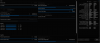
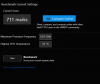
I did a benchmark with XTU, here is the result.
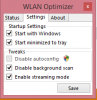
i don't know, if my -50mV profile is applied are not :s
Also, I've installed the -75mV sentinel's vBios for my GPU. I will download 3DMark to see the result and keep you updated.
Thank you -
What M.2 SSD lenght is the GS60 Ghost (not Pro) using? Normal 80mm or 42mm?
Is the Crucial M550 128GB a good choice for an OS?
http://www.amazon.com/Crucial-256GB...-1-fkmr2&keywords=crucial+m550+128gb+m.2+ngff
I'm considering to buy a GS60 Ghost without OS (because I have one licence already) but in my country is this configuration available only without SSD... :/ -
Hello,
How do you backup the bios with GPU-Z?
Thank you in advance. -
What is a good spare AC Adapter to have? I have a 170W for my Y400/Y500 that I can keep around but I am not sure if the connector is the same. Anyone have a spare one they can recommend?
-
When flashing im confused about adding the nvflash and profile to the dos boot usb drive. anyone explain how to do this exactly? just drag and drop the exe file from the zip i downloaded or? and where exactly does it go i know he said root folder but im comp noob i guess...
-
Right next to the " BIOS version" section you will see an icon.soloris likes this.
-
You can drag and drop I guess. The need is to put these files in your usb drive.
-
From what I've read the charger from the new Razer blade seems to work with the ghost.. But if you buy it , you should use it has your main charger since its better/lighter
-
Hello,
How do I know if it was successful the NVFLASH?
I have got the message at the end "UPDATE SUCCESSFUL" but I do not see any difference. This is why I wonder if you could see if somewhere has changed.
Thank you in advance. -
In GPU-Z or Nvidia Inspector you'll see both the clock speed and bios has changed from default
-
Not really concerned with portability, more compatibility.
If my Lenovo 170W has the right tip then I think it will be fine to use since the watts > included adapter. I just want to make sure the tip is right. Otherwise I am looking for more of a cheap solution that is known to work. -
I just played 2hours of Metro 2033 max settings (except DoF) with the -75mV vBios, max temp 85c , thx very much
 Tyresian likes this.
 -
Root means top-level directory or drive letter, no folder at all. Simply extract contents of vbios / nvflash .zip files to usb drive.
MSI GS60 Ghost/ Ghost Pro Thread
Discussion in 'MSI' started by GreaseMonkey90, Jan 14, 2014.


