 Problems? See this thread at archive.org.
Quick question: Does your vbios lock the clock at its turbo speed of 967MHz? Does it stay like that when not in use?
-
No it clocks down but under load it stays at 967mhz.
This laptop is amazing I'm so happy with it.
It's very powerful too! -
So what's the difference (besides the voltage) from the original vbios for the clock?
-
The clock stays at 967mhz under load rather than fluctuating dynamically depending on load.
mskiller likes this. -
It seems most of these fan updates and firmware changes are for the Ghost Pro. Any tweaks I need to make when I get my Ghost (non-Pro) this week?
-
You can make the fan tweaks and CPU tweaks to the non pro.
I have an icon on my desk top to activate the silent fan when required it's really handy. -
Hey guys did i successfully undervolt my CPU with this XTU settings ?
How can I check ?
Thank you -
I having been going back through the thread to find the info on the CPU and fan. What are your CPU settings? Also I have seen mention of vBIOS flashing but is that for the 870m only?
-
I just had a couple questions about the -75mV vBios flash for the ghost pro.
First, does it void the warranty/is it easily reversible.
Also, if anyone has the chance can they do some tests such as running Crysis/some other intensive game for an hour with the modded and unmodded to show the temperature difference?
Finally, this is more of a theoretical question but for example, the 870m runs eso online at around 45 fps while the 860 is 40 fps. If i was to limit the framerate of the 870 to 40 fps, would it run at a similar temp/fans as the 860?
I have been trying to decide between the 860m and the 870 and I have been going back in forth... -
Why would you buy an 870 to run it at 860 speeds???
I've been out enjoying the rare British sun today but I should have a chance to do more tweaking tomorrow.
I've not seen 90c since the first day of flashing the vbios even on crysis.
Last night I had it by an open window and the max temp was 75C on crysis 3 for 2 hours play. ;-) it looks so good nearly maxed out! -
Hi mardon,
What's your laptop ? what and how did you tweak it ?
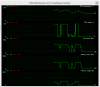
I ran 3Dmark 11 two times and here are my results (of the second run) with the -75mV se7inel's vBIOS, and -50mV XTU setting (i guess)
3Dmark 11 score :

AfterBurner GPU max temps :
HWMonitor CPU max temps :
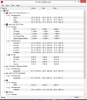
Are these good results ? I'm far from the 75C you said, what did I miss ?
Thank you -
The 75c was a joke, it was because it was by a window at night in England. So that's why it was so cool.
That sounds about right. I play with mine on a coolmaster notepal x3. Your temps look there or there abouts. Perhaps a little high. Mine are usually in the 80s what the temp in your room? Did the flash say it was successful? -
I can't seem to get to the msi forum thread with the tool. Is there a vBIOS for the 860m?
-
It's donation only.
The thread is here : https://forum-en.msi.com/index.php?topic=148273.0 -
Yeah for some reason I can't get to it today. Actually I can't get to any MSI page.
-
Yeah me nether think it's down.
-
Lol

The room temp is about 23C, yes the flash was successful, may be i missed something... -
I thought it was me but seems not : Msi.com - Is MSI Down Right Now?
-
Another quick question. Is there a reason why I should undervolt using the -75mV flash vBios change vs. using a program like MSI afterburner to change it?
-
I don't believe you can undervolt the GPU in afterburner (people reported the slider didn't actually do anything).
How are people finding the m.2. SSD/s in the machine? I've heard the Toshiba it uses (THNSNH128G8NT) is a bit average since it doesn't contain any of it's own DRAM. -
I learned years ago on this site, jokes like this don't fair well here and are only problems for others as these threads are so hard to follow when they move fast
Glad you like your machine, but your previous post was very misleading for those that don't know better. -
Does anyone have a link to download the vBios flash. Also, how easy is it to reverse if something goes wrong/does it void the warranty?
-
If I set the fan profile to be silent and not kick in until it hits 60C, it will always eventually get to 60C even at idle. or light web browsing. Does that seem normal?
-
Hello,
Thank you but apparently nothing has changed right?
http://gpuz.techpowerup.com/14/05/18/ae6.png
http://image.noelshack.com/fichiers/2014/20/1400395930-nvidia1.png -
I made an account just so I could see if the there is an easy way to make this computer quieter for web browsing. I am using a msi gs60 ghost pro 052US and While it's an awesome laptop, it's a little loud when web browsing. (I understand this has probably been addressed somewhere else in this thread but since it's so long I'd like someone to just answer for me.)
-
Ya I tried on the North America one as well, but it just won't take the number (I've tried both PSN and S/N with and without dashes and spaces). Either way, after a sleepless night and several more hours, I finally got my Intel 530 to encrypt on the msi laptop
In short, the mobo/bios supports ATA, but the bios doesn't expose it, so you have to set it elsewhere (I ended up setting the password via hdparm from ubuntu booted off of a usb.... but I had to hot plug the SSD or else the bios would lock it). So it's a huge pain, but doable.(also, setting the password in another laptop that does expose ATA/HDD password will likely not work because some laptops hash the password while others don't. Also, some will fill up the full 32 char password by appending some char to your password, while others don't.) -
Sorry I'll go sit in the naughty corner.
But to be fair anyone else with a cool outside temperature and a window could recreate the situation. It's right by my TV and I'll be doing the same again.
Side note I left a steam game downloading over night.
I put the fan on silent and my computer on the 2ghz -100mv profile and the computer was silent all night and idling at a nice 40c when I checked it this morning. -
View attachment 112146
5098 3D Mark Fire strike graphics score.
Results from my daily settings. Intel XTU max over clock -75mV
GPU -62mV Vbios, +33MhzCore (1Ghz) and 500Mhz Mem
The temps are after the computer being on all night on silent mode before being switched to the clocks above. I must state this is only one run hence the low temperature.Mimo22 likes this. -
On a side note the voltage adjusters are working on Nvidia Inspector. I don't know of that's due to the modified vbios or having the latest version of the software.
Those not comfortable flashing the vbios should give it a go. -
Can anyone confirm this?
-
The version i'm using is 1.9.7.2
View attachment 112148
Also here is my daily clock 3D Mark 11 Score:
http://www.3dmark.com/3dm11/8339493 -
Yes it's normal. Once the heatsink gets saturated the heat has to go somewhere, or the temperature goes up.
-
Default and boost clocks at 967, along with the [modified] past the bios version indicate the flash was successful.
-
Undervolting won't work with stock vbios
-
Sorry I did not really understand your sentence.
I use 75vm release.
This means it has succeeded? -
Yes mate it has worked and as Sen7inel has just confirmed that is why Nvidia Inspector is now able to edit voltage, yet another handy feature of his Bios!
soloris likes this. -
Hey guys I don't feel comfortable messing with bios. Am I too naive to expect an update which adresses the fan issue? I got the non-pro btw. Also when i use the laptop in weird angles I get some extra noise from the fans. It's not like the same noise with more decibels. Another kind of noise adds on top of the other. Does anyone have a similar issue?
-
You don't need to mess with the bios to tweak the fans. Just follow the software guide. Google "silent fan profile gs60" and it'll bring you to the correct page on this very thread.
-
I am getting my Ghost (860m) on Wednesday and I want to make sure I have a handle on the tweaks I want to make and how to make them.
Fan - Use ti20n's tool to change the fane speeds. Downside is they need to be run on reboot and plugging/unpluging in the adapter. Or - Buy svet's tool and apply permanent fan speeds.
Anyone have a good fan set for svet's tool?
CPU - Use XTU and start with voltage. Take something like -50mV and run benchmarks. Decrease by about -5mV and see the lowest where the CPU is stable (-75mV seems to be common). As far as overclocking I am not sure. Just the voltage tweak should keep the default clocks, right? What would I want to do as far as overclock in the tool?
GPU - As I understand it svet's tool has some support for the 860m. Is this just fan control or does it cover flashing a new vBIOS? The vBIOS I seem to see flashed is Sen7inel's and the instructions say it is for the Pro (870m). Is there a way to flash a vBIOS for the 860m? ( I don't mind if the answer is svets tool).
Thanks! -
You have it all correct. The vbios on this forum from Sen7inel is for 870m. You'll probably be fine with a stock 860m so leave that side alone for now. If you want more performance later down the line look into over overvolting and unlocking the bios for max overclocking.
With regards to fans that's up to you. I use a combination of Sen7inel's fan profile flashed using the MSI flash file and then the software fan toggle on my desktop to switch it to silent when required I find this works well. -
Hi,
I googled it but only this page(199) comes up. Can you give the link or tell me an approximate number of the page so I can search for it manually.
Thank you -
#1325
Thanks for the info. I will just look into the Fan settings to start and worry about the CPU and GPU after running some Temp tests. -
Nice ! I can't see the GPU temp (to small) but everything looks great.
I had to flash the latest official vBIOS because 3Dmark vantage crashed with the -75mV and i had some strange behavior playing CS GO.
I'm currently stress testing the CPU with -75mV and GPU stock, so far so good with XTU I'll let you know with the 3SMarks.
If someone has the EC firmware with the fan table which set the fan to 0 until 60C plese pm me....sen7inel ?
-
Does the official updated firmware from msi help at all?
-
Asus n550jk with same procesor hitt 54 on idle when fan is off. can it be that a heatsink on asus is so much better to lead a temp even withouth a fan? or thats something else..
can a man use this fan app on ge60 pro Apache? maybe I change mine gs60 for ge60 -
You could try the - 50mv bios or manually added a little more voltage via nvidia inspector. You could then add this to apply at start up.
-
Post #1329 gives you full instructions.
-
Not that I noticed Teddy.
I use the silent fan profile for browsing with an underclock and undervolt this works a treat. Obviously for gaming and processor intensive tasks you need some fans/noise. -
Yeah that's what I did.
CPU : -75mV & GPU : -50mV
- XTU stress test : success
- 3DMark Vantage score : P23726 (CPU : 22587 / Graphic : 24132)
- max temp : 76C for CPU / 88C for the GPU
- Room temp 21C
I'm sure I can have better temps but for now I'm OK
Will see how it goes playing crysis3 for couple of hours ^^mardon likes this. -
That's more like it! I bet like me your over the moon with the laptop now!Mimo22 likes this.
MSI GS60 Ghost/ Ghost Pro Thread
Discussion in 'MSI' started by GreaseMonkey90, Jan 14, 2014.


