Problems? See this thread at archive.org.
This is the driver I use and it works just fine:
nVIDIA GeForce Driver v378.78
Again, make sure you are using the dedicated GPU not the Intel. To be sure, just make sure that the button underneath the power button is also illuminated in red indicating that you are using the nVIDIA GPU. there is no reason it shouldn't work
-
-
The problem was my Windows 10 version. It was too old and not compatible with new NVIDIA drivers.
Now I managed to install all the drivers but still have one problem. My dragon center does not start when I click to open. I've tried reinistalling it and MSI SCM in different orders but nothing made it work. Do you guys have any clue what's happening? -
The utilities should work with any version of Windows 10.
[ Dragon Center v1.2.1703.2001]
[ SCM v13.016.12025]bodosko, GenTechPC and Spartan@HIDevolution like this. -
The nvidia drivers had problems with Win10 version, not the MSI Utilities.
I tried installing them on every possible way or order, tried every MSI forum solutions and nothing works. Dragon Center won't open.
And in Windows Event Log I got this:
Code:Aplicativo: Dragon Center.exe Versão do Framework: v4.0.30319 Descrição: O processo foi terminado devido a uma exceção sem tratamento. Informações da Exceção: System.NullReferenceException em MSI_Command_Center.Controls.AppMgr.AppManager.LoadTags() em MSI_Command_Center.Controls.AppMgr.AppManager..ctor() Informações da Exceção: System.Reflection.TargetInvocationException em System.RuntimeTypeHandle.CreateInstance(System.RuntimeType, Boolean, Boolean, Boolean ByRef, System.RuntimeMethodHandleInternal ByRef, Boolean ByRef) em System.RuntimeType.CreateInstanceSlow(Boolean, Boolean, Boolean, System.Threading.StackCrawlMark ByRef) em System.Activator.CreateInstance(System.Type, Boolean) em System.RuntimeType.CreateInstanceImpl(System.Reflection.BindingFlags, System.Reflection.Binder, System.Object[], System.Globalization.CultureInfo, System.Object[], System.Threading.StackCrawlMark ByRef) em System.Activator.CreateInstance(System.Type, System.Reflection.BindingFlags, System.Reflection.Binder, System.Object[], System.Globalization.CultureInfo, System.Object[]) em System.Activator.CreateInstance(System.Type, System.Object[]) em System.Xaml.Schema.SafeReflectionInvoker.CreateInstanceCritical(System.Type, System.Object[]) em System.Xaml.Schema.XamlTypeInvoker.CreateInstance(System.Object[]) em MS.Internal.Xaml.Runtime.ClrObjectRuntime.CreateInstance(System.Xaml.XamlType, System.Object[]) em MS.Internal.Xaml.Runtime.PartialTrustTolerantRuntime.CreateInstance(System.Xaml.XamlType, System.Object[]) em System.Xaml.XamlObjectWriter.Logic_CreateAndAssignToParentStart(MS.Internal.Xaml.Context.ObjectWriterContext) em System.Xaml.XamlObjectWriter.WriteEndObject() em System.Windows.Markup.WpfXamlLoader.TransformNodes(System.Xaml.XamlReader, System.Xaml.XamlObjectWriter, Boolean, Boolean, Boolean, System.Xaml.IXamlLineInfo, System.Xaml.IXamlLineInfoConsumer, MS.Internal.Xaml.Context.XamlContextStack`1<System.Windows.Markup.WpfXamlFrame>, System.Windows.Markup.IStyleConnector) em System.Windows.Markup.WpfXamlLoader.Load(System.Xaml.XamlReader, System.Xaml.IXamlObjectWriterFactory, Boolean, System.Object, System.Xaml.XamlObjectWriterSettings, System.Uri) em System.Windows.ResourceDictionary.CreateObject(System.Windows.Baml2006.KeyRecord) em System.Windows.ResourceDictionary.OnGettingValue(System.Object, System.Object ByRef, Boolean ByRef) em System.Windows.ResourceDictionary.OnGettingValuePrivate(System.Object, System.Object ByRef, Boolean ByRef) em System.Windows.ResourceDictionary.GetValueWithoutLock(System.Object, Boolean ByRef) em System.Windows.ResourceDictionary.GetValue(System.Object, Boolean ByRef) em System.Windows.StaticResourceExtension.FindResourceInEnviroment(System.IServiceProvider, Boolean, Boolean) em System.Windows.StaticResourceExtension.TryProvideValueInternal(System.IServiceProvider, Boolean, Boolean) em System.Windows.StaticResourceExtension.ProvideValueInternal(System.IServiceProvider, Boolean) em MS.Internal.Xaml.Runtime.ClrObjectRuntime.CallProvideValue(System.Windows.Markup.MarkupExtension, System.IServiceProvider) em System.Xaml.XamlObjectWriter.Logic_ProvideValue(MS.Internal.Xaml.Context.ObjectWriterContext) em System.Xaml.XamlObjectWriter.Logic_AssignProvidedValue(MS.Internal.Xaml.Context.ObjectWriterContext) em System.Xaml.XamlObjectWriter.WriteEndMember() em System.Windows.Markup.WpfXamlLoader.TransformNodes(System.Xaml.XamlReader, System.Xaml.XamlObjectWriter, Boolean, Boolean, Boolean, System.Xaml.IXamlLineInfo, System.Xaml.IXamlLineInfoConsumer, MS.Internal.Xaml.Context.XamlContextStack`1<System.Windows.Markup.WpfXamlFrame>, System.Windows.Markup.IStyleConnector) em System.Windows.Markup.WpfXamlLoader.Load(System.Xaml.XamlReader, System.Xaml.IXamlObjectWriterFactory, Boolean, System.Object, System.Xaml.XamlObjectWriterSettings, System.Uri) em System.Windows.Markup.WpfXamlLoader.LoadBaml(System.Xaml.XamlReader, Boolean, System.Object, System.Xaml.Permissions.XamlAccessLevel, System.Uri) em System.Windows.Markup.XamlReader.LoadBaml(System.IO.Stream, System.Windows.Markup.ParserContext, System.Object, Boolean) em MSI_Command_Center.Controls.AppMgr.AppManagerUserControl..ctor() Informações da Exceção: System.Reflection.TargetInvocationException em System.RuntimeTypeHandle.CreateInstance(System.RuntimeType, Boolean, Boolean, Boolean ByRef, System.RuntimeMethodHandleInternal ByRef, Boolean ByRef) em System.RuntimeType.CreateInstanceSlow(Boolean, Boolean, Boolean, System.Threading.StackCrawlMark ByRef) em System.Activator.CreateInstance(System.Type, Boolean) em System.RuntimeType.CreateInstanceImpl(System.Reflection.BindingFlags, System.Reflection.Binder, System.Object[], System.Globalization.CultureInfo, System.Object[], System.Threading.StackCrawlMark ByRef) em System.Activator.CreateInstance(System.Type, System.Reflection.BindingFlags, System.Reflection.Binder, System.Object[], System.Globalization.CultureInfo, System.Object[]) em System.Activator.CreateInstance(System.Type, System.Object[]) em System.Xaml.Schema.SafeReflectionInvoker.CreateInstanceCritical(System.Type, System.Object[]) em System.Xaml.Schema.XamlTypeInvoker.CreateInstance(System.Object[]) em MS.Internal.Xaml.Runtime.ClrObjectRuntime.CreateInstance(System.Xaml.XamlType, System.Object[]) em MS.Internal.Xaml.Runtime.PartialTrustTolerantRuntime.CreateInstance(System.Xaml.XamlType, System.Object[]) em System.Xaml.XamlObjectWriter.Logic_CreateAndAssignToParentStart(MS.Internal.Xaml.Context.ObjectWriterContext) em System.Xaml.XamlObjectWriter.WriteStartMember(System.Xaml.XamlMember) em System.Windows.Markup.WpfXamlLoader.TransformNodes(System.Xaml.XamlReader, System.Xaml.XamlObjectWriter, Boolean, Boolean, Boolean, System.Xaml.IXamlLineInfo, System.Xaml.IXamlLineInfoConsumer, MS.Internal.Xaml.Context.XamlContextStack`1<System.Windows.Markup.WpfXamlFrame>, System.Windows.Markup.IStyleConnector) em System.Windows.Markup.WpfXamlLoader.Load(System.Xaml.XamlReader, System.Xaml.IXamlObjectWriterFactory, Boolean, System.Object, System.Xaml.XamlObjectWriterSettings, System.Uri) em System.Windows.Markup.WpfXamlLoader.LoadBaml(System.Xaml.XamlReader, Boolean, System.Object, System.Xaml.Permissions.XamlAccessLevel, System.Uri) em System.Windows.Markup.XamlReader.LoadBaml(System.IO.Stream, System.Windows.Markup.ParserContext, System.Object, Boolean) em MSI_Command_Center.MainWindow..ctor() Informações da Exceção: System.Reflection.TargetInvocationException em System.RuntimeTypeHandle.CreateInstance(System.RuntimeType, Boolean, Boolean, Boolean ByRef, System.RuntimeMethodHandleInternal ByRef, Boolean ByRef) em System.RuntimeType.CreateInstanceSlow(Boolean, Boolean, Boolean, System.Threading.StackCrawlMark ByRef) em System.Activator.CreateInstance(System.Type, Boolean) em System.RuntimeType.CreateInstanceImpl(System.Reflection.BindingFlags, System.Reflection.Binder, System.Object[], System.Globalization.CultureInfo, System.Object[], System.Threading.StackCrawlMark ByRef) em System.Activator.CreateInstance(System.Type, System.Reflection.BindingFlags, System.Reflection.Binder, System.Object[], System.Globalization.CultureInfo, System.Object[]) em System.Activator.CreateInstance(System.Type, System.Object[]) em System.Xaml.Schema.SafeReflectionInvoker.CreateInstanceCritical(System.Type, System.Object[]) em System.Xaml.Schema.XamlTypeInvoker.CreateInstance(System.Object[]) em MS.Internal.Xaml.Runtime.ClrObjectRuntime.CreateInstance(System.Xaml.XamlType, System.Object[]) em MS.Internal.Xaml.Runtime.PartialTrustTolerantRuntime.CreateInstance(System.Xaml.XamlType, System.Object[]) em System.Xaml.XamlObjectWriter.Logic_CreateAndAssignToParentStart(MS.Internal.Xaml.Context.ObjectWriterContext) em System.Xaml.XamlObjectWriter.WriteStartMember(System.Xaml.XamlMember) em System.Windows.Markup.WpfXamlLoader.TransformNodes(System.Xaml.XamlReader, System.Xaml.XamlObjectWriter, Boolean, Boolean, Boolean, System.Xaml.IXamlLineInfo, System.Xaml.IXamlLineInfoConsumer, MS.Internal.Xaml.Context.XamlContextStack`1<System.Windows.Markup.WpfXamlFrame>, System.Windows.Markup.IStyleConnector) em System.Windows.Markup.WpfXamlLoader.Load(System.Xaml.XamlReader, System.Xaml.IXamlObjectWriterFactory, Boolean, System.Object, System.Xaml.XamlObjectWriterSettings, System.Uri) em System.Windows.Markup.WpfXamlLoader.LoadBaml(System.Xaml.XamlReader, Boolean, System.Object, System.Xaml.Permissions.XamlAccessLevel, System.Uri) em System.Windows.Markup.XamlReader.LoadBaml(System.IO.Stream, System.Windows.Markup.ParserContext, System.Object, Boolean) em System.Windows.Application.LoadBamlStreamWithSyncInfo(System.IO.Stream, System.Windows.Markup.ParserContext) em System.Windows.Application.DoStartup() em System.Windows.Application.<.ctor>b__1_0(System.Object) em System.Windows.Threading.ExceptionWrapper.InternalRealCall(System.Delegate, System.Object, Int32) em System.Windows.Threading.ExceptionWrapper.TryCatchWhen(System.Object, System.Delegate, System.Object, Int32, System.Delegate) em System.Windows.Threading.DispatcherOperation.InvokeImpl() em System.Threading.ExecutionContext.RunInternal(System.Threading.ExecutionContext, System.Threading.ContextCallback, System.Object, Boolean) em System.Threading.ExecutionContext.Run(System.Threading.ExecutionContext, System.Threading.ContextCallback, System.Object, Boolean) em System.Threading.ExecutionContext.Run(System.Threading.ExecutionContext, System.Threading.ContextCallback, System.Object) em MS.Internal.CulturePreservingExecutionContext.Run(MS.Internal.CulturePreservingExecutionContext, System.Threading.ContextCallback, System.Object) em System.Windows.Threading.DispatcherOperation.Invoke() em System.Windows.Threading.Dispatcher.ProcessQueue() em System.Windows.Threading.Dispatcher.WndProcHook(IntPtr, Int32, IntPtr, IntPtr, Boolean ByRef) em MS.Win32.HwndWrapper.WndProc(IntPtr, Int32, IntPtr, IntPtr, Boolean ByRef) em MS.Win32.HwndSubclass.DispatcherCallbackOperation(System.Object) em System.Windows.Threading.ExceptionWrapper.InternalRealCall(System.Delegate, System.Object, Int32) em System.Windows.Threading.ExceptionWrapper.TryCatchWhen(System.Object, System.Delegate, System.Object, Int32, System.Delegate) em System.Windows.Threading.Dispatcher.LegacyInvokeImpl(System.Windows.Threading.DispatcherPriority, System.TimeSpan, System.Delegate, System.Object, Int32) em MS.Win32.HwndSubclass.SubclassWndProc(IntPtr, Int32, IntPtr, IntPtr) em MS.Win32.UnsafeNativeMethods.DispatchMessage(System.Windows.Interop.MSG ByRef) em System.Windows.Threading.Dispatcher.PushFrameImpl(System.Windows.Threading.DispatcherFrame) em System.Windows.Application.RunDispatcher(System.Object) em System.Windows.Application.RunInternal(System.Windows.Window) em MSI_Command_Center.App.Main()
Code:Nome do aplicativo com falha: Dragon Center.exe, versão: 1.2.1703.2001, carimbo de data/hora: 0x58cf7def Nome do módulo com falha: KERNELBASE.dll, versão: 10.0.14393.953, carimbo de data/hora: 0x58ba59e1 Código de exceção: 0xe0434352 Deslocamento da falha: 0x0000000000017788 ID do processo com falha: 0x147c Hora de início do aplicativo com falha: 0x01d2a7fe0a11fb9a Caminho do aplicativo com falha: C:\Program Files (x86)\MSI\Dragon Center\Dragon Center.exe Caminho do módulo com falha: C:\Windows\System32\KERNELBASE.dll ID do Relatório: 2ca6abd9-41fc-46ee-a5c5-fba1e41e3e00 Nome completo do pacote com falha: ID do aplicativo relativo ao pacote com falha:
Code:Falha no bucket 129398518659, tipo 5 Nome do Evento: CLR20r3 Resposta: Não disponível ID do CAB: 0 Assinatura do problema: P1: Dragon Center.exe P2: 1.2.1703.2001 P3: 58cf7def P4: MSI Command Center P5: 1.2.1703.2001 P6: 58cf7def P7: 7ab P8: 50 P9: N3CTRYE2KN3C34SGL4ZQYRBFTE4M13NB P10: Arquivos anexados: \\?\C:\ProgramData\Microsoft\Windows\WER\Temp\WERCC92.tmp.WERInternalMetadata.xml Esses arquivos podem estar disponíveis em: C:\ProgramData\Microsoft\Windows\WER\ReportArchive\AppCrash_Dragon Center.ex_4ba44f36d3a39036ce8bc865e98533f79a8fd3_ba0b1a50_02f1d220 Símbolo da análise: Verificando novamente solução: 0 ID do Relatório: 2ca6abd9-41fc-46ee-a5c5-fba1e41e3e00 Status do Relatório: 0 Bucket com hash: b54b0e9427cb684bbd7b083a5936f743
-
Can you try this package?
Filename: 378.92-notebook-win10-64bit-international-whql.exe
[ Download] -
I said i already installed correctly the nvidia drivers and it's working. The problems was my Windows 10 version too old.
Now I'm saying I have problems with MSI Dragon Center not opening. Please, read my last posts. -
When you mentioned the dragon center isn't opening, was it nothing popped up at all? Or did it gave you an error?
Check Task Manager to see if the executable is running under Processes.
Try updating these,
Dotnet Framework to 4.6.1.
https://www.microsoft.com/en-us/download/details.aspx?id=49982
Visual C++ Runtime Installer (All-In-One) v51
http://www.majorgeeks.com/files/details/visual_c_runtime_installer.htmlLast edited: Mar 28, 2017hmscott, bodosko and Spartan@HIDevolution like this. -
Thanks for your reply, but I already tried that

In fact, this Visual C++ installers compilation was the first thing I installed after reinstalling Windows.
I'm out of options here, and MSI support didn't answer yet.hmscott likes this. -
Don't try MSI tech support for this since they can't provide support over issues that are considered out of their service scope because you formatted your hard drive. Most likely, they will tell you to use recovery media to restore back to factory defaults. But don't blame them though because they are doing what they are supposed to do.
However, can you answer the questions on the top side?
What's the build of Windows 10 you are using? Is it 1607 - Build 14393?DukeCLR likes this. -
When I click to open Dragon Center nothing happens, the mouse just blinks. No error messages. Also no Dragon Center running process.
I can see an error through Windows Event Viewer, I posted it a few posts up.
My Windows 10 Home version is 1607 build 14393.969.DukeCLR likes this. -
Try reinstalling Visual runtime 2015 (both x86 & x64) even though all-in-one package says 2017 supersedes 2015.
https://www.microsoft.com/en-us/download/details.aspx?id=53587
Additionally, uninstall Dragon Center, and then reinstall it.bodosko, DukeCLR and Spartan@HIDevolution like this. -
@John@OBSIDIAN-PC
New Drivers, please use these for your tool (check the OP for the links)
Intel Wireless Driver WLAN v19.50.0.11 / BT v19.50.1John@OBSIDIAN-PC likes this. -
I did everything you said and still Dragon Center won't open. In Windows Event Viewer the same error as before appears.
It's weird cause I didn't have Visual runtime 2015 installed. The all-in-one package didn't install it.
I don't know what to do.
Edit: I just noticed that my HWinfo also doesn't work if I open it with full info.
I got this error:
-----------------------------------------------------------
Microsoft Visual C++ Runtime Library
Runtime Error!
Program: C:\hw64_546\HWiNFO64.exe
This application has requested the Runtime to terminate it in an unusual way.
Please contact the application's support team for more information.
------------------------------------------------------------
Could this be related to my Dragon Center problem?Last edited: Mar 29, 2017 -
It's possible, clean it up and reinstall the all-in-one, reboot the system, reinstall the applications and try them again (both HWINFO & Dragon Center).
-
I just tried reinstalling all-in-on millions of times, uninstalling all MSI related stuff, reinstalling on every possible order.
Also tried manually installing every latest Visual C++ Redistributables from this Microsoft guide ( https://support.microsoft.com/en-us/help/2977003/the-latest-supported-visual-c-downloads)
Also tried installing and reinstalling .NET 3.5 and .NET 4.6 advanced stuff on "Turn Windows features on or off".
Nothing made Dragon Center works.
-
Well, I just found the solution. The problem was the new version of Dragon Center.
I found this older version and it worked instantly: http://download.msi.com/uti_exe/nb/DragonCenter_v1.2.1608.2201.zip
I just lost a good 10h of my life trying to fix this sh**. Really....
Thanks for your help guys.hmscott and Kevin@GenTechPC like this. -
This is important, because I wonder if others are having the same issues as you did.hmscott likes this.
-
Realtek ALC899 HD Audio Driver v6.0.1.8053/Nahimic v2.3.14 & SteelSeries Engine v3.9.13 Updated, link is in the OP
-
nVIDIA GeForce Driver downgraded to v378.66 as G-SYNC is broken in the latest one 378.92 and 378.78 download is corrupt
@John@OBSIDIAN-PC @PremaLast edited: Apr 1, 2017 -
How do you know if gsync is broken? Like is there any evident sign or
-
-
Then it's not my case, i haven't noticed anything like that luckily
-
-
My issue is kinda different, sometimes i get black screen flashes so i was wondering if the issue was also present in these drivers or nothmscott likes this.
-
Maybe this latency is related?
http://forums.guru3d.com/showpost.php?p=5412614&postcount=126
Anyway, I suggest you roll back and don't forget to use DDU in safe mode to completely wipe the current driver. Make sure you have no Windows Password or PIN before you run DDU otherwise you will be stuck in Safe Mode forever as the PIN/Password will not work and only a format would fix this.hmscott likes this. -
Thanks but i gave up with DDU some time ago since this issue is persistent in almost every new driver nvidia has released and i don't want to waste even more time on something that sometimes is broken and sometimes isn't (rebooting or unchecking and checking again gsync from settings works sometimes), i'm gonna check with LatencyMon if there is anything wrong, afaik it could be even that crap of shadowplay that i need for recording
-
The first thing I do when I install GeForce Experience is to delete all telemetry entries, ShadowPlay and the Streaming Kernel Service as I have no use for Shadow Play. If I want to record gameplay, I use Action FTW
-
if there is a problem in the latest bios and the latest VBIOS gt73vr 7RF ?
bios 313 -
-
-
I Tried VBIOS firmware update. BUT if the troubled
http://imgur.com/a/m0wR1 -
Don't mess with BIOS or VBIOS it will risk bricking your system then don't come blame me that your laptop is dead. The new BIOS offers nothing new and will not make your computer any faster or better
-
Thanks . I Already VBIOS my firmware update. and I chose overdrive
Sorry for bad english -
Radio Switch updated to v1.1.3.0
-
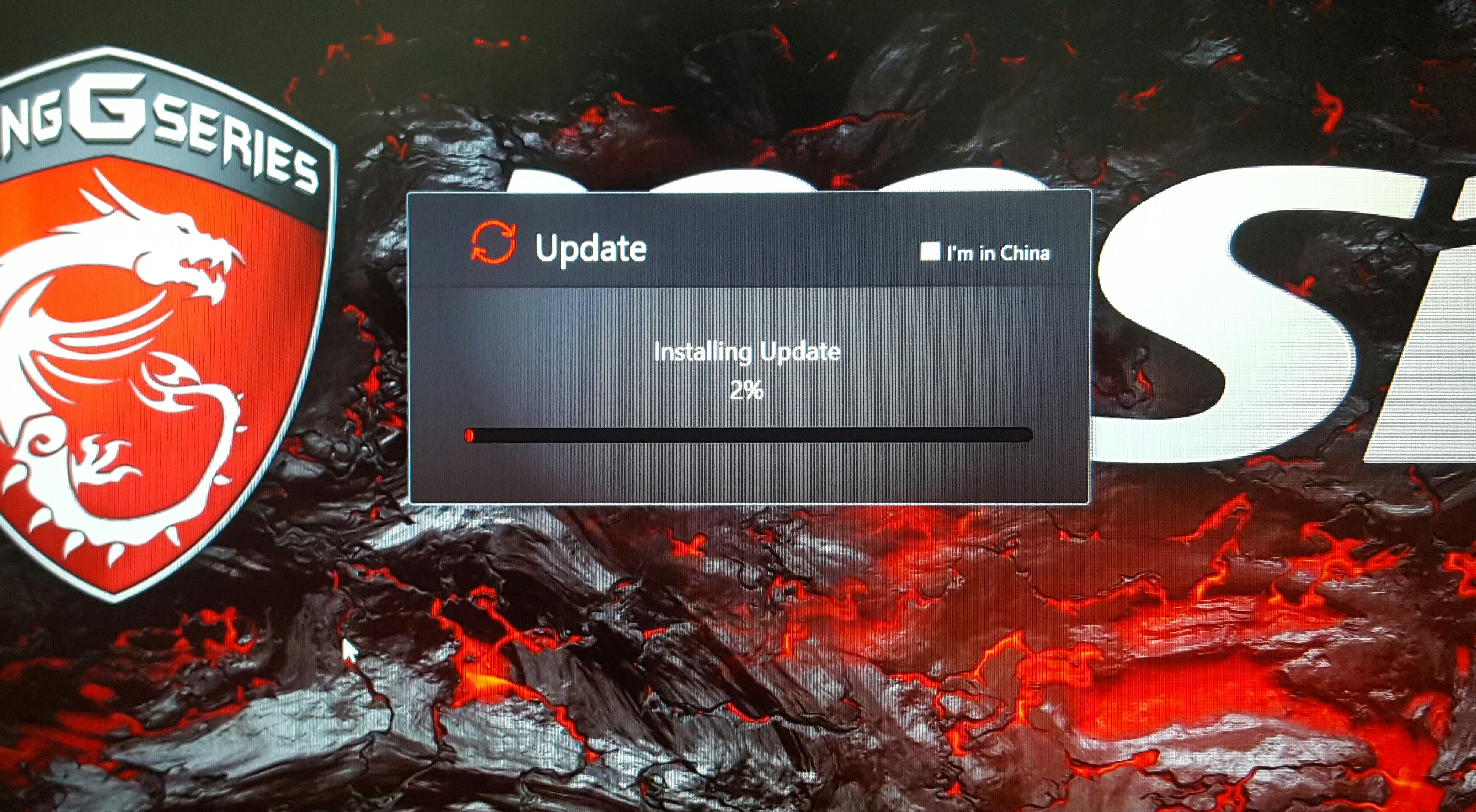
This is the first time it happened to me, there's a pop on my start screen that there's an update from msi. Should i want it to be installed press ok or later, i thought there will be other more specific questions than that so pressed ok. Then it started downloading and installing. Any of you guys encountered it today or before?
Attached Files:
-
-
Beat me to it, I got the same message about 30 mins ago, I cant seem to find what its actualy doing.
I did a virus check just in case and its is msi. -
No idea... I don't think I have any updater from MSI installed. Let us know what happens when its done or if you get any additional messages.
toughasnails likes this. -
Only message I got was to log out for the changes to take affect.
I cant find anything, but the DL was around 250MB. -
MSI needs to work on adding descriptions haha, it is so curious to find a random update and you don't even get to know what happened. I apparently don't have any update software since I never got the message. I uninstalled most stuff except SCM and true color.Spartan@HIDevolution likes this.
-
@Phoenix Samsung NVMe SSD Driver v2.2 for OP If yoo want it
"While this driver is released for the Samsung 960 EVO series, it should benefit the 960 PRO as well. Also it is confirmed that the SM951 NVMe series is compatible as well indicating that the 950 EVO and PRO are compatible as well." -
I did find the , I`m not in china check box weird.
I`m guessing the update could be in relation to the MSI backup software but none of the MSI software including dragon center has a version tab.
So there is zero info, its just weird. -
Where are you located at? Could it be region specific? Im here in philippines
-
I didn't get any updates
-
When do i need to update the bios? I know there's a risk and the stakes are high, but is it worth it? I have some slight issue with my laptop, i found out when i forgot to plug in the charger before gaming. I realized it when in i saw low fps while playing so then i plugged it in but the weird thing is the fps remains the same, its low while plugged in and i have a gtx 1080 variant. A restart will fix this issue though but i just want to know if this is a bios related issue?
DukeCLR likes this. -
What is your current version of BIOS & EC? You can check it under System Information in the BIOS main menu.DukeCLR likes this.
-
I had a similar issue when I forgot to plug in but the fps recovered after a bit of charging, if a restart fixes it then I would just try not to forget to plug in and not use that as a reason to flash the BIOS. I have yet to update the BIOS on this laptop and it's working perfectly.
-
@John@OBSIDIAN-PC
Killer E2500 LAN Drivers updated to v9.0.0.43
check the OP for the link with the INF package if you want to update your app please.Papusan and John@OBSIDIAN-PC like this. -
BIOS v3.13 is the latest.
[ Download page]
EC is v1.108
[ Download] -
Realtek ALC899 HD Audio Driver v6.0.1.8067/Nahimic v2.3.15 updated in the OP
MSI Laptops Drivers
Discussion in 'MSI' started by Spartan@HIDevolution, Jan 20, 2017.