Problems? See this thread at archive.org.
Thanks for the reply, before I attempt this what effects does it have on the system/GPU?
Cheers for the info matey. Still all sounds very hit and miss! So far Ive been using it fine on the 8.7 drivers where Ive avoided closing the lid and using no mains.
I didnt reinstall all drivers, only the Catalyst drivers.
-
You have to use AMD's little installation utility to download the package. Doing it by parts does not seem to work.
-
ATI PowerPlay "helps" you to manage your graphics card, this means keeping your GPU cooler and more quiet when not under load.
The problem with old vBIOS was that when enabled, powerplay forced GPU into 100/1000 clocks on hibernate/standby and this caused problems, because from that state GPU could not be re-enabled. This is The infamous Black screen issue.
However, if you set PowerPlay on max performance AND disable it in Catalyst Control Center, this problem can be avoided since GPU will always run at stock clock speeds (625/1000).
The updated vBIOS solves this issue since it changes powerplay states and it no longer forces GPU clocks to go into 100/1000 state. You wrote that you updated your vBIOS (but I still have doubts). Did you really flashed your vBIOS using ATIflash from USB thumb drive in DOS mode? -
This is true. The culprit is the entry in the Clockinfo#3 column.
![[IMG]](images/storyImages/rbenew.th.png)
![[IMG]](images/storyImages/rbeold.th.png)
-
Sorry this is what I ment, I downloaded the full package from the AMD website.
Excellent explaination. It was pretty unclear up until now, I've followed your tips so fingers crossed thats going to do the trick.
This is the first time I've flashed a BIOS and VBIOS. I've confirmed the BIOS change via CCC/Info Center and can see BIOS PART NUMBER is BR365533.006. I followed the same procedure for the VBIOS. Is there any way I can check the VBIOS to confirm its now up to date? I assume you don't think I've done it correctly due to the issues still persisting? -
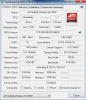
Check via GPUz.
New VBIOS should read:
![[IMG]](images/storyImages/58d.png)
If you did not do it right, download the latest VBIOS from my sig. Unzip the archive, put it in your DOS USB, reboot into DOS from the USB and run VBIOS.BAT -
Hello, I need help.
I flashed my VBIOS using RBE(+WinFlash).
I used that program before with no problem but today an accident happened.
The program told me that the CHECKSUM of the bios is mismatched, so I tried to flash the original bios but the result was same. I tried everything but no lucks.
Finally I rebooted and got blank screen. It doesn't displays anymore.
I read from the RBE webpage and this is just corrupted bios so my VGA and laptop is ok but I need to flash the bios in other way.
To do that I need to see using some other dispaly adapter. I know that this laptop has intel GPU on i5 430m but it is not connected to lcd or VGA output.
I'm now in USA and I can't go to service center or send RMA.
I want to fix this problem as soon as possible by myself.
Any idea will be appreciated.
Thanks. -
ughhh >.> if u read thru some pages people have repeated many times about not flashing within windows. Basically uve bricked ur card and thers no way to blind flash in the gx640. The only way you can fix ur laptop is by sending it back to msi where they can do it for u.
-
thank you for reply.
I think I can flash using usb dos booting with blind typing commands but I'm not sure. It seems like it doesn't boot windows. (I can't hear the welcome sound)
I didn't know the winflash is so dangerous. It shouldn't be used. -
Sorry, it looks like you have to send the laptop in to MSI. There is no other option that I am aware of. Never use Windows based tools to flash the BIOS on a Laptop.
-
NEED HELP
Hi, I need to know a key sequence to change boot priority in CMOS.
What I'm doing now is to do blind flashing VBIOS. I can't see anything on my lcd.
Now I'm sure that I can get into CMOS. Because my current booting setting is hard disk is first, I can't boot using my usb.(I need to boot using usb to flash my VGA).
So I want a someone's help to set CMOS to boot my usb.
Please really please tell me the *key sequence* to set a 1st priority boot device to USB Key(or USB disk i can't remember - I'm using USB memory).
It will be really appreciated. HELP ME!!
ps. CMOS screen image also will be appreciated -
I understand that you want to try to fix it by yourself and not have to wait but there's no way to blind flash. There is nothing underneath blank screen. It does not go into BIOS.
-
thank you for your reply.
But I'm 100% sure that I can get into CMOS and even in windows.
I checked it by looking hard access led, and that's for sure.
Please believe me. I'm sure now.
So please let me know the key sequence in CMOS.
I googled and got the first sequence is
Right, Right, Right, Down, Enter -> this will result in boot priority page.
thanks -
Okay I hope it works out for you.
-
Thanks for the help guys. Will double check this tonight.
-
yet you can find a friend with a dual-GPU Clevo (sager) with correct version MXM slot and try your luck by putting your card into his notebook, booting with correct GPU and then flashing correct version of vBIOS. But sending it to RMA ir still better solution.
You can also physically remove Hard disk, DVD drive leaving only USB as the only possible boot option. -
Mate your right, the VBIOS was not updated correctly. Only thing I can think of is I flashed it with the original VBIOS?
Either way its now sorted, many thanks. -
Glad to hear! If the links in my sig expire, you can always send me a pm for the VBIOS file, ATIFLASH and the VBIOS batch file that I made.

-
Here are a few screens of the BIOS that might help?
![[IMG]](images/storyImages/gx640nbr039.th.jpg)
![[IMG]](images/storyImages/gx640nbr040.th.jpg)
![[IMG]](images/storyImages/gx640nbr041.th.jpg)
![[IMG]](images/storyImages/gx640nbr042.th.jpg)
![[IMG]](images/storyImages/gx640nbr043.th.jpg)
-
You are the real guy!!
Thank you so much I will try it!! -
Hope it works out for you. If it does, congrats and thanks in advance for the try!
-
I've been looking for a decent 1680x1050 laptop and came across this one, I've been reading through this thread and I think I'm going to pull the trigger on picking one of these up.
What should I do out of the box as far as the VBIOS, drivers, etc... go? Thinking I may wipe, re-install the OS, and then do any necessary driver upgrades depending on what is recommended. -
Everything should be good out of the box. Check your firmware versions though. Ask here if you don't know how to flash the bios/vbios.
-
OK, newbie and not terribly tech smart. Like others, my laptop screen has gone blank for no apparent reason. I changed nothing. I closed the lid and when I went to use the laptop, blank screen.
Can someone walk me through the steps needed to recover from this? I can boot into safe mode with no problems.
I've never flashed a BIOS or VBIOS before and I don't know how to boot into DOS mode.
Thanks for any help you can give. -
Before you flash the BIOS/VBIOS, please download GPUz and post a screenshot.
Before you do anything, read these--> http://forum-en.msi.com/index.php?topic=124247.0
http://forum-en.msi.com/index.php?topic=116721.0 -
I would love to post a screenshot, but I can't even get the laptop to boot except in safe mode.
-
just boot to repair (F8 key on POST screen) and system restore back. Then make sure all your powerplay settings are set to max performance and downclock manually if you want to.
-
I humbly thank you.
How do I set "powerplay to max performance and then downclock manually"?
Sorry for the dumb question. -
I assume it worked? No problem, it happened to me way back when I first got this laptop.
In the notifications area (bottom right), right-click on CCC and open it. If you're in the basic view go to the advanced view then select powerplay options from the Graphics drop-down. Set everything to max performance (you'll have to change you power options between power saver/balanced/high performance to change them all).
To downclock manually download and install AMD GPU Clock Tool. -
Use this AMDGPUCT--> Download AMD GPU Clock Tool v0.9.26.0 For HD 5870 | techPowerUp
-
Thanks for all of the help. I've flashed the bios (in DOS). How and where do I now go about flashing the vbios?
-
After flashing my BIOS, is there a reason why my video card is not working or is not recognized? The flash seemed to go fine, exactly as the instructions detailed, but now my system does not recognize the graphics card, although it does display on the screen?
-
I think I fixed it. For some reason the driver was not installed for the video card. When I went into the device manager and updated the driver from there, all seems to work okay.
-
I MADE IT!
Really amazing!
it was so hard work but I did it in the end!
I really really appreciate. Thank you so much for the help.
I'm going to post about this
-
Okay, so everyone thanks for the help.
I got my system back up and fully running. My BIOS version is E1656IMS.10E and EC is 1656EMS1 ver 4.08. I think these are the latest.
Laptop worked fine, went to sleep, blank screen again.
Any thoughts or ideas? -
Are you on a Whitebook as opposed to a retail GX640? I656ID1 is the id for a Whitebook.
What does GPUz say? -
Here is a screenshot of GPUz. I don't know what a whitebook is, but I bought a GX640 from Newegg.
Attached Files:
-
-
Here's the easy solution, just don't use sleep! That's what I do, sleep is convenient but notebooks don't take all that long to turn on these days as long as you're on a 7200rpm drive or ssd.
-
Yes, but if I close the lid without shutting down, boom, blank screen and recovery.
-
change the power options to shut down when you close the lid
-
Okay, thanks. But is there not a solution to the problem rather than these work-arounds?
-
Well people have fixed the problem by updated to a newer vbios but that's always risky.
-
Go to CCC, open PowerPlay options, set both options to Max Performance and untick "Enable" (in other words, disable PowerPlay).
As long as you don't change ECO modes (with touch panel) you'll be fine. Even with sleep/hibernation etc.
You can downclock GPU (for cooler GPU/ quieter notebook) with AMD GPU Clock Tool. -
What would be good values to downclock to without sacrificing too much in performance? Thanks for the reply.
-
How do I go about checking to see what version of the VBIOS I have?
-
From your gpu-z i can see that you have the old vbios. The newer one is 35701 and the old is 36533.
I find 300/300 to be enough for any multimedia and normal browsing. I only go up to 625/1000 when I'm gaming. -
Somewhere along this forum I wrote some lengthy post how to ultimately achieve BOTH automatic downclock, undervolt when not gaming and even overclock while gaming. Automatically without manual switching between modes.
However, Cat. 10.11 yielded even better results, because I can now easily downclock to 100/150.
I think I'll post a separate thread with guide, screenshots, links etc. this evening when I'll get back home because I believe it could be beneficial for users. And yet it's really easy and risk-free. -
You have the old VBIOS from the GPUz Screenshot. The latest one is in my sig. If you wish to flash it, make a bootable USB first and copy everything in the 7z archive in my sig into the bootable USB. Once you do that, reboot, enter dos mode and run VBIOS.BAT at C:>.
You should not get any errors, but if you do, keep trying until the error disappears. Do not reboot until successful. -
Is there any way to safely adjust the gpu voltages without RBE tool. I'm done messing with that stupid, unsafe software.
BTW i just applied arctic cooling mx-4 thermal compound to my gpu and cpu and i got a huge decrease in temperature from other compound that msi rma put on my gpu and cpu. I am idling at around 39 degrees C with gpu clocks at 300/400 and i maxed at 81 degrees C after an hour of furmark at max settings with gpu clocks at 750/1050. i want to increase voltage to go beyond that without any bios editing.
Also is there a way to underclock further without display freezing up? The lowest i can go is 300/400. -
hey i noticed some of you have i7 720qm's in ur laptops. I was wondering what kind of temps u get because i get 95oC on gaming load. My i5 already ran hotter than others, i thnk thers something wrong with my heatsink
Official MSI GX640 Owner's Thread
Discussion in 'MSI' started by min2209, Apr 6, 2010.


![[IMG]](http://img221.imageshack.us/i/rbenew.png/)
![[IMG]](http://img130.imageshack.us/i/rbeold.png/)


![[IMG]](http://img262.imageshack.us/i/gx640nbr039.jpg/)
![[IMG]](http://img228.imageshack.us/i/gx640nbr040.jpg/)
![[IMG]](http://img703.imageshack.us/i/gx640nbr041.jpg/)
![[IMG]](http://img189.imageshack.us/i/gx640nbr042.jpg/)
![[IMG]](http://img11.imageshack.us/i/gx640nbr043.jpg/)