 Problems? See this thread at archive.org.
RBE is not stupid or unsafe. Majority of people have never experienced any problems while using it. Any problems ever experienced were either because of user error, or because of usage of Atiwinflash. When people use RBE with Atiflash, instead of Atiwinflash, everything is okay.
-
-
Okay...so using it with atiflash is ok? because i used rbe with winflash before and there was an error flashing and resulted in a bricked gpu and i had to rma. I want a software just to be more safe.
If this happened to you, you'd feel the same way! I don't want to go through that again.
Also how do you know your limits when undervolting and overvolting? -
You should've done your research and never used winflash in the first place. When you're dealing with freeware it's always best to make sure you know exactly what you're doing before you rush out and try something.
-
Thanks for the reply. Is there a tutorial around here that walks through updating the VBIOS?
-
This is what I did:
- Make a bootable USB drive -->Bootable USB Flash Drive
- Download the 7Zip File from here http://www.mediafire.com/?3t2cubmwa39xf85. It contains atiflash, the BIOS ROM file and a batch file VBIOS.BAT.
- Boot from your USB drive.
- At the prompt C:>, type in VBIOS.BAT. Wait for it to complete. All done in < 1min!
Hope this helps.
In response to the person complaining about WinFlash:
-------------------------------------------------------------
Winflash is not bad, I've used it before, but also remember that there are several caveats that come with it that are explained in the Readme/Howto file. When flashing, it is best to do it from DOS. RBE on the other hand, works flawlessly if you use the correct version. All HD5xxx cards work with this version---> http://www.techpowerup.com/downloads/1892/TechPowerUp_Radeon_Bios_Editor_v1.26.html -
So how can you know the limits on overvolting and undervolting? Also my bios version is BR35701.031 according to rbe tool. I thought BR35701.030 was the latest? I googled BR35701.031 and nothing appeared.
-
Yeah that's the latest vbios. As for the limits, it's trial and error. You shouldn't need to overvolt. As for overclocking you can either put some new settings in the vbios and try it that way, or you can either use ati overdrive or amd gpu clock tool for 5870, and then put the stable clocks you find that way in the vbios.
-
Okay, thanks for all of the help.
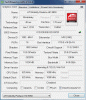
I've updated the VBIOS and here's a screenshot from GPUz.
This should now solve the problem with going into sleep mode? I'll try it shortly.
Attached Files:
-
-
Success! Shut the lid, system went to sleep. Opened the lid, pressed the power button, system woke up. Just like a laptop should.
Thank you all very much for the help. -
You have the latest BIOS. The programmed voltage limits are 0.9000V and 1.0500V. You can check it with AMD GPUClock Tool--> AMD GPU Clock Tool v0.9.26.0 For HD 5870 download from Guru3D.com
The Voltage drop-down box shows only two options. As for absolute options, you would have to edit the VBIOS using RBE. As a quick safe test, set the voltage to 0.9V in AMDGPUCT and decrease the core frequency. I can confirm that 100MHz core works. You can also try underclocking the memory if you wish.
Glad that it worked. -
Well i did hesitate to mess with the gpu voltage of clock state 00, which is the one used when gaming, but i did and overvolted it to 1.10 to get a little more power to gpu so i could overclock it more. I did that and had a successful flash. Then used AMD GPU Tool to find the maximum stable clocks that could be used for gaming. I ended up with 840/1080 clocks as the best stable clocks at that voltage. Temps seem fine so i'm not to worried about that.
I am using a laptop cooler (Notepal U2 with the U3 fans), i did a mod to the bottom panel for better airflow, and i am using Arctic Cooling's MX-4 thermal paste. With all of these mods my temps dropped around 20C or more, compared to stock gx640, when gaming. -
Nice results. Hower, for my gaming needs even 700/1000 is fully enough since I'm not using any mods or notebook coolers.
-
I was just watching a video on netflix when I got a BSOD. there was also a scraping sound on the left hand side of my notebook. do you think it's my hard drive?
-
Good tip get a cooler.
Strong possibility
How loud is it maybe it was just dumping files in excess after your BSOD ? -
It was fairly loud. But I'm not sure what "loud" would be for a hard drive. Computer runs fine after starting it up again... -
Since I'm living away from my home and my place of living is a subject to change every few months, I try to keep as little things with me as possible. When I'l get stationary somewhere, notebook cooler will be my priority.
-
lol. you know I move every 4 months and I have keyboard/mouse/cooler. Unless you take your laptop on the go every day it's not an excuse.
-
So from the first post of this thread 04-06-2010 up to now, are there any notebooks that can contend with this one?
Are there any better in this price range? -
For that price? No.
-
Hi,
Any change log to new MSI vbios BR35701.031? -
Fixed issue with computer not resuming from hibernate/sleep showing just black screen.
That's enough -
The new System BIOS did NOT fully fix the Black screen problem. I had to update the VBIOS.
-
The black screen issue was solely vbios dependent
-
Has anybody found this laptop's pll clock generator number on the mainboard yet?
-
-
Yeah sounds like it was just Dumping files
 .
.
All fine now i guess HDD will make noise now and again.
Nothing to worry over.
-
I finally have this laptop maxed out and running stable when plugged in. I have my ATI HD 5850 gpu overclocked to 825/1075mhz (may try to go a little higher haha) @ 1.15v and my i5 450m cpu overclocked to 3.2ghz (using SetFSB - i finally got it working correctly lol-) at the default voltage.
I have done some cooling mods to it and have gotten good temps while running graphic intensive games maxed out. The first cooling mod I did was to replace the stock thermal paste with arctic cooling's mx-4. The next one i did was drilling holes on the removable underpanel around the gpu heatsink and the fan. The next thing i did was put it on top of a notepal u2 notebook cooler and attach u3 fans on the bottom of it. One fan is placed directly under the gpu heatsink, and the other two are at the bottom on opposite sides. Playing L4D2 completely maxed out for an hour at native resolution, I got a max of 70C on gpu and 80C on cpu, with a perfect frames per second of 60 with little to no drops. The next couple of cooling mods i plan to do is to drill holes out in the underpanel below the cpu to lower its temps a little, and then put very small copper heatsinks on top of the gpu heatsink and cpu heatsink like this: http://img593.imageshack.us/i/gx640review035.jpg/ to absorb more heat. -
You can try lowering the voltage on the GPU to 1.05V
-
70C max at 1.15V? Are you using Afterburner or HWMonitor? That doesn't sound right. Also SetFSB has been tested and it doesn't work well (at least with i5-430m). I had mine at 70C after the wPrime burn test at 3.4gHZ but that never translated into the game because you get slowdowns that doesn't occur at stock.
It's been tested already:
http://forum.notebookreview.com/msi/527466-overclocking-cpu-new-msi-laptops-i5-i7.html#post6819545 -
I know, it didnt work for me. but i figured out how to make it work. you just have to set it to the desired fsb using set fsb, then restart your pc and it will restart with the fsb you set and it should work normally. just make sure you dont unplug the power cable or it will reset. i have gotten performance boosts with the overclocked cpu in benchmarks. i had it up at 3.33ghz but it wasn't stable during gameplay.
I was using hwmonitor. with furmark completely maxed i was getting around 82C -
If i lower the voltage it becomes unstable at those clocks and will create artifacts. Actually it was pretty stable at 1.1v, but i plan on raising the clocks up when i put those extra heatsinks on it.
-
My 5870 is stable at 835/[email protected].. if you look at Marecki's signature his is stable at 840/1090 at 1.02V
-
Try repasting the GPU and VRAM.
-
Hmm I tried restarting and the SetFSB values did stick but it still got downclocked.
-
hmm..for some reason when i hit restart in windows 7 it will keep the same clocks and everything will run fine. There will be no screwed up fast motion in games and fraps will work fine. I am also using the newest version of SetFSB btw. But if i hit shut down then they will reset.
-
The HD 5870 is not the same so thats why you can get such high clocks at such a low voltage. I applied my thermal paste very carefully and right so that shouldn't be a problem.
-
It's the same card.
-
Well so far everyone that has had clocks that high with an hd 5850 has had to overvolt and everyone with hd 5870's has gotten to undervolt, that is if its stock voltage is 1.05 like the hd 5850. So it doesnt behave the same or the cooling in the gx 740's, or whatever laptop you have that came with that card, has a lot better stock cooling and heatsink.
-
LOAD OF BULL.
My 5870 was running at 1.15V by default, later MSI released an updated, official vBIOS for the card, with the voltage lowered to 1.05V.
Get the heatpads out (don't damage them though - warranty reasons), put some good thermal compound on the GPU and VRAM chips, and voila! I can bet that Your card will run at much lower voltage than the current one.
My stock cooling has been thoroughly modified - added copper RAM heatsinks, got rid of the heatpads, applied good thermal compound, drilled plenty of holes in the bottom cover. -
Well right now its running at 825/1050 @1.06v, when i lowered to 1.05v at those clocks it was an instant crash when furmark started. i'm not gonna remove thermal pads because i have heard it is dangerous to apply thermal compound to vram, which is why they used thermal pads in the first place. as of now i have plenty of holes drilled out and really good thermal compound applied and a great notebook cooler, i ordered the copper ram heatsinks a week ago and they havn't came in yet.
And btw i'm using the newest vbios. -
Yay! I got my replacement gx640 from newegg today and boy it feels great not having snow dancing all over your screen.
-
Has anyone replaced their hard drive with an SSD in this laptop?
-
Hi
10char -
I have 2 X X25-M's installed in this laptop.
-
Do You use them as separate drives, or softRAID? I wonder if it would work with two drives, one in the HDD hay and one in OBHD caddy.
-
I am using them as separate drives. I don't want to do software RAID because I swap out the OS SSD with another OCZ Vertex SSD quite regularly. X25-M#1 drive is for serious work stuff and the OCZ Vertex is for benching and blowing up Windows. X25M#2 is for storage.
-
That's awesome
-
I wish i could afford some SSD's. College takes all of my money lol
-
SSD prices are falling. You can get a 30Gb drive for about $45.
Official MSI GX640 Owner's Thread
Discussion in 'MSI' started by min2209, Apr 6, 2010.




![[IMG]](images/storyImages/black-guy-surprise-face.gif)