Problems? See this thread at archive.org.
WHA? That looks like a GT70 to me...... DANG IT KEN! Quit playing with pyrotechnics, and let's get busy with that GT72 video review! LOL!

-
-
Thanks for the info. In my case the global warranty is important so I can just pay the extra to keep the whole unit covered. I currently live overseas though will be purchasing in the US mostly due to high tariffs, taxes and markup in the Philippines. If I buy in the states it will save me enough to pay for about half of my round trip ticket and I don't have to pay tariff and taxes when bringing it back on the plane.
-
Just got our review unit in! Will be posting videos and pics as soon as we are finished rendering. Stay tuned for awesomeness!
extrospector likes this. -
Awesome I wonder if this new design will help itself for a future dual GPU MSI laptop hmmm...
He wanted to test GT70 vs GT72 but the GT70 was angry and bursted in flames!
At least it is a decent monitor never had an issue with the GT70 panel
YES! Very nice Striker! Definitely seems like a stunning notebook!
GT70 tried to show his new brother that it could perform the same in single fan?
Last edited by a moderator: May 12, 2015GenTechPC likes this. -
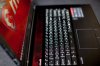
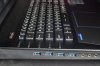
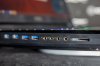
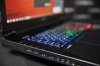
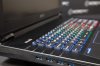
Some pics, video boxing and full review coming soon. Let us know about any requests and we'll try to work them in.



-
-
-
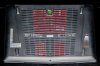
What is that in the left grill? The kensington lock port?
-
Looks like it is, the right one doesnt have that and I do not see a kensington lock anywhere else.extrospector likes this.
-
If you have the masterkey, the notebook will turn in to a Transformer who will then fight for good against evil.
But that key is well protected within MSI`s HQ, by MSI fanboys, laser doors, and engineers that will defend it with their lives.
I heard all the designs for their notebooks (and future) resides within that key. Its a collaboration between MSI and Transformers to ensure no harm is ever done to them, and in return, MSI get to use super secret alien technology in their notebooks.
So now MSI is spreading the GT72 notebooks with these keyholes, in case of urgent danger against human kind, all GT72 owners are obliged to turn their notebooks in to Transformers to protect our species.triturbo, Hutsady@XoticPC, Killerinstinct and 3 others like this. -
The design was inspired from optimus prime
-
I'm goona email MSI until they give up that key!
-
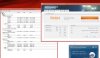
Striker are those temps posted at full fan speed/cooler boost or at stock default fan profile? I am more interested in what the coolest possible temps are.
Specs wise I am less than impressed with the laptop. Just not enough to warrant an upgrade just yet. The soldered CPU is also not something I want to see. Hasn't the 880m also been having issues and shown to be less stable when over locked in comparison to 780m?
I do like that msi has moved to a dual fan setup and a larger PSU. Though with a soldered CPU it doesn't matter as much as if you had been able to get a MX or XM chip. The Maxwell refresh of this laptop will be the one to own. -
Hello Talon!
Yeah right now there is no point in changing from current GT or even previous GT versions to this one since it's basically the same hardware over a new shell. Albeit a very sexy new shell. I hope those temps reported are on the stock non turbo cooling! I have high hopes for this dual fan setup.
I don't mind the soldered CPU this time around since it's a capable CPU, but it would be great if they at least offered similar CPU choices for those in need of XM or even a better cpu than 4710.
I wonder if they are going to release a GT62 anytime soon? -
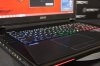
Loving the truly bright keyboard, as well as the new overall look and potential cooling performance of the system! Any news on 120hz 1080p screens for the GT72? I mean, 60 fps at 60hz is good, but...I want the option for more!
-
Got our Unboxing up on Youtube https://www.youtube.com/watch?v=RZOgv1Fd2kE&feature=youtu.be
Working on the full review still, will let you all know onces it done. Feel free to let me know any request and I'll try to work it inCloudfire, Killerinstinct, Eclipse251 and 2 others like this. -
Since it's Super RAID 3, I wonder how fast this machine is.
-
-
Oh no, no Cooler Booster used there...... that is only the stock fan profile, which is what I wanted to represent...... not bad, eh? I am sure a good re-paste and Cooler Booster would have the temps much lower.
Talon likes this. -
O, really? I must have been sick that day lol yeah, I can see it now on the first page. thanks! -
What's the temp with cooler booster ?
-
-
Thanks! Looks good to me! :thumbsup:
-
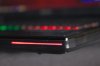
So are the red grills just vanity? They are not actually functional exhausts?

-
I would like to know the temps after repaste (or with stock paste) during 15min of Prime95 + Furmark and Cooler Boost Enabled.
-
Hi Striker, in case you have previously tested an Asus G750, have you noticed a difference in the fan noise under heavy load between the two units? For me this is a decisive factor on which one to buy.
-
This is exactly my question as well. Still torn between the two. I would go for the G750 if the GT72 is notably louder.
-
Ok guys,
I've added more of my initial thoughts HERE, and also added the CDM benchmark results.
Sorry, I have not tested against the Asus G750, but I can tell you the GT72 is quieter than the GT70, and not at all disturbing..... even under load. When doing common usual task, the fans are not really heard at all. As far as a comparison, I'd look in to the Asus GPU (embedded?) and it's temps. Also as far as fan noise, I am betting both models do a decent job, but Ken or Kevin could give a good comparison.
For those who want to see the GT72 User's Manual, it can be found HERE.
ronferri likes this. -
It's been a while since I tested Asus G750 and I think it should be about the same noise level with GT72, however, I'll have to use sound level meter to test on Asus G750 again to compare.
But I do have test results with MSI GT72 and that's with Turbo fan on:

Also our full unboxing and review video should be up pretty soon. -
Could you check the noise level from a normal seating position (head height) to give a real life indication? I dont tend to sit with my ear pressed up against the rear of the laptop...
ronferri likes this.
-
Damn I thought sitting with my ear next the exhaust was the cool thing to do now days...extrospector likes this.
-
Unboxing and full review video is up:
Last edited by a moderator: May 12, 2015Cloudfire, IKAS V, -=$tR|k3r=- and 8 others like this. -
Has this actually been confirmed anywhere...? Perhaps a slightly thinner chassis might result?
-
Dunno about confirmation but MSi usually has an "ultimate" edition of their flagship model. Usually it's completey red, has every spec maxed out including CPU, and about a 1000USD more expensive than a regular model.
I've had a really bad experience with MSi and a really good one but I really have to commend them for releasing news about a product, then almost immediately release the actual product. Their competititors like Dell and Asus take months and months. -
Thanks Ken, I've added it to the lead post for posterity! One thing I wanted to add here is the 230W PA is actually thinner than the previous 180W PA, while length & width remain the same.
The X-treme Edition is coming! It will be the same chassis..... a next-gen GT72 with the new Intel 9-Series chipset, X-treme Core I-7, and the Maxwell GPU. As far as the 'red' one, that is the Dragon Edition..... not certain if MSI will do this, but that's what I am hoping for..... an X-treme Dragon Edition.
GenTechPC and extrospector like this. -
Do you need to restart the laptop to change graphics cards (between intel-hd and nvidia) because it looked like you did in the video
-
Yes, when you press the GPU button, an onscreen pop--up will instruct you to reboot. I like this far better than the problematic Optimus switching.
-
Does that mean you HAVE to reboot to get to nvidia graphics card
-
When you press the 'GPU' button, a screen prompt instructs you to reboot to switch GPU's. The system is delivered with the NVidia GPU activated. If you press the 'GPU' button, reboot, activating the Intel graphics, the system will continue using Intel, until you again press the 'GPU' button again, reboot, reactivating the NVidia GPU. It's really just that simple.
-
Thank you for clearing that up
-
Yeah, it's really just manual switching, as opposed to the automatic switching of Optimus..... which didn't always work so well.
-
Sorry to keep dragging this on but..
1. Is there a reason it requires a reboot....?
2. Did nvidia optimus have the graphics card always powered on at a low amount
3. If you had the nvidia gpu on and did light tasks like web browsing or using microsoft word would you get a significant decrease in battery life
Edit: formatted the post
Thanks you so much striker for all your help I really appreciate it
-
A reboot is required because the two GPU's are entirely independent of one another. On reboot, the drivers and control centers are loaded by the OS, for that specific GPU. With Optimus, the NVidia graphics is supposed to switch into power savings mode, when not needed, thereby leaving the Intel GPU for lighter calculations. Problem is, often this switching is inaccurate, and with some games, the system attempts to utilize the Intel GPU, when it should not. As to item #3, I would have to look into this more, but the NVidia card will draw the wattage it needs, based on processor duty (or load). I think with a light load on the NV card, the power draw will be lessened, but overall, using the Intel GPU should result in longer battery life. I have not tested this yet, so really I do not know for sure, but I bet we have some tech gurus here who can better answer the question. One thing I can tell you is if you are going to game, do not do so when unplugged. Your battery life and frame rates will be crap, for sure.
-
Can you hear a click as the system restarts when you do that? It's likely since that would be using relays to do it.
The IGP will always be more efficient at idle and 2d.
When the GPU is powered up, GPU only operation is going slightly more efficient but the actual processing of the IGP will mostly be asleep anyway.
It makes me so tempted to grab it. -
It is my understanding that you can not use nVidia's 3DTV Play with Optimus, can you confirm that 3DTV Play is supported on the GT72?
-
Nope, no clicking relays, just a complete shut down and restart. The best I can tell, both GPU's are completely independent in the GT72, with no integration of running GPU software in the OS. It appears when one GPU is activated, the other is entirely absent or unloaded from the system..... even it's CP. I can't say this with certainty, but this is how it appears. Incidentally, when I first pressed the 'GPU' button I had a small issue. When prompted, I clicked 'OK' for reboot, and I then received a screen that said something like, "Windows is Preparing..... DO NOT TURN OFF YOUR COMPUTER!'. Problem is, it sat there 'Preparing' (activity icon spinning) for at least 10 minutes when I realized the process had glitched (no HDD activity). I had no choice and had to do a forced shut-down. When I re-powered the system, at desktop the system began loading supporting files for the Intel. Once this was completed, I checked to see if the Intel was indeed present..... it was, and I then noticed the NV CP no longer appeared in the systray. Anyhow, after the first switching glitch, all seems normal, and I have switched back and forth numerous times without further incident. The best I can figure is on the first attempt, Windows had a load error of the Intel set-up, and when I restarted, the system recovered beautifully.
Hopefully my case was isolated, and not a code error, otherwise everyone will be sharing that alarming experience.
I think so, but let me grab a bite, and I'll get back to you on this.
-
Looks like the dual fans and new cooling is doing a great job with temps, can't wait for a Maxwell refresh hopefully we see Broadwell around the same time.
If I already didn't have a 780M I would get this in a heartbeat.
Hey -=$tR|k3r=- have you tried gaming with it yet?
Would love to see some gaming temps on Ultra settings with something demanding and maybe some comments on the fans when gaming under full load.
Your the man -=$tR|k3r=-
-=$tR|k3r=- likes this. -
Well, I don't blame you for waiting on the next-gen, Temps should be even better, more efficient, performance will be better...... and I'll be getting that one too.
Anyhow, still stuffing my face, but I'll fire up the beast in a moment. I've already got my Steam account setup, and I'll load Sniper Elite 3 (AMD optimized) at full settings. That should do it!
I love those 300m+ bullet-cam exploding headshots! A lot of guys go for the testicles, but my training won't allow that, LOL!
Last edited by a moderator: May 12, 2015 -
Awesomesauce.
Would you be able to compare their weights? One could be denser than the other.
***The MSI GT72 Dominator Pro (GTX-880M) Owner's Lounge***
Discussion in 'MSI' started by -=$tR|k3r=-, Jul 17, 2014.