 Problems? See this thread at archive.org.
An update on my bootloop issue. When I boot there is a message "Preparing Automatic Repair." I may need to reset EC but I am having trouble figuring this out. I haven't had much clarity searching for a resolution. I hope someone here knows what I am experiencing and can help me get past this.
-
Are you gaming/benchmarking with battery in??
-
@ALL of you out there that claim to have "bad 970m benchmarks" ... ehh, you don't? according to notebookcheck.net you should be getting somwhere between 6200 to 6700 on 3dmark13 firestrike standard test... which you are, I am really confused as to why you all are thinking that this are bad results considering the "mighty" 680m (or whatever card you used to have) never broke the 4,000 range... (more like 3,600)
Can you link more than a single case where a 970m was doing way better? and then are you sure that this is not a hoax? seeing as anyone can change the name of their gpu (Omega939 changed his 970m to show 980 TI ? - not even mobile) what if the high scores you saw somewhere actually came from a 980m?
Temps are good? games play? :< what else could you ask for?
p.s.
Where do you all buy your PK-3 and thermal pads ? I tried frozencpu but perhaps im slow in the head.... there's no checkout button and there phone numbers are disconnected (the hell?), also Amazon charges me the same for the thermal paste as it does for the shipping: $35usd to ship a 30gram $35 value's worth thermal paste... what gives :< ? (its also out of stock in newegg)
Did place an order on 980M, going to get it at .. start of May
And did order a 780M MSI heat-stink... ETA end of April :x
But I'm happy, might take a while, might be a little expensive.. but at least it is going somewhere, hell, tried wow again last night after good few years, this 680M of mine can't handle maxed out settings at FHD (getting solid 12fps ..) 50-50 on quality vs performance over at nvidia experience gave me back 60fps but it doesn't look that good (just killing time until I can go silk smooth 120FPS on external display @ some random FPS game =) -
Hey guys I built a new desktop beast, I am finding myself needing a laptop less and less. Actually my laptop had no left my desk in probably 6 months.
So I've finally decided to go back to a desktop build after almost 6 years of laptop gaming. I still haven't decided what to do with my laptop as I don't really need it anymore, but for some reason I feel an attachment to my beloved GT60. -
Optimum performance?
In looking at my results, I don't think the graphics or physics scores are low. They seem to be in with what others are getting here. Where I'm concerned is on the combined as that seems to be significantly lower.
I'm running a 3920XM. I'm sorry, but a lower powered run of the mill Sandy should not be benching significantly better than that. I want to know why, and try to resolve the issue. If there's a bios setting or driver issue or heat, I want to fix it - especially since I dropped an additional $300 to upgrade the proc (over just the vid card).
I'm ok with being in the ball park of others with similar configs. I don't have to "beat" them. That said, if I'm seeing something that's significantly off from that, I want to fix it. I invested a good bit into upgrading this laptop - I want to make sure I get my money's worth.
SupersamXLR likes this. -
U mean u have reverted to a desktop finally, after high end laptops have almost caught up with desktop gaming!?Talon likes this.
-
Hehe, I just like that I don't have to sit in my basement to game and can associate with my family at the same time.
Desktop's always going to have more power just because you don't have the power and thermal constraints of a laptop. That said, MSI made a heck of a laptop out of the GT60/GT70 series. Easy to work on and upgradeable, plus high quality? What's not to like.
Easily the best laptop I've ever owned. I think the only way MSI could do better is make a thin and light that's as just as easily upgradable.
-
Notebookcheck benchmark shows that my 980m scored 8300! While mine scored 7300!
at least i want my 980m score 8000+ without overlocking.
And I think Vbioses might change the result if I can find other vbioses but I have only 2 vbioses.Last edited: Mar 4, 2015 -
I know its sort of a weird time to decide to have a desktop
A stock 980m on firestrike scores in the 8000ish range. No 9500. That must be a greatly overclocked result.
With that said yes 7300 is very low for a 980m. My 970m can get over 8k in firestrike when unlocked and overclocked. -
Oh my bad. I just went straight to notebook check and saw the first chart. Then posted it here.
Correction.... the score is 8300 -
Well you can't tell us you have a new build without describing it!! The nerve of some people.
Sent from my LGUS990 using Tapatalk -
Apologies sir haha.
New X99 Build:
Corsair 450D
AsRock Fatality X99X
Asus Strix GTX 970
Corsair CX750M PSU
Intel i7 5820k @ 4.0Ghz across all cores. For now...
Crucial DDR4 2400 2X8GB
Corsair H55 Water Cooler
Intel 520 250GB SSD -- Reused from GT60
Samsung EVO 250 mSata SSD --Converted to 2.5" with adapter. Also reused from GT60
Win 8.1 Pro
Last edited: Mar 4, 2015felix3650 likes this. -
Very nice
Sent from my LGUS990 using Tapatalk -
Tribal do you benches you can share? Your config is closest to my original one and what I have now. I'd like compare and see if there's further tweaking I can do.
Thanks! -
I had the same experience with frozencpu. My fujipoly thermal pads I bought from Silicone Valley Compucyle. They only sell 1/4 sheets of 0.5mm, it is about double what you would spend from frozencpu but I had to have them, and Newegg weren't out of stock then for pk-3. I did see some on Ebay from Italy but it is way overpriced ($40 for 3g). Thanks for the confirmation for the 3dmark scores. My scores jumped about 4000 pts on the combined score after placing my battery in my NB while connected to AC power. BTW I wanted to give an update on my bootloop/bad bios flash, I resolved the issue.
-
Thanks. Nice to have a more "apples to apples" comparison.
Looks like our results are pretty consistent. I just would have expected a bit more of a difference in the proc bound areas considering the 500 MHz difference between our two chips.Zacb01 likes this. -
Hey quick question cuz I know you guys know your GT60s. I have like a 90 second boot black screen before I hit the windows icon. After that then windows boots in like 7 seconds. This problem started before I upgraded, and I have tried to fix it many times. For some reason my bios is in raid, but its been like that the whole time. I have two hard drives but the problem started before the second one went in. I also have tried booting with no hard drives or battery in. Once while booting OS X on it, it kept saying it was checking for a loose pci-e related to ethernet. I couldn't quite see it in time and I haven't seen that again. Any ideas on whats wrong, also if I switch out of raid it won't boot.
-
What chipset on the Mob? I want to build off of the x99 platform in the future.
-
Oops nvmd I just seen this.
-
Unless yours is specifically a RAID laptop, I'd stick with AHCI.
When I switched from RAID to AHCI, Windows took a dump and I ended up reinstalling because it said it couldn't boot the disk. This was despite never actually having a RAID installed, just being in RAID mode. I had removed the Intel RST driver and it would end up in a boot loop asking to repair the OS.
You may want to run a diagnostic on your hard drive. I had this problem on my server. I had a RAID 1 on that and it would take forever to boot. Turned out one drive was on the verge of failure and was flaky. Removing the drive solved the problem. -
They don't seem to carry the right type at the moment:
http://search.store.yahoo.net/svcompucycle/cgi-bin/nsearch?unique=77b73&catalog=svcompucycle
They have all the sizes, just not the right module, the thermal conductivity of their offering is 6.0 W/mK instead of 11.0 W/mK
And on another note, guys, sorry, but I think I have eah... an idea about nvidia's sudden leap in mobile computing power....
Lets look back a little:
back in the days of 680, the 680M was doing the same as the 670 desktop, but the 680M was about twice as fast, meanwhile the 690 desktop was almost twice as fast as 680 desktop.....
fast forward to 2015, you see the 980m and 980 doing really well, the desktop still leads by good few % but ... its in the area, right? well, I say:
They made the 980m normally, and so did they do the 970m
but the 980 desktop should have been called 970, once you make this switch it all makes sense.... when they announce in two weeks a new desktop geforce titan X (or whatever name they may pick)... its going to do about 190% of normal 980.... just like the 690 did to the 680 and just like the 680 did to the 670
doesnt that make more sense (despite being so much ... grim) than them making huge leaps?
it also lets them sell the 970 at 980's price, and the 980 at a titan's price
@Talon WTB your 3dmark 2013 firestrike standard results sir! =p (also why not 3 way sli of 980 :X ?)
and have you considered the above with http://gaming.eizo.com/products/foris_fg2421/ ... 240Hz monitor? because you know... frags -
Ok I'm sharing my experience in upgrading my GT60-2OD with you guys
Process went smooth. No problem whatsoever.
Setup - All I had to to is dremel the heatsink in the given part for the 980m to fit in nicely:
-preview.jpg)
The same can be done for the 970m too as the one causing the heatsink not to sit properly over the card is the left current inductor (middle one in my case for the 980m).
I'm using ICD7 and Phobya XT 7W/mK thermal pads arranged as follows:
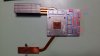
I used those as the 780m heatsink copper core is not completely flat in regards to its surrounding.
A slight rising of 1mm can be felt if passed over with a finger.
Heres a comparison of how the 780m and 980m do stack up to each other:
-preview.jpg)
-preview.jpg)
Do notice the different arrangement of the current coils in respect to the 780m.
The VRMs too are not aligned with the heatsink's contacts extensions.
I used a 1.5mm strip of thermal pad between the left and the middle VRM chips to even the height on the card and placed a longer 1.5mm over them as to cover everything.
Also just like Talon I too do have SSE working perfectly:
-preview.jpg)
X-Bracket - Some users here got trouble removing it properly. As you can see from of the pics I've uploaded on MEGA, I used a small screewdriver, pushing gently every socket of the X-Bracket evenly as to not apply too much preasure on only one side. Heating the X-Bracket (spreading the temperature evenly as to not overheat any surrounding SMDs) also helps as it softens the glue. In my case I used a controlled temperature heat gun but a normal hair dryer would work too as long as it's set to it's minimum.
After that a gentle push made the X-Bracket fall off by itself
Temps - The CPU was in for a treatment too and results do show.. Max GPU was 82 deg C and max CPU was 85 deg C on an 1 hour Crysis 3 session all maxxed out. Framerate was a steady 40-55 fps depending on scene.
Also no turbofan. With it active I get max 78 deg C GPU and max 80 deg C CPU.
With the 780m I did reach 90-92 deg C on Crysis 3 and the game would stutter sometimes. CPU was a constant 90 deg C.
Oh and this was on a 20 deg C ambient temp
I'm keeping this setup until the Fujipoly 11W/mK pads and the Phobya Nanogrease Extreme 16W/mK arrive at my doorstep
Last thing to upgrade would be the CPU but that has to wait for now (I need to "recover" from the 980m).
Last edited: Sep 16, 2016reaper2346, samXLR and TribalOne like this. -
Stock run on the 970. 5820k is set to 4.0Ghz across all 6 cores.
http://www.3dmark.com/3dm/6120065
I have to hold off on buying anything else for a bit I think.
I am also torn between keeping my GT60 or not at the moment. I think the wife will kill me if I have this many toys.TribalOne likes this. -
That's not too bad, around the same score as a mid overclocked 980m.
I've just pipped past 11k with a single 980M:
http://www.3dmark.com/fs/3689942
(12556 GPU score)
That desktop 970 will have some tweaking room in it though
Talon likes this. -
My god its crazy how powerful Maxwell mobile GPUs are. Awesome scores.
-
I'm hoping adding in the missing mosfets will allow me to tweak the memory some more and bench with the higher clocks better, a 1450-1500mhz core bench with 1600mhz memory should do even better than that
-
Will someone direct me to a download link to a clevo vbios 970m 6gb......plz?
-
https://encodable.com/cgi-bin/filechucker.cgi?action=landing&path=/&file=clevo970.rom
This is my original Clevo 970m 6GB vBios.
I always email my original vBios.rom file to myself after I get a new card/laptop now. This way I always have a copy should I ever need to return to it.Zacb01 likes this. -
So I know the drives aren't the cause of the problem. I do get a boot loop issue when I use AHCI, I hadn't considered reinstalling the OS. I got the Hard Drive scanned and it came back without any flaws. I'm not sure why its in raid when I only had one hard drive.
-
You have to reinstall the OS when you switch mode, they will not work like that.
-
You keep posting results like this and I'll end up with a new desktop build and you won't be the only one with negative wife faction!
Sent from my LGUS990 using Tapatalk -
You wont be miles away from that score if you tweak your 970M
-
Hi, today i`m installed a new drivers from nvidia 347.52 and now again games all 3d application included 3dmars working on Intel 4600! and it was strange thing because after installation i had a black screen like nvdia drivers change screen so i press FN-F2 ant again i had screen back, now the best thing when i`m change to external screen via hdmi 970m working but when i`m change to laptop screen i have no more possibility to use my geforce, then i`m installed nvidia drivers and intel clean registry and again i`m installed everything from beginning but with mine old nvidia drivers and surprise i have still the same issue, nothing working even when i change in nvida control panel gtx by default any ideas ? Thanks
-
HERE IS SOME BIG RED FONT TO GET PEOPLES ATTENTION.
For those folks performing this unofficial upgrade to their GT60/70s.
Installing modded drivers and/or flashing the bios can work great, when performed on a laptop that is already up and running with all the correct base drivers/registry entries etc in their factory installed state. If you have to one day however, perform a fresh OS installation, and you don't have the original graphics card (cos you sold it for a few $$$) which the tailored to suit MSI drivers recognise, then you could be in for a whole bunch of headaches which you may never be able to resolve......unless you fancy your abilities in coding or remashing up your own video card drivers.
In short, get your upgraded MSI laptop into good shape, and make an image of the OS installation, otherwise the day may come when your gaming laptop is rendered into a big expensive pile of computer components that you can't properly use.
I describe a bit more of the particular issues I was grappling with that made me come to realise this here: -
I'm using msi 980m. Please, send me a link of a how to and I'll upload it!
-
There is an MSI 980M bios linked to in the OP.
For Clevo 980M bios, go to this page:
https://biosmods.wordpress.com/
password for zip files is: premamod.com
I missed that first time around. -
Hello everybody !!!! I have make it
and "MatTheCat" i don`t think so each time if someone have problem with OS the fresh installation resolve everything , i think for those problems we have this forum to resolve it! and because i`m not selfish I will share if someone else have the same problem You have to run REGEDIT:
Then go to HKEY_LOCAL_MACHINE\SOFTWARE\Microsoft\Windows NT\CurrentVersion\Windows\
and on RequireSignedAppInit - change value to 0
Then go to HKEY_LOCAL_MACHINE\SOFTWARE\Wow6432Node\Microsoft\Windows NT\CurrentVersion\Windows
You have to create the new file DDWORD with name RequireSignedAppInit_DLLs - value 0
Close regedit and restart the system. -
Do you mean that this is a workaround to get the official drivers installed instead of needing the modded ones?
-
1- open GPU-z
2- go to device manager and then disable your graphic card( you have to do this or maybe your laptop will freeze).
3- Then this http://prntscr.com/6czv09
4- Then click yes.
5-When you save the file enable your graphic card again.
6-upload it on Mega or a good server.Txordi likes this. -
Thank you
I have tried this vbios but the problem it makes my GPU temperature reach 90 C. -
At worst case scenario, the Windows will probably show display as Standard VGA driver, therefore simply install the latest Nvidia VGA driver which should take care of the issue.
-
Been there done it, and it wasn't the case for me.
With the Clevo GTX 980M flashed with MSI vbios, or Clevo GTX 980M with vanilla bios, I could not get a satisfactory installation of drivers and function of the card after a fresh OS installation.
What I had to do was what I described, namely reinstall old GTX 780M, get all the drivers from MSI installed until all was in good shape, and then reinstall Clevo GTX 980M, flash vbios back to MSI 980M, and then install latest official drivers.
I think with the integrated gfx card, things get a bit more complex and often factory tailored drivers are required to get a specific system in initial functioning order, wiithh the generic updates from Intel or Nvidia only being good if the 'proper fitting' factory drivers are correctly installed.
Just my experience, might not apply to everyone........but something that everyone who has performed such an unsupported upgrade should be aware off. -
Hi, no like i tried explain after when i`m installed newest nvidia drivers defualt GPU was intel 4600 and nothing helps, but luckly i found registry issue and now everything is normal with new drivers, official one not modded. I don`t have to use modded inf because i have msi vbios.
-
Dude! niceeeeeeee that's impressive, will you make an extended post about your OC? (temps before/after, settings used [volts/frequencies/etc] and such?)
I promise ill give such post a like =p
Edit:
Rummer has it that you have been using a 17.0 W/mK rated (or grater) thermal pad and the infamous Coolaboratory Liquid Pro, is it true? and if not, what did you use?Last edited: Mar 5, 2015 -
That TIM is a bit dangerous on a "bare" mxm card. If it spills around it's gonna be trouble as it is electically conductive!
Meaker is using an unlocked VBIOS and the 4930K does help quite a bit too. The 980m runs pretty cool for what it can offer.
I'm getting max 83 deg with mine without turbofan active, and if I do enable it, temps reach a max of 78 deg! With the right thermal pads and a more capable TIM you can go quite a bit high on the core.
PS: I see a fellow Audiophile enthusiast here
@Meaker
Care to post your ASIC number?
Nice score BTW!Last edited: Mar 6, 2015 -
Both my cards are around 70% and running with a memory volt mod to improve memory clocks. I used IC diamond in those benchmarks. After adding the MOSFETs I will switch to liquid ultra and make a final push to see how far I can go.
felix3650 likes this. -
Yeah, I am well aware, but short of water cooling & 17.0 W/mK rated (or grater) thermal pads I didn't think that breaching 11K points would be possible.
Btw I just can't find anywhere where I can order thermal pads of 11.0 w/mK (or greater), frozencpu still doesn't answer there phone number & their website is bugged: there's no button for sending an order :S (was sure its something to do with adblock plus so tried on IE .. everything works, I add to cart.. no way to send order) other places have it out of stoke or the wrong type (just 6.0 w/mK or small sizes or insane prices [above $200... the hell?]) any ideas where I can get it?
Still haveing issues finding a place that sells the PK-3 30gram for reasonable price, amazon's shipping price for it is ludicrous (charges same as actual product), any ideas? + what type are you using?
Yeah, that headset and receiver is a dead giveaway =p, also a hobby typist, performance and optimization fanatic and a bunch of other things, my grandma used to have a foreign name for the .. likes of me, can't recall what it was (definitely not feinschmecker, although that word keeps popping up in my brain when I try to recall) .. its definition was someone that always strives to have the best tools for the job, which seems to fit =p
wait, you have more than one? did you find a way how to enable SLI on your system or am I missing something? =p
Values please and links to mod files please =p
Excuse my ignorance but .. what is "MOSFET"?
And please document your progress as you go along so it could (or some of it) be replicated later, if I brake 10k on firestrike i'll be one happy geek =p -
Look at my CPU, I am running a different machine but the 980M parts should still apply. Ignore the CPU score, 2 extra cores gives me the edge always
The GPU score should be pretty even however.
There would be little point in comparing my SLI scores to your single card scores so I run both SLI on and off when benchmarking.
The memory volt mod is a hard mod so no download available It's silly hard to get readings while running but if my calculations from the data sheet equations are correct I am running a 10% over volt on the memory when running them at 1600mhz.
The MOSFETs are the black chips along the edges of the PCB that downstep the input voltage to what the core needs, I am seeing if adding the missing 3 on the 980M helps at the extreme end of overclcoking. There may be other limiting factors but for the sake of science I am using myself as a the guinea pig (along with my own personal cards and cash on the line).samXLR likes this.
The Official MSI GT60/70 970m/980m Upgrade Thread
Discussion in 'MSI' started by Talon, Nov 10, 2014.


