Problems? See this thread at archive.org.
It does support FreeSync but only with the laptop in hybrid/Optimus mode. G-Sync would be available with the MUX set to dedicated. Again, I can't confirm this for sure on the non-Pro Legion 5, but to be honest, that feature would be a bonus given how solid the specs are for the price.
-
-
Saw that review, I have the new RAM saved in my Amazon cart, it's $99.
I'd have to believe it'll support G-sync when connected to an external monitor, using usb-c - mini DP adaptor like I do on the Blade.
Edit- @saturnotaku - checked the PSREF on Lenovo's site, it does support G-sync when connected to external display. It also does have a MUX! Wow.Last edited: Aug 4, 2021 -
Yes, G-Sync will work on an external monitor when using USB-C to DisplayPort or to an HDMI 2.1 TV/Monitor. I'm talking about on the internal display.
-
Yep, it does have a MUX, you can disable hybrid mode to just use dGPU on the internal display.
-
Right, we've already established that. The question is whether or not G-Sync is supported on the internal display for this specific model. It is on the Legion 5 Pro and Legion 7.
-
Gotcha. According to Jarrod's review it does support G-sync on the internal display. I may go get one later today, we'll see.
-
G sync on internal display is nice why other blade laptops doesn’t use it. It’s probably non native g sync like my external FHD 165Hz 15 inch portable monitor from Amazon, that has g syncs feature, maybe same panel
 . Blade 14 has similar adaptive sync, amd freesync premium so you won’t notice any tearing.
Here someone on Reddit comparing legion and blade 14 before.
https://www.reddit.com/r/razer/comm...urce=share&utm_medium=ios_app&utm_name=iossmf -
That's a good write-up comparing the two. The build quality of the Legion isn't bad at all, it's just that the Blade is excellent. I have to file a separate dispute for the Razer Care warranty that I bought separately. They assure me that my (laptop) refund is being processed, yet are marking my case as closed. What a load of nonsense. I love the hardware but can't support this company anymore. The Blade is my perfect laptop, loving the Legion so far but will miss the portability. Will be painful to pack it up for return if I actually go through with it.Last edited: Aug 5, 2021Joikansai likes this.
-
Yeah it’s sucks when some oem made great laptop but f by their other departments by your case it’s CS by me it’s system department. How idiot it’s to low the CPU performance if it’s could be better, and capping the vbios to stay away from 140 watt variant (I know it’s probably due cooling room try to make it as cool as possible) but ryzen controller from GitHub can do that better than synapse power limitation that limit everything. Using this finally I can use gs66 vbios without hesitation on temperature, since the temperature won’t leave mid 80ish as I set it.
i know it’s suck cpu performance but hey got put it in above average 3070 on none cheating…kind off internal display. Till someone on GitHub can tweak the CPU over 3,6ghz for 5900HX I’m good with this. Not recommend for cinebench fans
it’ll maybe down the cb score like around 500cb on r20 multicore, so avoid this
On gaming it translates to (1440p highest/ultra preset, synapse costum boost high)
i think still better than stock thermal gpu performance for sure cpu maybe depends what happens on the game. As downside of this vbios as mentioned before it reads wrongly the gpu tgp, but it’s way better than stock Razer 100 watt frequency that never reach i think 1,7ghz (not sure never used that stock recently)
I think to pass this performance you’ll need a 3070 legion
Edit: if trying ryzen controller, want to reset it to stock values uninstall it and restart the blade, do at your own risk don’t blame me if anything goes wrong I find though it’s better than doing hassle things like LM ing or editing registry for better temperature however bios update already sucked the original cpu performance so I can do only from gpu side…till they f-ed through another update lol.Last edited: Aug 6, 2021jlp0209 likes this. -
That’s a great result you’re at stock Blade 3080 performance. Hopefully they’ll fix CPU with another update. How is your battery after gaming for 30 mins while on AC power? When I used the modded vbios on mine it drained the battery even while plugged in.
-
Will try tonight just tried yesterday don’t think it’ll discharge since instead extra gpu cpu are hardly underclocked last time checked it scored cpu under 8K to maintain target temperature, it was only benching and shorts gaming tests. So 3080 blade 14 gpu performance with maybe 5600H cpu performance

I don’t really know about all setting values it was my instinct set, only temperature I know it doesn’t lie, frequency sometimes goes above set 3600mhz though so it’s better than other low temperature setting/tweak.
Edit:
15ish minutes playing serious sam4 1440p preset no discharging, and about performance felts similar with without ryzen controller (RC) FPS (70-100) on nitro vbios (the one that better than stock, using gs66 vbios without RC, is like asking trouble to angry yakuza), with waay better temperature and acoustic, usually it’s easily hitting 90ish degrees, with ryzen controller bug, it stays on 80ish. The fans is also way better, sounds similar with old blade 15 with Intel cpu on idle
Attached Files:
Last edited: Aug 6, 2021 -
-
Tried external monitor again, that ryzen controller is a god send, the temperature cap is great never letting it touch 90ish degrees, who needs undervolting
, FPS hits minimum according SoTR benchmark, 111fps vs 108fps on 1080p which however I don’t play@, 92 vs 91 on 1440p highest preset. On serious Sam it’s mostly on 100fps plus 1440p, another gains bypassing optimus on this titles I think vs ~100fps internal, and bye bye 90 degrees.
Attached Files:
jlp0209 likes this. -
-
Well it has been 14 business days since my defective Blade was received by Razer, countless emails, still no refund. @Joikansai , I did reach out again to your contact. Thanks again for all of your help with this, it is so unnecessary to help out a complete stranger, really appreciate it. I'm giving them more slack than I should, but today will be 15 business days, so by end of day I will begin the bank dispute for the laptop and also the warranty I purchased after sale. What a headache.
I decided to return my Blade 14 3080 back to Microsoft, sent it back yesterday. I can't support this company any longer. Maybe I am overreacting, but the incompetence is just stunning. Went with a Maingear (Tongfang) 15.6" laptop from my local Microcenter, who will service the laptop if there are any issues.saturnotaku likes this. -
Sorry to hear such suck experience, I wish there’s other things I could do. This also happens with other user here, kind other but yes you should pushing their butt from every where to act faster, sadly great product ruined by their after sell support. Last time facing them was like in 2017, back then was fine I think within a week after they received the product, but it was also refunded with voucher since I use it for another newer system. Yes best support either from local stores or reputable online stores like Amazon. I’m not by any means want to support that suckness in support, but I know some neat and friendly Razer guys, I don’t want them also losses their job Beside still likes their products…yet
-
Has anyone attempted to reduce the timings on the soldered RAM?
It's the same RAM used on the Lenovo Legion Pro 5 that made the machine underperform. Unfortunately, we cannot swap the RAM here due to it being soldered, so it seems like overclocking is the only option. I'm guessing it's the culprit for my lackluster FPS in Warzone where my old P870TM gets 10 FPS more with a 8086k and a 1080.
This is the RAM soldered on: Samsung M471A1G44AB0-CWE
It's also used in some ASUS models. -
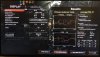
Can you upload the zentiming screenshot, mine doesn’t telling me that slow Asus ram, it’s better than one on the legion pro but not the best out there, crucial better.
Mine, 3070 blade 14
Legion Pro
legion 7
I don’t play warzone recently but it was fine on my older egpu setting that’s the gaming usage performance beaten by this blade 14. How about the cpu temperature? Maybe it’s other things than ram. Though it’s interesting to hear possibilitiy to increase ram timing, xmp on bios you can forget with blade laptops bios, I can’t even flash (yet) moded bios somehow. -
Based on your screenshot it would appear you have better RAM than me. Here's mine:
Same as in the screenshots from Jarrod's Tech video. I bought the Blade 14 in Europe, maybe this makes a difference?
If there's really a difference I'm considering returning, it's appalling that certain regions get poor RAM and others do not.Last edited: Aug 15, 2021Joikansai likes this. -
Interesting, I’m also in EU Germany. Bought from Saturn (big electronic store here), well quite early batch I think. They apparently have supply issue now it’s out of stock last time I check on retailers (Amazon) and their store page.
RAM might bring FPS difference on some titles, apparently such high FPS shooting is more effected. Though on doom eternal I don’t see FPS difference compared to other 3070, 1440p 100ish plus FPS on external monitor and 100ish on internal, maybe that optimus thing is more a matter than ram, think on other laptops with similar no mux that’s what bringing lower FPS. -
You tried to flash the custom bios from the "Razer BIOS mods" thread?
-
Yes it was fine with blade stealth 2019, advanced 2018, somehow you can’t flash the moded value bios on blade 14. However the menu option is different from Intel Blade, it’s like chinese to me which I don’t understand, like how to unlock overclocking tab, I’m not quite sure, changed some values that understand to user instead default, saved and when flashing it it was reading but couldn’t apply (flash) it, forgot what was stated on the error massage, but it wasn’t flash able.
-
I did some further research on userbenchmark.com and noticed that most of the Blades with BIOS date 20210429 have the Micron memory while most of the ones with BIOS date 20210607 or younger have the worse Samsung memory. My Blade shipped with the new 1.06 BIOS, which indicates to me that the ones with BIOS date 20210429 are from an older batch and haven't updated to the newer BIOS yet.
So it seems like the new batches ship out with poorer RAM. I couldn't see any difference based on location or 3070 vs 3080.
Quite dissapointing given that all the reviewers most likely got the batch with the better RAM. After the reviews got published they are sending out batches with poorer RAM. Very dissapointing and not what I expect when spending over 2500 €.Last edited: Aug 15, 2021Papusan likes this. -
Yes agree for that price, you’re stucked on that memory, you have to get better ram for that kind money, hopefully other users can confirm this. Not sure how this effect real gaming usage on timespy I was expecting at least 10K cpu score before bios update I could get 9,5K and after it even can’t get 9,3K (external, meanwhile other similar non mux laptops can easily hits 10K using external monitor when I’m not wrong) anymore this is though I think due cpu performance limitation for better cooling. So there’s no need for them actually using HX processor 5900HS will give better job maybe only slightly slower on some cases not noticeable difference between 35 and 45 watt cpu.
However I got this 3070 like for price for 3060 variant here (even like €10 cheaper lol) so I’m okay and mostly my workload use more to gpu, still owning kind of the most powerful 14 inch laptop. Not sure if g14 3060 or Triton se 300 can go near this performance on my use case, I don’t think so, so till they renew with better GPUs option, I wouldn’t be envy.Last edited: Aug 15, 2021IceFalcon likes this. -
I'm getting around 9500 stock as well with external monitor. Ironically enough this is 2500 points more than my old P870TM which outperforms the Blade in Warzone.
I wonder if there's a way to differentiate based on product number or something which RAM is used...
Mine is RZ09-0370BFA3-R3F1Joikansai likes this. -
There’s serial number where you can identify production month and year, I’ll update my production date from serial number once I’m home. Still outside now. When I’m not wrong it’s started with week number (from a year) followed by year.
Edit. My serial number starts with BY2124…(so it means made by build your dream, year 2021 weeks 24, means mid June) how about yours?
I’m downloading warzone (would take a while) see if it has performance issues.Last edited: Aug 15, 2021 -
Thank you! Mine begins with BY2129 so it's indeed a few weeks later. Unfortunately it seems impossible to try and get an older batch, most are already sold. I don't really know how to inquire a vendor as well. It's likely that if you buy again now you're getting the same RAM. Curious to see what your FPS is with your RAM, as it's not that much better (I think?). I don't know how much the lower tRFC impacts the FPS.
If you try Warzone, try a real BR match (not with bots) and land around Superstore, I drop to 85 FPS there on 1080p external monitor (low or high settings do not really matter as long as ray tracing is off). I saw your post on Reddit and tried most of these steps already, but as you can see in the thread the user got the biggest performance boost by swapping his RAM.
Either way, it seems that for me my only hope is for an unlocked BIOS so I can look at the timings, as this RAM definitely can be improved (it has already been done by a Reddit users who brought tRFC down to 427 instead of 880) or return it and get the Blade 15, which is bigger and has poorer battery life... -
Anyone else notice difference in battery performance after flashing vbios on 3070 model?
-
Man I’m bad on this game, they killed me like killing a fly
110 position from 110 players maybe
I’ll check your area idk what was the area, killed, captured and killed again lmao
I’m using 1440p g sync monitor FPS between 100 to 130 on idk if it’s max setting default apparently all on right tab (no Ray tracing nor dlss). It was like 100 to 130fps? Not sure if it’s normal or not for hardware on this game. Unfortunately AB OSD didn’t work so idk how cpu performs, it’s btw using ryzen controller and msi 95 watt vbios, I never use stock Razer. I’ll check this later as well.
Edit: btw it was using ryzen controller capping temperature to 85 degrees not sure if it was hitting that capped degrees due OSD Afterburner can’t be showed if yes it might give more FPS if didn’t use ryzen controller because I use always cpu boost profile and some games especially one with high FPS could bump the FPS if you don’t use temperature cap.
Using MSI gs66 one I think power consumption if you’re not using the nvidia gpu similar with stock ca 10 watt, translate to 7 to 8 hours ish. I’ll check this as well because after using ryzen controller I don’t measure the power consumption.Attached Files:
Last edited: Aug 15, 2021IceFalcon likes this. -
-
Still same 7 to 8 hours ish, according windows and HWinfo64, battery consumption average ca10 watt. Browsing dozens tabs opened, with paper work would give also similar run time. With video playback it’ll rise to 15 watt, maybe around 6 hours like my first test give. Don’t believe second 10 hours battery report it usually went to 15 watt and giving that mentioned 6 hours ish.
Edit: 5 minutes later still on 7 watt consumption, it’s giving better battery consumption when watching YouTube, weird, and says now 8 hours, well tldr around that
, no effect using other vbios.
Attached Files:
-
-
Nice, so any downsides to using the vios?
-
Hmm, to me no. Maybe on Gs66 one only incorrect gpu tgp sensor is the downside from original vbios, and if your cooling system isn’t great it’ll also run hotter. I’m still using stock paste without ryzen controller it can hits 100 degrees on gaming. Liquid metal apparently lower it like 5 degrees, but 90ish areas still isn’t my temperature so thanks to ryzen controller.
Wait is that Reddit user lower it without bios access, or is it from other brand with accessible xmp profile to OC? -
Unfortunately, it was another machine. Here's the thread:
https://www.reddit.com/r/overclocki...rclocking_laptop_adie_sodimms_668ns_to_522ns/Joikansai likes this. -
I don't use ryzen controller any more. Even when you uninstall the software the settings remain which is a pain. I use AMD APU tuning utility. I like it better and the settings revert back to default upon reboot.
GitHub - JamesCJ60/AMD-APU-Tuning-Utility: Unlock the full potential of your Zen-based mobile APU with AMD APU Tuning Utility!Joikansai likes this. -
Nice I’ll try this, ryzen controller is fine and setting doesn’t remain if I uninstall it and restart which takes not a long time but the problem the boost cpu frequency setting maxed at 3600mhz I need something 4000mhz plus, if could stay on that area it’ll be great. Hopefully the temperature limit is not only for apu but also the cpu like ryzen controller one, since I’m using quite hot vbios for the cpu.
-
I see. I simply limit the CPU temp to 85 or 90 degrees in the utility and don't touch anything else, and still get boost frequency.Joikansai likes this.
-
Nice I’ll check it later on gaming, tried a bit but boost frequency setting capped lower like base 2300Mhz, tried to input manually but value revert automatically to that base frequency. Nice thing is that there’s auto values recognition for 5900HX. Hopefully it can fix a bit that lame cpu score, back to 9500ish I’d be happy.
https://www.3dmark.com/compare/spy/22217885/spy/21316126jlp0209 likes this. -
That's a fantastic score. Is that on external monitor? I don't think it's the CPU / Razer bios holding you back, it is the slow-ish RAM per Jarrods tech videos on it? I haven't swapped out the stock RAM on my new laptop yet but my CPU score (5800H) is a bit over 9000 as well.
-
Yes it’s on external monitor, internal would be like minus 400 overall maybe. Yes I saw it and it’s not great ram but timing isn’t bad at all compared to Asus and legion pro default one (my unit) and I could score on 1.01 bios like 9,4/5 k ish easily on external, somehow like for example on cinebench Long boost on 4ghz+ is shorter, before it stays on 4,1ghz longer regardless (cinebench it’s hitting 100) the temperature but now it’s apparently more temperature dependent, once hitting near 100 it’s stays on 3,9ghz on bios 1.06. Translates to lower cinebench scores, before it’s granted 5200 cb20, high 13K (near 14K) cb23, now cb20 sometimes drops to 4900ish sometimes 5000 lowish, cb 23, I think I never hits 13k anymore. I’m not kind direct repasting guy, opened the vapor chamber to check, but it looks fine. Gaming like doom even with dlss ray tracing, and without temperature limitation it still cool 70ish degrees on balance mode when I tested it.jlp0209 likes this.
-
Maybe you can contact Razer support and ask them to revise the bios haha? I've repasted a ThinkPad X1 Carbon, went smooth. As long as your temps are OK there's no need to mess with anything.Joikansai and saturnotaku like this.
-
Ok so I snagged one with my 25% off coupon with the Microsoft store, added the 3 year warranty they had (was only 200). Will report back how it goes.
-
I checked to see if anything put rightly, Razer QC on factory someone said on Reddit on heatsink they forgot to pull out label or something when I’m not wrong, put it back and thermal are same.
I did indeed directly to system department but they’re led with iron fist behind closed door apparently, which I don’t even know what that means, just said I see and move on.
PS: i know cpu a little bit too much, but I had only tooth paste Aronal brand in bathroom
Nice discount, even Razer guy I know can’t get such low discount, wise decision with the guarantee as well, if it doesn’t cost €500 I’d go with 3 years but 2 years EU from past experience is enough to me.Attached Files:
jlp0209 likes this. -
-
Update on my Razer support hell:
-Laptop received by Razer on July 22. Still no refund. Ongoing credit card dispute.
-Razer Care warranty bought after purchase- still no refund. Another credit card dispute for this transaction.
-Returned Blade 14 3080 back to Microsoft because to heck with Razer. Received refund 48 HOURS after laptop was received by Microsoft, no email follow up necessary.
The Blade 14 3060 is now for sale at Best Buy here in the U.S. The other models (3070, 3080) are on Microsoft and Amazon. There is no reason whatsoever to buy the Blade 14 from Razer direct.saturnotaku and Joikansai like this. -
That sucks waiting our money to be back really. Yes for refund it’s way better on retailers, apparently it took up to a month and even depends on country it can take even 3 month months, bank can be also the culprit that make the refund slower. In 2017 it was a week fast (after unit received and terroring them per phone) due refund for credit to buy another model from them but last time nvidia (FE) and Evga refund took me slightly over a month here, not sure if it’s same with other direct store refund time (with money back to bank not as credit) like Dell, MSI, lenovo etc, had experience with that? The thing that made worse on Razer that is multiple CS that handling one case, last time when I tried to change 2018 15 battery it was like 4 or 5 CS with different questions, so I didn’t send it to them at the end instead saving the money and time for this blade.
-
Unless I'm reading your post incorrectly, you seem to be conflating confirmation/initiation of the refund from the reseller with the actual money being returned to your bank account. I just returned a laptop to Lenovo. I received emails from the company when: 1) the item reached their warehouse, 2) another a couple days later saying it had been inspected and the refund was approved, then 3) a near-immediate follow-up from PayPal confirming that the money was on its way, which I saw was back in my bank account within 48 hours.
It seems @jlp0209 is somewhere around #1 above, if the confirmation that the returned item was received by Razer was sent at all. -
I got this confirmation from staff (not CS) that I know, he told that it “up” to a month from after receiving the unit, and depend on the country which I don’t think US include since it’s their main office, it could take up to 3 months, and it sometimes depends also the bank, tldr it can take a long time that are outside out of their control as well apparently. Though yes after PayPal got confirmation it should be like within 3 days, in that case with nvidia was after a month waiting, so I wrote over a month above.
-
I've always had great experiences with EVGA support and Dell when needed. Refunds (Dell) happened right away. I haven't returned anything to Lenovo before so can't comment. But any time I've gotten a refund it has been back to the method of payment.
3 months is ridiculous, let alone 1 month. I gave it about a month and then disputed charges.
I am at step #2, received confirmation from Razer that the item was received back on July 22. Since then there have been maybe 5 different reps "escalating" my refund to a higher up team, if one even exists. The infuriating part is I keep receiving "we haven't heard from you...case will be closed..." emails from Razer. Just ridiculous.
Sorry your Lenovo didn't work out, if I recall you were having touch pad issues? I still have a Legion 5 3070 on order from CDW because the price is just too good. I may end up canceling because I really like my current laptop.Joikansai and saturnotaku like this. -
The laptop I returned was a Legion 7 - never took it out of the packaging because I couldn't justify the $3k+ expenditure. I still have my Legion 5 Pro with the bad trackpad. It needs a repair because the fault occurred well outside the return window. I've been playing with an M1 MacBook Air, and quite frankly, I'm blown away by its versatility, performance, and battery life. I bought the base 8 GB RAM/256 GB SSD model from Best Buy but will be returning it in favor of a refurbished 16 GB RAM/1 TB SSD from the Apple online store. Once my Legion 5 Pro is fixed, I'm going to very seriously consider selling it.jlp0209 likes this.
-
I see. I've added the Legion 7 to my cart many times, it's a beastly laptop. I have an old Barnes & Noble login that still works, the last time I checked the fully loaded i9 3080 model was just under $3000.
-Edit- just looked again, I got $2846 including the 3 year onsite warranty. Not including tax.
The M1 Air is a thing of beauty. Apple refurbs are great deals, good choice.saturnotaku likes this. -
What really floored me was seeing videos of GTA 5 emulated on Windows 10 for ARM, which itself was running emulated via Parallels on the M1 Mac - and doing it better than if it were being played on an Intel-based Mac of similar specification with a native Windows install via BootCamp.Last edited: Aug 18, 2021jlp0209 likes this.
-
Just got my new blade 14 3070. Praying for no battery bloat
Last edited: Aug 18, 2021jlp0209 likes this. -
Is it freezing, or loading? Sometimes windows installation take forever, maybe if it’s like two or 3 hours try hard reset and see hopefully it doesn’t miss any Important windows file. You install it from stock factory driver right?
Razer Blade 14 5900HX
Discussion in 'Razer' started by Joikansai, Jun 14, 2021.