 Problems? See this thread at archive.org.
It makes a huge difference for my laptop as it props up the laptop off the desk and the extra fans on the laptop cooler draws cooler air onto the laptops inner fans. I have noticed significant cooler temps.
-
I checked that stuff immediately, forgot to mention that.
 it does it regardless of resolution too. Apparently forums are saying it's all the drivers pertaining to Optimus. It gets solved then reoccurs with windows updates. What trash.
-
Hmmm, I’m not using chrome but Firefox. I know it’s optimus bug, weird I didn’t have such jittering things. I’m also connected 4K monitor to DP using mini DP and DP cable from amazon.
-
The 512GB 1070 Razer Blade15 has been out of stock quite a while in UK (the 1060 variant seems to be availalbe some places as are the 256GB 1070). Are there some manufacturing changes that could be causing this? I've read some people mention some padding has been implemented.
Last edited: Aug 29, 2018 -
Do any of you guys with the Razer Blade 15 have this situation where it appears or seems like the "X" button is somewhat shallow? in comparison to the other keys. It's not really a huge issue for me because I rarely actually use the X key but slightly brush your hands over the keys you should be able to feel and see that the X key is slightly shallow in comparison to the C key which is next to it.
-
The powersupplies or lack thereof could easily be the issue
-
Yes. There's a dip between the 4 keys in that corner. Me no likey.
-
Did someone noticed, that from time to time Synaps takes some strange settings from somewhere (e.g lighting or profile), and several times it shows that I have 2 or 4 laptops registered ....
-
Imagine if that dip was on WASD lol.... Again good thing the X key is hardly used but it still kinda sucks, especially now that you/I and anyone else who see's this now knows.
I'm thinking it's a common thing because it seems like multiple people have this issue. Anyone with the 4k Version, can you guys confirm or deny if you have this same symptom on your keyboards?
Thanks. -
Yes I had a couple of keys that were lower than the rest. One of a few reasons it went back.
-
Mine was on the S and D keys lol like they had sunk further into the keyboard where they meet.
-
For anyone looking for cool sleeves that fit the Blade, I've bought a couple I can recommend.
Chalk Factory leather sleeve - Slim, minimal, premium. (I added razer stickers)
Targus Pro-Tek EVA - Adds a bit more bulk but great protection.
I recommend OGIO backpacks on the mild-price range, and TUMI at the high-end. Both companies have good quality and protection, but TUMI is far more premium and the only brand I use now days. Most any TUMI backpack fits the razer just right, with not much wasted space. The Targus adds too much height and no longer fits, be cautious of sizing there.
Stay away from the Razer branded 15.6 sleeve. It hardly fits into backpacks, ridiculously massive for no reason.
... if you guys are any interested in a larger article or something with much more products and pictures, let me know.

 iunlock likes this.
 -
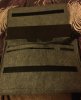
This is best case I’ve fit well and can also brings the big AC adapter, quite tight though. Idk if it’s on Amazon or somewhere but I bought it second on a charity flea market here. I think it’s for MacBook Pro, saw similar one on Amazon or Dave2d video, forgot.
Attached Files:
-
-
Wanna upgrade RAM to 32GB. What RAM is everyone using?
-
Great info! Thanks for providing that... So far I'm still on the older (original) bios and everything is fine. By any chance is your high end USB flash drive the Patriot? I love those things as I use them daily... I have the 256GB and 512GB USB Flash and they are blazing fast. They also are equipped with MLC memory which is awesome. Just the other day I was transferring some back up images of some Window's install and it was sustaining solid speeds of ~400mb/s ...that torque curve was flat! Highly recommended flash drive for heavy users.
Vistar Shook, raz8020 and hmscott like this.
-
Oh I completely understand that frustration. The 1050 is good enough for very light games, but like most of us who has experienced higher end cards, to go roll back to a 1050 hurts eh? lol ... I can get some casual gaming in with my XPS 15, but for me this bare minimum standard is a 1060, which I think is a fantastic card for what it is and what it provides. .. it so many ways it's more than adequate to get the gaming fix in for most people.
I'm glad that " The XPS Fix," helped you and that it was successful. The whole goal with that was to work with what we had (got) so that people didn't have to run around town to buy certain stuff to make it work... The project was very successful as I had applied The XPS Fix to some family members XPS's as well. It's a fantastic laptop and IMO the best in it's class.
I think I got your PM? Message me..I'll help you.
+1 ... I have several laptops that I've taken apart after 1.5+ years and they all look just as fresh as day one. If LM is done properly (without big gaps and tolerance issues) it is the best for when it comes to repasting.
I disagree 100% with that statement and so would a lot of people here in these forums. There has been more successful LM's than unsuccessful ones by a wide wide margin. Like with all things, there will always be the small percentage of failure/not so good results so this isn't' exclusive to just LM.
Regarding your research, due keep in mind that not many people have LM'ed their R15's .. .let alone Razer's in general, therefore, it's of no surprise that you'd find info from a very small pool of info. That however doesn't mean that it is not good or possible.
As I've mentioned earlier in one of my posts, that I have my MBP LM'ed, which is the worst laptop to LM due to it's dinky heat sink assembly ... the point of this is that if my MBP being LM'ed has had no issues for many years of being LM'ed, then it should be of no surprise that the Razer 15 can be LM'ed...especially with a far far Superior heat sink assembly.
I've done extensive testing on the Razer 15 (2018) with both Kyronaut and Liquid Metal to have first hand experience on the realistic data of both. LM has risks, but if done properly it will yield the best results. Period.
Traditional paste of the highest quality like Kyronaut will not out preform what Liquid Metal can do. That I'm 100% sure of from my own personal testing and data.
What system config are you referring to? There is a big difference between the 1060 and 1070 model.
HyperX 2667MHz
Last edited: Aug 30, 2018Vistar Shook and raz8020 like this. -
I believe you've just proven my point and reiterated that you haven't researched this topic.
When enthusiasts think of Liquid Metal, one of the main keywords that pop up associated with LM is: "Aluminum." This is due to the topic getting beaten to smithereens and the common knowledge we all (well most of us, to be computer performance enthusi-litically correct) know already about this topic.
From your response, it shows that you lack real hands on experience and knowledge for when it comes to liquid metal and computers in general, so I really don't need to get into details about this, because it'd be irrelevant.
Having replied in detail to your post previous to this one, why would you assume or mention anything about attention span? That's a bit childish and it's clear to anyone who's following this that you're the one bringing about irrelevant information in respect to the reality with LM'ing computers. This is really a waste of time.
Again, if 90C+ is okay to you then have at it. But, let me set you straight on one thing in that for most people here, scratching 100C is not okay. This again shows your noobness in this field so please save yourself the embarrassment, because you have absolutely nothing to show for.
Once you actually research and read, you'll come to see that I'm one of the biggest advocates for system stability and not phony/synthetic benchmarks, which is the reason why I don't use some of the non realistic benchmarks due to them being absolutely irrelevant to real world usage.
When I test systems, my main goal is to show what the given chip set can do while being stable. Showcasing what the system is capable of is a small part to my main purpose of testing, with the main goal being stability. If you choose to research and read you'll come to see that ...
You first came about this whole ordeal by only mentioning gallium did you not? Let me help you... yes you did. You made no mention of other elements whatsoever. Perhaps we should all reconsider the benefit of the doubt that you know what you're talking about when it comes to chemistry as it's proving out to be that you just googled it. Again, you have absolutely nothing to show for.
Again, welcome to the forums lol... let's keep the posts on topic and useful without all the fear mongering.raz8020 likes this. -
Hi @iunlock i shared my Firestrike 15,2K cores Temperatures, can you share your 15,9K? It’ll be my final decision to LMing mine. So far that I know you have +210 core OC like mine...Don’t tell me again I’ve to took my 1080ti Firestrike though it seems rtx 2080 won’t be much faster than 1080ti, worst case it’ll be similar, so maybe I’ll keep my 1080ti
iunlock likes this.
-
The 1060 and also laptops in general. What temperatures are dangerous for the motherboard and other components that are around the CPU?
-
Thanks for the like and feedback yes it is the patriot Link here for those interested https://www.amazon.co.uk/gp/product/B01A6YDZ3I/ref=oh_aui_detailpage_o01_s01?ie=UTF8&psc=1
People seem to want to dismiss the internal drive especially the 512GB when it's stupid fast.
Its one of the reasons for buying a Razer they put in top notch stuff.
Even the memory is running at 2666 not 2400.
Using that Patriot when you need to for top speeds saves you money in the long run.
Its large metal case helps to keep it cool to keep the speeds up.... Brill device.
Will do some large file copies and VM machine tests later on my youtube channel.iunlock likes this. -
Ok guys. 1st 4k Battery out the box and patched test uploaded. Tell us what you think ;-)
iunlock likes this. -
On a single Firestrike run I believe the GPU maxed at 60C with the CPU in in the low 60C's as well if that. This is on gaming mode with fans on. If you're comfortable with LM I encourage you to go for it. As for the 2080 the features that it offers in my opinion are ahead of the games right now, where the actual gaming performance over the 1080ti will be incremental.
In most cases the motherboard and chips themselves are pretty resilient, however that doesn't mean that it's okay to run things in redline all the time. I've had my fair share of motherboard and chip failures, but very little .. .most of them were during extreme tests, which were outside the norm of regular usage habits.
For laptops in general anything in the 90C's is not healthy and it'll shorten the duration of the life of the components.
Yup that's the one I have. Just incredible flash drives and those speeds are very accurate and perform as advertised.
Nice video and thanks for sharing.
-
I went with a Tumi 4 Wheeled Bag I'm beyond happy with it as it will save my back too
Assault likes this.
-
Very nice! I personally love their backpacks, I used to mock the prices but have long realized HWO worth it they are. Quality is outstanding lol. Do you use a sleeve in combination with the roller bag?
-
I personally use this Tumi bag (Hamilton Slim Brief) with my RB 15. It's snug with everything in the bag that I want to carry (230W power brick, Logitech G903, et al), but the laptop fits very nicely into the padded compartment.
It works pretty well, and I tend to prefer the smallest bag that fits all of my stuff, vs a large bag in which everything slides around on me.
https://fr.tumi.com/en/arrive-hamil...1041.html?cgid=bags_briefcases#sz=12&start=37
PatrickAssault likes this. -
Wow that’s about 20 degrees cooler CPU and GPU! Decent! If there’s gaming laptops temperature benchmarks I believe you’ll be 1st place for the performance.
Idk, I’ve already €550 buyer for my 1080ti, it was a good 8 months usage, I kind also like the new real time tracing technology not only the performance, if it’s slower maybe a deal breaker but recently leaked timespy shows slightly better performance, and I think it’s not optimized too.
Idk about LM, even repasting I never do that, I’ll let it to professional, only about €30 works plus material...How about doing video guides like @Datus And maybe I’ll try my self.
-
I've used backpack my entire life and because I have to park in a parking garage now and go into a building up a few elevators and often i find myself carrying 2 laptops I decided that I should go with a "Roller" bag. In some convoluted way the transition has mentally changed my mindset when going to/from work towards being a "Professional" as compared to being a "college student" which was really a large part of my mindset as I carry gaming laptops and work laptops to the office lol...
I still remember when I saw this guy at the Airport who flew first class and had a Gaming Laptop (1st Edition Dell XPS) and a bunch of other gadgets etc. I was only like 9 or 10 at the time and I really thought he was the coolest guy ever etc. Today I'm glad to say I am that guy, haha!
Assault likes this. -
"From your response, it shows that you lack real hands on experience and knowledge for when it comes to liquid metal and computers in general, so I really don't need to get into details about this, because it'd be irrelevant."
tfw to intelligent
"When enthusiasts think of Liquid Metal, one of the main keywords that pop up associated with LM is: "Aluminum.""
Nobody mentioned aluminum here. You started talking about it out of nowhere.
"That's a bit childish and it's clear to anyone who's following this that you're the one bringing about irrelevant information in respect to the reality with LM'ing computers."
I see, and that's why you brought up aluminum, because it's so relevant to LM'ing RB15.
"You first came about this whole ordeal by only mentioning gallium did you not? Let me help you... yes you did. You made no mention of other elements whatsoever."
Yes, because I believe it's irrelevant. Prove me otherwise. You just brought it up to masturbate your ego some more.TCO likes this. -
I’m only interested with results and @iunlock prooved it with Firestrike graphics score that could break 18K on a maxq 1070. Idk LM things but it seems give a huge improvement to provide that results. I saw also poeple who LM Blade 15 and brought only minimum improvement without any performance bump, they may did the job rightly but missed something that brought results like @Assault. Maybe you’re already know it’s maxq 1070, with 17K Graphics score it’s already great and stand beyond all maxq 1070 laptops, with 18K, it’s insane! Even on zephyrus m with full 1070 owner lounge, I saw no one uploaded benchmarks like Firestrike, they may be shy with Blade 15 performance Asked also to other user lounge, forgot gs65 or Aero 15x, their performance results, but no one answered directly.
So we have to digging more deeply how to achieve that, LM that he did seems the only way. Unfortunately i don’t have any experience about that, but what i can say is that Blade 15 comes with higher AC Adapter and gpu wattage compared other maxq laptops which translates better over clocking performance. Lower temperature may increase temperature headroom to bump performance.iunlock likes this. -
^^^^
It's probable what iUnlock said is true in my case, regarding my dried up LM. I may have needed to shave a little off the screw shafts of the vapor chamber, or used less foam (though I was sure it was thin enough.)
EITHER WAY my main intent was lower temperatures best as possible while still utilizing the 144hz display properly in game. Turns out a 6 core at 3ghz with a slight OC to the 1070 mq is more than enough on mixed settings to get those frames. Never touching 80C is nice, too. -
I would stay away from it honestly. Let the people that want to mess with LM mess with it but you can have a cool enough machine to run in spec without having to go through hoops to get it to run "20c" cooler etc. My CPU rarely hit's 90c while gaming and the power limit throttling is unrelated to the thermals. So it's not like having the cooler temps will help your clock speeds much. I have seen them power limit throttle in the 70c or cooler at times. If we were dealing with all thermal throttling issues.. it might change the value of LM. As of for now.. no need. Too many people get scared about higher temps honestly.. when they don't realize how hot over long periods of time these machines can run...without breaking something etc.SorryDuck likes this.
-
Yup if it ain't broke, don't fix it. Throttlestop is the Blade's best friend, followed by kryonaut. Totally thrilled with this machine, it's been a great device.
What have you been up to behind the scenes Firebat? Any oddball blade tests or tweaks? -
I've used liquid metal on all my Alienware computers, the oldest being the M18x-R1 that was converted to R2, has been on liquid ultra for 6 years now. I had it dry out ONCE, and that was due to what I think was my application error or some freak think with the metallurgy of the heatsink-gallium alloy, because none of my other laptops have ever had that problem. The problem popped up within a month or so of application, and it made itself apparent very quickly, as playing youtube videos would skyrocket the CPU temp to upper 80s-low 90s. The heatsink, when I took it off, was clearly "stained" showing the gallium had bonded to the copper, leaving tin residue on the die. I cleaned the die and the heatsink, reapplied liquid ultra, and that was the end of that, 4 years later running perfectly fine. My M18x R1-R2 conversion (6 years liquid ultra), M18x R2 (5 years liquid ultra), Alienware 18 (4 years liquid ultra), M15x (2 years liquid ultra), M17x R2 (1 year liquid ultra), and M17x R1 (1 year liquid ultra), all have been running fine without any massive heatsink failure. Note, they are all copper core/copper pipe with aluminum surroundings. I've removed heatsinks on all of these systems to periodically inspect them, and each one always had liquid ultra still in its liquid form, performing just as well as before. I check with the liquid ultra brush to see if it's still spreadable, and it always has been. Whatever chemical process occurs when gallium bonds to copper, and whatever reduction in thermal conductivity it brings, it must be small to the point of negligible in notebook applications.
At this point, liquid ultra has served essentially the service life of the machine with only one freak incident that led to severe degradation of the TIM, which was quickly remedied. I'm a firm believer in liquid metal (and personally, only liquid ultra, not conductonaut) and its merits, so long as it is applied safely. I have applied it to my standard heatsinks (nonvapor chamber) in my RBP 2017, and it made a significant improvement in temperatures and holding higher boost clocks (my 1060 will run 1880-1911mhz no problem, full time). My machine is cool, quiet, and comfortable with liquid ultra applied, and it makes my machine so much more enjoyable to use. This is just my anecdotal evidence, do with it what you will. What I DO know, is the stock thermal compound is completely inadequate, and if you plan to use your machine for 3-5 years, you had better figure out what to replace the existing TIM with. I've tried graphite pads and antec formula 7, they helped some, but nowhere near as much as liquid ultra did. I simply applied clearcoat nailpolish to the surrounding capacitors around the CPU/GPU, then some electric tape on top, then applied liquid ultra (which is leaps and bounds easier to control and apply vs conductonaut).
Furthermore, additional cooling measures need to be applied where possible in the blade. I was shocked to see the PCH was completely uncooled in my RBP, I don't know if that is still the case in these new models. If so, buy some high quality thermal pads and stack them until they contact the bottom plate, so the bottom panel serves as a passive cooler/giant heatsink. I've also stacked thermal pads wherever I find MOSFETS or power phases to also cool them passively. Couple that with a nice undervotl on the CPU/GPU, and you should have a very happy machine. After applying undervolt to the 7700hq and gtx 1060, under gaming loads, the power consumption measured from the wall is only 105-115W, which is most efficient operating range of the 165W power adapter (just a roundabout figure of 66% load).
Hope this gives some insight from a seasoned user.
General rule of thumb, you should keep your temperatures under 80C, running higher than that can accelerate the decay of your CPU/GPU and supporting components like power phases and mosfets, not to mention board flex that can be brought about with large deltas in temperature. The more flexing you have from drastic heat-cool cycles, the more likely it will be you'll crack a solder joint somewhere on the board, and end up with problems. Anybody who tells you 90C or anything near it is "safe operating temperature" is drinking something much worse than the jonestown kool aid.....*cough dell support cough*Last edited: Aug 31, 2018 -
Lately I have been compiling info on the power limit throttling issue. That has been my main concern/focus. I have also been testing a ton of power bricks for buzzing etc. I think Razer is getting to the bottom of the buzzing issue which is good. Had my Blade at a lan party last weekend and was performing really good, though. Still working towards the best OC settings for the 1070MaxQ, and I am trying to push my CPU underclock as much as possible and testing it in detail each time I bump the offset down more.
-
I just got my machine last night and started fiddling with Throttle stop to get the CPU temps while gaming under control.
Would you mind sharing with me the settings in Throttle stop you found good for your blade ? -
Was home during lunch and did a dead pixel check on my machine and found a dead pixel, so just this machine is going back under my 14 day return policy.
Are dead pixels common ? -
I’ve bought 2 Blades before and dead pixel issues, i think i never saw such on various forums, only this time on Blade 15 I have Backlight Bleed, minimum though.
-
These settings work great for me, I'm getting excellent frame rates and temperatures. You can raise your clock speeds, but it'll run hotter. Alternatively, if you disable Turboboost, it will run 10c lower. Use this with Synapse Gaming mode and Auto Fans first, the fans should keep it under 80s at the lowest fan speeds possible.
Attached Files:
iunlock likes this. -
-
So anyone who wants to get a Blade 15 (1070 Edition) here is a link to a refurbished well priced version where you could save a couple of hundred dollars: https://www.ebay.com/itm/Razer-Blade-15-6-Laptop-Intel-Core-i7-16GB-512GB-Windows-10-Black/372419730562?_trkparms=aid=111001&algo=REC.SEED&ao=1&asc=20160908105057&meid=0f2df8d09342423c8813a9c5be6c740b&pid=100675&rk=1&rkt=15&sd=372419730562&itm=372419730562&_trksid=p2481888.c100675.m4236&_trkparms=pageci:4cc96686-ad26-11e8-8641-74dbd18083d2|parentrq:90498e1f1650a9cac764e742fffb69ca|iid:1
There is a 30 day Return Policy so I don't think you would have too much to lose so it might be worth checking out.
$2140 for a 1070 with the 144 hertz pannel isn't a bad price and yeah it's refurbished but you get a 30 day return policy to check/see everything out.
Nevermind on this I decided to buy it myself because I own the 1060 version so now I guess I have the 1060 version and the 1070 version.... Whichever one I DONT LIKE goes to my brother, fyi this only happens because I'm the older brotherLast edited: Aug 31, 2018iunlock likes this. -
Hey guys, just got my hands on a RB15 1070MaxQ, and already seeing good results (perf+temps) after a Kryonaut repaste:
Firestrike / Gaming + Auto fan + 140mV UV:
![[IMG]](images/storyImages/FS.png)
Can also confirm I have CPU power throttling at 45W under combined GPU+CPU load:
![[IMG]](images/storyImages/Throttle_45_W_CPU.png)
This is with stock BIOS 1.03 / EC 1.00.
edit: for some reasons, seeing higher physics score with lower UV (-125mV)
![[IMG]](images/storyImages/FS1.png) Last edited: Aug 31, 2018
Last edited: Aug 31, 2018 -
Decent cpu performance! I see another +15K Firestrike potential here, if you can manage that graphics score. I think that repasting worth it. Are you using original sdd or upgraded it already btw?
Yes I think undervolting too low can also reduce cpu performance, my stable and best are -135mV.
PS: Are you that Frenchman who always has a lot Blade? -
Will tweak the GPU core when I get some time, CPU performance is what I need for my use. Put my own SSD (SATA3) yes. I did own a lot of Blade (and am French) but probably not the one you refer to.
-
I remember that because back in 2016, it was hard to get recent Blade system, and someone with similar name and avatar too (I believe) selling Blade from French that is not too far from here, Germany. I asked original SSD, because my original one always performs better gpu wise compared to SSD that I bought till now, from specs those (not SATA like yours but nvme) are faster than original pm961, but always show meh (to me) gpu performance compared to original.
-
Any idea why? It's not the first time I read thisLast edited: Aug 31, 2018
-
No idea, tried 2 different 960 Evo nvme, 500gb and 1tb. Original is easily hitting 15,2K stable Firestrike but those SSD are barely reaching 15K, maybe that specifies SDD issue. I’ll try other SSD maybe better one like 970 Pro or 981 or Adata that comes with thermal pad.
-
RB15 battery life..clarification
Sent from my iPad using Tapatalk -
Next blade 4k battery test busy workload with fans running video I have done posted.
iunlock likes this. -
So I noticed when cleaning out the fans on my unit that the back 2 screws are stripped, just like this other user reported on theirs: https://www.reddit.com/r/razer/comments/9beizr/howto_safely_remove_a_stripped_screw_blade_15_help/
Reached out the Razer support and they are saying that I broke it and they wont assist since I damaged it. Even though its their QC on not properly fastening the screw holes on the corners. -
I will say that blue loctite will do the trick. Had same problem as you.
-
So I assume then where should I apply it? I was able to remove the screw from the thread with some pliers.
I might actually just return this back to Microsoft Store for a refund. A little annoyed with all this run around lately and I am within my 30 days.Last edited: Sep 4, 2018
Razer Blade 15.6" (GTX 1060/1070, 2018 edition) Owner's Lounge
Discussion in 'Razer' started by X33nbat, May 20, 2018.






-preview.png)


