 Problems? See this thread at archive.org.
I recently flashed them and got the same result as well (swapped keys). Just emailed Sager Tech Support and waiting for their reply.
However, the Wi-fi toggle works fine for me. And, to be honest, I quite like the swapped position. If I can just snap off the Windows key and swap it with Fn key this would be perfect, lol
EDITED:
Just got a reply from Sager Tech Support. I asked him if the swapped key position is to be expected from the new EC and his answer is:
Now if someone could tell me how. Do I just snap it off?
-
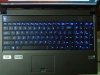
It turns out to be easier than I thought. Now with the Windows key in its appropriate location, my NP9150 is perfect!
-
How did you switch the keys?
-
Here are links to the bios Sager just sent me
EC.7z
915bv14ls1.7z
Let me know if the links don't work. -
Your Windows key. When you see it, you'll shi* brix.
-
I don't get it?
-
Look at the picture on his Windows key.
-
What's wrong with it?
-
It's the windows 8 key, not the windows 7 key.
-
It's like a new windows 8 key?
-
Oh, I see. Lol, yeah that's one of the little things I love in my NP9150
-
Well, according to the Sager Tech Support guy, you should
But what I really did before getting his reply was lifting the top edge of the key cap using my fingers until it "snapped" off, then proceed the same with the bottom edge.
Since I have no experience in doing this kind of stuff, I did some research beforehand by watching many videos in YouTube (hint: search for "remove keyboard key") One thing you need to know is the key cap is supported by a two-piece plastic "hinge" or "scissor switch". Once you have the key cap is removed you have to make sure that the switch is still working properly (you may want to see this video to get the idea how those two plastic pieces are connected together) In my case the plastic pieces got disconnected from each other and I had to reconnect them. After that just simply push the key cap on the switch until it "snaps" into place. -
Did you simply snapped off the key?
-
Please read the post above yours.
-
Thanks for that. Surprised it was easy. I remember them breaking off every time...
I like how the windows key is where it should be...time to have fun. -
Hi, guys. I just sent an email to xoticpc yesterday for requesting Bios and EC update, they send me back the latest one for Sager NP9170 today.
I take a look into the files, it seems the Bios version is 1.02.14, and the EC version is 1.02.11.
Can I use the EC file from MySN and update it to 1.02.12, then update my Bios use the file from Sager?
Because I want to keep my Sager splash but also like to use the latest EC.
-
Thanks a lot, links work. I have Clevo P150EM (with B 1.02.14 and EC1.02.11) and I want try this Sager BIOS, but its scary lol. Is Intel XTU works on your laptop? you have the possibility to change values ? -
Bios 1.02.09 and EC 1.02.06 for W110ER on mySN.de
Installed fine on my W110ER, but rolled back ME-firmware from Premas 8.1-1286 to something older 1248 i think. Just got the latest from Premas bios mod site and now I'm back to latest ME. Now we wait for Prema-Magic... -
wrong reply, sorry for delete
-
I just flashed the latest bios/ec from mysn.de and FN+1 doesnt work. Is this intended or is it just me. I heard the fans at max during the ec update and i guess itll help me alot with my temps if I can toggle it. Is there a way to enable it?
-
That's only on Sager BIOS.
-
So its not a good idea to flash the sager ec and a clevo bios?( I believe the ec is the cause for the fn+1 dilemna)
I've got a software workaround in in case anyone is interested, but fn+1 would be a heck of a lot easier... -
EC where it is, but you still need BIOS, won't work without it.
-
What is the software workaround you have?
-
Well I guess I'll stick with my software trick for now. I actually found it here on NBR: http://forum.notebookreview.com/sag...0em-i-found-another-way-trigger-max-fans.html
PS: I dont have the issue where the fans are constantly on until you shutdown, the people in that thread are complaining about
-
Not sure about Sager EC with Clevo BIOS but I was using Eurocom's EC(with Fn + 1) with Clevo BIOS but both are still on 1.00.05(1.00.05EU for EC).
-
guys im really bad with this stuff i have a clevo p170em and my bios is american megatrends 4.6.5 if someone can direct me as to what i have to download and in what order that would be awesome. thanks.
-
Press F2 at the boot logo. The BIOS version is shown on the main page...
-
If you aren't having any problems I would suggest not messing with it.
-
sometimes my fan runs when im doing nothing so i figured updating bios might help, its not a huge problem but meh. ive done everything now on my usb except when i go to f2 on bios, i cant set my usb to 1st, it wont let me idk why. and when i boot from usb and type in 'dir' it says the name of my folder on there and it says 0 files, 1 dir? idk
-
Hey all,
I'm not having any "real" problem with my Sager NP9150, however the backlight of the keyboard staying off after it sleeps is annoying. I know I can hit Fn+backlight key a couple of times to toggle it back on, but I was wondering if anyone knows if a recent bios update fixed that ?
Thanks! -
I'm running
BIOS Revision: 1.02.14
EC: 1.02.11
Can't replicate your issue, as my lights come back up. Perhaps it's a software issue, have you tried uninstalling and reinstalling the Hotkey application? It may not be running correctly after suspension. -
But I can, I have the same issue. With the same bios and ec, not only the backlight will stay off when returning from sleep, but also after booting up it will stay in the default blue color, I have to switch it off and back on. Same problem in both windows 7 and 8, and tried quite a few hotkey versions already.
I was thinking I could try an uefi install of windows 8 (windows/bios integration ??? ) but even there i have no luck. It recognizes my uefi usb drive with the windows install files, but it always jumps back to the bios, instead of starting the install. -
Hello friends, I'm in the bios and EC 1:00:10 1:00:08, the LED does not work or the yellow and white. If I upgrade to version BIOS Revision: 1.02.14
EC: 1:02:11 back to work?
Where I low EC 1.02.11? -
sounds like the files are in that 1 folder...
-
Please does anyone have the link EC 1.02.11?
-
mysn.de or better yet, do what you're supposed to do... Contact your reseller!
-
my reseller didnt have the files, just use the mysn.de ones
-
please have the direct link EC 1.02.11 for Clevo P15EM.
-
Hi...
I have a Clevo P170EM and my BIOS is version 4.6.5.
Is there any update to it? -
That's not the bios version. Enter the bios, and there you'll see both bios and ec version (they're usually 1.0x.xx)
-
MB Series: P170EMx
BIOS: 1.00.05TIN
KBC/EC 1.00.05 -
Ok, checked mysn. Latest EC is 1.02.12, and BIOS is 1.02.14.
-
So, witch file should i download? I just want to be sure that i'm not going to screw this up...
-
Both. You need to upgrade the ec first, and then the bios.
-
But where do i download them? rom 1st post?
-
so I tried the latest clevo bios for my p150em...and yeah. I WAS running 1.00.08, and now it's at .04. ? I flashed the EC, rebooted, went to flash the bios and this came up on the screen:
![[IMG]](images/storyImages/IMG_20121118_144324.jpg)
So after 20 mins of this just flashing at me, I rebooted manually, and now it's at a LOWER bios revision. Weird yes?
It seems like every single bios/ec revision has different instructions. Does anyone have the latest from MALIBAL, or do they use the clevo vanilla one? -
That is not true. The instructions are the same.
1. Install EC.
2. Take out battery, unplug power. Wait 30 seconds.
3. Plug back in, turn on. Wait for it to boot, two times.
4. Install BIOS
5. Repeat 2-3 again.
It's not difficult or complicated.
Not only that, the EC and BIOS includes instructions!!! -
Yeah? Where did you come up with that? Buried somewhere in this thread? Not on the first post with instructions and links it seems.
-
Yeah it's only included with every single EC/BIOS.
Clevo BIOS Thread
Discussion in 'Sager and Clevo' started by Blacky, Sep 11, 2009.


