Problems? See this thread at archive.org.
t456 thanks about your valuable informations. Can i try a defferent mod/update bios version? If yes where can i download it? If yes will be possible after upgrading bios to brick mainboard?
-
Hi all. I have an NP9758 on the way. I plan to put the prema bios on it. I contacted my reseller (LPC Digital) to ask about warranty issues. They told me it's ok to put that bios on it, but if I need to send it in for warranty, then it will need to have the Sager bios on it when it gets to them, and if I Brick it, that's not covered under warranty. A few questions:
1) How does this policy compare to other resellers (seems reasonable, just curious)?
2) Any dangerous issues reverting from prema to Sager bios if I need to? I'm pretty savvy, so if it's feasible, I won't have any more issues than the average person. So I'm just asking if it's feasible.
3) What kind of recovery options do we have if we end up bricking? Is specific hardware required to unbrick, that would mean the only option is to pay money and send it away for repair, or have people been successful in unbricking themselves?
I'm sure some of this has been answered throughout the thread, so I apologize. I did try searching, but there's just so much information. Thanks. -
No. Well ... who knows, but in general ; no. There's too much variance in each motherboard to account for all the embedded chips that are controlled by the bios. A brick is most likely.
Your best bet is to mod a working/native bios and embed the correct microcodes. This is one of the main motivators behind a lot of the bios tools available. Could do that mod for you, but the tools are there and don't have a lot of spare time, so ...
Lenient. Better than mine, anyway; they void warranty for that.
No, you're good. Just remember to make a backup first (afudos sagerbios.rom /O); the Sager version has its own splash .bmp (replacing the stock ' Style Note' version) and they don't provide bioses on their support page.
An eeprom programmer and, usually, a soldering iron is all you need (a clip sometimes works, if you're lucky). Price for the programmer is ~$25, which is about the same as a pre-programmed $1 bios chip (sold for $25) which you'd still need to solder yourself, so ... diy if you're alright with the soldering bit. Mind that not all bricks require 'hard' repairs; the boot portion of the bios is doubled, permitting a boot-to-dos-reflash in some cases.i_pk_pjers_i and Jakamo5 like this. -
Hi,
I have the Sager P151SM1 and after installing Windows 10, the BIOS no longer detects the 770M GPU. I suspect my BIOS is outdate. The current BIOS on my system is dated back on 7/24/2013.
Can you point to me if any recent BIOS is stable for windows 10? Does any of the BIOS update on the first page works for P151SM1?
Thanks -
Could be a dumb question, but I can't figure out which @Prema BIOS to use for P750DM-G / NP9758.
On prema's website. There's a P75xZM / NP975x, and a P75xZM-G / NP9753. I would guess I fall under the P75xZM-G as opposed to the P75xZM, but on the other hand, I would fall under the NP975x as opposed to the NP9753. Or I might just not be supported since I'm DM and not ZM. Anyone know? -
I would probably say P75xDM-G would be the one you want.Last edited: Dec 18, 2015
-
ZM & DM are entirely different, don't mix the BIOS!
(well technically you couldn't as all new Clevo BIOS are secure Aptio V, so it won't allow you to flash it with a ZM BIOS)ajc9988 and i_pk_pjers_i like this. -
In that case, do you have a bios available for the p750dm-G? I don't see it on your page
-
It's in beta testing...
-
Awesome, looking forward to it, and thanks
-
Has anyone tried the 1.05.07 BIOS firmware for P650RE machines? I'm having a hard time creating a bootable pure DOS environment and also apprehensive of bricking my system...
-
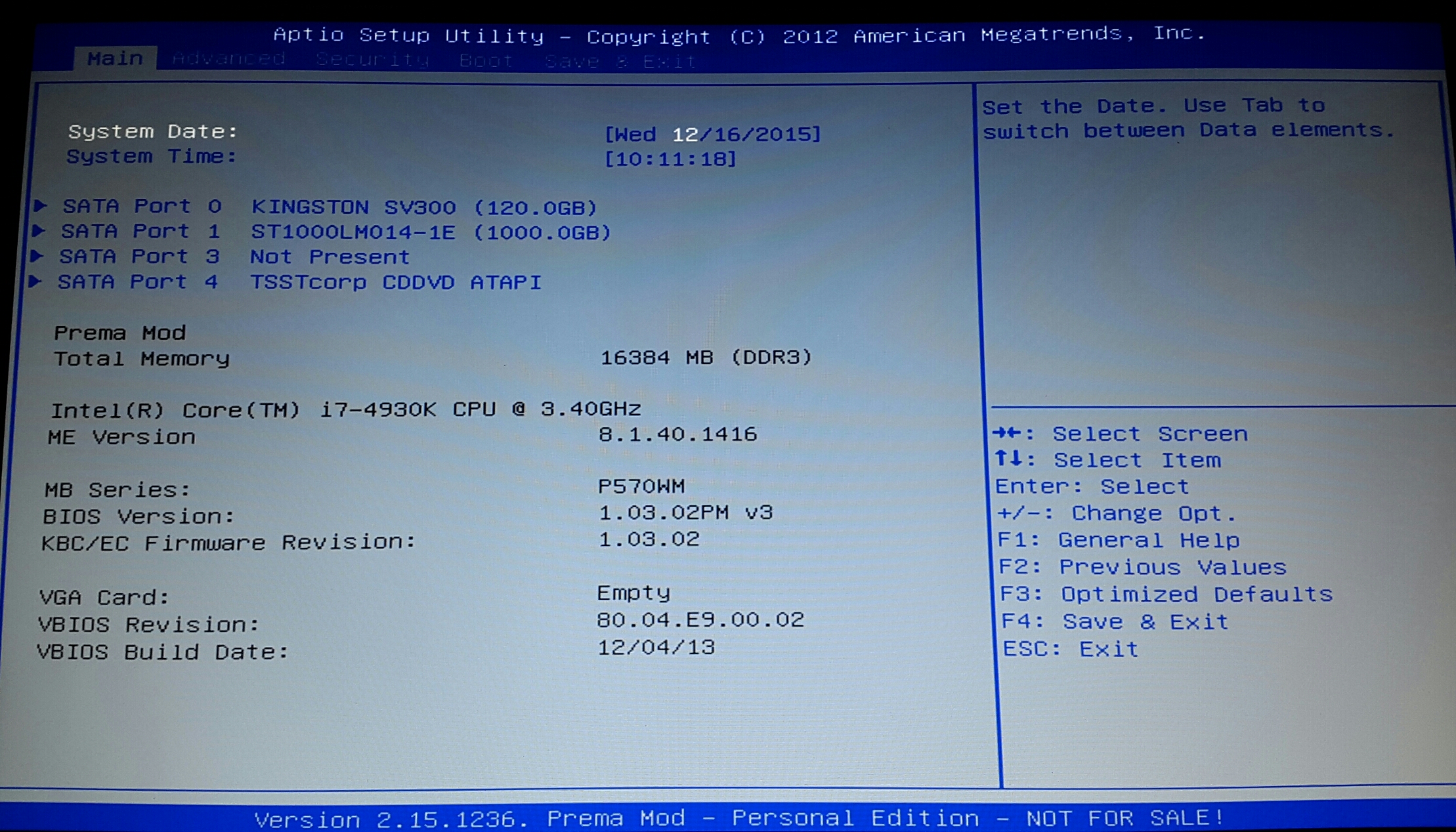
Need some help. Brought a used laptop which is a clevo p570wm. The laptop didn't have the cpu gpu hard drive ect so put them all in. It has the prema screen when switching on which means it has been modded. Is there a way of reverting back to original? Also I can't get Windows to boot it just stops when starting up with the windows sign. Iv installed a fresh install. Can anyone help me with this. Also on the bios screen it's showing as no gpu but the gpu is in there.
Attached Files:
-
-
Clevo M77xSU... sager NP 7750 running on win 7
I spilled water .... disassembled and dried it out and left it for a few days..
would boot ... do the mem check and then go black... adapter voltage checks @ 19.77 V
6-71-M74SO-DO4 GP is the current mobo and a replacement not available
6-71-M74SO-DO3B GP is available and in stock U$ 125 (China)
size and layout check to fit the case
N & S bridge Values "
socket P " for intel P8600
DDR 2 "
connectors "
There is no documentation availble
Questions: 1) what would be the correct EC/Bios for it ?
2) any reason why this would not work ?
I would like to hang on to my old friend....6 yrs of flawless performance...
and I much appreciate any help and suggestions
Thanks
pfb_2 -
Check which specific model that board was made for by looking up the part nr. in the various (Extended) Service Manuals available. The ' Part Lists' -> ' Bottom' will list the various main board option for each laptop model:
![[IMG]](images/storyImages/gmH63.png)
Tried a few, but all were '6-77- ...', not your '6-71- ...', so you may want to look at earlier models of the same series. Clevo makes base models, then makes minor upgrades to those for a few revisions before switching to something entirely new. Once you know the model, then you can download its accompanying bios+ec from the same site.i_pk_pjers_i likes this. -
why is it so difficult to find the P870DM-G BIOS for CLEVO?

-
nevermind, just found it
http://repo.palkeo.com/clevo-mirror/P870DMG/
-
t456
thanks for your reply
your link lead me to: 7xxSUN > M7xSU _ESM renders D03B GP
Models M740 SU & M760SU
the mobo for sale is D03A GP (scant spec info)
don't know what the difference is... A vs B
also found a numbers match (china) for mine
I don't expect an answer until January
and there is a place in the UK that advertises clevo mobo repair
I will play with this for a while and post the resulting conclusion
thanks again
pfb_2 -
This p870dm bios is not the current one
-
yeah I know, where do you get the current one though?
-
I've searched high and low, can find it nowhere, Clevo might make it public in 2018. Mine came installed with the latest bios
-
Waiting on the bios mod for the P750DM from Prema, last I heard it is still in beta?
Also, as an aside, this is my first Clevo. Have the BIOS' always been this paltry!? I'm coming from a Dell M6800, what had one of the pleasant UEFI with full color and mouse support and a dizzying amount of customization options, followed by an Alienware 15 R2, that came with a legacy BIOS which also had very granular controls and options. Why so few BIOS options on machines this burdened with features?
(Sorry if this is a dead horse... just curious) -
because Clevo is one of the worst companies I've seen in providing its customers with updates BIOSes, it's like they make you beg and hunt for a BIOS update, they only have them available for the resellers. every other company like Dell, ASUS, etc. have the latest BIOS available on their drivers download page, with CLEVO it's a hunting game.
example, the latest BIOS now for the P870DM-G is 1.05.03 and noone has it for download except it comes as standard with the new systems. My laptop came with 1.05.01steberg likes this. -
Does that fancy 870 also have like, what, 8 BIOS settings/options like these "lesser" models. The first time I booted into BIOS, I honestly thought it was a joke or something. My 8 inch ASUS Windows 10 tablet, honestly, has more settings to configure.Spartan@HIDevolution likes this.
-
the BIOS has NOTHING to do with an enthusiast laptop, take any entry level ACER or HP laptop and it has more customizations than the CLEVO BIOS. All you can do in the CLEVO BIOS is change the date, boot device, set the flexi charger rate, enable or disable UEFI. That's it!Cruellyricisti and steberg like this.
-
Tell me about it. Alienware must not have gotten that last memo, they had options for clock and timing changes, setting Intel's CPU boost, USB controller, GPU clocks and timings, I could honestly go on and on...Spartan@HIDevolution likes this.
-
I'm going to flash a vbios for 970m-G's in my P870DM but I'm a bit lost: should I update BIOS to the latest version before I do a vBIOS reflash with Prema mod?
Are these two independent? (BIOS is related to motherboards, vBIOS is related to GPUs, right?)
In other words, are there any compatibility issues for BIOS and vBIOS versions? -
you can flash them in any order, they are independent of each otherNiaphim likes this.
-
Does anyone know how I can back-up my current bios file so I can revert to it in-case I have any warranty related issues? Or is it not possible?
-
Xmg usually posts updated bios, just keep in mind that during POST their logo will appear. http://www.mysn.de/driver/XMG// - just pick your model.
-
Sure, either using afudos itself (afudos.exe backup.rom /O) or, perhaps, Universal BIOS Backup ToolKit (depends on specific bios). Afudos will work either way.Studie, Mr. Fox and Spartan@HIDevolution like this.
-
BIOS 1.05.04 now available from the CLEVO BIOS Mirror with the stock CLEVO branding:
http://repo.palkeo.com/clevo-mirror/P870DMG/
it's for both the P870DM and P870DM-G
Changelog:
1. System BIOS 1.05.04 for P870DM only.
2. Update Intel Memory Reference Code.
3. Refer to readme.txt to update BIOS.Last edited: Jan 22, 2016Mr. Fox likes this. -
Guys! Please be very careful about flashing crap firmware if you're not 100% sure about the outcome. I am as serious as a heart attack, boys. Here's a true story...
@Prema got the 1.05.04 Clevo BIOS a while back, and we were hoping to incorporate the newer firmware base into his awesome magic BIOS and guess what? NO CSM SUPPORT. I flashed the stock 1.05.04 BIOS and there was no way to DOS flash anything. The UEFI menu was grayed out. We would have been totally screwed and would have needed to pull the EEPROM for manual flashing had Prema not had the talent to whip together a custom EFI flashing tool and special recovery ROM for us to flash the older stock BIOS to get the Sky X9 back to a point of being a real computer and not a crippled UEFI turd mess. DO NOT flash a BIOS just because it's newer. You could easily end up having very deep regrets for doing so.
Newer is often NOT better. Apply this rule to all Clevo BIOS updates that do not come from Prema: If it ain't broke, don't fix it.
- consider yourself warned -
If it comes from PremaMod.com it has been fully tested. If it comes from Clevo or a reseller that is not a PremaMod Partner, you're playing Russian Roulette with garbage firmware that may shackle your beast and turn it into a castrated turdbook.Spartan@HIDevolution, godfafa_kr and myx like this. -
Russian Roulette.. real true.
My new notebook (p750dm) with stock bios has no CSM support.
This is really lame.Mr. Fox likes this. -
Hi
Updated my mirror a few days ago.
Models with new files :
N1xxRD
N1xxRF
N2xxJU
N350DVW
N550RC
P64xRE
P6xxRx
P7xxDMG
W6xxRBC
Enjoy !Spartan@HIDevolution, steberg and Prema like this. -
Anybody knows whether there is a difference between the Schenker B513/B713 and the vanilla Clevo W650SZ/W670SZ?
Looks like Schenker has a Bios v1.05.01 from Aug '15 available, whereas Clevoes are stuck with 1.03.5 (or .6) series. Feeling a bit reluctant, can't find much about Schenker and whether they might have custom BIOS... -
nope, it's the exact same as stock but with their logo for the boot screen.
-
Thanks. Can confirm the upgrade went as expected, going from 1.03.06 to 1.05.01.
And I love their 'S' logo better than a bland 'Style Note' one, meh
Spartan@HIDevolution likes this. -
Ok! I am back! Built myself a new water-cooled desktop
and I am in the process of getting a new 771DM ... just waiting for the 4K screen to become available.
I am currently travelling but I am going to maintain this thread again. Soon!Prema, myx and Spartan@HIDevolution like this. -
Any one know what version of AMIBCP I would need to modify p750 (751)dm BIOS?
I just need to unlock memory overclock menu and CSM. -
Sager NP9150 running Eurocom BIOS 1.02.17EC v3b for my nVidia 980M
I can't seem to install any new Nvidia drivers with that BIOS
Is it my BIOS problem or something else? I'm getting a BSOD with the install of drivers. The first install part works, but then after when the system automatically reboots to finalize installation, the system BSODs when loading Windows
If I need to upgrade BIOS, Which one should I use?
K2 EDITION > Alternative Keyboard Layout (Win key left / FULL FAN > FN+1)
Prema Mod v2: Mirror I / Mirror II
Prema Mod v2 – 2T VERSION: Mirror I / Mirror II
Thanks
Vincent -
its probably your VBIOS not the system BIOS.
I know that Prema was working on an udpated VBIOS for the 980M that is more compatible with the newest drivers. Make sure you have the latest one. -
I wish I found this thread a little earlier. I flashed latest clevo BIOS and I flashed Sager BIOS which is sent to me from Sager. Now the laptop is unable to boot and shows blank screen. I feel stupid now.
Does anyone one know how to fix it without doing RMA. Thanks
Model clevo p650se or Sager Np8651 -
You could read Prema's Bios recovery page, and get some hints from there;
https://biosmods.wordpress.com/bios-recovery/ -
Yes I checked it.
The laptop model is not present in the list. For other laptops holding fn+b while booting up should provide bios recovery screen,unfortunately its not working with my model -
I'm placing 50$ bounty for anyone who can provide me the instructions to recover my BIOS. Model clevo p650SE /sager NP8651 . Will transfer through paypal
P.s : not sure if it violates the forum rules. Please feel free to delete this post if does. Thanks -
Maybe @Prema can help
-
i think he is very busy these days
-
I feel your pain, I wish you good luck with the issue.
Clevo BIOS Thread
Discussion in 'Sager and Clevo' started by Blacky, Sep 11, 2009.