Problems? See this thread at archive.org.
Everything works fine, but DO NOT touch EC! Only stock TM1 bios.
-
Alright, I finally installed the 9700K in my machine and the UserBenchmark score is looking good! Putting on the kapton tape was a huge pain in the buns but the results speak for themselves. I am super happy with the results so far. Even at stock, everything is smooth.
bennyg likes this. -
Kapton appliance sucks yeah.. A lot

You got g-sync back? -
Unfortunately I'm not sure which specific panel I have. Under the Device Manager, all I see is "Generic PnP Monitor." I believe I might have the B173QTN01.4 non-G-Sync panel but I cannot confirm.
-
Or the hardware ID in device manager and google it.
joluke likes this. -
-
Guys, I noticed a processor frequency drawdown. When they occur, the HWinfo registers the limit reason:
IA: Electrical Design Point/Other (ICCmax,PL4,SVID,DDR RAPL)
RING: Max VR Voltage, ICCmax, PL4
Tell me, what items to change in the BIOS to get rid of this problem? -
That helped! I have the AUO B173QTN01.0 which supports G-Sync. I reinstalled the Nvidia drivers but I do not see a G-Sync option in the Control Center. I might have to reflash the VBIOS.joluke likes this.
-
Hi mate,
can you re-upload all the images? All links are broken.
Thank you! -
-
Glad to help

-
What BIOS version you mean under "stock TM1"?
Can we use TM1 BIOS version 1.07.17 (from 30 October 2019 on palkeo repo)?
What about ME FW ver.? Ask because Dsanke wrote about incompatibility of new ME FW with PCH 100/200 and 8/9 gen CPUsLast edited: Nov 9, 2019 -
I do not know the version, stock bios means, original TM1 bios, the latest. EC I did not touch, it is KM1 EC.
-
ILL REPEAT AGAIN.... DON'T FLASH THE EC FROM ANOTHER MODEL! You will end up with a hard brick and in worst case scenario, you will need to purchase a new mobo because of it...
You have a excel file inside the zip on OP... read it and read again and again and again... -
WTF guys?!?
You read what I'm wrote?
I'm talk about ME FW, not about EC, ME FW is a part of BIOS...
PS: And for information, EC firmware for 870TM/870KM are compatible, and interchangeable
zip in OP is miss a lot of information from dsanke zip, before talk about "read again and again" open full zip - https://yadi.sk/d/CrPA_Pg8S8PZvA
watch files (EC folder) and check ReadMe part1 (translated from China with Google)Last edited: Nov 9, 2019joluke likes this. -
I'm likely going to be jumping over from the dual 190W 1080s to a single 2080 later this week and I have a couple of questions.
For reference, I have a P870DM2 (Sager NP9872) with the vapor chamber GPU heatsink that I'm hoping to keep. I am planning on flashing the Alienware 190W VBIOS on the Clevo 2080 card.
Now, looking at the two of them, the P870DM2/3 come with the MXM3.0b 1080:
![[IMG]](images/storyImages/qjQKMBb.png)
However the only RTX 2080 I can find (looking at Eurocom and RJTech) is MXM3.1
![[IMG]](images/storyImages/uY6oKJP.png)
Would there be compatibility issues? Looking at the layout, the chokes on the 2080 might overlap with the part of the vapor chamber heatsink for the VRAM chips, which might in turn cause problems with the actual GPU chip touching the heatsink:
![[IMG]](images/storyImages/VhHHqn7.jpg)
I've looked around all over the place trying to look for tips on the replacement, but I have not had much luck. Eurocom sells the Sky X9C with either a 1080 SLI or 2080 configuration, with the vapor chamber, but I haven't found any internals pictures. As an aside, my understanding is that the Sky X9C is Eurocom's rebrand of the P870TM1-G; however, I thought that it was the P870DMx series that had the vapor chamber heatsinks, not the TMx series. What is the difference between the two?
tl;dr
- RTX 2080 MXM3.1 inside a P870DM2 with vapor chamber heatsink: possible or not possible? If possible, does anyone have pictures?
- What is the actual difference between the P870DM2 (Sager NP9872) and the P870TM1-G (Eurocom Sky X9C)? Just the motherboard's chipset (Z170 vs Z370)?
-
RTX 2080 is not compatible with old (GTX 10xx) heatsinks, you can only install the RTX 2060/2070 with them, for RTX 2080 you need a new heatsink (or maybe somehow modify old), though I don’t know where to buy itLast edited: Nov 10, 2019
-
YouTube channel OwnOrDiswon has a review of the EVOC P870TM-R with a 9900K and a single RTX 2080 with the vapor chamber cooler. However he does not do a full disassembly and none of the videos or articles I've found have full disassembles. Both Eurocom and EVOC (and possibly others?) offer vapor chamber-cooled 2080s but actual documentation seems scarce.
I wouldn't be opposed to using a traditional GPU cooler with the 6-or-so heatpipes, but that might negatively affect the CPU temps since the vapor chamber connects to the CPU cooler.
I'm hoping someone has attempted it successfully and can share their process.joluke likes this. -
Hey all, Question for you guys, i have a 1060 (black pcb) in my clevo P750DM-G with bios version 86.06.2A.00.0B, which has GOP version 0x30003. Will i be able to update to GTX_1060_86.06.18.00.0A_N17E-G1 vbios or would i need a specific vbios to allow the bios upgrade?
-
Hello. Who can help me modify the bios for money? My colleague added support for the GTX 1060 bios video card for the P870KM (TM1). But me need to bring this BIOS to mind, add support processors i7 and i9 - 9 generation. Thx.
-
I do not really catch what you were saying, most probably google translate made a rubbish job here..
Do you want to use 7th and 9th gen cpus? Then you need dsanke bios. with stock TM1 bios there is no "backward" compatibility, so with tm1 stock bios you cannot use 6th/7th generation cpus.joluke likes this. -
That is exactly what he means... But dsanke is already modified so..

-
Check your PM
I think sombody modified 870KM BIOS for support GTX1060 (its "unsupported" with stock/dsanke BIOSes), and now Evogame wants to flash it, but need help with itLast edited: Nov 12, 2019 -
I dont get this... there are 2 separate things. You need to flash dsanke bios, and 1060 gop moded vbios, then you will have joy

-
Sorry for google translator. I will show in photos
-
-
I have a modified bios my friend
Model: P870KM
Bios Project: P7xxTM1
ME: 11.6.27.3264
Bios: 1.07.14
EC: 1.05.02
Support: GTX 1060 6GB and processors 8 gen and 9 gen i5, except i7 - 9 gen and i9 - 9 gen

 Last edited: Nov 13, 2019
 -
I am not the biggest expert, but why do you use the 7xxTM1 bios for the p870km1? Why not the 870km1 dsanke one?
-
Exactly. Read the excel on OP and you can see which bios applies to you
-
I was replying to @Evogame Russia
-
This is exactly what I was looking for. Thank you! As an aside, do you mind sharing a link to the 2nd CPU fan mod as well? I creeped through your post history for a bit but couldn't find details.
-
-
Where did you grab that zip from? the one in yadi.sk ?
-
From here, dsanke Baidu
Im downloaded original zip (here -> https://yadi.sk/d/pIGGnufvjpNNlA), upload to my Yandex Disk, and translated it from Chinese with Google (here -> https://yadi.sk/d/CrPA_Pg8S8PZvA)Last edited: Nov 14, 2019IllusiveMan likes this. -
Thanks my friend! Awesome find

-
Question in they Root of Post for P750DM / P751DM
Used all posible Ds@nke-bi0s-mods - Had 980m 115w and now 1070m 90w but same Isues
Isue for my "DragTop" P751DM it runs in Bios-Uefi mode for hours but if start to run 0s its crash
was Try run a I7 8700Es but no luck for stable Run . . . Hardwares are:
I7 8700Es B4-Stepping Q8NH
2x 8GB DDR4 PC2133 Kingston 9905630-005.A00G - runing with only 1x Ram - no Luck
SAMSUNG MZVLW256HEHP-000L7 - runing without - no Luck
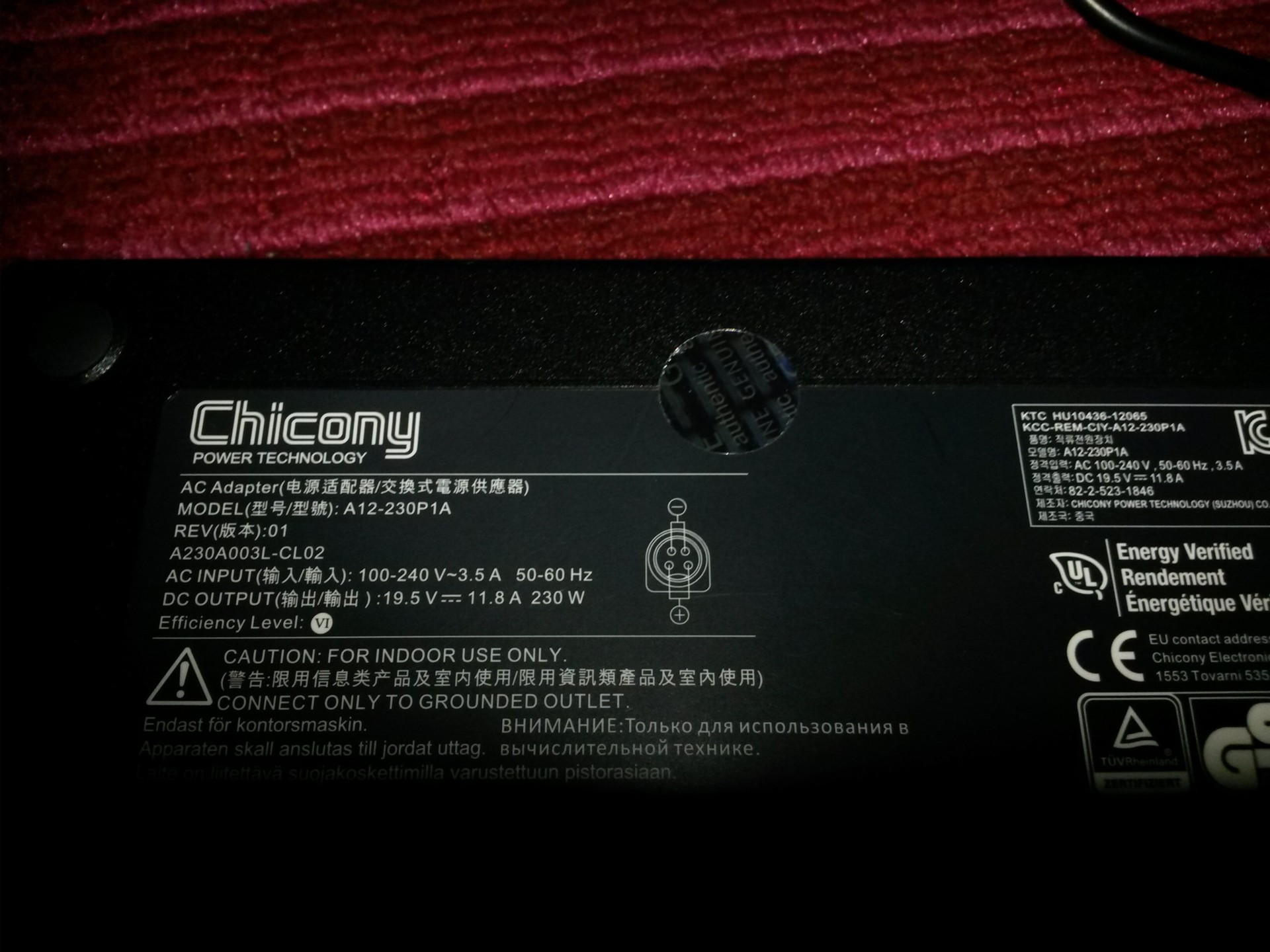
PSU 230W 19,5V - 11,8A
Have Somenman run i7 8xxx or i7- i9 9xxx run with a 230W PSU ? ? ?
MayBe that PSU is not the Right ?
Th@nks by Answers ! ! !Attached Files:
Last edited: Nov 15, 2019 -
-
Apologize for my stupid questions, but is there any software or method how I can put custom boot logo in dsanke/stock bios?
thx a lot! -
in PM give me the BIOS(es) and the picture that you want to put as a logo, and I will make it
-
Can you sign bios too? So you are able to flash it?
Enviado do meu SM-N950F através do Tapatalk -
Thx for your help! I will try to make custom boot picture for stock bios and also seems very interesting to open up some hidden menus. After I have made it, can I flash it or programmer is needed?
thx!!!! great community, I cannot wait to finish my 870km1 machine!
joluke likes this. -
Yep i flash it under windows desktop for bios logo and unlocking features. I never had to use the flasher for mb. Only for the gpu. Its a video down the link showing the result.
joluke likes this.
Official Coffee Lake Refresh Thread/BIOS for ALL Clevo Laptops - RTX CARDS NOW SUPPORTED
Discussion in 'Sager and Clevo' started by DaMafiaGamer, Oct 25, 2018.