Problems? See this thread at archive.org.
Sadly I will need to return this notebook. And since I bought it open box, it would cost me a more money to get a replacement as they have no more open box 1720's at my store. The display is going bad. Not only those faint horizontal lines, but the display was acting weird. It would dim and then snap back to the current brightness every second. And then there was some weird lines at the top of the screen. Only happened at 144hz, only happened when it was warmed up. But it was getting worse. Anyway, to all of you with a 1720, enjoy your laptop.
-
Ugh. That is unfortunate. If you are willing to take the bottom panel / keyboard off, you could try reseating the eDP LCD cable connector. It is located between the CPU / GPU heatsink. Also, does the quality of the display connection change at all if you switch between hybrid / dedicated mode in the bios?tobyg likes this.
-
I've taken it apart and repasted it. From what I saw, I highly doubt it's cable related. It works fine until it gets warm. I could crack it open again and check, but I've already boxed it up and don't know if I want to deal with taking it apart again. I get your point, and if it was doing it all the time I would try that... but because it happens after heating up, I think it's some bad component somewhere.
Along those lines though, does anyone know how to determine exactly what screens would fit in this notebook? It's nice enough, maybe I would buy another screen and replace it myself. Because it was open box, that'd still probably be cheaper than returning it and buying new.
Oh and to clarify, I'd actually like a different panel, not this same AUO409D which appears it might be a B173HAN04.0. I hate the horizontal lines I'm seeing on this, also read reports of some sort of inverse ghosting with this panel, and I'd like a whole different panel.Last edited: Aug 26, 2019 -
-
And yes, The Alienware m15 r1 was 55c on the keyboard deck after playing Witcher 3 for 45 minutes. It felt like the whole thing was going to melt down. It was hotter around the uiop keys than wasd where your hand is, bot occasionally i'd bring my other hand up to do something and wow, was that warm.
-
Manufacturer's warrantee should still apply.
-
Yeah I'm thinking of doing that. But I'd probably have to keep it beyond my return period otherwise they'd probably just suggest I return it.
I'm very amazed how cool this laptop runs and definitely want to keep it. This would be my first Clevo based system and while I think the Dell was better with build quality in some regards, their build quality when it comes to their heat sinks and evacuating heat from the chassis is very poor!
Edit: I was going to re-load windows and noticed even at the Windows setup screen after booting off USB, the screen was doing the weird thing it was doing. And it was completely cold, having sat in the box all night. Having nothing to lose, I did open and reseat the display cable and that might have worked. The problem has gone away so far. I would not have thought that would fix it, but it may have. I need to do a lot more testing of course, but this is promising. It hasn't fixed the faint horizontal lines but I have seen this before on displays by AOU, nothing I can do about them. I just have to decide if I can put up with them.Last edited: Aug 26, 2019 -
Yes, that'd be good, do so please.
What are your exact "everyday settings"? You said -0.130v cache... and the rest? Core UV, TPL, energy-powerplan with core parking, etc.etc. Do you use different TS profiles for that aswell?
Really interested in all of that too Maybe just do a major update edit/post on your seetings for the folks xD
Do you have answers for these questions?
On the max clock frequenzy on idle: i read somewhere on TS forums, that having the cores on frequency isnt bad because the cores can get parked in a high (c7) state so theyre basicly inactive and just showing the max frequency they've been on as the programs cant refresh the info about that without waking the processor. -
According to the service manual these displays were the original shipping options and may work even with GSync support:
- BOE NV173FHM-N44
- AU B173HAN04.0 (HW:0A)
- LG LP173WFG-SPB1
-
No, the horizontal lines are an artifact of this display. I've had 2 other machines with these displays like this, I'd have to find the threads, but I was not the only one to see things like this. In fact if you search for the old QHD 2560x1440 displays that shipped with the original Alienware 17 R3's you'd find what I'm talking about. This display is exhibiting very similar horizontal lines.
And the other problem I'm having is back. Just came home, booted it up cold, and it was doing the weird stuff with the display. Tried reseating the cable again, didn't help. So I'm not sure what this issue is. I took a video, will post it on youtube later. -
Yes the 120hz 1440p panels had an interlacing pattern which was a manufacturing quirk on all displays.
-
Can you actually show us a photo of that or is it hard to capture? Never seen this myself but would like to see how it looks to have a reference in the future, should I approach that problem myself.
I remember some guy on a forum told about this problem on an OLED display, so I thought its exclusive for that panel tec.Last edited: Aug 27, 2019 -
There are some photos of the QHD at the bottom of the first post here: http://forum.notebookreview.com/thr...ome-uhd-display-alienware-r4-tutorial.800153/
-
So, good news. I ended up getting it swapped out for a new one. This one doesn't have the horizontal line issue nor the other problem so far. So maybe both problems were related. Just a bad panel it appeared. Now I need to repaste this one and get back to playing.
4W4K3 likes this. -
Thanks! These pictures in that forum dont look too bad if its actually the display problem that was meant.
I found the forum post that I was thinking about; I thought it'd be something like this: see this picture
Nice!
Which thermal paste are you using?
I'm trying to figure out the best one for a repaste. -
I'm just using Noctua NT-H1. Seems to work great.
Again, when I got this one home initially thermals were not great. It was thermal throttling and temp core differences were about 15c (one core was at like 81, the other at 96).
After I repasted, temps went down and now the largest core difference is about 5c.
But, this one has a new problem. The subwoofer is making some awful crackling.
I don't want to return another notebook, I'm hoping I can go in and maybe can just swap the subwoofer from the one I just returned into this one.
On that note, does anyone know if you can just order spare parts for Clevo notebooks anywhere? That's definitely an advantage for Dell, not only are there a lot more parts available in the wild, you can sometimes just order new parts directly from Dell.
Edit: I went back and we swapped the sub with the one I returned yesterday. This one seems fine. Like I said, I like this notebook but I'm thinking maybe their QC isn't the best. Be prepared to possibly swap notebooks a time or two to make sure you get a good one. So far everything else seems ok. The screen has a very small amount of backlight bleed near the bottom left side, but I've definitely seen displays with worse. This shouldn't bother me too much, but it may bother others more.
Back to testing.Last edited: Aug 28, 2019 -
I got this with my 1520. No mods, just undervolting and raising the rear off the table.
https://www.3dmark.com/fs/20264453
-
Resellers can look to order parts.
-
Nice result. Can you elaborate which settings you used?
1. Undervolt - only CPU or also GPU undervolted with MSI Afterburner Curve Editor?
2. Which UV values for CPU core and cache?
3. How are your temps during the benchmark? Repasted with thermal paste or is this already excluded in "no mods"? -
Undervolt CPU and Cache -125mv and Undervolt GPU with MSI Afterburner Curve Editor for GPU, +200 memory overclock.
I have the the laptop propped up with this stand. No repaste, never got over 80C.
https://www.amazon.com/gp/product/B00VIZ60QY/ref=ppx_yo_dt_b_asin_title_o01_s00?ie=UTF8&psc=1 -
Haha nice, so you've basically successfully got the @B0B OfAllTrades starter kit
1. Have you tested if ThrottleStop shows PL1/PL2/EDP other/Thermal Throttling under Limit Reasons when doing such Benchmarks?
2. Could you test it with CineBenchR20 please? With that undervolt (-0.125 both CPU&Cache) I didn't have good results (in form of throttling at PL1 etc; -0.125v was not enough)
3. Also, did you change (increase) your PowerLimit Settings?
Planning on getting that X-Stand aswell! Does it increase the temps noticeable? I already couldn't hear much of a difference that Bob demonstrated in his video, lifting the laptop for increased air intake -
On another topic:
Since the PB71EF-G has the AUO409D / B173HAN04.0 display:
Has anybody found some good color calibration ICC profile?
I read and found that it leans towards a blue-ish color, which isn't too comfortable for the eyes, right? So would be cool to reduce that bluelight somehow.Last edited: Sep 3, 2019 -
Getting a nice bump in performance and thermals...
-
Hey guys... Anyone was able to scale back the FANs a bit ? Like make them power up and down slower ?
I always get ups and downs in spin times and I was wondering if anyone tackled this problem yet ?
Thanx -
Here is the one I have from bestcal
Attached Files:
-
-
NOTE: I added a second 16GB SODIMM that I bought off a member here. It is the exact same Goldkey part as what came with the machine. What can I say? I wanted dual channel memory. I changed the timings from 18 to 19.
1 & 2 on the X-Stand, automatic fans: Cinebench 20 score = 3059.
-
-
Did you have to up the timings for stability?
-
Thanks. Nice results.
I noticed your max CPU temps are quite different from each other (ranging from 70 to 80) and your current value temps range from 41 to 46. Wondering if that's a good/close range or not.
In reference to what @4W4K3 said in his post at the start, I'm wondering if this does mean that your thermal paste application is not perfect and a repaste could improve temps?
Seeing you increased your PL1 quite a bit to 75 and PL2 even further to 120 aswell as your TurboTimeLimit to 340 (standart was smth like 48?).
I'd like to know what this really does. In my testing I couldn't really find definite answers to that:
Increasing the PL values just seemed to allow more power draw but thus also resulting in higher temps. No idea what the TurboTimeLimit really changes though. -
I really don't think PL1 and PL2 did much. I was just playing with it.
-
From previous experience it was capped at around 10w extra on both for locked parts.
deadsmiley likes this. -
Hey guys, I haven't posted in awhile but is this anything to worry about?
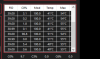
For some reason one of my cores (core 5) seems to be constantly hotter (by about 10 degrees) and utilizing more power compared to the rest of my cores...Attached Files:
-
-
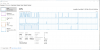
Depends what's running on it. Switch task manager to logical processors and look at what's using CPU.
-
What am I to make of this? It looks like CPU 8 is using a lot of power.
And for another unrelated question... is there a reason I can't open up my Clevo control center anymore? Should I just uninstall and then reinstall it?Attached Files:
Last edited: Oct 11, 2019 -
-
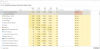
Go into processes and order by CPU usage.
-
Attached Files:
-
-
Disregard, a simple google search fixed my problem lol
-
For future reference, the C0% column basically tells you the CPU Usage percentage for that core. So at 96% utilization it becomes a utilization issue, not a heat/dissipation one
-
Yes looks windows related, glad its sorted
-
Hello,
I used this guide to tune my system (signature) and managed great temps and low noise when idle/light load (mid 40s-50s).
Thing is since my keyboard is per-key RGB and John's KeyboardLED doesn't yet support it, I still have Clevo Control Center installed for the backlighting. Here's the problem: I had Intel XTU uninstalled but then Control Center doesn't launch/crashes after 5secs with an XTU error if I need to change anything (fan speed or RGB etc). And after re-installing XTU my temps are back high (60s-70s) during idle. Is re-installing XTU messing with ThrottleStop settings? Is there anything I can do for Control Center?
Any help is appreciated! -
You shouldn’t mix ThrottleStop and XTU. Install XTU after TS is exit, disabled from startup task and then rebooted.4W4K3 likes this.
-
I'm currently on Clevo Control Center 3.0 V1.24 driver and ThrottleStop 8.70 just for reference. Ambient has shifted a lot in the last few weeks here but anywhere from 30-40C idle is what I shoot for and totally obtainable in this chassis. If you're seeing high-idle temps watch Task Manager closely and sort by Usage/Utilization.
More often than not, it's Windows Updates. If they're enabled. I'll see a 25-30% CPU usage and 10C jump in idle temps out of the blue and start FREAKING OUT, only to check TM and see Windows Updates is doing it's thing (for up to an hour sometimes) with no notification or flag to the user. Then again, I disable all the notifications and what not so maybe I've shot myself in the foot there.
I've had a few people reach out to me via PM with questions. Sorry to say I'm not as active as I may appear and if I haven't answered your inquiry it's likely because I am simply out of time and I apologize. Through trial and error, and Google and YouTube (and searching this forum) you can do almost anything and that's 100% been my approach here. Happy tuning! -
ThrottleStop is my main software and most of my tweaks are there. I only installed XTU since CCC would crash without it for some reason (IIRC this didn't happen before)
I've tried CCC 3.0 but it only works on Intel 8th-gen+RTX GPU or higher models. The 8th-gen and GTX 10 series that launched in 2018 have CCC 2.0. I've already done my tweaks and am happy with the results. As for idle usage, that is not the case as my Windows is updated and automatic updates are off and everything. The system IS idle without usage. -
How does CCC works if you disable XTU services afterwards? Autoruns.exe is a nice tool for disabling unwanted tasks/services.
-
XTU and Throttlestop can interfere with each other. XTU may have a profile that it is overlaying after TS has started, and thus losing undervolt settings, etc. You could uninstall XTU and then reinstall Control Center so it can install whatever component it needs.
-
I'll try this and get back to you but I think it'll likely cause CCC to crash.
XTU messing with ThrottleStop settings is whats most likely happening . I've tried completely uninstalling both CCC and XTU, running CCleaner cleaning (both files and registry) then installing CCC again. Refuses to start while giving XTU error (XTU service not running: unhandled exception).
This is what happens when XTU service is not running. After logon when CCC autostarts with system I get this error. Also, cannot set a custom fan curve. There's only Auto (which is pretty loud for idle) and Max fans
![[IMG]](images/storyImages/rb9blDY.png)
-
Start up the laptop as usual. Then stop the XTU services while the machine is up running and disable it in Services. Test it out.
XTU and CCC have been a mess long time. You find similar posts like this one in the Sager/Clevo Reviews & Owners' Lounges. After clean Win 10 install find the tweak how to disable XTU services in CCC software.
Check out this posts.
http://forum.notebookreview.com/thr...o-pb70ef-g-tuning.829255/page-6#post-10924170Last edited: Oct 16, 2019 -
Hey Awake, nice to hear from you again
Do you have any idea what caused the increase in idle temperatures? (it sounds like you mean that he idle increase is not related to the thing with higher usage from windows updates)
I know it seems your rather busy, as you just said.
But could you make some kind of status update/report of the general state of your machine, tuning etc.? That would be very interesting to see as you did a "start"-report aswell in the beginning.
Do you use different kind of energy-performance plans and throttlestop profiles for different uses now?
(Like quiet/browsing mode, gaming mode) Would be awesome if you would share these profiles/settings
-
FYI: I use Obsidian-PC's Control Station as a CCC replacement, and it has a simple checkbox for disabling XTU Services.
-
Well since I'll take louder fan noise over high temps any day I don't really mind CCC crashing without XTU running. Only thing I used in CCC was the fan curve to make it quieter and the keyboard RGB.
I will gladly switch over to Control Station but unfortunately I need CCC for my per-key RGB keyboard since KeyboardLED doesn't support it yet.
PowerSpec 1720/*Clevo PB70EF-G* tuning!
Discussion in 'Sager and Clevo' started by 4W4K3, Jun 12, 2019.