Problems? See this thread at archive.org.
i have input lag in every game i play my computer is fast at boot up and my games work fine its just the input lag and i already installed the windows 10 version of the chipset driver still nothing its really frustrating especially for games like rocket league and call of duty pls help me I'd appreciate anything you guys can give me spec:Intel i7 400mq
gtx 780m
16gb of ram
windows 10 pro
also i can you guys give me a driver close to this similar model but recently updated that would work with this particular model this model hasn't been updated since 2015
-
-
http://www.clevo.com/en/e-services/download/ftpOut.asp?Lmodel=P15xSM-A/P17xSM-A<ype=8&submit=+GO+
download either:
Realtek RTL8723xE combo card BT driver (1.3.810.3) for Windows 8.1 64-bit version.
or
Intel combo card (except 7260/3160) BT driver (17.0.1312.404) for Windows 8.1 64-bit version.
depending on what you have in your notebook.
Tell us how it went. -
but my laptop doesn't come with bluetooth
but my laptop doesn't come with bluetooth -
I might be wrong here,
but I'm pretty sure all P157sm have either intel or Realtek bluetooth combocards. I don't think there's an option where you only get Wlan and not bluetooth on your card. At least I've yet to see a P157SM without the combocard.
Could you go to your decide manager and check if you have a bluetooth tab?
(press windows button + x, device manager) -
not this one trust me also my motherboard bios says sager p15sm but not p157sm
Attached Files:
-
-
It's normal, that the bios says p15sm. Anything else would be weird.
When do these input lags happen? The moment you start your game or does it take a little until the input lags start? -
it starts when i start the game fps is as smooth as butter just my input lag i feel like i moving a bus
-
When running the game, did you run MSI afterburner and check temperatures and usage under games?
I suspect that you might have a CPU throttling problem here, since most input lags issues are caused by the CPU. -
so what does that mean that my pc cpu is bad? can't be!
-
Not necessarily, first check your temps, clocks and so on while playing with MSI afterburner. No need to be worried about things that might not even be the issue. CPU's rarely break to begin with, so the solution might be easier than you think.
-
this is what it showed
Attached Files:
-
-
Follow this turorial. Once you've done it you can make a screenshot while you play the game.
Make sure you can see the usage, clockspeed, voltage and temperature of your GPU, CPU and RAM usage, just to be safe. -
It's also worth looking at the graph later

-
If I do this then what I don't think it'll change anything or fix my input lag plus I heard putting my CPU on max performance fixes the throttling but in my case it didn't.
-
If I do this then what I don't think it'll change anything or fix my input lag plus I heard putting my CPU on max performance fixes the throttling but in my case it didn't.
A -
You need to do it so we can see where the issue lies. We are not sure if it's caused by throttling just yet. If you won't do it, then I'm afraid noone can help you.
-
I'll do it when I get home, also how do I record myself doing it
-
No need to record, 1 or 2 screenshots will suffice. If you want to make screenshots via prt scr, use fraps or MSI afterburner itself is all up to you.
The values you will hopefully show us will show us your speed, voltage, temperatures and so on, from that we can see if something throttles and if where it's coming from. -
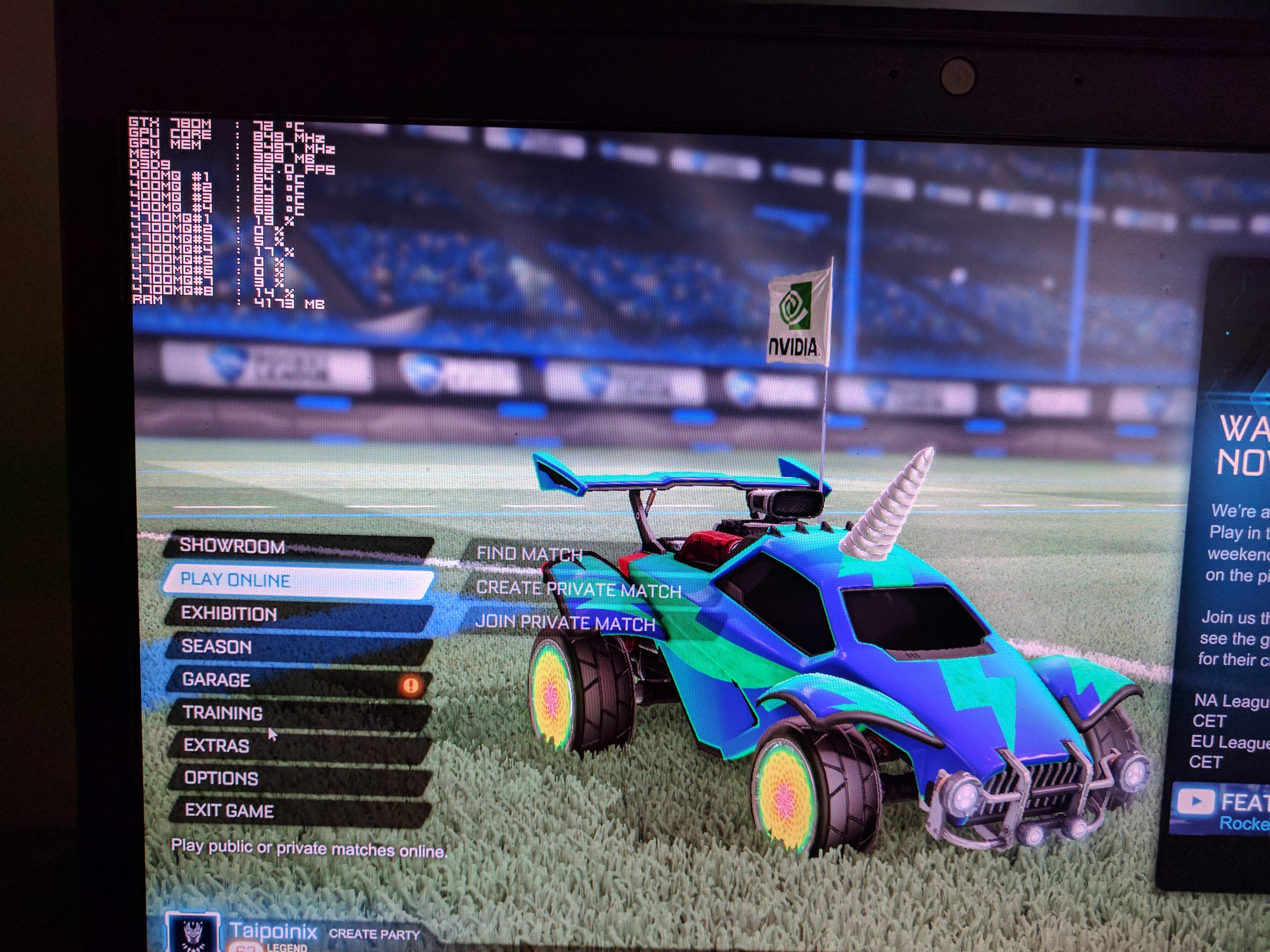
i did it i hope u can see it because my screenshot sis not work but i did use my phone here it is
Attached Files:
-
-
Can you make MSI afterburner show the CPU clock?
-
it doesn't show the option there i just followed what he said in the video look at the video yourself
-
Well it does seem weird that you CPU only uses 19 and 14%. It should be higher. When you play the game, is it also that low?
-
yes i don't know why
-
so can you help me
-
So i need to get clear on this. You did a fresh install of windows 10 and installed ALL drivers,that's when this started to have input lags, is this so far correct?
-
yes like 4 times already
-
Could you download 3Dmark11 and do a benchmark on that PC, then once u got results post the link?
The reason I want you to do the benchmark is to see if you get normal score, if you don't we can see in which tests your score is lower than it is and work from there. -
Ok I'll do it as soon as I get back from work
-
Attached Files:
-
-
DONE!!!
-
Alright looking at your benchmark the CPU does have issues and your graphicscard doesn't seem to run at full speed either. Your graphicard doesn't run much slower but your CPU actually is 1000 points lower than the average.
I think this might be because your power supply. Do you have an other 180Watt power supply you could try out? Maybe a friend or so that has one around? -
180watt power supply, u mean like a charger?
-
Yes, the charger is the power supply.
What have your temps been looking like? And what is your BIOS + EC firmware version? -
tbh i don't think anything is wrong with my charger its always plugged in and my temps are around 65 or 71 Celsius when gaming
Attached Files:
-
-
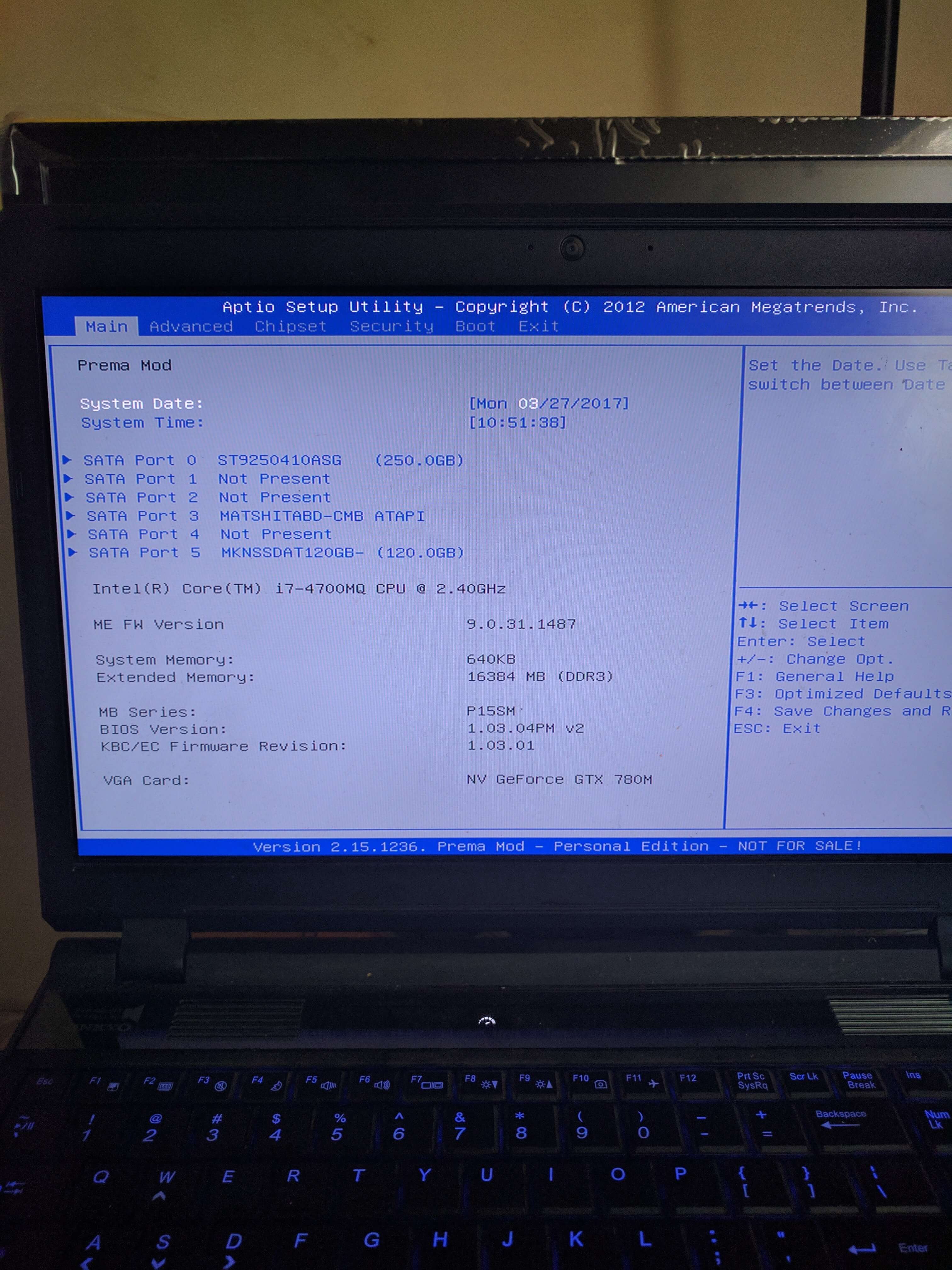
Thanks, but that's not your BIOS and EC firmware versions. Can you boot into the BIOS setup utility to check (restart, then hold F2)? They're listed on the "Main" tab; first page when you access the BIOS setup.
-
i apologize for the delay i didn't know you replied but here it is
Attached Files:
-
-
No worries.
I'm not sure if it's directly related, but your BIOS & EC are outdated. You need 1.05.01 for Windows 10. This might fix the issue. -
how do i get it
-
Try your reseller.

-
sager?
-
If that's who you purchased from... yes.
-
this is what they gave me, also can i ask if i could use the bios from sager p157sm-A on my p157SM
-
There should be a 1.05.01 update for the SM model too. Contact them, ask if they have it available and can send it to you. Good luck!
-
nope i doubt it last time i checked this was as far as they have updated it for this particular model
-
It is available for the SM generation, whether they have it or not. You'll have to see if you can get it from somewhere else, maybe someone here on the forum can help if Sager does not have it or cannot send it to you.
-
i wish i could but i don't know anyone here
-
You're wrong, the newest BIOS version for the P157sm (not a) is 1.03. I know since I got the some notebook.
You should have researched before adding prema VBIOS on your notebook. The issue here is probably your power supply, prema VBIOS lets the board give more juice go to the graphicscard and the CPU. With the stock BIOS you have limited Wattage on every component, while the prema vBios you installed removes those barriers. It allows components to draw more performance so that the hardware runs better. The issue with this is, you will take more than 180Watts which your power supply cannot provide.
Here is the same effect on an alienware with unlocked stuff:
Since you don't have anything higher than GTX 780M i'd suggest reverting back to stock VBIOS. You don't need Prema vBIOS unless you plan on overclocking and upgrading your hwardware. -
But that's the funny part, it's been happening even before I installed premamod as a matter of fact, I got it just to hope it'll fix it but haha no luck and I got premamod just yesterday too.
-
Did you try another Power supply?
Also as i said, Prema mod can cause trouble in case you want to overclock and such. Just a heads up from me, I got prema mod on mine as well with a 230W Power supply. -
Does the charger have to be clevo or I can use an Asus charger on it
Sager p157sm input lag
Discussion in 'Sager and Clevo' started by Taiwo Akinde, Mar 19, 2017.

-preview.png)
-preview.png)

-preview.png)
-preview.png)
-preview.png)
-preview.png)

-preview.png)