 Problems? See this thread at archive.org.
Dota 2, 4K, everything maxed out, ~70C, hard limited to 75 fps, no drops, G-sncy active.
-
Dammit! I have the chance to buy an E5-2690 v2 unlocked version (ES). So tempting! In addition with a pair of RX 480's it would be the last major upgrade for the P570WM. I still don't know which bank to rob!

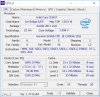
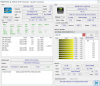
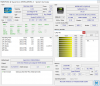
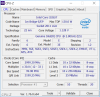
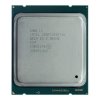
Edit: Though 1,5v on x37 is somewhat frightening!
Last edited: Sep 29, 2016 -
-
also consider that that is a 32% oc on a ten core cpu, nothing to sniff at
Sent from my Huawei Mate 8 NXT-AL10 -
So, the cpu-z shows 1.096V at 3.7ghz. The hwinfo shows 1.186V @ 3.7GHz...
Sent from my SM-G900P using TapatalkGeorgel likes this. -
-
Is there any way to tell how many watts of power the GPU is actually consuming?
-
As I have said several times now. USE Hwinfo Have everything you need!!
-
Oh, found it. Seems I had an older version and was not running it properly
Thanks!
Question about 1080 : Why is memory clock for the GPU reported as 1250 MHz or 1500 MHz instead of 5000 MHz ? Is this normal? -
Is it safe to remove bios battery ?
-
It is actually 10000MHz. Just multiply by 8...
Edit: yes on the bios battery, but ask settings in the bios go to default if you remove all power (ac/battery/cmos battery). That might help with your fan profile issue...
Sent from my SM-G900P using Tapatalk -
Thanks !
Opened it up, can't remove the cmos XD
I'll try the dirty way XD
Nuke and reinstallPapusan likes this. -
Didn't you already nuke and reinstall? I'd always recommend do this in between reinstalling... It clears anything nasty sticking around. If your fingers are like mine, you would break the clips holding it. Take a pen or small screwdriver, push it toward the side with the spring, then lever it out with the screwdriver or pen tip..
Sent from my SM-G900P using Tapatalk -
https://linustechtips.com/main/topic/198568-the-video-ram-information-guide/
I've been lazy and I didn't add GDDR5X to the list yet, but as said it's an 8x multi instead of a 4x one.
Yes, it just resets everything. I wouldn't use the machine without the battery, though. -
Is it better to install Nidia GPu driver without all the stuff it comes with ?
Also, is it possible to run without Cleo center ? Will it auto install from internets ? -
I usually install only the driver, audio, and physx. The rest isn't really needed.
You do not need Clevo center for it, not the Nvidia center in it. If you have Windows 10, it may install the base driver. Otherwise download and install from geforce.com. If you follow instructions and have an account at techinferno, you can pick up the files needed to mod the driver and install a modded geforce driver...
Sent from my SM-G900P using Tapatalk -
Didn't know that there is a modded driver version over at techinferno.
What are the differences?
BTW, noked and reinstalled now, the fan spins up more when the laptop has internets. Something going on in the background and I can't see what
ajc9988 likes this. -
Come to think of it, I'm not sure the modded driver applies to the 10 series. It basically is applying the desktop driver and removing the extra crap no one needs.
As to it spinning up, can't say... Not sure...
Sent from my SM-G900P using TapatalkGeorgel likes this. -
That's about all you can try, re-paste and try to align the heatplate to provide even pressure across the whole CPU - but in all the cases I have seen where one or more CPU cores are hotter than the rest by 8+ C, it's been a bad CPU that needs replacing by Intel - it's an internal failure of some kind.
-
*If I read this ↓↓↓ translation correctly*. It looks like i7-7700K will have full turbo 4.5 GHz ON ALL 4 CORES. Not only for one core like the previous i7 models. Is there anyone here who knows if this is true?
Translated this also into Norwegian... The result was exactly as I describe. I can also read and write Swedish language just like English. Outside my first language who is Norwegian.
<Enligt en rapport från Ocaholic ska Core i7-7700K ha en basfrekvens på hela 4,2 GHz och en maximal turbofrekvens på ännu mer imponerande 4,5 GHz, detta över fyra kärnor med stöd för flertrådstekniken Hyperthreading.>
*According to a report from Ocaholic Core i7-7700K will have a base frequency of the entire 4.2 GHz and a maximum turbo frequency of even more impressive 4.5 GHz, this over four cores with support for multi-threading technology Hyper-Threading.*
http://www.sweclockers.com/nyhet/22...700k-gar-i-upp-till-45-ghz-utan-overklockningLast edited: Sep 30, 2016 -
5.1 Ghz should be within reach with a good chips. Time will tell whether this will be a flop or top. Regardless... A great change *if* Intel now begin with maximum Turbo Boost on all 4 cores and not just one
Georgel likes this.
-
I dont think intel is leaving that much headroom nowadays.
-
This is my fear! 500MHz is good, 700MHz on air could be benchable, but might not be an everyday clock (4.7GHz on skylake being 500MHz over the 4 core boost). Time will tell...
Sent from my SM-G900P using TapatalkGeorgel likes this. -
4 core = 4.0GHz with Skylake ([email protected] GHz is more like 700 Mhz OC on all 4) Then we are at 5.2 GHz
See previous post
<Enligt en rapport från Ocaholic ska Core i7-7700K ha en basfrekvens på hela 4,2 GHz och en maximal turbofrekvens på ännu mer imponerande 4,5 GHz, detta över fyra kärnor med stöd för flertrådstekniken Hyperthreading.>
*According to a report from Ocaholic Core i7-7700K will have a base frequency of the entire 4.2 GHz and a maximum turbo frequency of even more impressive 4.5 GHz, this over four cores with support for multi-threading technology Hyper-Threading.* -
Only time will tell...
Well. As long as it's not sandy bridge head room then that is fine.
And there is actually headroom...Just not for the standard user is all. -
My bad, I thought it had 4.2 all core. I'll slink back to my hole now...


Then, it depends how well it does on heat and how much room Intel left...
Sent from my SM-G900P using Tapatalk -
The max listed turbo is always for single core speeds with intel CPUs.
-
The majority know this Meaker But I just referred to what was printed in the article to
http://www.sweclockers.com/nyhet/22...700k-gar-i-upp-till-45-ghz-utan-overklockning
It could be a typo. But still interesting to know if this was fact and not typo. Have you got it confirmed - Only on 1 core?
Last edited: Sep 30, 2016 -
That I knew, I just haven't played with a 6700K and forgot it had a lower all core multiplier than the 4790K...
Sent from my SM-G900P using TapatalkGeorgel likes this. -
There is definitely a bottle neck because of the available TB3 bandwidth. But hey, from 12k base score to 18k. Not bad.
Also the 1080 would not work with the @j95 driver, no matter what. I haven't tried installing the driver after connecting the 1080 though.
Initial Test :
http://www.3dmark.com/3dm/15174199
http://www.3dmark.com/3dm/15174966
![[IMG]](images/storyImages/U8PrfT3.png)
![[IMG]](images/storyImages/cd88dbd76327351788610caf616995aa.jpg)
But once you connect using the eGPU, you can freely switch using the NVIDIA dialogue.
![[IMG]](images/storyImages/TdCtAfp.png)
Last edited: Oct 1, 2016 -
-
-
-
edit: this isn't me / linked from @BloodBrother's GhettoPortfolio http://imgur.com/a/iYBKZ ... I noted 1080 Strix isn't running an optimal power supply / connecting scheme. King John says that fine for Ghetto testing, agreed
![[IMG]](images/storyImages/othH2jM.jpg)
@|Blood if that's an EVGA 600B, do your 1080 full justice by disconnecting the parasitic 6pin, insert the unused 2nd PCI-e cable that languishes in the background
edits:![[IMG]](images/storyImages/tb3-hdk.jpg)
eGPU wishes for 6pin vid-cable & x3 12v wires; below, all it gets is x1 12v Molex wire
![[IMG]](images/storyImages/rlVAKy4.jpg)
Molex 4pin? Tap the 1st head: the path of least resistance
kapish?
Dang that card's a beauty
Again, I thought 600B was better equipped, I rushed my post, but the guys here needed to see some pics of that thexy thanguh huh, I know it's a temp *wink*; suffice it to say, 860i with x9 12v wires at the ready (as part of x3 discrete video cables) is optimal over the Ghetto Setup which only provides x4 12v wires; we'd like 860i's x9 available 12v wires to offer over double the power-on-tap & at over half the resistance of 600B's x4 12v wires
speaking of: u got some hairy toes their friend ...![[IMG]](images/storyImages/MdWFNxc.jpg) Last edited: Oct 1, 2016
Last edited: Oct 1, 2016 -
Oh all of this is a temp setup. I still need to unpack my AX860i.
But the molex to 6 Pin is going to the TB3 board, so it doesn't really matter. It doesn't leech as much power. But i feel ya on the leeching 6 pin on the same cable as the 6+2.
Also the PSU only has a single PCIe power cable. This thing was like 40 bucks or something at Frys lol.
The card definitely is sexy as hell. Was well worth the wait. It can easily do 2012 Mhz without crossing 65C.Last edited: Oct 1, 2016 -
It's not the power supply.... a 49 amp rail is fine for a sinlge 1080. And a single cable off that 49 Amp rail is fine.
http://www.newegg.com/Product/Produ...AcHCsiHYu8zz61abcEJQ4aAiHR8P8HAQ&gclsrc=aw.ds
Provided that's an EVGA 600B -
Da it is.
-
Not really a problem, per se. More of a limitation.
And i dont buy the whole compatibility thing. Even the Razer Core uses standard Intel Drivers and the Intel Thunderbolt firmware. This setup was as easy as plugging in an installing the latest Nvidia drivers. Even the Nvidia tool allows for switching between the GPU's. Razer has just skinned it.
The DM1 has only 1 x TB3 port.
Though the presence of a second port might help with the drop a bit, but it wont account for all of it. There just arent enough lanes.
The card barely crosses 200W @ 2012 Mhz. And the overclock doesn't yield any performance gains.Last edited: Oct 1, 2016 -
What is your take on the bandwidth?
Do we really have 20 gbps or is that some hype and we only have 10 shared?
Edit
Do not over clock. Run a stock run so we can compare.
Also. In the video he explains the use of two ports gives almost no performance loss or that not really true?Last edited: Oct 1, 2016 -
Im not sure how to test the throughput exactly. But it should be around the 32Gbps mark.
The AGA on the other hand is able to almost max out the 1080. With only a 3-5% performance hit. All because it doesn't have to go through a separate controller. I have seen graphics scores of 24000 ish on the AGA using an OC'd 1080.
The first run that i posted , IS stock (1936 Mhz). This is an overclocked run - http://www.3dmark.com/fs/10333905 -
LOL. Not sure how you would get 32 if the port max is only 10. Do you know something we don't know????? Explain yourself sir! LOL. J/KCass-Olé likes this.
-
uhh, Thunderbolt 2 maxes out at 20. Thunderbolt 3 is 40.
http://www.intel.com/content/www/us/en/io/thunderbolt/thunderbolt-overview-brief.htmlJohnksss likes this. -
Ah, I see. And there goes the confusion. Our laptops do not have 40 or 30 or 20, but only 10. Remember I was putting up a fuss about that? And if you plug any thing into any of the other two ports the bandwidth gets split between the ports.
We have a fake wanna be Thunderbolt 3 port my friend.
User Error on my part!Last edited: Oct 1, 2016
Clevo Overclocker's Lounge
Discussion in 'Sager/Clevo Reviews & Owners' Lounges' started by Spartan@HIDevolution, Mar 4, 2016.


![[IMG]](images/storyImages/mPZ2Cv1.png)


![[IMG]](images/storyImages/f3d7e5e68c1aec272540c3ca329c7057.png)

