 Problems? See this thread at archive.org.
Nice one INTEL http://www.pcgamer.com/intels-tells-core-i7-7700k-owners-to-stop-overclocking-to-avoid-high-temps/
"We do not recommend running outside the processor specifications, such as by exceeding processor frequency or voltage specifications, or removing of the integrated heat spreader (sometimes called 'de-lidding'). These actions will void the processor warranty"
"To Intel's credit, some users experiencing the issue have admitted to de-lidding their processors."
-
-
This is surely going to set some of us off now.
I don't understand how can Intel do this, the K series was theoretically build to be overclocked, like... They didn't actually test those at all, they just slapped them to sales without making sure if they work alright? -
I wish AMD would have a big success on their Ryzen CPU's and also hoping we can see it on Clevo laptop!
-
Why are you surprised? It's been Intels policy for decades now. They have never recommended overclocking and your warranty is void the moment you do, even on K series chips iirc. They will, however, sell you an overclocking warranty plan to cover 1 processor replacement if you destroy yours...go figure lol.
-
-
Are you quoting the wrong person?
Intels policy has always been they do not recommend or support or warranty overclocking (well outside of their additional protection plan). This has been true for decades now and even with the K series processors. Just because they allow you to do it doesn't mean they recommend it or support it. There's a difference there. Just go read through any of their policies if you don't believe me lol.
Do I think it's stupid that they will sell you a product that was intended for overclocking but yet not support it? Yes I do, but that's their policy and has always been their policy. So once again I'm not sure why anyone is surprised when they came out and said that unless you've been deluding yourself for the past decade pretending that intel supports you. They don't and they ever have.
Once again I do not support that and I think it's stupid as **** but I don't work at intel so I cant change it.Last edited: May 6, 2017Georgel likes this. -
But it is still painful to see that this happens.
I mean, how are they going to even market the new K series if not overclockable chips? That was their purpose, their reason to exist! -
Oh I agree it's stupid as **** but basically you're paying for the privilege of intel not locking it down and a slightly better binned chip.
That's really it lol. If you want them to support your overclocking then intel "graciously" offers you a protection plan to cover one processor replacement. I mean it's cheap but still ridiculous that you have to pay extra to get them to support it.Georgel likes this. -
Yeah my bad. That was for another post from yesterday.
-
I think a lot of people are reading waaaay too much into this... I see Intel as basically telling people who overclock and then complain about high temps to 'stfu n00b'Johnksss likes this.
-
Pretty much.
Also a lot people make mistakes while de lidding their processors and then sealing it back, that adds an extra element of possible unevenness. Intels glue is applied/stamped on using machines, same this is very difficult to do using hands and there can possible be evenness issues, causing uneven temperatures.Johnksss likes this. -
I think it's more that there are erratic spikes even on a delid water cooled chip but so long as it does not throttle and it's a short rise then it should not be an issue.
-
Technically speaking, spikes cause all sorts of worry i'm afraid.....
-
It depends on what is going on for real inside the chip. Are the sensors picking up localised temperature spikes or just sampling a hot part of the real temperature curve (which changes micro second to micro second)
-
Turn off your sensors and tell me if it makes a difference.Papusan likes this.
-
The real problem and potential danger with Intel making retarded statements like that is another retard, like perhaps an engineer at Clevo, will read into that and think that means they need to disable overclocking, and here we go with more stupid nonsense with cancer firmware. They (Clevo) are finally loosening their collar just a hair and not as anal as they always have been, and then some moron pops off with this kind of foolishness.Ashtrix, cj_miranda23, bennyg and 3 others like this.
-
Maybe Intel should start with solder instead of paste?
 What is Overclocking? Explained by Intel

Last edited: May 6, 2017Ashtrix, TBoneSan, bloodhawk and 1 other person like this. -
Yeah, I was scratching my head when this has been on their site for a while. Not to mention what intel told us personally.TBoneSan, Papusan, Mr. Fox and 1 other person like this.
-
http://www.3dmark.com/fs/12558820
![[IMG]](images/storyImages/Addv9X1.jpg)
http://www.3dmark.com/spy/1710724
![[IMG]](images/storyImages/0EluVNq.jpg)
![[IMG]](images/storyImages/VQaIqxt.jpg)
@Johnksss@iBUYPOWER The voltage control isnt doing anything you stated earlier. But its nice to see how good the master GPU is , its pretty much stabilizing 2000Mhz @ .9XX volts. Only wish we could push it further.
I haven't been able to flash my mod to the master though to see if the power draw changes, it has that darned MXIC chip that wont let me inline flash.Last edited: May 6, 2017Mr. Fox, TBoneSan, Johnksss and 1 other person like this. -
So take the chip off, flash it and put it back?
-
LOL not yet.
Main reason being i haven't been able to find backup MXIC chips. As a just in case backup. -
Yeap Digikey/Mouser/Arrow.
None of them have it in ready stock, or at least in a 5-10 chip quantity, if not 10-20.
I got the backups for both my 1080Ti and the ****ty Slave from mouser, for less than 5 bucks for 10 chips.Johnksss likes this. -
You won't win on purchasing all the time. The most important part is having it....
Papusan likes this. -
True, but -
![[IMG]](images/storyImages/1ff48eba3e7d567d31854084b4f82695.png)
and
![[IMG]](images/storyImages/add1ec1218109a0c7c729b759aeb3a87.png)
-
@bloodhawk, that is what my MSI GPU has on it and I was able to in-line flash it. I removed the GPU from the MXM slot for flashing. If you have not, maybe that is why I could? Not sure why otherwise. Just wondering if having it connected to something on the GPU edge connector could be blocking the flash?
-
@bloodhawk As @Mr. Fox said...Are you flashing with the gpu in the machine or out?
And when you pull it up with the programmer, does it say it's a mxic chip? I know you thought mine was at first since it looked identical to yours. -
Yeah others with the MSI 1070 and that chip are able to inline flash it as well. For some reason, there are some capacitors or grounding pads around this IC or its something else. Ill take a close look tomorrow.
I always flash with the card out of the MXM slot.
Out of the slot, aint that lazy man
But yeah, reading works just fine and the Chips ID is detected properly as well. Flashing fails. -
Ok, gotcha.
Are you able to flash the bios inline? -
OK. Hope you can figure it out.
Here's what my TL866-A chip selection was for in-line flashing. Don't know that it will be useful, but in case it is...
![[IMG]](images/storyImages/43eK8CA.jpg)
I've not tried that before. Have you been able to do that on the DM3?Johnksss likes this. -
Wait... do you have the box checked to verify the write? If so, uncheck that. It fails all the time for me, even on BIOS programming. As long as the write completes, don't verify and you should be OK. Maybe that is throwing you off? Or, does it not even write anything? If I check the box to verify I always get "programming failed" and if I do not check it I get "programming successful" message.
-
I haven't tried the system BIOS yet on the DM3. On the DM1 i can do it in line.
Interesting, the chip on the MSI card seems to be very slightly different, this is the one on the Clevo - MX25U8033E
I ll try converting my TL-866CS to the TL-866CS-A and see if that helps. I know for sure that the SP-16 can flash the same chip inline , on the MSI 1070.
Yeah it completes just fine if i turn off the Verification, but if i read the chip again and compare it to the original dump, it matches 100%. So basically its not even writing to it. Or erasing it all.
From what i have observed over multiple devices and chips, the Winbond chips dont have as many issues with inline flashes. Sometimes the Ground pin needs to be blocked.
Good to know it works on the DM3, do you know which chip is being used on these for the system BIOS?
Yeah could be, but also there is a bunch of varying checksum data that Flacon or something is adding to every BIOS, as a means of verification or tamper proofing. Which accounts for that difference as well , but im not sure. because i have seen this discrepancy even among G-Sync Cards.Last edited: May 7, 2017Mr. Fox likes this. -
Nice to know. Might need to some day, and since it's so hard to get to there is no point in wasting a socket being soldered there. I'd kind of like to move it to the other side of the motherboard and put a socket on a small PCB.
Yes, I suppose that G-SYNC could make that different. As well as my GPU in the MSI being different that the Clevo machines.Last edited: May 7, 2017 -
Weird thing is that its different for both my GPU's and by quite a lot. But both have GSync working when individually used in the system with the other card removed.
-
I'm using my skypro programmer, not my TL-866A. That programmer will not flash allot of chips inline from my understanding.
Also. On some chips you have to power on the board for inline programming....
They are from different batches....bloodhawk likes this. -
Good chance that might be the case. That is one of the reason i want have backup chips ready just case i end up frying the one on there.
Also, im not sure why the batch differences would make the BIOS's for the same card for the same system so different.Last edited: May 7, 2017Johnksss likes this. -
Remember. You are using a hexeditor and not the actual program that programmed the vbios in the first place. What looks so different to us may be something very simple like removing voltage from the curve or changing the fan table or code for multiple resellers.(All examples and not necessarily facts)bloodhawk likes this.
-
Yeah very much so might be the case yet again. I so freaking wish i had access to tools like you ( speculation of course) and
@Prema.
To add to that there are all the certificate bits that are always changing.
But yeah the Slaves BIOS works so much better on the Master GPU. -
You can have access.....7k yearly subscription per module... You need like 5 modules.
bloodhawk likes this.
-
-
Yeah, I basically said the same thing.
So for 35 grand you still don't own it.Papusan, Ionising_Radiation and bloodhawk like this. -
@Mr.Fox
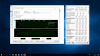
I found that the modified heatsink has lowered temperatures on the CPU after undergoing a series of tests.
I even set a higher clock. Prior to having the modified heatsink I was barely able to run @ 4.7GHz I would never be able to achieve 4.8GHz and still keep under 90c.
I'm working with a binned Kaby Lake i7-7700K CPU and setup all cores to run @ 4.8GHz I'm also currently running more tests on 4.9GHz on all cores.
I attached some screenshots of the temps during my gaming session and when running AIDA64 Extreme for a few minutes.Attached Files:
-
-
Sweet! Is the 7700k de-lidded?
-
Yes, it's definitely the only way to go.
Sent from my iPhone using Tapatalk -
Definitely. One more thing, that you guys might need to look into would be taking out the C-Clips, but that would definitely need a flat bracket. I was talking about this with Zoltan 2 weeks back.
-
I've actually tried taking the C-Clips off with the stock CPU heatsink installed with and without the copper shim but found no real improvement in temperatures. Though I haven't tested it without the C-Clip with this modified heatsink. I will be testing that really soon.
Sent from my iPhone using Tapatalk
Clevo Overclocker's Lounge
Discussion in 'Sager/Clevo Reviews & Owners' Lounges' started by Spartan@HIDevolution, Mar 4, 2016.


![[IMG]](images/storyImages/b23f6884e359dd24c5842f23200346bb_sirfizzwhizzwut-lol-this-jesus-christ-kid-meme_306-306.jpeg)

-preview.png)