Problems? See this thread at archive.org.
I think the only reason NVIDIA would require some accountability on the Max-Q garbage is to save face. With AMD making ripples in the pond for the first time in about 5 years, they can't afford many missteps. I don't believe for a minute that they actually care about the end user experience. Max-Q feces puts greater distances between notebook and desktop GPU performance and I believe that has something to do with it. For the first time in history, we're dangerously close now with 1080N vs 1080 (with little more than a gap created by firmware gimping) and that's probably put a tit in the wringer for them with some of their desktop fanboys that expect a wider gap and clearer lines of demarcation.
-
-
I am actually interested in threadripper. I'll probably be doing my build in Q1 of 2018 so will see what happens then.
Sent from my iPhone using Tapatalk -
Lol why you no tell me this earlier xD
Acquisition underway.Scerate, Prema, Papusan and 1 other person like this. -
For the record. The 1080N will push 310+ watts.
 Scerate, Prema, Papusan and 1 other person like this.
 -
Damn how'd you manage that :O
Tops i have had on mine was 285W during Superposition 4k.Scerate likes this. -
That part does not really matter. Just saying it's valid that it will do at least that much. One does not need that much for benching though.Scerate, Papusan, Mr. Fox and 1 other person like this.
-
Here some more stock HTC U11 love (The Unlimited bench was on top of an ICE-pack
)
![[IMG]](images/storyImages/ldri88K.jpg)
![[IMG]](images/storyImages/dY4Myln.jpg)
![[IMG]](images/storyImages/8paZXSI.jpg)
If you remove temp throttle and let it heat up a notch the 150W model already pulls 225W+ on stock clocks (below Clevo clocks) and voltage...dangerous stuff. @Mr. Fox last run wasn't 250W, that's just HWInfo64 not being able to re-calculate a variable value and is assuming the boot value of 250W to remain 100%. (Actual value on that older alpha was 300W IIRC). We have to be really careful this time!Last edited: Jul 9, 2017 -
I never seen so much crap in my life!
3 months I have had it installed. That "Intel Extreme Tuning Utility" has altered my laptops behaviour. My CPU now drops to 800mhz on the windows "performance profile" and with Clevo "performance settings". Also IETU even altered my CPU power three times, without me even me running the program. I have now uninstalled. My temps are back low and I don't get any wild temp spikes, but I am still getting 797.5mhz drops on some cores every while. I have tried that throttle stop program to. How can I disable Intel Granny-step technology please? -
Did it!!!
My default boost clock is 1873MHz before any temp throttling, and the lowest stable voltage for that is 0.925V.
So I raised the core clock and locked it back down to 1873 MHz:
Re-did the 10 runs with 72F environment temp, max fan on, and waited the core temp idled to <35C for each run:
From the above result, we can see there is no performance gain after 150W. And the 3 turning-points matched NV's design for 1070 very well in terms of power efficiency. 90W for 1070 Max-Q,115W for mobile 1070, and 150W for desktop 1070. -
Yes, and in addition to that, the efficiency curve break is clearly at the 110-115W mark. That means my hypothesis was essentially correct (at least in your case) about using the 1070N at high speeds with low voltages where 110W of heat being dispelled is the sweet spot.
If only this was a day earlier, I could have put this testing in. I will ask if it's still possible. -
-
-
Sorted Intel Extreme Tuning changed my CPU cache ratio to 0. I put it back to 35. I don't how it changed by its self ????
Prema likes this.
-
Don't be surprised if Nvidia will push for higher prices for the more powerful laptop desktop version vs. Max-Q when Volta comes. I don't think they will put about same prices as they do today for both Max-Q and the desktop versions. It's still a risk they or the ODM's will demand higher prices for higher performance. Same as for 980 vs. 980M late 2015. Max-Q is really a renamed M. Same as before. Want more power... Pay more.
Don't be 100% certain on this. The greed is dangerous. -
The 980 had more units than the 980M.
-
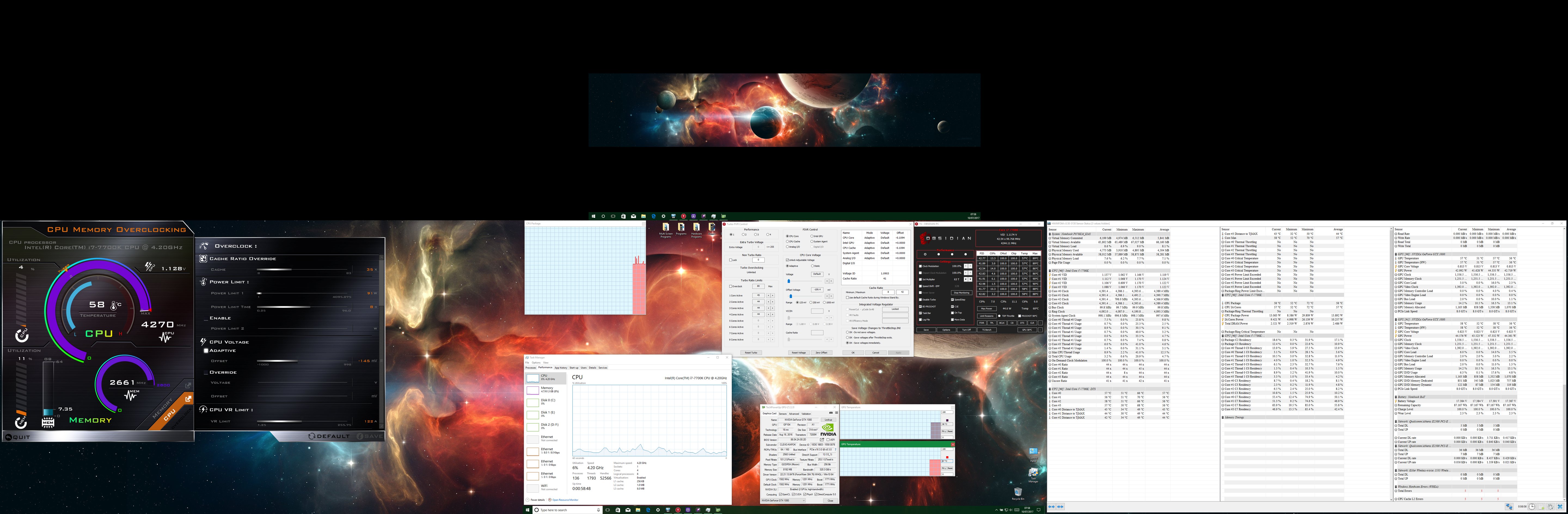
On my HWiNFO64 (v5.50-3130) statistic screen, it shows 2 errors under "Windows Hardware Errors (WHEA)". Next to "CPU Cache L2 errors" it states "2" in red
Can someone please enlighten me?
I have under volted to -145mv through adaptive. Before it was at -160mv. I tried switching it off and rebooting and the errors come back up again. My max temps is 80c today, on a hot day on for more than 8 hours. I have even tried swapping out the corsair RAM and its still giving me these errors. There is nothing in Google about it too. I know its CPU related for now, but I do not know what exactly? The laptop has never crashed too. Its just them errors.
Kind regrads -
If this can make ODMs provide better cooling as a baseline, I'm happy. If only bad things come from it, then well that sucks. I'm simply hopefully speculating.
-
They need make good enough cooling for thin and flimsy due Nvidia's specs for Max-Crippled. A bigger chassis will offload the need for <better> cooling. If the hardware doesn't boil in the bigger laptops, maybe this is enough for the ODM. Speculation of course. We will see, and hope for the best.
I don't know Clevo's own specs for the cooling capacity in their models. Same requirements for cooling max capacity as Dellienware brags about? Aka 15% headroom on top of max allowed TDP. Maybe @Meaker@Sager can say something about that topic? -
If the cooling tech that ran those tiny cards were in the bigger notebooks like this (instead of Clevo copper lottery), all the Bitspower IHSes and c-clips and heatsink bending and lapping etc would pretty much be standard. Literally the standard form of cooling we got, and maybe the extra space used for those intolerances could be better off used for more cooling for us maybe?
If this ever happens, I call it a win.
As for the notebook? It must sit 75c or less in gaming and 40dB or under in gaming. Same requirement all over I think. Overclock modes don't need this restriction on the unit as I understand it.Scerate likes this. -
Needs are judged by the kind of chips and the target segment for the device.
-
Did you undervolt or remove the undervolt on BOTH the CPU core AND cpu cache?
There are separate volt settings for core and cache (you can see them in Throttlestop). -
Thank you for the response. Yes I did. Through the "FIVR control". Both of the CPU core and CPU Cache is now set to -109.4mv on offset voltage, both on adaptive. My voltage on the "CPU core" is on default and my cache ratio in "CPU cache" is set to default to. I am just waiting for them errors to come back up again. Anything else you can suggest please?
-
After an hour of gaming; 5 CPU cache errors have pop up under HWiNFO64 Windows Hardware Errors (WHEA)". I'm puzzled? Do you think Liquid metal has gone on the CPU as I have put it on the die (delid) and on top of the IHS. I am thinking if it has run down, seeing as it is a L2 Cache error. But then again I only put the most slightest tiny tiny drop... Please help.
-
Please take a picture of your setup. Liquid metal is dangerous. You need proper insulation (industrial quality electrical tape) around the die, or some people use some sort of transparent nail polish equipment sealent (i don't know what it's called). You should not be using liquid metal unless you did your research and did extremely good preparation.
Before you take a picture of the die area, download Prime95, enable roundoff error checking and sumout checking and run SMALL FFT test and see if it works. -
Okay I will do this. For now; here is a screen shot of the error.
Attached Files:
-
-
-
As well. +70C degrees with only 29w Cpu Package Power is all too high temp with Liquid metal. Even with mediocre thermal paste. Open up again and re-apply your thermal paste(liquid metal).
-
Hi.
It is so hot and humid today, that I can't get my CPU to go below 49-51c. At mostly idle. Using max fans.
My keyboard surface is 41c.
Send help. I think I may melt before tomorrow.Ionising_Radiation, Scerate and Papusan like this. -
-
I'm using my dust blower to cool myself. My two lasko fans aren't working well enough. They even have the front covers off so that airflow isn't interrupted. Maybe I should remove the back covers too, just have pure fan, no airflow interruption, just to attempt to combat this heat.Papusan likes this.
-
Sorry I just come back from work. @Papusan Cheers bro but that screen shot is inaccurate. I closed the program straight after the test, then I thought I re-open it and put the results on here to show the errors. A stupid thing to do!... I know. I am running prime95 right now, and its hitting 101.402w max! but I have took
@Prema advice and lowered my undervolt to -50mv. I am now 30 minute into Prime95 full test and there is no errors yet. I don't know how long this Prime95 test lasts for? its the first time I have ran it and its the first time I seen my laptop stay on average of 86c (test) but then again I am on under-volt -50mv.
@Falkentyne thank you. I have used scotch super 33+ type and I have covered all the contacts. I really do not want to open up my laptop just yet. The prep work is good, but I were just paranoid about that liquid metal! that's why I only placed small drops. I think it is the under-volt for definite though. I probably never noticed these errors before because the laptop never crashed once. I used to run extreme under-volt at -180mv with no crashes. Check the live video test below. Its just these errors I am getting on HWiNFO64. There is no errors on any other tests. I was swooping about and noticed it you see...And now its doing my box in
That Prime95 is raping my CPU if there is no errors today then it is definitely the under-volt. By the way; my mate is saying its the crappy corsair vengeance 3000mhz that I have installed... #Confused
-
Try video encoding at your previous undervolt and it will crash pretty fast.
-
Hhmm ??? now that's a good idea. What is the best video encoding software there is today please? I always wanted to try that stuff
-
Just use real bench. Or anything that uses Handbrake.
I personally use AfterEffects / Nuke or Real Bench.Papusan and Stress Tech like this. -
This massive <must-must> put maximum undervolt thing is hyped by all the JokeBook owners. The reason is obviously!! Thin, flimsy cooling and BGA. No need for it if you have done proper job with your paste job with Liquid metal on your socket beast. + already have a ok heatsink from Clevo's HS lottery. P95 is overkill for looking after errors. And you need run different types load if you really try hunting after possible problems. Aida64 should be more than good enough for troubleshooting. As well as mentioned software above.Ashtrix, TBoneSan and Stress Tech like this.
-
Bruh I dunno about but I like my voltage as minimum as can be, currently 1.05v static for 4.4GHz
Stress Tech likes this.
-
Me too, I prefer under-volt. I am not really bothered about the 4% (or whatever) extra benchmark scores. But I do understand some users do overclocking for a hobby and I respect that.
-
Thank you I will try that Aida64. Is there a good prep tutorial for applying liquid metal please.?Papusan likes this.
-
Voltage doesn't affect your scores once it's stable, as far as I have ever been able to tell.
-
Yes I know this, cheers bruv. I was on about overclockers. My under-volt feels stable for now, but its just that damn (WHEA) HWiNFO64 error stuff. But I am going to take it to the extreme and listen to @Papusan and @bloodhawk and run them tests. Cheers guys
-
-
A lots of people copying others undervolt. More extreme, the more wanted. Must have. As well down clock their processors without looking or hunt for the real reason they have heat problems. If your cooling work as intended, I can't see the need for maximum undervolt. I wouldn't trust maximum undervolt, same as you shouldn't trust on your maxed overclock(guarantee you maximum stability). Changes in ambient temp and building up dust will sneak in errors if you live on the edge. It's a difference between shaving and cut of your head. See... Maxed out undervolt, near the limits for getting corrupted OS and errors. I'm sure you know where you are with maxed overclock. But not with maxed undervolt. You don't run maxed overclock in normal important workflow. But I'm sure people will run maxed undervolt in their important work.
Last edited: Jul 10, 2017Ashtrix likes this. -
If I even get near an error I won't hesitate to kill an undervolt. But less heat for basic operation is best no matter what ^^
Sent from my OnePlus 1 using a coconutStress Tech and Papusan like this. -
I too have a high undervolt value but never had whea error recorded on event log. What are doing when you got the error? Stress test or normal operation i.e. gaming, browsing net?
When I did the undervolt, I just used real bench & intel burn test (25 rounds), played long hours of gaming and did some heavy cad work and numerous chrome tab youtube videos running at the same time to check if error occurred but fortunately for me I never had one on my current undevolt value.Last edited: Jul 11, 2017Stress Tech likes this. -
That's great! But I think it may have something to do with my setup. What Ram do you have installed?
When I preform a -180mv (adaptive) under-volt I do not get crashes at all! and my CPU only goes to 61c full load while I'm Gaming and 72c on an hour+ of Prime95... But, I get errors on WEHA event logs sometimes stating some errors on my CPU Cache L2. I never noticed this until I fired up HWiNFO64 while I left my P870KM1-G on all day (17+ hours) while I was gaming and surfing off and on. This day; the laptop was plugged into 4x external displays, so I was really giving the laptop some hammer. Also everyone fondled with her all day.
These L2 Cache errors never appear when you run (full whack tests of) Prime95, Aida64, Intel stress test, real bench, or Unigine valley benchmarks. They only appear when I play Deus ex: Mankind divided, Carmageddon: max damage, and Witcher 2. I think this may have to do with the Corsair vengeance 64GB 3000MHz DDR4 RAM (Running at 2666MHz default) or its because I'm running the laptop through 3x external displays (7680X1440 Nvidia Surround) and its using a lot of RAM. This some how has a connection to the CPU cache L2... But I could be wrong. Also note; I have played all of these games with only one stick of 16GB of RAM and Deus EX: Mankind Divided is totally unplayable. I have to test each stick of RAM you see.
But anyways, I am now on -60mv (adaptive) under-volt while gaming on all of the above games all day with no CPU cache L2 errors. My max temps are hitting 85c though. So adding more voltage has helped me by not giving me any of more them errors. But every day I will subtract a -10mv on my last day total under-volt, until I receive an CPU cache L2 error. Tomorrow will be -70mv, the lower the under-volt the better.
P.S: I have opened up my laptop this morning, to see if there is any (Grizzly conductonaut) liquid metal spill. There is none. The Scotch Super +33 tape has done a great job, I have also added a lot more tape around the motherboard for extra precaution which I thing the liquid metal will never reach. I have ran out of Grizzly Kryonaut though, so I used Cooler Master Mastergel Maker Nano 11W/mk thermal paste for now. I have just ordered some more thermal pads, sand paper and Grizzly Kryonaut (37g 10ml which I never knew they do) so I can do a proper prep work, as this job today was only to double check to see if the CPU was giving me these cache errors... But it seems like its something else
A big needle of juice
http://www.ebay.co.uk/itm/Thermal-G...474813&hash=item3adde84136:g:MboAAOSw4CFY7ZQ4cj_miranda23 and Scerate like this. -
BGA vs. LGA (42x clock speed)
[email protected] (MSIbook GT73VR)
[email protected] (P870DM-G)
Ashtrix, Scerate, cj_miranda23 and 3 others like this. -
G SKILL 32GB 2800mhz running fine with XMP profile 1. Wow -180mv for both core & cache? How much you undervolt the igpu?Stress Tech likes this.
-
iGPU isn't physically enabled for Clevo's LGA machines. Same for the lonely MSI barbone model.Ashtrix, D2 Ultima, Stress Tech and 2 others like this.
-
Okay so nothing will happen wether I put a high or low undervolt value on igpu via throttlestop?
Sent from my iPhone using Tapatalk -
Just leave the slider alone.
Clevo Overclocker's Lounge
Discussion in 'Sager/Clevo Reviews & Owners' Lounges' started by Spartan@HIDevolution, Mar 4, 2016.