 Problems? See this thread at archive.org.
Nice score. How is the clock during graphic test? Can you show me the clock graph please?
-
-
It is possible that the Minimum MHz displayed by HWiNFO is not correct. Intel CPUs use shared monitoring timers. Some of these timers are read only so multiple programs can get accurate data from them while other timers are read / write so it is possible that one monitoring program can interfere with another monitoring program. In this situation, getting 100% accurate data is not always possible.
If you are accepting PM messages, I will send you a link to a version of TS that I am working on. Papusan and Mr. Fox see it as an improvement for their 6700K. Once you get this new version, if you do not need HWiNFO or CPU-Z or XTU or etc.; turn them all completely off. Make sure there are no monitoring programs running in the System Tray other than ThrottleStop. For monitoring, only run ThrottleStop, check off the Log File option and then go run a benchmark, exit the bench and exit ThrottleStop. In the ThrottleStop directory will be a folder called Logs. Copy and Paste the log file data somewhere like www.pastebin.com and post a link so I can have a look or attach it to a post. When run by itself, I trust the monitoring data produced by TS. It should give you an accurate look at what your CPU multiplier is doing while benching.temp00876, hmscott, Papusan and 1 other person like this. -
I'm more interested in clean bench numbers... So I normally don't collect such. But here are a couple of numbers I have saved. You will probably find more of similar/same numbers in the forum/thread. But as I said.. Only bench numbers for me

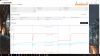
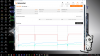
 Last edited: May 17, 2016
 -
Please PM me for the link of TS that you're working on. I am experiencing similar situation here.
I am asking you for non-Fire Strike bench because my CPU can hold the clock only for firestrike but not other benches.
How about yours?Last edited by a moderator: May 18, 2016 -
Gotcha! Thanks a lot for the help. Im at work right now, so will give it a shot later this evening.
-
After what I have tested and seen. The clock keep up in different bench as Wprime 32/1024, Cinebench R11/R15, 3DMark Fire Strike / Sky Diver, 3Dmark11. Have seen a few glitches in Firestrike, but this is very rare. During testing of different voltage settings (with incorrect, or not so good settings you are guaranteed glitches - or much more of them).
Edit: Anybody know how this 180w version of GTX 980 perform vs the 200w version in 3DM11 and Firestrike bench? I have not seen tests of the 180w version as far as I know.Last edited: May 17, 2016 -
Heads up to all modifying the desktop Geforce 365.19 driver for the 980/M ( @Mr. Fox ):
I found after doing the common instructions Mr. Fox has previously given, it would not install this time, saying device not found. I did the same mod to the nv_desktop_ref4i.inf and added my hardware id to the list devices (don't think that part was needed) and it installed without issue. Why it wouldn't work after modding the nvcvi.inf and nv_dispi.inf alone, I do not know. If anyone can enlighten me, that would be great. Other than that, wanted to share for anyone that is having similar issues and regularly modifies the desktop drivers to work with their laptop cards. It is a little more involved because you need the full hardware id, not just 13D7 (or whatever yours may be). It needs the subsys as well. For those that don't know what theirs is, go to device manager -> details tab -> Hardware IDs (second one in the scroll list). I've got to figure out why Device manager reads it as a 980 now instead of a 980M (may have screwed up a string edit in my editing), but it reads correctly in HWinfo64 and CPUID, but reads incorrectly in GPU-Z... If anyone could help with that ( @j95 )...
Edit: So, after copying the section numbers from the nvcvi.inf to the nc_desktop_ref4i.inf along with the hardware ID, I no longer get the timer error submitting to 3dmark 11 and the driver reads as valid. The score went up 5 points, which is negligible and margin of error per run. Device manager still reads it as a 980, so does gpu-z, but when submitted online or gpu-z more info link, It shows it as a 980m... think I can live with that, just worried if something is out of spec other than the name.Last edited: May 17, 2016Mr. Fox and CaerCadarn like this. -
This is my problem.
During physics test / Cinebench / whatever test that stress CPU only, the CPU clock is good.
But not during graphic tests and even in real games.
I am with @Prema bios and I recently recognized this phenomenon. -
The CPU multiplier is very dynamic and can be changing hundreds of times per second. When I see a saw tooth looking graph like that, I call BS. That is useless information. It is not sampling fast enough to accurately track the CPU multiplier so I would not bother looking at that data.
I just had a chance to look at some ThrottleStop data from @bloodhawk and it looks like he is either using the Windows Balanced power profile or he is using the Windows High Performance profile but the Minimum processor state is set to a low number like 5%. When plugged in, the Minimum should be set to 100% no matter what profile you are using. @godfafa_kr double check that setting.
![[IMG]](images/storyImages/oEMxzG1.png) CaerCadarn, god1729 and ajc9988 like this.
CaerCadarn, god1729 and ajc9988 like this. -
Noupe, its at 100/100. Thats also the first thing i checked when i had an issues with one of my renderers not using full clocks.
-
is the samsung 950pro compatible for the 770dm? if yes i am assuming i hook it up the same as a m.2 ssd? i am currently on a 850evo m.2 ssd. Prices are kinda steep so i was thinking of picking up the 256gb only just for os and a few games.
Also any idea where i can get a 330w psu? the cheaper the better ofc(aside from ebay). -
Not cheap but easy to get, I've bought two of these and they worked great for my Clevo and MSI. They don't look like a cheap knockoff to me, looked like the real thing.
http://www.amazon.com/Hipower-NP7280-S1-X7200-PS1-NP7282-S-Computers/dp/B00I2W2D9Ejpsm likes this. -
same price for ebay sellers. Quite expensive i must say :Otemp1147462323 likes this.
-
Agreed, sorry I don't have a cheaper one I know of. The problem for me is, I have went cheap many times and had failures or weird issues so now I feel once I find a good, working, possibly OEM quality one I think it is well worth the price. Maybe you can find a used OEM one you could get cheaper? I have two extras which I would sell but I need them for my dual supply setup on my desk
-
Has tested a bit of the clock speed problem. It's a little weird behavior, I think. The clock keep up in graphics section on Fire Strike and Sky Diver a very few times, while most times it's a quick float down to 4GHz before everything is back on track again. Although the clock hold in Futuremark monitor(OSD), so will the clock show 4GHz in Hwinfo64. Still good score even if the clock bobbing a short time down the first graphics part + physics is in the upper 15500. Weird behavior. Physics and other processor tests hold the clock speed and give always good score.
-preview.png)

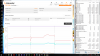
Ps. Also tested with different voltage settings. Same problem.
Not as big a problem in ICE Storm bench(See image)
Attached Files:
Last edited: May 18, 2016 -
-
Does XTU give a throttle reason?
-
Yeap, its not as severe for you. For me sometimes it floats to 4Ghz for like 3 seconds during the physics test and the fps drops to 10-20. Other times its barely for a second i manage to get like 15300 Points.
-
Check with your vendor, i got mine from HIDEvolution and they gave me a great price on the extra one. (3rd brick lol)jpsm likes this.
-
how much did you get it?
-
Im not sure if thats the normal price or if discounted one, so dont want to post it here. But ill check with them first.
-
They show $165 of their web page. So that's $25 less than Amazon before any shipping charges are considered.
-
Make sure its the clevo one, the one for MSI or AW is cheaper. And AFAIK the plug is different on one of those.
-
I think Msi and Clevo use the same plug. AW's is totally different.ajc9988 likes this.
-
That is correct. Although indeed I got that price from the P870Dm page, the same plug worked for my previous Sager Np9377 and my MSI GT80. And "I hope" the same ones will also work for my P870Dm.ajc9988 likes this.
-
-
Thanks for information. I always use high performance with minimum processor state at 100%.
I dont know how I can solve this
-
I don't need one (have 3 already), someone else was asking
-
XTU says current throttle but strange thing is I've set the current to 128A or 164A or even higher numbers but the throttle doens't get fixed. I've uninstalled XTU and everything if XTU is the problematic program but doen'st help either.
-
A new Cinebench R11.5 - 11.69 pts by BGA-KILLER. Not the best one but still ok
Do not think a BGA machine would do it better, so to speak
Only one benchmark extra, then will the
black sheep 11.68 disappear from the Cinebench 11.5 rank windows, LOL
Last edited: May 18, 2016 -
Wow 68C max temps @ 1.423V, what is your ambient temp @Papusan ?
-
-
Snowman indeed ;-)
-
F or C?
Sent from my SM-G900P using Tapatalk -
If you had put a ***** APPLE similar BGA machine inside a freezer at minus 18, hoping for a completed Cinebench 11.5 score with 4.5 to 4.6 GHz... Then you had won the whole lottery. But it may never happen. Almost none win the Jackpot lottery!!
@ajc9988 I'm from Scandinavia. We use C But 16 F would be fine
-
I didn't think it is possible for a BGA though ;-) these things could have the worst binned chips and are also power-limited. I saw that thread claiming a 4.6Ghz 6820HK but the OP did not post any completed Cinebench shots.
-
Yeah..., Where is the benches? He can game and bench with 4.6 GHz. But where is the benches!! Some one who know where i can Google them? Or you can ask in the thread
i7-6820HK @ 4.3GHz Stable | 4.6GHz Max
Last edited: May 19, 2016 -
Nice! You use static voltage setup or offsets?
He lives in an igloo.temp00876 and Spartan@HIDevolution like this. -
The prices for a separate adapter are different than when bought with the system. At least from what i have seen.
http://www.hidevolution.com/delta-e...dp-330abd-for-msi-gt80-evoc-clevo-p870dm.html -
I was at 24F when I did my over 5.0GHz runs (-4C or so, winter in my garage)...
Sent from my SM-G900P using TapatalkPapusan likes this. -
An improvement in Cinebench R15 - 1064 cb By BGA-PUSSY CRUSHING KILLER!! @Phoenix A very small but welcome increase in the score
http://hwbot.org/submission/3218022_papusan_cinebench___r15_core_i7_6700k_1064_cb?recalculate=true
Edit: I hate that my wife fire up in our igloo The snow and I can melt!! Sorry for the ugly pict.
Edit:
Somebody who think he will takes the the challenge with his AWBook? He brags of 4.6 GHz in bench... Now he has the big chance to show this!!
http://forum.notebookreview.com/thr...-liquid-ultra-pro.791489/page-8#post-10259489Last edited: May 19, 2016Thumper_23, temp00876, Cass-Olé and 1 other person like this. -
Are you the owner of Mr. Fox' legendary Panther?
-
-
It will eat anything well threaded that's for sure
Thumper_23 and ajc9988 like this. -
@Thumper_23 ,
WOW!!,
That is freaking amazing scores there. I think I might be looking for a xeon V2.
What GPU's do you have in your rig?Thumper_23 likes this. -
Not necessarily. It is competing with ln2 on desktops, but is still worth submitting!
Sent from my SM-G900P using Tapatalk -
@Thumper_23 , can you tell us what kind of RAM your using that is @ 2400MHz?
Is there a reason your only using 16GB?Last edited: May 19, 2016 -
I'm talking raw ranking. They have averages, etc. But your rank with the cpu is your rank, regardless of cooling! But, it is fun to see if you can beet the average on air or water with a laptop on air.
Sent from my SM-G900P using Tapatalk -
edited
@ajc9988 , never mind, I see what you mean about the overall ranksLast edited: May 19, 2016 -
Thanks,
It would be nice to see your complete build in your signature if your so inclined?
The Highest 8 core Xeon XTU I see in Hwbot
note its a "V3" thoughLast edited: May 19, 2016
Clevo Overclocker's Lounge
Discussion in 'Sager/Clevo Reviews & Owners' Lounges' started by Spartan@HIDevolution, Mar 4, 2016.


-preview.png)


