 Problems? See this thread at archive.org.
Clearly an important part of the card isn't getting adequate cooling. I see you have cut away certain parts of the heatsink completely meaning some chips have absolutely no cooling. You should have ground away the metal (thinned the heatsink) to make space for those chips then using adequate thermal padding fit the modded heatsink on top. My heatsink has no additional passive heatsinks stuck to it and the temps are really low. I can only atttribute your problems with inadequate metal covering your card.
-
-
Ok this starting get me tired
 .... Back side of the card I already give them thermal pads and I also have removed the VGA box, but still blank screen occured.
On the top side I have no idea what is not correct, with my own eyes they are good, make me think to buy a new heatsink for hd6970m but just now I read that someone bought it from eurocom with hd6970m installed and got same problem with me??? so is my card defect? ...damn why this happen to me
I can only bench it with 3DMark 2011, Vantage is a big NO!! also same with Gaming, BF3 always blank screen after 4-5 minutes play
sssgggh
-
I doubt the card is faulty/defect. Does underclock prevent blank/black screen?
-
same here, can play for a few minutes and then it either freezes or black screens, like ?
doesn't feel that hot either, my last laptop got hotter than this one....really annoying.
is it over heating or is it lack of power? -
ok, i just loaded up cpuid hw monitor, put that to the side of the screen and loaded up serious sam 3, put it in windowed mode and resized it.
played exactly 10 minutes of the unearthing the sun level. (before i re-pasted it only last 4 or 5 minutes)
max temp after 10 minutes 68-71*c max it seemed to hover at was 72*c.
will test bf3 later.
idle temps have dropped down to 43*c already since quitting the game. they were about 56*c idle before re-paste.
now down to 41*c idle. I also checked the use recommended fan settings in rbe, not sure if that helped at all though. worth a try.
success? who knows.... -
That sounds much much better!
With ambient temps of around 20C I was getting 38/39C on lowest temp sensor at idle and maybe 43C on highest sensor.
Run GPUz in backround while running BF3. Set the temp settings to show the max temp on all the sensors in the program. Then when you quit (I recommend after 5-10 mins at first) you will see exactly how warm your GPU got during gaming.
Also you can't do anything to influence fan behaviour. Just make sure you aren't on "M"mode and are in high performance power setting. I find it kicks the fans in noticeably quicker for the cpu.
Gawd I wish my laptop was working so I could bench my new 6990M
-
Any ideas left to try?
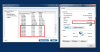
I dont know why but my 860 works at half speed! The stock 2.4 Ghz Card worked at 65Mbps, got a new intel 6200 from Ebay , works at 150. As you can see from the picture, the problem lies in the second antenna not functioning. Tried updating the bios... should try the unlocked bios?
Some background:
Router: E3000
5Ghz, Channel 149, 40 Hz.
My friends sony works at 300. It has a intel 6200 too. Loosing my mind!Attached Files:
-
-
ah, those fan settings in rbe are just for desktop cards because the card controls the fan but in a notebook the mobo controls the fan right?
btw what do you mean by "M" mode?, when I use laptops, I usually have the windows power management on balanced and let powerplay handle the bat/ac performance switching. -
could be a bad wifi card? where'd you buy it from?
-
Hi All,
My first time posting and tinkering with my NP8690. I am thinking of upgrading my gpu to 6990m. What thermal pads should I use to apply to the vram on the card? -
Bought it from Ebay. Should I try 5100 or 6300? Does your 5100 connect at 300?
-
so I assume you have solved your blank screen things?
I guess maybe have to buy a new hd6970m heatsink
btw, I have another strange condition right now, why when idle core/mem is 250/900 not 100/150?
any idea?
Undervolt still keep me blank screen, I havent try to underclock it yet...but it seems I have done everything and still no good result
UPDATED :
OK KIZWAN, you're right, Underclock give a different story, I can pass Graphics Test 2 New Calico 3DMark Vantage ... but I hope this is not a solution, since performance I got here is horrible, for an HD6970M it's a shame, man, please I hope this is not the end of solution
anyway thanks kizwan -
mine idles @ 100/150, and no, still need to test some more before I can be sure I've solved my black screen.
-
144Mbps on N and 74mbps on b/g mixed.
i'm going to get a 6300 sometime though, because they are the best cards available....should've kept the last one i had but i sold it with my previous laptop. -
Your are getting twice as much as I do. I get 72Mbps on [email protected].
If you check the image I posted and do that on your computer, you will see both antennas working, On my computer only the first antenna work, and I have no idea how to enable the second antenna. U wanna switch cards
-
Of course, this is not a solution to the blank screen problem. This show, for some reason, your 6970M doesn't get enough power to operate on peak 3D, on default clocks. Maybe you need power brick with higher wattage?
-
does anyone know where to buy a 180w power brick that'll work with this notebook?
mine is still black screening but the temps seem ok, lower than my previous gx640 laptop which used to reach 90*c playing bf3 and never froze. -
would this be suitable?
180W Hp AC Adapter for Alienware Aurora m9700 17" 19V | eBay -
That should work well. I just bought the same at another german reseller. I use it although I only have a 820qm and 5870m.
-
The targus 180W universal adaptor works fine that I have. Or the 180W adaptor that comes with the P150HM also works fine.
Btw if I still can't work my machine after getting a new cpu it means my mobo is damaged again!
I think I would like to proffer some advice to people here don't ever buy a 920 or 940XM. Stick with the 840qm or lower and keep your machines going... -
That's strange, because i already use 180watt ac adapter that i bought from eurocom.
But i will try to replace my 920xm with 820qm to see any different condition since 920xm has larger TDP
UPDATED :
Still happen, I have replaced 920XM to 820QM.
Undervolted but using default clock and no luck
------------------------------------------------
Second test with 820qm, gpu underclocked and undervolted core/mem 620/830 with 0.92 volt smoothly run 3DMark Vantage graphics test2 new calico
seems like super duper confusion about this GPU card, should I replace this card or buy a new heatsink for hd6970m? -
Um... i think that you could... I don't think it's a problem with your connector, it'll have something to do with you motherboard components... upgrading them might be frustrating+difficult to do+rewarding if you pull it off. I'm wondering why some of the more experienced members haven't answered your question, perhaps you shouldn't be getting mad at clevo... not cool.
-
Question. Does your external monitor have HDMI? If yes then use that instead, better quality than DVI I think.
-
Ok I FOUND MY LIMIT !!!
This can be a good news and a bad news for me, I can succesfully run 3DMark Vantage with 920XM cpu and hd6970 BUT with core/mem clock like this 715/835 !!!, yes it an OC and Underclock
My card has a problem with standart clock, I can only run anything with max mem clock @835 mhz
so that's it, it's my cursed card...
I think problem solved, for now
Still idle clock why cant be core/mem @ 100/150? is there a driver related? I use 12.1 preview driver --> FIXED !!!
UPDATED :
The most stable configuration for me :
![[IMG]](images/storyImages/th_vantage_new.jpg)
-
I can only think in the connector, everything else looks fine :X
It does have HDMI, but hdmi doesn't support 120hz :\
In what I saw, the only way for it to work is with DL-DVI, I'm using a DL-DVI cable and the graphic card supports it...
BTW other thing i wanted to ask
I currently have a GTX260M and I want to upgrade it.
The best prices I was seeing were to 560M and 460M, do they work on my W860cu from November 2k9?
Thanks
Edit: I can push the monitor with a personalized resolution till 81Hz, more than that goes black screen. This seams to be even more to be a single/double link DVI problem :X -
Ho-hum... anyone with a 3D configuration may be able to check this up for you to see how the laptop is configured. Might even be using a different mobo which supports dl-dvi. (just a thought there). AVADirect Clevo W860CU 3D Review
one thing though... hdmi 1.4a supports 3d and im guessing that if you buy a hdmi monitor + 460m, you would be set. -
HDMI 1.4a doesn't support real 120hz, only 60hz from what I looked.
I just saw this video Core i7 and GTX 260M - NEW Clevo W860CU gamer in detail - YouTube to try and see the DVI adapter without opening the laptop but as you can see in minute 6 it looks like an exit from the motherboard and not easy to replace :\ -
ok then you are correct about 120hz not working with the hdmi 1.4a... hdmi doesn't support it at 1080p.
[Solved] Monitor runs at 60Hz with HDMI, 120Hz DVI? - Nvidia - Graphic-Displays
BTW this laptop will have difficulty playing modern games in 3D at higher framerates anyway... perhaps 80Hz is enough? -
I do not care about 3D games, the 120Hz it self makes a huge improvement to 2D games and movies and that's why I bought the monitor.
It really is a shame that clevo used single link adaptors on this laptops, I've seen in other forum a guy with a W870CU with the same problem. DL Cable, DL capable graphic card and a SL connector... -
DVI Single link vs. Dual link
Looks as if people did not see much use for such a cable.. too bad really. -
Vantage score look all right to me. Did you try overvolt little bit? Might help the card to run with default memory clock. But current result already OK & temperature is acceptable.
-
That post is from 2005, there was nearly no difference then.
3D PC Monitors with 120hz launched early 2009 (Samsung 2233RZ Samsung 2233rz Review – World’s First True 120hz LCD | Clutch Kills - FPS Gaming tips, strategies, guides for Team Fortress 2, Counter-Strike, Quake and COD4 ) was the first one.
When we bought W860CU it was "The most powerful 15.6 Laptop" and with many equipment that relies on Dual-Link, there was no reason for clevo not to use it in their laptops... -
this one from france, delta eletronics with same spec?
GENUINE ORIGINAL Alienware Adapter Netzteil 19v 9.5A 180W 5.5mm x2.5 M9750 9700i | eBay -
I bought this one:
Netzteil 20V 9,5A Alienware Aurora m9700, 63,43 €
AC input: U=100-240 V; I~2,5 A
DC output: U=19V; I=9,47 A
German plug is included.
It works fine for just 67,18 (incl. p&p). -
but would the delta one be fine too?
-
I think yes.
-
715/835mhz is fine. The card isn't bottlenecked by the memory clock anyway so you shouldn't see much performance loss. OCing the core yields much bigger performance increases, less heat and uses less power.
Try 800/835 at 1.06V it will work fine and quite cool. In my tests I could get to 740mhz stable at 1.01V. The voltage ramps up in increments of 0.05V on this card so no point in trying voltages different from 1.1....1.06.....1.01.....0.96 and 0.91V for your 3D performance mode.
Because you are running the memory at 835mhz you might even be able to push past those clocks of mine as I was running the memory at 900mhz. Btw my memory was also cursed I couldn't go much beyond 900mhz stably. This is how I found the core clock can do much more anyway. It could do 850mhz at 1.1V no sweat. probably further.... -
gdgd, thank man.
-
black screening must be a power problem, because I undervolted from 1.1 to 0.91 via tray tools and I managed to play serious sam 3 for a little longer before it gave up again.
-
like kizwan said, try overvolt it a little, 1.2volt cant be that bad, but I havent try it by my self. I just ever try with 700/850 1.05volt and no luck. max still 720/830 with 1.05volt for me.
-
i've ordered myself a 180w psu, hopefully that'll make it work properly. also scored me an intel 5300 wifi card on ebay for £4.75
-
I am not sure the new PSU will help much. 150W with 6970M and 720QM should be ok. Still though the extra headroom might help.
-
How does getting a new PSU for whatever problems their might be from running a greater current through your motherboard? I'm having trouble understanding how better PSUs suddenly became the ultimate solution.
-
Basically if your components demand more power than the psu can supply it then means it is time to get a bigger supply.
It has been found that 120W is inadequate to run the 720qm and 6970M which means 150W is more than adequate. In fact 150W should be adequate to run even the 920xm and 6970M.
180W might only be needed if running the 920xm and 6970M and OCing both heavily or running the 6990M which comsumes more power at load.
Considering I would strongly suggest against OCing the CPU past 65W tdp means nets you a solid 2.8ghz stable across all 4 cores 150W still should leave plenty of juice in the tank for the GPU. 180W just gives that much more headroom plus the powersupply will run more efficiently as it will be under less stress than a weaker psu.
Either way to a lesser or greater extent every machine is limited in the end by the vregs so definitely no point in going beyond 180W for this board. -
mine is no longer freezing, the screen just goes black around the 9 minutes mark of playing a game.
the freezing was the 5100 wifi card, should of thrown it away ages ago, I forgot why I had kept it, it came with a NP5973/M57RU I used to own, it was an ES too, took me a while to work out that it was making the laptop freeze. As soon as I replaced the wifi card it stopped freezing.
So I'm just using a realtek one atm, with a 5300 on the way off ebay.
I've had a simliar problem with my last desktop pc, it would lockup playing games or black screen, and when I replaced the PSU it worked perfectly.
So I just assumed getting a 180w psu would sort out the laptop gaming problem, eurocom list optional psu's on their website under configuration and 180w is there.
That's the only reason I can think of that's causing the black screen, doesn't appear to be a driver issue and the card works fine for general use, it's only when it goes under load that it cr*ps out. The temps seem fine too. -
The 6970m and 720qm run just fine with the standard 120W PSU.
-
If a 120w is enough, what is with the black screening?
-
How do u guys OC i7 920xm? via BIOS or with Throttlestop software? I try using BIOS but it's too hard for me to understand, different from desktop. It's easier desktop than laptop.
-
Throttlestop all the way.
Do not take the tdp or tdc past 65W tdp/tdc though as the w860cu mobo has weak vregs on the cpu side.
I have blown them once and now I think the second time. My cpu has been tested and works fine. I might be heading to the dell forums soon as a new owner of a M15x..... :*(
On the bright side of things my 6970M will go up for sale in the martketplace during the next fortnight or so
-
I've set my TDP/TDC 62/55 so I think it still on the safe side, am I right? Temp is very good max @ 77C
anyway M15x is really a great machine...hope u will have a good time with
**OFFICIAL W860CU/NP8690 Owners Lounge**
Discussion in 'Sager/Clevo Reviews & Owners' Lounges' started by ChinNoobonic, Oct 8, 2009.




![[IMG]](http://s32.photobucket.com/albums/d1/fireedo/?action=view¤t=vantage_new.jpg)

