Problems? See this thread at archive.org.
Ha, I might have to resort to that. I'm going to try to reinstall windows in the hope that something with the drivers just got really messed up. I don't have too high hopes though, since the fan is still working fine, I can't see what could make the temps go up for no reason other than a hardware problem.
Out of curiosity, what is the stock core clock for the 5870?
-
700
/10char -
I finally got my sager here to iraq after a long drawn out month anda half it was well worth it i love it
-
http://www.google.com/products?q=3g+minicard&hl=en&aq=f
Although I still can't find details and prices for unlimited data plans. -
tip for people having issues with the UPEK fingerprint reader screwing up after hibernate; in the device manager, Biometric, touchstrip finger sensor, properties, powermanagement; untick the box for the "allow the computer to turn off this device to save power".
now it works after hibernation -
I still can't get it to work with firefox D:
-
gives met this after going through the application; "There is no Password Bank extension compatible with your version of Firefox. "
DUH....UPEK get ur act together... -
install the extension at the bottom of this page, it works with mine now.
http://www.upek.com/support/customersupport/techsupport/Topic.asp?ID_Topic=76 -
You are awesome. +rep, good sir.
-
no probs...
-
Well, I'll spare you all the expletives, but it looks like the thing is going to have to go back to Sager for some manner of repairs. I did a clean install of windows, just to be sure there wasn't anything software related messed up, installed the stock drivers from the disk, and ran 3dmark06 once. The GPU core maxed out at 100C, I refuse to run it anymore, they had better be taking it back to fix it.
It all started so well, I love this computer-until it starts sounding like a jet engine and I can make coffee on the GPU... -
Sorry man, that sucks. It does sound like something was seriously wrong
 Even when they say that 96C is max safe temp even getting anywhere near there seems bad for this notebook where others have reported much lower load temps
Seems odd that sager didn't seem to acknowledge that as an issue to you. -
Because they are a company, Like all companies they only care about $$ so... But after owning sager, asus, dell, and HP. I would have to say SAGER is def above par. Build quality,speed, and customer service. GL CoDnut
-
Not really a great excuse, man. Temps way above the mean should be acknowledged as an issue.
edit: though I'm sure most people have a great experience with Sager
-
Not sure whether it's because, during changing of the thermal compound you didn't align the thermal pads exactly. Because the GPU heatsink is such that with the thermal pads position exactly, the heatsink will just nice touch the GPU core, if you shifted the position of the thermal pads, it might cause the GPU core to have a space between the copper plate, causing the high temperature.
The same thing happened to me as well, temperature over 90-100 when running, I placed a shim ontop of the core and the temp dropped to 70-80, though I don't know why the GPU broke down later, sent back to Sager, and they replaced the GPU for me free of charge even though I told them and they knew I messed with the GPU heatsink, only charged me for the delivery and manpower. If it's some other company I would have probably been ripped off to shreds already. Good thing about Sager is that as a small company, they treat their customers as human beings rather than statistics. -
Problem is that it wasn't any better before I redid the paste. I definitely made sure that I seated it well, I had read about the problems other people had been having with it.
They were nice enough when I called them earlier, told me I could call back if they got worse, so that's what I'll do. -
Going to get my laptop back tonight, finally can get to use it again after almost 3 weeks, I think I've developed phobia of opening up notebooks now, don't think I will ever touch the CPU and GPU again, the most I'll do is to open the case and clean the vents once every few months.
-
Oh I completely agree its no excuse. If I were a company owner I would try to keep customers happy or I would have no business. Also, I would want to see a better bottom line at the end of the year. But as stated Sager is def above par compared to other companies I have had the nightmare of dealing with especially dell.....
On another note...Anybody know of what a max clock should be on this lappy. -
Wow, I just got off the phone with Sager, apparently they are still waiting on info from ATI about what the maximum temps on the card are supposed to be, and also apparently have no way to monitor the temperatures themselves (I told them just how they could...). So, I am supposed to wait a couple days while they figure that out. I didn't push the issue too much yet, because my box has to come from home and it was just sent today, but once it gets here, if I haven't called back I guess I am going to have to be the arse who keeps demanding to talk to someone's supervisor until they take it back.
I almost wish I had run it until it crashed, but I don't want to create another problem in the process... -
Sorry to hear it man, I think you are doing the right thing though, wait until everything arrives for shipping and then if no word...kick some a*s and chew bubble gum!
I would run it until it breaks as they may try and shaft you, saying that it broke because you applies the thermal paste wrong, even though you may not have done.
Good luck with what ever you do! -
I'd get it in writing (at least e-mail) that they told you these temps were fine in case it does break on you
-
Great point, if they tell me, once they've figured otu what they actually should be, that mine are ok, I'll ask for it in writing, then turn it on and run 3dmark a few times...
-
has anyone bought it with the quadro 2800m yet? how does that compare? what what about ht 97-620?
-
Well, remember that they may well be right. It could, I'm sure, survive those temps. Maybe even for quite a while; nevertheless it's not exactly ideal. Keep us updated on what they tell you
-
Quadro 2800M is just a GT9800 with quadro driver. It will suck in games, but performance will be high in CAD applications due to the quadro driver being optimized for openGL. Which means, unless you are doing demanding CAD work, and I mean really demanding CAD work that a consumer card can't handle, it won't be worth getting the quadro. Basically, what you paying extra for is the intellectual property/licensing etc of the quadro driver, small market so have to have a higher price to offset the cost.
-
I don't know if this is a problem, but after replaying the thermal paste several times. I keep getting uneven temps on the cpu mainly core 0 and 2 being 6c hotter then 1 and 3. Is this something to worry about? oops i have an 8760
Attached Files:
-
-
No I think generally some of the cores run hotter.
-
Is it normal for this laptop to make audible fan noise while idling (very loud compared to the M860TU)? CPU idles at around 50C and GPU idles at around 55C.
I ordered some thermal paste to see whether that'll lower the temperatures and make the fans shut up a bit, but I'm concerned it may just be my fans that are faulty. -
^ the fans are are always on from what i can tell (even when idling), the good thing is they dont ever get too noisy
-
Can you actually hear the fan noise in a moderately quiet environment while it's idling? (Just checking whether this is normal)
-
They are not that loud, probably on full speed you might notice the sound, but no louder than having a standing fan in the room.
-
thinkn about pickin up crysis..
has anyone played crysis yet w/ the 5870? should it run smoothly? -
Ha, yeah, and my computer sounds like a jet engine, I am in the Air Force, I like planes, but not that much.
And it would probably die the day after my warranty expired. -
After changing to ICD 7 thermal paste, running furmark extreme burning is now only 82C max, 70C max when playing normal games like dirt 2, without any shim or side bending mod.
-
I agree with CoDnut, temps are not safe at all for longevity of the laptop. Owning a G51 before this I completely understand the concern here
-
Good job same results here. In game doesnt get above 75-76C overclocked to 880/1125. If you bend or cut the can sides that is holding the GPU heatsink higher than it should be you will get even better results. So i hear. The claim is that the can holds the GPU heatsink off the GPU instead of sitting flush. I am not so sure as I am getting just as good results without bending.. or cutting
-
Hey, after 10 minutes playing sacred 2 the temps of the CPU/Intel PCH are about 70 C. Is this normal ? The Intel PCH is always very hot
-
my CPU max at 70C during processor intensive tasks, and it's only the first core with max of 70C, the rest are never above 60+, the 70C is probably due to turbo mode in 1 core, 70C is very normal, considering that even 90C is safe temperature, CPU is even more heat resistant than GPU, though it's not that I've ever seen anyone's 8690 with 90C for CPU temp.
-
Runs perfectly smooth on High settings. At my native res of 1080.
-
Same here! I rarely break above 75 when intense gaming and this is without bending or trimming the can. If I see it go over or near 85 then might think about doing something, like re-apply paste and trim the can. Until then its great.
-
Those temps are what mine was getting also, before it went wonky on me.
Good news is, I got a call from Sager today, they want to take it back and see what they can do. Patience is a virtue... -
OMG just started playing Crysis on this thing..
I had NO IDEA how incredible/smooth it would look! wow -
ATI is known for making games look smoother and more eye-appealing, However nVidia is known for their physics, and ofcourse framerates. I personally like eye-candy. Thats why i choose ATI.
-
But most of ATI's high end cards score higher framerates than Nvidias highend cards.
-
Yeah thats why i have said if you dont need to then dont...
I tried many times to get the temps i wanted just leaving it stock but could never achieve that till i did some tinkering but i knew there would be others who would have to do nothing other then reapply the paste and have the same or similar results ....
Trimming the can or bending it does not require much effort and your certainly not hurting anything if you have to and in my case it helped alot so it was worth it for me and might be for others... -
My GPU (Mobility HD 5870) idles at around 49C and maxes at 90C when I'm running furmark xtreme burning. When I'm playing wow it tends to stay around 66~70C.
Is 90C a bit too hot even for xtreme burning? -
No thats fine because your not going to see those temps when gaming and based on your WOW temps i would just leave it alone ....
-
I agree..Dont mess with it its working as should be
-
Hai there...
Just got my np8690.
Being doing some benchmark n monitor the temp for awhile.
For CPU, after taking the black sticker.. it GREAT n BETTER..
but
For GPU, i got max 91C
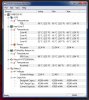
edit: Ambient i think around 30c (Asia)
Hope u guys can guide me...
cheers.. -
91C is fine.
Now, actually I'm quite worried about my power adapter, it's scalding to actually touch it, I'm sure it can most definitely cook an egg on it, is a 130W power adapter supposed to be this hot.
**OFFICIAL W860CU/NP8690 Owners Lounge**
Discussion in 'Sager/Clevo Reviews & Owners' Lounges' started by ChinNoobonic, Oct 8, 2009.