Problems? See this thread at archive.org.
It will come, they can be a little slow.
-
-
I received the audio cable from HID today. I have to admit i was a little nervous on whether this cable can be procured. The realtek device is now recognized.
I am amazed by how incredible this machine sounds. The inbuilt speakers are awesome.
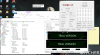
Words cannot describe the incredible experience compared to the BGA cr*p I spent thousands of dollars cycling through 4 high end machines over the past few years. Gaming, sound, 4K screen, responsive experience -- all around a great experience. Attaching a screenshot of the CPU temps at around the 4 minute mark of the AIDA64 stress test.
My only gripe now is a dead pixel (i took the 30 day guarantee). But, i don't want to spend another day without this machine.Attached Files:
izombot, Spartan@HIDevolution, D2 Ultima and 2 others like this. -
-
My 7700K just arrived today. I wanted to ask what could be approximate temperature difference between 6700K and 7700K running exactly at the same speeds? During gaming, I'm usually getting peak temps of around 60-65°C with 6700K (-150mV, not delidded nor overclocked).
-
We are seeing various results. Please report your results here once you have them.
-
This is how hot mine gets at 4.8Ghz -
![[IMG]](images/storyImages/28ef6673ccc06d375fef21224fe0a220.jpg) PrimeTimeAction, jaybee83 and Papusan like this.
PrimeTimeAction, jaybee83 and Papusan like this. -
-
I will; however, I don't think my results will represent values that someone could expect. I mentioned few pages back that I'm planning to delid the CPU with experimental material with far higher thermal conductivity than CLU. At first, I will make measurement of 6700K temps I'm using now with CLU, replace CLU with nano Ag, take measurements again and if results will be satisfactory, I will directly delid 7700K and once done put it into my system. Unfortunately, I don't have more time to spend with testing due to my work.
Thank you, I assume you were using Overclock fan profile when taking that picture, is that right?jaybee83, jointhegame and Papusan like this. -
My laptop's display goes blank with a loud buzz just before it restarts but it happens only while gaming. I thought this could be a driver issue and I reinstalled windows with just the basic drivers but the issue still continues. The temps are in the high 60s for CPU and 2 GPUs. Someone help me please
 !
Last edited: Jan 18, 2017
!
Last edited: Jan 18, 2017 -
Check for errors in event viewer. If all you see is "windows booted without shutting down cleanly" then I would suggest an RMA asap
Sent from my OnePlus 1 using the forcenevermore93 likes this. -
Yes, I see this everytime it randomly reboots, "The system has rebooted without cleanly shutting down first. This error could be caused if the system stopped responding, crashed, or lost power unexpectedly." with source "Kernel Power"
-
Ok. It could be one of a few things.
- CPU does not have enough voltage. There is a little point between causing a BSOD and having enough voltage where the PC will just shut off. My 4800MQ does this at 3.9GHz for an annoying reason. I doubt this is your issue, but consider it. Try the CPU at full stock and see if it still happens.
- one of the GPUs has something overheating or overloaded, and you get a black screen shutdown. This is often caused by overclocks, however in your case it might simply be a damaged thermal pad, or something similar.
- some component is faulty and causes the shutdown when stressed. This is really difficult to determine without doing a lot of testing, like... disabling SLI (or removing the slave card) and testing. Then if it happens, swap the cards. If it doesn't happen, your primary card is faulty. If it does happen, then it isn't the GPUs. If your CPU is at stock as well, try setting your RAM to non-XMP. If it *STILL* happens, then it's probably your motherboard.
Since the final problem is a real problem, RMA might be the more hassle-free way to get it fixed.nevermore93 likes this. -
Thank you @D2 Ultima . This is the event log that I get and it is same as this one from @AlanFai .
- System
- Provider
[ Name] Microsoft-Windows-Kernel-Power
[ Guid] {331C3B3A-2005-44C2-AC5E-77220C37D6B4}
EventID 41
Version 4
Level 1
Task 63
Opcode 0
Keywords 0x8000400000000002
- TimeCreated
[ SystemTime] 2017-01-19T05:11:12.405061000Z
EventRecordID 938
Correlation
- Execution
[ ProcessID] 4
[ ThreadID] 8
Channel System
Computer DESKTOP-Q5BCH4L
- Security
[ UserID] S-1-5-18
- EventData
BugcheckCode 0
BugcheckParameter1 0x0
BugcheckParameter2 0x0
BugcheckParameter3 0x0
BugcheckParameter4 0x0
SleepInProgress 0
PowerButtonTimestamp 0
BootAppStatus 0
Checkpoint 0
ConnectedStandbyInProgress false
SystemSleepTransitionsToOn 0
CsEntryScenarioInstanceId 0
-
Your bugcheck codes are different; it's probably not the same cause of problem
-
-
LOL.

-
Hi Guy,
You have got a great CPU.
With only 1,2004 V you reach 4.8 GHZ.
Insanely good values!
Nice! -
Hmm, not exactly. You can install 2x GTX 1080 in the DM2 or DM3...or the KM1
The Vapor Chamber only comes standard when you order 2x GTX 1080...1x GTX 1080 installed in the DM2, DM3 or KM1 does not come from Clevo standard with the Vapor Chamber. We do offer, as an upgrade on the Configurator, 1x GTX 1080 + Vapor Chamber GPU & CPU Heat Sink Set. It is a set because the Vapor Chamber Heat Sink needs the corresponding CPU heat sink for proper mounting. You cannot mount the Vapor Chamber Heat Sink to the CPU Heat Sink that comes standard from Clevo when you order 1x GTX 1080.Spartan@HIDevolution, Mr. Fox and D2 Ultima like this. -
I knew that the CPU and Grid heatsinks were a pair, but I thought that the DM3 was 1080 SLI only (and thus Vapor Chamber by default). What denotes the DM3 then? O_ODonald@Paladin44 likes this.
-
Clevo's goofy SKU system is what.
According to the Clevo spec sheet, the DM2 supports either 1x or 2x GTX 1070, or 1x GTX 1080. The DM3 supports 1x or 2x GTX 1080. The Vapor Chamber only comes standard with 2x GTX 1080. But that distinction is only on paper because they are otherwise identical laptops, the only difference is what GPU’s, and heat sinks, you put in them.
They have taken the DM2 and DM3 down now so you can only see DM2 at http://web.archive.org/web/20161202234919/http://clevo.com/clevo_prodetail.asp?id=948&lang=en. It shows either 1x GTX 1080 with no no SLI®, or 2x GTX 1070 AND Support NVIDIA® SLI® Technology. Unfortunately WayBackMachine didn't archive the DM3...but when it was up, it showed support for either 1x or 2x GTX 1080 AND Support NVIDIA® SLI® Technology.
The KM and KM1 are up now...but with no GTX 1070 support. See KM - http://clevo.com/clevo_prodetail.asp?id=997&lang=en (supports NVIDIA® GeForce GTX 1080 graphics card support... no SLI® ) and KM1 - http://clevo.com/clevo_prodetail.asp?id=998&lang=en (support NVIDIA® GeForce GTX 1080 graphics card support AND Support NVIDIA® SLI® Technology). The are both the same laptop, and both will support either 1x or 2x GTX 1080... IF you have the proper Vapor Chamber + CPU Heat Sinks.
There is no point in having 2 SKUs when you can get either 1x or 2x GTX 1080 in the KM1 because you will still only get the Vapor Chamber + CPU Heat Sink set standard when you order it with 2x GTX 1080.
We simplified things by only offering the DM3 and KM1, but with the option of getting 1x GTX 1080 + Vapor Chamber GPU & CPU Heat Sink Set. One SKU, three options. With the Clevo KM SKU you can't get the Vapor Chamber GPU & CPU Heat Sink Set...
Why Clevo complicated things in this confusing way can only be pondered...
.Ashtrix, CaerCadarn, Papusan and 5 others like this. -
*tilts head to side*
*mechanical grinding noises*
Burr?
Cannot... comprehend...PrimeTimeAction and bloodhawk like this. -
One thing I always wondered about. Did the P870DM2 FANs end up being 5v as they where during development? I never heard anyone mentioning it and I think they ended up using 12v FANs for DM2 and DM3...
D2 Ultima, Spartan@HIDevolution, jaybee83 and 1 other person like this. -
I have read a research report from a research lab.
It was about CNT = carbon nanotubes.
They are not usable for cooling a notebook at all.
This is my resume.
This is because the orientation and the CNT is usually in powder form so that the longitudinal direction can not be guaranteed.
So I can use my powder CNT probably for nothing more.
Too bad.
It would also not bring anything to connect with LM because the powder would not be exactly aligned.
Pity! -
@nevermore93, I have this problem after I updated the driver which uploaded on 12/28/2016 as Intel chipset driver (10.1.1.38) and lan driver. I have try to back to previous version of Intel Chipset driver, no restart in last few day, but again today. Will try to reinstall these driver. Hope can help.
-
Happy to update to Prema Bios last night, but have any manual can learn how to work?
-
-
Yes, they use the same fans.
-
Big thanks to @Prema for the BIOS & @Zoltan@HIDevolution for the install... Got the Prema BIOS v1.06.01EVOC v1 today!
And wowzers at the increase in BIOS configuration capabilities, didn't know what exactly to expect but wow!!
![[IMG]](images/storyImages/TKPG62L.png)
-
Ditto... Gracias to @Prema and @Zoltan@HIDevolution for the BIOS update today. Now to start learning/playing with the options.
izombot, Prema and Spartan@HIDevolution like this. -
Hi prema. Do you have now the finish bios release? I am very hote to use this bios. And i want to give you something
-
Hey fellows I'm getting jealous.. I feel a lone wolf now without the most look after bios @Prema
-
No need to feel bad. Its an awesome system even with it.
-
-
As of stock bios.. any update on the new version for the I7 7700K
-
Support can provide it on request
-
any news on potential bios upgrades for pre-pascal DM sysems?
-
I actually did filled a request for it.. but nobody answered me sorry.
-
Give it time, there will be a fir few requests atm.
-
Bloodhawk has a 7700K in his P870DM doesn't he?
I... have no word on this matter.... Last edited: Jan 19, 2017
 -
-
-
-
After installing the 7700K and sweeping all the NVidia drivers I could not install any of the earlier versions of Nvidia. Which version should I install as on NVidia it does not recognize my GPU.
Edit: and will not let me get past the system check on numerous versions I have tried.
Thanks -
Disable driver signature check enforcement and use the modded INF that Prema posted or @j95's moded drivers.temp00876 and lctalley0109 like this.
-
Thanks which version should I download?
-
I would say stick to 376.19 for now. The others have somewhat lower performance. 376.48 is the most stable but then again about 10% performance hit.jaybee83, Papusan and lctalley0109 like this.
-
Thanks
-
-
Tried disabling driver signature once through the start up settings and then also tried permanently with bcdedit /set testsigning on in admin mode but no luck. Something I'm doing wrong?
![[IMG]](images/storyImages/tf9QMmA.png)
*** Official Clevo P870DM2/P870DM3 (Sager NP9873/NP9872) Owner's Lounge! - The Phoenix 2 is here! **
Discussion in 'Sager/Clevo Reviews & Owners' Lounges' started by Spartan@HIDevolution, Aug 3, 2016.