 Problems? See this thread at archive.org.
Hello, It's me again. Why fans are working very loud when laptop is plugged? In moment when I unplug then immediately fans are slowing down. In Windows options I have the same settings for plugged/unplugged.
-
"Insert Sim card" message was there i guess because sim card holder didn't work.Today i put new one that came.Why it didn't work i don't know.
But ,It is very easy to put sim card holder wrong although it seems there is no room for mistakes. Even this new card i put once wrong(this time it didnt show me WWAN).I mange to put it right from seconde time.
I am sure the short wires are for wifi because i tried longer ones on wifi and i could not get connection.
I only change short wires because those longer ones can reach card.
How he solder them don't ask me please because he did it without me.I smoked cigarets outside He work his all life with antennas,hifi stereos,satellite TVs ,so i believe he did it right.
John Ratsey likes this.
He work his all life with antennas,hifi stereos,satellite TVs ,so i believe he did it right.
John Ratsey likes this. -
Congratulations for the mod! I'm happy for you everything works now!
-
It seems that i lost about half of hour with this card when it comes to battery life.My thought is that i lost it most because this card has GPS.
Does maybe Atheros wifi draws more power then Intel?Does antennas draw power because i now have four antennas?
My installation is always same,disabling everything i don't need.I sometimes do 3-5 installation per day when i test something so i know what i am talking about.
What i don't know is this:
If i don't install driver for some device like GPS or WIFI does it mean that that device will not draw electricity? or is it better to install driver then disable it in device manager.
I can disable wifi wwan on multiple places but disabling GPS is only possible in device manager. -
Something is loading the CPU. If you run HWiNFO you will see that the CPU is running in Turbo mode when plugged in but not when running on battery. This is controlled at a low level in the system and is logical because Turbo needs more voltage and consumes more power per unit of work done (which doesn't matter when running on the mains power). However, more power also means more heat so the fans have to work harder.
Two factors can be (i) the GPS and (ii) the WWAN module. Anyone who has a smartphone can tell you that either have a significant effect on the battery time. The antennae will use negligible power. Does Settings detect the additional wireless devices and allow you to control them?
Does Fn+F12 to turn off the wireless devices make a noticeable difference in the power drain?
John -
Yes Settings detects WWAN ,it makes separate windows for it.When I press F12 it effects WWAN and WIFI.
-
This scenario would only makes sense if his PC was under load.
Considering scaling is activated, there is no reason for the CPU to consume more power or for fans spin faster just because the turbo is activated.
If you can't change that from happening this is a poor power scheme by either Samsung or Windows. -
Do you mean both get triggered at the same time, or does it let you handle each?
Alternatively you can install Windows Device Console (Devcon.exe). This is a command line device manager. This way you could place a shortcut, for example on your desktop, to (de)activate your devices.
Let me know if you are interested -
you can handle each separate in Settings.
I played today with antenna and now i am not sure in that thing that i said ,how short wires are for wifi.I got better reception and speed with shorter wires on wwan this time.But signal is not good what ever antennas i try,three bars top.I got five bars only with antenna outside laptop.I will buy more models from ebay to try. -
Just got the laptop. My spacebar makes a lot more noise than other buttons. Is it like this for everyone or is there someone with a spacebar that is silent like the rest of the buttons?
edit: I also have np530u3c and its spacebar is almost as silent as other keys. Definitelly more silent than the spacebar on the 900x3c. -
Yes, it is noisier. I think it's a result of having to provide a more power spring but with limited travel to lift the big bar up after it is pressed (you will notice that the noise is after you release the space bar). You'll get use to it in a few minutes.
John -
Ok. It's not a big deal.
The screen in this laptop is super beautiful, especially compared to my one year old np530u3c. I can't believe how big the difference is. I thought the viewing angles would be better and the overall image quality would be around the same, but everything is like 10 times better than before... contrast, colors, detail, everything. Super happy with the screen. I thought about ordering the 15" model with the NT display to compare the quality and DPI difference with the 900x3c but I don't think I can now. I will just bump up the font size a little in Firefox and other most used programs if my eyes don't get used to this highger DPI.
Keyboard backlight is very good too. Better viewing angels and keyboard light were the two main things I wanted for my new laptop and even though this has all the same internals as my old laptop (minus the SSD which I will change), I'm happy with the purchase since I got the updates that I wanted the most. There were no other 13.3" or 15" 1600x900 matte options under 1,7kg anyways. I wanted the 8GB RAM for Photoshop and Lightroom, but I don't do much photo editing with the laptop and mostly use my desktop PC for that so it's not that big of a deal. 4GB can handle basic LR and PS stuff on the go.
Only thing I like better in my old laptop is dedicated mouse buttons below the trackpad. I always rest my thumb on those buttons, mouse click with it and then use my index finger to navigate on the trackpad. Now I get some unwanted cursor movement at times, but I think those will go away after I get used to this new trackpad.
It seems that 1600x900 displays are history and 1920x1080 is the new standard on all laptops so I guess my next laptop will have 3200x1800 so I can use 1600x900 mode without any quality loss. Few years and we get ATIV Book 9 Plus with 8GB and 256GB SSD for half the price that it is now and that's when I plan update. But for now I'm really happy with the 900x3c. -
Congrats on that new laptop. I don't have this model myself, but I have seen it, and I agree that screen is an absolute beauty. The entire machine is a beauty!
Regarding the touchpad, I highly recommend to give two finger tapping (Pop-up Menu) and one-finger drag-n-drop (Tap again to release) a try. No doubt it will take some time to get used to, and you will be frustrated at first. But after a few weeks of use, I found the classic Synaptics trackpad with the buttons on my old laptop (which is my desktop replacement in the office) to be sooo... well, old. In fact, I not only prefer the touchpad on my Samsung, it is one of my favorite features. -
Yes two finger tap Is definitely better then right click.I cant see notebook anymore without it.
Hey Mario4 congratulation on your new Samsung ultrabook.Beutiful machine ,it really looks like open sheet of black paper.
Sorry ,but I have bad news for you .How things stands for now ,Samsung will stop making notebooks from a beginning of 2015.So if you want to buy update version of 900x3c (I do to)which is 900x3g you need to hurry up.
How I see things ,this decision can only be change if we see walkout of Samsung mobile ceo and before MWC 2104 a said :there is no chance for that ,but after a saw Galaxy 5 maybe there is like 20% of chance for that. -
I run on a wierd issue with the display. When I zoom in an image it will first zoom and when it's zoomed, 0,1 seconds later the image will get brighter. Then when I zoom out the image, it will first zoom out and then 0,1 seconds later the bright areas will go darker. This doesn't happen with my other laptop, my desktop PC or my iPads.
I recorded video so you can see what I mean: https://mega.co.nz/#!XhpzgTBb!PGBErrprqzQO5ILdVZLxCthR80Oya1uEpBTA-Sm7qWg
This is the image I first saw the effect and what I used in the video: http://crispme.com/wp-content/uploads/20-2.jpg?pass
What's going on?
edit 1: it seems that the brightness swtches at least in Firefox and Photoshop, but not in Internet Explorer or Windows photo preview thing.
edit 2: i think i found the problem. It happens when the laptop is running on battery and I have "Power Saver" or "Samsung Optimazed" selected in the Samsung Easy Settings Power Management menu. I have to use the "High Performance" setting to fix this.
Wierd that the brightness doesn't change in all programs. Only in Firefox and Photoshop so far. -
It sounds like you're running into some of the classic struggles with Samsung power management and Adaptive Brightness. Check those posts and the links within them and see if that helps.
-
Thanks for the links though I tried pretty much everything and still only way to disable this is to use "High Performance setting". It works with some other modes too, but when the laptop goes to sleep and wakes up it starts doing it again.
-
Ok, got it. Thanks for trying though. Please post whatever solutions you may find, so we can add them to the list.
-
I would check the Intel Graphics control panel (right click on the desktop and select Properties) and see if Display Power Saving Technology is enabled.
View attachment 109411
I believe this is an automatic brightness adjustment that depends on what is displayed.
John -
I just watched now this video.
First ,i would never saw this if he didn't explain it what he see.Man i am not the pickiest guy in the world.That good news
I see it two times on my notebook when i load picture first time ,but after that nothing ,or my eyes got use to or i dont know...
What happened with other pictures?What i would love to see is some other pictures.Like people with balloons or people on carnival with lot of colors .
Also I want to say i don't see any kind of changing brightness except part where is picture,start button and taskbar are same.
What happens here is :maybe pixels slower changing color in power saver mode.You know,pixels that was bright sky after zoom became dark clouds.But just for the record i am only thinking load here. -
Well I am picky but this is not really beeing picky since it's pretty much impossible to edit any Photos in Lightroom or Photoshop when the image changes brightness every time you zoom.
At least in Firefox also the menus get brighter/darker. -
Man i didn't want to offend you ,that was joke on my account.If someone is picky then i am ,for good sake my process of buying anything can last three months till i am 150% sure.
So you saying this happens with every picture.I will browse some picture today and see what i got.I highly doubt you got faulty unit.There is no better notebooks then Samsung.There quality control is 1 class.If you don't have problem in high performance then its one more prove its software problem.
You can try another graphic driver for Intel HD4000.What driver you have?
SW Update will show you driver for your notebook but you can find newer drivers for your 900X3C in 900X3F or 900X3E or even 900X3G section.
Also Firefox is not perfect browser ,it has bugs.I used Firefox for 2 years but I moved to Internet Explorer because of Firefox bugs and whats even more important proven power efficiency over Firefox and especially Chrome. -
I didn't get offended. I should have used smiley at the end
It happens because of the drivers and/or profiles and/or settings.
The SDD that comes with the 900X3C seems to pretty slow. Firefox starts in 4 seconds and IE starts in about 1 second. Both start in same time on my old laptop which has standard SATA HDD. -
Yes but what happened if you open same pictures in Internet Explorer?
About SSD.Yes ,SanDisk U100 is on of the slowest SSD in last few years .Its 4k iops are so bad(4k files are files from which usually consists OS).But SSD is easy to change. -
I have Samsung EVO 250GB mSATA drive sitting on the table. Haven't just had time to start installing it yet
No brightness problem in IE. I don't know why it doesn't happen with all programs. -
Is it possible to install new drivers for Intel HD 4000? I tried to install the latest Win 7 64bit drivers from 2014 but it said my operation system is not supported or something. Samsungs site only has same drivers as I currently have which are from 2012.
-
Just listened music first time using the AUX port to connect the laptop to my AVR. The sound really sucks compared to my old np503u3c laptop. There's like no bass at all and the sound quality is retty bad too. Both using the "Standard" audio setting. The audio quality gets better when I click "Advanced sound setting" button and gets crappy again when I press "Standard" again. So what I did to get ok sound is to first click the Standrad button and then click the Advanced sound setting button and then close the software.
-
Hey Mario you have SSD just the one I want to buy.
Can you please check how much energy will you save with this new SSD.
You can test it like this
Charge battery to 100% and disable adaptive brightness in advance power settings. Put brightness to half and open mail client to check for mails every two minutes, then disconnect charger and see how much % of battery will left after an hour or two hours would be even better.
Repeat test with EVO msata.
What does SW UPDATE say when you open it?Is graphic driver already installed or it gives you option to install it?
Did you install audio software that SW UPDATE give you? I never do it .Try to uninstall it.I am always on standard Microsoft audio driver,nothing special,becuase that is all bs. -
I tested different keyboards and trackapds today. ATIV Book 9 Lite had better keyboard than 900X3C, but slightly worse trackpad. The keys were not "loose" like they are in 900X3C and they were also more silent. If you slide your fingers on the keyboard of 900X3C you can feel the loose feeling very well. They keys are not "sturdy". I have two other Samsung laptops and they don't have this problem either that 900X3C has. The Lite also had more quiet space bar. The keyboard on my old NP530U3C is bettern than those used in newer Samsung models. More travel and keys are silent and sturdy.
I also tested Macbook Pro's and those had maybe slightly better keyboard than the ATIV Book 9 Lite. I tested the newest and the second newest rMBP's and the new version had shallower key travel when you press them. The new version had about as shallow keys as 900X3C or Lite. I guess Apple too had to make the key presses shallower since they reduced the size of the rMBP. The trackpad of Macbook is better than than on Samsung Series 9 or ATIV Book 9 models.
The trackpad on my old NP530U3C is on the same level with Macbooks trackpad, but the trackpad on 900X3C or ATIV Book 9 Lite is worse. I don't know what Samsung did, but the trackpad is not as precise in the newer models. The difference is clear. When you tap the trackpad with your finger the cursor usually moves a little in new Samsung models, but it doesn't move at all with NP530U3C or Macbook. Also when you drag a file with the new Samsung models and drop it, the cursor wants to make random movements. The cursor also makes other random movements at times. This doesn't happen with NP530U3C or Macbook. I think the problem is that the trackpad on new Samsung models recognize your finger before it fully touches the trackpad. Like, it starts registering your finger too early and ends the registering too late. This makes the cursor do random movements when you move your finger on and off the trackpad.
This really sucks as I like the 900X3C otherwise, but I would give the keyboard only 6/10. Lite has about 7/10 keyboard. NP530U3C and Macbook has 9/10 keyboards. Trackpad on 900X3C is around 7/10, on Lite 6/10 and on NP530U3C and Macbook 9/10 or 10/10.
I have to still think what I'm going to do with the 900X3C
Unit Igor, I will test that if I decide to keep the 900X3C. SW update gave all the updates, thanks for the info. -
I have an NP900X3C-A04US and I'm running into an issue with the notebook randomly going to standby every once in a while. It seems that whenever the notebook gets gentle bumps, it goes into standby, as if it had some "drop" sensor that is trying to shut down the device to prevent damage whenever it gets moved abruptly. Has anyone had a similar issue and figured out what to do? Could it be an oversensitive sensor?
This often happens when I'm using the notebook on a bus. Gentle road bumps can trigger this effect. Needless to say that it is pretty annoying. -
There's no movement sensor on these notebooks - there's no HDD to protect.
I therefore suspect a bad connection somewhere. Is the notebook actually going to sleep or is the display going off? (in which case the display cable connector would be the first thing to check). The test may be to have a simple program running in the background that writes a time into a file every 10 seconds. You can then look in the file and see if there are any gaps in the time stamps.
John -
The notebook goes to standby, it's not just the screen blanking out or turning off. The led on the power button remains on for a moment, while the notebook shuts down into standby. After about 5s it then goes out too. If it is a loose connection, it might be the power button itself causing a false signal. The windows event logs also clearly show that the notebook was sent to standby. As I stated earlier, this is quite annoying. If anyone was able to exactly determine the cause and fix it, I'd love to know. And before anyone suggests that I should send my notebook in, I did and Samsung did replace the main board. The chasis however is still the same. Obviously, the issue wasn't related to that component and I'm not interested to send it in again.
-
An interruption to the power supply through a bad connection somewhere might cause the computer to think it is running on battery but that would only trigger sleep immediately if so configured in Windows power management. If you suspect the power button then, in Power Management, configure "Choose what the Power button does" to "Do Nothing".
It might be worthwhile booting into the BIOS (tap F2 a few times immediately after pressing the power button to start the computer) and then doing the moving and shaking which causes the computer to go to sleep.
John -
So my NP900X3C-A03US finally died
Well the SanDisk SSD U100 128GB died to be exact. Started with once in a while not waking up from standby. Then on Saturday it never came back up, I powered it off holding the power button and back on. Windows would not start. Booted up with Hiren’s BootCD and was able to identify issue with my primary windows partition. It was corrupted. Tried to no avail to fix it but finally gave up. as always I have the drive split to two partitions one for OS and one for data.
I killed my windows 7 recovery partition a long time ago to free up space but figured I had the original recovery DVD. Connected USB DVD drive and started the install from the recovery DVD. Guess what, windows does not see the hard drive! I’m able to access it using Hiren’s BootCD but only while in DOS using DOS tools and NTFS drivers. Not able to see the drive when booting to Windows XT on the Hiren’s BootCD. I mass with MBR to see if there is something stopping windows from seeing it... Tried installing XT, 2003 server and original win 7, BartPE boot disk. Same issue with errors related to the hard disk. Another issue I see is that from time to time the drive will not show up in BIOS.
I could not find a tool that would let me copy files off the NTFS partition while in DOS and maintaining long file names even as the USB drive is in FAT32. My backup of the second data drive is 30 days old I know I know, the automated backup to my NAS was failing and I just did not get to fix it in time
((( Another lesson learned.
Finally I figured to boot to linux and was able to run G4L to backup the second partition over the network to my Media server. Then I was able to run ImDisk Virtual Disk Driver tool to mount that backed up image as a drive and then copy all the files to my NAS.
Next I killed all the partitions and MBR using DOS tools on the drive hoping to be able to reinstall Windows 7. No luck, it now sees the drive but as soon as I try to go through the partitioning steps in Windows installation it just fails to see the drive or errors out. I verified that the partitions got created with DOS tools. I clear the drive and boot in to Win XP using Hiren’s BootCD and can see the drive but creating partition and then formatting it fails. I ran the diagnostic app from SanDisk and it sees the drive and does not report any issues via SMART. Other times the same windows XP and SanDisk tool fails to see the drive.
I give up massing with this for almost 3 days. Just ordered a replacement drive. Hopefully it’s the drive not the controller
Lesson learned (again) cut image backups on regular bases and run incremental backups at least every few days on your data directories. -
If the SSD was very short of free space then it might not have been able to do enough wear levelling.
Which replacement SSD did you order? I hope you went for a bigger capacity and it would be prudent, when you set it up, to leave at least 10% unallocated. This is called Over-Provisioning and leave the SSD controller with space for housekeeping activities (but this may not be necessary for the Crucial M500 where about 10% of the capacity is not available to the user).
John -
Thanks for the reply, I was not aware of this although I was no more then 75% filled. Very interesting I keep most of my data on my QNAP NAS which has 5 x 2TB drives in RAID5.
I'm looking in to upgrading soon once the 15" S9 is available in US with 1920x1080 screen. I got the MyDigitalSSD 120GB (128GB) BP4 50mm SATA III 6G mSATA
MyDigitalSSD 120GB BP4 50mm SATA III 6G mSATA SSD | My Digital Discount -
I hope you have better luck than I did with that brand. Amazon has the 480GB M500 for $220, 500GB EVO $300.
Amazon.com: Crucial M500 480GB mSATA Internal Solid State Drive CT480M500SSD3: Computers & Accessories
Amazon.com: Samsung Electronics 840 EVO mSATA 0.85-Inch Solid State Drive MZ-MTE500BW: Computers & Accessories -
I do not care about size, what issues did you have?
-
@dariusf: That was a good job there, salvaging the data partition!
As for doing regular backups, I think most people need some kind of wake up call before it truly sinks in. My wake up call came about 22 years ago, and was so catastrophic, it almost cost me my business and a dozen employees their jobs. It was an embarrassingly stupid mistake tinkering with our RAID. Mistakes happen, but it shouldn't have been a problem if I had made a new tape backup first. We did backups of individual project folders, but several active projects had received a lot of work since their last backup.
Imagine announcing a goof like that to your employees... they were amazing, and helped working around the clock for days to catch up. What a great team!
For me the lesson wasn't just "thou must make backups" but more specifically:
A) To consciously ensure that all valuable data exists in two places at any time. If I ever format a drive (say for re-install) that means I have to make a second backup first, since I'll never rely on just a single data source.
B) To assume the defensive stance of Murphy's Law when it comes to data: Don't assume that updates (BIOS, Windows etc) and system tinkering (drivers, changing partitions etc) is always harmless and couldn't possibly affect data. They are only harmless 99% of the time.
Of course in the case of a disk failure (like yours) only regular backups can help mitigate those...
Thank you for listening to that confession. Now please carry on with the thread topic
-
It died almost immediately. I exchanged it for a 240GB Crucial M500. If your old drive was at 75% capacity I would go up at least one step, the price difference between 120 and 240 is small these days. For smaller capacity I would spring for EVO as well.
-
That was some bad luck I have been working in IT as of 1991, I even owned two computer stores back in mid 90s and honestly I have seen EVERY brand of hard drives go bad or be DOA. Although in the past maybe 20 years the quality has gone way downhill as manufactures drastically lower the QC standards and let more crap out the door.
Its a fact that larger brand name drives arrive DOA all the time. I just had one of my Western Digital 2TB drives go bad in my NAS in RAID5. Thats RAID RE version that has 5 years of warranty and should be very high quality long lasting. This is in a house NAS and gets very little use. WD replaced the drive with no issues under warranty. Hack they even did not have the 2TB drives in stock and shipped me a new 3TB drive at no extra cost
I do agree with you that larger size and 'more known' brand drives are not that much more but I'm planning on replacing the notebook soon or as soon as the 15" S9 with matte 1900x1080 screen becomes available in US. It has warranty. Its getting delivered today so I guess I will take my chances
-
Tell me about it. Just a heads up. Best of luck.
-
Have you found out now which of the cables belong to WiFi and which to WWAN?
I have limited WiFi speeds maxed out at around 300kb/s only (still using the original antenna module). I connected the antennas according to the sticker on this picture:
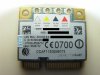
Can you confirm these are indeed the right connectors? -
Definitely the short one are for wwan.How I know that.
In my fishing boat I have bedroom that is under water line.Only way I can get poor 3g signal is with short cables on wwan and wifi antennas not connected.It seems that this antenna is not 100% best solution because 3g signal is best when wifi antennas are not connected.
Maybe they manage to remove that interfering in 900x3f-G01.
Also I spend about 100€ on other antennas ,pentaband ,quadbend ,wwan antennas that goes in Lenovo screen,etc...and they all went to garbage.
So best solution is Samsung 900X3F-G01 antenna but wifi part of antenna not connected.So I suggest you ,to put for wifi some other antenna and you need to put it in case near battery so it doesn't interfere with wwan.I manage that way to hit my max on wifi ,but only near router.
Problem is that all this is to much hassle because my wife iPhone5 killing my wwan .I manage to hit my max bandwidth which is 7,2mb/s ,but only sometimes and iPhone5 hitting max. all the time where ever I putt it. iPhone5 keeps stronger signal and speed two times better.
Did you ever had Thinkpad laptop with wwwan?
do they have strong signal ?I ask this because they have 3g antenna in their screen.
Do you have some friend that have Thinkpad with wwan?
Can he make test compering smartphone signal with his wwan signal?
If they can compete with new smartphone then I will squeeze my teeth and buy new x1 carbon,but I cant give 2000€ and cry after that
It seems to me that this option gtm671 is to old and that 3g technology in iPhone and all other new expensive smartphones is to way ahead or do they have some amplifier.
I think I will go with tethering in the end. -
A 3G MiFi hotspot such as this fixed up the mast (if you have one but there's a comment that it will take a type TS-9 external antenna) with supplementary power using one of the external USB chargers might be the best solution.
John -
Yes I thought of that ,but can you set it up to use only 3g connection even if its poor. Some devices turn to EDGE if HSPA is poor ,but poor HSPA is still better then good EDGE.
By the way I really need big smartphone for emails because my house renting job. -
Thanks Igor,
my Vaio TT has built in WWAN, I can make signal comparison when everything is set up. Don't have much time for that atm though, so right now I'll just wanna make sure WiFi runs fine. You haven't commented that question:
-
You might be able to download the manual and check the configuration options.
My own preference would be to use an installation that gets the antenna as high as possible so that there's potential for better signal strength.
John -
Yes sticker is right.My wifi driver is 10.0.0.270 from 28.11.2013 and i am hitting my max. ,which is 10mb/s.I really dont know what is wrong ,but something is.
Man i spend 500€ on this already,i could buy good phone for that.But i am not sorry,if my experience will help someone i am happy like pig in mud.If my wife see this she will kill me Also i love to dismantle hardware.I opened my 900x3c about 75 times till now.I even bought MyDigitalSSD 120GB because i saw power consumption on Tweak-town,but story is different in real world.
Tell me please does your vaio TT have wwan antennas in screen? -
I have to correct myself. Speeds are fine today, musta been my ISP last night.
hehe
Yes, they are in the display bezel and even pick up signals where my mobile can't get a fix.
I don't think it is outdated. AFAIK it uses a Gobi2000 chip. The GTM382 in the Vaio TT is much older and performs very well as described above.
I believe the problem is the less than optimal location of the antennas. The WWAN / WiFi antennas might also interfere with each other being located so close together.
I will do some WWAN reception tests once I have it set up completely. But don't expect the results very soon
13.3" Samsung NP900X3C with Ivy Bridge CPU
Discussion in 'Samsung' started by John Ratsey, Apr 11, 2012.


