 Problems? See this thread at archive.org.
The 13.5 beta 3 does and I read you've installed it. Does it makes some good difference?
-
-
Yes. The huge lag and stutter issues disappeared from far cry 3 and I went from 30 to 36 fps average on high in bf3 doing the exact same test.
I have a lot to test now. The 13.5 beta 3 drivers and a 120W psu. The drivers seem to make a more significant improvement than the psu. The psu does help for overclocking if you like doing that. With the 90W overclocking makes the framerates go down. I went from 30fps avg (with 90W PSU, stock drivers and clocks) to 40fps avg (120W PSU, 13.5 beta3, 850/1250) in the same bf3 test (second mission on high preset in 1080p). -
Well, it's very good news to know that the laptop can drain more power with a bigger PSU and it's not "BIOS locked" or something
Sent from HTC HD2 with Tapatalk -
I'm not entirely sure it draws more than 90W since I don't own a device to measure it. The samsung setting thing that is supposed to be displaying your power usage is not reliable. While gaming it says the laptop is drawing 33W which is impossible.
-
Hello,
I am buying a Samsung 17" 770Z7E-S01 and I want to replace the DVD drive by a SSD. As the optical drive is a slot-in model I don't know what model of caddy is good . Is there a specific model or can I use a universal model?
As it's a new laptop no seller knows it.
Could you tell me which caddy to choose on iFixit or eBay?
Unibody Laptop Dual Drive - iFixit
eBay | FOR New Apple Macbook Pro 2nd HDD Hard Drive Caddy Tray SATA 9.5mm Universal
eBay | For New Unibody 9.5 2nd SATA HDD Caddy bay+USB slot-in Superdrive Enclosure Case
Last question: is the connexion for the optical drive SATA III or only SATA II? If yes I can leave the hard drive to its original location and put the SSD in the caddy right?
Thank you for your answers
PS : sorry for my poor English -
Start by reading this thread about replacing the optical drive in the previous Series 7 models. Even if it doesn't have all the answers I think it includes the guidance about what factors you have to consider.
John -
Great

Thanks a lot John -
Is there a thread where you discuss the universal psu you are using? Which one you bought, ones that did not work, fps tests with it vs stock psu etc? I can't seem to find it. Thanks.
-
In the first post of this you can see a little bit of testing. As you can see, the difference is not big. The major difference is that it provides more stability and less throttling.
In the owners thread I discussed it for a bit too, as well as the user nolo2013 who also bought a 120W psu. I bought the ICIDU universal 120W psu which had the right plug and he bought the thermaltake universal 120W psu that did not come with the right plug so he soldered his original plug to the thermaltake psu.
Link to the owner's thread: http://forum.notebookreview.com/showthread.php?t=713184 -
notice the gpu going from 64 to 100 back and forth. Is this poor performance? This is in the new Metro game 1920 X 1080 medium detail x2 etc. it runs about 30 frames per second. on 16.6 beta with the over-clock. But it seems hobbled.
is this the throttling you are taking about?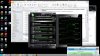
-
Yes, if you go to settings and select a non-legacy skin you should be able to change the power limit to +20% that helps a lot.
-
Yes it did thanks. I do not see much of a frame per improvement though still metro is demanding. It's amazing that i can play at 1920x1080 in the first place. Pretty awesome.
-
I played it through at preset high with 30+ fps with a 900/1300 overclock. The game looks awesome and this laptop handles it perfectly. No throttling just makes the fps count steady, which makes it smoother. Glad you got it working.
-
Check these temps out in the last scene of Metro 2013 upwards of 94 do you think this is accurate?
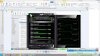
How are you forcing more than 1250 (1300 overclock)? afterburner maxes out at 1250? -
That's a lot. And msi afterburner is pretty reliable to me. If you lift the back a bit your temps should be lot lower. Good airflow is very important. My gpu never exceeds 75°C even with a higher overclock than you.
-
first time i seen it over 80 actually. Hmm. I am surprised it did not throttle back. The unit was not hot really but it was only at that temp for about 20 minutes during the final tank battle etc.
-
Did you have proper airflow? If yes it could hve been wrong data. Maybe check with other games too.
-
I figured this may be the best place to post, since I can't make a new post for whatever reason. Anyway, my only question that I have is to what the release date, or if it's even been announced, for the ATIV Book 8 15 inch in the U.S. There is a Series 7 model on Samsung's site right now (NP780Z5E-S01UB) but it has the 8770m instead of the 8870m. I need a laptop for college and I am wondering if it'll come out before I head off. Thanks in advance for any help!
-
The ativ book 8/series 7 chronos with 8870m is not out in the US yet and the release date is unknown. The ATIV book 8 is probably coming in june/july
-
Hey pranktank, I just registered to say thank you for your review and game tests. Awesome job!
I have a question for those who have kept the 1T 5400 rpm hard drive. How is the start-up time? and does the drive affect gaming noticeably?
Also, will I get worse battery life with a mechanical drive?
I produce music so I would love to have 1T of space but if the performance drops by having a mechanical drive then it might not be worth it. -
Thank you.
Start up time is not long at all. I could time it if you'd like.
It does not affect gaming performance, only loading times are slower than an SSD. So once the level/files/map loaded it's just as fast. -
Thanks for the quick reply!
Yes, please do! So I can compare to my current computer.
That's awesome. I think I'll keep the extra space when I get this beast of a laptop. -
Time from pressing the on button until the log-in screen: 12.4s
-
thanks! Compared to my current which takes 30s, it's awesome.
-
Thanks for this pranktank!
I will be getting this beast on Sunday.
What kind of drivers and tweaks should I download to make the performance better? -
Very good choice!
I'd recommend to uninstall intellimemory. To me it ate up to much ram and disk usage, making the system slower.
If you like to game, you should definitely the install the 13.5 beta 3 drivers. The tests I did were all done with the old drivers and performance has increased a LOT when I installed the newer drivers. Dowload link and installatian can be found in the owners thread: http://forum.notebookreview.com/showthread.php?p=9135887 -
Noted. Thanks for the reply!
Another question: Do you use a mice? What mice are you currently using for your Chronos? -
You're welcome.
Yes, I use the logitech m500. It's a laser mouse, very accurate, sturdy and great performance to price ratio. -
Awesome. May you give me a link to the latest graphic drivers? When I Auto-Detect and Install on the AMD site, it keeps saying that it cannot find my graphics card...
-
In the first post of the owner's thread you can find download links as well as a tutorial to install 13.5 beta 3 and 13.6 beta. 13.6 beta is the newest driver but to me 13.5 beta 3 performs a lot better so I recommend to install 13.5 beta 3.
-
Thanks. Hmm, it still says my graphics card isn't supported.
-
Have you done the exact steps?
-
I think I know why. When I "dxdiag" it, my graphics card is shown as Intel HD Graphics 4000.
Do you know how to fix this?
Thanks -
That may not be indicative. Check the thread linked below -- best you read the whole thread, it's only two pages. This is also covered elsewhere, including previously in this thread.
http://forum.notebookreview.com/sam...ries-7-chronos-graphics-card-help-needed.html -
I have the 17 inch using 13.5 drivers, I have to underclock the gpu because its getting so hot. Gets up to 79c then I end the game. I've kept the laptop propped up in the back with a book. Not sure what to do at this point. I can play BF3 online on medium settings, and medium/ultra between 30-50 fps. Any suggestions?
-
Although 79 °C is a bit hot, it's safe and it won't damage your GPU. I would only really start worrying at 85+ °C. How hot is your CPU? Does your GPU throttle? You could try a cooling pad.
You could also try a repaste and dusting out your fans but since it's new I don't think this will make a difference. -
At 81C it has crashed twice, I keep it in the air now for games and use a external keyboard. My GPU performance % goes back and forth from 65% to 100%, I remember seeing a post about this but have not been able to find it. Would that be throttling? Is there a solution to that? I ordered a 120w psu, I saw that it gave you a boost in performance. I called Samsung about the temps and he said that around 85C~ for long periods of time will not damage internals. Coming from an Asus G75vw with the 660m, Can't believe what this computer, what with its dimensions, and battery life can produce. Really love this thing.
-
81C really shouldn't be a problem. Does the game crash or what do you mean?
Downloading and installing msi afterburner and setting the power limit to +20% fixes the usage and clocks drops. You should definitely try that to get the most out of your GPU.
Yes I'm pretty happy with the 120W PSU. Not sure what the difference is with a 90W PSU but performance seems much more consistent. The laptop now is able to keep both GPU and CPU at turbo clocks, resulting in 45+ fps in bf3 in multiplayer, maxed out (except for MSAA) at 1080p.
I'm glad you like it so do I. The mobility to performance ratio is fantastic.
-
The comp freezes, does nothing, then I shut it off holding the power button. I have put the power limit to 20%, but the comp gets to 81C and crashes, Ill try that again tonight. Do you have problems with your screen brightness/keyboard backlight? Sometimes I cant change them with software or keyboard keys.
-
Do you need the 120W PSU to use the +20% power limit? Or is it possible to use it with good results also with the 90W PSU?
Sent from HTC HD2 with Tapatalk -
Realy strange. This happens at stock clocks right?
No it works just fine with the 90W PSU.
-
I had power limit around +10. This time around I maxed everything on msiafterburner, 20%, 850, 1250, and my gpu % was much more stable, and my temps never broke 73C, but after about an hour on bf3 it crashed, everything froze, my CPU never broke 85C.
-
I have maxed out msi before and got into the 80C+ GPU temp range, I have no idea why it didn't this time.
-
Ok, the screen freezes are coming from bf3, this is a message i found hiding after another freeze:
DirectX function "GetDeviceRemovedReason" failed with
DXGI_ERROR_DEVICE_HUNG: Device hung due to badly formed
Looks like many people have this problem.
Direct X Error 'GetDeviceRemovedReason' - Page 2 - Answer HQ -
I also get that message, but only if I overclock too far. (past 920/1300). It's because the voltage is too low for those clocks. This should not be happening a stock clocks, and not at 850/1250 either. 895/1300 is superstable for me.
-
Can you over volt? I can't on Afterburner.
-
I seem to be able to do so on GPU tweak but not on afterburner. GPU tweak won't allow me to go over 850/1250 though.
Asus GPU tweak may not work without enabling unofficial overclocking. For a tutorial on that check the bottom of the first post of the owner's thread: http://forum.notebookreview.com/showthread.php?p=9135887 -
When I try to change values with notepad and save it says "access denied".
-
Save it in another map or on the desktop. Then copy and paste it into the afterburner directory.
-
Where is the Afterburner directory?
New samsung series 7 with 8870m review / test
Discussion in 'Samsung' started by pranktank, Mar 23, 2013.


