Problems? See this thread at archive.org.
Thanks for your tips, John.
I have successfully upgraded my NP900X4C-A01IT to Windows 10 following your advise.
Everything seems to work fine so far.
I have just one question: when I booted up the pc with win 7 the first screen I saw was a BIOS one with the option F2 to enter the BIOS or F4 to switch to Samsung Recovery.
Now when I boot up, Windows splash screen is the first one to load. Are the F2/F4 going to work in the same way?
(I see the recovery partition is still there). Am I supposed to start the pc with the F2/F4 already pressed?
Thank you for your help.
-
You should not normally see the F2 or F4 (or any other BIOS level prompts) when the computer is working properly. I think you saw the prompt because the BIOS wasn't sure which bootable device to load. However, the F key functions will still work if you tap them a few times immediately after turning on the computer. The one I normally use is F12 which should bring up a list of bootable devices and also a link to the BIOS setup.
Johnshaggyskunk and kirth like this. -
It's probably a tweak to the UEFI implementation to improve Windows 10 compatibility. There's no corresponding new BIOS for the older X4C versions with the P**AAC BIOS. These are best left without UEFI enabled.
JohnDannemand likes this. -
Has anyone managed to get the system to resume from hibernate when opening the lid on windows 10? Only thing that's bothering me after upgrading.
-
Now you mention it, I can't get that feature to work on my X4C.
This is a good reason to avoid the temptation of letting Win 10 loose on my X3B.
John -
Not working for me, either. If you find something let us know.
-
I Have been trying to find a 15" Ativa Book 9 for awhilenow. They seem to have disappeared except for a few refurbished or used machines for $2000+.
Has this model been discontinued and is their a 15" replacement?
Thanks -
The X4C and X4D were discontinued long ago. Then there was the NP930X5J (perhaps that is model you are referring to) which has disappeared as stocks weren't replenished. It was a Haswell notebook, while Broadwell arrived about a year ago and Skylake is imminent.
A possible successor is the NP940Z5L. However, 940 in the numbering would imply a touchscreen. Z5 implies a 15.6" panel and possibly a discrete GPU.
It would be good if Samsung reintroduced the 15.0" display size of the NP900X4C but with a good quality panel. They failed to sell the advantage of a notebook that was in between the 14" and 15.6" sizes. I've ended up with a Dell E7450 which is only 14" but has an excellent display (and the dGPU version I bought also has a quiet fan).
John -
Hibernation or sleep? I don't think it ever worked for hibernation (except rapid start style). I will check sleep on my X3G tonight.
-
I'm going to apologize in advance, I haven't read the entire thread. I've had this laptop for just about 3 years. I use it for home only. Word, Excel and Quicken are typical. Once year or so I'll use Photoshop. I can still get about 6-7 hours of battery life. But there are a few problems...
The first is heat. It is not constant, but periodic, say 3-4 days a month, the fan runs like crazy and the case is hot to the touch. The rest of the month it is relatively cool, if I hold it up to my ear I can hear the fan but it is faint and the laptop is just sort of warm. I dropped the laptop a little over a month ago, landed on its edge on my foot. I had a hot period after that and freaked out that it was dying. Then it cooled down. Last week it was hot again. This time I noticed that it was only hot when plugged in, charging and used. So I started plugging it in before work, then when I got home, I could use it plugged in and it wouldn't be hot - but it was fully charged. I don't know if the charging while using was really the problem or just the regular time that the heat was done. Any ideas? I opened the case in the summer to change the hard drive and gave it a good clean. Although I was surprised, it wasn't that dirty. Would replacing the fan or heatsink potentially help or just don't use the laptop while not mostly charged?
The second is my keyboard. Periodically keys get stuck or don't type. Is there anywhere online to buy new replacement parts or am I stuck taking a chance on eBay? I think you have to replace the entire palm rest, keyboard and touchpad, right?
The last is my power cord. It doesn't stay in 100% of the time. It doesn't flop out but it isn't as locked in as it once was. I'm guessing that is the laptop and not the charger, so it's just a matter of age. But thought I'd ask. -
Run HWiNFO and select Sensors. This will enable you to what the CPU is doing (speed, CPU utilisation, core temperatures and CPU package power). This will help determine whether the heat is due to excess CPU activity or a problem with the cooling system. It may be a combination - a virus scan every few days provides the CPU load and the cooling system isn't working properly.
Is the fan running when the computer is hot? You should definitely be able to hear the fan noise. If the fan is running then is it blowing hot air? If the fan is running but not being very effective then the first remedial measure I would suggest is to replace the thermal paste on the heatsink.
My first suggestion for the keyboard is to run a piece of thin card around the edge of each key and into the corresponding hole in the palm rest to clear any dirt and make sure that the keycap is centred on the hole. Otherwise, total replacement is the best option but, as you have discovered, is expensive. There are Chinese sellers of the basic keyboard at a much lower price but this will require some work to separate the existing keyboard from the palmrest and then to glue in a new one.
John -
Thanks for the suggestions. The fan definitely runs loud when it is hot. It is trying but it just doesn't seem to be able to keep up. Maybe thermal paste is the answer.
I installed the HWiNFO and let it run all day, not sure what I'm looking for.
![[IMG]](images/storyImages/HWiNFO.png)
-
A maximum CPU temperature of 72C isn't exceptionally hot, but a maximum CPU package power of 11.3W indicates that the CPU was never under full load.
Start HWiNFO, run wPrime 1024 and then look at the maximum CPU temperature.
John -
So maybe you were right that it is just some random process like monthly AV that is periodically running the processor up and making it incredibly hot. That's embarrassing...
I took this screen shot a few seconds after the process ended, the temp dropped like a rock.
![[IMG]](images/storyImages/HWiNFO3.png)
Thank you for your help. Still might order a replacement fan just in case. -
The X4C does get quite hot under full load because the single very slim fan is barely up to the task (the 13.3" Series 9 notebooks with soldered RAM have twin fans). The quick drop in temperature shows that your cooling system is working OK. I've checked my records and found an HWiNFO report with 89C after ripping a DVD (a CPU intensive task). This was after repasting the heatsink to try to improve the thermal performance. Propping the back up will drop the temperature a few degrees because of slightly better airflow to the vents on the underside. A pair of stick-on rubber bumpers is also an option.
John -
Does anyone else have this update in their queue? I can't seem to install it...it keeps failing. Running the installation manually as the Samsung Update program suggests trying doesn't seem to do anything. I don't recall having Dolby Digital software on this laptop ever before though, either. Hmm...
![[IMG]](images/storyImages/jMFONA4.png)
-
Has anyone tried running a quad HD monitor with a resolution of 2560 X 1440 with one of these laptops? Any issues?
Thanks
Mark -
How will you connect it? Through the micro HDMI port? If so, it's nominally rated at FHD (1920 x 1080) - part of the micro HDMI spec. However, some people have driven higher (than FHD) resolutions through the micro HDMI port on more recent Samsung notebooks by creating a custom resolution with a lower refresh rate. Also see this article which shows it works on some notebooks. However, the X4C might not have this facility. The VGA port is even lower resolution.
John -
Hi John, yes the plan was the mini hdmi port.... It would seem according to the article, I will have to make a custom res and play around with it.... sigh......
Thanks for the link very helpful
Mark -
buy this beauty 2 days ago, i bought it for 400 euros, in box, almost new and it´s the A03 version i7, 8gb ram, 512ssd, battery stils hold 7 hours or more
couldn´t be more happy, this is one of the best laptops ever for me, had it 3 years ago, but had to sell it due finance problems
-
That's a very nice price. If only Samsung had given this notebook a better display and squeezed in two fans then I would probably still be using mine but it's been put to one side in favour of a Dell E7450 which does address my desires of a very good display and a quiet fan while my NP900X3B (which has a good display and two fans) is still in service as a second, more portable, notebook.
By the way, Windows 10 runs on OK on the X4C but make sure you have updated the BIOS.
Johntugapt likes this. -
when i update from windows 8.1 to windows 10, first thing was installing samsung update and update the bios
mine doesnt heat at all, and the fan is so quite, total silence, maybe will buy a cool master stand
now i have to sell mine samsung 700t pro, worst samsung laptop/tablet ever -
I'm back after a few years of seamless Series 9 use - (NP900X4C). Well you guessed it I upgraded to Windows 10, mostly good I must say, especially love the stripped down interface and the leaner window frames etc. The look is much improved than Win 7. I cleverly bypassed the Win 8 donkey.
My problem is I cannot get the new "Samsung Settings" to load. In the Samsung Update software it is recognized as Essential, and I go through the Install procedure... it downloads (v 2.0.0.106, 135 MB) but it always fails during the install - see second pic.
http://1drv.ms/1LSUlQu
http://1drv.ms/1LSUrHU
Then it automatically asks me to download as a "redistributable setup file" ... which "installs manually if installation continues to fail". I have also tried this but it only has install folders for Win 7 and Win 8, plus a Inst.exe which does nothing after I run it.
http://1drv.ms/1LSUzqW
JR - it sounds like it could be the BIOS preventing Samsung Settings from updating, do you know how I'd go about checking and updating the BIOS. I am very
I really need my Function buttons back!!! Please help!
Thanks in advance.
PS - so reading here I can see the lid open does not resume hibernation, I can confirm this. But after installing Samsung Settings do the Function buttons work, ie. screen dimmer, trackpad on/off, keyboard backlight, WiFi on/off ? As they currently do not "function" on my Win 10 Series 9. Bizarrely enough the volume Function keys work.Last edited: Dec 15, 2015duttyend likes this. -
You can check if the BIOS needs updating by running Samsung's BIOSupdate.exe. However, you may need to edit the file's properties to get it to run as explained in the last part of my post here (see An Update Relating to Windows 10).
I suspect that you need to do the same edit to the properties of the Settings installer (and possibly Settings itself). Windows 10 does it best to block programs which have the capability to change the BIOS settings. Another possible work-around is to right click on the installer and select Run As Administrator.
John -
Thanks JR. Unfortunately no dice, I ran the BiosUpdate from Admin CMD prompt and it said I had the latest version. Even trying an install of the current latest (just in case) was blocked by Win10.
I also re-ran the \Samsung Settings_2.0.0.106\Inst.exe (redistributable setup file and folders from Samsung) from Admin CMD prompt but it just runs and does nothing....
Are all the FN buttons working on your Series 9? -
I've just started up my X4C (on which I put Windows 10 on 29th July) and the Fn keys are working. Settings is version 2.0.1.
Did you uninstall Easy Settings from your X4C prior to the upgrade? I was instructed to do so.
I documented my experience when I upgraded my X4C in this post. Maybe you will find some clues there.
John -
Can condirm Fn keys also work on my X4C (A01-IT).
Question: what would be a reasonable price to sell this laptop? Win10 + upgraded to 16 Gb RAM.
Thanks -
A quick look at ebay shows prices ranging from $500 to $750. Is Windows Pro or Home? Do you have the original recovery disc? Is the recovery partition intact? It's normal to wipe a computer and reset to factory condition when selling it.
Physical condition will be a factor and the i7 CPU will have a premium over the i5. The 16GB RAM might not attract most people to pay extra - a higher capacity SSD would be a strong selling point since the 128GB U100 doesn't let the computer show its full performance. Another consideration is the battery wear: BatteryInfoView will tell you this and it would be another strength if the battery still have >90% of the design capacity while if it is below about 60% then purchasers won't want to pay so much. Do you also have a sleeve, etc, to throw in to sweeten any deal.
Johnduttyend likes this. -
Thanks John for your usual prompt reply.
Mine runs Windows 10 Home.
I have everything which came with the original box, so I should also have the original recovery disc...I have to check.
(how's that supposed to work as the notebook does not have a cdrom drive?)
Recovery partition is intact.
I must say the notebook is really in great physical condition, not even a scratch.
SSD Drive Model SAMSUNG MZMPC256HBGJ-000 is 256 Gb, not 128.
I also attach a BatteryInfoView screenshot. If the reference value is the battery wear level, it still seems quite good.
I aso have a Case Logic sleeve which fits very well.
As a practical note, in case I'd choose to sell it, what would be the suggested way to "wipe off" all my data from the notebook?
Thanksduttyend likes this. -
Yeah I uninstalled Easy Settings as recommended by Windows. Same procedure as you, except Samsung Settings 2.0.0.106 (SS) would fail to update in the Software Updater program and then no matter what I try; dowloading the standalone SS installer, CMD prompt admin etc. After many attempts I even tried the Win 7 and 8 installers in the downloaded SS folder but both come up with - You have a newer version installed already - which I can't for the life of me find where it is installed, to try and run manually.
I am thinking the only option left is to reinstall Win10 on my machine from scratch, but a bit nervous as it was a Windows a free upgrade so I don't have the original disks anymore - I might try Win10's Update & Security > Recovery > Reset this PC.
Thanks in advance.duttyend likes this. -
My X4C came with a system recovery disc but that's not to say that all did. Portable DVD drives are very cheap so it's reasonable to assume that people will have them for use when necessary without adding to the bulk of the computer to be carried around all the time.
Your 256GB Samsung SSD is a strong selling point - a useful amount of capacity, better performance and much less likely to be getting worn out than the 128GB U100.
Surprisingly, my X4C's battery reports exactly the same numbers for the Full charged Capacity and Designed Capacity! Having a battery with plently of life remaining is another strong selling point.
If you are neurotic about protecting your personal data then you need to look for a secure erase utility but it will wipe everything, including the recovery partition. If you assume that the purchaser is not likely to try to do a forensic analysis of the SSD contents then wiping your personal files (if in a separate partition) followed by reformatting the partition and then deleting it to be merged with the C: partition should be sufficient. If your user files are in C: then first delete them and clear from the recycle bin. When you reload the factory image it will format and over-write C:
Get (and keep a copy of) the Windows 10 key using Magic Jellybean key finder and get the Windows 10 installer as a download using the Media Creation Tool. In theory, Microsoft has put a hardware fingerprint of your computer into its database so you shouldn't need the key, but it's better to have it backed up.
However, first use the Find Model facility in Samsung SW Update to look through the versions of Settings offered for different notebooks for Windows 10 and you might find one that works. However, focus your search on notebooks of similar age to your X4C. Settings for newer notebooks might lack support for features such as Battery Life Extender.
Johnduttyend likes this. -
Hi. I need your help on a series 9 I am planning to restore. I hope someone could sell me a defective or a non-working NP900x4c Ultrabook. for my build. I just need some parts to use for my resto project. Thanks fro responding
-
Welcome to NBR. You already created a new thread asking the same question. Cross-posting is not allowed on NBR (or pretty much anywhere on the internet) so please avoid posting the same question in multiple places.
Of course make sure you check our Marketplace -- which technically is the right place for this, but I agree you are more likely to find a seller here. Of course watch eBay as well.ALLurGroceries likes this. -
Oh. I'm Sorry for that. Thanks anyway.
-
For the past few months I've seem my maximum charge level slowly decrease, from 100% to till it wouldn't charge above 67%. I got a popup from easy settings warning me about the battery being unsafe for use or something, when I unplugged it the laptop shut off and wouldn't boot. I had to go to the BIOS and change it back to CMS again.
I ran BatteryInfoView and it gave me the results below, still about 67% wear level, so why would my laptop shut off immediately when unplugged? Should I get a new battery or is there some way to get it to recognize the remaining level?
Also, the top left LED is blinking orange/green since the shutdown and windows is now showing 100% charged, although the windows energy report shows the following:
Battery:Battery Information
Battery ID SAMSUNG Electronics
Manufacturer SAMSUNG Electronics
Serial Number
Chemistry LION
Long Term 1
Design Capacity 62160
Last Full Charge 41440Last edited: Feb 20, 2016 -
I suspect the battery is effectively dead but it must be around 3 years old so that's not completely unecpected. However, it would be worthwhile running the battery calibration procedure: Make sure that Battery Life Extender is turned off then fully charge the battery, go into the BIOS (tap Ecs or F12 a few times immediately after starting the computer), find the Battery Calibration option, pull out the mains power and then set the calibration running. The calibration process drains the battery until empty (Windows insists on shutting down the computer with several % remaining which is better for the battery but, over time, means a difference can develop between theoretical 0% and actual 0%). Once the computer goes off then fully recharge and recheck the BatteryInfoView info.
The good news is that 3rd party X4C batteries have arrived and are much less expensive than the Samsung batteries (which are becoming rare). Whether the 3rd party batteries will last as long remains to be seen.
Johnduttyend likes this. -
Hi John, I tried running the battery calibration from the BIOS but the issue is as soon as I unplug the laptop it shuts down.
Do you have a link or a model number for these 3rd party batteries? The ones I found I suspect are Samsung ones (AA-PBXN8AR) and go for about 150 to 170$. Otherwise I found a used one on ebay to 65$ but I'm a bit weary of buying a used battery for obvious reasons. -
Looking on UK ebay I note that the official battery is AA-PBXN8AR/BA43-00344A and here's a compatible battery. There's not as much price difference as I expected - I'm wondering if the price on the official battery has been dropped to clear the stock. My comment had been based on the NP900X3C for which there now appear to be several sources of compatible batteries.
Johnduttyend likes this. -
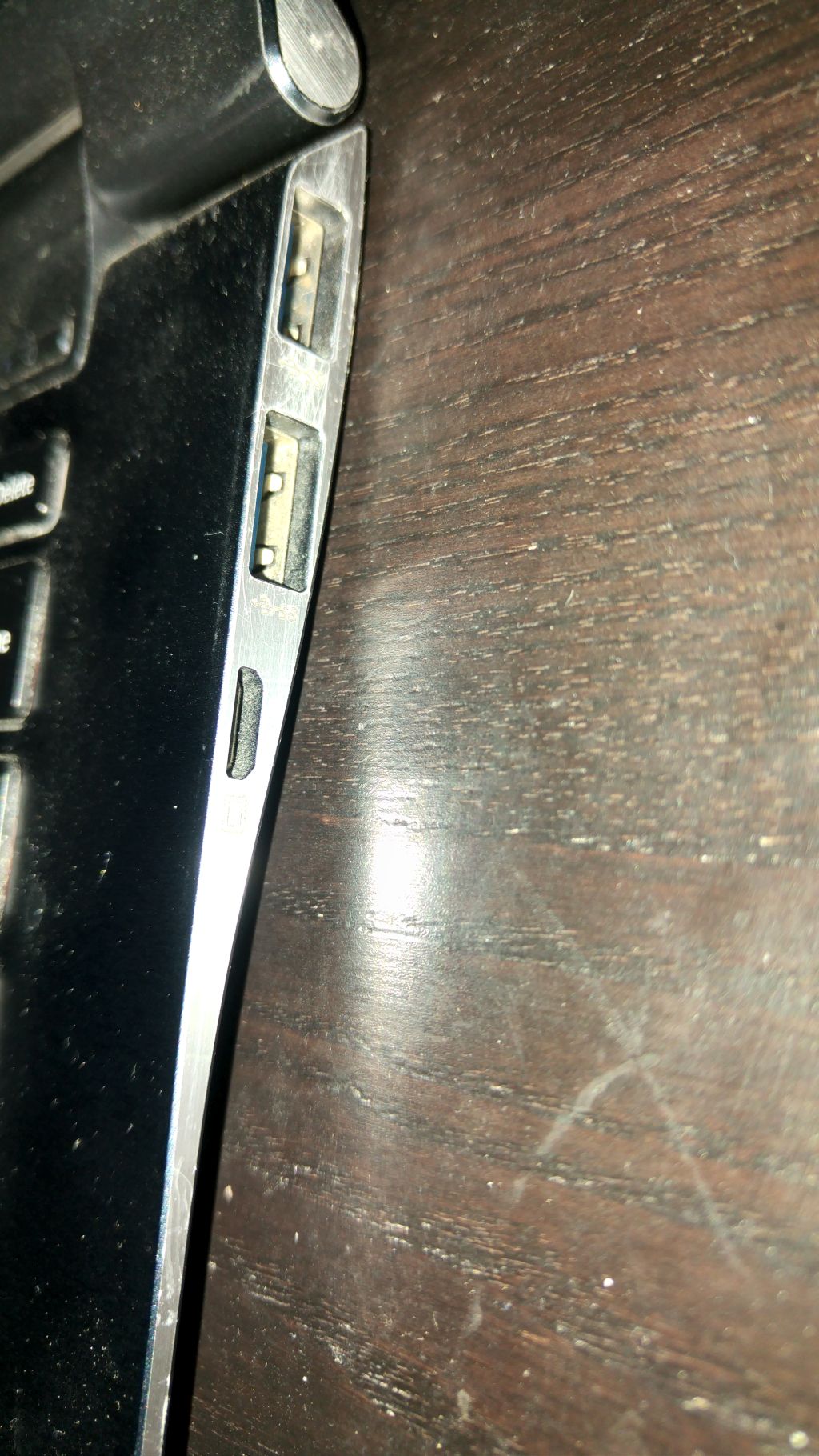
My micro HDMI port doesn't seem to be working anymore. I tried an airblast clean, no dice. Displays are detected but nothing shows. I have tried two different adapters - VGA and HDMI. Is there anything else I can try?
If I purchase a connector/adaptor for the micro VGA port which I think is on the right hand side - what resolutions does it support please? It is a micro VGA port isn't it?
thanks
EdwinAttached Files:
-
-
I wonder if one of the solder joints on the micro HDMI socket has broken - something I always felt was a risk if you plug a thick HDMI cable into the small socket.
I've just checked the VGA output on my X4C since I have the Samsung VGA dongle (very rare). It defaults to 1024 x 768 and is OK for a static image at 1920 x 1080 but the FPS may be quite low and reduce the smoothness of dynamic images.
Johnduttyend likes this. -
Thanks John,
In that case, I will just go with a USB 3 to HDMI/VGA adaptor - displaylink based - I already use displaylink based docking stations at work and home (Targus), and I am very happy with them. This will be for presentations etc at customers.
I just don't want to give up on my S9 ! still in love with it, and I just changed the battery.
Edwin -
A quick google reveals that the VGA dongle isn't as rare as I thought (including second hand ones on ebay) but I would agree that that a USB 3 route is attractive as the adapter can then be used with other computers.
Johnduttyend likes this. -
@sabbasolo: I've done 1920x1200 through the micro-VGA port on my Series 7, and it was tolerable. But certainly not crisp and sharp as through a digital output like HDMI or Displayport. A USB3/HDMI or USB3/Displayport adapter is the better choice in your situation.
-
Hello
Could you tell me how much RAM may I install in 900x4c? In standard I have 8GB, I would like to upgrade to 16GB, but I read that max for this model is 8GB, is that truth? -
Intel's specifications indicate that the memory controller can handle up to 32GB RAM and the reports here indicate that 16GB can work. However, I recall that Samsung introduced something in a BIOS update that made it fussy about what RAM would work so you would be best advised to buy RAM from somewhere that will take it back if it doesn't work (or have another computer that you could put the RAM into).
Johnduttyend likes this. -
I have i7 proccessor, but I think that it's support 32 GB like i5 too, thanks for inform me, I will try find some store which can take it back if it doesn;t work
I can see that you have (had) the same PC like you, have u changed anything in RAM? -
Hi guys, I need some help.
I'm thinking about updating my NP900X4C to Windows 10 as the deadline nears. I do like Windows 10 and would like to run it. However, I did the update a long time ago and while everything worked fine, I could not enable three-finger touch, or at least change two-finger touch to work as the middle button, on the touchpad.
My current driver is ETDWare X64 11.7.18.2_WHQL, with ETDAniConf.exe version 11.31.0.0 in some system folder to enable more touchpad options (I installed this in 2013 following some of this forum's recommendations).
Has someone got a working middle button with this laptop in W10?
Thanks,
Giusepe -
Yesterday I did an interesting transplant exercise: The objective was to change the keyboards (1 UK and 1 US) between two versions of the NP900X4C (to complicate matters one was originally Win 7 + UEFI disabled and the other Win 8 + UEFI enabled although both are now running Win 10). The solution was to change over the mainboards and the SSDs between the two machines and altogether took nearly an hour using these steps.
Remove the base (10 screws); remove the battery (7 screws and pull out the connector); remove the fan (2 screws); unscrew the Wifi card (1 screw) and release from slot but not disconnect the antennae cables (they are fiddly to plug into the little sockets); disconnect 3 ribbon cables on edge of mainboard (the black parts of the sockets are hinged flaps which lift up to release the cables); pull up the display cable to remove from socket, lever out the PSU connector, disconnect the speaker, and lift out the ribbon cable near the fan which connects mainboard and daughterboard.Then unscrew the mainboard (5 screws) and lift carefully at the end near the fan (there's no need to remove the heatsink assembly). The awkward bit is releasing the mainboard from the chassis at the corner nearest the power socket which needs some careful lifting and wiggling. [Repeat for the other computer].
Then remove the SSD (1 screw) from each and swap over followed by swapping of the mainboards and reassembly. It's fairly straightforward with the most difficult bit being the corner of the mainboard near the PSU socket. Remember to get the ends of the ribbon cables out from under the mainboard before screwing it down.
So, although I have always looked on a full disassembly as being quite challenging, it wasn't so difficult. There now appears to be a shortage of X4C parts in the UK with prices tending upwards. The surving X4Cs are probably worth more as parts than as working computers!
John -
does any one have missing screws in the bottom of the case?
i already missing 2
where to buy in europe? -
btw after some years my battery still in 91,4 % batteryinfoview
Samsung 15" Series 9 NP900X4C with Ivy Bridge CPU
Discussion in 'Samsung' started by John Ratsey, Mar 10, 2012.