Problems? See this thread at archive.org.
@gottagetta: LOL, no worries, happens all the timeI took the liberty of just merging your update into the original post.
On Samsung models with Elan touchpad, Fn-F5 will do exactly the same as toggling the Touchpad control in Settings (Fn-F1). In fact, pressing Fn-F5 while Settings is up updates that ON/OFF switch on the screen.
It may be different on the X5J since (to my understanding) it is a different touchpad -- although I would still think this must be the expected behavior.
-
-
Yes - Fn F5 turns the touchpad on and off.
I also lost the pointer once until I realized that ;-) -
So I got the NP930X5J-S01US and had some time to mass with it a couple days ago. Installed Classic Shell, did many driver / patch updates etc. I see that the Samsung backup program has an update, so I start the download / install. While installing it throws a message that its not compatible with my computer! WTH? SW Update showed it as a download for my computer. I cancel out and reboot, surprise, the boot record is screwed up
((((((( I power it down and put it on a shelf, screw it, no time to mass with it now. DO NOT TRY TO INSTALL IT!
Today I burned a copy of Win 8.1 Pro (thats the version that came with the comp) and will see if I find time to recover it today.... got to love it... Lucky I have my NP940X3G here that I use for day to day... -
Hi everyone, just checking back in after owning the NP940X5J (i5/128gb) for a few months. I also own a NP900X4C. I know a lot of people like the older Series 9 (as do I) and are not sure about "upgrading" so hopefully this helps a bit for you.
NP940X5J:
Issues: not many. I've had some issues with the Fn Lock not functioning for the first few minutes after waking from sleep. Also had some issues with space bar intermittently not working immediately after hitting the shift key. For example, in the sentence, "Ihad problems with the shift key" would come out without a space after holding shift to capitalize "I". Seems to have gone away on its own.
-Wifi seems to be good
-Battery life seems to b very good (Battery Bar estimates 9-10 hours on a full charge usually). I usually run ~50-75% screen brightness indoors with wifi on, no bluetooth.
-Speakers are decent
-Touchscreen is fine, keyboard is fine.
-Touchpad is alright, gets kind of "grippy" if your fingers are warm or lightly sweaty. Often interferes with typing so I installed Touchpad Blocker which helps a bit.
NP900X4C:
Screen is not as nice as the 940X5J
It is noticeably thinner and lighter
Battery seems poor in comparison 5-6 hours typically.
Overall Impressions:
I'd like the battery life and screen of the Np940X5J in the NP900X4C. The keyboard is a little nicer in the NP940X5J as well. I end up taking the NP940X5J when I leave the house, mostly due to the long battery life. At home I use my desktop or the NP900X4C. So in short, neither is perfect. The cheapest replacement battery for the NP900X4C I've found is $70+ unfortunately, so I wont be replacing it until performance drops further. Anyone remember what the battery life of the NP900X4C was like new? I bought mine used so have only known ~5-6.5 hours depending on use.
*edit I'm using Classic Shell on the NP940X5J without issue. -
5-6 hours on battery for the X4C seems low (unless you had Battery Life Extender enabled). Does BatteryInfoView show that the fully charged capacity is significantly lower than the design capacity?
While I've seen my X4C forecast over 10 hours (fairly dim screen and WiFi off) it's definitely kept going for at least 8 hours of work when there was no power in the office.
Non-arrival of the X5J in the UK means that I'm now using a Dell E7440. it has less than 75% of the battery capacity of the X5J but the battery is swappable.
John -
I'd recommend treating the threads of the screws with something like Loctite Threadlocker Blue 242. These kinds of products are designed to help screws stay in place while still allowing later disassembly. Make sure you don't get one of the more aggressive, permanent adhesives or you might effectively glue your laptop shut forever. Follow the directions.
Often you'll see screws in electronics have some red or blue on the threads. This kind of thread-locker product is what you're seeing there. -
Could you elaborate on your assumptions about the SSD performance? It sounds like you're saying that you were expecting significantly higher performance than huberth reported.
What should we be seeing with M.2 PCIe drives in this laptop? -
The 512GB Samsung SSD I have is a M.2 SATA drive. As far as I know no one so far has tried to see if a M.2 PCIe drive would work....
-
I live in the Philippines and I can detect the "rough feel" you're referring to when I rub the surface beneath the keyboard of my 2 week old NP940X5J. All the outlets are ungrounded in this rented house as they are in almost all homes in this country. I was getting mild shocks on my previous Toshiba laptop but not so far with this one, just the sensation you described. Maybe the PSU is better, I'm hoping this won't cause problems. Really a beautiful laptop it would be a shame to damage it.
-
And if there was a ground connection in the socket it's quite likely that it wouldn't be properly grounded. I can't remember which of the many countries I've worked in caused me to decide I was better off not connecting to the local ground wiring. It is, however, prudent to have a spare PSU in case it decides to die (PSUs compatible with the Samsung Series 9 are not easy to find due to the small plug). i've had two of the Samsung PSUs die in the past 2 1/2 years but they both chosen to die in England where the power outlets are grounded.
BTW, 20 years ago I was living in Isulan so I've first-hand experience of Filipino electricity.
JohnMikeB17 likes this. -
Hi,
I have noticed too some vibrations when rubbing the surface of my brandnew NP940X5J (purschased finally in US...) when I plug it in undgrounded outlets.
Could this static electricity possibly damage some components?
Thanks,
Steph -
There's no risk of damage because the voltage difference across the various components is as intended. Instead of the power from the PSU being +19V and 0V, the 0V is actually 0 + something and the 19V is 19V + something. That something volts is either caused by slight leakage through a high resistance path or because the DC circult in the PSU is completely isolated from the mains and doesn't know where 0 is.
You are noticing the voltage because you are providing a route for the power leakage to go to ground.
You know you have a real problem if you need to sit on a rubber mat in order to avoid getting shocks.
John -
I'm ordering a backup power supply today through Amazon, not much chance of finding one anywhere near. Great info, thanks!
-
Thank you for this very accurate explanation!
-
Does anyone know if this power supply will be ok to use in the NP9405J? It's not listed but I'm thinking it's probably because it hasn't been updated.
Amazon.com: Pwr+® 14 Ft AC Adapter Charger for Samsung Series 9 ATIV Book, Lite, Plus, Np900x3a, Np900x3c, Np900x4c, Np900x3d, Np900x3g, Np940x3g, Np900x3e, Np915s3g, Np900x3f, Np905s3g, Np900x4d, Np900x3b, New Series 9 Ultrabook 13" 13.3-inch Power -
I can't think of a good reason why it wouldn't work. AFAIK the X5J uses the same PSU (plug, voltage and power rating) as the other Series / Book 9s. It's also a good choice because it has the right-angled power tip which is better than a straight one for the side-mounted power socket.
John -
Thank you!
-
Something tells me to buy this one simply because Samsung is exiting from the pc-market. I like the design of this one...
But some questions first, how good is the sound quality from the audio-jack and from the speakers? How good is the battery life?
Is the touchpad really good as the touchpad on the NP870Z5E?
Here in Sweden only the model with core i5 and 128 GB SSD is available, do I loose anything on importing the core i7 version with the 256 GB SSD?
Regards -
If you are considering importing from the USA then one thing you will lose is one key on the keyboard. However, in reality it's more than one less key. The left and right shift keys and the enter key change shape and size and some other keys move around. This can be very confusing if your fingers are highly accustomed to a particular keyboard layout.
The touchpad on this model is not the Elan touchpad much used by Samsung over the past three years and had evolved into something reasonable usable. Unless an improved driver has appeared very recently, the Book 9 2014 touchpad has limited gesture support. It's a mystery why Samsung changed the pad supplier, but it's also a mystery why they decided to stop selling their premium notebook products in Europe.
John -
Can anyone point me to information about upgrading the SSD drives in these units. My wife purchased a NP940X5J - K01US
and she would like to put in a 512GB SSD I was hoping to get some confirmation/assurance in a couple areas:
1) That the case is not that difficult to remove other than removing the 10 screws on the bottom and prying around the edges.
2) That the platform will support a 512 GB SSD. Samsung Chat support indicated that it would only support a 256 GB drive
3) Confirm whether the device supports an M.SATA drive or a standard 7mm SSD. I am thinking of a Crucial M100), and an M.SATA requirement would change that.
Thank you very much for any inputs/advice. -
1) The case is not difficult to remove other than removing the 10 screws on the bottom.
2) The platform will support a 512 GB SSD. 1 Terabyte M.2 SSD should work as well
Hynix has announced one recently:
Hynix Presents 1TB M.2 SSDs and 3D NAND - FMS 2014 Update | The SSD Review
3) It will NOT support a M.SATA SSD or a 7mm SSD. You will need to get a M.2 SSD (form factor 2280).
So far only SATA drives have been tested, There is also a PCIE version now available on Amazon, which is faster than SATA. but not sure if it will work. But amazon has a generous and easy refund policy:
http://www.amazon.com/Samsung-XP941-512GB-PCIe-MZHPU512HCGL/dp/B00JOSM3TK -
I would add that photos of the inside are available further up this thread.
The SSD is hidden under a ribbon cable.
John -
Thank you all for the insights. I have identified a candidate drive and had read about the ribbon cable. I'll work my way back through the thread to find the pictures, though I suppose there will only be so many visible when I open the case.
-
I've had the i7/256Gb version for a month. The sound system is great, I didn't really consider it when deciding to buy it but it is very nice, the best I have heard from a Laptop. I don't use the touchpad but it seems to work ok. Haven't really tested the battery but, given the power outages we sometimes have in the Philippines, the battery time was was a major factor in my decision. It's not the perfect laptop but it's as close to perfect that I could find for my needs.vayu64 likes this.
-
Hello,
I am encountering issues(as many) with my touchpad on my NP940X5J.
This is somewhat difficult to explain with words, besides english
isn't my first language but I am going to try...
Sometimes, many times... when I move objects or windows by sliding my fingers
over the pad it will drop these if I stop or slow down my movements as if it was
temporary shutting down although I am still maintaining contact with the trackpad.
This is particularly bothersome in some professional applications I use in which I need
to drag trendlines with accuracy.
I have noticed the problem tends to occur when my battery has less
than 40% remaining and only with the balanced, saver and optimized samsung power mode.
As far as I have noticed it does not happen under the high performance mode which makes me think
this is truly a power management bug. Does someone know which feature I can possibly modify
inside the balanced, saver and samsung power mode so as to prevent the trakpad from malfunctioning?
Thanks for you help. -
The two places you can look in the Power Management options are USB Selective Suspend or PCI Express Link State Power Management but to have any effect would require the touchpad to interface through one of those channels.
I would first look in the touchpad properties in Device Manager to see if there is any power management option although I've never seen that on other notebooks.
You could also run HWiNFO and use the CPU speed display to monitor whether the maximum processor speed drops once the battery gets below 40%. If it does then you can experiment with adjusting the processor state settings in the power plan. It's possible that Samsung is trying to do something clever by introducing some reduction in performance as the battery depletes. We are used to our phones and tablets dropping into a power saving mode once the battery charge drops below a threshold value.
John -
Thank you very much for these sugestions
There is no power saver features inside the touchpad driver properties.
The usb settings are the same in both perfomance and balanced modes.
I have disabled the PCI Express Link State power managment inside the balanced mode,
I going to wait and see now if the problem does occur under that configuration.
I will check for the cpu lead if that does not fix the issue... -
After some tests I can conclude the problem is definately related to the cpu clock speed.
The issue tends to occur when the cpu runs under 1Ghz.
I hope Samsung will fix this with a driver update. -
Hey guys,
after several hours reading through this thread I couldn't find anybody with a similar problem. I have a NP930x5j-K02DE (German). There is this annoying warning at 37% volume when I have headphones in. Sure it is a good thing when using headphones, but I often have a aux-cable for speakers attached. Of course the volume limit is superfluous in this case.
So does anybody know, how to deactivate this permanently? Somewhere I read a manual installation of the realtec sound drivers should fix this, but I'm unsure.
Thanks in advance! -
I didn't know that the EU sound limit requirements affected computers.
The fix I would be looking for is persuading the audio driver that speakers, not headphones, are connected. Doesn't the audio driver give a pop-up message that something has been plugged in? If you don't see anything then check the notification area for any extra icon. If there's nothing there then I would (re)install the Realtek driver.
John -
Thanks for the quick reply. Maybe I didn't state that I can go above the limit by pressing a button. Thus it ain't a sound limit after all, just an annoying warning. See attachment.
I get the realtek notification everytime I plug in or out either headphones or the aux-cable. In the realtek settings there's only "Realtek HD 2 Audio Output" which works for both. Any other ideas? If not, where can I get the right realtek drivers?Attached Files:
-
-
I would run SW Update, use the find model function to locate a US model of the NP930X5J and then download its audio driver. If that still insists on giving you the audio limiter warning (ie it must be detecting the country during the installation) and not letting you select what type of audio output device is connected then you could look for other (possibly older) Realtek drivers.
John -
Hello NP940x5J-K02 owners,
I have my new ultra book since a month and I hardly get 5 hours of use after full recharge of battery. Please let me know how many hours you get after a full charge? and any tips to increase my usage time if you get more than 5 hrs
I tried different power saver settings including Samsung optimized power saver settings. Thanks in advance! -
What programs are you running and what display brightness are you using.
5 hours represents around 11W average power drain. Approximately, each 1W you can reduce the power drain will add another hour of run time.
A good starting place is to get and run BatteryInfoView and look at the discharge rate while experimenting with features such as display brightness, turning on / off WiFi and bluetooth, disabling / enabling the touchscreen. Then restart the computer, wait a few minutes and see the discharge rate without any extra programs running. 5W is a good target for minimum display brightness, WiFi off and just Windows sitting on idle.
Then start each of your normal programs, wait a minute or two and recheck the battery discharge rate. If, for example, you find that the web browser uses a lot of power, then can you cut down the tabs that are open? Note that anything animated increases the power drain as do pages that automatically refresh (they all give the CPU extra work when it could be sleeping for a few fractions of a second). Years ago I discovered that Flash on web pages (I use Firefox) could be a power hog so I installed FlashBlock and AdBlockPlus which substantially cut back on what was largely unwanted content using my battery power.
JohnDannemand likes this. -
I've had the NP940X5J for less then 2 months and the battery wear level is showing 3.1% with 2 charge/discharge cycles. It was .6, then 1.8, now 3.1. Since this is a non-replaceable part is this something to be concerned about?
EDIT: The laptop is almost always on ac power, I very seldom have it unplugged. -
At this stage I would periodically check the wear but not panic. After about 6 months run the battery calibration in the BIOS which may clear the wear or make it look worse.
Officially the battery is not user replaceable but a competent user with the right screwdriver (probably Philips size 0) can remove the bottom of the computer and do the swap. UK ebay is full of NP930X5J batteries (which I'm 99.9% sure will be the same as for the NP940X5J. The one here is in Hong Kong. Prices are relatively low and, I suspect, reflect batteries going into the spare parts system in reasonable number and then caught out by Samsung deciding to stop selling the notebooks in Europe.
JohnMikeB17 likes this. -
I have a US version of this model [NP940X5J-K01US] that I am trying to boot from an Acronis recovery disk so that I can clone the SSD to a new 512GB one to upgrade.
I have chatted and called Samsung support several times, and they have been far less than useful.
I have 2 questions:
1) Can anyone with the US model confirm that there is a second SSD slot on the motherboard? If so, I suppose I can simply plug in my new disk as storage and leave in the core drive as the OS drive.
2) barring that, can someone give me instructions on how to set the BIOS to recognize a USB-based system/rescue disk so I can boot from that disc to clone my image to the new drive. Otherwise, I'll just buy a second M.2 SSD to USB adapter and clone them on a different machine.
Thank you,
Marcva -
The easiest way you can be sure whether the second SSD socket is present is to look inside. If all you can find is an empty space with some solder points for the socket then you don't have the second socket.
I presume your computer has Windows 8(.1) + UEFI in which case I'm no expert on getting it to boot from other media. There are various tips about the requirements in the threads linked in the General section of the Sticky List. My knowledge only goes as far as disabling fast boot / fast BIOS in Settings or the BIOS but I think UEFI adds some more requirements.
John -
Hey John,
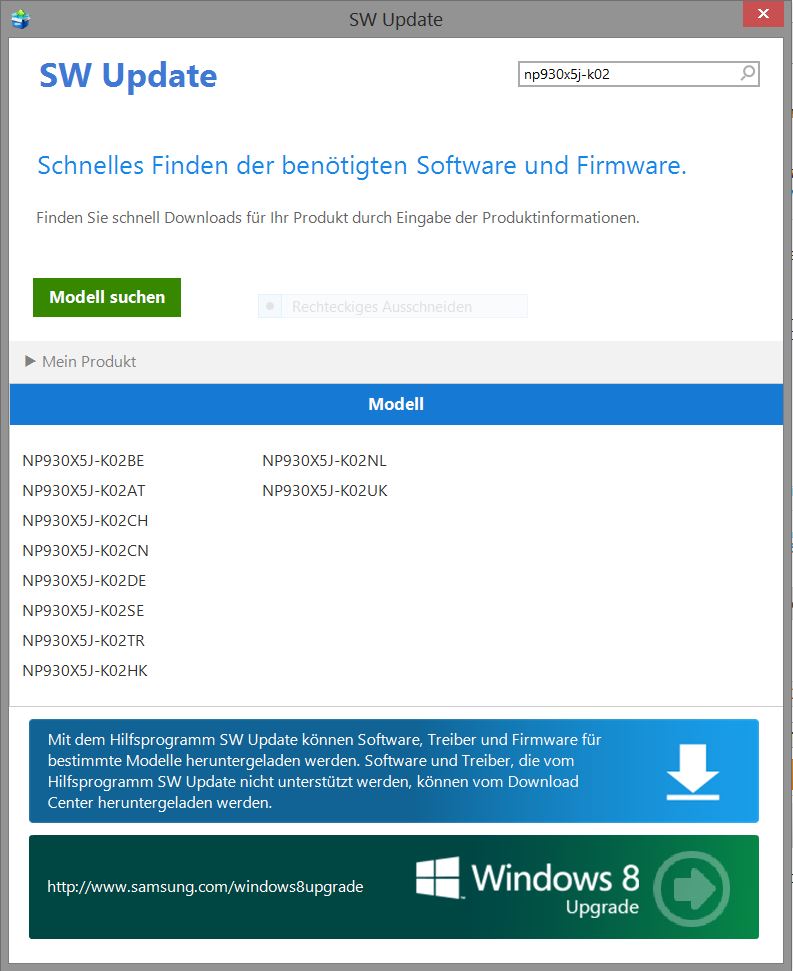
it's me again. What is the US-Version code? K02US, like marcva said? Problem is, there isn't any in (my) SW Update. See screenshot. From the abbreviations I assume that all the listed versions are only european ones.
There is S02US, though. I tried it, with a clean install (deinstalled old driver, restarted, installed new) but no change.Attached Files:
-
-
Marcva has an NP940X5J (ie the touchscreen version). Other than that, I believe all versions of the NP930X5J / NP940X5J are basically the same hardware with different combinations of CPU / SSD / RAM and Windows.
While Samsung sometimes make strange decisions (such as stopping the sale of the notebooks in Europe) I don't think they would be mad enough to use different audio hardware in versions of the same notebook.
John -
As I am currently looking for a new laptop, the ATIV Book 9 came into my focus - especially as I'd be able to get it for about 1.000$ through a company subsidy. At the moment, two questions remain for me:
- Did anyone attempt some light gaming with the HD4400 graphics? I am looking at older games such as World of Warcraft and Team Fortress 2 - how well would they run, and in what resolution?
- Alot of reviews state that the ATIV 9 is much more expensive than other laptops with comparable hardware. As I don't know much about the intricacies of laptop hardware I can't help but ask what price range these comparable models are in. Would 1.000$ be a significantly more fair deal for the ATIV 9?
- Please correct if I am wrong, but apparently one can go beyond the 256Gb by simply using a large SD Card. Do people therefore use SD Cards on a permanent basis? Is there any reason to not carry around an SD Card at all times in the SD Card slot?
-
1. See notebookcheck for the graphics performance of HD4400. There's a long list of games measurements.
2. Normally this notebook has been on sale for nearer $2,000 at which price it is relatively expensive. $1,000 is a very reasonable price and you will struggle to find any other 15.6" notebook in this weight range.
3. Depending on which version you buy the notebook may have two SSD slots. This gives you the potential to have up to 1TB internal storage (the current limit for the M.2 SSDs is 512GB although higher capacity is in the pipeline). If you only have one slot then you can use Samsung Recovery Solution to transfer your Windows installation to the new SSD. Your suggestion of using a high capacity SD card has two drawbacks (i) the access (particularly the write speed) is slower than a proper SSD; and (ii) an SD card protrudes slightly from the computer which creates the risk that accidental bumping of the card can damage the slot. The latter problem can be avoided by using a microSD card in one of the shorter SD card slot adapters but then creates a new problem of card removal because the slot isn't spring-loaded.
JohnDannemand likes this. -
1. Whats the main difference between the NP930X5J and NP940X5J ?
As I wrote here before, here in Sweden only the model NP930X5J is available. Only two stores have it, and the specs says 128 GB SSD, 8 GB RAM, core i5-4200u and a non-touch fhd display. Awhile the model with core i7 and 256 GB ssd was available but now it's completely gone everywhere, I really want the core i7 as it have larger cache and is clocked a little bit higher than the core i5-4200u. Ram and SSD-storage does not matter.
I even contacted Samsung a couple of times and wrote to them on facebook, but till now have not got a satisfied answer. They told me to check with retailers and see if they could take it in, but no retailer is able to do so.
2. If I want to buy the core i7 model, which country and store is the best place suitable?
Regards, -
NP930 = non touch; NP940 = touchscreen.
Finding an i7 version in Europe may be difficult given that Samsung stopped bring new notebook stock into Europe several (6?) months ago. You therefore have to look to the USA where they are still in stock but be aware that there are subtle differences between the US and European keyboard layouts that can be very confusing for well-trained fingers. It's not just one extra key in Europe, but also several other keys get moved around and the shift and enter keys change shape and size.
Use the notebookcheck mobile CPU benchmark list to see the difference in performance between the i5 and i7 CPUs. I reckon that it's impossible to tell a difference of less than 20% in CPU performance in everyday usage without the aid of benchmarks or a timing device.
Johnvayu64 likes this. -
-
Well, thank you for your answer
. It's very frustrating to see what Samsung is doing right now.
It's not that I need a new computer right now, I have the dell precision m3800 and Samsung np870ze, which should be enough for most of the time. But I want a 15 inch light notebook with a large battery and good keyboard and trackpad, screen on this one should of course be very good since it's samsung. And this Samsung looks like it is the perfect 15 inch ultrabook, if only the price was not that high and Samsung offered more customization options.
The trackpad on the dell precision is horrible, to be honest, the m3800 is the most unresponsive system I have ever dealt with. The screen on that one is without doubt very good, the best I've seen, but scrolling webpages and large pdf-files is pain. Matlab that I use daily does not scale well at all, which can be pain sometimes. You can also forget about gaming on that one even if it has a discrete gpu, it gets very hot and the fans are making a very loud and irritating noise. -
I was waiting for the UK version of the NP930X5J to show up, but it never did.
I looked at the XPS15-9530 / M3800 as an alternative and if I had found one in Dell Outlet with a 91Whr battery and the FHD display (I'm worried about the display scaling issues with the QHD panel) I might have bought it (but was also worried that the 130 PSU would add to the baggage). So I settled for a Dell Latitude E7440 (see link in my signature for more details). It has a size smaller (14") display but the FHD panel has good viewing angles etc and the keyboard is very comfortable to use although the touchpad is a bit small and less useful compared to the Samsungs.
I'm a bit suprised by your reports of M3800 heat and fan noise. You may want to consult with other M3800 owners but I wonder whether the CPU / GPU need repasting.
John -
After some digging around, I found that the ATIV 9's might be the most suitable notebooks for my needs: portable, with relatively long battery run time, and with a good screen. Yet I am not sure whether the ATIV 9 Plus or the ATIV 9 2014 Series might be better suited for my needs. The way I see it...
ATIV 9 Plus
- Higher resolution & Touchscreen
- Higher portability
- Larger Screen
- Cheaper (at least here in South Korea)
I don't think I would care very much about either the higher resolution or the touch screen. At the same time, I am somewhat worried that the 15" models might be too big. I would carry around the laptop every day in a backpack and usually keep it on the desk at my work place. Therefore I have two questions and would be very thankful if anyone could provide me an opinion.
- Is the screen of the Plus Series notably better, especially when editing photos and videos? How annoying is the fact that many programs don't scale appropriately?
- Can anyone care on how the porability of the 13" Plus and the 15" 2014 Series compare? Is the latter one still comfortable to carry around or beyond the point at which moving with the laptop becomes an annoyance?
- Is there any other reason to chose / not chose the 15" apart from the screen size / portability tradeoff?
-
I'll take #3. A 13in screen is too small for my eyes w/o an external monitor and that got in the way of watching the 2 year old. That was one of my main factors in buying the 2014 Edition. But I am very po'ed about the lack of the 2nd SSD slot in the touchscreen version. Unless they have a very good reason for that, it's unacceptable. Amazon is showing a price drop of over $100 (+shipping) in the past week for the 940 model. If I had to do over I would look for the non-touchscreen version which supposedly has the 2nd SSD slot. Other than that I love it.
-
I have never held these laptops in my hands. But I read/watched many reviews and I would definitely say that carrying the 15" Ativ 9 2014 is not a problem at all. It is super thin and light.
I also couldn't decide whether to get the 9 Plus or the 15" Ativ 9 2014. After a few days of research I finally decided to order the latter today (Germany).
Here is why:
The laptop is going to be my "desktop pc" and not just a "second laptop". Therefore it will be my work station - in the long run, a 13" would simply be too small. Also I don't plan on carrying it around much. And even if I do, just look at the dimensions. A regular folder is probably more annoying to carry around.
"QHD+ 3200x1800" sounds awesome - but imo it doesn't make any sense on a 13" screen. I think it is just a marketing move in order to compete with Apple's popular retina display and to lure people into buying. 1920x1080 on a 15" is just perfect. Besides, all the reviews and online tests praise the display of the 15" Ativ 9 2014.
I decided to go with the 930X5J version (i7, 256ssd, 8GB) instead of the 940X5J because I don't need a touchscreen. Aside from that the 930X5J is slightly thinner and lighter than his touchscreen brother.Last edited: Dec 2, 2014
Samsung NP930X5J / NP940X5J ATIV Book 9 (2014) 15.6" Haswell announced Jan 6, 2014
Discussion in 'Samsung' started by zordex, Jan 6, 2014.