 Problems? See this thread at archive.org.
What connection speeds were the 5 laptops achieving? Measuring the relative strengths by looking at the 'number of bars' is flawed - to say the least.
-
Which is why every other laptop I've ever used in this house has had full bars or at least 3 bars throughout the house, even at the end of the garden yet this laptop can't even manage more than 2 bars the moment it leaves the room with the wireless in it?
Might I stress that yet again, while I am talking about bars, I have conducted download speed tests and to get 2Mb/s is pathetic when my internet downloads flawlessly at 30Mb/s for every other pc and laptop in the house.
I love everything about this laptop bar the wifi and quite frankly it is a very serious problem in my opinion. What is the point of a laptop when I can't even stream youtube properly if I'm not in the same room as the router? I'm going to be setting a repeater up in my room tonight as a temporary fix but oddly enough I might actually like to use the laptop outside of my room. -
I am not saying you are wrong, buy you cannot really measure the effectiveness of the wireless by looking at the download speed, as there are too many other variables.
Look at the wireless status and connection speed in the network/sharing centre.
![[IMG]](images/storyImages/Capture-20.jpg)
At least you will then confirm that the poor download speed is due to the wireless, rather than due to any other variables (firewall etc). -
Good wifi and metal cases don't happily coexist.
Samsung should have promptly taken note of the Series 9 wifi problems which they were slow to acknowledge. Had they quickly taken note of the user wifi problems in those notebooks then the wifi issues could have been addressed in the Series 7 before production commenced.
John -
I get 4Mb/s upstairs and 130Mb/s in the same room as the router. I had already looked at that as well. However I don't consider it to be a useful stat at all because what I do care about is my download speed. For example, I get 4Mb/s in my room according to that but only 2Mb/s (at best) download speed.
I wonder if the aerials are connected properly in my laptop. Perhaps I should send it back and get a new one. -
Tis a big shame, I presume it has something to do with Faraday cages. I may end up getting a usb dongle but that seems so stupid to have to get one for a laptop!
-
My wireless N 300 Mbps dual band router is upstairs in my study and my dining room is directly below downstairs. At the dining table (15 - 20 ft from the router) my Samsung laptop was not able to get a consistent signal. I was getting 5 Mbps with 1-2 bars or dropping the signal altogether. One Asus laptop and two Lenovo laptops were on all day at work at the same table getting 50 Mbps.
My Samsung placed right next to the router gets a steady 150 - 180 Mbps with bursts of 300 Mbps.
There is clearly a limitation with the way Samsung has implemented the design of wireless reception in the laptop. -
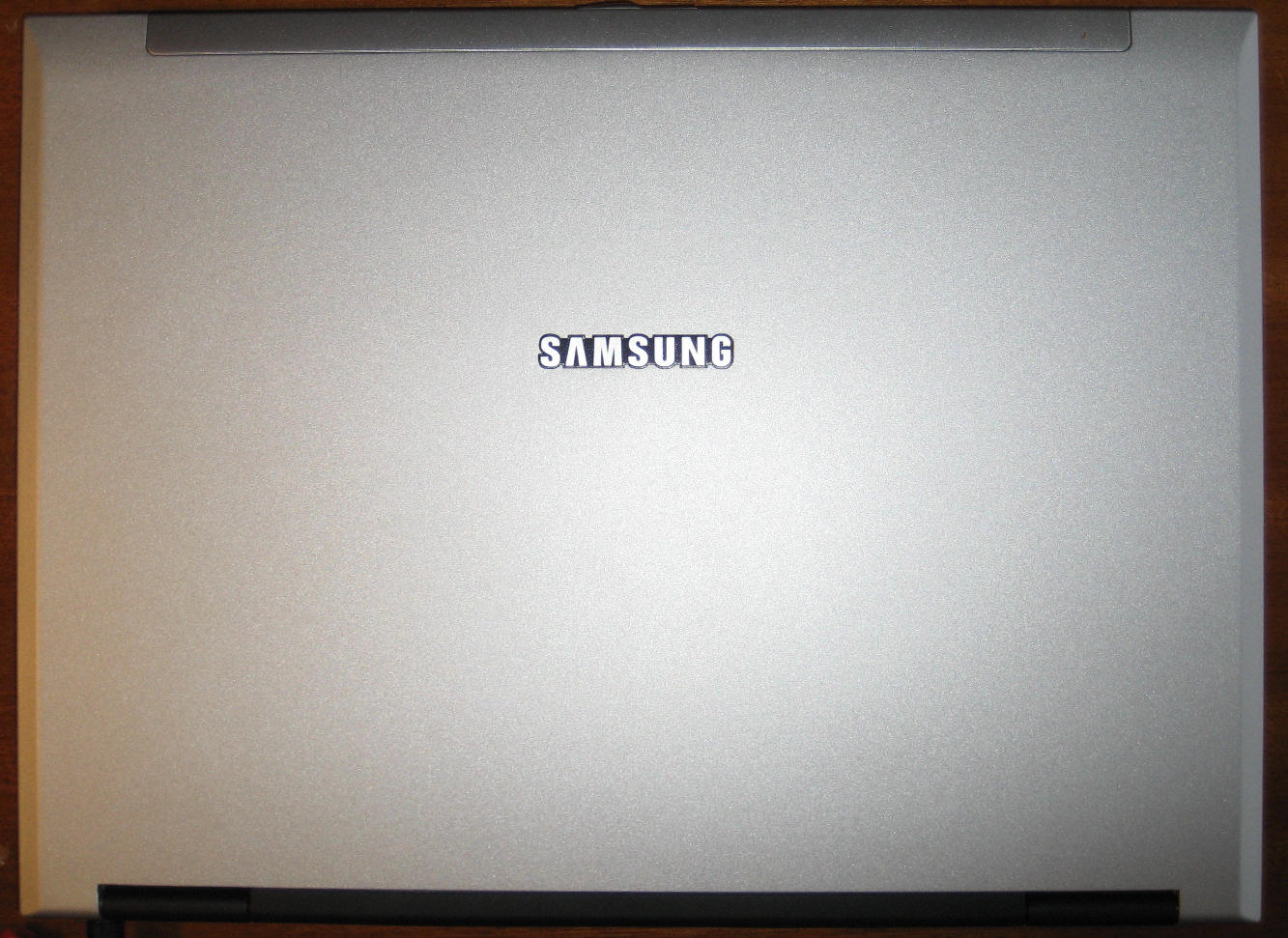
Yes, it's a silly situation and, IMO, a triumph of appearance over function. Samsung need to re-learn what they knew some years back. Here's a photo of the display back of the Samsung X60plus:
 :
:
You can see the plastic strip along the top which covers the antennae while the rest of the display back is metal. My Dell E6400 / E6410 and the Toshiba R500 have the same.
John -
The PROBLEM with most who just posted is that they tend to rely on the signal strength reported by the card to the OS, which will be what you see in the status screen for the wifi connection. Signal strength CANNOT be compared between different manufacturers. The comparison is flawed.
What most fail to realise is that some vendors, like Intel, do not pass on real time speed information to the OS, which is why once the connection reports 130Mbps or 300Mbps, it stays this way forever.
Atheros and Broadcom chipsets do pass on real time information, which is why some notice the 104Mbps speed and start to complain.
However, in reality, using a 2T2R router configuration, putting my HP ENVY14 (with Intel Centrino Advanced-N 6230) and Samsung Series 7 (with Broadcom 43225AG) 10m away, real world download speed is about 40 to 50Mbps, and upload is about 30 to 40 Mbps, from both cards, on my Fibre 100Mbps network. There is actually no perceptible differences between the Intel and Broadcom card.
Both laptops are made of metal BTW, but the ENVY 14 does have a plastic lip.
Please also remember that Wireless connections are suspeptible to many interferences and attenuation. Are there any other Wifi routers in the area? Any cordless phones in the house that run 2.4Ghz?
Try to scan for other networks by using inSSIDer . It may help your speed if you change to a less congested wifi channel. If you have knowledge of HDB flats in Singapore, you would have noticed that there will be upwards of 100 different wifi Access Points in a small neighbourhood. I circumvent this by selecting relatively less utilised channels.
There is really nothing wrong with the Broadcom card. It is the perception and mentality playing tricks again. -
Then why wifi works perfectly fine on MacBook pro, fully made of aluminium ?
-
What is with all the excuses being made for this wifi? I have already tried changing the channel to 1,6,11. Made no difference on each one. EVery laptop ever owned in this house on this network has achieved full download speeds bar this laptop. Clearly it's a problem with the network and not the laptop!
I want to know if my laptop is actually broken or not. Should I send it back? -
Refer to my reply to you in the wifi thread.
There are no excuses being made. If you can't follow the advice given and insist that we can magically give you solutions from thin air without you providing specific details of your configuration (router, other laptops' wifi card and settings), then I am sorry to say that you're not doing this right.
Any reply without your specific config is a guess at most. -
There is nothing wrong with the Broadcom wifi card; it performs as well as the Intel 6230N.
-
I have been away from this forum for like 2 months, I just want to get some updates for this laptop.
Is the screen still that bad like they used to say?
What are the general say about this laptop for the ones who bought it? -
Read through the forum
-
I have it and I have to say the screen is fine. Sure my IPS screen is better but I spent £500 on that so anyone moaning that the laptop screen isn't as good as their IPS screen really needs to put it in perspective.
The viewing angles aren't as bad as I expected, they still aren't anything to boast about but when using it by your self they are perfectly fine. I don't even have the "yellow/urine" colour whites when tilting the screen back. Instead the screen just goes kinda dark.
Yesterday I had the sun behind me beaming through a window and the screen was perfectly viewable, I could not say the same for a gloss screen.
:EDIT:
An update to the trackpad has also allowed for the option to turn tap off, which is brilliant! The entire surface clicks down you see so if you turn tap off it stops you accidentally clicking on things constantly from just brushing the pad, which was a big problem before. There is still a physical right button click to on the bottom right but you can't see it, but it is there. Best trackpad I've ever used to be honest. -
about trackpad, maybe some of you already know, i also found out that we can do two finger click to perform a right click

-
How did u do that? The only thing I found in the options was two finger tap. Please let us know, thanks!
-
It is a permanent feature. Just try it. A two finger click anywhere on the pad - gives you the right mouse menu.
-
Thornton it is surely registering a two finger tap. I cannot get the right click menu to come up and I have turned off all the tap to click settings.
-
I have a dropdown on my "Tapping" window in the mouse settings, where I can choose what I want "Two-Finger" and "Three-Finger" taps to do. Its under the tab "One-Finger", then alternative "Tapping" and you should see the dropdowns to the right.
No idea where it is on the new drivers as I saw no need to upgrade them since these work just fine for me. If they have moved that is.
I've set Two-Finger to Middle Mouse Button and Three-Finger to Internet Back. Atleast that makes more sense to me for my usage. -
That is for two finger tap. I have that option, but someone mentioned two finger click.
I prefer to turn tap off -
So which- two finger click or tap?
-
+1 for click, but I don't think there is an option for that.
-
Well, I ment two-finger tap, but I do realize now when I tried it that I got the right mousebutton menu popping up when I do the two-finger click. My tapping config still works, but no idea if this is configurable anywhere...
-
i didn't meddle with any settings to use two fingers click as a right click, i kinda thought that it was the hardware default
-
I've used two finger click since I got mine, works great.
I have all tapping disabled.. -
Do you guys have both buttons set to "click/select" and use two finger click for the popup menu?
If not, the maybe you are actually clicking the right button when you are doing the two finger click.
Thanks! -
I have left set to -"click/select" and right set to "Pop-up menu", and there is no where to set what two finger click does. I have two finger tap set to "Middle Mouse Button", so not popup menu anywhere near that.
And no, atleast I am not clicking the right button, no where close to doing that. This is a undocumented feature, just weird that it doesn't work for everyone.
EDIT: I just tried to change what the Right button click does, and it also changes what two finger click does. So they are linked for sure, even thou its just a software link, not hardware one. -
I agree. I can make a two-finger click in the top left corner of the pad, and it produces a pop-up menu - even if two-finger tap is disabled.
-
Odd mine just registers as a left click if I try that
Sent from my ADR6400L using Tapatalk -
You can solve most of the track pad problems by update the driver to version 10.7.5 found at
Samsung -
I use the one that came installed on the machine, and I haven't had any problems with it, but I read that some functions have been removed from the new version, and even important stuff like sensitivity!
-
They give you the option to make it so you have to click the pad instead of touching it to register a left mouse click and it fixes SO many annoying problems. I highly recommend it.
-
Then I will try it out when I get the new unit.
-
laptop bag, while back somebody mentioned the laptop sleeves that was perfect fit, does anyone know which one was it? i got 2 sleeve one is too big and one 14inch one is too small
-
The 15in MBP sleeve I have is a perfect fit. Slightly big in one dimension, but still the best I have found.
-
I use MBP 15" CaseLogic sleeve, and it is almost a perfect fit. And a nice sleeve too!
-
Can you disable one finger tapping while keeping two and three finger tapping?
-
If you disable One-Finger Tap, Two-Finger Tap annoyingly also stops. But Two-Finger scroll and zoom and Three-Finger swipe still work. If I wanted to stop Two-Finger Tap I would uncheck it...
-
From the image in this post:
http://forum.notebookreview.com/sam...a-trackpad-discussion-only-2.html#post8200808
It doesn't look like you can even do three finger tapping? It's possible with the drivers that came with the machine.
But it do look like you can disable just 1 finger tapping.
Also it seems to lack the ability to choose that left and right buttons do? -
Right.
Yes, you disable 1 finger but then 2 finger tap stops working too even though it has a separate checkbox and no reasonable person would expect that 2 finger tap stops when you disable 1 finger tap.
Right. -
Do the two finger click work as a right click with the new drivers?
I guess I should just try it and see how it feels, but being able to remove 1 finger tap could solve some slightly anoying issues I guess. -
Two-finger tap works as right-click - quite nice. On occasion, I do get an unintended right-click when starting a two-finger scroll though.
-
This is getting worse - Samsung advertises a multi-touch gesture trackpad - and yet they remove three finger gestures???
Am I even supposed to be elated? Gives you a drumstick, but takes away the entire chicken in return? -
Three and four finger gestures work. I find four fingers to scroll between open windows or applications to be very useful (like in iTunes visual flow across different albums).
-
No, not two-finger tap, I am talking about two-finger click.
I have two finger tap set to middle mousebutton, but two finger click is the same as right mousebutton. -
I'm pretty sure I know the answer already, but is this laptop available anywhere with a keyboard that does NOT have the number keys on it? I'm not a fan of number keys on a laptop keyboard -- I much prefer having a centered "regular" keyboard.
Thanks... -
Ahh - I see. No, there is no 2-finger click. I didn't recall seeing it in the old control panel.
-
The NP700Z4 is the 15 inch you are looking for without the numpad. But availability is likely from late Jan 2012 in Singapore. Not sure about the other countries.
Samsung Series 7 Laptops - 15.0" and 15.6" Models (NP700Z4 & NP700Z5)
Discussion in 'Samsung' started by PeterDLai, Aug 30, 2011.


