 Problems? See this thread at archive.org.
Great, glad you got it out. Of course next is to ensure that the drive can actually recognize discs and control them in Windows. As you know, that requires you to enter another disc
Do note that it takes a while after you boot Windows and log in before the Fn-keys work. Up to a minute in some cases.
-
-
That's a worry now - it hasn't recognised a CD I've just tried either. So damnit, the drive doesn't seem to work. Do I need to take it back to the shop (have a warranty)/ contact Samsung...?
-
Is the optical drive listed correctly in Device Manager (it doesn't need any special driver) and is assigned a driver letter?
Since the machine is only a few days old I would be asking for a replacement because it should fall in the DoA (dead on arrival) category. A warranty repair could mean you lose use of the machine for a couple of weeks.
John -
Not sure exactly, but don't think so -
On Device Manager, it has DVD/CD-ROM drives, and
TSSTcorp CDDVDW SU-B08AB within that.
When I click on TSST...., it says in Device status: "Windows cannot start this hardware device because its configuration information (in the registry) is incomplete or damaged. (Code 19)
Guess that's it then? Will take it back tomorrow.
There's no CD/Disk Drive available within My Computer, hadn't registered with me that that might mean a fault. -
A couple of thoughts for further troubleshooting:
1. If you have a bootable Windows disk (it can be an old one) then disable Samsung Fast Boot in (Easy) Settings, restart the computer with the disc in the drive, press F10 at the BIOS screen and select the optical drive. If that works then it suggests that Windows has got confused.
2. In Device Manager uninstall the optical drive and let Windows re-detect it. It might then configure it properly.
John -
@calumrb: Yeah, that sucks, I know. Certainly, do as John suggested and take it back to the store. You shouldn't have to send a brand new item in for warranty service.
One small thing you could try first: In Device Manager, delete that TSST device (right-click -> Uninstall). If asked, don't delete drivers. Then Scan for hardware changes -- or even restart. It's a long shot, but if the drive actually works (and just a corrupted registry entry) Windows will detect it again. The fact that you were able to eject a disk in BIOS means something at least is working.
Regardless of the outcome, don't be discouraged: These are great laptops!
Update: LOL John beat me to it
-
@F34R and others looking to buy Win7: I just saw this on techbargains.com:
Microsoft Windows 7 Home Premium SP1 64-bit Software $79.99 Free Shipping
Newegg has the Microsoft Windows 7 Home Premium SP1 64-bit Software (OEM) for a low $79.99 Free Shipping after Coupon Code: "EMCNJNJ46" (Exp 1/7). Tax in CA, NJ, TN. This software is $12 less than the next reputable vendor.
Microsoft Windows 7 Home Premium SP1 64-bit Software $79.99 Free Shipping
Needless to say, if Microsoft will let you downgrade Win8 for free, as gadgetrants mentioned, that's an even better deal. -
So no infos regarding stereoscopic 3d on external tv through 640m??
-
I think I spoke a bit too soon because after using the touchpad for a day or so, I have found that the touchpad is not aligned properly. On the left it is slightly more depressed than on the right side as well as slightly more depressed around the bottom-left of the touchpad.
It's not a major issue, but it's a little bit annoying when I think/look at it, but other than that, I'm loving my new toy. -
Thank you all for the replies. I have been looking for the newegg code lol, so I deeply appreciate that as well. I'll call Microsoft tomorrow, and see if they'll activate Win 7 for me if I remove Win8. If not, I'll buy it. Thanks again for the help.
-
Here's a link to a PC World article that works through the process of downgrading from 8 to 7 (and some additional details here). A few highlights:
Hope that helps.
-Matt
Darn, that is annoying, huh? A while back there was quite an extensive discussion about the issue -- I'm guessing that it has to do with how the pad "pivots" (and how the edges closest to the user are anchored). But on the bright side: I've NEVER heard of one with a lower LEFT side! You definitely have a one-of-a-kind unit. Make a note of it and remember to highlight that if you resell it in a few years (e.g., like a pair of jeans or a baseball card with a unique manufacturing "quirk"!).
-Matt -
Thanks Matt, I appreciate the help.
-
Hey, you're entitled to a free downgrade -- you should get what you deserve!
-Matt -
Hey first of all really glad to find your post on here because I have been wanting to add 2 ssd's to my NP700Z5C. Just wanted to clarify on what you posted that any 7mm caddy would do for both drives is that correct?
-
Is the HDD removable and upgradable to an SSD without voiding warranty? Has anyone upgraded their HDD to an SSD btw and i'm not talking about msata, i'm talking about replacing the 2.5 HDD with an SSD and installing a fresh Windows w/o bloat.
Can the ambient light sensor be turned off because that auto brightness/dim is annoying?
Thanks -
Makes me a bit angry at Microsoft that they allow a downgrade path from Windows 8 Pro to Win 7 for businesses but not for consumers. My system doesn't have Win 8 Pro on it. Going to try the VMWare route to run Win XP... thanks John. I don't know how many versions of DOS (starting with 2 since I used CP/M initially on my desktop and laptop) and Windows I've had to purchase,m even for machines I eventually ran Linux on.
-
ARGH! I was reading the fine print last night on downgrading, and for the life of me couldn't figure out if my system had come with Win 8 Pro or not (the Best Buy website was unhelpful, and of course the S02UB won't show up on the Samsung website until November 2013!). I'm sorry I didn't catch that earlier.
I've had some recent good experiences with Oracle's VirtualBox and would really recommend it -- though as Dannemand noted you'll only be able to use the integrated Intel HD4000 but not the NVIDIA GPU.
-Matt -
+1 for virtual box.
That said, why can't you run V.B. with the Nvidia gpu? i.e., add Virtual Box to the nvidia control panel?
EDIT: on a side note, this forum changes "V.B." (w/o the periods) to "VBulletin" automatically. Weird. -
I'm the wrong guy to answer that question (not familiar with vBulletin; EDIT: Hah, that was an autocorrect? LOL) -- actually, WAIT: know what? In my case I'm planning to install an Ubuntu VM -- from what I understand getting the Linux virtual machine to see the NVIDIA GPU is a problem (though there's the Bumblebee solution for dual-booters, or is there?). Hopefully someone will report back with details on whether "forcing" VirtualBox to run on the 640m works with a Windows VM.
-Matt -
Hi Gadget, i was just at bestbuy and I was about to get the NP700Z5C-SB02 until i saw its screen and it was side by side with the NP700Z7C and the G75 and i was really disappointed
The screen display is lousy and it's like it has a fog or cloudy effect where it has no color and so dull compared to the vivid G75 and NP700Z7C display. I was thinkin about getting the 17" version of it but i can't imagine spending $1480 after taxes from best buy with only a GT 650m card running at 1080p which is why i was so interested in the 15" model since it will be only around $1,050 but the display is a big let down. -
Yeah, I hear ya. Next to the Z7C there isn't much comparison. I certainly don't want to brainwash you into it, but you might consider picking it up with the 30-day return window, and playing a bit with display settings. Samsung not only has a few options that can improve things, but it may also be worth trying a different color profile. On the other hand, if the display takes priority over cost and other features (weight, RAM/CPU, build quality, etc.) than there are definitely some other good options in the same class of machines.
-Matt -
My post was by no means intended as an argument against virtual XP products (VirtualBox or others). I meant it only as an overview of the steps required to dual boot Win8 and XP, in case DrBill wanted to pursue that route.
As for the specific example of accelerated graphics, I am not saying that the VM software itself cannot use the Nvidia GPU (it probably doesn't know which GPU is assigned to it). But I don't believe XP software running inside the VM (such as games) can access native GPU and other hardware features.
I know that Microsoft's XP Mode/Virtual PC does not support accelerated graphics and even has limitations on screen resolution (as of about a year ago). But I have not used VirtualBox myself, that's why I moderated my claim to "I believe there will be some limitations".
Even if VirtualBox DOES provide a virtualized GPU (through OpenGL and/or Direct3D) aren't there still limitations in speed and features? It's a still virtualized computer, right?
Please correct me if I am wrong or missing something here.
Regardless, and once again, if a virtual XP covers the need, it's almost certainly a simpler solution than adding XP dual boot to a GPT/UEFI installed Win8 PC. -
Well, Virtual Box has options to allow for 3D acceleration, and the ability to assign system vram...
-
Thanks for for the update. That's definitely more than Microsoft's Virtual PC. I'll have to check it out sometime.
Does it have GPU specific settings (matching those in the Nvidia Contol Panel or Catalyst Control Center)? That would be VERY impressive. Also, have you had a chance to benchmark 3D performance in the VM vs in Win7 (or even native XP)?
Thanks again
-
Don't think you can do it without voiding the warranty. I installed a SSD in mine and had to remove several screws to get there.
-
Well, wouldn't you know it -- I'll be a monkey's uncle!
Just out of pure curiosity, I installed a virtual box of Win 7 (yep, that's right: host system = Win 7 and client = Win 7!). Took about 20 minutes to set up, and just as I expected, there was no sign of the NVIDIA GPU inside the client OS. Checked Device Manager and neither hide nor hair. What was there was "Display Adapters" with the generic 2006 (or was it 2008?) Windows VGA driver. Huh. I tried everything...told NVIDIA control panel to make sure the VM used the 640m, checked off 3D and 2D acceleration in VirtualBox settings. Everything.
Or so I thought.
Out of sheer stupidity, I wondered if I could run the NVIDIA GPU driver installer, but then I thought, "Doh, that's on the host drive, and the client can't see it!" So then I remembered I had to configure "Guest Additions" inside the client OS (to enable access to server-side drives), and I did. And then I rebooted the vm. Now, my server-side shared drive appeared, and I navigated to the NVIDIA installer and of course it failed to run (it immediately detected no card present).
Next, I wondered, "Did anything change in Device Manager?" I took a peek, and lo and behold, the generic VGA driver was gone, and in its place was the awesome and beautiful, "VirtualBox Graphics Adapter for Windows Vista ( blech) and 7 ( yay)"
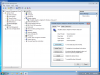
So then on a naive whim I ran Chrome INSIDE the vm and and played a youtube video, and sure enough, GPU-Z OUTSIDE the vm lit up and said "Er, somebody is using the discrete GPU" (remember, a moment before I had set VirtualBox in the NVIDIA Control Panel to use the 640m). I toggled the vm'ed video on and off, and activity/GPU load in GPU-Z correlated perfectly. Clearly, the updated graphics adapter inside the vm was "sending" display commands to the 640m (it's another topic that youtube playback was pretty wonky). Apparently, installing Guest Additions (I also enabled Direct3D when the option came up) is the key. I have to admit I'm surprised it worked. I wonder how well a game would work...
-Matt -
I forgot to mention: my impression from reverse engineering the path from the vm back to the host system is that inside the client OS, it has no clue that what the external hardware looks like (i.e., I assume all basic IO functions are mediated through the virtualization software). Which means inside the client, there's (presumably) no way to directly access or modify features of the host's GPU. Hopefully others will explore some more and we'll get a better idea.
I would also guess, given the extra layer(s) of virtualization, that 3D performance would be much worse on the client than on the host.
-Matt -
Wow, sorry for three posts in a row but I just saw:
Samsung Announces Series 7 Chronos 770Z5E
The FHD display, 10-point multi-touch screen, and additional ports (+1 USB, +VGA) make it drool-worthy, but fortunately for me it looks like it's coming with a Radeon GPU. If it were NVIDIA I'd be screaming bloody murder.
Happy new year everyone!
-Matt -
@gadgetrants: I don't think you ever have to apologize for posting. This is all great info.
Thanks a lot for the VirtualBox tests. This pretty much confirms that the planet is spinning at normal speed, neither slower now faster: VirtualBox does indeed use the GPU to support accelerated graphics (which is great and better than Microsoft XP Mode/VPC). But for programs running insider the VM, VirtualBox is still a VM, after all, with the effects on performance etc that one would expect.
In other words: No magic has evolved that makes a VM do everything a native OS will do and at the same speed. It's more than adequate for compatibility with legacy apps. But it may not be the best choice for demanding 3D games or apps that need exclusive hardware access (drive imaging software is one example that comes to mind).
In any case is it way easier to install and manage than dual booting a separate OS partition. Particularly on a GPT/UEFI machine.
We're done here. Thanks again!
And Happy New Year to you as well! -
I would reiterate that Samsung does not provide seals nor ask people requesting warranty service to sign a declaration that they have never touched a screw on their notebook. Samsung prefer people to not open up their machines in case they break something. However, if you have a set of good quality screwdrivers and a spudger and keep any parts that you swap so you can restore the computer to the as-supplied condition before asking for warranty then go ahead.
John -
Yeah I saw this article Samsung's Series 7 Ultra: Your MacBook Air Might Get Jealous and didn't realize the first time around that they're changing the Chronos too (thinking just announcing the new 7 Ultra), it definitely looks drool-worthy. I don't like AMD either to be honest but if the new Chronos drops the optical drive, which it looks like it might, then I'll definitely be sticking to mine. However that 8870M looks appetizingly fast. I wonder if they'll drop the plastic bottom and make it full aluminum finally.
EDIT: Yeah, http://www.engadget.com/2013/01/02/samsung-series-7-Ultra-series-7-chronos-8870M-graphics/ they're definitely dropping the ODD. Meh.
EDIT2: Sorry, one more link: http://www.engadget.com/2013/01/02/samsung-series-7-chronos-refresh-teaser/ -
Have fun digging out info on the new series at
http://forum.notebookreview.com/samsung/702308-introducing-new-series-7-chronos-amd-hd8870m.html -
It's an interesting new machine. Though I'd be interested in what the screen looks like.
That said, the ATI gpu is a dealbreaker for me. Two of the last three ATi gpus I've owned have been nightmares when it comes to drivers. (2x 4850's in CFX, a notebook HD6k series, and a newer 6750 in my HTCP, which has been fine so far, knock on wood).
I have a feeling it's going to be crazy expensive too. -
Oh yeah I'm definitely afraid to see the price on that machine. Maybe it'll turn out like the Dell XPS 15 where a decent configuration begins at like $1700. If it's a full aluminum design then that may be the case. Conversely, Samsung has before managed to keep the Chronos at a decent price for the specs relative to competitors so we'll see. I'm excited for this CES.
-
Hi, I really interested in getting the "NP700Z5C-S03UK" model of this laptop. I have read a few reviews which comment on the mediocre screen quality, but I have also seen somewhere that this has been updated somewhat in newer models. Can anyone confirm if this UK model has the latest screen?! Thank you, I might have a few more questions if I cannot find any answers!
Oh I said I would probably be back, is it true the 8GB SSD is of poor quality and also soldered to the motherboard! -
I can't comment on the display but can clarify that the 8GB SSD is called ExpressCache which boosts performance when used in conjunction with a HDD but is slower than most SSDs. If you replace the HDD with a 2.5" SSD then ExpressCache can be left to gather dust.
John -
Hey guys, I wanted to make a back up of all the Samsung Software/Drivers. So I opened up the SW Update and clicked on the "Save Setup Files" option. Is that the correct way to do it because it looks like if it's downloading the files from the internet, and not from the laptop itself which I was expecting? This option has 26 files and is 2.75GB.
When I click on the "Find Model" in SW Update and choose my model and OS, I get another option to back it up to a disc but this one is around 4.7GB. Anyone knows the differences? -
Using Samsung Recovery Solution to make a backup of the originally supplied drivers and software. Those files are stored in the recovery partition. As you have figured out, SW Update downloads the newest files off the internet.
John -
I don't seem to have Samsung Recovery Solution, I have a Recovery app on Windows 8, would that be it? It only lets me make a back up on a network drive for some reason.
Also I did an error check for my HDD and it found an error on it and says that I need to restart my PC in order to fix it. Now everytime I boot my pc a message in the action center pops up saying "Restart to repair drive errors", and no matter how many times I try, it still tells me there are drive errors. Can anyone please help me with this? Thanks. -
Hi, sorry to quote you but nobody else has answered me yet, apart from you so thank you!
I just need some (more) confirmation that the 8GB ExpressCache is not replaceable with another SSD drive in the future? Several pages back a member mentioned the drive in actually soldered onto the motherboard, and I cannot find anybody else mentioning this. If so wouldn't this be a large disadvantage and not allow the laptop to be upgraded? Ultimately leaving the user with a even slower ExpressCache in a couple of years time..
Thank you again
-
The built-in iSSD IS indeed soldered to the motherboard. It's just a small chip, not a full SSD. And it's purpose is only to function as cache for the HDD, to speed up boot and loading of frequently read files. The caching is implemented using 3rd party software called ExpressCache. Without that software, the iSSD is just another small drive you can use however you want.
If you want to install a "real" SSD, you just replace the HDD (many, many reports about that on this forum) in which case you won't need the iSSD for caching, since any modern SSD will be faster than the iSSD anyway.
If you want to add an SSD and keep the HDD, you can move the HDD to the bay that normally holds the DVD drive. The requires a special caddy.
Hope that clarifies
-
I used Samsung Recovery Solution to make a backup of the factory image to a spare external USB hard drive. I gather there is no way to make just a copy of Windows 8 (would it fit on a single DVD?). This is one of the things about Microsoft's current distributions on many pre-configured laptops that I simply loathe.
-
Well, first of all, don't blame MS, it's not their fault.
Second, you don't need restore media for WIN 8 as much. There is a much more complete system refresh/reinstall option built into Windows 8. Plus, since these SAmsungs don't come with too much bloatware (at least standard apps), it only takes a fewm inutes of uninstalling to get you to a nearly clean Windows install. -
I don't see why Microsoft shouldn't be blamed for not having installation media. I still have installation media going back to some of the earliest versions of DOS. I keep them since I have a virtual museum of old desktops and laptops.
It seems you are suggested Win 8 has an internal capability if making its own backup disks. I'm fine with that (although I haven't found it yet).
-
DrBill, if it's like Win 7, try: Control Panel -> Backup and Restore -> Create a System Image (inconspicuously located on the margin on the left, at least in Win 7). It's a pretty handy tool for saving your system, though to be completely honest, some hate it, and for good reason, e.g., Don't use Windows Backup - virtualdub.org
-Matt -
Hello
Right now my S7 has 2 drives, one primary for programs, the other I use as pure storage drive. THe storage drive is big so I would like to partition it and use one partition to clonemy primary drive. But I am worried that I would then have two boot drives, does anyone know what would happen if I cloned my primary drive to a secondary slave drive? -
I have two Windows partitions, one being a clone of the other, used for various tests. Only the partition currently marked Active (in Disk Manager or similar tool) will actually boot. You can add the other partition to your boot menu using EasyBCD from NeoSmart Technologies. It's free for personal, non-commercial use.
Let me know how it goes or if you need help
-
Does anyone know if it is possible to swap the Intel Centrino 6235 with an Intel 6300 on the Series 7? Would it fit?
-
Dear Samsung Series 7 Lovers,
Reading this thread kept me well entertained for the past few weeks and after not being sure what laptop to get, right now I am! Thanks to your very detailed reviews, I decided to get the Samsung Chronos 700Z5C. I really fancy a model with an i7 processor so I was looking for a version with such a processor. I'm German and as far as I'm concerned the only German model corresponding to my wishes is the NP700Z5C-S06DE. Since the specs and versions seem to be totally different from the US models, I was wondering if you could help me out (with a relatively simple question I presume):
Right above the keyboard of this particular model there is something which I haven't seen on other versions (here is the link: Samsung NP700Z5C-S06DE). What do you think this might be? Additional speakers? Additional cooling?
Has maybe one of you guys already played around with this model?
Thanks a lot guys! -
Hi easyday, I took a quick look at the German photos, and I have to say I didn't spot any differences from my US model. Can you describe what you're looking at? I wonder if what you see is the hinge-assembly, which is a bit unusual-looking?
-Matt
Samsung Series 7 Lovers - Here's The NP700Z5C Ivy Bridge!
Discussion in 'Samsung' started by yknyong1, Apr 23, 2012.


