 Problems? See this thread at archive.org.
Can you only get the drivers through software manager ?
-
@above: No, you can download them also through the samsung homepage.
Another new Catalyst Control Center is out now, 12.8 Download AMD Catalyst Drivers 12.8 Vista - Log ändern - FileHippo.com
Does Samsung still think of this Series 7 Chronos models? The latest driver is pretty old now... -
Someone said they had been able to use 12.7, i tried installing it everything wents ok except it tells me that i'm still using 12.1.
I guess samsung just forgot about this model, they made a mistake and are trying to forget about it by acting as if this never happened.
Too bad if you bought one of these for playing games and stuff. -
Someone has to go on their Facebook page, and point this to them. I have said for a long time and is still true - this is what you get with Samsung's proprietary drivers.
-
New driver version 8.951.9.3 showing up in Easy Software Manager today - downloading now.
-
@ephelant how is the result? i'm downloading as well right now but it's very slow (software manager problem?)
-
It was very slow to install through Easy Software Manager, but it seemed to complete correctly. It seems fine thus far and includes Catalyst v12.7, but I haven't tested the graphics switching or gaming performance yet. Will do so later today.
Edit: Everything seems to be working well, and the CCC loads faster and is more responsive. -
same here, The Wither enhanced edition now runs much smoother on mine.
-
It didn't show up here, (in Brasil)
Could you give a link for this driver as I can't find it anywhere ?
Thanks in advance.
Edit: Solved !
Thanks anyway to everybody who shared infos in this thread ! -
Hello guys,
My Windows Explorer is way to slow when inside of a folder with more than 1Gb of data ! ! ! Eventhough the .exe it's set to High Performance in CCC - it still takes ages to load the content and make it available ;(
does anyone else experiencing any problems with Windows Explorer? Is there any other .exe besides WExplorer that i've to change the Performance settings?
Any thougth or idea is very welcome,, -
Hello!
I'm afraid I don't know the solution to your problem - but I am pretty sure it has nothing to do with the performance setting in CCC! "High Performance" only relates to the performance of the graphics card (i.e. switching to the separate high performance GPU for certain apps) and this should not influence how quickly Windows Explorer displays folder contents... So I am sure that something else is going wrong on your machine!
Good luck in your search for a solution!
-
I agree with the above post - this likely is not caused by an issue with GPU switching. It sounds more like a hard disk issue to me.
-
Not the best news :/ but thank you guys,, And appart from not being GPU related,, no one else is experiencing any delays?
Let me be specific, i work with large RAW\TIFF files edited in photoshop, so i end up easily with folders with 5GB (or more) and when opening one of those folders or when it's refreshing contends (due to a new save in photoshop) there's a green loading bar in the adress bar that (at least to me) looks far slower than i expected - ofcourse its even worst if multiple apps are open in the background.
Any way i can find out if the loading times are normal? (without taking it to the retailer)
Are yours loading instantly?
What are your thoughts on this? -
I would look at the physical memory usage on the Performance page in Task Manager. Open that page and then load your big files. If the free physical memory drops to around zero then it means that Windows is using the virtual memory on the hard drive (SSD?). How much RAM do you have? If 8GB then increase it.
John -
I've done so (and attached a printscreen) on the Performance page in Task Manager the free physical memory droped to around zero easily (at the same time the available memory was in the 2000) - but even when there's not much going on, like right now, that i only have the Internet Browser (Opera) on, still the free memory is only around 900?!!!
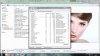
Can this labtop be upgraded to more than 8Gb, i thought it couldnt ;/ -
1. Explorer is using a lot of RAM, perhaps because it is displaying images.
2. I'm sure you can change the 4GB in the RAM slot to 8GB to give 12GB total.
John -
@rsh_NR: I bet it's Photoshop's preview/thumbnail rendering that's causing explorer to be so slow and use all that memory. If the folders contain large Photoshop files with many layers, that's going to take a lot to create thumbnails.
I haven't used Photoshop in several years. Is there a preference setting (or installation option), either for whether to create explorer thumbnails at all or which quality of thumbnails?
Also, I remember Photoshop had a preference setting for whether to save a flattened preview inside the file: it will make files bigger, but save the preview/thumbnail module from having to render all the layers.
I apologize if my Photoshop knowledge is outdated or if you already checked those things
-
@John Ratsey - I'll definitely consider a RAM upgrade.
Meanwhile,
@Dannemand - in the preference settings i can only see 3 options for image previews (as in attached image): always\never\ask before - save. I would love for the option to save a flattened preview inside the file (not sure if it's possible). But i'll experiment with this 3 options to see if there are significant differences ; )
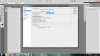
Thank You Guys ! ! !
ps - i've been using the 8.940.0.0 graphic driver - now there's the 8.951.93000 update - is it consensual that its better - any OpenGL issues regarding to GPU switching? -
Yes, that's the Preference option you have there, Image preview. Always Save will save a flattened copy of the image inside the PSD -- in addition to all the original layers. If you already had it on, then probably this isn't what's causing the slowdown. Otherwise, try and save the files in the folder again with it on. (I made an automated Photoshop action to cycle through all files in a folder when I had to do this.)
I am almost certain there was also a place to set the size of Image Previews -- or maybe it was whether they are compressed or not: Compressed will be smaller, of course, but some image viewers couldn't read it.
If I get the time, I'll pull out my old CS3 and give it a try. Does CS3 even work under Windows 7/64?
As for graphics driver, I updated to 8.951 and it's been working fine. But then, I never had problems with 8.940 to begin with
Edit: I think I remember now the other Preference option I was thinking of: There is an option (or was in earlier versions) to save PSD files in a format compatible with older PS versions. Files would be larger (uncompressed) but compatible with various viewers and explorer. I ended up disabling that compatibility option and instead choosing Always Save Image Previews, which (again) adds a flattened copy of the image inside the file. Whether this applies to current versions or to your situation...
A couple other ideas:
1) Try and prevent Windows Media Library from indexing your Picture folders: Remove them from any Libraries watched by Windows Media Player. You could even try and uninstall the Windows 7 Media features, see if that helps.
2) In Control Panel - Indexing Options set it up so your pictures folder isn't indexed.
I cannot say for sure whether these will work for you. It's just ideas to explore.
And I guess now we've strayed far enough from the thread topic that we risk getting banned by the mods unless we take it elsewhere soon
-
Yes i had "Always save" on ;(
I believe it's possible, but not entirely easy!!!
Neither did i, i think it was the 8.93 that wasnt working
I'm using layered Tiff's so i guess that isnt it!!!
Definitely trying those ideas!!! i hope we're not banned, cos its amazing what people sharing a common interest can do when reaching for each other : ) Thank you -
I won't ban you - I often go off-topic myself.
However, it is often advantageous to have a specific thread which Google will will find and offer to others with a similar problem.
John -
I'm not sure but I think the issue should be there: Since I have 8.951 my catalyst control center is bit weird. If I set "javaw.exe" to High (yes I clicked save) it has no effect. After restarting my laptop the yellow "unselected" (or something like that) is back, as I would never have selected High or Saving mode..
-
Thank you, John. I am grateful for yout leniency
I haven't had any problems with 8.951. I just tested what you describe, and it DOES save my Switchable Graphics settings for individual apps (though sometimes it takes a second try before an app shows up under Recent Applications).
I suggest you uninstall the graphics driver completely, reboot, then re-install 8.953. See if that gets it working right. -
Hello everybody, my first Post,
Just updated my BIOS to 14FD, the WIFI issue (connectivity problems) seems to be better or even solved...
can anyone confirm this? -
no, did not know update was available. where did you find out about this? can you share the link?
-
If you run the Easy Software Manager, the bios update will show up I just ran my Easy Software Manager for the first time in forever and it needed an update. Now the software is called SW Update. It looks nicer now
-
I installed the last amd driver, but now i cant overclock the graphic card as i use to do (with the msi afterburner and changing the registry entries of upls).
anyone can overclock with the new drivers?? -
Hey everyone,
just a quick question:
has anyone installed Windows 8 on his/her samsung yet? Do you know if the function buttons like volume and screen backlight etc are still working under the new OS?
any shared experience would be greatly appreciated!
Cheers -
-
John, I posted in the second thread you posted (regarding the Fn keys) a bit ago and am wondering if you know anything about getting the switchable graphics working correctly in Win 8. I can't get a straight answer after hours of searching. Thanks for any help.
-
I'm sure that one of the threads that has been posted on within the last day included something about getting the AMD switchable graphics working. Search through the recent threads. Or are you Optimus?
John -
No, AMD. I've not had any luck searching. Thanks anyway.
-
Have you try the newest version from Samsung? If Samsung driver for AMD not working, then update into AMD 12.10 WHQL. You won't loose the switchable graphic.
-
I've now found it. This is the one I saw.
John -
:thumbsup:
-
Hi quick noob question...I just recently bought this laptop about a month ago and am wondering if it still has this issue with the graphics switching and if I need to use the workaround? Thanks in advance.
Did a bios update fix the issue? If so, which one? Any drivers needed to be updated? -
Hi guys i just bought a NP700Z5C-S03NL i guess NL is the dutch version, i bought it in the netherlands.
I have problems with the switchable graphics. i want to do a fresh Windows 7 install because there is a lot of bloatware.
What are now [november 2012] the best solutions for the problems.
i read about the leshcat drivers, samsung drivers, bios update, amd drivers.
but what is the best solution for now?? please help.
Series 7 with intel 3000 card and amd 6750m
p.s. i also contacted the dutch samsung service, and the employee told me that the specialist of the hardware will email me within 5 working days. i hope i will get a newer one. but dont think so XD -
Hi
for me i have the same problems with my samsung laptop (same configuration as you have)
as i can say, since last weekend i tried many things to get the AMD graphics card to work - with newest samsung drivers, then with leshcats drivers, newest BIOS update, nothing unfortunately worked for me
so in last case yesterday i contacted also the support in austria, they told me to bring my laptop to the service center to test it. now i´ve to wait and hope that samsung can fix the problem..
But maybe one of the the solutions (specially leshcat drivers) work for you - good luck! -
Hello friend with same problem.
I hope they can fix your laptop, and i hope they can mine, otherwise i would like to get a other model.
I tried the leshcat drivers, and i kinda worked, but i want it to work with the original official drivers. This is samsungs fault so they have to fix it. I got the notebook just 1 month.
Please let me know if the service point can and wil fix your notebook. Because i told the dutch (netherlands/holland) samsung about this problem, and gave them the link of this forum and the facebook page that one of the members from this topic made. I hope it will help a bit to fix the problem. -
For windows 7, go directly to Samsung support website and download version 8.951.000. This will solve the switchable graphics.
For windows 8, download SWUpdate from the link Upgrade Windows 8. Then, find your specific model and download graphic version 9.002.000.
For either windows 7 or 8, if you have any previous drivers installed in the system, make sure that driver is completely removed by first remove the software using Program and Feature or using any Uninstall applications. Then using one of available driver sweepers and run it. My suggestion is run the sweeper in Safe Mode so that it can remove every bit leftover of the driver. After that, install the graphic you have downloaded. -
Thanks for the recommended infos, i already tried it with the 8.951.000 driver, but it didn´t worked for me.
i´ll try it like in your discription - when samsung repair center cannot help..
@crobo: of course when samsung has no solution and i (we) for ourselfs also can´t fix the problem, so samsung has to give a refund or another model!!
You can be happy that it works for you with the leshcat drivers, for me there were no changes (except that ccc after some time always shutted down with the message "host application doesn´t works anymore"(
-
I installed windows 7 again today, so that everything is fresh and i just installed all the drivers that i needed with the SW Update software from Samsung.
The graphics card driver installed correctly and i can now acces AMD's control panel. (driver version is: 8.951.9.3000, by the way is this the latest driver??)
But since i now dont have any heavy game on my notebook, what is the best way to test the switchable graphics. and if everything works correctly does the switch between the cards must be automatic or manual??
@Pastafan when are you planning to go to the service center? -
Use one or more of the benchmarks with results here. Then you can check that your results are in the right range.
John -
John,
Could you please tell me what the best benchmark software is (free)
for testing switchable graphic cards 9or at least the two cards seppertly, opencl or gl i dont even know what the difference is. and so
Thanks -
@cobro: went 2 days ago to samsung service center, they told me it´ll take 7-8 days for checking my notebook
-
@ Pastafan
Okey friend,I hope you will get some very good news.
If i would get my money back i really wouldn't know what to buy, The series 7 is a nice looking laptop with a lot of good things, but they made some mistakes with the graphics cards and mousepad. I would really like a newer version of the series 7.
I'm looking forward to know what Samsung Austria will do for you. -
The FutureMark 3DMark series should be enough and are available in trial versions.
The new Elan driver (version 11.7.2.1) seems to provide some improvements.
John -
@ John Ratsey where can i download the Elan Driver. I have the mouse pad software/driver installed trough samsung's SW Update.
Should i first remove that one or just update ?
Thnx for the help -
There's a link in the Touchpad Thread or your SW Update / Easy Software Manager may offer it. I would just install it over the existing driver.
John -
@ John, thanks i installed the drivers, everything went well.
It seems to work a little better, the biggest problem i have with the touchpad is that it something hangs. I dont know how to describe this, my english is not that good.
But often when i want to change tabs in google chrome for example. it selects the tab and move it with my mouse. i just want to change tabs, not to move it to another place.
Does this has to do with the palmrest option or something??
Series 7 Chronos All Models: Push for SAMSUNG to implement "FIXED MODE" in BIOS
Discussion in 'Samsung' started by yknyong1, Dec 9, 2011.


