Problems? See this thread at archive.org.
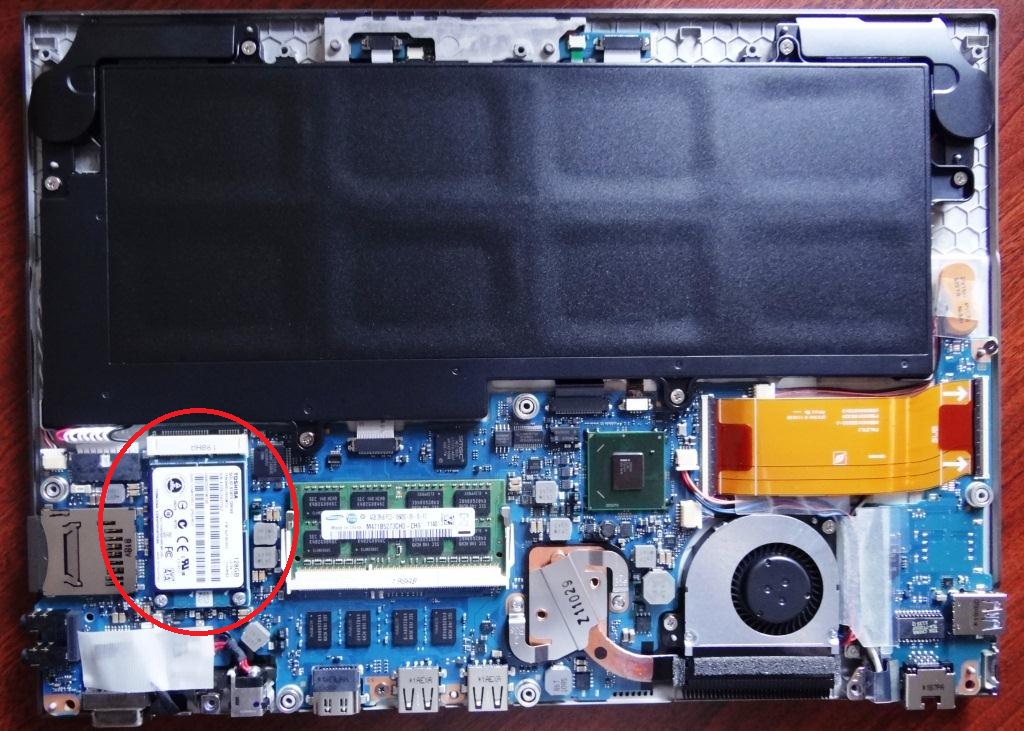
nope, the drive interface is mSATA, similar size to mPCIe wireless card thats in it.
SSD is circled in red in the pic attached
-
Attached Files:
-
-
Wow that's tiny. Thanks for the quick response.
-
Sitting in Pearson Intl Airport in Toronto and remembering the frustration of the Series 9 last June when we left from here... There was no workable wifi on the Series 9 and I cursed. I am happy to say the Z830 works like a charm. The only inconvenience are the people (even at 211 am) who have to stop and comment on how small this laptop is.
-
For those that own the i3 BestBuy version, how hard can it be pushed?
For example, how does it handle things like video editing? (family, not pro) How does it handle having lots of programs open and running at the same time? Can it deal with having 25 tabs open in Firefox while running Photoshop and MS Word or Excel and a couple of other programs, all open at the same time?
Is that asking too much of the i3? Is the i5 a must in this situation, or is the i3 "good enough" to handle all of the above?
Thanks. -
I had the i5 version and it had a defective keyboard. The retailer did not have any i5s to replace it with (they seem hard to come by in canada) so I decided to go with the i3. I played with the demo model and it didn't feel really all the slower then the i5. In use I feel the same thing but then again this is primarily my on the road machine where I might use outlook, remote desktop, the command line etc. I think anything where you are asking a lot of the CPU (video editing) you are going to notice a difference in the length of time it takes to do things as the i3 is slower. For what you are doing with it I would probably look at the i5 or the i7.
-
Thanks kaikara.
-
I can't comment on the i3 version but I have an i5 and I have the following right now:
101 chrome tabs
22 firefox tabs
1 adobe flash pro
1 adobe photoshop
1 eclipse
21 notepads
2 pidgin chats
1 libre office
2 komodo edit
4 wordpads
4 windows explorers
1 mmc
5 RDP
2 command prompt windows
1 norton internet security with active scan
1 malwarebyte with active scan
All the toshiba bloatware
I am usually fine on CPU, though I am getting close to being starved on ram :/...have 6gb and 86% ram used...
One thing I would 100% suggest is installing a plugin that blocks flash unless you activate flash by clicking. That saves a lot of processing in background tabs. -
Wow... 123 tabs open total.
I have the i3 best buy version, and it's alright as an everyday machine. No picture/video editing here. Just straight up:
-Email
-Facebook
-Craigslist
-etc....
-Flash games
Right now I have a java based game with 3 tabs on firefox. It says the CPU is [between] 40-75%. This is with factory specs and all the bloatware BS that you get. Right now it says 1.93gb of memory used.
Sorry if this is very broad. -
Yeesh, this forum is quiet... where are all the people complaining about how the ______ of their Z835 isn't working?
-
Makryger, where's the "Like" button (as on Facebook). GReat observation.
I'm a super-happy camper, editing videos or working in Outlook, Word, Powerpoint and Excel -- couldn't be happier. -
You need to go on one of the other ultrabook threads.
-
Just an update on Xmas day to keep the thread alive.
Looking back at two other threads I was heavily involved in, however, I can say that the dying off of the thread is actually very good news as typical laptop threads are kept alive through problems experienced in workmanship; the Series 9 thread is the prime example.
On the good side of things, I have to admit that I am now extremely happy that this laptop has a ethernet connection. Here I sit in the Jamaica Grande in Ochos Rios where rooms ONLY have wired connections and I would otherwise be forced to head down to the main lobby and sit down there few a few hours a day that I spend online through what has become necessity. Another plus for the Z830!
Also...something I learned while here is that this laptop just may have a bit of Jamaica in it. It appears Jamaicas major export is bauxite which is the main ingredient of aluminum, that of which the Z830 is surrounded.
Have a Merry Christmas all. -
Well since you asked so nicely I can write in a few complaints
my biggest complaint is since my z830 is working without any major issues Mr.Scrooge is expecting me to get some work done :/ lol..if it had some sort of issue I'd at least have an excuse!
I do have one thing to report though, I played around with different fan speeds via profile and apparently running the battery optimized fanspeed is not enough to keep the notebook cool. If I leave it for a few hours on battery optimized even while not working it begins to heat up to a point that even setting the fan to max on the setting(which in reality is only 70-80%) is not enough to cool it down for at least 2+ hours...
It isn't a problem too much as all it means is if I use it for extended time I should pre-up the cooling profile, but it diminishes the prospect of having it on/off the fan in a future bios update...unless ofcourse they find someway to make the other component run cooler.
I personally carry around a mini pocket wireless router. Its really useful, doesn't take up much space and very very light. I use it to get wireless access anywhere there is an Ethernet port. As sometimes the Ethernet port is not in my "preferred" spot to use my laptop or I have multiple devices I wish to connect to the internet.(beats having to connect a laptop and making the laptop into a wireless router)
Outside of travel I also use it as a backup wifi adapter when I want to get a desktop pc onto the internet without having to carry it to another spot.
And additionally it can be used as a wifi repeater if I need to extend the wifi signal. -
I have problem with freeze Windows when doing transfer a lot of file with total around 200 Gb data between 2 external hardisk and ended failed because both of the external hardisk sudenly disconnect. I already try different USB port on Z830, not solve.
-
You can try going to max performance profile to see if that helps but I think what your experiencing is normal as USB was not intended for these kind of applications, don't know if USB3.0 rectified it or not.
What you need to do is bit by bit transfer similar to how bit torrent works. You can do this using things like windows power shell. (there might be others that do same thing too)
Transferring (Large) Files Using BITs - Windows PowerShell Blog - Site Home - MSDN Blogs -
A few days ago I had to do an NBA fantasy draft during dinner at a restaurant... no WiFi but tethered to my Android phone and worked like a charm... even while driving away from the place.
My draft didn't go as well... but I was trying to eat and strategize at the same time but love the light weight and portability.
I don't think I'll be returning the Z835. -
Hi to all,
I plan to purchase a Z835 from BestBuy. So, could you please let us know then BB drops Z835's price to 699 USD again.
I check the site frequently but sometimes I forgot, but I am always here
-
I don't know if transfer file between usb 3 ports. To let you know, already use balance power mode, both of external hardisk are usb 3 type, because Z830 have only one usb 3 port then one is plug to usb 3 port and other using usb 2, still freeze.
Wow, too complicated for me to use.
read this link Bitsadmin Overview, there note if
" BITS requires a Web server running on the source server for downloading files. For file uploads, BITS requires IIS and a corresponding server component to be running on the destination server."
Anyway, thank you for sharing about BITS. -
you can split the usb 3.0 but anyways as I said I am not sure if USB3.0 will solve the issue or not, its just newer lol
As I said there are simplified ways to do it too with a GUI, I just gave 1 way...here are some GUI for example:
BITS file transfer PowerGUI PowerPack ? Ravikanth Chaganti
Free Utility: RichCopy, an Advanced Alternative to RoboCopy -
This thread has gone quiet. Same page spanning a few days? Looks like we have happy toshiba z830/835 owners here.
Who here is planning to return their laptop? I have less than a month to return mine to best buy. This i3 version was just the "experiment" and see if an ultra portable book is the right thing for me; turns out it is. I'm planning to buy the i5 model of the z830. Or maybe I'll try out that one ultrabook at Costco. I forgot the name, but they do have a 90 day return policy. Should be enough to really get to know the laptop. The only thing I hate about it is the SSD.
I don't know how to securely erase things, without degrading the life of the SSD, as this will be my primary computer for both work and school.
PS: Probably the first thread that I have read EVERY single post at least once. -
Which one is at Costco?
-
There is no way to securely erase on an SSD without effecting the lifespan of the SSD. That is why you need a processor that has hard drive encryption. (Well you can encrypt without a processor with hardware encrypt/decrypt but it will effect performance and battery life)
The HP Folio and Acer one, they used to have Series 9 but not anymore. -
It was the Acer. I didn't know the HP folio is already on the market.
-
That is what costco says:
Costco HP Folio -
The one at Costco is the Acer Aspire S3. It has a hybrid SSD/HDD not just an SSD so the disk performance will be subpar.
It also has lower battery life (the HDD attributes to that). It's really thin so I'm not sure how they fit the HDD in there.
No backlit keyboard and it has dedicated Pg keys but they are next to the cursor keys. -
Hahahaha *Happy laugh*
-
Thought I would throw in another update..... Sitting in Ocho Rios on vacation still and this system seems to fit all the criteria for which it is needed. I have caught the ethernet port on the bed sheets once or twice so that is still something I am very wary of, however, the system has received a great deal of attention as my children have both taken their turns with it, not only in the main lobby where cocktails are available, but also in the social hall.
Quite frankly, when you have a 19 and 25 year old throwing it around amongst friends, you have to figure something will happen but no, all enjoy this laptop and, in fact, I may see one or two more in the near future depending what CES displays in the way of new models.
To this day, the fan hasn't bothered me whatsoever and the only time I ever seem to hear it is when the system is on my lap or on the bed and the sheets block the opening in some way. Also, I haven't tried the Acer Ultra yet but do understand there is a significant weight difference. I am not a fan of small built in SSDs as they cannot compare to a full SSD and really only add a caching solution to your systems startup for the most part.
Here is a treat for ya; a pik taken with the webcam just now! First shot in fact.Attached Files:
-
-
I will chime in too. Went from the i5 back to the i3 because of a defective keyboard and there were no i5s to replace it. Haven't had an issue and can't tell the speed difference for the things I do. The fan on the i3 is louder even though they are the same. It has a slight whine to it that the one on the i5 didn't have. I can only hear it if I hold the laptop up but when I tested the i5 and i3 version side by side the difference was noticeable. For silent PC lovers this might be an issue for you but for me it doesn't bother me.
The only other issue I have with mine is the canadian version with the french keys that are not backlit. Other than that the system is solid and hopely by my on the road workhorse for the next couple years. -
Oh ya Cdn Bilingual keyboard....@#$%%^&&^^&&&* Piece of^%^^&^&&&*^^&
If there is anything that angers me about ANY systems it is being FORCED to purchase this #$$%$^%^*&* because we are Canadian.
If I can find any way to swap out this keyboard/keys myself...it will be done. -
Yeah... I can't see myself switching to the i5... not only have i not had any issues with the speed of the i3, but the price is simply unbeatable- I recently got my $100 credit for the price drop back a couple weeks ago, I just got my $15 in best buy rewards, and I got my $89 in Chase Bank rewards from their black friday/bestbuy cashback promotion. After my own little upgrades, this laptop will cost me less than $700. And that leaves me open to maybe a 256GB SSD replacement at some point. Call me one happy camper!
-
Been using mine for a week or so now, and its worked flawlessly. Just as good as my R700, now Ive applied all the SSD tweaks etc its running almost identically to the R700 but its much much lighter!!! Thats still my main 'wow' factor!
Few more thoughts to add to my first impressions, its written pretty much as a comparison to my other premium laptop which is the previous generation Toshiba R700-184 which I have customised with some added extras.
Keyboard - Adore the backlight, something Ive always wanted in a thin and light windows notebook and its a lifesaver in low light conditions such as when our lass is watching TV with lights down. I find the feel of the keyboard far superior to the R700 as well, it feels higher quality. there is more flex to the board itself, particularly towards the centre, but the key motion itself feels much more solid and less 'clacky' the R700 board feels like its made of cheap plastic and rattles under the fingers. The Z830 does not, feels like a mini soft close drawer under each finger, a pleasure to use.
Screen - The screen is again superior to the R700, images appear much crisper and theres clearly more contrast and deeper colour to the screen when sat side by side with the R700. Viewing angles are not something Ive ever really had cause to complain at from any laptop Ive owned, I always see it as much ado about nothing. And the same applies here; its perfect for my needs. Brightness is comparable to the R700, basically brighter than you'll ever need under normal use and the matt finish helps in sunlight to alleviate glare/reflections.
Touchpad - Absolutely no complaints here at all, I always liked the R700 one and this is the same, so perfect for me. One significant improvement is that the separate click buttons are much more tactile in feel of use and are much quieter with the actual click. So no major step up from the R700, but little things do help to add up to a more premium feel to the Z830. Also still love the dedicated switch off button, excellent addition. The fingerprint magnet chrome is still present and correct too! Multi-touch works great, Im a fan of gestures and 2 finger scrolling and again its a nice pad to use overall for these features. I also like the slightly rough feel of it to the fingertips.
Performance - Its quick! Having already been a fan of SSD as the ultimate system boost since I OCZ'd the R700 I knew what to expect, and again the speed of boot and application launch is great, anything else just feels slow. I would say the i5 in it runs slightly cooler overall during normal use than the older 560M in my R700, but the tight chassis dimensions means its quicker to ramp the fan up under stress as the fan struggles to breath. however for light application use, web browsing, basic photo editing and office apps its perfect for all of them, I have 6Gb RAM in mine and coupled with the SSD and i5 it chomps through anything I throw at it. Overall very happy with the performance of the machine. Only slight downer is the WEI result (which I know is 'meaningless' but still...) that reports the SSD at a measly 5.9.....same as a 5400rpm spinner! But real world use its on par with my R700 with its Vertex 2E which reports a 7.3 on the WEI! I would love to see if any others have joy getting the laptop to crank SATA 3 speeds but I myself wont be looking for a new drive till new year when more 256Gb mSATA drives appear and prices come down a little. I have run some benchmarks on the drive and compared to the OCZ it falls flat on its face, but again I stress in real world use, the laptop feels identical in speed to my OCZ equipped R700.
Design/Build - Its a very solid feeling machine when its shut, a nice brushed lump of alloy sitting on the desk, and I much prefer the grey colour to it, it sits against the shiny chrome details much better than the black of the R700. With screen up and in use the only slight downer I can put on the Z830 is the screen does wobble somewhat. But I have only noticed this when adjusting the tilt angle on the hinges, never during actual use of the laptop, be it on my lap or on a desk. There is also a lot of flex to the LCD panel and its housing, but again I dont see an issue with this, its a fact of design it will be such and will enable the laptop to be more durable. It sits plumb straight on the desk, the fan bulge underneath does not cause any lopsided-ness or wobble on its footing. As mentioned before, the lower chassis feels very sturdy for such a thin slice of nothingness, very little keyboard flex under finger and solid enough palm rests. Overall very happy with the build quality of the machine.
Fan noise - I thought I would add this as a separate section. Theres a lot of too-ing and fro-ing about this model and the associated fan noise. In my view, the fan is always on and it is noisy. The hang up factor of each individual user is what will determine how much of a pain this fact is. To me its a total irrelevance. The noise is never obnoxiously loud or off putting in normal use (okay it goes a bit mad on update installation etc, but so do most small laptops....in fact most laptops full stop!). Half the time due to ambient noise I cant hear it anyway. However, if I was to say giving a presentation on the laptop.........and the room was totally silent (no projector, that'd drown it out in completely) then perhaps it would be an issue.......I wouldn't take it into a public library reading room, put it that way. So the best type of advice to offer here is..............suck and see, try before you buy or use the 30 day returns etc!
Connectivity - Everything an ultrabook could ever be put simply. Ive never had a laptop with poor connectivity and this matched my R700 pound for pound (bar and express card slot I never use). It amazing to me that they stuffed it all in and it trumps the R700 with the USB3 as well which I use on my up to now performance capped (R700 was USB 2.0 only) Seagate 3.0 backup drive. The full size HDMI is nice too, as is the VGA and Ethernet. I realise other laptops in this category have adaptors to make them work.....but I dont want to carry more stuff or buy more cables, I have everything ready and just pop the Z830 into it all! Winner! And the fact its currently the lightest in its class despite all the full size connectivity is frankly outstanding in my eyes. The only thing I would say is its taking some getting used to using all rear connections when usually I use side based ones. However thats a totally minor gripe and I would happily say its better to have the connectivity where it is than not have it at all!
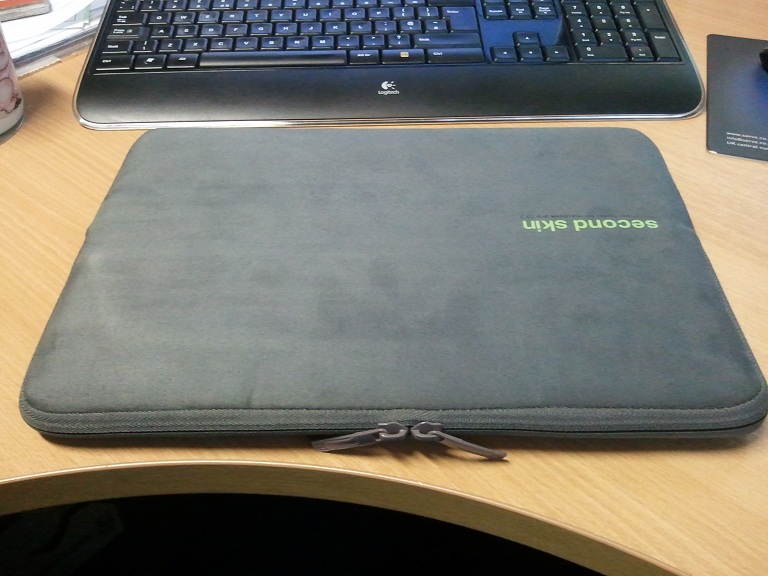
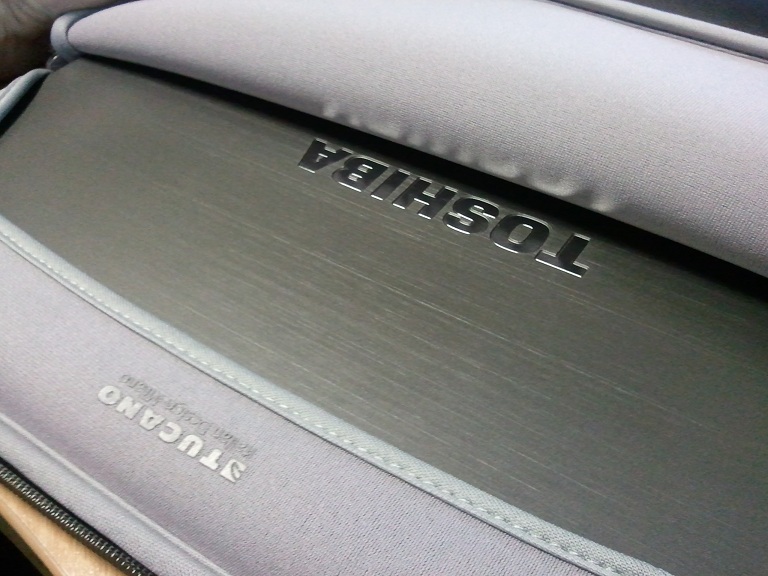
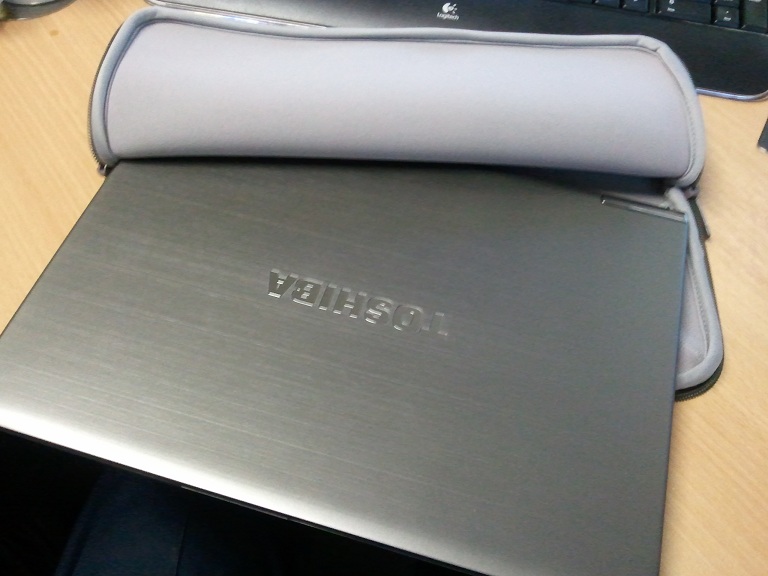
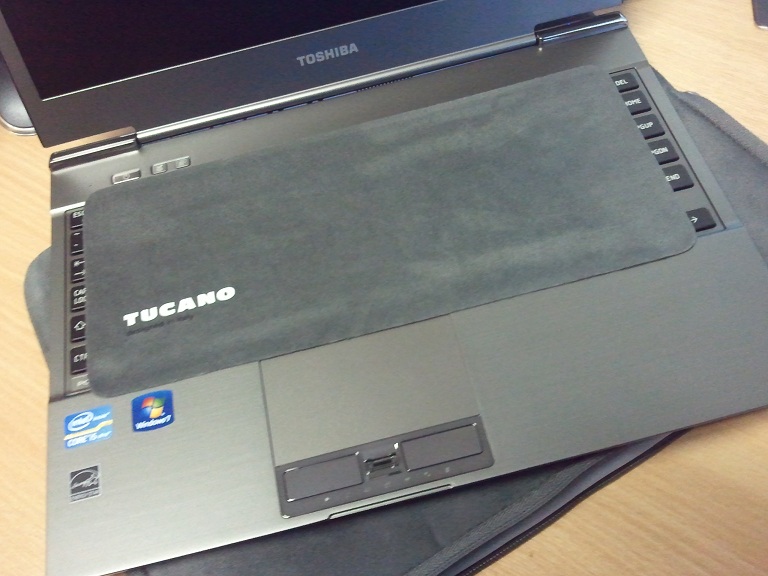
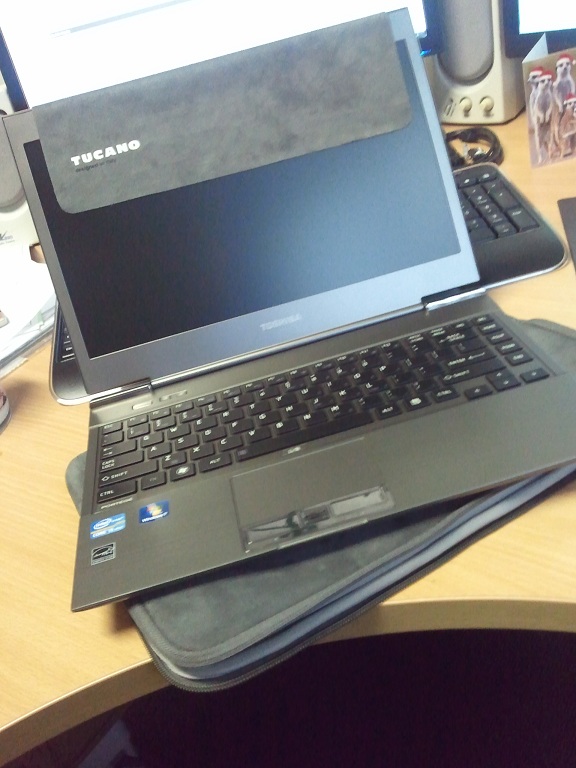
Protection - After seeing others stuffing this laptop into notepad carriers, portfolios and similar stationary items I set out with a similar idea. But Ive always been a fan of the neoprene slip cases, the one I bought for my R700 has done a cracking job of keeping it mint over the last year or so. As such, I searched about for one and opted for a Tucano second skin (for macbooks) and its perfect. Lovely microfiber finish, keyboard protector/polishing cloth and anti-slip/scratch band built in. thoroughly recommend this product, it complements the laptops colour and finish and holds it wonderfully snug! See attached pics for how cosy she looks!
Conclusions - I could waffle on all day, but basically its a shiny upgrade for my R700 (our lass now has that) and Im over the moon with it! Excellent first stab by Toshiba into the ultrabook arena and I look forward to seeing what they do next!
cheers
BenAttached Files:
-
-
LoL... looks like you dissected my ex-laptop
-
lol! nowt like a bit of butchery to start the afternoon!
-
Great review/comparison 1994F7PT. It's weird how I still read reviews for a laptop that I already own and already have my own opinions on it.
Just wondering, how is the fingerprint reader on the z830?
How user friendly is the fingerprint software that came with it?
What fingerprint software does it come with? -
no idea
no idea
and......
no idea!!!!lol!
i haven't as yet used it, however i would of thought its the same as the R700, which is authentec iirc. its not bad, easy to setup and use if a little intrusive/unclassy on the windows 7 logon screen (when compared to say the HP software which looks classy). the reader itself i have always found hit and miss on the R700 as well, so after few months of use i gave up with it, this may be due to me being a fairly avid rock climber however, so my fingertips are forever in bad shape/peeling so not really a fair test. however i haven't used the stuff on the Z830 as a result of not getting along with the R700 one! -
I haven't tried the fingerprint reader as I don't use it much, I used to use it on one of my old laptops but meh. I personally don't like the idea that they put the fingerprint reader in between the mousepad buttons as the location makes it get in the way of using the mousepad somewhat.
It comes with Toshiba's own Fingerprint utility. -
1994F7PT, great review.
PinoyBoy, what I can tell you is that I scanned thumbs and 4 fingers on the day I took delivery of the z830 -- and I've forgotten now exactly when that was, but it seems it was still November. Since this z830 is my desktop replacement, I'm probably accessing it 100 times/day (literally) -- since I have it set to lock the screen when I step away from my desk or fold it up quickly and take it with me. OK -- maybe *50* times/day. But either way, the bottom line is, on my Lenovo "T" thinkpads, I would get so frustrated with the fingerprint log-on, *half* the time (or more), I'd end up clicking to password log-on (typing a password the old-fashioned way). But I can tell you that, since day one, I've never *once* had to go type a password. I think I remember what my password is ( ), but I've never needed it. The fingerprint reader has been most excellent. It misses a scan maybe 25% of the time -- and if I'm talking to someone, I can see that they notice ... but it *always* picks up the 2nd or 3rd scan. Plenty quick enough and always a conversation-starter... because evidently *so* many people never use these fingerprint readers.
I *love* my z830. Headed to Phoenix tomorrow for an 8-day trip. Prior to this z830, I used an Asus slate. Supposed to be the latest deal. It weighs more than my entire z830, even though it doesn't come with keyboard and mouse. So -- I'm so joyful not to have to carry the associated ...
*** bluetooth keyboard
*** bluetooth mouse
*** adaptor to go from Micro-HDMI to HDMI
*** wireless adaptor to go from HDMI to VGA -- with associated receiver and AC adaptor
*** backup "Energizer" laptop batter (because my Asus slate only lasted 2 hours 45 minutes)
plus try to work the gyration of hanging my slate some way on the luggage carrier in front of me while I wait at the gate, dragging out the wireless keyboard and mouse, then finally getting down to some serious typing.
I'm *way* happy.
I'll keep checking back here. But it's not *wonder* the thread has gone silent. We're all getting work done... or enjoying Ocho Rios, whichever the case may be.
Doug -
Hey guys I found another minor thing to complain about lol
The hinges and the LCD have this space in between them which is conveniently as thick as the power wire. And what seems to happen is the power wire seems to get caught in there and when I close the lid without looking well you get the point lol -
Uniten,
The vice to that is the fact that, when that occurs, you are pretty lucky the monitor flexibility is there to minimize any effect.
Having said that and following this thread daily, I guess one of the positives here is the fact that there are plenty of examples of this machine in real world use and not simply in ones office. The S9 thread started our with so many who stated that there wasn't, in fact, any wifi issues to which Samsung followed along. Even all but a very few reviews happened to overlook the wifi difficulties because those that normally test do so in the comfort of their own office.
CES will be the tru test to the Z830 for me, however.... ant wait! -
Uniten,
The vice to that is the fact that, when that occurs, you are pretty lucky the monitor flexibility is there to minimize any effect.
Having said that and following this thread daily, I guess one of the positives here is the fact that there are plenty of examples of this machine in real world use and not simply in ones office. The S9 thread started our with so many who stated that there wasn't, in fact, any wifi issues to which Samsung followed along. All but a very few reviews happened to overlook the wifi difficulties because those that normally test do so in the comfort of their own office. The wifi on this is strong as a horse and I can even pick up the wifi from the next resort which is easily 300-400 metres away.
CES will be the true test to the Z830 for me, however.... ant wait! -
i have one small wifi issue, if i start the laptop in eco-mode (toshiba software's mode) the internet is stuttery, as in it wont load a page for a few seconds, then bang its there, then click for next hyperlink, and wait wait, bang again.
flip to normal mode and its fine, boot on normal its fine and flip back to eco after flipping/booting on normal and its fine. but booting in eco is a no go! weird! seems theres a power setting in the wifi power managements thats very very agressive on the wifi card under tosh's eco mode utility.
even more weirdly, it does not affect my R700, just the Z830.
further investiagations will be made, including uninstall and reinstall of wifi drivers and eco ultility etc
apart from that, thats the only complaint i have and its so easy to work round (i dont really use the eco mode after monitoring wattage use) its a none issue. -
For me the wifi was ok cause I mostly connected to my cellphone's wifi, but the other issues were too major to ignore for my use. :/, as for CES I plan to be in town when its there but I don't think I'll have time to attend it
Personally though I am not expecting any laptop to beat the toshiba unless they have the new ivy bridge.
I mentioned this earlier, same happens to me. Eco mode+ wifi is almost unusable. That is why I changed me eco profile to have wifi at medium, that seems to be the lowest it can go without hurting performance too much. -
ah, cheers uniten, i let that one slip me by by the seems of it!
i thought that as soon as you attempt to change any of the tosh eco settings it kills the eco mode settings as it moans ur fiddling with it? or is there a way to enable it including the wifi fix and still work off the button on the machine itself?? -
Yeh once you modify the profile it complains initially, but I don't see any issue as far as performance. Only difference is the chart where it monitors energy turns blue instead of green lol
By upping the profile to medium now on wifi and increasing screen brightness a bit I am at 9-10 watts most of the time with casual use...(120+ tabs open is casual use!!!!)
On my profile when plugging in I set a few more settings to max such as fan and upped brightness a little. And I am at 12w-13w on casual use.
Before On eco profile I remember being around 8 watts...But I couldn't deal with the slow wifi. I did a speed test and it was like this:
original eco: Download: 0.6mbps Upload: 0.2mbps ping: 170ms
eco on medium wifi: 8.2mbps 2.4mbps ping: 79ms
high profile: 11mbps 3.2mbps ping: 64ms
Considering high profile is around 18-21watts I figured medium is a good compromise. -
Hmm... is the premium price point worth it just to get a fingerprint reader? I mean I realize that an i3 is more than enough for my applications. That's what I love about it. Like what z830guy said, leave the room and one swipe and you're good to go. Yes, I'm one of those guys who's password is usually 10 to 30 characters long. I know, I know, it's useless since even the most simple password retrieval for windows log in can retrieve it in seconds. However, it does deter your "common" culprits.
I LOVE THIS THING. So light and oh so sexy. Very sleek and handsome too. Still not sure If I should return to bestbuy... -
Well considering the location of the fingerprint reader you can even consider it to be a negative. Mostly if you don't use it.
As for whether you should return it, my question to you is this: Are you hoping for a better laptop 1k+ price point or at around same price 700$?
Cause I am highly doubting another laptop is gonna come out at 700$ that is not a hybrid drive. -
Been at Microsoft Store... the S9 is tempting at $750 ($999 with 25% off)... heck if the UX31 was closer to $1000 (instead of $1449) I might even give that a try.
-
ai, as said my power usage has gone up like 1-2W on different power profile, its just a shame the settings are so aggressive, and the Z830 is affected by it so badly, as said my R700 is fine on eco which has presumably the same profile, in fact i know it has as they are both on identical download version from toshiba on fresh copy of W7 ultimate!
-
Which version? 1.4ghz one I am guessing? and 11" or 13"?
Well depends what exactly manages the energy consumption. It can either be the bios or the device driver. Does your R700 have exact same wifi chipset? -
Well, I *finally* had a chance to see all 3 of these for the first time... and they were even sitting side by side.
The Toshiba was my favorite, Samsung my 2nd fav, and the UX was my least favorite.
The only thing I didn't like about the Toshiba was the keyboard. It just wasn't comfortable to type on, in my opinion.
New Portege Z830
Discussion in 'Toshiba' started by Hoopsontoast, Sep 12, 2011.