 Problems? See this thread at archive.org.
So.... MXM slot for our video cards... a 580M would fit in that.... I think its your turn to open her up!
-
-
I'm still looking for the $175 i7-2670QM. Hopefully when the new cpu's come out, the prices will dump on these some.
I paid a grand but if i'm not careful this could be a $1300 laptop in which I could have just bought new.. with the $2 connector. i don't think there would be much of a market for for an old i5 so not looking to recoup on that but will try craiglist.
Intel Core i7 Mobile Processor i7-2670QM 2.2GHz 6MB CPU, OEM I7_2670QM OEM | eBay
Anyone got one for cheaper? -
Honestly, you cant count out the full line up.
eBay - New & used electronics, cars, apparel, collectibles, sporting goods & more at low prices -
Thanks for the link. I see that's an ES sample so i will have to research what may be different and stepping. I know nothing at this point.
I see that he hit 91C running benches. I would be curious in which laptop(?) he used.
cheers -
I was ready to go for one of the ES chips but there must be a bunch of cheap guys like me. They went from $200 to $260 with many saying only 1 left!
LOL, 4 years ago I paid $220 for my dusty old t9300. I just had to have it! Now! Today, I see them for $50.
I really don't want a $1300 ES laptop so I will have to sit tight for that cheapo CPU
-
Hello,
Im looking into buying a x775-SP101L.
My only doubt about this notebook is concerning the cooling system...what are the average temps in idle, web browsing and underload?
Also how loud its the fan noise? I study a lot overnight and I want a notebook rly silent while not under load..:
Thanks -
I'm not sure what comes in that model. Can't find it with a quick search.
I will say that my fan doesn't kick on unless i am actively doing something. Its in a unassembled status right now so i cant give you any numbers but The single fan it does have is not any louder than any other gaming system out there. I will even venture a guess as it is likely the same or some of the same fan parts of other gaming systems out there. If cooling is a major concern to you (and you don't want to mod), and you have an extra couple hundred bucks I suggest going to a system with 2 fans. Most my time is on a cooler and have headphones in.
I think a lot of responses you are going to get are hearsay. No one is going to have solid decible reading recorded the same way for each system so be careful asking a direct owner. He will be biased. As I am. A lot of computers are made with a 1 fan designs and my guess is they will continue.
Good luck with your decision! -
As in what USnRoberts said, you did not mention if you were a gamer. If not you have the choice of 2 i5 models that are quiet and run cool. I have one that drive is nosier than the fan for general use. The GPU runs very cool on these models and will run GPU limited games like Witcher and Skyrim very well. I have one game which must be CPU limited, Divinity II - DKS, that I can only see 20FPS with my i5.
I average about 39C with laptop warmed up from web and MS Office. -
Do you guys know if I can force my GPU fan speed to 100% in the bios...I looked around didn't see it in there, MSI afterburner wont let me do it. I looked up online and some people were saying that they locked the GPU fan speed because they don't want you to burn it out. On my old XPS I could change it but I was using riva tuner. Also I found this cool program called Throttle stop that can shut off BD PROCHAT, C1E, and EIST. Heard disabling those if there enabled helps a lot with throttling issues
-
Has anyone gotten 1866Mhz to run in this laptop?
-
Your a brave man! Your using the Plug n Play Kingston HyperX 1866 SODIMMs ? I read a few Asus people got it working.
Is your working? I might have missed a post but looks like a big jump in performace for the HM65 crowd
-
Ive tried Corsair Vengance and eBay - New & used electronics, cars, apparel, collectibles, sporting goods & more at low prices. Both run at 7-7-9-20-1t @663 (aka 1333mhz). Sooo I assume we need i bios update to run at that speed. So Im going to have to on their forums and hope they update it. Maybe i can link a thread to you and get some of you guys to chime in with an update request too.
-
-
Hmm! Intel says 1600 max?
Intel® Core? i7-2820QM Processor (8M Cache, up to 3.40 GHz))
I understand the 1866 speed was a late spec "add on" so it may be just the ram? -
Interesting, but it has that on all of the process including the 3xxx processors which blow my mind. So i have to assume its just unlisted on that site?
-
Plug n Play Kingston HyperX 1866 SODIMMs DOES NOT WORK in this laptop :-( Thats the 3rd brand at that speed I've tried. Needs a bios update to allow those timings and frequency.
-
+1 for the info. The Plug n Play Kingston HyperX 1866 was what a few of the Asus sites claimed they were using.
-
Alex, you posted tc50116900i as updated video drivers for the Toshiba. They are newer than my last betas but have not installed them. Oddly they are not listed under my model #.
thx -
Yes. I found these drivers on the Toshiba "All Models" support page [nvidia 296.18, released 4/8/12]. These drivers are probably for the next reiteration of Toshibas that will launch soon.
Model Content Page
I know other Qosmio owners have used Toshiba-nvidia drivers without any problems; even though those drivers were made for a Toshiba laptop, they are not officially supported for the Qosmio series.
The problem with Toshiba is their approach to drivers: they do not update drivers for a specific laptop unless they are faulty.
Thus the only "new" drivers Toshiba supplies are those for new laptop models. They have a: "If it's not broke, don't fix it" attitude.
I hope this makes sense, I know it's a bit confusing. -
On the European Support forum they said using 1.70 BIOS and Nvidia 296.10 drivers fixed temp and throttling issues (so far, anyway). Has anyone tried this?
I don't have X775 yet, on order, but have been just finished reading this thread from beginning to end. Thought some might find the above of interest.
Link: http://forums.computers.toshiba-europe.com/forums/thread.jspa?threadID=63615&tstart=0&start=165 -
Hello all, I'm new on this thread. I own an X775-3DV78 and I've been getting toasty temps from day 1 as well.
In response to the previous post, I'm on Bios V 1.70 and Nvidia 296.10.
I get:
CPU - Mid-high 80's
GPU - Mid-high 70's. The GPU has found its way into the low 80's however after 10-15 mins of playing Dirt 3, Battlefield 3 or any other stressing game.
Therefore the new drivers haven't really do anything, well for me at least.
I've attached two photos of log data from CPUID Pro of 7 mins of game play each, one for the overall temp of i7 and one for Gtx560m
CPU>> View attachment Intel Core i7 Package Temperaturee.bmp
GPU>> View attachment NVIDIA GeForce GTX 560M TMPIN0 Temperaturee.bmp -
Actually, those temperatures are fine; a little high but within acceptable ranges [remember the 2nd gen i-core "Sandy Bridge", runs warmer than the 1st gen i-core]
The Sandy Bridge is designed to go up to 100 Celsius and most modern GPUs can easily go above 100 Celsius.
In fact the Alienware m17xR3 was reviewed and the CPU [quad sandy bridge] got into the 80s when benchmarking. [although it had the slightly more powerful 2720QM; much more powerful AMD 6970m].
AnandTech - Alienware's M17x R3: An Antidote to Clevo
![[IMG]](images/storyImages/hwmonitor.jpg)
When you start reaching the 90s, is when you want to start taking action to reduce temperatures.
Good luck -
Thanks for the reply. Besides the temps, have you experienced any throttling issues? The temps seem OK as previous post indicates. Of more importance (to me, anyway) is whether this combo ended the throttling and random stutters some have experienced while gaming.
-
Yes, throttling issues have been resolved fully for me. No more.
Everything works fine now. Additionally, more games are supported and 3d support has been improved.
The bios 1.70 and Nvidia driver 296.10 has resolved many bugs basically.
I''l consider buying a Zalman zm NC2000 cooler soon though because although those temperatures are fairly acceptable, there are still a little over my accepted range and those temps are reached aorund 30 mins into game play for me. However, given the fact that the components were designed to work this way, I won't worry as much.
I do wish there were other alternatives to the Zalman cooler that would be as big and competitive as that is. I'm not very convinced by the Thermaltake Massive 23 series except the Massive 23 GT.
I did not mean to digress, but any suggestions? -
Anyone have experience with Zalman Zm NC3000U or the Cooler Master SF-19 Notebook coolers?
-
I can't help you with the coolers, but I have used another method that has worked well for me with several laptops/notebooks over the years. I have one of those small (very small) desk fans that I set blowing on the bottom back of the notebook, or from the side. It is pretty quiet and keeps a nice steady stream of air on the back and under the notebook and this seems to work fine. Better than a cooler sometimes (depending on the model, some coolers don't work well with some notebooks).
-
Nice Bron5, sounds like a good idea.. I'll try it out.
-
hey guys, i have the X775-107 with the 3D screen, the thing is that the laptop throttles only if i play assassins creed, maybe at 76c+ temp, dunno if the MXM 560M changed would fix that ? i have vBios at 1.7 ver. but still didnt fix that.
Other thing, im thinking of selling this machine and get a M18x R2 with kepler's GTX 675M, still hoping to fix this damn problem on this lappy as an accomplishment to myself .... any ideas ? -
If you just bought it, I would consider returning it as the x870 Qosmio is about to launch soon [comes with a GTX 670m - equivalent to a GTX 570m].
http://forum.notebookreview.com/toshiba/657567-new-qosmio-announced-x870-3d-laptop-core-i7-3610qm-geforce-gtx-670m.html
As for throttling, many users still report that the original BIOS of 1.10 has ZERO throttling issues; might be worth a try downgrading to BIOS 1.10.
As for the m18x, it's a completely different beast, more comparable to the older x505 Qosmios. The 18.4" laptops are 10+ lbs [double the weight of the x775 Qosmios]. However, the added benefit of the m18x is the availability of the dual-GPUs.
Good luck -
And duel fans/ heatpipes!
-
That Alienware looks like an INSANE machine, and with the GeForce 775m, that is the hottest card out there next to the 680m. Not sure I would want to go with dual GPU's on a unit like that as it then becomes a very high priced item, but if you want that power for whatever reason, it's cool that it is available.
-
Okay guys so I finally took the plunge and sent my computer back in, what did it was me playing d3 and it throttling and lagging non stop. So I sent it back and now I have no problems they replaced the hard drive said it was failing to boot due to bad sectors and now I don't lag or throttle one bit in league of legends. Haven't tried any other game yet, but not throttling or lagging in that was good enough signs that they fixed it.
-
That was not throttling or latency issues. That is a corrupt hard disk.
-
Looking at a X775, but trying to understand what wifi card other than the Realtech are in the systems. Does anyony know what cards Toshiba is using for the other two wifi options? Are they Intel 6230 and Intel 6300?
"Wi-Fi® Wireless networking (802.11b/g/n) with Bluetooth® v3.0 + Enhanced Data Rate (EDR)"?
"Intel® Wireless LAN 802.11b/g/n) + Intel® Wireless Display Ready"? -
My Qosmio also has the "Wi-Fi® Wireless networking (802.11b/g/n) with Bluetooth® v3.0 + Enhanced Data Rate (EDR)", which is a REALTEK or Atheros card [not sure which one, I currently have the WIFI disabled ATM; I just know it's not Intel].
Since your asking about the "Intel" card, I'm guessing your configuring a custom x775 from ToshibaDirect [considering that is the only way I'm aware of to get that card with the x775]. Qosmio X770-BT5G23 Laptop
Also, not sure which intel WIFI card it comes with, but shooting a call/online chat to ToshibaDirect should give you the answer.
Good luck -
Thanks for the feedback, I did have an extended online chat and came away with NO information, as all the chat guys have is a spec sheet that must look like what you see on the screen. Is your REALTEK or Atheros card 2x2 or 3x3? Is there a problem with the wifi card that you have it disabled or just do not need it?
-
I have it disabled because I'm connected to a ethernet cable [I don't like hotswapping it on/off and didn't want to restart to determine which brand it was]. Sorry to hear ToshibaDirect wasn't able to help.
These images are probably of the wifi card included in a standard x775 (WIFI w/ Blutooth). http://forum.notebookreview.com/attachments/toshiba/76468d1331794270-x775-x770-disassemble-thermal-repaste-4.jpg http://forum.notebookreview.com/attachments/toshiba/76469d1331794276-x775-x770-disassemble-thermal-repaste-5.jpg It's the "thing" with the purple sticker.
Thanks to USNRoberts x775 disassembly guide for the pic: http://forum.notebookreview.com/toshiba/651540-x775-x770-disassemble-thermal-repaste.html
I don't know how to tell if it's 2x or 3x3, but perhaps that image can help. -
I know that its been awhile for anyone to post here but this is regarding the overheating that I experience. I would get to 100C with a laptop cooler and everything, I took my laptop into waranty before its up and had my LCD replaced because pixels were dying for no reason and they said they couldn't seem to get it to overheat, but said he replaced the heatsinks and replaced it. When I got home ran test on borderlands 2 got around 90c with turbo on which before i had to use throttle stop and set it to 2400mhz and still overheated. So im assuming the thermal paste or heatsink were the issue. I hope this helps someoneout because I was about to give up on this laptop.
-
The x775 series tends to run hot [I blame the single fan design]. The best you can do is to make sure you keep your fans clean and possibly [optional] repaste the CPU/GPU with a higher quality thermal paste.
As for ThrottleStop, using that program will definitely ensure your laptop will overheat [it overrides and bypasses the laptops temperature safeguards]; it's up to you if you want to use it, but I would keep an eye on the temperatures to verify it doesn't get too hot.
However, if your having throttling issues, you may want to look at updating your BIOS to the latest version: Toshiba Support - Homepage -
Thanks for taking the time to come back and share your experience and info!
-
OMG how did you do the downgrading of the Bios, plzzzzzzz show me how !!!
-
I have got a hold on all system vBios for now, i have from v1.10 till v2.1 .... i guess the 1.10 is the mother fix for all your Qosmio's throttling ... the idea now is how to implement it into the system and flash it ...
Anyone help ?
-
Ok, what part are you having a problem with? Are you not able to create the CD to flash with? It's been awhile but was not the cd burning utility included with full instructions?
BTW, I run the 1.7 version as the games I play run fine on it. 1.10 only helped my throttling with benchmarks so I quit using it to get the newer fixes, but , others still used it but no longer sure of how many or any problems. Rarely do you hear back on any BIOS updates. -
I know this is the X775 model thread, but was wondering if you guys knew how many fans are in the X875 models?? I'm hoping that Toshiba fixed the fan issue with this model and placed two in it like HP did with the 3rd gen Envy laptops.. Assistance would be appreciated..
-
Well, i have the USB boot drive ... with win98 booter, then i place the Bios.rom ( 1.10 ) in it with AFUDOS to use it, here's what happened :
for the 1st week, i used it with a respond: '' Error : Bios write protected ''
then i use the Afudos engineering edition to force the action, : the initial what taken with no respond !??!?!
Just it jumped to the next line & the pointer stayed flashing & flashing ... nothing happened.
I need a way from you to help me get this working.
Can you help me ?
Maybe if i tooked your bios way & files, might work ?
... why cant i get it to work? Whats wrong with my Qosmio that no one have the same problem as me !?!??!
C:>afudos/ibios.rom/nr/pbnc -------> my command.
I repasted the CPU/GPU today & i made this Discovery that i think no one knows it !
Here :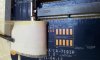
There is 3 micro jumpers there:
1. JPW
2. JME
3. JCMOS
lol ? whats 1 + 2 for ?
And What about the big bus in there as well ? -
The USB method. Well, since this did not work for you , what happens when you use the disk image and burn the CD as instructed?
I use the USB method to install OS along with the MS USB Tool and all works fine, but, follow the instructions for flashing the BIOS which in my book..very dangerous. Using the Windows method is much worse as reported by a few in this forum.
@ gunny
I perfer two fans in any 17" gaming laptop to handle any possible load or OC. That said, my 11" Clevo is single fan with quad. Normal gaming temps can be high but not excessive, like the two fan Clevos. I think proper thermal design is the key with big enough heat pipe for the max TDP. I have not read or missed the posts of overheating with the 875's; links please?
..and oviouslly the x875's designer was left handed? Heat vent on the right?!? Single vent or more, I would bet most want the heat out the back? -
OK, if the flashing is dangerous, what do you suggest i should do ?
Repasting is crap .. the temp in web browsing is 66-70c. ?!
Do you think i should throw my mobo to the Toshiba Center to send it back to Mother Toshiba to replace it ? will the '' other / new '' Mobo have a stock Bios on it like 1.10v ?
Be detailed plz -
Here are the links to the Toshiba forums wherein people are complaining about the heat issues with the X875 series:
Qosimo x875-7290 HOT - TOSHIBA FORUMS
http://forums.toshiba.com/t5/Qosmio...ompletely-in-Middle-of-Games/m-p/361734#M6802
I cannot recall the other websites, but there was enough complaints that it caused me to stop my purchase and investigate the heat issues further before pulling the trigger and making the purchase.. To be honest, there just isn't a lot of high end gaming systems out there right now that are issue free.. I like the X875-3D because you are getting some serious bang for the buck, but if it ends up being a heat oven the offset goes right out the window.. I was looking at the Asus G75 and Alienware m18x, but they just don't have a business form factor to them, where as the x875 does.. I guess I just need to find that sweet spot.. Of course I may just end up buying the X875 and running the heck out of it for the first 15 days to see if the heat issue is realistic or not.. I can always return it if that pops up...
Maybe some more x875 owners will come forth and contribute... -
That's awfully hot, even for x775 standards; something is not right. I would give Toshiba a call and have them investigate it.
The x775 should have normal operating temperatures [40-60 Celsius]. The x775 will only overheat [90+ Celsius, when doing intensive gaming]; which will cause the throttling and reduction in temperatures.
Make sure your fans/vents are clean of any dust. Also, when you did a repaste, make sure you completely cleaned the heatsink and CPU die; I hear rubbing alcohol works well.
Qosmio x775 Models
Discussion in 'Toshiba' started by bacnation, Jun 29, 2011.


