 Problems? See this thread at archive.org.
I have the laptop since a month now.
I used it for school for two weeks transporting it with a normal bag (not a special laptopbag but with a sleeve) and heavy books, had no issue like this one.
Now I transported it on a 7-hour trip in the car with also heavy gear in the bag but no problem either.
I guess this is a isolated case. Tried contacting Sony yet, or visiting a Sony Center to show them?
-
Hello everybody. I'm on the verge of buying a 15 inch S series but I have a question.
Why does the Windows 8 version (S1512) have only a 3.75 hour battery life listed, when the older version with Windows 7 (S1511) had a battery life of 6+ hours listed in the specs? As far as I can tell, the hardware is the same. Does Windows 8 use a lot more battery, or is there something else going on?
Any ideas on this? Thanks! -
Here in Belgium it is listed as the old Windows 7 version.
Maybe a mistake on Sony's part or they are being honest for a change
I have the external sheet battery and I get 6 hours on stamina when I use it for casuel internet work (videos, text, facebook, email...).
So those battery lifes are probably measured when the PC isn't being used. -
Ok, thanks. I guess it's best to ignore the manufacturer's ratings and go with actual user experiences. I think I'm ready to take the plunge.
-
I have a question to everyone who has Windows 8 or has worked with it.
Whenever I get an email with a normal (http://www.example.com)) URL, the standard Mail-app doesn't recognize it and doesn't underline it or makes it clickable.
On the internet I have found only one possible solution (removing a CLID-registry) but it hasn't worked out for me.
Anyone experience with this?
Thanks
And happy holidays!
NGDM -
Thank you for answers.
Yes, I am from Slovenia, but I am planning a bit longer trip to US and perhaps buying and ordering Vaio S15 to friend's address in US, so i will definitely buy it there, this is why I am wondering how is this thing with educational discount working. If it will work of course Otherwise I'll take it without a discount.
I am planning to buy silver one, yes. I hope that prices won't get higher till February.
Perhaps anyone knows which SSD is ok to put it inside? (Intel, Crucial, SanDisk, Samsung, ...?)
Thank you. -
I have never tried it and have no idea if it is possible. You should just try it now on the US website.
All you need to enter is your school name and student number I believe. That's all.
I even think that they don't check that information, but I'm not sure.
Give it a try and let us know.
For the SSD, I used the Samsung 840 series 256GB SSD.
It's one of the more popular and trustworthy choices on the actual market. A lot of people also choose the Crucial M4's but I'm not acquainted with those SSD's. -
I have tried and I entered school name. There was no student number requested. I got it in the cart and got a discount. I'll see if this will go further when I will be actually ordering it in the beginning of January.
I am thinking of getting Intel's SSD 330 Series 240Gb, I have heard that Intel's are also quite reliable SSDs.
Thank you again. I will let you know if I made it through the order with educational discount.
Bye. -
I'm really sorry to bother!
But even after complete reinstall i'm still clueless.
Issue: Backlit won't turn off manually and randomly activates itself on and off occasionally +
Even after i set it to [ do not turn on ] :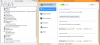 it still activates when i type.
Thank you. -
Hey all, just got myself a SVS13115 model. I tried looking for a SSD replacement post (sorry if its posted already). My is basically the same as this http://www.mobiletechreview.com/notebooks/image/vaio_s13_guts_close.jpg . The problem is, part of the hhd is under the laptop body and seems to be stuck even when i removed the 3 screws holding the hhd bracket and 2 screws on the orange hdd cable. Is there one i missed? Thanks in advanced!
-
Yes, you missed one under hdd cable.
Unplug hdd cable from the connector on motherboard side to access to the last screw.
Sent from my LT30at using Tapatalk 2 -
What do you mean by "bend" ?
-
Bend = break ;-)
Sent from my Sony Tablet S using Tapatalk 2 -
He has already explained what he meant by "bend"
-
How do i remove the cable? Pull it straight up or on the side? I tried pulling it slightly and I'm afraid to apply force... On a second look, mine may look slightly different from the pic, i need to check it again tonight Thanks!
EDIT: Looks like i found my answer. http://forum.notebookreview.com/sony/681116-anyone-experience-replacing-hdd-ssd-s13p.html
If anyone having the same problem as me. -
Hi guys,
I ordered a custom VAIO S15 off sony.ca . I picked the quad-core i7, 2 GB 640M LE, 6 gigs ram, and 7200rpm 750g drive with the intention of replacing the HDD with an SSD at some point in the future when they are cheaper and I can afford it (right now they add a lot to the cost and it's a bit steep for me.)
It is a newer win8 machine, so I have heard orangegate might be fixed? I'll report on that once I get it since I don't see so many people telling about the new ones.
What I am posting for is, I want to dual-boot win and Ubuntu (Linux). Does anyone know how this works on this laptop and/or windows 8? Does the Vaio S use UEFI or "secure boot", and do they cause any problems? How about SSD? Can I clone all my OSes to a SSD later without problems? -
How do I boot from disk? I have tried all the F keys including esc and delete
Sent from my SPH-L900 using Tapatalk 2 -
3.5 hour is accurate and it was accurate for Win7 model as well. 6+ was just BS
-
Hi,
I did not understand what he meant by "bending" and "torsion".
Since you seem to have understood it, would you mind clarifying it?
Thanks. -
He is applying pressure to the sides of the laptop which then apparently puts the fan on a better, frictionless spot and makes it quieter.

-
Check!
I updated the network drivers and it works. Thank you
edit: I didn't uninstal it first, I just updatet the driver. -
Great ^^
Although you should watch out with installing drivers over drivers.
This can mess up your entire system and make everything work crappy.
Any computer user would like a computer that works optimally so in the future try to avoid doing this
-
same here, anyone?
windows 8 fresh install and drivers following the guide on first post -
I get about 5-6h on Stamina but with casual usage so browsing, watching videos, checking Facebook, twitter and all that.
But I have to note that this is with the external sheet battery so for the bare minimum ou get about 2.5-3 hours of battery life on stamina on a SVS15. -
Anyone knows what the color gamut or SRGB gamut coverage on the Vaio S15?
-
but with windows 7 i had about 4 hours of battery life (wifi, browsing, etc )
with windows 8 i have the half even though win 8 have improved battery life... -
I have the same problem. When I ran Win7 on my SVS13A I had great battery life, not needing to charge during a work day until midday. Under Win8 I only get a couple of hours, which is pretty much my commute.
-
Hi
what is the easiest way to go from HDD to sdd and keeping booting and all data intact?
I have original installation win8 on a 500 gbyte HDD and like to clone all disc to a 500 gbyte sdd. -
There is also one screw under the ribbon cable you have to remove.
You need to lift it up to gain accsess to it. -
Hey everyone!
I have an Sony Vaio S Series with i7 and Crucial M4 256GB SSD. Whenever I transfer an large file ( > 4GB) via USB3.0 to my External Hard Drive, the speed freezes.
Like the transfer speed would be around 100MB/S, but it would stay at that speed for some seconds and the status indicator would not move, just sits there. Then after the few seconds, it would continue transferring at USB3.0 speeds.
I have updated the Intel USB 3.0 eXensible Host Driver and still freezes.
I also tried my USB 2.0 port and the speed freezes and status bar freezes as well.
When the speed is freezing, I see the External Hard Drive indicator light copying but the status indicator is not moving. My laptop also take an long time to load Chrome when this occurs...
Please help! I am desperate.
Happy New Yea thoughr! -
Thanks! i figured out how to "lift" the cable up yesterday.
-
I only have the internal battery and i get atleast 5 hours+ with browsing and stuff. Try reducing the "Maximum processor state" to 10% under "Power Options"--> "Processor power management". Yes it slows down the laptop slightly, but i don't find any slow down for normal browsing websites.
-
I called Sony esupport and they remote desktoped to access my laptop.
After the call, my two-finger scroll or anything does not work after an shutdown or restart.....When I check my mouse properties, everything is checked, but still does not work after an restart or shutdown.. -
Are u running a clean os install? Or factory install? What cpu do u have?
Sent from my SCH-I535 using Tapatalk 2 -
Mines still the factory install, but i deleted whole bunch of programs. Waiting for a SSD before i do a clean wipe install. I have i5 3210M with GeForce 640M
-
Hi all...
can anyone tell me which RAM Sony puts in Vaio S15? (8GB)
Thx -
The soldered one is 4gb 1333mhz
-
Thx... I meant from which manufacturer is the 8Gb plate of RAM
Thx for the info about Mhz.
Happy New Year to everyone
-
Hello!
With stock paste temps were ~ 55-50 on idle and ~60 while surfng.
With mx4 repaste temps are: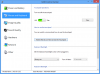
Idle temps are ~40 and while surfing around they are 48-49
But the strange thing is fans are as loud as before. They won't slow down nor speed up in temperature range of 40 to 60 - constantly spinning.
Should updating BIOS fix the problem? -
Hi,
i have today done a successful cloning of HDD to SSD with clonezilla - freeware!!! I did only read how to do it with gosth, but that scared me so i used clonezilla.
Operating system Win 8 64bit
First boot to bios setup and change UEFI boot option to Legacy and change boot order to optical before hdd.
Save bios and run clonezilla (se link under for how to do it)
I Used Clonezilla version 2.0.1-15 i486
I used option copy from device to device (not image) and standard options (easy)
I took about 4 h on a usb 2.0.
And it was in total 7 partitions, original from sony is 6, but i have a extra partition only for documents
When all is cloned change bios back to UEFI and boot normal
Info Disk to disk clone
EDIT: Benchmark with new disk
http://www.sisoftware.eu/rank2011d/...fd9b8d9e4d5e1d8e0d4f280bd8dabceab96a680f3cefe
-
The driver for the Intel WiUSB host Controller on my SVS15 is not loading, getting code 31. Does anyone know how to fix this? I tried updating the driver but there is no newer one.
-
Try Vaio Care driver restore. I also found that if u update to 16.2.16.3 you will loose fluid scrolling inertia, if that is the case you might want to revert to one before that.
-
My new S15 has a slight whine coming from the fan when idling. The fan is always on. The whine is not very loud and gets louder when the machine is under load.
Is this whine normal for the S15? In even a slightly noisy environment you may need to put the machine up to your ear to hear it.
I'm asking because I am particularly annoyed by this type of noise. The HP Spectre XT TouchSmart that I tried had a fan which only made a whoosh sound. Also, the fan would turn off sometimes. Thanks! -
The fan noise is normal on mine at idle. Wish there was a fan utility to just shut off at certain temps.
Sent from my SCH-I535 using Tapatalk 2 -
Hi all,
I've been using an S13 (SVS13A290X, Assembled in Dec 2012) for about a month now and for the most part I like this machine. My previous laptop was a VGN-Z590 from late 2008. I must have been spoiled by the Z because the screen on the S13, as people have mentioned numerous times in this thread, sucks in comparison. They both have a 1600x900 screen, but the S13's has washed-out colors and very low viewing angles, both side-to-side and top-to-bottom. When I look at a solid color that fills the screen, like on the Win 8 Start screen, it always looks like there's a gradient going from light to dark from bottom to top. I also agree with people who say the screen looks grainy. The fill rate of the subpixels is terrible and you can physically see vertical striping across solid colors (screen door effect).
I took some macro shots of the S13's TN panel and now I know why the screen is so terrible in comparison to the Z's:

Click to enlarge.
The left is the S and the right is the Z. Note the shoddy arrangement of the subpixels in the S's screen and the perfectly arranged subpixels in the Z's. There are also huge bands of nothingness between each row of pixels in the S's screen.
Why they didn't just use the same screen from four years ago amazes the hell out of me. Are they that much more expensive to produce I wonder? I could have just bought a new Z, but I couldn't stand the flat, low-travel keyboard and the external graphics module of the new version.
I also tried to see if the S and Z panels could be swapped, but the connectors were different. There are more pins in the S's LVDS connector than the Z's...bummer. I would be happy to hear from those intrepid folks who wanted to buy a new panel for their S's. This is something I would be interested in doing.
Hopefully Sony will put higher quality displays in the premium S now that the Z has been discontinued. -
The S15 has a nice IPS screen with good viewing angles fortunately.
For those of you who have calibrated their screen and have been frustrated by the gamma curve being reset every time you come out of standby, there is a setting in Vaio Control Center that controls this. Go under Image Quality and turn off "Display Color Mode". You're welcome :thumbsup: -
How do you boot to bios? Haven't figured that out.
Sent from my SPH-L900 using Tapatalk 2 -
I believe you press F2 while it's booting.
-
Hi
Boot to bios: Turn of computer, press assist button, then choose bios or press F2. -
I also get code 31 on my wiusb controller. I have a sony vaio s 13 Windows 8 model. Any solution?
Official 2012 Sony S Series Owners Thread
Discussion in 'VAIO / Sony Owners' Lounge Forum' started by Petrov, Jun 9, 2012.


