 Problems? See this thread at archive.org.
The specs for the svs1512DCXB I'm looking at are:
i7 - 3632qm
12gb ram
750gb 7200
Nvidia gt640 2gb
Win 8
Blu-ray player
Sheet Bat
$1251 +tax, no shipping Would a similarly spec'd unit go for less the way you bought yours? I'm willing to step down to 8gb ram to save and I would like Win8 Pro. This is just the way this unit is put together.
-
hello,i'm new in this thread

i want to ask something. .my laptop's with i5,4 gb ram,gt 640m le
i accidentally erase my recovery data without back up that so i uninstall with dual boot,windows 7 and 8
and then,when i played high graphics games (like assassin creed 3,hitman) smooth at the first,but about 5 minutes i started very lag suddenly
what's wrong with this laptop do you think ? driver ? or other problem ?
before that when i'm use windows 7 from factory installed it can played need for speed the run at high setting and many hours
need your fast solution. .thanks ! -
Urgent!!
Sony is charging me for 40 for 2x ribbon cable which they claim are damaged! (laptop in warranty)
Should i pay it or not?
My symptoms were: No audio device is connected ( after BIOS update ).
I got 1 day before they make call and ask my decision but it happened after BIOS update!! I told that to them and they say they don't have previous version((
-
You should not be charged for that. As long as you havent damaged the cable.
If not it is a factory error and they should be paying for it.
Unfortunatly no. So in other words if you have the win 8 model you cant use the bios mod for imba graphics.
I would not upgrade bios tho if some time later there is a way to revert to an older one. Since some times you can find a way to revert on one version but not on the next. -
Ok, well you did get the blu ray player, the 2gb 640m LE, a bigger HDD, and more ram along with the sheet battery. That seems accurately priced now.
-
Thanks! Unfortunately i already updated. But let's hope nothing big happened
It is possible i did when i changed Optical drive Bay to Drive drive Bay, i noticed it bent but i didn't see it broken like Sony claims.
But now Sony called and said, they don't want to put the ''damaged'' ribbon cables back as they think it would damage the motherboard. - basicly forcing me to pay for the part( [also i remember clearly, only 1 ribbon cable was bent a little, not two as they claim]
The keyboard was working, backlit was working, vaio/web/assist key and all light were working. There was only sound problem ( no audio output device is installed ) . Could it really be the little bent it has on the right side be cause why i get the error?
Thanks alot !! -
Anyone have the S15 with i7 and sheet battery? What kind of battery life do you have?
-
Not sure what you mean with bent. And what ribbon cable you are refering to. Ive also swapped the ODD for an extra HDD.
But if you bent the cable i would cough up the doe and pay up. And also if they say 2 are bent maby they come as a package or you bent one more with out notecing.
Im not sure about the claim it could damage the computer. Its a term thrown arount alot. Sure it can have some bad efects if it is shorted out. But if you dont want it they could just remove the cable and not have any cable ath all.
How ever you would loose some functions and it could render the computer to not work.
I would pay up athleast. Athleast if you know you bent it. And even if you dident they will claim you did since you changed the ODD. And i really doubt they will pay the cable. -
Thank you very much for replying! I have exams and it's really hard for me at the moment to focus or even think without freaking out.
The image shows the side and the area, that was bent, very similary to the example picture but with deeper curve. View attachment 90563
Red line: line of which was bent and the area.
Blue line: shows the curve it was bent almost excactly.
Also i just now found out but i'm not sure. I tracked the audio cable and The audio is using the other ribbon cable, that i know is 100% working. Here is picture:
I sure hope it is software issue as they are charging me for 120 €
+transport 30 €
to change those two bloddy cables if i decide to let them repair ( just checked final email they sent).
This brings me to the conclusion, even after i let them replace the ribbon cables for ridiculous price, the problem might still exist meaning it was all along software issue ? Because the problem begun right after BIOS update.
If anyone can confirm this, it would lift huuuuge weight off my shoulders.
Thanks!!
Edit: after thinking about this, i decided to just get the thing back and wait until ebay or similar site has one in sale. -
Sounds about right.
However, I just bought an s151290x from sony.com with education discount.
i7-3632QM
500gb 7200rpm
4gb ram
1GB GT640
Win 8
$800.99 before tax.
I think with all those upgrades you opted for should bring it up to $12xx -
That's a very good price for that configuration. Even at the Education store, that configuration is coming to $1295 plus tax. However, they charge $144 to go from 4GB to 12GB. I would just get 4GB and then buy a 8GB stick of memory for $30-40. That would bring the total in the education store down to $1151 plus tax. Add in $40 for good memory and you are at $1191.
-
First attachment don´t work.
But if your sure about it i wouldn't swap it either i guess.
Also the audio cable your referring to seems hard to break with just a bend tbh. It would have been another thing if it was one of the extremely thin brown almost see through ribbon cables. Cos those can break easy.
And it do seem really strange that the problem came immediately after and upgrade. So if your sure it worked just before that. i would get it back i guess.
But i mean you want it fixed also. Otherwise im guessing you wouldn't have sent it in. So if they say its the cables and that don't fix it it should be easy to claim that was never the problem.
Cos I'm guessing you tried everything you could think of to fix the issue before you sent it in.
A tip when you get it back is to do the same thing i wrote 2-3 pages back in this thread about parser driver. Do the same thing but do it with the audio driver. And see if that maybe helps. Cos if i understood you right your issue was that the audio don't work and you have an exclamation mark on audio in device manager. -
Well, well. Look what arrived in the mail today!

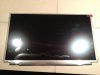
Initial tests indicate all systems go!


As wwiktor said, the screen is slightly larger than the stock display and the connector is slightly offset so I'll have to find a way to reroute the display cable to make it longer. Unlike wwiktor's experience, I am able to boot to BIOS and see the boot screens. Maybe that has something to do with the Win 8 version of the S13? Or the "SLB2" version of this display?
But man is the display awesome! I can't believe I was ruining my eyes with that stock display. Shame on you Sony for putting such an inferior screen on this otherwise perfect laptop!
Now to get this thing mounted in the bezel...doesn't look easy. -
Does anybody know if it would be possible to get the S15 screen replaced via third party with one of those 95% NTSC gamut panels?
I've just gotten a refurbished Win 7 S15 that works like a charm, except for the Orangegate thing. I didn't think it would bother me, but it does. Mine's not one of the extremely orange ones, but even so, I'm finding that it's not just saturated reds that look orangeish. It affects pinks and violets too, and things like skin tones trend towards yellow/orange as well. I'm trying to decide whether to replace it with a customized Asus N56 from a reseller, and I keep seeing the 15.6" 95% gamut option and thinking, if only I could get one of those into my Vaio... But I suppose those don't come in a 15.5" option, huh?
I asked Sony tech support about replacing the panel, but they said it was a known issue caused by the video card, not the panel. So now I've got a repair authorization to replace the video card, and I'm thinking it's not worth going through with. -
Well, the SB1 seems noticeably larger than the SB2 so I guess it will be somewhat easier to fit it. Do you have Win8 variant or Win7?
If possible, please post some photos of the inside of he bezel and the screen to see what are the obstacles. Glad to see it's fully functional. -
I'm in love with that display!
Do keep us informed
I'm very interested in your solution. -
I'm wondering if anyone knows where I could get hold of a sheet battery for my SVS13A1C5E in the UK?. Are the sheet batteries for all 13" Vaios interchangeable? Is the sheet battery for the standard 13" compatible with the premium etc?
I knew I should have got one when I ordered in the first place
-
Why dont you use the full hd screen of VAIO Z 2012? i think 13.1 inch is not too much differences from 13.3 inch of our VAIO S .
-
Hey everybody, I'm new to this forum and just waiting for my new 13" Sony S Series laptop to arrive on Monday
It might be funny but I read the whole 572 pages of the thread for about a month before deciding to order my laptop.
One question though, as I am a former user of Sony Z series laptop, by how much am I downgrading in regard to the screen of Sony S?
Ok, so will keep you updated when I get my hands on the new laptop and see if there are any issues with it -
huge difference... Z series screens are far superior to the S13, i'd say the S13 has a typical TN panel u'd find in common laptops
-
So I finally have got my Vaio S 15. It works great! Immediately updated it with a SSD, new RAM and replaced the ODD with an HDD. The problem I'm running into now is the common acpi CPU usage problem. It's too high constantly. I have searched and found that the solution is to downgrade the bios to version R0080C8 (I'm now running R0081C8). Problem is that for my laptop version I can't find that BIOS update!
I've searched on the Dutch site, UK site and EU site. No where to be found with the laptop version i'm having (SVS15112C5E). I'm thinking that it should not be a problem if I use a bios for an American model, but I can't find it. Can someone help me here? The issue is annoying! -
I saw some one else write about this problem. What does it actually do? What is the issue? (Had to google acpi. But as i understand it, its something to do with the power management)
Now to awnser your question. I dont belive its possible to downgrade your bios version. At least its not possible to revert to the older versions that came with the windows 7 version.
But maybe its possible to just revert back to one of the newer ones but i havent seen anything about that. -
That's little tough to swallow,
anyways thanks for the quick reply and I guess I'll see the difference when I receive it -
The problem is that after I replaced the ODD with a HDD there is a constant CPU usage of around 15% in speed mode and 10% in stamina mode. It doesn't stop! Solution should be (as I read in this topic) to use an older bios, but I can't find the right version...
-
Ah ok.
Must be only with the win 8 models and that bios then.
I have swapped odd and dont have that issue. But i got the win7 model and the graphic modded bios: ******3 -
Hey! I had the same problem with BIOS R0080C8
upgrading it to R0081C8 and still high CPU :/
windows 8 model -
Seems to be a pretty large problem. My battery time is now 2 hours instead of 4... it has halved. I'm trying to install some drivers again and see if I get things solved. I really can't find other bios versions than R0081C8 for my model... I don't know if anyone can help with troubleshooting the problem and checking maybe which driver is the faulty one?
-
This was brought up several times in the thread, but the response was that the sizes are different. Though, it seems to be a rather small difference. The frame certainly looks more inline with the S13 one..
New Genuine Screen B131HW02V0 LT131EE11000 VPC Z11 119 | eBay
I thought the original ones were made by Toshiba, but this one is by AUO.
Can somebody compare the original S13 panel to this one? Perhaps no mods are required (although, FUll HD is a bit too much for me on the 13", I'd rather install that LG IPS 1600x900).. -
It is indeed very akward problem. But here is the really BIG W.tf moment.
I took out the Optical drive and left there nothing! Result = still hight CPU usage [ it
's only normal when i have ODD connected]
You might find older BIOS heresomewhere : ftp://ftp.vaio-link.com/PUB/VAIO/Updates
BIOS R0081C8 has filename EP0000278577.exe
Use LatencyMon to find the problematic driver.
Sony is beeing a really big B*tch here. -
awesome to see that the LG IPS panel worked perfectly ! i hope you will find a way to put it on the S bezel
for the Z panel it cost 250$ for the 1600*900 and 295$ for the 1080p one
so i think it is a bit expensive since the LG IPS panel is a gorgeos display i guess and cost 150$ ! -
I can't test it now .. But I suspect that the bios is one of these files.
Since BIOS R0081C8 is EP0000278577.exe and is about 5.1 MB, Just take all the files around that size. Some smaller and some larger and start checking what they are. Don't go back further then 2012 though
For example:
EP0000278248.EXE 7.5 MB 12/27/12 1:35:00 PM
EP0000278236.EXE 3.7 MB 11/22/12 4:19:00 PM
EP0000277552.EXE 4.0 MB 10/15/12 10:55:00 AM
EP0000277825.EXE 3.6 MB 12/31/12 10:41:00 AM
EP0000277932.EXE 1.5 MB 11/23/12 2:38:00 PM
EP0000278099.EXE 1.2 MB 12/27/12 3:04:00 PM
EP0000278104.EXE 4.9 MB 11/13/12 3:15:00 PM
EP0000278173.EXE 5.3 MB 12/27/12 10:13:00 AM
EP0000278182.EXE 6.3 MB 11/26/12 2:39:00 PM -
I am really interested in getting the Sony VAIO S15, I'm from UK. I'm having a look at the possible configurations online, and I have some questions.
1. Would you recommend me upgrading the CPU from the i5-3210M to the i7-3632QM? It's an additional £120, I don't know if I should do it. I'm a Electrical and Electronic Engineering student, so I mostly work with MS Office as well as some computer programming software such as Matlab and LabVIEW. I am mostly into movies, youtube, music, and maybe running some games once in a while (I am not a hardcore gamer, the last game I have played which I liked was Darksiders). Medium graphics is fine with me.
2. What about that screen issue everyone is talking about? In some rather old reviews, they say that the screen quality is not good, some red-orange issue, can anybody help me on that?
3. The extra 'long life battery', is it worth it for £120? Any one of you that has it, how is it? Also, if it is worth it, can I buy it for cheaper from somewhere else? I can't find it on Amazon and Ebay.
4. Is it easy to open the laptop? I might want to add a SSD in the future (I'm going with the 500GB HDD right now).
5. Any real advantage of Windows 8 Pro over Windows 8? (£40 difference).
6. Do you guys recommend that I go with the extended 3 year warranty? (£65)
I'm a university student, so I'd rather keep the cost low, but I will spend some extra pounds if I think that it's worth it. I want to be sure I make a proper decision. -
$160 from DVDSuper999 on Ebay. Can't go wrong. They ship fast too, for free in the states.
Update on the install. I ran into a snag yesterday when the LED backlight stopped working on both the new and old panels. I could see the images on the screen, there was just no light, so I must have blown a fuse or something. Luckily, this topic has been discussed before on this very forum! http://forum.notebookreview.com/sony/613996-no-backlight-led-screen-8.html
If you intend to do this modification, do not remove the display cable without first pulling the battery and disconnecting the power cable. There is a high probability you might blow one of two fuses:

You can see the blob of solder on the right fuse where I simply jumpered the connection. The backlight now works, so on to the project.
The first thing I did was to lengthen the display cable because the port on the new display is farther away from the right hinge. Thankfully, there is a lot of slack inside the computer. You have to practically disassemble everything to release the cable. There's a little hinge cover you need to remove to access the cable.


By the way, when opening the S13, you need to slide a special locking mechanism to release the left side of the keyboard assembly. You can access it from the battery compartment. There are movies on youtube on how to open the S15...it's pretty much the same:

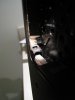
I haven't found a way to fit the display in the bezel yet, but I have some ideas. First, the circuit board on the far left and right bottom sides of the new display will need to be cut to avoid the hinge mechanism. Wwiktor mentioned this in a previous post. There are no components on that portion of the circuit board, just a screw for strain relief:

The display is about 1 mm bigger all around, so the frame in the bezel will have to be cut.
More details later... -
no one of your attachement link work's
@Vip_blast : first of all, don't forget to take the student 10%% discount on the S15
then i think for your work it is better to stay with the i5 core, and spend the money for the long life battery
it is realy easy to open and put a SSD don't worry about that
and i advise you to take only 4G or Ram and buy a 4 or 8G ram on the web.
for the display, since you will not use it for vidéo/photo editing, it will be ok for you, the IPS panel is so beautiful that you will not see the red problem, the issue is beeing solved, and maybe you will get one of the fixed panel
for the waranty if you have the 2years standar waranty i think it is enought, but if you only get 1year i advise you to go for the extend. -
I'm not liking the rear vent on the S15... I primarily use my laptop sitting on my bed, on my couch or in my lap. Temps are reaching the high 70s under minor load when I do this. Is that normal/all right?
-
Vip_blast, in my opinion, and in the opinion of those who tried my S15 (late 2012 model), the IPS screen is very uncomfortable for reading and writing. There is a vibrancy on white (or near white) backgrounds and a "shadow effect" emanates from the dark letters on these backgrounds. This combination of effects really taxes your eyes when reading/writing for more than just a few minutes. Furthermore, it's not just red tones that are distorted, skin tones are very artificial, no matter how you calibrate the screen. The great majority of posters here, I supose, are gamers and that explains their satisfaction with the S15. Above all, the S15 is not for those who need to read and write a lot on it.
I also compared my S15 with other ones displayed on two different shops. They all have the same screen problem. Acer Aspire S7 has a way much better IPS screen, for example. But the Aspire S7 is not as potent as the Vaio S15 (and it's screen is only 13.3 inches).
Good luck with your decision! -
Temps shouldn't be quite as high under light load i think. Maybe you are (partially) blocking the air intake.
On the s13 it is positioned on the right side right below the usb ports.
Personally, i haven't had any temperature problems even while gaming with my s13 on my lap.
Just be aware of where air goes in and comes out and it should be fine
BTW, i don't know if everyone who dual boots is aware of this (maybe petrov can put this in first post):
When we set performance modes in vaio control center in windows (priority to silence, balanced etc), this is stored persistently in such a way that the settings are still in effect when booting to another OS.
I didn't manage to find the MSR registers that are initialized differently so far ( i have checked thermal interrupt control, misc processor features as well as most of the RAPL registers), but i guess TDP limit or something similar is somehow manipulated via MSR.
So in short:
If you dual boot, set performance modes in windows according to your needs (balanced results in the cpu being able to run at full speed consistently, but turbo boost will be used rarely. performance mode will enable you to use turbo boost consistently but will result in fan noise even when idle).
If someone has any knowledge about what vaio control center does exactly, please share.
It would be nice to cobble together some scripts to switch modes in linux via wrmsr and such. -
The settings from controll center are not saved on your HDD its stored on some other chip. (No sure if its in bios or some other chip) This is also noticeable if you do a clean install or swap your HDD. And you have settings for battery care to 80/50%. Then the same setting will be there even after a format or HDD swap. And your battery wont load past 80/50%. Its the same for Backlit/Fan and so on.
-
Can be to you it is necessary to set up power supply plans?
I use for this purpose the utility from this article (it in Russian)
Íåêîòîðûå àñïåêòû ýíåðãîñáåðåæåíèÿ Intel Core i* and Windows :: Overclockers.ru -
It's done. LG Philips 13.3" IPS panel in a SVS13A290X. The viewing angles are so much better on this display:


I won't get into too many details because there were a lot of steps, but the main points are to cut the original frame from the back portion of the display cover (cut portions in red):

...but leave the standoffs where the bezel clips into the frame. This also holds the new panel in place.

The far right and left edges of the circuit board on the new display also need to cut to conform to the hinge's bracket. I just cut a small triangular piece off, but basically the whole edge can be cut off without it damaging anything. I used a dremel tool with a cutting wheel.

The display is somewhat thicker, so the bezel will bulge ever so slightly. It also adds a little more weight. The computer feels a bit heavier. We'll have to see how durable the modification is, as well as how it impacts battery life.
Thanks to everyone for the encouragement and ideas. -
Nice work.
Hope it holds up. If its not to hard. This should be a nice mod for people sitting on s13 laptops and wanting to fix the screen. -
i have exactly the same issue... very annoying...
i think that we are stuck to the high cpu usage or ODD until somebody manage to hack the bios of the late 2012 win8 VAIO's
-
impressive mod on the s13... any more pics of the overall chassis?
-
Anyone here have any first hand experience or link to something with the white S13 with 1366x screen, how is the screen quality and is the white plastic glossy or matte, especially around the bezel,wrist rest ?
-
For sale:
Chimei Innolux 13.3" 1600 x 900 LED backlit replacement display for Vaio SVS13A series laptops. Model # N133FGE-L31 Rev. C1
Cheap! Just kidding...or maybe not.
Here are some more pics of the LG display replacement:
Image of modded display frame with new display attached.
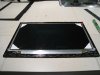
Side of back frame showing new display held in with cut standoffs.

Rerouting of webcam cable. Wifi cables are not rerouted.

-
Does the lid/lcd assembly feel more flexible with the cutting? Do the keys look closer to the LCD when closed? This a mod I'd be very interested in as I find the LCD the biggest flaw in an otherwise nice machine, but will probably hold off until the warranty is out. Who knows maybe the SVS line will get a refresh with an better screen that would be a straight out swap.
-
Great work and thanks for the photos. So, nothing actually "clips-in" in those clips, just their mere presence keeps the screen in place. And if you cut them too much, you'd need to use some spacers I guess for a tight fit?
-
Dude ... you're awsesome!
When does the bezel bulge? Only when closing or opening the lid?
Can you see the bulge when using the laptop? -
This seems to be an excellent utility! Hope that someone will translate it to English. -
Apart from the real, and some times annoying 'orange gate' my S1511 doesn't exhibit any of those flaws. I use it extensively for reading and writing (keyboard could be better also) and I love the screen. It has high enough contrast, low reflectivity and excellent viewing angles.
The only thing that bothers me in this laptop is its noise. It seems that I am unlucky enough (because the majority does not seem to have this problem) to have one of the noisy S15s that are producing a very annoying mechanical vibration from the fan. This propagates through the chassis and is producing considerable noise that is coming from the keyboard !!! (I have replaced the HD to an SSD).
Official 2012 Sony S Series Owners Thread
Discussion in 'VAIO / Sony Owners' Lounge Forum' started by Petrov, Jun 9, 2012.


