 Problems? See this thread at archive.org.
Hi Jay,
This is the SVS13/15 thread
You should have better luck ln the Official Sony S11/S12/S13 (2010) Owners Thread
Sony spare parts distribution (usually managed by a third party) are pretty exorbitantly priced generally so if you can find the parts on eBay or something you will pay much less.
Look at your localized Sony website to find a list of official parts distributors.
-
very interesting! From where did you bought it? It fitted nicely? Win8 or 7?
-
I bought it from pccasegear.com.au but they are widely available on eBay etc.
It's a straightforward swap. A direct replacement for the existing card (6235 for me)
Just need to unscrew the Mem/bat/hdd cover and 2 more screws to remove the PCI Express Mini Card.
Then an update to the latest Intel driver. -
Thank you for your reply. What is your OS, is it windows 8 or windows 7?
-
Hi, i am the proud owner of a Sony Vaio S SVS13A1C5E with Nvidia GT640M videocard. My laptop is running on Windows 7 64bit. i checked the videodriver which is version 306.97, more than a year old.
Did anybody here manage to mod the .INF succesfully so he could use the most recent Nvidia drivers? I checked out laptopvideo2to but it wasn't that easy . On the Sony site i found a more recent Nvidia driver (oct 2013) but that was for Windows 8,1
Please let me know if you have something for me! -
SVS1312R9EB Recovery DVDs.
Does anybody have recovery DVDs for SVS1312R9EB. I've created disks right after purchase and deleted recovery partition on HDD. Some days ago I've decided to restore factory defaults, but due to scratches on the 3rd DVD I cant restore without errors
-
I have the same model, only win 8.1 running here... I just installed drivers from the nVidia site, worked fine...daddycewl likes this.
-
Wow! Do you have any issues left after Windows 8.1 installation? Any particular tips n tricks?
-
No issues. Some programs and one driver had to be reinstalled, but windows alerted me about this. I had to reinstall my firewall (comodo) and the intel bluetooth/wifi drivers (which I got from sony).
A useful tip is to do a disk cleanup of your c-drive afterwards (use the option to clean up system files). It gets rid of the windows_old folder and some other temporary files, it saved me around 3 GB. -
I broke the headphone jack on my S15. Is there any way to replace this piece and where can I buy the part? Thanks.
-
How? What monitor?
-
Windows 7. Win 8 drivers are available but who knows if they will work or not...
It is an ASUS PB278Q. Quite a nice little monitor considering the price.. -
URGENT!
After clean installing my vaio s, my backlit keyboard does not light up anymore..
When I permanently turn on the backlight, then it lights up..but when I set it to turn on only when it is dark, it doesn't turn on..I have installed all the drivers from the first post..I have Sony Shared Library and Control Centre..
PLEASE HELP!
URGENT! -
Somebody knows how to upgrade the control center/ Is it necessary? I have a SVS1311 and W8.1, but none of the updates from the website works for me and so I am still on 5.2.2
-
I am stuck trying to connect an 30" 2560x1600 Display via HDMI. Did not find any working resolution. It´s working with the VGA in full resolution , does not look that sharp though
-
Have you tried updating drivers? Also it only works with the onboard HDMI port. Dock HDMI is limited to 1080P.
-
I am still running Win7 64bit. Could not install any Intel driver from intel page as it says i should use the ones from manufacturer. and i could not find any newer ones than on the sony support page for win 8.1.
I am not using the Docking station. I tried various settings from 50 HZ reduced blank to 25, mostly the display stayed black. at some HZ i saw a wierd picture, but nothing of use. I do have it now connceted on the VGA, with full resolution. Does not look like a digital connection though :-/ -
Perhaps I was only able to do it because of the specific monitor. Now that I think of it, ASUS did specifically market this monitor as being able to display QHD over HDMI
-
No, my problem ist that the display is just accepting 60 Hz and the scaler (or what ever part is calculating the incoming HDMI signal) denies other frequenzies.
The display is HDMI 1.4 and is also reporting 2560x1600 60 Hz over HDMI as an possible resolution to windows. Unfortunately the Intel display driver denies anything above 50 Hz because of the bandwidth restriction. So i think thats the only problem, pure software mistake. I wonder if there is a hacked driver or anything like that without this restriction. Or maybe disabling the internal Intel graphics with a modded BIOS, as the Kepler GPU can support even 4k resolutions...but has no control ober the HDMI port :-( -
Have you guys installed the NVIDIA driver in the optional part of windows update? It was released 11/16/2013. What version is it? Here is a screenshot:
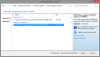
http://i.imgur.com/iCnPmrV.png
not sure if i should install, i'm on 8.1 after upgrading from a (refreshed) windows 8, followed by uninstalling things (to keep it fresh) and installing the software listed here. I'm asking whether to install this because I've had black screen issues in the past when using windows update (the driver would silently update and on restart it would just display black screen).
MY nvidia driver is version
326.60
this is on a vaio s13 btw -
What kind of battery life are you all getting?
I have the 15in with the i5 and with battery saver and medium screen brightness I am getting about 3hrs 30mins.
With the sheet battery and the same settings I am getting max 7 hours. This seems pretty bad, what are you guys getting from your S series? -
Depends on what I'm doing, from 2 hours for gaming with no speed saving, to max. some 12+ hours (both with sheet battery) if I do youtube over wifi with minimal brightness.
I got 3632QM, which is actually better power wise from an i5 (4 cores are never used in above usage scenarios, it is only with some development work that I get to use them). -
Yes, Interesting idea. who knows really. Certainly not something I would be game to dabble with!
I wish Sony would have just included a DP connector! who uses VGA these days anyway and it's not hard to get an adapter for the odd occasion. -
Hello,
I just wanted to report here I have done a clean install of windows 8.1 on my s13 (win8 model, early 2013). As far as I can see, everything works fine. I took the drivers from the sony page, except the discrete graphics I got from Nvidia. In some cases you can't install the newest version right away, but first the older one (from the 'original drivers and applications' tab), and then update them. For e.g. control center I had to install an old version, and two incremental updates.
Concerning product keys... You need a 'default' (or whatever it's called) product key FOR YOUR VERSION (eg. core, professional, 32 or 64bit), which you can find on line. (I eventually found them on the Microsoft website) Also you need an image, just the same as for a clean install of 8, from MSDN. Afterwards, you can activate windows with the product key which is stored in the BIOS. You can retrieve this key using instructions I found here.
So, all in all, the only difference compared to a regular 8 clean install is that you have to manually insert your product key, windows doesnt find/accept it automatically. -
URGENT!
After clean installing my vaio s, my backlit keyboard does not light up anymore..
When I permanently turn on the backlight, then it lights up..but when I set it to turn on only when it is dark, it doesn't turn on..I have installed all the drivers from the first post..I have Sony Shared Library and Control Centre..
PLEASE HELP!
URGENT!
BUMP -
maybe try re-installing and restarting after every driver. sounds like the ambient light sensor is not working correctly.
-
I tried another keyboard from my friends laptop (I took it apart) and it still doesn't work. But his keyboard works fine on his machine. I also think it has something to do with hardware.
I have to re-install every driver again? So aka another Fresh Install?! -
13" with i5 2450M here. When I first bought it, battery life was around 7h45m for surfing on wifi. Currently sheet battery has 18.2% degradation and internal battery has 9.9% degradation after using for a year and a half. Battery life is around 6h50min I suppose. In addition, mine has got a fatal hardware fault that causes power failure (instant shut down) happens when the laptop is jiggled in a wrong way, that only happens when on battery power with sheet battery attached. It's gotten real bad recently so I've switched to using charger Q___Q
-
HELP
I have a Sony VAIO S Series 13 SVS13122CXB.
I'm trying to desperately install W7 on it. It came shipped with W8. I followed all the instructions on changing to "Legacy Boot", but when the PC reboots and I have a W7 Flashed USB plugged in, the PC keeps rebooting in a loop when the "VAIO" welcome screen shows up. It will get stuck and then reboot in an infinite loop until I unplug the USB and then it say's OS missing because its in Legacy mode.
Anyone else experiencing this issue?
Cheers! -
Hey guys longtime lurker/first time poster on this thread. My S's fan has been buzzing a ton and makes a noise almost like its hitting something. I am kinda curious if anybody else has had this problem. I'm also curious where I could go about looking for a replacement fan if needed and if someone has made a guide to opening up the 2012 S by chance. Thanks!
-
Is there a way to install Windows 8.1 without that driver ?
Last time i tried installing Windows 8.1 i ended up with a black screen and had to revert to W8. -
Hey all,
First and foremost I'd like to thank the people of this forum for recommending the VAIO S13 P to me almost 14 months ago now! It has been the perfect University/work/Gaming/Commuter hybrid and an ideal replacement for my old MacBook Pro.
Recently I've been trying to play Counter-Strike: GO on the laptop but even with all NCPanel settings on 'performance' including the power management setting , and in-game settings on low in 640x480 (my eyes hurt) I was still experiencing FPS drops from 120 to 30 depending on the game load.
SO yesterday I installed nVidia Inspector and GPU-Z and increased the clock to 1000/1000mhz as per the guide on page 1 of this thread. Upon doing this I noticed that my average FPS increased to around 140 but kept dropping to 60/70fps for sustained periods. I realised that the Memory Clock on GPU-Z was showing as 250mhz even though I had overclocked to 1000mhz and whenever I tried to revert it, it kept dropping back to 250mhz when under stress from gaming. I also noticed that the GPU temperature was 85*c, higher than most in this thread so I assume that the temperature of the laptop when under load causes the GPU to throttle, right?
Do you guys think it’s a case of me needing to re-paste the CPU and GPU to lower the temperature which will enable me to maintain high clock speeds? If so, is there a guide that tells me step-by-step how to open the thing up and where to apply the paste? Do I need to remove the old paste? As you can tell I’m a bit of a hardware noob.. Otherwise could it be something else? Also, how do I make the clock speeds drop when idle?
I’m running the 2012 UK Sony S13P with an i5-3210m, 8GB RAM (4 installed by myself), a 256GB SSD (installed by myself) and the 2GB 640M LE on Windows 7.
Tom -
@amagawd
Have you limited your CPU to 95%?
This can prevent throttling -
Indeed! I've done the same thing. But I mannaged to get in the Windows Safe mode and I uninstalled this last driver, so next boot was ok again. Now I am trying to avoid this driver since then
-
I also had black screen after one of the MS or Intel updates. I had to download a win 8 install disk, and boot into repair mode, reinsall an older driver to get my screen back...
So, I didn't dare to try this driver you listed. -
Follow the guide described here. You need to install the drivers and updates in the proper order to make it work.
Windows 8 Upgrade - Troubleshooting / FAQ - Sony's Community Site -
Would you like to shed some light on exactly how did you install clean win 8.1?
I did install the system, intel and nvidia graphics and seem to have issues with sony's shared library and hotkey utilites. It seems as if those things aren't really installing.
Any hints? What is the exact order of your installation?
Also do win8 drivers from sony website work in win8.1?
My laptop is SVS1512. -
As I've askied somebody else in the previous post could you describe the order of your clean win 8.1 installation?
regards -
I somehow mangaed, following instructions of this forum, to install clean windows 8.1 with most things working. The stamina/speed switch seems to work and so on. The only thing that I seem to have an issue with is that there is an exclamation mark next to the GeForce 640 LE in device manager. Also I can't access the nvidia setting and when I try it says:
nvidia display setting are not available
and that "You are not currently using a display attached to an nvidia CPU".
I tried installing the sony drivers and the ones from nvidia. I tried beta and non beta ones.
I think this issue didn't exist under factory windows 8, but now I'm not sure any more...
I just received the laptop on tuesday.
Wanted to make sure everything works.
Now not sure.
I think the geforce works because I get from 50-86 frames in Starcraft 2 in the 1080 resolution and other mid settings.
But not sure since I have quad core processor.
Could somebody give any hint?
Again it does not seem to be a installation issue, since I reverted back to the factory settings and the issue persists.
I have SVS1512DCXB with quad core i7. -
I cannot run FullHD SC2 with anything more than minimal details, on HD4000. Actually, it won't run full details even on 720p with HD4000. SO I am quite sure you do have the nVidia GPU running - but I don't understand how. The CPU cannot compensate for the slow GPU when it comes to shaders, no matter which CPU you have today.
I cannot help you with regards to drivers though, since I have no intention of even running W8, much less 8.1
-
Hello,
I've been having an issue where my screen will start going haywire all of a sudden. Unfortunately, I am officially out of my warranty period so I am looking to repair this myself. It looks like it may be a bad connection, but I am not sure. I've searched everywhere for anyone with the same issue on this computer, and I have found nothing. I've had the computer apart to see if there was any easy access to the screen connections, but it looks s though anything I need access to is in the lid. I really don't want to start breaking things to gain access, so am wondering if any of you have the know how to check the monitor connections?
Here's a video of the issue in action since I don't know how to describe it (maybe it's an easier issue to deal with than I am thinking?):
Thank you all so much in advance!!Last edited by a moderator: May 12, 2015 -
I had a similar issue after dropping mine. The age old solution of giving it a good smack fixed it (been fine for months now)
Sent from my D5503 using TapatalkLast edited by a moderator: May 12, 2015 -
Believe me, smacking is the first thing I tried. -
[EDIT] Probleme resolved : I managed to clone one partition [/EDIT]
I'm sorry but i have a big issue with my laptop svs13 :
I try to reinstall windows 7 on a ssd but i have so many issues :
- I tried just to clone disk but with many software it simply not work.
- I tried to make a clean install. But no way to get the software wich manage the stamina/speed button. If it's the vaio control cneter i can't install the version on sony site : i get an error : "newer software already installed".
So my questions are :
- Is there a way to use the recovery of the original disk on the new one ?
- Does someone knows where to find the software to manage the stamina/speed button ?
Sorry for my bad english and in advance thanks for any help... -
Hey, I followed the suggested method for upgrading my sony vaio svs151190x from windows 7 to windows 8 (and then i upgraded to windows 8.1), but during the upgrade I somehow managed to permanently enable adaptive brightness which is getting annoying. Anyone know how to turn off adaptive brightness other than though the advanced settings in the advanced power menu? Thanks!
-
Hi Peepz,
Still very happy i bought my SVS13A1C5E 2 years ago! Unfortunately 3 screws fell out of the bottom of my laptop. I contacted Sony and they want 40 euro's for 3 tiny screws!!! Outrageous! Does anybody have a tip were i can get replacement set of screw for a reasonable price?
Other question: i like to play games on my Vaio (who doesn't?) like COH2. Now i'm a little frustrated i still have to use this old Nvidia driver. I'm considering upgrading to W8.1 because i can then use new videodrivers,..is this a good idea? Is it worth the hassle?
Many thanks! -
Hi all,
I am trying to upgrade the Hard Drive on my Vaio SVS13A1X9ES.
I have a 256 SSD installed but when I pulled this out it has a slim flat connector to the drive that does not look a Standard SATA connector.
The part of the cable that connects to the Vaio motherboard is fine, but I am struggling to identify the connector and cable to the SSD Drive. All the videos and guides show this as a normal SATA connector to the HDD but my Vaio seems to have a different connection to the actual HDD.
Does anyone know what this connector is and if I can upgrade the SSD?
Many Thanks for your help. -
Do you recall which driver?
-
BY SCIENCE, FINALLY!, I did a clean install of windows 8.1 on my svs1511c5E, and many of my drivers would not install, Ijust got an error massage saying "A newly version is already installed". I have been looking like crazy for a version of Control Center, as well as Vaio Update that would actually install... Many thanks good sir!
-
Hi all,
I have a Sony Vaio P13 SVS Laptop that is installed from the factory with a 256 GB SSD (2 X 128 GB), and is connected using Sony's proprietary SSD connecting cable.
I am looking at replacing the stock 256 SSD with an after market 2.5" SATA SSD such as the Samsung Evo Series.
In order to replace Sony's 256 SSD I will have to purchase a new Flex Cable to connect the new SSD to the Vaio - this cable is Sony Vaio Part No: A1921021A. I have purchased this cable from Laptopbits.co.uk below;
Sony Vaio Hard Drive Cable A1921021A
I also need to mount the new 2.5" SATA SSD into the drive bay by sourcing the correct brackets - does anyone know where I can find / purchase these brackets or the Sony part number for these HDD mounting brackets?
Thanks.
Official 2012 Sony S Series Owners Thread
Discussion in 'VAIO / Sony Owners' Lounge Forum' started by Petrov, Jun 9, 2012.


