Problems? See this thread at archive.org.
most people say there isn't a software fix for orangegate, so does anyone know if/when Sony is going to start shipping out panels that have accurate reproduction. i really want the s15 but I can wait a month or two, or should i just bite the bullet now and get one, especially with all these promotions going on.
-
Thanks, for some reason i havent thought about this at all .. perhaps was pre-occupied with a clean install. thanks for suggestion though i personally prefer a clean install which off-course has other disadvantages.
-
Hey,
Thanks, i willdefinately have a look. appreciate your help
cheers -
I did a clean install of Windows 7 on a 750GB Seagate Momentus XT and followed NicholFD's driver installation guide but the power light turns completely off when the computer sleeps instead of pulsing orange. If I put the stock HDD back in with the original sony install of windows the power light pulses orange when sleeping. Anyone have any ideas what could cause it to not pulse orange with the clean install?
-
Some 'brief' ramblings from a new S15 owner!....
Got the S15 core i5 model yesterday and gotta say it's a brilliant bit of kit! Red/orange thing is overblown as it displays reds well enough that most people wouldn;t notice any issue at all on stock screen settings. My one gripe with the screen is that it is a bit oversaturated and blacks are just too black causing poor contrast in dark movie scenes. I have calibrated the screen to alleviate the issue so don't have much concerns in that aspect anymore. Top/down viewing angles are sublime! Oh also I wish the screen was a bit more antireflective as it is not quite a fully fledged matte screen.
Swapped out the stock 9.5mm bluray and put in the 640gb hdd it came with. Using a 64gb samsung 830 ssd gives about 22gb free with hibernate disabled (16gb free with it enabled). added 4gb ram for 8gb total and this machine feels very fast! Bottom at the back where the cpu is gets a bit toasty and cant really be used on bare skin without getting burnt! Heavens knows why they put the heat vent in a location where it will inevitabely be blocked by the screen lid?! May look to remove the heatsink at a later date and apply some mx 5 or go full hog with some coollab liquid ultra but due to vent location I doubt I can get the bottom cool enough for bare skin.
Battery life is so so and would expect better! Can only get about 4 - 4.5 hours with surfing (screen about 30% brigthness).
Biggest issue is speakers as they are pretty poor and not very loud! I have managed to install dolby v4 (courtesy of lenovo) with adjustable equalizers etc. and maxed them all out as well as the volume leveller and vocal enhancer and it is now more than loud enough for movies. Strangely , listening to music, xloud is about the same loudness but the it seems to be boosting the midrange only to achieve this and ignoring other frequencies. (giving a very 'thin' sound). Dolby is more even with the frequencies (esp in movie mode) which i guess explains why it works better for movies since they tend to be more dynamic than most songs that are mostly midrange. Listening to music through headphones with dolby on seriously diminishes SQ so a tad annoying having to turn it off/enable xloud but oh well.
The casing conducts heat better than any plastic ive come into contact with so im almost 100% sure it isn't plastic. At the very least a metal alloy coating has been applied if it is indeed plastic which i doubt. Laptop feel relatively solid and hoping I can use this for years as opposed to the 1.5yrs most of my lappies have lasted prior. -
I agree about the battery life. I would like to see more like 5.5 hours at least on browsing with screen at 40%. I think a fresh install might help its case
Sent from my SGH-I777 using Tapatalk 2 -
Now that you mention it I noticed it too.
Anyone got an idea? -
could you share some pictures with us?
-
Hi, I'd like some help from you guys. I'm looking for a notebook and I really liked these Vaios (S13 and S15) and also a Macbook Pro 13", but I'm more likely to buy one of the Vaios. I found a lot of reviews of Macbooks and S13 Vaios, but almost nothing of S15, so I'd like to know which notebook feel my needs better.
I want a good display (doesn't need to be an IPS as on S15, but good viewing angles are a must), great build quality (it's something that I really care) and something about 4 ~ 5 hours of battery on web browsing and office tasks. It needs to be kinda light too, because I'm carrying it to college. I don't play games very often, so a good VGA isn't a primary concern, but if it has it will be a plus. Well, I think that's it, I use the computer for basic things like Office, movies, internet browsing, etc.
And the last two questions:
- Does upgrading the memory and/or the HDD to a SSD void the warranty?
- Does the resolution (1600x900 on the S13A and Full HD on S15) make the text too small or is it comfortable reading on the web on this resolution? -
I will when I get home. I we going to post some so I took a screen shot... realized that wouldn't work haha.
I also want to note the SD card is flush with the body when in. So I leave a micro converter in there in case I need to take something off my phone... or you can use it as extra storage... Mac doesn't have that my buddy has one sticking out 24/7 idk how he does it.
If weight is your main concern then the VAIO is lighter at every size... battery life in windows isn't as good as in Mac os though. Do you plan on boot camping? If so ID get the VAIO. Mac build quality is by far the best but the VAIO isn't bad. As to size the Mac os scales better for higher res. But windows has a scaling feature. I don't need it but if it is too small it will work.
But if you need battery life and just average performance... get an ultra book. ID suggest the Asus line. There are tons of well built light long lasting average powered books. Mac and VAIO aren't the best... hey are only better than other similar full sized 13-15
Sent from my SGH-I777 using Tapatalk 2 -
Was this on stamina mode?
-
My cellphone only use internal storage, but using a SD Card as extra storage is a good idea, I could buy a 128GB SSD instead of a 256GB and put some data on the SD card.
I'm planning to use a Virtual Machine if I buy the Mac. I only need to use the Office suit at Windows, the rest of my tasks can be done at OS X, but I can't deny that using Windows all time would boost my productivity. About the screen resolution, my concern is because my 14" screen is 1366x766 and it's good, so I don't know if on a bigger resolution all the things would get too small.
Well, about the ultrabooks, here in Brazil we don't have a good variety of ultrabooks, only Dell XPS 13", two Asus (UX21/31), Acer S3, two LG (Z330/430), Samsung Series 5, HP Folio and Vaio T (the battery and weight are about the same as Vaio S). I really think that only these notebooks (Vaio S13/15 and MBP) could really feel my needs.
Thanks for helping me ! -
Try stamina mode, this will disable the internal GPU and just use the integrated.
A widespread prior issue with older Vaio's laptops, there is a thread on it, due to faulty GPU card. Mine developed the issue after 3 years beyond the repair/replace extended warranty period so PC display only works in stamina now.
I hope you have an isolate case and/or something different.
p.s. I have a 13.3SZ79SN with Nvidia 8400M GPU. -
i have the 17-3612QM and im looking to see if i can disable two cores in powersave mode to save power but im not exactly sure how to do it... google search isnt as useful as id hoped
-
Shine a flashlight at your screen while the computer is on....this seems to be most effective during bootup....look for the H2O bios emblem, windows logo or welcome screen at the appropriate time....if you can see them (they will be shadowed) then your backlight is likely blown and you will require warranty service. If you can't see them then one or both of your GPUs is likely gone. Again...warranty service required. Just noticed you said it worked well with an external monitor...so that would make the blown backlight on the panel more likely and the dead GPU(s) less likely. Good luck....black screens are BAD!
-
How's the battery life of the s13p compared to the s15?
-
Better? I've been getting around 3 with my 15 admittedly with a little of very very light gaming and heavy web browsing... some claim to hit 4.5 and I think I could get that fairly easily. 13owners seem to get an hour better 5-6 maybe
Sent from my SGH-I777 using Tapatalk 2 -
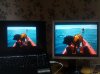
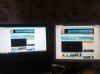
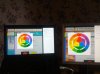
I am not convinced any screen shots are worth while for the following reasons
1. We have no idea how the camera I use will alter the colours, it may make it appear worse or even better than it is.
2. Your monitor will also display those colours differently.
3. Are you really bothered about how netflix looks?
So I have not done any screen shots of those websites instead just used one of my photos that contains a very red kayak, a mostly white web page with red and orange components and a web page all about colour. I have also included my ageing Viewsonic VP730 monitor which has always produced pleasing colours and contrast with photos.
Dont get me wrong, I am not trying to hide the fact that pure red is orangey as it most certainly is but it day to day use and for me that includes editing photos it is not an issue.
I went for black and am very happy, its not a glossy black, actually its quite rough, not a fingerprint magnet but it does colelct a bit of dust and fluff.
-
Hi
I got my S15 on Thursday and its been interesting weekend.
First thing create restore DVD and USB, took forever.
Removed OEM 640Gb HDD and replaced with Samsung 830 SSD, Removed DVD drive and added 640Gb HHD, all going well so far, close everything up and decided to do restore.
Started Sony retore via the USB recovery got to 75% and it errored. Tried again same thing. So I thought it must be USB.
Open up laptop again added DVD drive back in and started restore with DVD, got fed up with waiting for it to ask for next disk, so I stopped the restore and started again with USB.
This time the USB restore worked. Removed the DVD drive added HDD drive back in now everything working with Win7.
Time for Win8 upgrade, everything going fine had to uninstall a few things, got to end of upgrade rebooted and get error No Operating System.
So now try clean Win8 install same thing after install No Operating system.
Tried restore Win7 again via recovery partition on SSD and it errored again at 75%.
Try clean Win8 install again this time deleting all recovery partitions on SSD same thing No Operating System after reboot.
Then noticed in bios the boot order had optical drive before internal drive changed that and done clean install of Win8 this time it worked.
Couldn't be bothered download all Sony drivers and software so opened laptop up again added DVD drive back in and done restore back to Win7 closed it all back up with ODD HDD and disabled it in bios then done Win8 upgrade and everything works now on Win8 with all Sony drivers and software installed. Re enabled ODD HDD and everything works.
Only thing I noticed is if youre using the Sony fn keys and the metro start menu is up then you don't get on screen display. You do get display on the desktop.
One thing if you guys are removing the ODD there is a small metal tab with two screws which I removed from the original DVD and added to the ODD HDD caddy which secures it when closed up. I have pics if anyone wants.
Im not sure if the restore was erroring at 75% because it was looking for DVD drive or if the boot order was wrong for Optical drive in bios with ODD HDD drive.
Sorry for long boring post but all I can say is Wow Win8 loads up fast. -
Rapid Wake works only when the computer is set to go on Sleep when closing the lid, right?
And it works, I mean it wakes up immedialy but I don't think because Rapid Wake technology does the job but because the computer just enters in sleep mode, in fact the battery drain is huge when the lid is closed.
Any suggestion? -
That's not the fault of Sony, all computers with the 8400M will fail sooner or later. Nvidia screwed up the design so that the solder balls developes cracks when thermal cycling (on/off cycles).
-
Yea approx. 4 hours in stamina mode. The S15 I got only has the integrated gpu so speed mode, on quick inspection, only seems to increase brightness and perhaps disables any power saving settings in the 'power options' menus.
-
Got my S15 last week (SVS15 11 C5E). I had it configured with i7-350M, 2.9GHz, 256 SSD,,12 GB, NVDIA GeForce GT 640M LE, etc.
One big disappointment with the display, which I hope is fixable. Colors seem over-saturated. In a way that detail is lost in picture areas that are under a shadow (e.g., a man in a grey business suit under a shadow. The business suit becomes a uniform dark area. No pockets no buttons, no creases). In Office documents, black and dark grey are so dark that text written on a white background becomes very stressful to the eye. 70% grey is seen as almost black. Its pretty uncomfortable to work long hours. I would have to adjust all documents I receive in Word and Excel.
Can someone tell me how to correct this over-saturation? I dont know if the over-saturation is uniform to all colors or just to some. Could be only for tones of grey/black. Most of all, I dont want to risk fixing one thing and mess with other things. What should I do here? Please help, I otherwise like this S15 very much. -
Could you please tell me how exactly did you fix the display? I mean the black issue...
-
Notebookcheck has just released a review of the s15. Here it is (don't think its been posted in this thread yet):
Review Sony Vaio SV-S1511X9E/B Notebook - Notebookcheck.net Reviews
Surprisingly, the review does not mention anything about the screen's "reds as orange" issue and reckons the speakers are pretty average for a notebook of this size
4.5 hours on a notebook that is configured with a quad core cpu is great! I remember reading another member posting battery life test results for their s15 dual core and showing very similar times -
it does. you just have to read into it more. it says "Neither the sRGB or the AdobeRGB color spaces are covered" thats the nice, roundabout way of saying that the reds arent as red as they should be...
i do want to point out this is only a poor red problem. it doesnt distort any other colors. the purples and blues and yellows are relatively accurate. id even venture to say that the oranges are notbad either... just the deep really dark reds. lighter reds are fine it seems. -
try disabling the color setting is the vaio control center and see if it helps.
Click the Start button and then click All Programs .
In the All Programs menu, click VAIO Control Center .
In the VAIO Control Center window, in the left pane, click Display .
Under Display , click Color Mode Setting
Disable this or try a different setting to see what is more comfortable with you.
Hope this helps!!! -
Hi guys, I have a quick question about replacing the ODD caddy. Will any 9.5mm caddy work? For example this "universal" HDD caddy: SATA 2nd HDD Hard Drive Caddy for 9.5mm Universal CD / DVD-ROM Optical Bay | eBay
And what about the HDD caddys that are "For MacBook Pro"? Will they fit as well? I'm only asking because they're cheaper
And I assume that I can just buy any external DVD enclosure for the ODD that's been taken out?
Thanks in advance!! -
The one you linked should work.
-
Thanks a lot umzyi but it made little difference. Now I can also confrm it's not only grey/black that is over-saturated, yellow as well. For example, skin colors don't look natural, are yellowish. I hope all over-saturated colors can be better calibrated.
-
you can play around with the color enhancement slide bars under intel hd properties (right click the icon in the taskbar).
i'm using:
brightness: 6
contrast: 49
gamma: 1.2
hue: 0
saturation: 0
this is for all colours btw. i may dwelve into editing individual colours later but for now this is sufficient enough for movie watching. you can add some variance to the above profile and see what you're happy with. -
what's the best program to look up the 640m temperature?
Sometimes it feels like it's about to melt, I'd like to keep an eye on it. -
Hi everybody!
i have been reading this thread since i decided to buy the sony svs15116fxb (preconfigured) and i have learn a lot of things from you. Now that i finally got it (and i totally love it!!), i have some doubts i didnt find the answer in the thread or the internet...
so maybe here any of you already know all these things and may help me
1. i bought and installed a samsung 830 256gb ssd. i am really impressed with it, it starts in 8 seconds! but i don't understand it very well yet:
1.1. i used the recovery dvds and windows auto installed intel rapid storage and the ssd came with a cd with the samsung magician ssd software. what are those? it seems as the same thing, so i dont know if they are compatible or not, but the optimization tool from the samsung software returned this error: ERROR SYSTEM TUNING CSysTuning:QueryStatus_Ser: Failed to get handle to CiSvc Service ;Err code: 1060
do you know what that means?
1.2 the recovery disks restore again the recovery partition, how can i delete it? there are 3 extra partitions like the image, do i need the other two? it's weird the gap that would leave it, isn't?
2. i dont like the hibernate option... how can i disable it and gain the extra storage? i would like also use the key fn+f12 to sleep the computer instead of hibernate, is it possible to custom?
3. does vaio care check for drivers update? how do i know if i have the last ones? chacking one by one?
that's all, i hope somebody can help me easily, and if someone need something to know easy to answer, don't hesitate to ask me.
thanks!
pd.sorry for my english, maybe it is difficult to understand
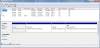
-
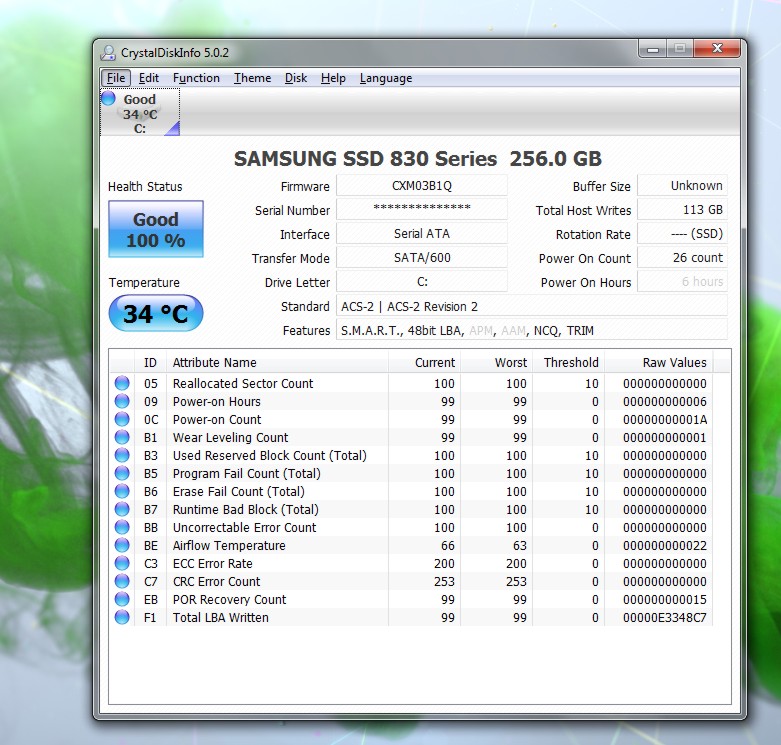
Got the Samsung 830 SSD (256 gigs) up and running on my SVS13A by using the Sony Recovery DVD's.
CrystalDiskinfo shows transfer mode as Sata 600 with APM and AAM disabled. Should these not be enabled?
But my AS SSD score of 525 is nowhere close to sata 600.
See attached screenshots.
Do I need to further fine tune my new SSD?Attached Files:
-
-
HWMonitor
The pro version enables you to log too. -
I has the similar problem with my VPCF 2d series. I managed to solve that by applying no color mode and restarting the laptop. If that is still not working out, try calibrating your display it may help. I cant say that you may have a faulty display but it could be a possibility.
could you share some screenshots so we could also look in to it?
umzyi -
1.1 Samsung utility does not appear to work with GPT disks, only MBR. If you have used UEFI in your BIOS insetad of Legacy the Samsung utility will not work. Do not worry about it, it is not necessary.
1.2 In the restore utility you can choose which partiions get restored. In your case you chose all 3. You can either remove them manually and re-size the partition, or just live with it. I recommend you just live with it, I do not want you asking for help after nuking your disk with GParted.
2 Disable Hiberate by going to an elevated command prompt and type: powercfg -h off. It will also kill the hiberate file and get you back some disk space. The fn-F12 combo may now put the PC to sleep. (not sure)
3 I did a clean install and did not install Vaio Care. I update drivers as needed manually. -
wow... that was fast, thank you very much!
you have solved everything. maye not now, but in the future i will delete those partitions, to give you a breath in my questions
thanks! -
I´ve got the same question. The search function of this thread is not working (again?). It's quite annoying, that i cant just close the lid and leave the nb.
Everytime i do so, it will turn on again with the lid closed (as indicated by the flashing of the light at the power button and the fan turning itself on). Is there any way i can set it up so it will just go to sleep when i close the lid?
I tried different settings in the control center (either "hibernation" or "standby") and the same with the win7 settings. Nothing works, the vaio still turns itself on after approx 1 minute (then off again and on again... wasting the whole battery in 2 hours or so...)
Anybody any ideas? -
hi guys,
a quick question. i have been trying to create a recovery disc since morning and been stuck so far. The issue is that the wizard tells me that it would need 4 dvds (DVD-R, 4.7GB) and then it created the first one okay and then went upto 92% for the second disc (multiple times - i have approximately wasted 5 dvds on this) and then the error occurs "there was a problem with the rescue disc and the wizard will close now. please try again by re-starting your system' (wording not exactly the same).
So i switched to do a complete backup (with complete system image) on the exernal drive which works fine until about 60% and then suddenly rushes to 97% only to give an error afterwards saying something 'the backup process couldnt complete'.
as you can imagine, i am quite upset about this not only because i spent the whole day doing this but also i have only one day left to return the system in case i am not fully satisfied and i havent been able to do the whole testing just because of this.
so would really appreciate if anyone of you could help me here.
ps: for rescue disc creation, i did try all the options i.e. resume the rescue wizard from disc 2 and re-start from 1 and it also doesnt work.
cheers, -
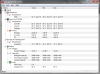
Thanks! But, It doesn't seem to see the 640M temperature, what about it? -
It doesn't detect what you're not using... start up gpu z or something so your gfx card is used
-
Has anyone else noticed that you have to be on Speed mode for the CPU to run at full speed?
I'm noticing major lag in really basic things like typing, scrolling and flash games when not on Speed mode, regardless of Windows being set to High Performance, and sony's cooling setting being set to Priority to Ventilation in both modes.
Not hugely fussed though - it's about 11W power draw regardless of speed/stamina mode when web browsing etc. -
ive noticed lag in stamina too but it is so good for battery life...
-
Just tested, with Hibernate disabled fn-F12 puts the notebook to sleep.
-
Me too. Got 4.2 for processor in Stamina mode and 7.2 in Speed mode
-
Have anyone removed the stickers from their machines without leaving marks/residue? i dont know how to do it with this sort of material.
i am really sick of the fact that they keep doing this. its so annoying. -
I just pulled them off with my finger nail. Any goo that was left, I just dabbed the sticker back over where the residue was and it eventually went away. The Windows 7 sticker and BluRay stickers are the worst.
-
On previous laptops I've used kerosene. Don't quite feel like taking the plunge with this new one that I just picked up today though haha.
-
Not that the laptop (13A) runs hot BY ANY MEANS, but is there a consensus as to which cooling pad would be best for this laptop? It's a bit anomalous. Not sure if there's a proper cooling pad that will significantly reduce temperatures on a laptop with a side vent. I've been trying to search but it appears that despite 375 pages on this thread, no one has an answer.
Official 2012 Sony S Series Owners Thread
Discussion in 'VAIO / Sony Owners' Lounge Forum' started by Petrov, Jun 9, 2012.