Problems? See this thread at archive.org.
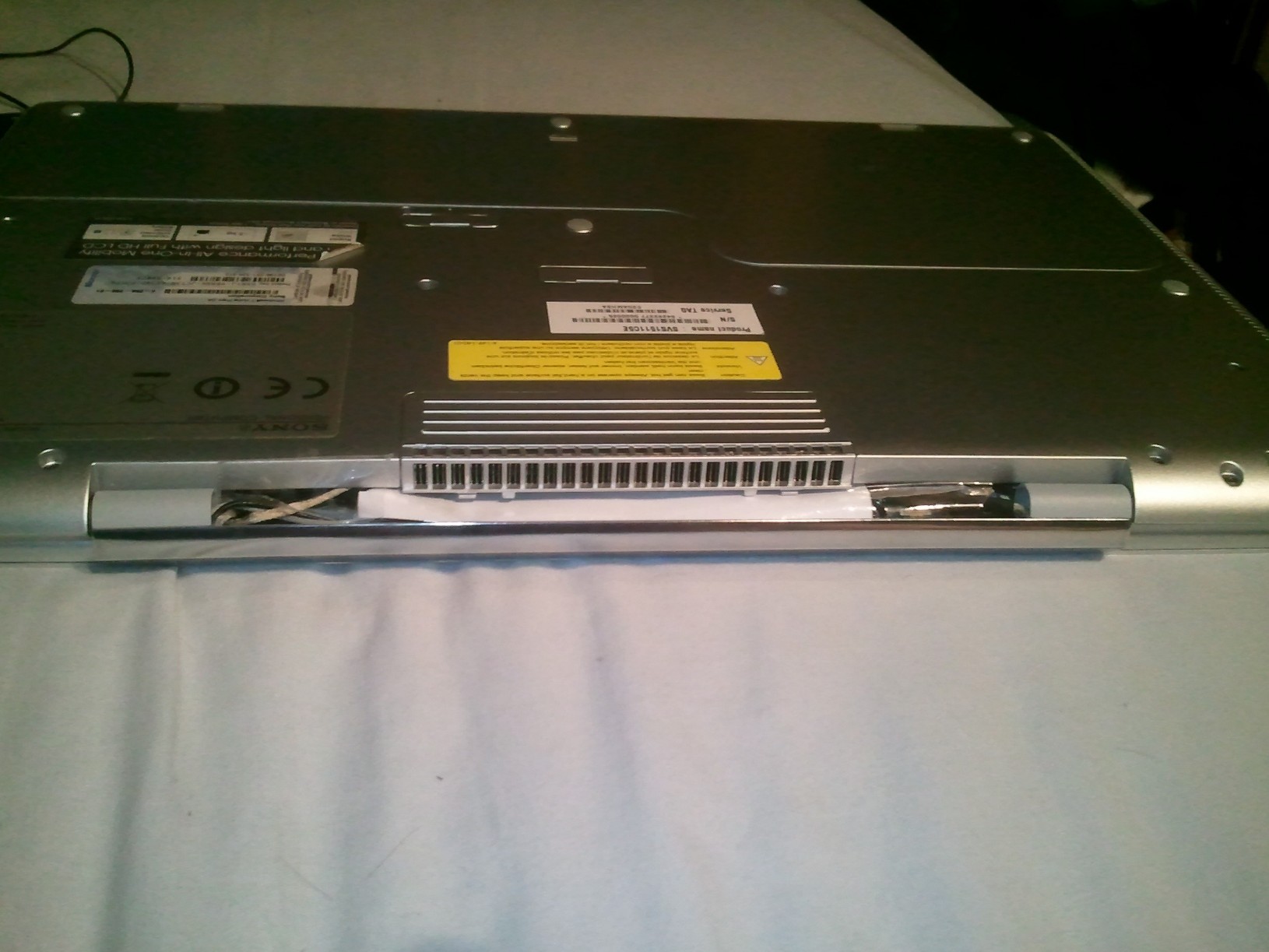
Had to remove the screen to get the plastic out - they definatly make it as hard as possible to get to the fan! (that was my original plan but never got to it)
so its the plastic bit between the two hinges, this seperates into two halfs. I dont think removing just one half would be enough (you'll see what I mean if you try it!)
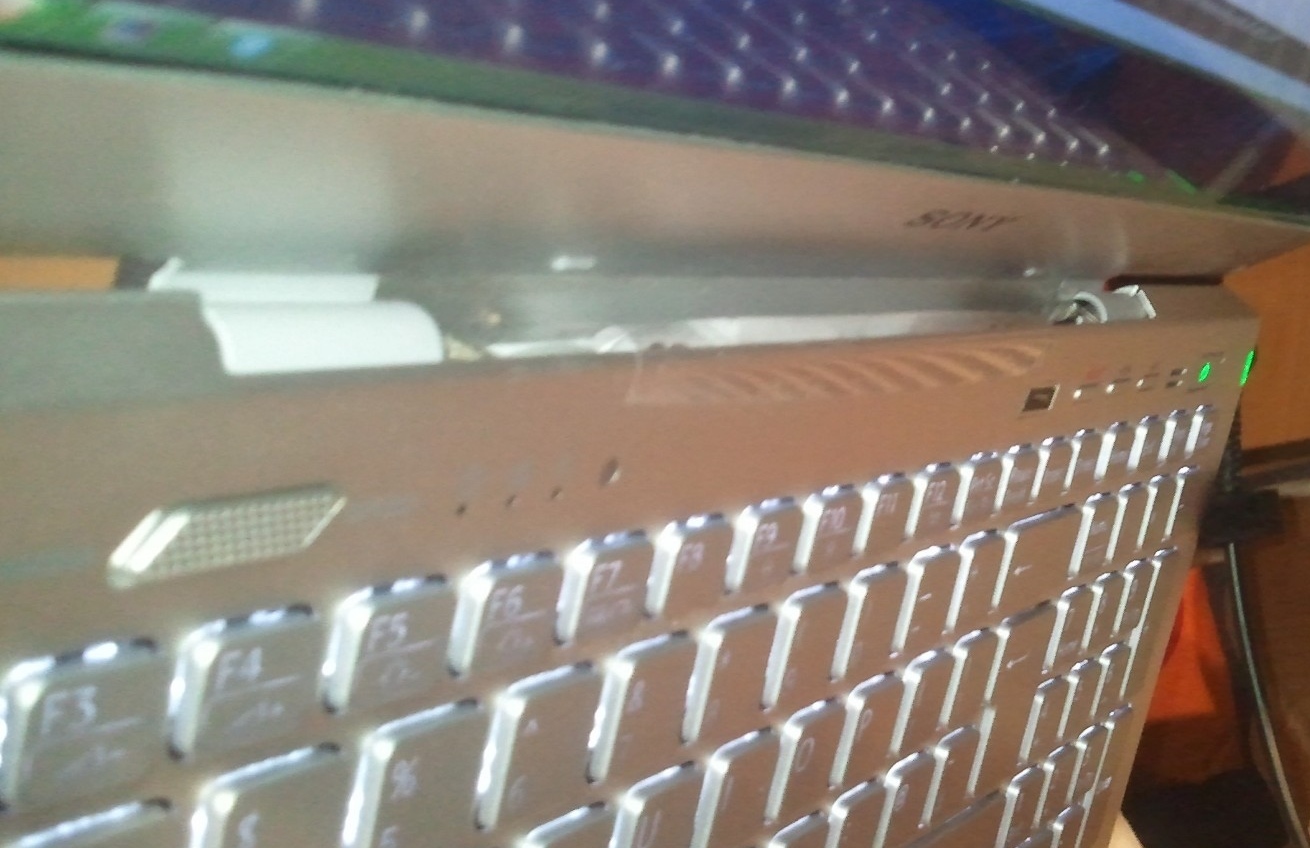
I dont think its a good idea to just let air flow into the new gap as there may be other components inside which need a little cooling and you dont want exhaust air being sucked back in. As a temporary solution untill i work out something better, I have one strip of selotape above the keyboard stuck to a small bit of paper about the length of the exhaust and about 2cm deep. I threaded that from the top, through the new gap above the exhaust so that it is blocked enough but so that the exhaust air can still flow around the paper and up the top. I then selotaped a bit to the sides of the exhaust to further restrict the air
It has realy made a big difference to the cooling and now I dont think the area above the keyboard even can get hot at all. The only new thing at the front of the screen where 'sony' is written now gets that heat so im hoping this wont affect the screen backlight or anything.
Good luck!
-
Attached Files:
-
-
No way clean installing windows will void your warranty. You can register with Sony just by calling them on the phone.
As for Unbuntu....it has issues with UEFI....you'll need to do some research to see how best to handle that. I have seen many refs to it not playing well with UEFI. Or you can install in legacy mode. -
You can carefully drill holes in the hinge plastic instead (as thin as possible). That design is used exactly in the Asus Zenbook series so air goes out from both the top and bottom sides. Also the Zenbook integrates the speakers into that little hinge which makes the sound so much better.
-
Finally pulled the switch on a new SVS 13A with the i5, 4GB ram and GT640 LE from the sony store online. Got it and a laptop sleeve for $925
 Already put in an order on newegg for a 4GB low voltage ram.
Now...the wait begins
-
Do you guys think Sony will replace my keyboard because one of the keys is "lower" than the others? So it has less key travel than the others. I've posted about this before and I got no replies at all. My "H" key is a 1-2 millimeters lower than the adjacent "J" "G" keys. Was wondering if I just got a bad keyboard or if this is common. So as a result, less key travel and you can't tell there is a backlight when looking at the keyboard from a front angled view.
Also, how do we register our product? It's not when we first turn it on is it? Because I want to wait until something "breaks" (knock on wood) before I register.
EDIT: I took a picture of the keyboard thing below.
EDIT 2: I'm sorry for the MASSIVE photo. No idea how to resize here.
![[IMG]](images/storyImages/Y8NFW.jpg)
-
Hi
I'm having problems with high dpc latency... If anyone can help me out with that either on this thread or the one I started here...
http://forum.notebookreview.com/sony/689632-high-dpc-latency-sony-s-series-svs15116-fxs.html
Thanks!
Darth_Fader -
do we have finger scan i got the 15.5"? and still cant boot into recovery mode tried everything....
-
How did you get it for $925 when it starts at 1019.99 + tax?
-
I'm having the same issue.. Where in the Intel control panel is it? I didn't see anything related to it..
Darth -
I'm not the person whom you're asking the question to, but in Canada at least, the base S13 Premium actually starts at $999, and there is currently a $100 discount promotion running.
-
Ugh, I'm now getting this problem where the battery on my S13 is charging really slowly. It was charging fine just yesterday. Now it's going up like 1% every 20 minutes...
-
Anyone here purchased the S15 recently, like in the last month? Is the orange/bluegate issue still present?
-
Yes.
![[IMG]](images/storyImages/VAIO_S15_orange.jpg)
-
Thanks for confirming. I wonder whether they're still selling old stock. Owners of the new Envy 15 confirmed the issue has been resolved and the previews of the new Asus U500 which uses the exact same panel also don't show orangegate anymore. Has to be a matter of time before the new panels start making their way into the S15.
-
Someone on a Dutch forum said that he called Sony and they confirmed him there would be an update in October ... (here if you speak some Dutch or if google does a good translation : [Ervaringen] Sony Vaio S series - Deel 1 - Complete Systemen & Laptops - GoT )
I guess it will be mostly about Windows 8 but maybe they'll have the new panels in as well ?
Makes me still hesitate if I should wait or not
I don't mind either way about Win 8, but if there is something more to it ... -
The power use of our laptops varies widely. im making numbers up sort of but it can go down to as little as 30W or as high as 90W which is what our power adapter supplies. when im gaming and have everything set to performance it wont go up any percent per hour... it depends on laptop load. if you are browsing in stamina it should rise and charge in an hour or two id say... others may have a more accurate figure
I posed a question over on the ODD SWAP thread but wizzard said it would be a good question for this thread and i think it will get a little more traffic. to those of you who put a hdd in the odd slot. does it ever shut off? do you know of any power saving features that will shut that drive off when not in use? I was reading the asus ux32vd thread when i was considering buying one and they had it set up where the os was on an issd (30gb ssd build into the mobo) and the hdd would spin down when not in use. I know the ssd should never really be shut off so it can do GC and so the setting in power management i dont think applies as it only spins down the main hdd bay... thoughts?
i guess tonight i can check the performance hit on the hdd when i do the swap but has anyone done a benchmark on the hdd before and after the swap. since the odd uses ide(right?) the theoretical maximum of the interface is 100MBps i believe that not many drives can get that high so there should be no performance hit at all but i would like to know if anyone had the tests done... if not i guess ill try tonight. -
Is the keyboard backlight's brightness adjustable or only on/off?
-
The backlight appears to just go On/Off depending on power settings.
I had a few questions about my new S13 Premium.
SD card related questions:
What is the max capacity the card reader can read? (16gb, 32gb, etc)
Is it possible to boot from the SD card? I am planning to install Linux Mint on it.
Hard drive upgrading questions:
I understand if I upgrade my harddrive I lose the restore partition, but do I also lose the VAIO key/Web/Assist button? And is the restore partition just a .gho file I can rip out?
If upgrading to an SSD, do I need to buy a special mount for it?
S13 Premium General
Is the hard lid cover seriously not compatible with the premiums? The fingerprints are driving me nuts!
Overall I'm satisfied with my S13, its just I'm not used to it's size. -
My keyboard looks the same. I haven't actually noticed that it has less travel while typing, though
-
The restore partition is a seperate partition.
You don't necessarily lose it when swapping the drive.
In order to minimize effort, i have simply created recovery media.
After installing my ssd, i have "restored" my original installation to the ssd. As far as i can see, everything works properly.
The recovery installation also restored the recovery partition, so that thing is still there :/
Note that the installation may not be optimized for use of an ssd (although thankfully defragmentation was already disabled), so you may have to change a few settings. -
Keyboard backlight is on or off.
-
gotta enable trim and the like
-
I had a keyboard issue just 1 week into owning my S13 Premium. My "D" key just broke off. One of the tiny plastic hinges on the bottom side of the key broke, therefore i couldnt just stick the key back onto the keyboard. I rang up Sony support (Germany) and they told me I had no guarantee on the keyboard! Can u imagine that. It just broke after 1 week of usage. I had a Lenovo before and after 4 years of (heavy) use the keyboard feels almost like its new. So i went to a local Sony store and told them what happened and that it was bs that the keyboard only lasted 1 week and that i wanted it replaced, via the guarantee. What they did was to request a new keyboard unit and replace it at their store. My laptop is still there and I am waiting for them to repair it now.
So from my experience Sony is a bit stingy when it comes to replacing stuff but dont let that dishearten you. Read the guarantee (its not that long) There you can see what they cover and what they dont cover. -
This happened with my SA13 last gen version.
I sent my laptop in for repair and Sony just said no fault found.
But on my new laptop I am using now, all buttons are even. -
Thanks for the reply guys, but it doesn't really sound encouraging. At least I'm not the only user out there with a keyboard like that. Not sure if that's a good thing or a bad thing ....
Anyone have answers for my second question about how we register? -
Ugh there's something up with my S13's battery. It charges ridiculously slow (like 1% every couple of minutes) and when I game, it either stops charging or sometimes even LOSES charge. And overnight, while disconnected from the AC adapter and in sleep mode, I'm pretty sure it went from 100% to around 60%. The battery life itself is kinda as well, around 2 hours 50 minutes on 73% capacity at the moment, on power saver, stamina mode and 20% brightness. I'm sure something is faulty. Most likely the battery. Is it possible to just get a new one and swap it in or do I need to call Sony for a replacement unit?
-
Damnit, that would be disappointing... I just bought an S15.Can you translate what he said exactly?
-
I guess you talk about my message ...
He says that he just called, the S serie will have an update next month (October). He could not say what will be in the update exactly.
As a matter of fact, the S15 is not available anymore on the Dutch, Belgian and French sony website. However, it is still available on the German website. -
Any wear? Try some monitoring tools to see.
How bout the condition in vaio care? Excellent, good, etc? -
When I first got my Vaio I also experienced slow battery charge too. The reason was that the GPU was running on max. clock speed even in STAMINA mode. I only got 2h15min at 50% brightness. I had some monitoring tools running which actually caused the GPU to run at max capacity. Once I deleted them, battery life was normal again. Here is a useful tool to monitor your battery without costing u battery life. It shows you charge rates and running times in % and h,min. If you have a faulty battery which simply doesnt recharge enough you should be able to see it with this widget.
Most Wanted Windows Desktop Gadgets - Downloads
As I said do not run the "PC Meter app" in the background or the GPU Meter because that was what was causing my issue. -
The laptop's only a week old, and vaio care says it's in "Excellent" condition.
Thanks for the advice, but I don't think I'm running any monitoring tools that would do that (well not to my knowledge). I installed the Battery Meter gadget, here's what it reads:
![[IMG]](images/storyImages/iYR0p.png)
Anything out of the ordinary? It went up to 3.780 shortly after. I'm on Balanced, Speed mode and just running the usual Skype/iTunes/Word/Chrome. -
I see.. So your Battery should be ok by right..
Could it be your Adapter?
Mine charge 1% in 1 minute 20 seconds.
My BatteryBar shown around 20,xxxmW of charge rate.
Edit : So, what's your discharge rate? -
1% in 1 minute 20 seconds? I'm pretty sure mines nowhere near that fast...
Discharge:
![[IMG]](images/storyImages/ztTjN.png)
And holy crap, as soon as I unplugged my AC Adapter, the percentage just started rocketing down. I took that capture literally 4 minutes after. Right now I'm on Balanced, 60% brightness and normal application load. -
Hi all! I just ordered my SVS 15 last night. I also ordered the Kingston 256 SSD. I will update to Windows 8.
I hope I don't have the battery issue. Also hoping that the red screen isn't too orange!!
Product: US-SVS151190X-LBOM
Component: 4GB (4GB fixed onboard + 1 open slot) DDR3-1333Mhz
Component: Blu-ray Disc player
Component: White
Component: 500GB (5400rpm) hard drive
Component: 3rd gen Intel® Core i5-3210M processor (2.50GHz / 3.10GHz with Turbo Boost)
Component: NVIDIA® GeForce® GT 640M LE (1GB) hybrid graphics with Intel® Wireless Display technology
Component: 15.5" LED backlit Full HD display (1920 x 1080) -
under power.
-
do we have finger scan on the 15.5"??
-
sounds to me like your CPU or GPU or BOTH are running at full clock all the time! It may be hard to pinpoint what is doing that though I would bet it's software related. You may want to consider restoring the laptop to factory condition or clean install windows if you can't find it any other way!
-
Only in some geographies. In the US we do NOT!
-
oh thanks. can any1 tell me how to go into recovery mode i cant get it tried all the f keys and alt + f10, assist key, esc, delete..... everything
-
I do have to agree with orionz.
It does seems like a symptoms of GPU clock on full but without utilization.
I did a test, with the GPU clock at full(0% utilization) by opening the furmark app without running.
Surprisingly, the charge and discharge rate are pretty similar to what you're getting.
Have you monitor your GPU clock? -
So you don't think it's just a hardware issue? Mmm I haven't monitored my clocks yet but will do. Which program would be the best for me to do that? Thanks for the help guys.
-
Not entirely sure yet.
Just a possibility, on the software side.
Try GPU-Z or MSI Afterburner, or maybe both(just incase either 1 will make your GPU clock at full, when running alone).
Make sure your GPU clock is on 135MHz.
Then, you start monitoring your charge and discharge rate again.
Edit : Try to reduce the battery a bit before start monitoring the charge rate. Coz it might slow down on the charge rate once it reach around 90%(wild guess). -
For anyone interested, I improved my ventelation from yesterday using sime sticky foil I had at home. you can clearly see how unrestricted the airflow from the vent now is. temperatures staying nice and cool even when the bottom is covered.
-preview.jpg)
-preview.jpg)
I just ran MSI Kombustor and temperatures plataued at a toasty 68'C. when I then raised the laptop off my bed it cooled to 65'C.
For some reason the GPU clock is throttled down to 570MHz when it has a max of 950MHz. it dosnt seem to be struggling and its not down to temperatures. it is just not being pushed enough or is there some other reason? its on speed mode with ventelation priority.
EDIT: tested again with updated MSI kombustor which held 950MHz clock speed at 99% usage. no change in the above temperatures, even when the exhaust path is blocked below. CPU was at 40C during this test though it still often runs up to 60C for short periods. I think the main factor affecting temperature now is the air inlet vents. why did then not design the laptop like this?! -
hey guys i just got a 15 inch vaio s series today... i haven't opened it yet but i heard it doesn't have 2 finger scrolling and all that other touchpad stuff. are there drivers i could get for that? also wut other stuff should i download right when i open it?
-
If your vaio has an ivy bridge cpu than it does have all off the multi gesture stuff.
Sent from my SCH-I535 using Tapatalk 2 -
i don't have the ivy bridge one. i bought one that has the 2nd gen i5. i'm using it now and it doesn't have multi-gesture.... it doesn't bother me TOO much but anyways... any good drivers i need to download for this laptop?
-
Hi I tried looking around and I noticed battery life was kinda erratic. I am getting around 3 hours and I noticed some were getting around 4. I was wondering for those with the battery sheet how much more does it give you? if i can get 8hours min total on stamina mode low brightness I will think about getting one because I want this as an all day computer for my classes.
-
Well I installed GPU-Z and had a look at the rates. Sorry, I'm clueless as to what's normal and what's not so I'm just going to leave these here. First one's on battery power obviously, Power Saver, Stamina while second's plugged in, Balanced and Speed. Cheers
![[IMG]](images/storyImages/VwvMh.png)
![[IMG]](images/storyImages/XmP2i.png)
-
Attached Files:
-
Official 2012 Sony S Series Owners Thread
Discussion in 'VAIO / Sony Owners' Lounge Forum' started by Petrov, Jun 9, 2012.