 Problems? See this thread at archive.org.
-
Are there any better screen replacements for the S13p? A Zenbook display on this laptop would be so nice.
-
I will definitely get that.

-
This behavior can be observed when the application is not set to
maximum performance in nvidia control center. maybe you forgot to do that? -
Orionz,
Install an application called battery bar. It will show up in your system tray and if you mouse over it than it will tell you the drain rate or wattage usage. Idle state would be around 9 to 11. Let us know what yours says. It will also tell you the max wattage of your battery.
Sent from my SCH-I535 using Tapatalk 2 -
hhmmmmm... mine says 3Hrs 04mins at 63% battery
![[IMG]](images/storyImages/batt.jpg)
-
Plasma, you mind posting your task manager/ running processes? It could give a hint because Orionz is right, your CPU/GPU is just running too high. Also check what programms run when your notebook starts up.
Go to the windows START button > type into the search field "msconfig.exe" press enter > then go to the tab "systemstart" or "systemboot". There you will see all the programms that start up with windows when you switch your laptop on. If you dont mind post a picture of that too. Would give an indication as to what might cause high CPU/GPU usage -
Could somebody tell me where i can get these ribboncables? I have tried Sony support Europe, but they say they don't deliver parts to customers. They advised me to contact a dealer,.....
I have a Sony svs13a1c5e and i ed up the contacts on one of the two big ribboncables which are connected from the motherboard to connectors under the HDD. Stupid, i know. My 1500 euro laptop does nothing I need the black folded ribboncab below in the picture:
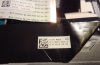
-
see the SA/SB/SC Ownsers' thread. there are drivers for the touchpad.
-
great mod
do you know how that plastic part at the bottom (with ventilation holes) is attached to the chassis? can it be separated from the bottom plate easily? -
Well, I just called Sony Canada and they confirmed that they are anticipating a new update on the VAIO S 15 -.-".
-
Tanks for this precious answer. I'm putting my S15 purchase on hold for a while. I hate when sony.ca is making the Intel 4000 to unaval when you pick the i5 3320/3210 and bumped the base price...
Also hope they fixed the Orangegate and the stupid 4 GB soldered ram.
Although the Asus A500, Thinkpad T430u, Dell Latitude E6430u and the Ideapad Y500 might just pop on the market in the same time...
I like to have choices, which is not quite the case in these pre-Win 8 release times... -
I would guess it is attached to the heatsink section inside but i didnt get as far as I couldnt work out how to get under the fan and I was worried I might break something. I dont think that piece restricts airflow though, I suspect if that piece was removed, the temperatures would still be the same.
-
....................
-
Did they mention anything about the S13 getting an update? A IPS panel a la Asus Zenbook would be nice
-
I was about to place an order ..any idea how long will it take? few weeks or months?
-
My guess is the new hardware changes will come out with win 8. So late october
Sent from my SCH-I535 using Tapatalk 2 -
Chatted with a sales rep online through the sony store, they were having a $100 promotion on the laptop. I was able to wrangle the sleeve for $5
So it's $925 + Tax -
Hardware changes?
I thought it might have only been Win 8 and a Orangegate fix. What other hardware would they change? -
i have a vpcse.
there is a problem with the backlit keyboard, even though i disabled the light in controlcenter it turnes on all the time.
how can i force it to stay off?? pretty annoying. -
Hey Bird, maybe not much. I was just just assuming if they did change any hardware, it would be when 8 came out. Maybe the screen on the 13p? One could only dream....
Sent from my SCH-I535 using Tapatalk 2 -
The sales representative said that they don't have a date (I asked if it was in October), but he did take down my contact information and said that he'll contact me when he gets more information.
-
I am trying to setup my fingerprint sensor. The authentec driver is installed but when i try to set up the fingerprint reader i get this message "The selected fingerprint reader has no management application installed".
What should I download? -
ok thanks. I'm really sick of all this bloatware that they put on. I guess I could either go with my windows 7 ultimate and a loader or get home premium and use the key that my laptop came with. Not sure which approach is more recommended incase I ever have to send the machine in.
Looks like I have some projecting to do this weekend with my laptop. Also do we still need to request the GPU bios unlocks to be PM'd? I'm thinking about upping my GPU speed. -
Ok. Do you understand the concept of actually READING the first post before asking oblivious questions? I'm not even asking you to move your mouse and fingers and actually SEARCH the thread, but just to READ the first post. Is that really too much to ask? Your question is answered VERY clearly in it.
But anyway here's the thread you should look at. PLEASE read it CAREFULLY because if you don't, you could seriously screw up your laptop.
http://forum.notebookreview.com/sony/677079-sony-vaio-s-bios-mod-gt640m-le.html -
I've read the entire first post :\
Just haven't referenced in a few weeks... -
I tried something interesting today. in a silent room with the fan on priority to silence. (odd caddy swap) i moved the laptop around and found the loudest place to be.... is over the keyboard.... the deck has no acoustic insulation at all. the bottom i could only hear a faint fan. the side the same and even the back.... but looking at the keyboard deck even further from my ears than when i listened to the other places, i can clearly hear the disk drive in the odd caddy and a bit of fan. i even played a good bit of games in class today and the people around me said they couldnt hear a thing... odd because it sounded like a 747 haha
-
+1 to this, also noticed that normal usage position above the keyboard has the worst (not necessarily loudest but most annoying) fan noise compared to the same distance at other angles from the laptop. I'm not using a traditional hard disk however
-
Something interesting happened the other day. I checked out the vaio s 13p on display when was in a micro center 2 days ago and the "screen door effect" was far less noticeable then on my 13p. I asked the sales guy and he said it was put out a month ago. Could Sony have corrected the issue in the current screen batch? Or was it just a fluke?
Sent from my SCH-I535 using Tapatalk 2 -
Guys I got my S13 today and I've got a question: I bought it from italy, and it should be the english one... But after a fresh win7 install I installed US version of drivers and pc doesn't seem reactive as it should be... Is it a problem or since they have idencital spec everything is fine? Thanks.
-
Guys one doubt..I m ordering S15 from canada..just wanted to know whether it carries International warranty or not...?
-
I just called and asked the same question and No, sony does not carry international warranty.
-
damn...
thats a big negative point..any other way around?
Can we extend warranty in our country by paying extra money? -
Does anyone know if Sony has drivers lined up for the transition to Windows 8? I may be interested in getting that $15 upgrade, if only to try on win8 and maybe downgrade if it doesn't go well. Just curious, cause I haven't heard much about it.
-
I'm using Windows 8 on my S15, so far so good. There are a few applications that don't work (the Sony WiFi manager or something so I think bluetooth doesn't work (or at least I can't enable \ disable it), but aside from BT there's no non-working features, most are just bloatware or optional stuff.
There's been no Sony drivers update, I've got most of them from Intel website, Realtek website and station-drivers.com.
Sony will probably bring updated W8 drivers with the refreshed models so no worries there.
Get the Authentec True Suite Premium installer. -
Quick question for all you Vaio owners. Is it possible to right click with two fingers with the touchpad? I've been doing it for a while on this Lenovo so it would be weird to no longer have it.
-
yes, you can right click with two fingers.
-
Has anyone else experienced problems with the S13p keyboard? In an earlier post I mentioned that one of the keys broke off after one week. Apart from normal use I also do some light gaming, so I am worried that it might happen again.
-
You won't have any problem with the US version since drivers are related to the hardware, which is the same.
But I am curious, how did you manage to get an English version in Italy ? I thought that in Europe you could only get the regional version (this means the Italian version in Italy) -
I've ordered mine with DVD drive only as Bluray upgrade on Sony site was £120 extra. Now I'm looking to order a Bluray however what is the type I should be looking after? Any particular model recommendations? Is it easy to replace?
Apologies if this had been covered before, a quick search didn't lead to any specific information, and it's 444 pages
I am also looking to upgrade RAM but this seems to be pretty straightforward, and to replace HDD with SDD, probably 128GB Crucial M4.. Anything I need to know about this? -
I have an issue with my Sony S15. It seems like the Alt key gets "stuck" from time to time. E.g. I would be typing and suddenly pressing f will open the file menu instead of typing f. Right now I have to use the on-screen keyboard then to try and unstuck it from the computer's brain (press Alt on it, or if its already open I see that the on-screen keyboard will have Alt in white and then I have to unpress it and close it)
Anybody else see something similar (it just happened again too)?
Very frustrating. Laptop is only a month old!
I already did a full Vaio Restore, but no help.
Do I need to take apart the keyboard and put it back together? -
As you can see in my sig I'm using an ASUS USB 2.0 ODD that works great....they also have one that's USB 3.0 if you need more speed. The 2.0 model is powered from the port which makes it nice for travelling. If you want to replace the internal drive that gets harder. Sony uses the Panasonic UJ-167 player and (I suspect but nobody has yet stated for sure) the UJ-267 burner. Both are available on ebay but the prices are high and firmware compatibility is unknown. Drive fit MUST be exact as space is very tight.
RAM and SSD have been covered MANY times. Remember NO Sata III or RAID support unless you order the SSD from Sony! There are varying opinions as to whether this makes any difference to actual performance or just to benchmarks. -
Thanks for the info.
I sure want to replace the internal one, if possible. My deskspace is tight, and clutter negatively influences my workflow.
Isn't there a standard (or a few of) form factor for the internal drives? And why should ODD's firmware be of importance if it's up to appropriate drivers to communicate with it? -
Noticed this very occasionally, not convinced it's a hardware issue though
Sent from my GT-I9000 using Tapatalk 2 -
Drives need to be 9.5mm & slot loading. The ones I referred to on ebay only talk about compatibility with Dell and Mac. No mention of Sony. Believe that to be a firmware issue but I'm not certain. I'm not too keen on spending $400 to find out. Also max speed is 4x vs 12x for externals...if that's an issue for you.
-
Is it common issue with s15 keyboard (posted above by Darkimmortal and kumarshah)?
I'm asking, because recently purchased one and planing to use it for lot of programming during business trips. Should I start to look for external keyboard? -
Out of 350 hours use it's happened twice, and it's just a matter of finding which key is glitched and pressing it again (it is software/driver not a key physically stuck down)
Overall I think there are subtle issues in the USB2 bus in the laptop, based off the crazy intermittent distortion on my USB DAC compared to the USB3 ports. Not sure if the keyboard also uses USB2 internally, but it would explain a lot.
Official 2012 Sony S Series Owners Thread
Discussion in 'VAIO / Sony Owners' Lounge Forum' started by Petrov, Jun 9, 2012.


