 Problems? See this thread at archive.org.
Where did you find the Hotkeys Utilities for Windows 8?
-
-
TBH I didn't download any windows 8 specific drivers.
I had about 16 files that I had saved in August from the sony support UK website for windows 7 64bit and just used those.
The only things I didn't bother with were proset, widi, NVidia and intel drivers (the last two I got straight from the intel and NVidia websites) -
Thanks after installing SFEP my fn keys/ vaio control center worked. The only thing I haven't gotten to work is the touchpad drivers so no three finger back or two finger scroll.
EDIT: I fixed it I just got the install order wrong. This thread is such a life saver. -
I placed my RMA with newegg today and then I found a 50% off coupon for the Sony outlet. Got an S13 i5 with 640m for $400 except this one is in white and has a 1366x768 screen rather than the 1600x900. Hopefully the 1366 screen looks better. If anyone is still looking for a S13 they have i7 versions with dual SSD 128+128 for $850 right now. The coupon is: OUTLETVAIO50
-
THANKYOU!
ive been having this problem for days! after finding the unknown device in device manager with the ID: SNY5001, I installed the SEFP (I had to find my Temp folder and identify the .inf file when I ran the driver installer). After this I saw no change BUT when I started Vaio control center, suddenly everything popped into place and it all worked! Sony's support is crap! -
Looks like these went quick, I see no in-stock S13s with 900p screen in the outlet. All out of stock. Bummer - 50% off is a raging hot price.
-
Yea, someone posted it on slickdeals and everyone is buying them up. Personally I hated the 900p screen on the one I just RMAd and I hope the 1366 doesn't have that screen door effect.
This is what the 900p screen looked like:

-
I just snagged up a 15" with i5-3320M, 12gb ram, 640GB 7200RPM HDD, CD/DVD and GeForce GT640M 2GB for $711 shipped. Thank you so much for sharing the coupon!
I already had a Windows 8 version on the way for which i paid $300 more, so it looks like I'll be returning that one when it arrives. -
I just tried installing it, and it didn't do anything. Maybe I'm missing something -
anyone have found wwan 3g (gobi300) driver for windows 8?
-
Hi, I got a VPC-SB16FG laptop and I've done a clean install of win 8 Pro. I have installed all the win7 drivers that I found in Sony website and then patched it with 3 drives that were there for win 8. Initially the brightness function keys were not working, so I uninstalled the win8 radeon patch they had provided, and did a update driver from device manager which makes all the keys work now. Note that the Setting utility for win7 did not install as it is incompatible with win8. Now I've a always on back lit keyboard, can you guys be kind and point me to the proper driver that I may have missed for the same ? - thanks !
-
great link but driver/app for control center (and vaio care) are missing!
-
They aren't missing, it's this package: Hotkey Utilities: SOAOTH-646A0000-0082.EXE
But it gives a error message on the SVS1x11 Series, only works on SVS1x12
For SVS1x11 you can use: Hotkey Utilities: SOAOTH-646A0000-0042.EXE -
Priceless ! Thanks, I found file SOAOTH-55800000-0042 which was notebook utilities v1 which kind of fixed the issue for me.
-
where can i find SOAOTH-646A0000-0042.EXE?
-
have you tried doing what I suggested in my other post? going into device manager and seeing if you have an unidentified device with a ! against it, and then manually installing the driver against that? (you will have to tell it where you saved it from the sony site)
BTW those of you who are having trouble finding the windows 8 hotkey utilities, just use the windows 7 64bit ones -
Hi Everyone.
I got my S15 in early september and it has been great since. I have just noticed a bright spot on my screen and it is in the way when looking at the screen directly but is HORRIBLE when looking at an angle. It doesn't come up on a black screen. Can anyone help with this? Maybe there is some sort of screen re-calibration. Will this get worse with time? No pressure has been exerted on the screen to have cause it so I don't know what has happened!
Thanks!!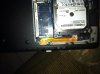
-
That is a screen bruise. The only fix is a new screen. As to the pressure. You probably did but don't remember when it happened that's what happened to me. I dropped mine and caught it but pressed the screen wayyyyy too hard. It resulted in a bruise and I couldn't figure out where it came from until I linked it together. The bruise is small but annoying
Sent from my SGH-I777 using Tapatalk 2 -
Na, never pressed on it. I'm going to call sony for sure to get this sorted if it really is a screen bruise.
-
SOLUTION:
Hi all,
I just want to let you know that I finally got the Control Center, FN Keys etc to work. This is for people who did a clean Windows 8 Pro installation.
Since I am in Europe and support here sucks I just downloaded all the Win7 64bit drivers from Sony. Problem was that after installation none of the Vaio programs worked and I had a yellow exclamation mark (!) on one of my devices. I was a bit confused with some of the (correct) solutions given here in the forum. THFourteen posted that you need to install both SFEP drivers but since one of them is 32 bit I didnt install it, but he was right and you need to install it anyway. Right click your unknown device, manually install the SFEP 32bit driver and then it is recognized. You need to have installed Hotkeys Utilities beforehand so that your Vaio Care and FN Keys work.
Hope this helps others who were also slightly confused. -
Are the people having trouble with windows 8 the ones that had an original windows 7 preinstalled and then upgraded to windows 8?
How about the newer laptops that actually comes with windows 8 preinstalled, are there any issues like the ones we are reading here? -
Hi All,
I followed the instructions on the first post and installed a clean win7 os.
Quick question: The post recommended installing the VAIO hardward diagnostics tool, however I haven't found any way to run it. When I look for the actual exe and try to run it, it tells me that I haven't selected a module.
Do I need to install vaio care in order to use the hardware diagnostics?
Thanks, -
Yeah I did try and go to device manager and I don't see the ! that says unidentified device
-
I think an important step to add to the update process is to take a picture or list the devices in the device manager BEFORE installing then you can see which ones are missing. windows required me to uninstall the bluetooth driver so i remembered to install that when everything was complete.... btw
is anyone REALLY frustrated with this new windows. this thing is like a brand new os where everything im used to using... aka the power user stuff is all hidden. i feel like im on a tablet... i bought a laptop to be a laptop. i have a tablet... its android bc i like android as a tablet.. now i dont want this to become a bash the os like after a facebook update, but is there a good guide out there that you guys are using that gives users like us a good idea of how to use this... i dont need one that tells me how to check twitter in one button or see my friends picture through ESP but a guide just for using windows to be.... productive? if that is too foreign now? -
Well since I have been using Windows 8 for the past 6 months.....
-
When plugging in your s13, is the connection really flimsy/easy to wiggle? my power cord also has a slight slant upwards, not straight in, is this normal?
-
You'll get used to it.
Win + X and Win + I commands are great, and sincerely you find stuff way faster by just searching than going through endless menu lists. Just put your mostly used software at the beginning and it'll be always there in easy reach.
If you're that bothered by the start menu there are at least 6 applications that will "bring back" the old one (or a new) for you. -
This is designed to be floppy as a safety mechanism to keep the connector from breaking.
Sent from my SCH-I535 using Tapatalk 2 -
Really thinking of getting the Vaio S, But can't decide between the 13.3 premium and the 15.5. The 13.3 and 15.5 have similar specs for the price, despite the 1600x900 which is good for a 13 inch screen but the 15 has a FHD display. I also like the gold color of the 13.3 premium, and I would get silver for the 15.5. I really can't decide between the two,
-
anyone upgrade from win 7 and the tiles not working?
-
The unknow device is sony wireless state device, install this driver from sony website, then right click on unknow device = updtate driver and select C: whit subfolders: this fix the iussue!
-
Mine is like this too. I think it's just so that the cord can wiggle around a little and not damage the socket.
Sent from my SGH-I747 -
bluethooth is not activabile in windows 8, i have used new windows 8 driver, some advice?
-
Despite the orange reds, the S15 has a way better screen than the S13. If you don't have issues with the bigger size, extra 200g and the colors get the S15 IMO.
All in all it's a great machine, especially with the BIOS mod. -
I am thinking about buying the port replicator with internal hdd.
Anyone using this with any linux distro (preferably ubuntu) and can share their experience ?
Also:
I am still using Ubuntu 12.04 (currently with mainline kernel 3.4.) with on-demand governor and all the usual stuff ^^
CPU frequency scaling is quite broken. Even under load the multiplicator jumps between 34x and 14x..
Has anyone encountered and solved this problem?
I am thinking about:
- Trying 12.10 with new kernel
- configuring custom cpu-frequency governor
As soon as i have time for this.. -
Largely depends on your portability needs and eyesight. If you need to actually travel around with the laptop then you'd definitely want the 13.3 since it's lighter and the AC adapter is also smaller. If you are mostly at your desk then the 15.5 is great, but also bulkier and heavier. You do have the benefit of a number pad and Page UP + DOWN keys and other desktop-like features which matter if you are doing actual work on the laptop. If you have a local store you should try to compare the laptops in person to get a good feel for them,
-
I got it to work on my vaio svs13, i installed the Vaio smart network in compacible mode for windows 7 and run as Admin
Then reboot and now it works, i got everything to work except the fingerprint scanner
Sorry for my bad english -
Do you guys install/use VAIO Update 5/6 ? Because every time I have tried to use it, there was never a single update on it. I think it is useless. Any other opinions maybe?
-
Anyone else encounter patches of dark spots on their S13 laptops? I have the S13P Windows 7 edition and I have several dark patches along the bottom of the screen...
Would warranty cover this? Also, I guess this is an fairly common defect?
PS: How can I make my screen look like this? That way, I can really see the patches of black alot more defined.
Google Image Result for http://farm6.static.flickr.com/5187/5755751694_dbcfc22fec.jpg
or
http://www.google.ca/imgres?um=1&hl...1&start=0&ndsp=20&ved=1t:429,i:81&tx=85&ty=61 -
On my S13P there are no spots anywhere. I bought it in July from the Europe Store.
-
Not spots, but patches....it is faint, but visible in light backgrounds.
If you run your mouse across the screen horizontally, while looking at the mouse, then the dark patches would be a lot more define. -
Hi,
I've upgraded with a clean install from windows 7 to windows 8. I installed all the drivers from the asian site posted here earlier but didn't install the location untility or vaio gate. However, before installing all these drivers I used to get a really nice volume indicator on the top left rather than the standard vaio one on the bottom. Also the only Fn keys that work are the mute, volume up and volume down. Ive installed the SFEP driver from the asian site but still nothing. If it makes any difference, the vaio control centre is a bit bare and only shows system information keyboard and mouse and display.
Id appreciate any help!
Thanks!!
EDIT: For some reason as well, when I reboot and login, the welcome thing spins for about 30 seconds whereas it used to do it for less than a second before I started installing drivers -
I have the exact same issue! But you don't make any sence haha! What is all the temp folder stuff and inf file. I just have an .exe to run?!
-
Hey all,
My S13P arrived in the post this morning (after WEEKS of waiting). As per recommendations in this thread, I also purchased a Crucial M4 256GB SSD and a Crucial 4GB RAM stick that need to be installed. As I have a Mac I'm going to make sure that both these things are done before I use the laptop.
Could I just remove the HDD and plug in the SSD and RAM before I even use it? I've never done anything like this before so a guide would be helpful (nothing in the OP).
Tom -
Congratulations! How do you like the screen? If it is win 7 than read the first and second post on the thread. You also may want to make the recovery dvds and just reinstall those on ur ssd.
Go ahead and pop in the ram from the start, u will thank yourself.
Sent from my SCH-I535 using Tapatalk 2 -
Most people recommend not changing it at all. Boot it up and use it to make sure there are no problems. And see how it runs that way you can make sure nothing is wrong when you do the clean install. But if nothing else do get the recovery media as mentioned before
Sent from my SGH-I777 using Tapatalk 2 -
Again, are these issues about driver or device missing or not working right from s13-s15 owners that had a windows 7 originally preinstalled? Or is this issue also happening with the new s13-s15 that comes preinstalled with windows 8?
Let me know -
Hey all,
Just received my first notebook: A S 13 series. I'm very glad I bought this thingy
Just put in a 256GB SSD and some extra RAM, and did a clean install. Though I do have some questions for ppl who did the same:
- Some VAIO software is not available (or at least, not listed) for my model as I request all drivers/software. It might be because I'm from the Netherlands, but there was more software pre-installed so where can I get it? I downloaded CPU Fan diagnostics from the US support site (not sure) for instance and it shows up in my installed programs list, but I can't start it or something (there is no start menu shortcut). Does anyone know more about this?
- How about free software we got with our VAIO? I got office starter 2010 with it, but now it is gone of course Is there any way to regain this software?
Thnx in advance -
the problem is the drivers provided for windows 8 alone arent enough... they need a few from the windows 7 page... it is possible to get to a completely working computer.... it just took me 2 days to do it
-
The nice volume indicator is a Win8 standard thing. Obviously it is gone once ur Hotkey Utilities are installed. Install the SFEP drivers (also the 32 bit version!!!). Right click on the last unknown device with the yellow exclamation mark (!) then install the 32 bit SFEP for it. After that your Vaio Control Center, FN Keys etc should work. There are NO DRIVERS FOR WINDOWS 8 fresh install yet. Only for the upgrade so use the Win7 drivers. I installed them all in compatibility mode (Right click >> Properties >> Compatibility >> and then set Win 7 and execute as admin). Install your Vaio Smart Network last (in compatibilty mode). That should work then too. Enjoy
Official 2012 Sony S Series Owners Thread
Discussion in 'VAIO / Sony Owners' Lounge Forum' started by Petrov, Jun 9, 2012.


