Problems? See this thread at archive.org.
Oh boy that sounds more inviting.
-
cool. i imagine the difference between rgb and non rgb led was negligible.... so they just got rid of it... OR the panel price has come down so much... it makes sense just to stick it in there as standard.
either way.. im glad i waited... better price... better hardware... and a brilliant screen no matter what.
my biggest hangup was figuring out the rgb vs non rgb screen... no longer will that be an issue. -
quick question... what processor do you guys recommend? the P seem to be cooler... but T faster... is there really that big of a difference and does the difference in cache really factor in that much?
i dont do anything more taxing than photoshop cs4 (used to its maximum potential) and maybe some other graphics software is used as needed.... and imagine wont do anything more advanced than that....
also... i run Ubuntu Linux... and windows through vmware.
and R.I.P. Michael Jackson -
Hey guys, my vaio VGN-AW11S would be able to handle the intel T9900 cpu, right?
-
This is my first post on this forum. Having read ALL 2555 posts (256 pages) on this thread, I would like to make some comments which hopefully will help others new to the AW series or those thinking of purchasing one. I have also tried to summarise the broad subject matters already discussed thus far since the thread is very repetitive and laborious to read in its entirety. The vast majority of the pages are taken up with screen colour matters, upgrading/overclocking your machine and minor defects repeated over and over again. I have summarised the main points below.
Can I say at this stage that I am NOT a complete computer expert but I have been a heavy computer user (work and leisure) for about 20 years so reasonably knowledgeable. I have kept my comments simplistic and general.
As can be seen in my signature below, I have the high-end Vaio AW11XU/Q (purchased in the UK.) The majority of the posts in this thread seem to be geared towards the American market with different model numbers like the AW160J/Q, AW290J, etc. It would be useful if someone could say which American model number my AW11XU/Q purchased in the UK relates closest to (based on the spec below.)
I have my AW11XU/Q machine about three weeks now and with intensive use I have tried/tested most of the hardware/software included. I am running the supplied Vista Ultimate 32 bit.
In summary, I am very happy with my laptop. Despite it being an extremely complex machine I have had NO serious faults either with build quality, hardware or software. The screen is fantastic and I think most users will admit this is perhaps one of the best laptop screens available today. Yes, you will read lots of posts here about exaggerated colour brightness particularly reds. Do not fear - all aspects of colour are fully adjustable. There are plenty of websites and software easily available to achieve any colour profile or adjustment that you could ever need so you should be able to use virtually all top end video/photo editing software with correct/accurate colours if you are happy to study the matter further. For a laptop, the screen is very bright at its highest setting. I use mine on half brightness in daylight (indoors) and on the very lowest setting at night (indoors) so there is plenty of brightness in reserve should I need to use it outdoors. The matt screen of this model certainly helps in this regard. If you search this thread, the subject of screen colour is perhaps the most discussed subject and there is endless advice and suggestions on how to get the best from your screen if you search here.
I have had no issues with speed. Everything I have done so far has been virtually instantaneous. I have installed quite a few items of my own software all of which has been without any hitches.
When on the subject of software, I removed the supplied Microsoft Office 60 day trial and installed my licensed Microsoft Office Home & Student 2007. The machine comes with fully licensed Adobe Photoshop Elements 6.0, Adobe Premiere Elements 4.0 and Adobe Lightroom 2.0 as well as many many other items of software. You have enough to get you going immediately with powerful photo or video editing.
The only common defects which users have found are minor exterior defects like the shiny surface peeling off from part of the lid or the space bar key having a dead spot near to the right edge. I have not had the peeling problem but my space bar is a little weak towards the right edge - not worth worrying about, I would not even have noticed this had I not read about it on this forum then specifically looked for it. High end models including mine have a leather palm rest which can lift in places over time but this is simply a case of a little glue of the right type not to lose sleep over.
With regard to the screen again, I do have one lazy pixel near the bottom centre. It will show all colours from white through to dark blue but will not go completely black. It is only visible when I have a black background like the startup screen where it shows as a tiny blue spec. This is not visible from more than half an arms length because the pixels are so small in this 1920X1080 screen. I am aware that there is some software which might release a stuck/lazy pixel but I have not had time to try. I dont think I read in this thread about any other users having this problem except for one guy in Japan who had a few dead pixels in one corner. Sony replaced his machine right away. I do not intend to return the laptop but if ever I need to return it for something more serious in the future, and I have not been able to sort the problem out before then, thats when I will think about getting it sorted.
I have not found my machine to run particularly hot. The fan outlet is on the left hand side and the outlet air only gets very warm when the computer is under strain CPU and hard-disk. Make sure you set your laptop on a flat surface to allow air to flow freely underneath. If you wish to use it on your lap, set it first on a large flat object. At first I used a large Atlas from my shelf and more recently found a thin toughened glass tray to set it on. I think it was a worktop protector! it does the job perfectly. Some users with certain faster hard drives found higher running temperatures.
The 500 GB HDD is only 4200 rpm purely in order to conserve power when battery is in use. PLEASE NOTE that your hard disk is only for storing user files. ALL Windows Vista and user software is on the 128GB SSD Flash Drive (with no moving parts) with still a free 34 GB remaining there on mine. I have not yet even touched my 500GB HDD yet. If I need to, there is still a lot of unneeded supplied software I can remove from the SSD to make way for more. There are many posts on this forum particularly in the early/mid pages about how to change/upgrade your HDD. There are 5400 rpm and 7200 rpm drives available now and if you so desire, you can change your drive yourself. Maybe some day I will need to do this as I intend getting further into HD video editing and might need 7200 rpm. By that stage it should not be too expensive and I will be out of my warranty period hence no issues then with opening up the rear panel on the machine. It might even be economic in a couple of years to do away with your HDD altogether and have entirely Solid State Drives. To save you searching hundreds of posts, YES you can change around or upgrade your HDDs. However I note that those who have tried have found that they needed to order extra brackets and screws which were quite expensive but most users seemed to get there in the end. Search the thread for plenty of step by step guidance on this subject. Somewhere well back in the thread you will even find at least one user who successfully changed his CPU and describes how to do it! Dont even think about this unless you have done this type of thing before as this laptop is too expensive to merely simply experiment with.
This laptop is an extremely complex piece of kit with a massive list of hardware and installed software. There is so much that could go wrong and the fact that virtually every aspect of my machine so far has worked very smoothly is really fantastic.
The only items which I have not tried yet are the TV tuner as you need to connect an external antenna a small desktop aerial will do in a good digital signal area (small connecting attachment supplied which goes into a slot hidden inside a little cover near to the power switch) and the Blue-Ray writer since I have not had the need or the time yet. I want the Blue-ray writer in order to transfer large file size video footage for storage purposes in the future.
I paid £2299 for my machine from PC world in the UK. I do know that it can be found under £2000 now since it has been superseded by the slightly faster AW21XY/Q (2.93 GHz) and the AW31XY/Q (3.06 GHz) models but I was off work for a week and needed a machine right away as that was the only time I would have to get it set up and into use. It was the only boxed machine available for collection in my local PC World store out of the high end models. In fact, apart from their display model, this was the very last one. I was however a little shocked when they reduced the display AW11XU/Q to £1549 after I bought mine but when I think about it I would never take a display model in anything never mind a laptop but a great bargain for someone happy to do so. I think theirs had been on display running every day for many months!
I hope this summary of the machine and the discussion threads up to now will be useful to someone. -
Solved - Desktop Color Settings in Nvidia Control Panel being Reset
After loading up a bunch of applications over the last few weeks I've been seeing my system lose the custom color settings shortly after login. It would briefly change to the corrected settings then a few seconds later reset to the system defaults.
So, after disabling all startup items and tracing down which services might be responsible, I found the culprint to be the Vaio Event Service. Tracking further I found an INI file located here:
C:\Program Files\Sony\VAIO Event Service
And a file named VESConfig.ini
Change the lines in this file from:
VESColorMgr = 1
to:
VESColorMgr = 0
Save the file. Also, you'll need to run notepad as administrator to make these changes. (Right click on notepad, run as administator.)
To test, make the adjustments in the nvidia desktop color adjustments screen, the restart the vaio event service. If successful, the screen will not change appearance.
This solved this really annoying problem. Basically, this eliminates the color temperature setting feature that is located in the VAIO Control Center.
If there was an easier way, I would have liked to known about it. This took 3+ hours to track down and I don't know if this was specific to my configuration or not since I did a complete clean install of vista32 and then added the sony utilities. I'm guessing everyone using the Vaio Event Service is having this problem unless there was a specific setting to disable the sony color temperature applet.
Wanted to add that the ability to fine tune individual color brightness and gamma in the nvidia desktop color settings is only possible in the Advanced Settings mode.
The settings I'm currently using are:
Color Brightness Gamma
R 45 47
G 45 45
B 45 43
Good site for reviewing your settings:
http://www.lagom.nl/lcd-test/gamma_calibration.php -
^amazing how close they are to perfect right out of the box.
I didn't know it didn't hold the settings though. thanks for that tip. I'll look into that!no.
they probably got rid of it because most people weren't willing to pay the $500 premium for it.
the difference between the 2 is obvious. I have a 290 and my mother has a 170. difference is clear as soon as I look at her desktop. it's more muted. less vibrant and bright. in fact, the lowest brightness setting on the 290 is equivalent to the highest brightness setting on her 170. so no, I don't agree with that at all.
If you were looking at a pair of these sat next to each other, you'd have no problem telling which was which. but it was never worth the $500 premium by any stretch of the imagination. Maybe $150-$200. I guess they think it cheaper for them to remove it entirely. Probably is. -
question: does the volume control ever go wonky for you guys? like, you hit the volume up and instead of going up only one increment, it proceeds uncontrollably to the max volume level? or to the min volume level?
it happens really randomly to me, but it's irritating when it does. -
Yep, but not all the time, and playing around just now, reproduced the issue. Strange problem. Someone else can track this one down.
-
Researchers said that putting a laptop on your lap on a regular basis could threaten male reproductive system.
-
Yes very wonky, if you hold volume key down on remote or keypad it does like you say, max level without control. But the beep sound for which you gave the useful tip for was way more irritating! Don´t let it bother you too much!
-
Based on what? Heat?
-
Solution to quickly change default playback device in Vista and Windows 7
If you use autohotkey for keyboard shortcuts, use these scripts to select between two of the devices in the sound applet. On my system, I have 3 playback devices listed in this order:
- NVIDIA HMDI Output
- Speakers/HP
- Digital Output(Optical)
I configured:
- Ctrl-F1 to select the speakers
- Ctrl-F2 to select the digital output (SPDIF)
Here are the autohotkey scripts which I added to the default AutoHotKey.ahk file loaded at startup:
^F1::
Run, mmsys.cpl
WinWait,Sound
ControlSend,SysListView321,{Up 3}
ControlSend,SysListView321,{Down 1}
send {alt down}S{alt up}
ControlClick,OK
return
^F2::
Run, mmsys.cpl
WinWait,Sound
ControlSend,SysListView321,{Up 3}
ControlSend,SysListView321,{Down 2}
send {alt down}S{alt up}
ControlClick,OK
return -
We dont know that for sure - there are other differences, for example vista ultimate is not an option. Maybe specifications of the premium model are yet to be released.
-
yea, it doesn't bother me too much. just good to know more people have the problem. it means I can call and *itch at Sony and demand a fix!
-
Was thinking of getting the VAIO VGN-AW390 series, but I just wanted to make sure about the screen. Is it RGB LED back-lit? It doesn't seem to say that on the website at all. Only, XBRITE-FullHD, but nowhere does it say LED backlit. Thanks.
Also, I plan on choosing the option with only 1 hard drive. But lets say I decide to put in a second one down the road, will I need some kind of hard drive caddy? Does it come with the notebook? Most notebooks, like the HP, require a caddy, something that holds the HD in place. HP doesn't provide them with the notebook if you order only 1 HD. Does Sony provide them already? -
I dont know where but I had read they were discontinuing the RGB LED option?????
-
you read that here, aleicgrant. lol.
not sure where we read it from, though. -
I am always good at taking credit for other people's work
-
I have had problems burning a file on a DVD-R. This is a firmware upgrade file for my Pioneer Bluray player. I've done this many times on my desktop with no problems. It is a file downloaded to my AW190. then after clicking on the file roxio automatically opens, I place a new/blank DVD-R in the tray then begin. After about 10 secondsit stops & says the operation can't be completed...disk doesn't have enough space. There were all new discs & file is no where near too big. I tried this 3 times with same result. Any ideas?!
-
it's probably your discs.
I had a similar problem, then switched media brand and haven't had any problems since. -
OK...never even thought of that. I'll give it a try.
Thanks for your reply...especially if it works!! -
I have a minor problem on my VAIO AW11XU/Q which is probably a general one and not specific to this thread. Maybe some of you experts can kindly help. When I log off Vista, the log off / shut down screen flashes a few times during the process. Just doesn't look nice and can't be great for the screen long term. Is it something I need to edit in some file or other? I could do a system restore as the problem got worse a few days ago but everything else is perfect and I don't like to mess up any of my other settings unless necessary. Many Thanks
-
http://www.bestbuy.com/site/olspage.jsp;jsessionid=453BA733320C5806CF634BE63392F786.bbolsp-app06-17?skuId=9379442&type=product&id=1218095152438
Anybody seen the new AW laptops from Bestbuy.. Whats your take on the price.. -
I have the AW 120J/H which has the p8400 chip. I looked at the link and was thinking, is the P8400 gonna be that much different than the SP and T series in the same 8000 series? I noticed less power usage but is that it, can u rly tell that much of a difference from the upper end models? I know the P9000 and T9000 are faster, but its similar other than 3MB/6MB?
-
somewhat skimped on the CPU, but the price is great, IMO.
I'd probably get one of the Newegg variants, though. -
Does anybody know if the new T9900 will work in the older model? (VGN-AW11S)
-
Seems to me it's an issue with the graphics driver. Sony has released updated "installation" program for the 9600M GT, but the core driver itself is still at 176.76 (7.15.11.7676), meanwhile nVidia is up to driver version 186.03. Unfortunately VAIOs require drivers specifically from Sony, so you can't install the general drivers from nVidia.
I'm no LCD expert, but my take is that flickering isn't really harmful to the screen, even long term -- at least not nearly as bad as leaving the LCD on for hours at a time (eg: disabling screensaver or power-off settings). -
I notice that vista flashes between the log off/shutdown and showing the desktop a time or two before it settles in on the shutdown screen if that is what you mean by 'flickering'. In this case, I don't think there is any harm since it simply is displaying data not really switching video modes.
-
It´s back, it´s back!!!
My AW21XY/Q is back and rock & rolling!
Got it back from tech service from Sony today because of the flake chipping you all know of!
The plastic piece has been replaced and the glossy finish is shining brightly once again!
Two things:
1- I didn´t get my BIOS flashed while at tech service.
2- Sony stressed a billion times as a tip of advice not to use never ever abrasive or corroding fluid cleaning solutions on the glossy finish. (Not that I ever did anyway)???
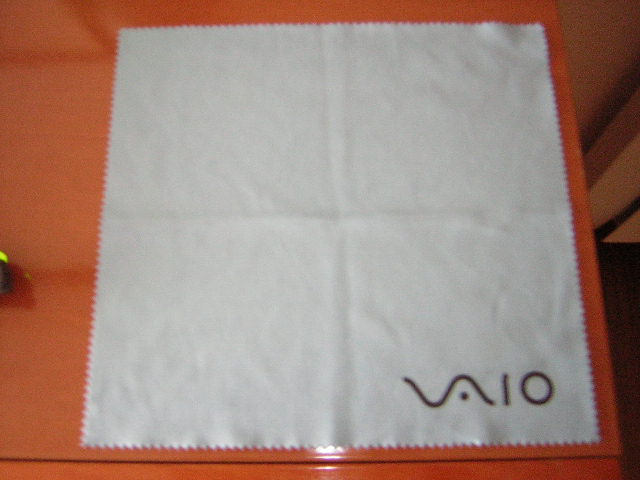
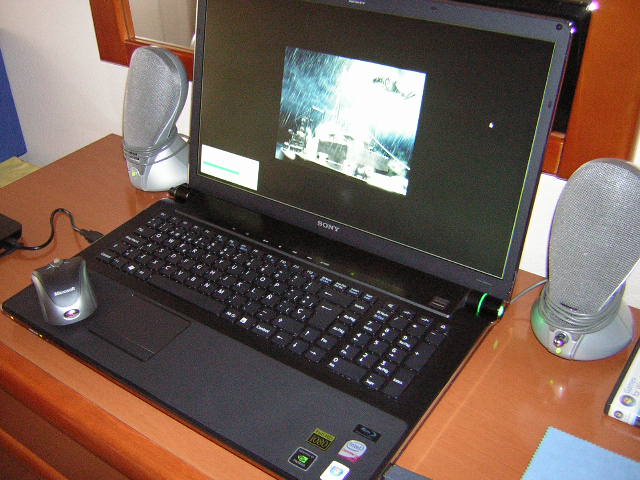
Case closed then! Sony have taken care swiftly of the matter and I am very satisfied! They even gave me a customized Vaio cloth for careful cleaning! LOL!
Check out the images I attach.Attached Files:
-
-
Hiphop Hoooraayy
-
You are correct, the shut down screen flashes on and off a few times then the desktop appears again once or twice momentarily during the shutdown process. It is just that it started to do this a few days ago and I am almost tempted to try a system restore to see if I can get back my nice clean shutdown.
I am trying to think what I changed in the last few days. I did do a Vista registry tidy up using RegCure software.
I recall back in the days of Windows 3.1 etc, you could see this all listed in a file, like the config.sys or some other file that I cannot remember the name of. You could simply edit it using notepad to get rid of commands which needlessly threw up different screens during the shutdown.
I'm sure this is still possible but much more complex now I would reckon. -
I have just done a system restore to a point when my shutdown was "cleaner" but it has not made a significant improvement. I guess I shouldn't lose sleep if this is the only imperfection I can find on my Vaio!
-
hey all, if you are looking to purchase one of the Sony AW with the RGB LED I just reduced my price in the for sale forum to a VERY nice price
-
Hi guys! I have a question regarding a firmware update on the mata bd drive. I have been browsing the european sony site and it just tells me to download the program and click it to update the firmware, and visiting the general sony web site in english it gives a whole load of instructions and warnings eg: be sure the drive is ejected, do not close it while upgrading etc... What should I do? What would happen if I mess up the upgarde? Would the drive be corrupted or broken? Thanks!
-
the drive will not work anymore. but it's pretty idiot-proof. just dl the right firmware for your drive. follow the on-screen instructions.
-
This is really Good News! I just love a good customer service success story & this is definitely one of those.
-
Just checked out this AW310J/H for $1199 @ BestBuy. Price is terrific! However, the Screen is not, IMO. It's not a FullHD (1920x1080 WUXGA) but XBRITE ECO (1680x945). The ECO quality display, while lower in price & (I think) easier on battery life, is Sony's lowest-end screen, a whole 'nother ballgame compared to the XBRITE-FullHD or RGB-LED FullHD. I had an ECO in an FW model (16") for a couple months before I got this beautiful AW. The word DIM comes to mind. For me personally, it's not the lower resolution that presented such a drop in display quality, but the dimness of it... the vibrant colors just weren't there. Also, I was constantly straining my eyes/neck to escape my own reflection thru glare plus washed-out colors.
This 1 BestBuy model has a T6500 CPU (2.1ghz), not enough for my needs but depends on individual prefs & budget. I'm not at all familiar w/Intel HD Boost but, pardon me, sounds like it's compensating for something else. If given a choice of how to spend $1200+tax, I'd look around for an AW200 or AW100 series w/ the better display. From the very few AW300's I've seen in the past week or so, the difference lies in some of the hardware options on offer & lower prices (goody!). Economically, these are seriously challenging times....Sony wants to sell computers. I'm happy to see price drops. Saw what I believe to be better deals at JR.com. No doubt, availability will keep changing, too. -
Hi.
How are yours VAIOs working as a gaming machines ? Do they overheat ? Apart from 9600M which does not seem to be the top of the range... -
Quite well. Played tough games like Crysis, Crysis Warhead, Left4dead,Grid,COD4 Modern Warfare and actually on GTA IV. The laptop does not overheat excessively except on games like Crysis Warhead or GTA IV where the temp has gone up to 80 degrees. With the graphics card options you can play all of these very swiftly but not with all settings to high, some you have to put on medium to avoid lag. You also have to set the resolution a bit low (not 1920x1080) to play with ease. Overall very well, but we will have to see what will happen with future games! Hope it helps! I wish this came with SLI but no stress!
-
Any newish game will get the AW blowing out a lot of heat through the vents, this is not a gaming notebook anyway.
-
depends on what you want to play, like anything else.
mine games just fine. -
Fingerprint Reader and USB mouse going off line
Odd problems yesterday... while listening to some background music I see an unrecognized USB device balloon show up bottom right. The external mouse no longer works, and the fingerprint reader stops working.
I try plugging in the mouse receiver in the other 2 USB slots with no luck, so I try it on another system and it works fine. Hmmm. So I reboot several more times with no luck getting either device to work. So I leave it off for 10 minutes, kept the mouse receiver unplugged, boot up again and then decided to click on the protector suite QL icon and try the fingerprint reader and suddenly it worked and allowed me to enroll another finger so I tried the mouse and it worked too.
I have no idea why this happened but I do recall when I first got this system 6 weeks ago I had the finger print reader go offline for a bit after hibernation for which the USB patch seemed to help in that scenario.
The other little glitchy thing that happened during all of this is that the windows aero turned off with a screen blink while going into device manager which I thought was also rather odd since I've been in there 50 times without it doing that.
A brief memory test checked out fine. I'll post if any of this happens again. -
Any ideas on how the AW 9600 series Graphics card compares against the new Sony FW's ATI 4650 Graphics Card? I'm mostly doing architectural 2d work, some 3d Sketchup, and Photoshop so screen size is important to me but I don't wat to get stuck witha less then satisfactory graphics card.
-
http://www.notebookcheck.net/Mobile-Graphics-Cards-Benchmark-List.844.0.html
the ATI card is slightly better. the ATI card might give you a few extra FPS here and there in some games. If you like the AW more, you'll find that the 9600 can be overclocked to achieve those numbers, should you find it necessary.
I run Maya, Photoshop and 3D Studio Max on my AW. Have never noticed any meaningful video lag, but neither card is a Quadro. the scope and scale of your work will dictate whether either is good enough. But don't expect any meaningful difference in real world application between either. -
Does the mobile version of the ATI 4650 support TrueHD and DTSHD audio or does it downsample?
-
I'm not sure what those terms mean to be honest. Sorry.
-
I don't really do any gaming so that isn't really the issue. I'd most likely be doing work similar to you are describing and it is good to hear that the 9600 does the job quite well. Could I upgrade the graphic card in a year or two if I want something different?
Regarding processor speed, should I splash out for the 6mb cache T9600 processor, or will the p8700/8800 do the job for me?
Does the AW series come with two hard drive slots? Could I just order one with one hard drive slot filled now and upgrade to two later?
ajreynol-I'm a former a2 man myself. Are you at UM? -
I am at UM
processor speed - you can get away with less, sure.
graphics card - I'm not personally aware of anyone who has upgraded their GPU. also, the AW has only one vent port left side, 2/3 of the way back that does all the cooling duties. I probably wouldn't put something else in out of concern for the heat. unless you're going to make your own exhaust holes.
HDDs - the AW comes with 2 slots, yes. it actually has the capacity for 3 HDDs. but depending on the model you buy, the components you need to add a second (or third) HDD may not come in the box...meaning you'll have to pay extra for them. they're not cheap. If you think you want to have 2 or 3 HDDs installed, I'd recommend buying an AW configuration that comes with 2 or otherwise verifying it has the components necessary for a second HDD install out of the box.
Raid 0/1 setup is dead easy.
Go Blue.
Official Sony VAIO AW Series 18.4" Owners thread
Discussion in 'VAIO / Sony Owners' Lounge Forum' started by Phil, Sep 9, 2008.