Problems? See this thread at archive.org.
One annoyance I had with my AW was that the remote that came with the notebook has to be aimed directly at the laptop for the remote to work.
Off and on I tried looking for a solution for this in local stores and I finally found one. The Mediagate GP-IR01BK remote ($30 CAD) comes with a USB extended receiver that works with the remote Sony bundled with my AW as well. Now I just gotta test both remotes out to see which one I like better.
It is said to work with Win7 as well although I have not verified it myself.
-
Mine does not have label and I don't have major light leak at bottom of screen like Laptodd mention.
I think these two are unscientific way to find out If you have LED screen or not. -
I did not say major light leak, just a decent RGB LED should not have what is categorized as a typical bottom light leak that all notebook/laptops displays seem to have except for the RGB LED.
Before buying, the several notebooks I looked at had it except for my AW model and I did not even know what a light leak was when I started looking. -
hey guys,
quick question. can i use my AW power adapter for my gf's vaio z laptop?
thanks in advance. -
backlight on my AW290 died. it's been sent to Sony for repair. it's either the backlight itself or the inverter, I think.
so many issues for such an expensive computer. my Dell never gave me a single issue in 5 years. and counting. -
I've been always wondering why are there so many people completely unaware of a thing called statistics

According to a recent research, malfunction percentage in 3 years is on average 17% (different brands differ by some -2%/+5%), so it turns out that every fifths laptop is to have some problems over a 3 year period. -
Sorry for confusion what I try to say is Sony CCFL display is as good as LED display so picture only can not tell which one is LED display.
Only way to tell LED display is
1. No light leakage from bottom of the screen.
2. No mercury warning label.
My case is no major leakage and no label so most likely I have LED model.
If some one wants to see light leakage from the bottom. Go to post#194 there are some sample photo attached.
-
Power adapter has model number and if it's same then you can use it. (My AW model# is VGP-AC19V15)
If not you need to check few things on both adapters.
1. Voltage has to be same. (My AW adapter is 19.5V)
2. Connector should be same on shape and same + and -. (My AW has + center pin and - circle outside.)
3. Wattage or current should be same or bigger then original adapter. (My AW is 6.2A)
If you don't know what I am talking about. Don't do it. especially #1 and #2 may kill your gf's vaio. Call Sony and ask. -
My another notebook is Dell XPS M1330 and it has infamous 8400GS and it is soldered on to the mother board.
Already replaced 2 mother board within 2 years.
Luckily I have 3 year warranty and Dell is very quick to respond for the repair but not all Dell is bullet proof. -
That's just was I ment
So no need to panic if you have problems with one specific laptop. Although I would agree that it's not pleasant at all, for sure!
The only problems I've had with my almost 3 years old VAIO SZ3 after I'd dropped it from 1.5 meters: got a slight bump on the lower left corner + nearby piece of plastic got a crack; fan works too noisy (going to replace it soon - thx to ebay); left display fulcrum bearing is somewhat not working, so I've got to hold it with my hand when opening. But it's still working after all that! So Sony does make some tough laptops indeed) -
Have you tried using a vacuum cleaner on the vents? That helped quiet my fan a bit after it got louder in a several months.
-
as with anything, YMMV. but I've never had a machine that had issues inside of 6 months. this is the 3rd repair.
-
Hey
Anybody runin' AW with C2D QX9300 ? Is it possible ?
Thnx -
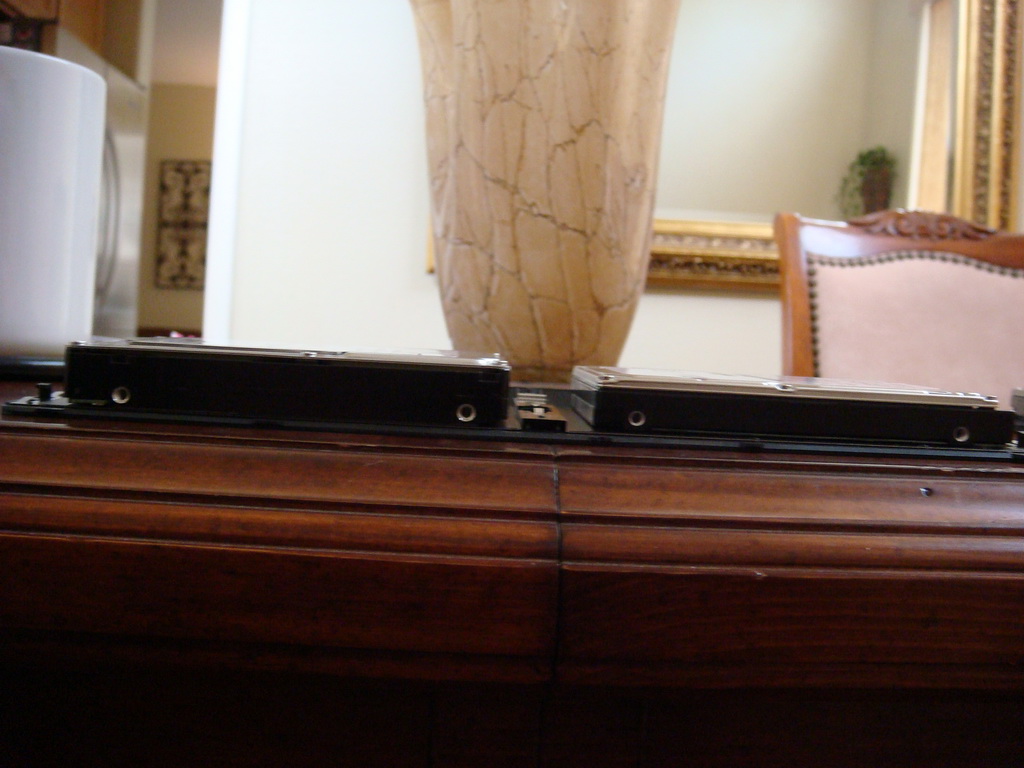
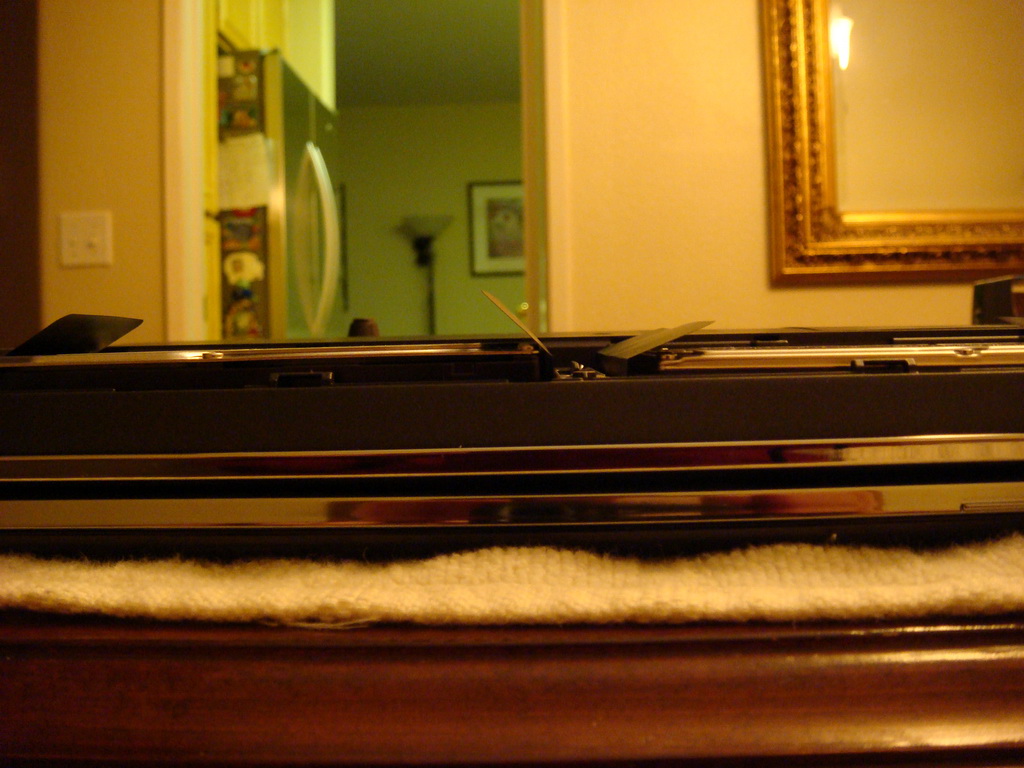
So, I thought I'd try the new Seagate 1tb 2.5 inch drives in the AW. No luck!!, the drive is bigger then 12.5mm and the lid won't close. So, I thought, what the heck, I'll just try to install them anyway just to see if it would work. Wrong again! The recovery disks installed about 3% before I got an "error 333", whatever that means. Then, I tried to install Windows 7 directly and it's worked to a point before I would get an error message that said Windows could not install on the computers hardware.
I'm going to try the Western Digital drives when the SATA version is released. I'm wondering if they are going to work in the AW.
See pics for the size difference. BTW, the Seagate's weighed a few more ounces more than the regular 12.5mm drives. I think they have 4 250GB platters. -
Yea, I already tried that, but it seems to be that the reason is in the bearings - they've simple got old...
-
Hi guys,
Anyone tried to install dox 185.85 nvidia drivers with success? I have installed dox in a clean windows 7 home premium, and the performance with aero is a bit sluggish, also, i don't find the overclock menu in nvidia control panel...did i miss something?
I installed the first option
(Standard Single/SLI - Win7)
Thanks -
Hi,
Sony will ship me "Windows® 7 Home Premium 64-BIT" upgrade disk.
How is AW owner's experience on Windows 7?
I think most of review said 7 is better then Vista.
I want just make sure it is good for AW also before upgrade.
Thanks,
HT2 -
As fas as i know, the only models in the series that haven't a glossy surface for the screen itself are the LED ones, with a semi-matte antireflective finish. Also they're associated with a black piano (high gloss), screen shell.
I have too a Intel 5300 wifi card waiting for a switch, this model adds a third antenna slot, as the N standard supposed to be, so i plan to add it and leave it sticked in the main hood of the machine, not in the screen as the factory installed it have already. Anyway, is not so clever to put the wifi transducers inside the "Faraday's cell", the magnesium screen shell is actually. Different business is the same location on a standard plastic shell i think. Finally, i have an Atheros based wifi card (3 ant, too), as long as my experience, this is the best bet of the three, Atheros rules the wifi.
-
AJ,
really sorry to hear that!
My AW290 Premium (RGB) unit is traveling now to home, being a refurb, and in Argentina, in a case like yours i would be fried, i hope i'm lucky enough for this new one Vaio is as noble as my venerable GRT160, wich i'm using now.
Best wishes, and let's hope this is your last issue with this boat
-
hey guys,
been having problems with my laptop lately. its been shutting down and restarting itself all of sudden. at first happened only once a day. got worse a couple of days ago when it would do it 4-5 times in a row without even getting to the windows login screen. did a hardward diagnostic check and came out clean. i then reformatted and it still does it. anyone have any clue what it might be? i thought about a loose wire or something. if anything imma send it in to sony to see whats up, but was just asking if anyone had similar or heard of similar problems.
thanks in advance, dj. -
djbootea, I've experienced that sort of problems on my VAIO SZ-3 when the fan broke down. As the CPU overheats (reaching something like 100 degrees Celcius), the laptop immediately shuts down. As you try to turn in on later again, it will shut down faster as it's now hotter at start. See if your fan is working or not - that's might be the problem.
-
Just got an e-mail from Sony.
"Parts on backorder."
Me thinks its time for Sony to pony up and give me a new machine. -
can i have your faulty machine ??/
-
I'll be calling around to Sony Style Stores in the morning. Speaking to Customer Support (phone) only if I have to. -
Re WIFI:
Are there any instructions online for upgrading to a better wifi adapter? Need either a video tutorial for beginners or something with LOTS of pictures in it (never upgraded laptop hardware aside from a HDD before). I, too, have an AW w/the standard Intel 5100 card; would like to go w/5300 but wonder if an Atheros "N" would work as well (thinking of any driver issues in Sony AW running Vista x64 or, hopefully soon, Win7). Having watched an onsite tech replace the factory-defective keyboard & RGB screen, I have a newfound respect for what's inside this "hinge" - it's quite something! No way do I want to tangle w/that to install a new WiFi antenna in the lid/top (ouch).
DISPLAY TYPE:
As for which model has which display type... For months prior to purchasing in May '09, I had a real hard time trying to get accurate info on this (around the web & from Sony support & Sony stores). I say "trying" b/c I never knew for sure what I was getting until I received the unit! As someone posted at this forum, make sure the Device Mgr properties for display monitor reads "SNY07FA" (RGB-LED hardware ID).
Originally the Black Shiny Plastic (aka High Gloss lid) models were referred to as "premium" but this might have changed since as I've seen specs online for Matte Gray units that list RGB-LED display. More important, since the AW200's (& incl. some AW190's), I've also seen lots of Black Shinies that do Not have the premium RGB or 1920x1080 display. So go figure... looks like Sony's marketing has changed again. And yes, the RGB-LED type Does have an anti-glare finish (that's critical for my purposes).
Haven't seen any more LED's since the AW200 series. I'm guessing Sony dropped this feature as they released lower-priced models (AW300 & AW400 series) during these tough $$$ times. In this line of laptops, newer does not mean better as the tech inside & build quality are neither newer nor better. Seems the newer lines are stripped-down versions of the original AW's (tho I don't know @ AW's sold outside the US).
Good luck to you!
PS: Can't resist adding this...
I'm a pianist who owns a Yamaha piano which has a typical traditional hi-gloss ebony/black piano finish. I suppose only marketing minds think of Black Shiny Plastic as equivalent to a quality wooden "Piano" finish. All of a sudden that made me laugh! -
As someone else posted here at the forum when I got my AW, check the monitor's Hardware ID in your Device Mgr (Details (tab) > Hardware IDs (select from dropdown). For RGB-LED it should list SNYO7FA. There, that's all I know. When deciding on what to buy, making informed electronics decisions can be pretty time-consuming & then you still may not have the info you need. Tho I'm having a good amount of problems w/this 6-mo old AW, at least no light leak so far & hopefully never. I really really really love this display (everything @ it). But must say, I expected far better quality from Sony. Overdue for another service call, drattz!
-
PROBLEMS IN PC PARADISE.
AJ, sorry to hear about your having yet more issues---that's insane! Not on your part, of course, but on Sony for selling you a PoS in the 1st place, then not responding lightening-quick by making the machine right for you. They screw up & You get to go thru all this? Will be on the edge of my seat waiting to hear how this saga progresses. I think you ought to be well-compensated for this hardship (beyond repairs they already owe you & discount coupons to buy more Sony stuff).
I haven't been to NBR for @ a month & today I see that those of us who have had our AW's for a few months to 1 yr are expressing more "issues." Unlike you (w/Dell & trusty XPS service), I don't have another laptop to use so if I have to send mine in for repairs I'd be screwed, really screwed. That they didn't send a tech to you to replace your screen (lamp & all) really bothers me.
Build quality concerned me from the start (as per my very 1st post here) yet I kept the unit b/c of it's exceptional display quality. My display was defective from the factory. Having been told several times by local in-store techs that I'd have to mail the unit in (2-4 wks wait), I tolerated the problems & held off calling Sony for a RMA for 3 mos. When I did call I was relieved that after just 3 days waiting for parts, they sent a nice guy who did a great job replacing my bum screen (he tightened the display's bezel too, very noticeable improvement over a poor factory job).
Also he replaced the keyboard but then that Failed Again barely 2 mos later! Not just spacebar (as if that's enough) but also shift keys & more. Maybe they should send a tech to replace the keyboard every other month on schedule, ya think? My system has slowed down quite a bit & the heat factor has risen considerably. In the past 2 mos or so, the HDD sounds like it's chewing on something inside (intermittently). That noise began before the adapter thingy fell out of the power connector/port (ditto for the headphone jack "o-ring"). Something that tech was unable to fix---sound still comes from both headphones AND ext speakers simultaneously (a nuisance to those around me). And my headphones have disappeared completely from Sound Properties. Half the time, Sony special function buttons & softkeys don't start up w/Windows, or stop working till I reboot (or at times, just restart Explorer.exe). I've uninstalled, reinstalled, updated, whatever---nothing helps so far that I can do on my own. And so it goes
Have you been in touch with anyone via email at "SonyListens@___.com"? (sorry, don't recall the rest but it is listed here in this forum @ July '09). From your case, it's sounds more like [email protected] (pardon the sarcasm but it's kinda helping my own frustrations right now). Stay tuned!
Anyone w/similar issues &/or fixes??? Love to hear from you.
(Toni) -
ANY INFO AVAILABLE ON HOW TO *UNLOCK BIOS* IN SONY AW?
I understand from quite a few ppl including (mostly) Sony techs that the only reason I'm blocked from increasing my RAM from the factory-installed 4 GBs to the maximum supported 8 GBs (which is sorely needed now) is that Sony shipped some models w/locked BIOS (AMI brand). Have been searching online for help & all I've found is http://www.BIOSMODS.COM forums. Honestly, I think the info's over my head & I sure don't want to make matters worse. I welcome any info at all (triumphs & failures alike). -
greetings
i would like to purchase an additional HDD. going to do a clean win 7 and would like to preserve the factory HDD. so, will swap the factory drive with a new one and start from scratch.
what i have is a Hitachi HTS723232L9SA60.
is there a source for these that does not cost my first born?
or, is there an equivalent that is reliable and reasonably priced.
thank you in advance
bruce -
Why did Sony stop making really nice AW's-or notebooks of any kind that are really nice for that matter? There is nothing at Sony Style that comes even close to the AW290 Premium.
I've been having some electronic stalking issues on this computer I've written about here before. There's a thread about it here:
http://forums.comodo.com/anti_virus..._to_break_in_and_making_threats-t48121.0.html
Sony AW290 Premium Windows Vista 64 Bit Home Premium, True HD 1920x1080 LED screen, BluRay read/write, 2.66 GHZ processor, 4 GB Memory, 640 GB Hard Drive, Adobe Lightroom -
Went back about eight pages or so. Seems like Sony is making a poor marketing decision-they're throwing their marketing weight for discriminating buyers apparently on their line of crap customizable cases (some over $5,000-carbon fiber-sold out-whatever that is) as opposed to a better computer. Which makes no sense. The Vaio AW290 Premium was/is a very viable alternative to high end Apple crap-which still three years after its launch and now a viable format overtaking DVD-still doesn't support BluRay. The stupidity with this decision is pretty amazing for all intents and purposes. People still want quality and are willing to pay for it-you can't even get a BluRay playback option if you customize the FW to a 1920x1080 screen (no longer available on the AW, even with the non premium screen)-are people starting to have major problems with the AW's and finding Sony is short on parts?
-
Rodney32
oh no rodney noo please not any crime victims hackers .. throw it behind head
-
they copied it from apple and that way making money ..
customize laptops .. -
It's such a stupid marketing strategy especially if the reason for abandoning the AW290 build quality and specs was the economy-sensible people want a good product that performs well, especially when money matters, idiots care about custom casing. Alienware makes some of the best looking computers around, but to read about them at ripoffreport.com they are of absolutely horrible quality.
-
no this is totally not true
I think they are pretty ugly
the best looking laptops are actually sony and old apple laptops not black keyboard they are horrible ! -
Rightly or wrongly Sony thinks customers found the RGB LED displays too expensive, of course a custom option would be nice.
As for 'people starting to have major problems', I do not see any increase just Costco buyers still having problems. Lack of QA to keep cost down I guess. -
My Hardware ID is SNY9301 and I am pretty sure my AW170C is a RGB-LED.
-
I'm not all that crazy about the looks of Alienware, either personally. But there's no doubt they're eyecatching and I guess that's what I meant. Like bling. But try and get something with close to AW290 specs (I briefly looked until I noticed both price and the the high level of customer dissatisfaction) and it's two to three times as much money and with components that likely won't hold up nearly as well as the AW290. It's to the AW290's credit its withstood roughly 70 reinstalls and constant sophisicated hacking of every imaginable type-see threads started by me, Rodney Peterson, at the Comodo forums-there are two major ones with over 70 posts each. I'm certainly interested in hearing peoples points of view on the hacking. I also offered to use a gift certificate I have for the Palm ($150) with anyone that helped me out-time's running out now though I've had for a while and it only lasts four months-I have to use it in the next six days. The Palm is a terrific restaurant with quite a history, both with show biz and cartoons:
www.thepalm.com -
I hope you are not looking for SSD because good SSD will cost you first born.(around $250)
I also looking for HDD and those two are looks reasonable to me.
Hitachi 500GB 7200rpm for $110.
http://www.newegg.com/Product/Product.aspx?Item=N82E16822145275
WD 640GB 5400rpm for $125.
http://www.newegg.com/Product/Product.aspx?Item=N82E16822136459 -
I have SNY07FA also and I have RGB_LED but two other forum members have SNY07FA and CCFL back light. So people are now saying SNY07FA is FullHD LCD panel and did not indicate back light spec.
But both of us did not have light leakage from bottom and that is the sign of RGB-LED display. -
real-eyes,
One forum member has 170 and he can install 8GB of RAM even though spec of 170 say 4GB maximum.
If I have 160 and need 8GB of RAM. Update to latest BIOS then just buy from store from good return policy and try it.
May work and if not return it.
Many notebook state 4GB max because 8GB was too expensive and OS was 32 bit so it was not practical before. -
FOR PERSISTENT PRODUCT SERVICE ISSUES:
AJREYNOL (& anyone else interested), I found this special issue address in my email archives (happy I still had it). Someone at this forum posted it to help me back around June-July. If not wanting to phone customer service, this might be of some use:
[email protected] -
hi all
i have a big problem i install windows 7 on my aw11z/b 2 days ago
when i load the disc i format 2 Partitions "c:system" and the recovery Partition (11.5 giga) Not on purpose ):
the Installation was ok but i dont love the windows 7
so i try to change back to the Manufacturer's installation by using the recovery discs that i made
and try to Restore C: Drive
but im getting eror 403
Is it because I deleted the recovery partitions when i install windows 7 ?
what can i do ? please help me
i didnt try to Restore Complete System because i have 250 giga of stuff in
partitions D -
Thanks, HT2. Appreciate the encouragement. Updated BIOS just last week (as per eSonySupport downloads for my model). Yea, I remember AleicGrant's amazing AW170Y - he did some stellar upgrades on that laptop before selling (you bet, nearly bought it myself but then my dog Sophie suddenly got sick). Funny thing, of all those online retailers selling the AW160 & others selling memory modules for same model, it was ONLY Sony who got the specs Wrong...
I've never had over 2-4 gb ram installed on any machine before---so if the cost is too much for me at the time, guess I could just buy a single 4-gb for 1 DIMM (leaving the other DIMM w/original 2 gb). Did I get that right?
Same as all the other AW's I compared before buying, mine came w/Vista x64 preinstalled, too... so I really wanted to believe Sony's misquote as the 8 gigs max made perfect sense (none of the OSes on offer then were 32-bit).
So I get it----time to take the plunge! Will definitely heed the advice of buying from a place w/clearcut return policy just in case. If this addition works, I'm gonna celebrate
After this, it's on to a 2nd HDD (learning from other posts here) & hopefully, wifi upgrade (Intel 5300 or Atheros).
-
Then even the #'s not an indicator of the LED screen, only the resolution...geez. So aside from the fact of no light leakage from the bottom, so far as we know there's really no recorded spec to identify LED vs CCFL? I have to wonder, why the mystery. Honestly can't recall there being as many unknowns @ a product as the AW. For 2 mos before buying, I got all kinds of contradictory info re the display properties--so I was verrry pleasantly surprised when I received this one & the display was everything I wanted (something to enjoy for a long time). The complete opposite of the XBRITE ECO in my former FW. Thanks for informing me @ the hardware ID #'s.
-
I think error 403 is very common for Vaio.
http://forum.notebookreview.com/showthread.php?t=349482
Save your data some where and restore complete system then put the data back. -
Yes, See above two posts.
One more thing to check is at the bottom of your laptop, you should not have warning label saying the notebook may contain mercury. -
Pleeeeeeez, can someone tell me how to stop the flood of error msgs re:
OpenMG Secure Module ???
Apparently, it came installed in this AW so I figure others have it, too. What little I do understand @ it is that it has to do w/SonyBMG CDs & SonicStage. Read @ Sony site that they were "offering" a tool for their former customers to convert their now-defunct (Sony Connect) DRM'd proprietary ATRAC audio files to mp3's (since their online DRM music biz is dead). I wasn't a Sony customer then when the stuff hit the fan, nor did I purchase those famous Rootkit-laden music CDs (I have only non-DRM music files).
Think (?) I noticed the flood of error msgs began when I upgraded my Winamp or maybe added some plugin that may have (? again) involved SonicStage.... Just remembering, same error msgs pop up erratically when using Windows Media Player 11 & The KMPlayer.
There are 2 diff't msgs @ diff't times. One's trying to install something & the other insists I insert a CD & that some resource on my network is busy using (wrong!). These msgs are very hard to cancel out of once they start showing up. This has got to stop! Can I just uninstall OpenMG Secure Module w/out messing up any of my programs -- anyone done this?
Please help? -
Rusty82...
I'm thinking the same as HT2: get your data off the harddrive 1st. Then, you'd want to keep a safe backup anyhow, right? 2 birds with 1 stone, so to speak. Did you say 250 GBs of data stored in the one partition? Wow, that's a lot to risk if not backed up. Hope to hear the reinstall work out. -
tnx ht2 and real eyes i will come back with answer
Official Sony VAIO AW Series 18.4" Owners thread
Discussion in 'VAIO / Sony Owners' Lounge Forum' started by Phil, Sep 9, 2008.