Problems? See this thread at archive.org.
Yes, and it is not there.
-
The WinDVD on Sony's site is an update only.
Get the installation from my x64 drivers thread and then apply the update. -
Which one solved your problem? Do you have a direct link? Thanks -
I used this page and downloaded the "Pointing Device Driver".
-
That appears to be about doing a recovery rather then a new Win7 install.
-
Doesn't matter at all: whether it's a clean install or a recovery - the drivers are absolutely the same.
-
hai guys. just stopping in to say that I'll probably never buy another Sony computer product again.
as many of you recall, I had to ship my AW in for its 5th repair and Sony offered me a buy-back of the full purchase price. this was processed about this time in January. I've been waiting for the check ever since. I call the service center in San Diego again today (3rd call about the check) only to find out that it apparently hadn't even been sent yet.
what the hell. so not only did I have to deal with a questionable AW...but I've had to go 4 months (and counting) without a primary computer because my money has been in limbo at Sony. I've never heard of or seen this level of disorganization from a company of this size. retarded monkeys could have handled this situation faster than this. -
Which driver solved your problem? Do you have a direct link? Thanks
-
i' m using sony vaio aw180 model. i have recently purchased it.
I came to know that the moment i turn on the laptop, the cooling fan begins
to work with rather soft noise. But it never stops. ever. not even once.
Is this a normal natural, typical phenominon? or is my laptop's unique problem? please i ask for your generous opinion. -
Does the fan turn off when in sleep mode? It should.
-
 Yep, happens to me frequently (twice Monday, once this morning), see my recent posts and the dedicated thread about
USB problems.
Yep, happens to me frequently (twice Monday, once this morning), see my recent posts and the dedicated thread about
USB problems.
-
rightttt.. You can't afford a new laptop because is taking their sweet time sending you a check? are you living on food stamps? Otherwise i dont know how you could afford a Sony Luxury AW
-
@ tbNB.... This STILL happens to your AW? I don't doubt you've already done the usual static electricity buildup release --- so this is amazing (& I don't mean that in a good way I haven't yet checked out your USB Problems link but I sure will.
-
There are no words for this! Not any good ones anyway.
I got a couple tho... starting with 'criminal'. Placing the shoe on the other foot... If you sold someone a bum product, dragged them on & on & on, put them thru hell. Then not only do you Not compensate them for the problems you've caused them, but then you don't even refund them as promised for money they paid in good faith for you to keep your word (reliable product & service). It amounts to fraud & theft. What would you call it?
Shameful & all kinds of unethical also comes to mind btw. From what you've posted, to me it appears you've done the right things, done all you can so far. Also sounds like you've contacted Sony by every means possible so I don't know if this will help at all---but I'll pass it on anyway. Someone here at the forum (Derrida) gave me this # last yr for special problems/complaints. Write to: [email protected]
I haven't written to this address myself yet tho I think I'm about to. From my experience, the bar has been set so low for customer "service" (on the ground by now) that whenever someone actually does their job, when a company keeps their word, simply does the right thing & nothing more---I'm ecstatic! I think that's a very sad statement.
Have you searched the web for any class action suits against Sony? Please keep posting till this IS resolved. -
Is the AW series overpriced? I know they are being discontinued but I can still buy them in the UK for around £2000 new.
What I want to know is what makes them so expensive? Is it simply the screen?
I can spec the new EC series to better specs for less than half the money.
What am I missing. It is not as if the AW is made from aluminium or carbon fibre although I wish it was. -
In comparison to core iX based 18.4" competitors (for example Fujitsu and HP), Dual Core Sonys are overpriced. It is still possible to find AWs having warranty in Europe, but it is hard to find AWs in US other than refurbisheds. I think prices for refurb AWs are not bad but still not very good and warranty is simply unavailable when used outside US.
-
Hello there!
I need some help with this issue.
Two days ago, suddenly my Vaio couldn't detect any networks.
The computer finds and identifies the Intel Wifi Link 5100 AGN card, but I can't install the PROSet Wireless software because this message pops during installation: "Can't open registry key HKEY_LOCAL_MACHINE\software\classes\WLANImportFile\Defaulticon" and then it rolls back the installation process.
The WIRELESS CONNECTIONS SWITCH is ON and with the VAIO SMART NETWORK SOFTWARE, when I click in WLAN doesn't stays GREEN.
What can I do to surf wirelessly again??? I've also tryed to UNABLE/DISABLE in Device Manager and INSTALLING/UNINSTALLIN also.
Thanks in advance. -
re lost USB ports.... I would say this occurs most often when using the media keys above the function keys for navigating windows media center videos. With sound on, it is amusing to say the least with bleeps out of the speakers when the USB drivers start unloading and loading several times a second and the popups of 'USB not recognized' start ballooning in on the vista task bar.
Has anyone get their AW successfully fixed of this issue? I don't want to take the time for sending it in and potentially suffering more damage if they refuse to properly fix it right the first time. -
Please help me.....
i look for the Service Manual (pdf.) for Sony AW Series.....
and a list of Sony AW-Parts....
-
@Boomzilla
hi i can hel you -
Have you a Service Manual... ????
-
yep i have it
-
Hello guys
am trying to find recovery dvd for vaio aw series ( Win Vista)
does anybody know where I can get it ?
thnx -
I finally took the plunge......and now I'm floundering!!
Help!! I ordered an AW with the Adobe RGB off Amazon, and I can't find ANYWHERE in the US that keep stock of the hood VGP-DHA1
The only shops that seem to have stock are in Europe, and none will ship out of Europe, let alone without a European address and credit card! Any ideas guys? -
please look at this Store, he sells Worldwide
http://www.notebooksandmore.net/shop_content.php?coID=37
VGP-DHA1:
http://www.notebooksandmore.net/product_info.php?products_id=7015 -
Thanks Boomzilla! You're really good! Ordering now.....
)
-
Please help,
Sony Vaio VGN-AW 21/31/41...
i´m look for the Name of the inside Hybrid TV Card....
Part Number was nice...... -
Hi What do you need actually with that TV Card ? Drivers ? or ?
-
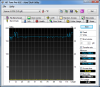
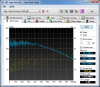
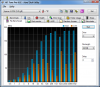
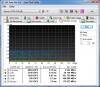
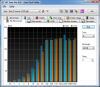
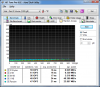
I've just successfully installed 2x500 GB RAID0 (two 7200 rmp Hitachi hdds) + 128GB SSD with OBHD (instead of the BD/DVD-ROM). It's AWESOME! Here's the result!
P.S. The write speed of the SSD is somewhat too low maybe due to only 6GB of free space left there - will try to fix that later.Attached Files:
-
-
I've also calibrated the display with X-Rite Display 2 a couple of days ago - see the attachment. Sony was pretty right saying about 140% Adobe RGB! Here's the monitor calibration report:
BTW, it's is not possible to hardware calibrate AW as there's no hardware control over the R,G,B values; it's only possible to change the color temperature. But I'm not really happy with the result of software calibration, as I see some really reddish cast on left side of the screen (a sort of horizontal gradient that is constant in vertical direction). During windows load screen (that is mostly black) i see a white stripe there - which as I get is kinda normal on AW (has been disscussed some long time ago here, as I remember), but what about color cast? With another profile by booville, I see a slight greenish cast there Has anybody had something similar?
Attached Files:
-
-
@qBot
hi you should put 2x SSDs in RAID rather that will be awesome
-
could there be something wrong with your Display 2? I've had no problems with mine.
oh, and on a side note, my AW journey is finally over. I received my refund check in the mail last week. in the 4 months I've spent without my primary laptop, I've moved my work over to my much more powerful desktop and have gotten used to it. Considering there is no laptop with a display as good as my AW's was, I'm content to hold off for a few more months before committing to another laptop. who knows...I might end up with another Vaio. the F has an inferior screen, but is also about $1,500 less than what I paid for my AW. then there are products from Asus, HP and even Apple to consider.
we'll see.
I'm sad that my AW journey ended so prematurely. when working, it was a delight to own, with a display that shamed even desktop monitor under $500. But Sony's own inability to actually repair the machine after 5 tries was the end of my line.
best of luck to all AW 290 owners. -
@ Peter-X
I look for the Spare Part Number and i will upgrade my Vaio AW -
It wasn't mine I found a guy who was offering calibration for $30, so I'm not sure if his Display 2 was working fine or not...
-
You are going to open up the notebook and try to remove the tuner?
-
Oh sorry my English is bad, i doesnt have a Tuner inside my Vaio, i´m looking for this....
-
that is not hard its just connected in mini pcie slot
-
I have the aw290jah and I do a lot of gaming on it.
Lately, the computer's been running hotter than it use to. The gpu goes as high as 100c and slows down the fps.
What are some recommended coolers that would fit this 18.4 inch laptop?
I was wondering if there was a laptop cooler that targets the left side since that's where the cpu and gpu are. -
Hi qBot, where did you order caddy and the cable for 2 drive?
-
Hey qBot, nice job on the upgrade. Can you provide a step by step of the process? With pictures, maybe?
Also, can you provide part numbers or links to the caddy and cable that you purchased?
Would love to try this myself if it's not a huge hassle. Having 3 hard drives in a laptop would be awesome for my requirements...
Many thanks,
nomad -
Does anyone know if Sony is going to come out with another 18"+ sized laptop in the near future? I searched this thread but didn't find anything. Only that this model is discontinued. Was it because lack of sales? Not that it matters now I guess. I now need a monster like this with a Blu-Ray burner so my choices are nearly zero. Can't have a external BR burner either. Thanks for any information you can provide.
p -
They might do somethin or they planning ..
but no any info about sudccessor a afraid ...
am expecting some 6x ssd in RAID 16GB ram and core i7 extreme
-
Both internal and external tuners for the US AW's are AVERMEDIA products...
the internal is a mini pci type card...NTSC only...fits in a slot on the bottom side of the mobo..antenna wire runs from card to connector next to ethernet plug...external dongle required to attach to coax...I removed mine...useless in US now.
external is a USB ATSC H826D Pure ATSC/QAM as identified in device manager
sorry no part numbers
-
100C sounds abnormal, what is the temp when idle?
-
I love this tip- thank you!
-
Hello
Is here anybody who has got his AW equipped with 2X SSDs and have it in RAID
and made some benchmarks ?
Thnx -
Hey guys
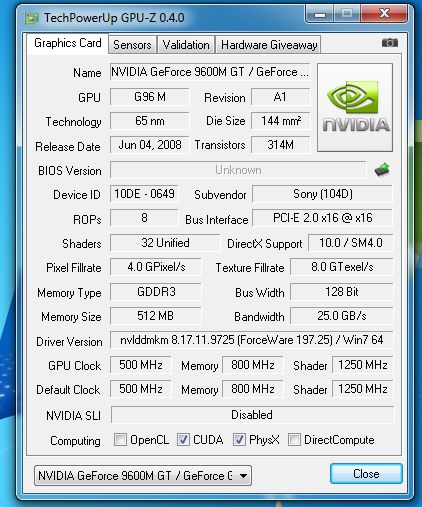
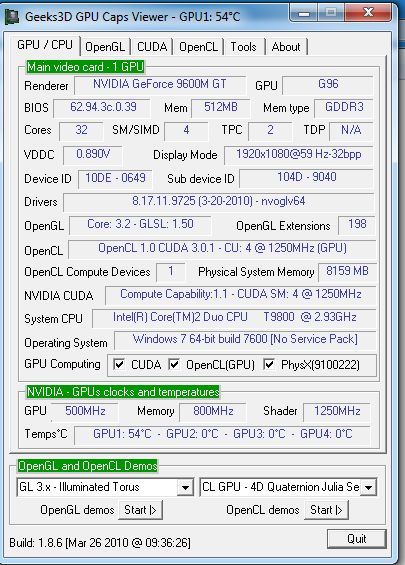
Which program is more accurate ?
in one says that open cl is not enabled in other it says it is ..
what about direct compute? -
The cpu usually idles around 55c to 60 and the gpu at 70 to 75.
I've had this computer for about a year now. It use to be cooler. Maybe I have to change the thermal compound? I thought geting a notebook cooler would help. But i'm not sure which is the best for the aw series. -
According to Invidia's System Monitor Utility my GPU idles at about 60 degrees C and my cpu idles around 55 degrees C. That's with fresh Arctic Silver thermal compound and a freshly cleaned out cooling fan. Also of interest the GPU is overclocked by about 25%. Both appear to be influenced a bit by the ambient temperature of the room where the system operates.
AW180Y/Q T9900 9600M GT -
Ok am I screwed?
My AW-290J just arrived and piano black is nuts to keep fingerprint free... How do you guys do it? The only skins I could find are keyboard skins on eBay!
I installed Win7 64bit and now I can't watch Blu-Rays - what should I use?
Official Sony VAIO AW Series 18.4" Owners thread
Discussion in 'VAIO / Sony Owners' Lounge Forum' started by Phil, Sep 9, 2008.