Problems? See this thread at archive.org.
Are you using windows 7? If you are read this post by Mujja.
http://forum.notebookreview.com/sony/379870-aw-x64-vista-win7-drivers-utilities.html
When you get to the notebook utilities section you will see that the first are numbered from 1-5, ok. So you must install them in that precise order to get volume control and other on screen application to work properly, otherwise you get the problem you have. Try it out. If you have already installed them try removing them and start over. Order is important. Credits are for Mujja.
-
Good drivers, installed them and work smoothly. Thanks for the info.
-
What gives at trying to set the refresh rate at 60hz!!! It reverts back to 59hz. This sucks. When gamimg, you want 60hz!! It used to set to 60 hz! Anything to do with windows 7!?
 Last edited by a moderator: May 8, 2015
 -
Try reading this:
Solved 59Hz - Page 30 - Windows 7 Forums
See if you make sense of it.
Mine was at 59hz but I changed it in the control panel, monitor settings to 60hz. It displays 60 hz in Nvidia control panel too!
Change refresh rate in control panel of the OS.Last edited by a moderator: May 8, 2015 -
You have windows 7? Did you go back and make sure its still set to 60hz? I do not a option to change to custom resolution.Last edited by a moderator: May 8, 2015
-
Can you all provide a link or method how to download any newer drivers? I've been searching around and never had much luck.
-
Go here for the 263.09 drivers, download the INF file also and replace it so it detects your card. You have it all on this page, that is if you have win7 64bit.
v263.09 Windows 7/Vista 64bit | NVIDIA Desktop - LaptopVideo2Go Forums
Hope it helps! I´ve been using them for 3 days like a charm! No BSOD, good frame rates for me! -
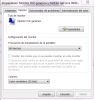
I have Win 7. I set it here to 60 HZ and it stays the same in Nvidia Control Panel and does not revert to 59Hz.
Try it out! It´s in spanish but I´m sure you recognize the screen capture!Attached Files:
Last edited by a moderator: May 8, 2015 -
-
SOLVED!-I could not get my AW-290J with windows 7 64b to refresh at 60hz. It would revert to 59hz. This is with the driver from Sony. It used to with Vista! So i came across Coolguy's "Nvidia 257.41 WHQL driver (MS Update)"..........worked like a charm!! And my refresh rate sticks at 60hz. THANK YOU COOLGUY! Quite relieved as in gaming that really is a big deal.
Last edited by a moderator: May 8, 2015
-
Thank you so much, I got it up and running now.
-
Chap
I've mailed you via eBay, but just in case it missed . . .
. . . can you post the bits (mainland UK address) and if so, what's the postage cost? I'm a little too far away from you to collect.
Cheers -
Deal alert!!
I don't know this will work with AW.
Used 3.06Ghz Core2Duo for $90.
SLAQD (Intel Core 2 Duo Mobile E8435) APPLE MAC PULLED - eBay (item 270652159201 end time Mar-19-11 11:16:21 PDT)
Catch is it is not 35W T9900. I think this one is 44W. But Musuta is running X9100 and should be same as x9100.
But can not over clock like x9100. -
Mother board is almost same but disk drive upgrade is tricky.
There are 3 configurations(1,2and 3 drives) for AW.
1 drive system come with 1 sata connector only. For 2nd drive you need to get flat cable and sata connector kit.
2 drive system come with 2 sata connectors. This is easy case.
3 drive system come with 1 sata connector and 2 micro sata connectors. Micro sata connector is not compatible with regular sata connector. For 2nd drive you need to get flat cable and sata connector kit.
So depend on how many drives do you have in your system and do you want change the configuration of not.
For other thing:
Some member upgraded memory to 8GB(4GB X 2).
Some member upgraded CPU to x9100 3.06GB and I believe no lock for over clock.
GPU is soldered to Motherboard.
Good Luck! -
Hi Aw members!
Is anyone using a fully activated oem version of windows 7? I wanted to ask this because I´m on the verge of upgrading mainly secondary drive and ram, but I have a huge concern if windows 7 oem (what I have) will ask me for a new re-activation, if I will lose the OS and not be able to use it.
If you modify your system too much this can happen so I´ve been told?
As I´m saying my two goals are the secondary drive (not system drive) and ram (from 4gb to 8gb). If anyone has experience I would be grateful. -
I am not expert on this but from my experience on desk top Windows 7 and notebook Vista, Windows will not ask key when just adding 2nd drive or increase RAM size.
You can try with remove 1 stick of RAM(from 4gb to 2gb) to see if your Windows 7 will complain or not. -
OK. I tried. I bought same CPU from same seller.
My 8435 is older C0 stepping so it is 55W parts from this Wiki.
http://en.wikipedia.org/wiki/List_o...2Penryn.22_.28Apple_iMac_specific.2C_45_nm.29
Also some functions are missing.
P8600 has some steps over and under max multiplier and lowest multiplier but this one does not have. Just multiplier 6x to 11.5x.
After under volt to 1.1v, I play 1920x1080 60p mts file to keep 60-80% CPU load and temp is going up to around 70c and when it's no load temp is around 45c.
Windows CPU SI move up from 60 to 65.
For $90 I guess it's OK. -
I´ll try it out and see what happens. I´m getting my hard drive on tuesday so I´ll find out what really happens. Thanks for the tip.
-
Musuta your crazy, one of these days your laptop will blow up!!!! Just kidding.
At least we know which processor configurations work thanks to you!
Just one question, what do you mostly use the machine for? -
I have a friend that warned me about that X9100. He said the type of cooling paste would be critical and be done "just so" otherwise overheating would be an issue! He talked me out of installing that X9100 from my T9800.
Last edited by a moderator: May 8, 2015
-
You have nothing to worry about! The worst case scenario is you just activate it again by phone prompt. When it asks you "how many computers do you have this license installed on" of course you hit the "1" button on your phone. Windows will allow multiple activations on a single license as long as they are not too close together in time.
-
If your playing a demanding game even only after 15 minutes and the temperature that rises to 85-90 max lets say is the gpu your not that bad (and you have overclocking) because the gpu can handle those temperatures. I have had 85-86 temp on Nvidia and everything ok (I dont have overclocking), the problem is if you hit those temps on the CPU, not inmediately, on the long run it will crack up! I´ve had 2 stress tests simultaneously (fur mark-everest ultimate stress test) going on for hours and my readings were for the gpu (74ºC) and for cpu (82-84ºC) and everything fine. You have an astonishing configuration for your AW at this moment (all your upgrades ssd, ram, hdd, cpu and so on..) and in my opinion I would not push it so to the limit. That´s my opinion but it´s your AW.
Oh, and by the way, if it did cook up, where are you going to get another 18.4 inch display so colourful as this one!! -
I thought that a first time re-activation would be re-introducing the windows cd key, not calling up bill´s guys!!
Anyway on tuesday when I get the drive we´ll see and I´ll tell.
Having second thoughts on memory upgrade but not because of the Windows activation issue but because simply I dont do very heavy multi-tasking. I have never used up more than 60% of total memory with 4GB.
To be more precise when I game I just game and when I render video I just render video. I won´t be playing crysis 2 (when it comes out) and rendering video on vegas let´s say. The cpu wouldn´t take it anyway so that´s another bottleneck!
Are you all with me if I stated 8GB ram is not worth buying unless you multi-task like an animal? -
No re-introducing the key. Maybe just reactivate. If it should fail doing it on the internet........THEN the phone activation always work. I did one time have to re-activate XP Pro after changing out the video card and there was no issue doing that. But I have always just reformatted the same Windows 7 key over and over again from changing out a crashed hard drive. If you do a fresh install then you need the key.
If you are capturing full HD uncompressed video then I would go the max on memory. That task does take a lot of resources. -
Hi folks! Installed this morning my new hard drive, Seagate Momentus 750GB 7200RPM, and had no issues whatsoever with windows activation (oem version). Did a format and was ready to go. Hopefully when I upgrade my RAM I expect the same thing but lets keep fingers crossed.
One curiosity, my windows hardware points did not go up, nothing, zero for upgrading the hard drive. I´ve put in a thumbnail with my score and the subsection for data transfer stays the same at 5.9 like when I had my 500GB 4200 rpm unit that came originally with the AW. I did the test twice but nothing, it stays like that!! Funny, I dont get it!Attached Files:
-
-
Hi Musuta,
I am from 2.4GHz P8600 to this e8435 3.06Ghz (Under clock to 2.93GHz and under volt 1.1v).
If you are not under volt try it.
http://forum.notebookreview.com/har...arket-upgrades/235824-undervolting-guide.html
Your x9100 will run cooler and may allow you to run higher multiplier.
Only issue I have is using RMclock utility for Under volt. RMclock is not supporting x.5 multiplier so I have to give up 11.5 and using 11.0(2.93Ghx)
I don't play high power game but I use it for video format conversion and temp is little more then 70C(90% CPU load) to start and when I came back finished with no error. So far I am very happy for this upgrade. -
I had a RAID stripe that failed twice and my score was a 6.1 with that. Now by far the best thing I did for my AW290 was installing the Intel 160GB SSD and a 1TB second slave drive. Not only has the performance steamed rolled those 7200rpm RAID setups, my battery power has increased somewhere between 20 and 25%. My score is now 6.5.
Also the 7200rpm is best if you have a huge amount of very small files. I have a huge amount of large files (pictures, WAV concerts, video). The slower rpm drive works faster with those types of files.Last edited by a moderator: May 8, 2015 -
Hi. I want help!
I have a Sony Vaio VGN-AW190J 2.53GHz Cpu with 4GB Memory Ram.
It is possible to upgrade to 2.93GHz Cpu? A few days I will have 8GB Ram and I want to upgrade and the Cpu. And if possible what Cpu I can put?Thanks!
My processor is:
Intel Mobile Core 2 Duo T9400
2.53GHz /6M/1066 SLB46
Code Nameenryn
Socket P (478)
Technology (45nm)
Core VID:1.000V
Family: 6
Ext.Family: 6
Model: 7
Ext.Model: 17
Stepping: 6
Revision: (CO)
Instructions: MMX,SSE (1,2,3,3S,4.1)EM64T,VT-x -
The safe way is upgrade to the T9800 cpu as the highest. I believe 8 gig ram will work.
-
He will be ok?
Intel® Core?2 Duo Processor T9800 (6M Cache, 2.93 GHz, 1066 MHz FSB)with SPEC Code(s)SLGEP, SLGES
Thanks for the reply. -
YES that will work great!
-
Thanks man!
-
I found this. will work properly on my system; can I put this;
Intel® Core?2 Duo Processor T9900 (6M Cache, 3.06 GHz, 1066 MHz FSB)with SPEC Code(s)SLGEE, SLGKH -
Help!
I have a problem with the cable Touch Sensor FFC.(cut)
My laptop model is Sony Vaio VGN-AW190J.
The cable is:
M780 T/S AWM 21147 80C 60V VW-1 -F- SUMITOMO-G RJ Halogen Free
Where can I buy?
Thanks! -
You can check with Sony here.
https://servicesales.sel.sony.com/ecom/accessories/web/index.jsp -
- Deleted -
-
I broke the little push button arm that ejects the CF card. Any chance for an easy fix. A paper clip works fine, but I don't like it.
-
What about loctite? Stick it. Send a pic.
Don´t send it off to Sony for that! -
Hi! I want to change Wifi card.
Now I have the Intel (R) WiFi Link 5100 AGN with two antennas.
If I put one of these two can connect 3th cable
antennas? And where can connected?
What is better than two?
Intel® Centrino® Ultimate-N 6300
Intel® Centrino® Advanced-N + WiMAX 6250
Thanks! -
Okay, I've been trying to update to this driver but it always fails. I have saved the INF file in the extracted 263.09 folder and the driver detects the graphics card. However the install fails about a quarter way through. Tried the update by a clean install but still no joy.
Also tried using this modding tool NVIDIA MobilityModder this also fails during the install.
Anyone got any ideas on how I can update this damn card?
-
Hi,
I have a few questions regarding upgrading my AW (AW11S/B). I am running the original configuration, but I want to replace the hdd (it's a slow 400gb 4200rpm drive) and for that matter do a clean install of windows 7 64-bit. at the moment, I'm running a windows 7 32-bit upgraded from the original vista. Everything (function keys etc.) works, but there are sometimes issues with sleep/hibernate and other things. I also wanted to upgrade the Ram to 8 GB.
Can anyone help me with the following questions:
- can I upgrade the RAM to 8 GB? Which type of modules would I need?
- any restrictions about a new HDD drive? I was planning on getting a Seagate Momentus 7200.5 750 GB
- will I have problems with the 64 bit Windows? I don't need anything of the Sony SW except for of course the FN buttons and the DVD/BR eject button to work.
Thanks a lot. I realize some or all of my questions have been answered in this thread already, but it's too long and the search function doesn't really help me. -
1.) 8 Gig memory will be good. You may have a single 4gig stick in there. You could buy the exact same one and save money. 200-pin SODIMM
2.) No restrictions at all. It will even fit the extra thick 1TB scorpio 5400rpm WD drive.
3) I have the 64 bit Pro windows 7 and its great! The only issue is the clean install of the drivers and software. This could be frustrating as its a time consuming effort. TIP: Open all exe files with administator rights. There may be a few items on Sony's site that are not there. I had to dig for the Windvd software and the Avertv software, both were not on the drop down. Also a good tip is to download all to a flash drive as the site is slooowww and rename the files so you know what is what. Then store that drive for the next time. Clean install is the way to go. Good luck.Last edited by a moderator: May 8, 2015 -
thanks alot for your reply!
Do you know which clock speeds/timing I need? Is it DDR2?
That's good to hear. I wish there was a 7200RPM 1TB drive, but at least here (Europe) apart from Seagate's expensive Constellation drives, all other are 5400RPM or below (WDs 1TB scorpio blue has 5200RPM).
the drivers shouldn't be too much of a problem I think, as long as they're available. I'd prefer to install hardware manufacturer drivers over sony's anyway (like from Intel or nVidia). just things like the FN keys and eject buttons (and maybe card reader) trouble me.Last edited by a moderator: May 8, 2015 -
I did make a mistake. The Scorpio Blue is 5200rpm.
-
sorry to bug you, any more info on the ram or how to find out?
-
A month ago I bought these and it's Ok!
8GB 2X4GB DDR2 SODIMM 200PIN 800MHz PC2-6400s HYNIX | eBay -
Hi! I want to change Wifi card.
Now I have the Intel (R) WiFi Link 5100 AGN with two antennas.
If I put these Intel® Centrino® Ultimate-N 6300 can connect 3th cable
antenna? And where can connected the 3th cable?
Thanks!
ok I did it! -
Hey everyone, was wondering if anyone knows how to turn off EIST / speedstep? I have an AW11S/B, and it doesn't have that option in the bios. In RealTemp and ThrottleStop, the option is greyed, and shows that EIST is turned on.
Thanks -
If not Bios or the option is shadowed (can´t change it) try this:
Under Control Panel – open Power Options
Under the Power Schemes pull down menu
To turn Enhanced Intel SpeedStep Technology ON select, “Minimal Power Management,” power scheme.
To turn Enhanced Intel SpeedStep Technology OFF select, “Always On,” power scheme.
To verify that Enhanced Intel SpeedStep® Technology is enabled do the following:
Close all applications and ensure that Microsoft Windows* OS is in idle mode.
Press Ctrl + Alt + Delete and select the Performance tab. Verify that CPU usage is 0%.
Right click My Computer and select, “Properties.”
Under the General tab examine the installed processor and speed. If Enhanced Intel SpeedStep Technology is enabled, two processor speeds will be listed. The first speed listed is the specified speed of the processor. The second speed is the current operating speed. The second speed will be less then the 1st speed. This indicates that Enhanced Intel SpeedStep Technology has effectively lowered the processor voltage and core frequency, which can (depending on system usage and design) result in decreased average power consumption and decreased average heat production. If Enhanced Intel SpeedStep Technology is off then both processor speeds will be equal. (This answer was a google search).
This has to do with a power scheme or something in the OS!!
Hope it works! Have you got the latest bios by the way? -
Did you copy/paste the inf file into folder where the driver setup is?
Did you use a clean up utility (driver sweeper good) to erase other leftover files of previous graphic drivers!
Uninistall all drivers do a driver sweep and try again.
Here´s a link for driver sweeper:
Guru3D - Driver Sweeper -
Thanks, I've seen this guide when I was googling, thing is, I don't see a "power scheme" pulldown in power option...(on win7 64bit). Yeah, I even installed Vaio Update to check that I have the latest bios.
Official Sony VAIO AW Series 18.4" Owners thread
Discussion in 'VAIO / Sony Owners' Lounge Forum' started by Phil, Sep 9, 2008.