Problems? See this thread at archive.org.
Hi Sandrini,
I got a service manual
PM me if interested
This may (or may not) help
-
Hello fellow AW Owners:
I have a question regarding re-installing my Windows Vista on my VGN-AW170Y laptop. I replaced the original 2x500gb 4200rpm hard drives in RAID 0 format with 2x750gb 7200rpm hard drives but not in RAID format. I did a Acronis True Image of the original RAID 0 drives and saved it onto one of the new 750gb drives and use it as the application and boot drive while the other drive is more for data. I now would like to reinstall Windows for a clean install, but I don't have installation discs as the computer was purchased from Sony refurbished direct, but I do have recovery discs and a serial number for the Vista. When I try to do a clean reinstall from a friend's installation discs I get the following error message "Windows setup could not configure windows to run on this computer's hardware." Does anyone have any advice on how I can reinstall a clean Vista?
Thanks in advance for your help. -
All,
I accidently spilled some tea on my precious AW41ZF. I did the basics (remove battery etc). It works fine, except for keyboard. I want to disassemble and look beneath the keyboard to make sure nothing major will happen in future. I got upto the stage of taking off the speaker cover and the screws beneath it. But keyboard is not budging. Looks like something else is holding it down on the sides. Can one of you please put me in the right direction?
Much appreciate your help.
Thank you -
BIOS RAID ADVANCED R1052Y2 R1054Y2
I have a Model AW220J. I have installed 1 SSD and have the original 400GB HD. I am considering ordering another SSD drive so I can run a RAID 0 (2 ssd) + 1 HD configuration. However, my BIOS seems to be locked and there is no RAID option in the advanced section of the BIOS menu.
On another forum someone stated that you need 2 drives to enable the BIOS to have the RAID option. Does anyone know if this is true? I do not want to add another SSD unless I can use the RAID feature.
I have tried to upgrade/downgrade between the bios versions R1052Y2 and R1054Y2 in hopes that the RAID option would appear after adding the SSD but it did not. Does anyone know if there is a special BIOS version that "unlocks" the RAID option in the BIOS?
Also, my T6400 CPU does not support VT. If I upgrade the CPU will the VT option be unlocked also?
What is a good CPU upgrade option for the AW that has the VT option enabled? -
After a massive system failure due to a rootkit, I decided to install the second HDD. I've ordered a CRUCIAL SSD RealSSD C300 - 128 Gb, I would have preferred the Samsung but it was not available and I'm quite in hurry.
Tonight I've opened the laptop to install the new SATA cable and since I wasn't able to find on the web any instruction about disassembly this computer, I'm going to tell my experience, in case someone could find it useful.
The laptop is structurally really well done and removing the bottom is quite straightforward.
First of all, open the HDD compartment and remove the HDD.
Then unscrew all screws, keeping track of where each screw is coming from: they are all M2 screws, but of different lenght. What I did was to put a couple of sheets on the table, marking the screw position for each screw I was removing, placing the screw on the paper and at the moment of reassembly.
Once all screws are removed, check that the front part of the bottom is free to move.
Gently begin to remove the bottom, beginning from the front-right edge (looking the laptop from the top: on the left side there is a small connector that will prevent you from open it), going towards the back of the computer. Note that there are two clips in correspondence of the monitor, at the two extremities. You may have to use a small flat screwdriver to loose them, but gently.
Once done on both sides, you are free to slide the bottom to free the left side from the connector.
There is a cable connected to the main board, near the center: just unplug it (and then remember to plug it again, don't do like me, I forgot it and I had to open the laptop again ).
).
And it's done: you have your computer opened.
The screws for the SATA cable and for the HDD support are plain M2 screws: I had to short them, but they are just normal screws. The cable may looks a bit large but if you put a piece of tape close to the other one it's just fine.
When done, close everything following the steps backwards, remembering the cable and the presence of the connector on the left side.
It was quite simple, opening my old Toshiba has proven a lot more painful.
Now my computer is ready for the SSD: when I have the new HDD I'll write down my impressions. -
I have a couple of questions...
I gave a fast look at the BIOS and I was unable to see in the boot menu where I can specify which HD use for the boot. I mean, I saw that I can change the order between HD, removable disk and external disk (is the last one the USB?), but if I have two HD, I haven't seen the option to choose between the first and the second: if I want to boot from the SSD instead of the old HD, do I have to physically chance the position of the disks?
Second questions: I was thinking on installing Win7 64bits, does someone know if all drivers are available? Especially drivers for the special function keys, such as volume, brightness, etc. I would like not to repeat the experience of installing XP on this laptop, I did it but it was a nightmare... -
Any idea on this point?
I've checked the BIOS version and I have the R1054V2, it should be the last one.
I should receive the new HD today, please...
-
Where is everybody gone?
About the BIOS issue, it looks like it's not possible to select the HD for the boot.
I've a question for the Win7 64bit: I can't install the nVidia GeForce 9600M GT driver. The driver downloaded from nVidia won't install saying that it can't find any compatible hardware and the driver downloaded from sony can't install the control panel. Any idea? -
Ok, I'm running Win7 64bit, with a few problems, mostly related to nVidia driver.
The first and the biggest one is a nasty BSOD with the nvlddmkm.sys driver, that looks quite common by the way. I had to go down to a 188.something version and now I'm having some time of BSOD-free use of the PC. That's good, but with that version of the driver I cannot install the nVidia control panel (other quite common issue, it seems, and equally without a real solution).
Other issue is the resolution of HDMI out, working perfectly with Win7 32 and stuck on 720p on Win7 64.
Instead of doing one thousend versions per year, why can't nVidia just do a good driver once in a while?
Anyway, Windows on a SSD looks faaaaaaantastic, fast boot, instantly ready -ok it's empty, I know, but it's a LOT faster.
The VAIO bios is just crap, you can't set almost anything except date and time. Completely useless... Besides, according to what I read on internet, it looked like that Win7 would notice the presence of another OS on the other disk and automatically create the boot menu... false. I've lost XP, I should remove the new HD to boot again with that.
Please could someone who has Win7 64 on this laptop tell me if he was able to solve the problems I've described? -
Hi
I had 2 of the vaio AW series laptops (AW21Z, AW31ZJ) and my 3rd I am using now is AW11Z. On all of them I run Windows 7 64bit. For Nvidia drivers I use the ones mentioned in this thread, around page 420 I think (263.09 with modified inf file). All worked great, no BSOD. Theres a bit of playing up to get the HDMI working (sound not working, Video is always ok).
To have Windows XP working with 7 you need to have XP installed first (preferably on normal HDD in your case) then use windwos 7 disc and install it on the SSD. Windows 7 will be able to detect XP. You can change boot order by using BCDedit file in 7. I got the buttons working fine, downloaded from sony website, I think.
I never bother with accessing the BIOS on sonys, its just terrible to the point I cant even look at it. Well done Sony.
Hope it helps, if not let me know I will try my best.
Dan -
Hi Dan, thanks for your answer!
I've been able to solve some of the problems I had at the beginning.
HDMI output can be adjusted by nVidia control panel, not visible in the tray but accessible from the graphic properties. So, that's fine. I was able to install the 188.67 version of the driver, but if you tell me that there is a working 263.09 version out there, I'll go to find it.
About WinXP: I did as you said but Win7 didn't detect it. I solved the problem with EasyBCD, it worked well.
I had a problem with the SSD at the beginning: every five seconds or so it turned on a seconds or two, freezing windows. I had to disable the cache for the SSD and everything is working fine. -
Damn it! I've just noticed that brightness control has stopped to work... AGAIN!
Anyway, now I'm with the new video drivers, let's see if they work well... -
Strange what you say about 7 and XP...But hey, its Microsoft
So you using new drivers right now? What AW model you have there? I got one with two hard drive cables and I am thinking about putting a SSD in my empty bay. I also saw the dual sata on ebay, but wasnt sure it that would work.
Dan -
I have the AW11S/B.
If you already have the second HD cable, you just have to check if it's a simple SATA or the double one, like the one showed in the picture one or two pages ago. I had to buy a new one and I bought the normal SATA, so I could install any SSD on the market. I think that installing a second SSD gives a huge boost to this laptop, I'm enthusiastic about it!
Now I have a 5.9 on system performance, with a 7.8 on primary HDD.
About the video drivers, I've passed from a 6.4 with the old drivers to a 6.3 with the new one. Until now, no problem. I have to check the HDMI output (what about the audio issue you were talking about...?), but brightness control still not working. It's really strange, I had it working at the beginning, I don't understand why it stopped. -
I got the normal SATA one so any SSD will do for me really. 7.8 HDD score! Just WOW! Now I am sure I need to get one
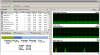
This is my windows score:
![[IMG]](images/storyImages/aw11z.png)
Thats with 4GB RAM, 2.53GHz CPU and 640GB HDD. Can you post yours as well?
The audio issue is mostly present when you install unapproved drivers, like updated drivers. Its something to do with sound drivers not being able to recognise when to send the sound if done via HDMI.
Dan -
Sure!
![[IMG]](images/storyImages/performancez.jpg)
(it looks strange just because I did a copy&paste with PC informations )
I'm thinking about installing 8Gb of ram, when I have some spare money. -
What memory do you use in your vaio? Your score is 5.9, I am sure it should be 6.1, same as mine. I got DDR2 6400 in mine.
Btw, testing the i5 processor on other laptop, it scores 6.7 in windows 7...Our core 2 duo are getting old now
-
Well, I'm not sure, I didn't touch the memory yet, it is the same that came with the laptop. Could it be due to the slower CPU?
Anyway yes, every computer gets old at the moment you buy it, but I have to say that I still unable to find a laptop as good as the AW series: good performances, wonderful display, good keyboard, expandability, good audio... nothing like this on the market, as far as I know... -
Has anyone or does anyone know of a Modem upgrade for AW series laptop??
-
Sorry but is this a joke? Modem upgrade?
-
Hi everyone!
Three days ago I upgraded my memory from 4gb to 8gb (corsair memory) and everything is well. Lots more programs loaded, good performance because I am currently working with virtual machines, some editing, very heavy gaming so... good!
No problems for me, so if your are planning to upgrade go ahead!
By the way the AW isn´t dead yet, for gaming it still keeps it´s head up high, you may have to lower some settings but good.
My cpu (t9800 2.93Ghz) makes up for the problems that the gpu might have while gaming. I can´t complain!
By the way, I also cleaned out my fans and heatsinks, they were cluttered with dust and re-applied new thermal paste (noctua NT-NH1).
I know I did it correctly because all my overheat problems have gone. Did some burn tests like LINPACK and OK!
I used the pea drop size in the middle method for the thermal paste, I didnt spread it over the cpu and gpu with my finger or anything like that (this is because I did some research on the best way to apply the thermal paste). Some videos on you tube are a riot laugh!
Hope all my info helps you all! -
Hi There,
I was wondering which set of nvidia drivers was working for you guys?
I have just bought Rage and couldn't use the standard ones so i use 290.36 which is a verde driver.
Problem is it crashes quite a bit.
AW 11 sb 8gb t9900 ssdAttached Files:
-
-
anybody want the dissasembly guides for the AW pm me your Email.
-
We have been talking about video drivers just a couple of pages ago, give a look back there
-
Did you try 263-09
-
I don't remember exactly, I tried three or four of the latest drivers all with the same results (BSOD after a few minutes)...
-
Palmrest Plastics for sale if anyone is interested.
Sony Vaio AW Series Palmrest and internal components | eBay -
Nice... mine still brand new, despite intensive use. My previous toshiba had lost all paintings where the palm rests after a few time.
By the way, does someone know how much is a new battery for the AW11S/B and where are they sold? My battery is more than dead, after three minutes the computer shut itself down without any advice and it's becoming a short time even to move it from a room to another... -
I bought the palmrest from ebay because it had the hdd 2 fpc on it, lucky find.
you can get a battery from ebay but make sure you set your charge function to 50 percent when you get a new one. charging to 100 percent will degrade the battery.
mine is still in very good condition. -
Attached Files:
-
-
50%? How long can you run your laptop with 50% of the battery? I remember that at the beginning the autonomy was about 1 1/2 hour...
-
Boot speeds with real ssd.
Attached Files:
-
-
I only ever use the battery to transfer the computer from one room to another but I think you will get less than an hour out of 50 percent.
If i need to use battery for longer then i switch to 100 % charge but there is allways a power socket around.
If I was to look at buying a new battery then it would be an extended one and look at the other laptop batteries which are the same as the aw, VGN-SR FW CS AW NS series. -
Hi all,
SO i have been searching this thread for HOURS now trying to find a definitive answer on the whole bios raid configuration not being displayed on all models. I have a aw120j that I would like ro set up raid on and im just wondering if anyone has been successful in modding the bios image or something like that to get the raid options to be displayed.
this thread is soo huge its really hard to find the information you are looking for. -
Hello, in my model I only flashed my bios with the new firmware to get VT (Virtualization tech) on the bios menu and get it going. The raid option to hide or display was already there, so I only have to set it to show menu in bios (default is hide), reboot the machine and on first raid menu screen when booting you press ctrl+I to enter the setup. Then you can create,delete and so on! Just in case make sure you have the latest bios update, and obviously a hdd raid configuration on your computer.
By software on my intel storage matrix console I can also create or modify raid configurations. Hope it helps! -
It depends on the model: on my AW11S/B there is no RAID menu.
-
I can't believe Sony gave up on this model. 3 years later and it's still a very nice computer.
-
Well you could say that Sony gave up on this model, but with a few upgrades this laptop is still good to go! I don´t feel as if it has aged! Ok, it´s true, a few new games begin to lag...!
The screen is too good on this laptop just to pop it on a shelf just because you have a new laptop with the newest gtx card!
One question to everyone:
Laptop with same or similar specs as this one when it came out, but adapted to 2011? I haven´t found much! -
In my opinion, right now there are no alternatives to this laptop.
It can be expanded -two HDD-, it has a really good LCD, wonderful keyboard, good hardware... if I should changed, I would have no idea on what to buy. -
Yes, this is still a very capable machine. I admit I don't really use mine anymore but when I use it for Office or to get files from it, I am reminded how absolutely wonderful the size of the screen is.
If they ever bring back an A Series or something along the lines of the AW, I will seriously consider it.
-
Oh man! Just looking at your signature and you actually have 4 vaio laptops!!
Sony has to be really happy with you! Ask them for discount or to throw you the next one in for free! Just kidding you! Merry Xmas! -
Portrait Rotation of Secondary Monitor
Just installed a portrait display. The stock sony nvidia drivers are missing the section for rotation. I found a solution however.
- Run regedit and find (keys,values) and remove all occurrences of RotateFlag ( from the registry
- Reboot
- Download and install iRotate
- Run the program and select the portrait display numbered icon tray
- Right click and rotate to 90 degrees
Now you can have a portrait display in the proper orientation. I also ran the cleartype tuner to improve the font smoothing after. Not sure if that made a difference but I think it did. -
Does anybody know if this crazy screen problem is fixable? Maybe something to do with the video card? It freezes up and now is not usable at all.
![[IMG]](images/storyImages/404780_10151099339985434_899045433_22550940_2083757089_n.jpg)
-
Very true and I sold it and purchased Acer Aspire Ethos 8951G
-
I think your gpu busted up! Does this happen on every reboot?
Is your gpu overclocked? -
Overheating, the gpu unsolders itself from the mainboard.
is the cooling system blocked? -
YEs that's hapenning with most of laptops or even in Xbox 360 cos is overheating too much ..
Then we reflowing BGAs chips on laptops .. -
Don´t you think that if the gpu or cpu was overheating it would shut down?
That´s what happened to mine until I cleaned it all up and put new thermal paste in, but never this screen problem!
On the contrary I have seen this happen with wrong overclocking or defective gpu! (Of course on the long run with clogged up fans you can kill the gpu!) -
-
Official Sony VAIO AW Series 18.4" Owners thread
Discussion in 'VAIO / Sony Owners' Lounge Forum' started by Phil, Sep 9, 2008.