Problems? See this thread at archive.org.
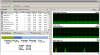
After a good cold Wisconsin night in my car, the laptop actually works good. After about 4 hours or so the screen freezes up and can't be used. I can hard turn it off then turn it back on, but that's when it goes all crazy and defaults to something like 640x480 resolution.
I don't do any overclocking or anything of the sort. Just plain old default specs.
-
I don't have it on a hard flat surface very often lately until this happened. I was thinking of getting a Cooling Master notebook fan accessory.
-
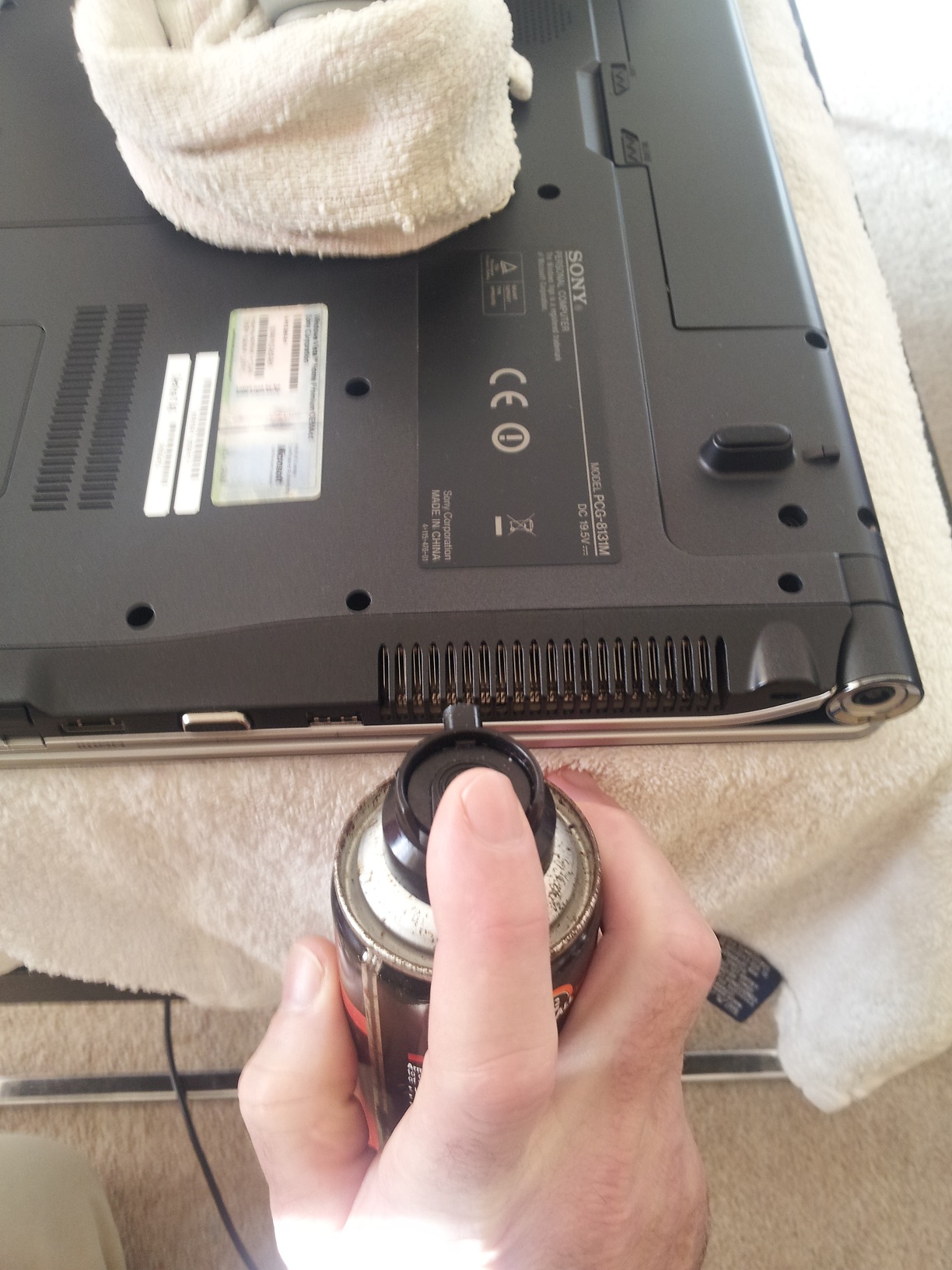
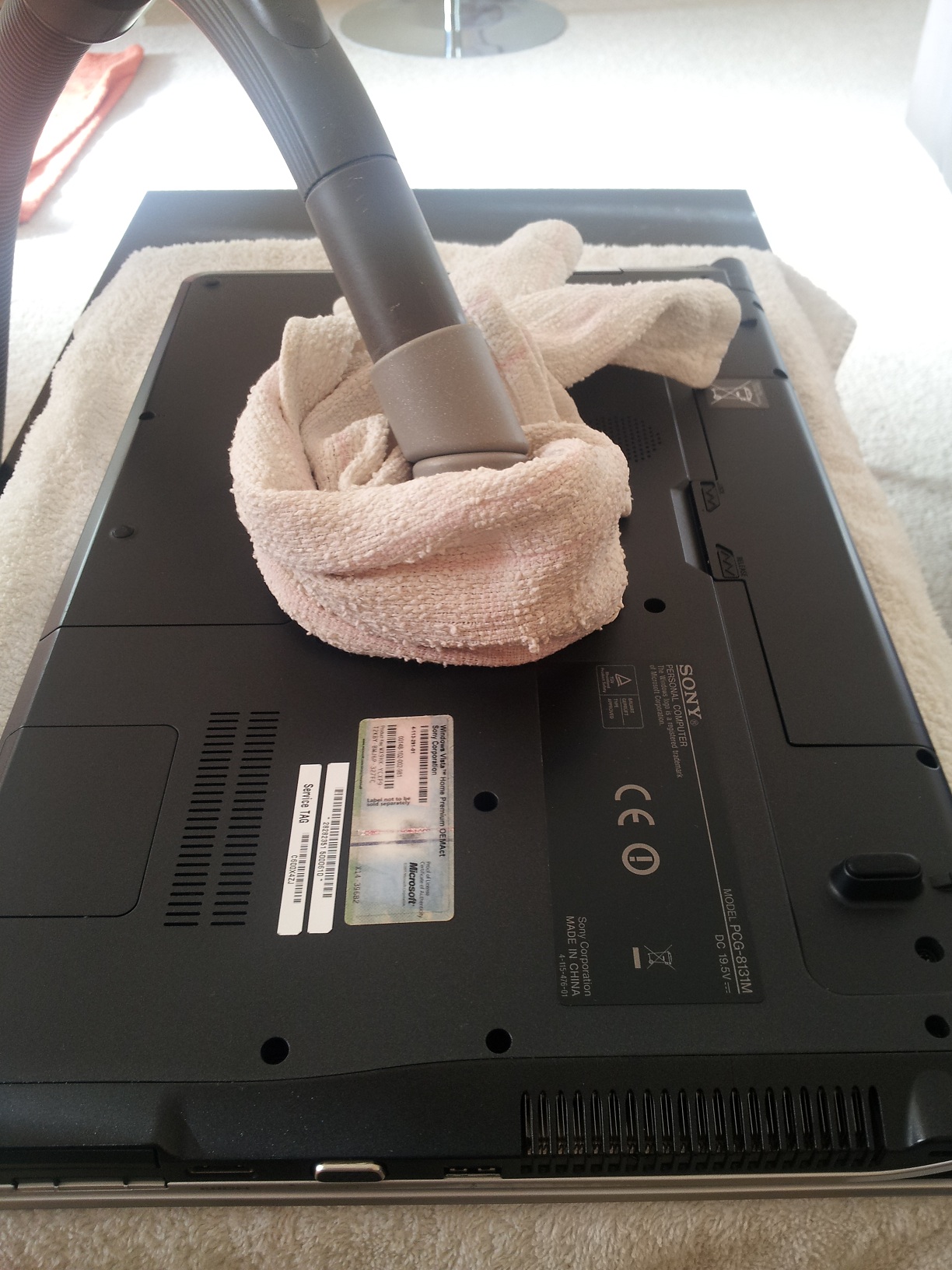
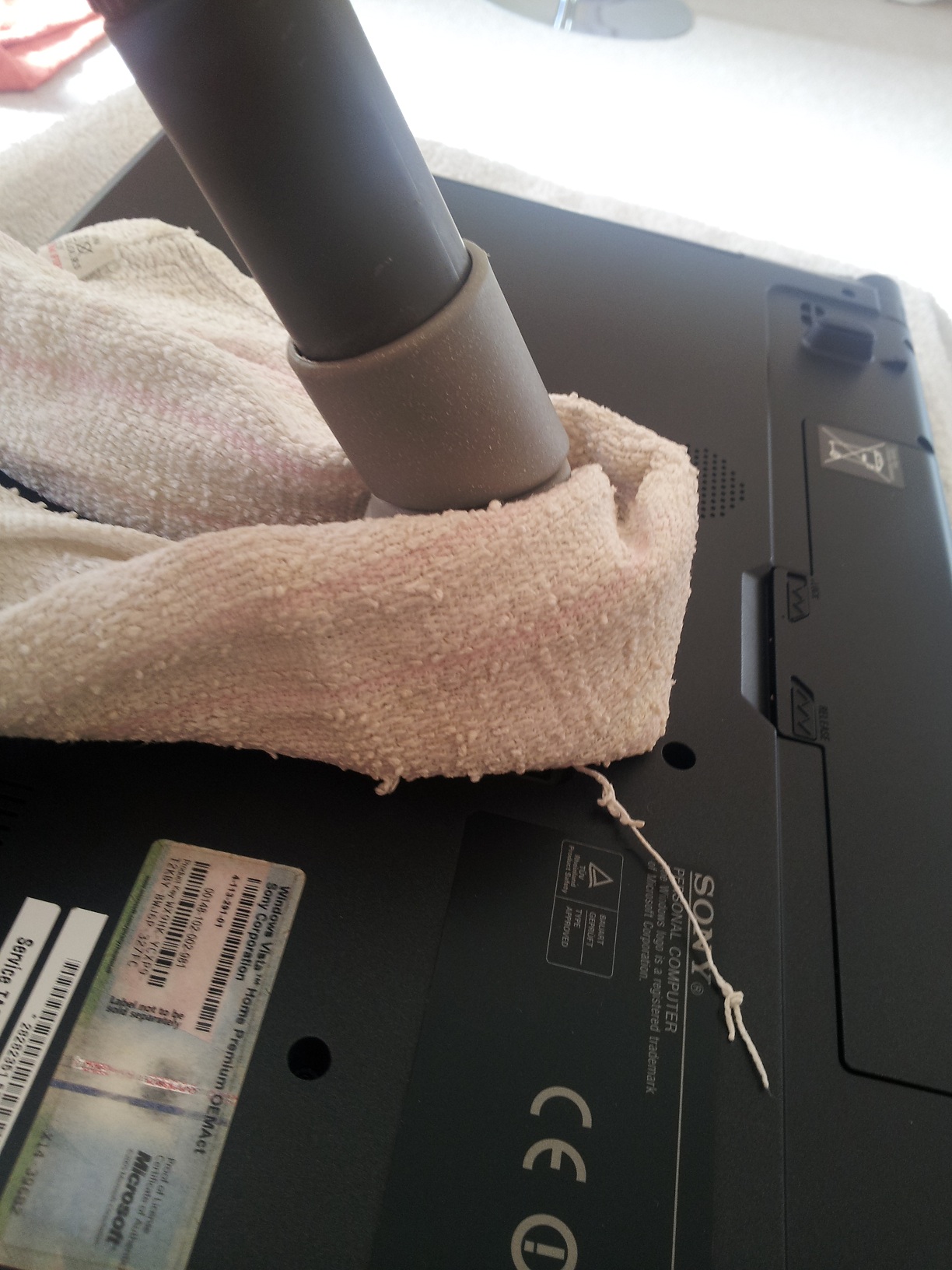
Get a tin of compressed air and a vacuum cleaner and back purge the cooling system, its easy to do. Vacuum cleaner on the air intake slats, underneath on the left side and blast the air back through the air outlet slats on the left side.
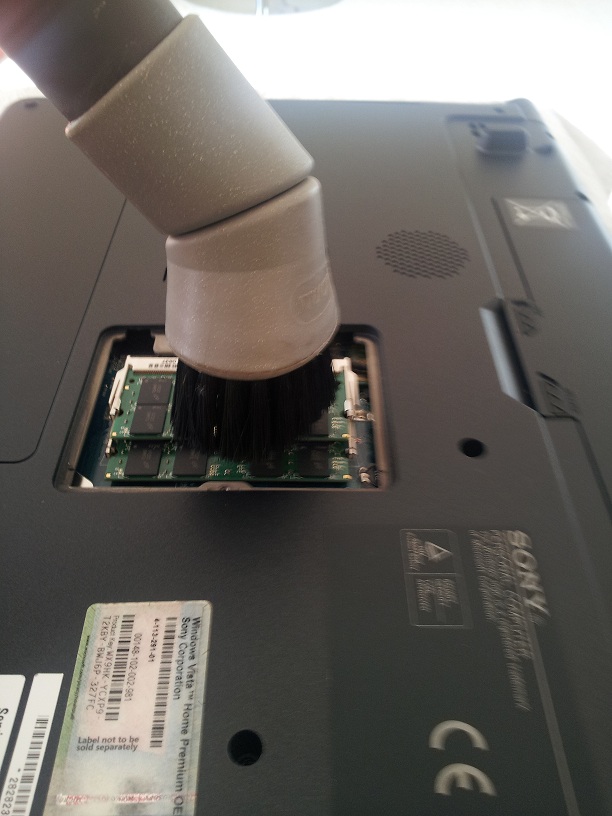
even better if you open the ram door and hold the vacuum there before blasting back.
Download throttlestop and check the cpu and gpu tempretures just to make sure http://www.techinferno.com/downloads Temps shouldn't be over 85.
One thing though, try not to use the laptop for longer than 10 mins at a time untill it is sorted, it will only get worse if you do.
Ill post some pics if you like and show you how its done. -
I rather you not use compressed air and vacuum cleaner...This is the lazy way to do it and you can damage you fan in that process. The only way to do it is to disassembly your laptop (fairly easy) and clean the fan and vents properly. You can also get a proper thermal paste and put it on your CPU and GPU. You will get a new life into your laptop. I do it quite often with different laptops and typical temperature drop is from 10 C to 30C under load.
Btw, if your laptop is all clogged inside you should feel the warmth coming from laptop plus the smell of hot dust.
Dan -
Also dont buy any of the cooling accessories, your laptop WILL work without any cooling aids just fine as long as fan is turning freely. AW has got good cooling system it just needs some love

-
All good and well if you have the experience to take your laptop apart but if you dont then you can cause alot of damage. with compressed air you will do no damage to the fan at all and i think it should be the first port of call for the guy rather than to spend large amounts of money on a dissasembly.
-
i HAVE DONE MANY LAPTOPS LIKE THIS
Please note. I used a soft brush attachment on the hoover.Attached Files:
-
-
OMG. You sir made me laugh so hard. These pics are epic, that hoover over the RAM sticks, oh man. I just hope, really hope no one will ever follow your advice regarding cleaning up the laptops.
EPIC. -
Their is a soft brush if you open your eyes
-
Ever heard of electrostatic discharge? This is the main reason why you dont hoover your laptop or PC. Also, by blowing the air into the vent you spread the dust all over the inside of your laptop and inside of your fan, which doesnt really help. Im just saying its not how it suppose to be done as you can damage your laptop easily.
-
For many years I have used a hoover with soft brush on my laptop and desktops, not once have I had any problems.
If you take your laptop apart every time you get dust in the fans then its up to you.
Have a look on youtube anyway people, don't just take my word for it. -
here is a good vid on laptop cleaning
Laptop Cleaning - YouTube -
Hi folks, I was thinking on upgrading the memory of my PC, from 4Gb to 8Gb... what kind of RAM shoud I buy for this laptop?
Anyway,,hoovers generate a LOT of electrostatic charges, they can be really dangerous if you touch the electronic boards with it... -
If your really worried about static then read this.
Read some of the comments at the end too.
Grounding a vacuum cleaner - Power-Supplies-PC-Cases-Case-Mods - CPU-Components -
I bought Crucial 8 gb for mine i'm sure somebody on here will say their rubbish but I had no problems.
One thing would be worth noting is that 8 gb is maybe too much ram and maybe just put one 4 gig in to make six alltogether. -
Hi
I upgraded my AW11Z to 6GB, RAM you need to use is PC2 6400(DDR2 800MHz). I was lucky enough to get 4GB stick for £30. Search the ebay, but beware of cheap memory, it wont work, believe me. Get Hynix, Samsung, Nanya or other known brand.
-
Crucial is a very good memory, I would highly recommend. The ssd hard drives they make are top of the range. As a matter of fact I'm trying to get hold of theirs 128GB M4...Man costs fortune.
8GB will be fine, but what do you need it for? I upgraded cause I run few virtual machines and these take a lot... -
I installed 8 and then noticed that their was huge amounts of ram being wasted, like I am playing a game and their is 5 gigs left over.
One good thing about the 8 gig is that they are a matched pair for what its worth not sure its gonna make a big difference. -
Running Rainbow Siw Vegas 2 and still got nearly five gigs ram left
Attached Files:
-
-
6Gb looks a good idea. I was thinking in recycling one 2Gb stick on my other laptop, but it turned out it uses DDR3...
Anyway yes, I use virtual machines and graphic programs...
Thanks for the suggestions!
-
With virtual machines the more ram allocated the better so in that case get 8.
Sent from my GT-I9100 using Tapatalk -
Can anyone suggest a good emulator for mac os on windows 7.
-
Can't you use Virtualbox?
(BTW: this is not really a question about AW series, isn't it...?) -
Hey there,
I'm looking to upgrade my hard drive in my AW any suggestions please...
(that better ?) -
Hi.
Planning on to upgrade your 128GB SSD? I would definitely go for Crucial M4 range, amazing hard drives. -
Memory: Using Corsair 8gb, since I installed it it goes very well, no problems at all and quite cheap.
Virtual Machine: Using a copy of VMware (cant say how I got it!), works well and with the additional 8gb that I now have I run XP on virtualbox and windows 8 on VMware while playing Skyrim. (Off topic answer).
Cleaning: I suggest you take off your laptop case and clean all the parts with compressed air and soft brush (for the fan). I took everything apart (fan-heatsink) cleaned cpu and gpu dies with isopropyl alcohol and added noctua thermal paste and put all back together again. Margin now is a -10 degrees more or less from what I used to have (from 85º to 75º while gaming). The fan was really clogged! This is the proper way to do it. Do what´s right! -
Does anyone think it would be possable to solder a graphics card upgrade onto the AW motherboard?
Cheers for the info on the vmware
-
-
I have a 3yr old AW11XU laptop, all of a sudden the wireless connection has started to play-up, dropping connections ramdomly, I've got other laptops and Games machines connected to the same router in the house and they don't have any issues, has anyone expereinced this???? Is the wireless module in AW series diifercult to change etc.
-
Before thinking on hardware failure, check for software/driver issue.
When I put XP on my AW11S I had the same problem you are describing, but only with encrypted networks. With Vista or 7, no problem at all.
Maybe some driver got corrupted, try to restore the wlan driver, utilities, etc. -
That's one idea, for now I've switch to 5hz network setting, and it's been very stable, not sure if I read somewhere that the 5Hz network on the AW series was unstable. At the moment mine has gone back to where it was a week or so ago and it's working OK now.
Thanks you for the suggestion. -
You're welcome, glad to be helpful
-
As gpc said. check for the correct driver. Perhaps windows updated your driver with the "better" one
. If it aint the driver issue, wireless module is dead easy to replace, no worries there.
-
My premium LED screen went out and I am having Sony replace it. While it is in for service they offered to repair the palm rest. The leatherish portion has started to buckle. To my astonishment the cost to replace it is over $700. Has anyone found a cost effective solution to this cosmetic problem? Has anyone tried to totally remove the buckled portion and re-glue it?
-
$700.00 just for the palm rest?? Or that includes a new LED screen??
-
That is just for the palmrest. Sony has crazy service pricing. If they repair only the screen, the charge falls within "tier"pricing and is $625. If I authorize repair of the screen and the palmrest, it falls outside of tier pricing and the total cost is $2,105 ($1,358 for the screen plus $747 for the palmrest). I had to ask him to repeat that 3 times because I couldn't believe it. So of course I opted for the screen only.
-
What you are telling me makes me want to sell my laptop now and take that and buy a new one before something goes bad. My god that is just stupid. I paid $3000.00 for the laptop May 2009.
-
Good luck in finding a comparable laptop. It seems that all manufacturers hav abandoned 18 inch screens. They are focusing on thin laptops.
-
Alienware's configure to order uses the 18.4 screen. Most likely the same Samsung LCD as these. -
I'm astonished... I just changed my wireless router with a new one with a 5GHz link and my AW11S can work at that frequency! Right now I'm transferring files with WIFI at more than 6MB/sec, while with standard 2.4GHz I was unable to go faster than 2MB/sec. I'm really impressed that an "old" laptop like this have this new technology! This is really the best laptop I ever had...
-
I think they have to tear the laptop down pretty well to replace the palm rest. It's a bigger job then you might think. No way I'd pay $700 for it though.
Are you getting a RGB LED replacement or just a standard display? -
Yes, they said that the screen replacement will be the same as the current RGB LED matte finish screen. They were out of stock, so I am still waiting for it's return.
You are correct about the palmrest. I saw a picture of the replacement part and it appears that you would have to dismantle the laptop in it's entirety to install the replacement. Not something to try at home in my estimation. It's not that serious an issue. But I still ask if anyone has tried removing the leatherish pad and re-gluing it. I am a bit nervous about doing that for fear that I would have a gluey mess and the pad would be even more buckled and uneven than it is now. -
Sony repair service is crazy! Try find some good laptop repair in you town see if they can do something! I had all my issues in warranty period thank god! I wouldnt pay that money!
On a work chain some come out good and others just give non stop headaches!
Buying Sony you take that risk. Good luck. -
Curious if you'll ever get it back since they don't make em anymore. Where are they going to get a new 18.4 inch RGB LED display if they are out of stock? Sounds sketchy to me, but good luck and certainly let us know if you get it back in good order.
-
Yes, I received it back last week. The replacement screen is the RGB LED display, just like the original.
-
Hi,
I'm trying to upgrade the system to a SSD, probably a Crucial M4 256GB.
I have two questions about this mod. First, my machine have two Toshibas (320), in RAID0 config. What have i do to set the system to work without the RAID, i mean with the two drives running as two different units, the SSD as the system unit and one conventional HDD as data storage?
Second one. Practically all of the good SSD are now made in SATAIII interface. Are they compatible with our MOBOs, since they're SATA genI? Has anyone tried this combo? Thank you!
Miguel -
I have done this exact same thing you want to do. Back up what you want and then delete the raid. You will have to reinstall the OS. TIP: do not install the second drive until the SSD has the operating system on it. Look at my specs for a second drive. I LOVE IT. I cannot believe how fast my pc is and how fast the slave drive seeks out my files. Hope this helps. Reinstalling the Sony drivers are a big pain.
-
Believe me, i know that too!!
How did you erased the RAID, in the bios, uninstaling the Matrix Storage app?
Thank you for the confirmation.
Miguel -
In the bios under advance. It may be hidden. Just go and unhide it.
-
Hi everyone! I`m looking to replace my original ssd the micro sata ones each of 64gb (caseless) to maybe 128gb each side to make a total of 256gb because I dont want to do the 2hard drive option for which you have to install the second caddy bay so basically my question is what advantages can I have with the two 128gb mini ssd because the speed if I´m not wrong for transfer is capped at 3gb/s not 6gb/s which is not supported I think!
Would I only benefit from more storage space or would I see faster transfer rates if I still buy 128gb each but at 3gb/s?
Thanks!
Official Sony VAIO AW Series 18.4" Owners thread
Discussion in 'VAIO / Sony Owners' Lounge Forum' started by Phil, Sep 9, 2008.