Problems? See this thread at archive.org.
Try the latest Win10 64bit modified drivers (341.92) for VGN-AW41ZF 9600GT from here: https://www.dropbox.com/s/vu2s2u32p4d37cv/NVIDIA Vaio VGN-AW 341.92.rar?dl=0
Before installing make sure to disable driver signature enforcement in Windows 10
http://answers.microsoft.com/en-us/...n/a53ec7ca-bdd3-4f39-a3af-3bd92336d248?auth=1
-
-
Hi all. Not sure how well read this forum is these days but I've lurked here on and off for a while and have found it really useful.
I upgraded my venerable AW21Z to Windows 10 at the weekend and most functionality is there now (including the full screen resolution). What I am struggling with is getting a driver to enable the touchpad along with the S1, S2, AV mode buttons etc. Fingerprint reader was recognised however by Windows "Hello" and configured like a dream. Can anyone please point me in the right direction with these last items? It's been an awesome laptop - I imagine that many would share this view so I want to keep it going for a few years yet. Thanks in advance for anyone who has gone down the Windows 10 route and can advise. -
Hi Galaxy SII. I have read the forum and you have given lots of good advice. I have an AW21Z which I have recently put an EVO 850 Pro 1TB and Windows 10 onto. The remaining issues I have is that I cannot get the touchpad drivers to work (despite trying many types eg EU and US versions) and also, I don't have the S1, S2, AV Mode and Fn buttons working yet. I know you said you have had 3 of the AW series in the past so wondered whether you could help me with these final issues.
Awesome laptop, I will keep it as long as I can - it may need a spot of thermal compound on the heatsinks now though as the fan runs more often than in the past! -
Hello Everyone,
this is my first visit here but I have to admit that I have been following the posts closely. I do own a Sony Vaio VGN AW 21S laptop and I still love it for all the extras it has not to mention the lovely screen ( yes I know retina display and UHD 4K displays have arrived). With the arrival of windows 10 the support for NVIDIA Geo force 9600M GT stopped officially and I was frustrated that I could not update my laptop. Thats when I turned to the net for help. My VAIO has seen updated from VISTA to WIN 7 and then to windows 8.1 and finally today to windows 10!!!
full credit to Pepelitsa for providing the Dropbox link to the updated NVIDIA driver which worked like a charm after numerous unsuccessful tries earlier by me.Disabling the windows signature enforcement did the trick.
Now my laptop is working beautifully with fingerprint ID too.
I have a hybrid drive and am planning to upgrade to SSD. I am not a gamer so perhaps I wont be doing processor intense tasks.
I also plan to replace the battery as it is dead. Any suggestions would be greatly appreciated. -
Hello MuttMutt,
I am having the same problem as you. See my other post. just upgraded to win10. previously they worked with flashing the BIOS but I don't know if there is any software available. any help in this area would be greatly appreciated. -
have you seen the posts above? they will help you in getting the right graphic card drivers. mine works like a charm
-
I am new to using forums but I'm I'm hoping that you folk can help me because I have run out of ideas on my current computer repair.
I'm working on the Sony Vaio VGN-AW220J. The problem I've run into is that I can't find a way to get the part that I need. The part is a metal structural part that in part holds the A.C. port in. I thought it might be the M780 Odd Bracket L Assy but without seeing that part I have no way of knowing. I would post a picture or an album but I have no clue how to do that on this site.
Any help is much appreciated -
might be useful if you can post a picture...just go to the 'more options'
-
I bought several batteries but all of them were crap except this one:
http://www.ebay.co.uk/itm/Genuine-S...720451?hash=item53f4a4b4c3:g:8rEAAMXQLk1REn2W
This is oem sony battery- genuine one!
For the rest of the ppl, I'm running win 10 pro on my AW11Z, with no issues.
VGA drivers are linked above by PEPELITSA.
I have no issues with fingerprint sensor nor with any buttons(S1, S2 etc).
I can upload some files and methods how to install sony drivers needed to make S1, S2 etc buttons work.
Anyway, running strong, T9900 CPU-3.07GHz, 2x4GB ddr2 ram, 1x SSD, 1x HDD, replaced thermal paste and cleaned inside, replaced screen- Matt full HD 1080 LED screen and a brand new battery.
Also using this USB 3.0 expresscard: http://www.amazon.co.uk/gp/product/B00BB7TVMO?keywords=StarTech.com 1 Port Flush Mount ExpressCard SuperSpeed USB 3.0 Card Adapter&qid=1456592404&ref_=sr_1_1&sr=8-1
Easy transfer speed of 165MB instead of 32MB with USB 2.0.
Will be moving to 2x SSD tho....
Samsung SSDs are great as they support Rapid Mode, which overcomes the Sata2 interface speeds(max250MB).
I wish we could simply Raid 0 but then again, theres no support of TRIM for our chipset, so transfer speeds would degrade overtime
PS> will upload the requiered ony drivers soon.
OK here it is: http://rg.to/file/aebc0f58f0de8777a3232844a94ce59a/Sony_AW_Drivers.rar.html
Make sure you install them in this order:
Download and install: Vaio Event service
Restart your PC.
Download and install: Setting Utility Series
Restart your PC.
Download and install: Sony Shared Library
Restart your PC.
Download and install: Vaio Power Management
Restart your PC.
I hope it helps. If you need any other drivers let me know. I have all needed.Last edited: Feb 27, 2016Pepelitsa likes this. -
Hello fat4l can you give us more detailed information about sceen replaicement? Now i have LCD display and i want upgrade to LED.
Apart from display we have the same setup here (T9900, 8Gb RAM, EVO SSD + WD Black 7200, USB 3.0, Intel Wireless AC7260)
Thanks in advance! -
Hi.
What exactly would u liek to know ?
let me see, i should still have some pics of "how to". -
Ok, here they are but not sure if they help u tho. Check this manual as well: http://www.manualslib.com/manual/616689/Sony-Vaio-Vgn-Aw-Series.html?page=18#manual
![[IMG]](images/storyImages/20150318_144554.jpg)
![[IMG]](images/storyImages/20150318_144607.jpg)
![[IMG]](images/storyImages/20150318_145120.jpg)
![[IMG]](images/storyImages/swiches.jpg)
-
Can someone recommend a replacement SSD drive for my aging AW series. Thanks
I've just pulled out the SSD, I didn't realise there were two drives which doesn't help identify which one is causing the problem with crashing and the blue screen of death!!! Can replace both drives with only one 128gb rather than two 64gb.
Only one C drive only ever showed up in Windows!!! with a capacity of 106GB
Any feedback would be much appreciatedLast edited: Jun 20, 2016 -
I have a 256GB SSD on my AW11S and a 512GB standard drive on the second channel. I think any SATA SSD will be fine, don´t spend money for superfast drives, since you will not be using it.
Which blue screen do you get? Once in a while, I get the 0x07 code (if I remember correctly), meaning a HD or controller failure. I think in my case is a controller failure, since the HDD log does not show any error.
I´m glad to see that there is someone else with the laptop... mine is almost a zombie now, but I don´t want to change it. There is absolutely nothing like it on the market. I had already the keyboard and HDD changed, the lamp controller also changed, but one lamp is failing and the screen may be dying any time now. Unfortunately, I wasn't able to find a honest replacement for the screen yet... -
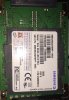
Hi, thank you for your reply, I'm a little confused, I have 2 uSSD cards and a standard SSD card I don't think will fit. I have attached a photo of one of the cards the other fits directly underneath. I was thinking about not replacing the cards as I only have the operating system installed. Is it possible to operate the laptop without the SSD cards and install the OS on a fresh hard drive??
Attached Files:
-
-
Hmm, that is strange, maybe your model has a special cable for uSSD. On my laptop, originally there was only the standard HDD, then I added the second cable for the second drive and changed the first to a standard SSD.
-
Mine was one of the first to launched in the UK with 500gb HDD with 120gb SSD, see photo for the two bays
-
Well, physically, a SSD should fit in there, the space is exactly the same as for the normal drive. As you can see, there is an additional holder to keep the smaller drive in place.
The connector does not seem different from a standard SATA, but I cannot be sure. Why don´t you just try to remove the two disks and see if you can plug the normal drive in the SSD connector? If it works, you should be able to use any SSD. -
Can you let me know what SSD you installed. Thanks
-
It is a Samsung SSD I have got on Amazon two or three years ago, now I don´t remember the exact model. Before that, I had another SSD from... OCZ I think, and before that the normal HDD. I am pretty sure that on my model any SATA drive is fine.
-
I've done some more digging the SSD card fitted by Sony has a unique connector called uSATA that was only manufactured by Samsung. I've decided to just renew the 500GB hard drive. Everything is now back up and running with WIN7 installed.
-
Glad to see that you have solved!
I guess there may be differences between the AW models, I have been using the old drives taken out from the AW11S on normal desktop PCs and other laptops, so I am pretty sure that I have a standard SATA connector on mine. -
did the 11S have a SSD card fitted from new, when I bought mine you could spec single or twin HDD or single HHD with 120GB SSD which at the time I think was new tech back 2009.
-
No, it had only one standard HDD. I added the second connector for the second HDD, then changed the first for a SSD.
-
hello to all owners of aw series , i have a question i want make to my aw11z/b the same setup as the users PEPELITSA and fat4l , T9900 CPU-3.07GHz, 2x4GB ddr2 ram, 1x SSD, 1x HDD, windows 10 64 bit i dont know if the users PEPELITSA and fat4l , uses this setup on aw11z/b ..... is it possible i need help ....... what do i need ? !!!! thanks !!!!!
-
I would like to ask if it's possible or anyone has done it, to replace the HD screen 1650x945 single CCFL lamp screen 18.4" with the FHD dual CCFL screen 1920x1080 by replacing as well the inverter with the dual one. Is it feasible?
-
I want to replace my 1680x945 single CCFL lamp screen with 1920x1080 either with two lamps CCFL or LED. Can you share any more info. Tried just to replace the screen with a dual CCFL screen but had minor graphic problems in my desktop area. Did you finally make it work? Didn't change the inverter with the dual one just checked it with OEM though. Thanks
-
I need little help with my ageing AW series BLURAY/CD ROM, can some point in the right direction where I can find a up todate BLURAY/CD ROM driver also just encase it's not the driver, does anyone know where I pick up a another BLURAY/CD ROM.
-
Hello. Sent my current MSI laptop away for RMA service so I pulled out the ancient AW to use while it's gone.
I noticed it's getting really hot by just idling and I suppose it could use a good clean inside.
How easy is it to clean the vent and fan? Any guides out there?
Thanks in advance. -
Hello!
I am currently restoring my old VGN-AW220J laptop (3.06GHz X9100 CPU, 8GB RAM, 1TB SSD (Crucial MX300), Sony Optiarc BD-5730S, FHD 1920x1080, Windows 10 Pro).
Can anyone help me to find the following parts?
- 18.4" LCD Rear Case - Black Color 4-115-323, 013-200A-8722-A (black matte)
- 18.4" LCD Front Bezel - Black Color 4-115-313, 013-001A-8729-A (black matte with silver matte sides)
I am even prepared to buy used parts however in a very condition – no scratches, etc.
Please kindly let me know.
Thank you!
Igor -
I have bought a few used parts from an ebay seller by the name " verified1001"
Follow the bellow link and send him a question. He used to have a lot of parts for the VGN-AW 18.4" series.
http://www.ebay.com/itm/SONY-VAIO-V...682316?hash=item1c843d1e8c:g:DRIAAOSwjL5ZEcz4
Regards
Dimitris -
Thanks so much for the reference. I'll definitively contact him.
-
Could you upload somewhere that driver and tell me all steps to install Win 10?
-
Hi
So My dual lamp backlight inverter Passed away and i can't find replacement
I Open the frame to see what model of inverter i have and
I searched everywhere possible on the internet and did not find one that matched my computer.
My Computer model is Sony Vaio VGN-AW11Z
The Inverter Model Is :1-445-472-11 CxcA3 (2044M1)
Please if anybody can help me find another one i Will appreciate it
Thanks.. -
Thanks
-
Does Someone Know What These 2 Wires Do ?
(1:51- 1:59 On Video)
When i Open My Frame To Check What Is The Model Of The Inverter That Passed Away
They Were Released.
Everything On The Computer Works Fine , Of Course The Screen Doesn't Work But I Can See The Screen With
FlashLight.
Now I Use The Computer With My 32" LCD TV And I Did Not Find Any Problem With The Computer
So What These 2 Wires Do?!?!?!
Thanks A Lot -
For the records I tried yesterday the Quad Core processor Q9100 with no luck... i'm going back to X9100
orionz likes this. -
I just bought this laptop on ebay and the screen has a weird red/green hue at the bottom, about an inch high.
1) What caused it?
2) How do I fix it?
3) Will it get worse over time?
4) What is the percentage of sRGB and AdobeRGB this screen has?
![[IMG]](images/storyImages/25248028217_4bec32b128_o.jpg) screen by
Last edited: Feb 12, 2018
screen by
Last edited: Feb 12, 2018 -
Hi everybody
I am new on this forum, so not sure to address my request at the right place...
my problem is probably simple, but I prefer to have the speclalist's advise...
my old AW41MF is equiped with 2x500 GB disks, which are both very slow and a friend of mine who tested them suggested me to replace them
if doing so, can I transfer Win 7 which was installed when I bought the Vaio, or just re-install it fromscratch with the 3 DVDs I created then?
thanks in advance for any help
Albert -
Can't believe I'm back on one of these beauties (AW180Y/Q) after nine years. Yes I use another machine for all but the lightest gaming...but for everything else it still works beautifully...with some upgrades. T9900 like I had the first time and 2x1TB EVO 860's in RAID 0. Limiting factor in theses lappy's is always the cpu/gpu. I have tried to put in a Core 2 Quad Q9000. Same results as everyone else...it won't pass POST...even with having removed the five pins which allowed the VGN-FW guys to use the Q9000 and the QX9300 in that series. Something about the BIOS in the AW's I guess. Why am I back to this 10 year old machine? The unmatched LED RGB screen...sound like no modern laptop...with this huge case you can really get some sound out of the machine...keyboard with numeric keypad...a slot for every known memory card (the CF slot even handles the newest 160 MB/sec cards at their rated speed)...dedicated media controls...and drive space for several TB of storage space especially if you pull the optical drive and install (yet another) hard drive. Photographers will love this...videographers too...if the cpu doesn't hold you back too much. If you're gonna do what I did with the hard drives you need to have one of the models that came with a RAID bios (AW170Y/Q or AW180Y/Q or AW190 ordered with the RAIDed drives preinstalled in the US) AND you need the HDD2 SATA hard drive cable which came preinstalled in the 170Y/Q and selected AW190's. My 180 had the micro SATA cable in the second drive bay so I had to order the HDD2 cable from a joint in Singaporefor $52 USD. They are not easy to find anymore. The actual nomenclature and Sony part# are in an earlier post of mine from 10 years ago...search it. My only disappointment is that despite the success of the FW guys/girls in upgrading to the Quad processors their series there seems to be no option to do that here. All have the same experience. Black screen and failure to pass POST. And oh yeah...lets say I'm being VERY careful of my LED RGB screen. No option to replace that essential piece of this machine anymore!
Last edited: Feb 11, 2019 -
PS...if you try to restore on of these from the original restore disks...yes I still have mine...they won't work with a modern SSD...you have to use an old SATA mechanical hard drive...then image that hard drive using Acronis or similar software...then restore the image to the SSD. That should work. Also been doing a lot of research on putting a Core 2 Quad in the AW's. No luck so far. I doesn't appear to be as much related to BIOS as to lack of motherboard support...maybe related to three phase power to the cpu and/or getting GTLREF voltage to pin D22 on the chip...neither of which the AW's seem to have...but then neither do the VGN-FW series and it works there with only removing five pins from the die. It's a head scratcher...
Last edited: Jul 14, 2019 -
Hi to everyone!!!!!
I am new to this forum!!! great job for Sony Vaio aw!!!!!!
I have a vgn aw 31m (Greece) that I want to upgrade-restore it. Recently, I bought the second ribbon for 1.8 ssds raid. I can see the two others hard disks at bios. When I find 1.8 disks, do I I have to install software for the raid (win 10) ????? I have the restore disks but for win vista. Would the raid function be there????
Next step is to upgrade to full hd, tv tuner, better cpu, 8 gb ram, br rom writer (now only reader) and fingerprint. I can see that my motherboard has only one mini pciexpress and I cant find where the fingerprint connects to my motherboard. I would like to ask if the motherboard mbx 194 is the same for all aw models????
Thank you in advance!!!!!! -
I am not familiar with the original specs of the AW31M/H. What little I can find indicates it came with only one 500GB hard drive. But MAY have come with the additional twin 64GB microSATA ssd's or two mechanical drives in RAID zero. If YOUR machine was originally equipped one of the last two ways then you SHOULD have the RAID option ROM. But if there was NO cable present in your second hard drive bay chances are it didn't. Go to BIOS set up-ADVANCED page and look for an entry for SHOW/HIDE RAID status or similar entry. There should be ONLY 2 lines on the advanced page...ENABLE/DISABLE Intel Virtualization Technology and SHOW/HIDE RAID status...it won't be hard to find...IF it's there. If the SHOW/HIDE RAID status line is NOT there...then no firmware RAID support is available because Sony only put it on the machines ORIGINALLY equipped with the twin drives. You can still install one or more SSD's...you just can't make a RAID array out of them. Current technology SSD's are so fast that RAID is no longer the premium feature it once was but I have it in mine and am glad I do. But to my knowledge there is no way to install it after the fact...either your BIOS has it or it doesn't. Thank you Sony. If you decide to install to a modern SSD...whether in RAID or not...from your restore disks there is a high chance that the restore will fail. First be sure your restore disks are for your EXACT model. If they are not...they won't work. No known way around the Sony model check. I found that when restoring my machine with similar WinVista disks...the restore wouldn't run with the target being a modern SSD. I had to install an old IDE (PATA) mechanical hard disk, then run the restore to the mechanical disk...and then image the ENTIRE disk to a USB hard drive using Acronis True Image and then restore the backup to the SSD(s). That gave me a valid activated OS I could then upgrade to a newer more usable one. In my case that was Win7 Ultimate which I happened to have a code for from a long failed machine. Or you can go straight to Win10 but Microsoft may try to charge you for installing that unless the machine has previously had it installed. Good luck.Theofilos likes this.
-
Hello.
Suddenly my screen filled with colored pixels.
When I uninstall the drivers from the graphics card Nvidia geforce 9600M GT is ok but once I reinstall the same again.
In the Bios It works normally only when log in on windows 10 64bit have this problem.I did a month ago format.
i try different drivers but have the same.
I do not have the temperature issue because I
clean it out all the time. Can someone help me or my card died.
https://live.staticflickr.com/65535/47829034682_d97a369ec8_m.jpg
https://live.staticflickr.com/65535/47091632794_2092c064f9_b.jpg -
antoniss2k did you try to check this issue with external monitor?????
-
This has almost got to be a driver issue. If the display looks normal in BIOS and with some type of default driver...it is highly unlikely to be a hardware failure...either in the 9600MGT chip (which oh by the way is soldered to the motherboard...it is not a replaceable card) or the display panel itself. To confirm driver issue with WIN 10, I suggest you load up WIN 7 or Vista and use oem driver from Sony and see if problem still exists. All the original drivers are still on their website if you google your exact model #.
-
Hey do you have the service manual for the AW series?
-
Hey can you please reupload this?
Official Sony VAIO AW Series 18.4" Owners thread
Discussion in 'VAIO / Sony Owners' Lounge Forum' started by Phil, Sep 9, 2008.